
Keycap Size Chart: 1u, Modifier and Spacebar Sizes (2026)
Affiliate Disclosure: We may earn a small commission on qualifying Amazon purchases at no extra cost to you. Full disclosure →
Keycap sizes are measured in units written as u, and once you know the system you can read any keycap set listing in seconds. It also explains why a keycap kit that fits one 65% board can leave gaps on another, because the sizes of the modifier keys and the spacebar change from layout to layout.
This chart covers the 1u pitch, the standard ANSI key sizes, the common spacebar lengths and how to check a set against your keyboard. Millimetre figures are calculated from the standard pitch and labelled as such, since printed keycap dimensions are slightly smaller than the space each key occupies.
Quick answer: 1u equals 19.05mm (3/4 inch) between the centres of two neighbouring keys. Larger keys are measured in multiples of a quarter unit: a standard ANSI layout uses 1.25u, 1.5u, 1.75u, 2u, 2.25u and 2.75u for modifiers, and a 6.25u spacebar. Always compare a keycap kit's listed sizes with your layout before you buy.
What 1u means
The unit refers to the footprint of a key on the keyboard, not its height or profile. Deskthority describes standard key spacing as 3/4 inch square, which is 19.05mm, and states that all Cherry MX style keycaps are made for it. Retail sources often quote the visible top of a 1u keycap as about 18mm, because a small gap separates neighbouring keys.
Larger keys are built in quarter-unit steps, so you will see 1.25u, 1.5u, 1.75u and so on. A 2u key therefore spans two key pitches, or 38.10mm calculated, even though its visible cap is slightly smaller.
Standard ANSI keycap sizes
The table lists the common ANSI sizes and the calculated width each one occupies. Calculated values are the unit multiplied by 19.05mm, so real keycaps measure a little less.
| Size | Calculated width (mm) | Calculated width (inch) | Typical ANSI key |
|---|---|---|---|
| 1u | 19.05 | 0.75 | Letters, numbers, most symbol keys |
| 1.25u | 23.81 | 0.94 | Bottom-row Ctrl, Win and Alt keys |
| 1.5u | 28.58 | 1.13 | Tab |
| 1.75u | 33.34 | 1.31 | Caps Lock |
| 2u | 38.10 | 1.50 | Backspace |
| 2.25u | 42.86 | 1.69 | Left Shift and Enter |
| 2.75u | 52.39 | 2.06 | Right Shift |
| 6.25u | 119.06 | 4.69 | Spacebar (most common) |
One ANSI row of the main block adds up to 15u, which is about 285.75mm or 11.25 inches calculated. That is the width of the main typing area before you add arrow keys, a nav column or a number pad.
Spacebar sizes
The spacebar is the key that most often causes a mismatch. The 6.25u length is the most common, and 7u appears on some layouts, according to Pimp My Keyboard. Deskthority notes that Cherry's own keyboards are an exception with a 6u spacebar or a 6.25u spacebar, and one low-profile Corsair keycap set lists 6.5u, so always check the exact set.
| Spacebar | Calculated width (mm) | Where you see it |
|---|---|---|
| 6u | 114.30 | Some Cherry keyboards |
| 6.25u | 119.06 | Standard ANSI layouts |
| 6.5u | 123.83 | Some low-profile sets |
| 7u | 133.35 | Some layouts and keycap kits |
If your board uses a different spacebar from the kit, the cap may still fit the stabiliser but leave visible gaps in the bottom row, and a mismatched bottom row can make the cap rub neighbouring keys.
Keycap sizes by keyboard layout
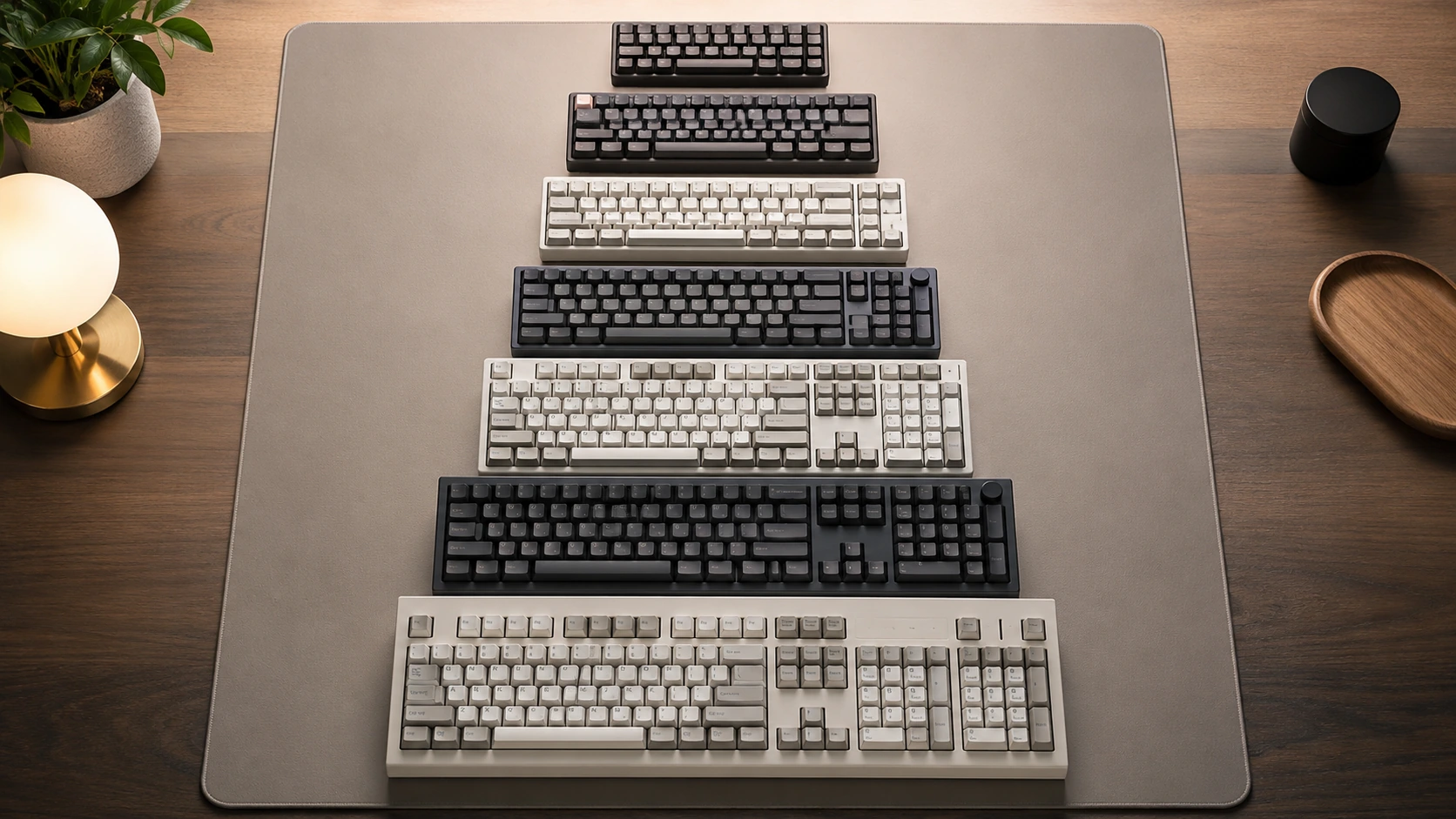
Compact layouts change which modifiers you need, so the same set can fit one size of board and not another. The key counts below follow our layout guides: 60%, 65% (about 66 to 68 keys) and 75% (about 80 to 85 keys).
| Layout | What changes | Keycaps to check |
|---|---|---|
| 60% | No arrow cluster, no function row, no nav keys | A standard 15u main block with 1.25u bottom row keys |
| 65% | Adds arrow keys and a small nav column | A shorter right Shift (often 1.75u) and extra 1u keys; confirm the set includes the right-side sizes |
| 75% | Keeps the function row and nav keys | Extra 1u keys beside the main block and a compact right Shift; check whether the kit covers the arrow cluster |
| 96% and full size | Adds a number pad | Number pad keys include 2u keys; check the numpad column in the listing |
For a full explanation of the layouts, see our keyboard size chart and the 60% vs 65% vs 75% keyboard comparison.
How to check a keycap set against your board
- Look at your keyboard and write down the sizes of the modifier keys, especially Shift, Enter, Backspace and the spacebar.
- Open the keycap set listing and find its list of sizes, which many sellers present as a layout kit.
- Compare each size against your board. A key you cannot find in the kit is a gap.
- Check the stem and profile compatibility, since the unit only describes the footprint.
To estimate a key's unit size from a measurement, divide the key's spacing by 19.05mm. For example, a key that occupies about 38mm of the row is roughly 2u (calculated). Measure from the centre of one key to the centre of the next for the best result.
Keycap sizes and a small desk
The key sizes also affect how wide the keyboard is. A 75% board adds a column or two beyond the 15u main block, and a 65% board adds a little less, which is why compact boards fit smaller desks. For wide-desk planning, see our best small keyboards guide.
Frequently asked questions
How big is a 1u keycap?
1u is a key pitch of 19.05mm (3/4 inch). The visible top of a standard keycap is typically a little smaller, often quoted at about 18mm.
What size is a standard spacebar?
6.25u is the most common on ANSI layouts. Some boards use 6u, 6.5u or 7u, so check the specific keyboard and keycap set.
What sizes are the modifier keys?
On a standard ANSI layout Tab is 1.5u, Caps Lock 1.75u, Left Shift 2.25u, Backspace 2u, Right Shift 2.75u, and the bottom-row modifiers 1.25u.
Will any 1u keycap fit any keyboard?
Only if the stem and size are compatible. The unit describes the footprint, so check the stem type and the profile in the listing too.
Why does my keycap set have gaps on a 65% board?
A 65% board uses a different right-hand layout from a 60% or full-size board, so the kit may lack the right Shift or extra 1u keys. Check the kit's size list against your keys.
Can I mix keycap sets?
Yes if the sizes and profile match, but mixed sets can look uneven. Compare the size list and the profile before you combine them.
Sources and scope
- Deskthority key spacing discussion - the 3/4 inch (19.05mm) standard spacing and quarter-unit steps.
- Omnitype ANSI key sizes guide - ANSI modifier and spacebar unit sizes.
- Pimp My Keyboard keycap guide - keycap unit definition and common spacebar sizes.
- Hiro's Arts keycap dimensions guide - beginner explanation of keycap dimensions.
Standard sizes are taken from published ANSI layout references and keyboard-community sources. Millimetre and inch widths in the tables are calculated from the 19.05mm pitch and are not manufacturer measurements. Check the listing for any specific keycap set or keyboard.