
Keyboard Size Chart: All Layouts and Dimensions (2026)
Keyboard size chart with dimensions for 40%, 60%, 65%, 75%, TKL, 96%, and full-size layouts. Covers keycap sizes, switch colors, and best size for gaming.
Affiliate Disclosure: We may earn a small commission on qualifying Amazon purchases at no extra cost to you. Full disclosure →
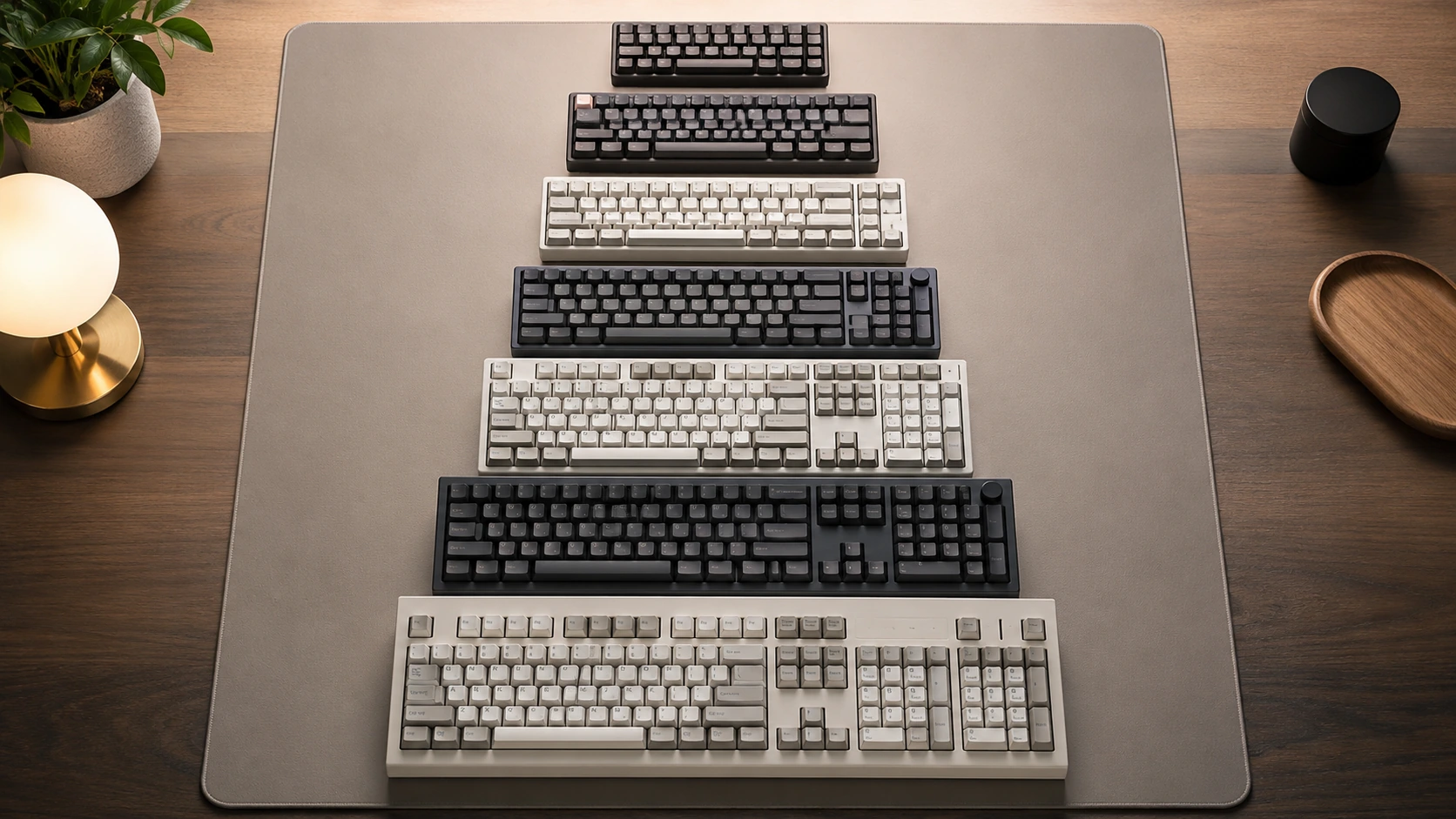
Quick answer: A standard full-size keyboard is approximately 17.5" x 5.0" (44.5cm x 12.7cm). A TKL is ~14.0" x 4.8" (35.5cm x 12.2cm). A 75% is ~12.6" x 4.1" (32cm x 10.4cm). A 65% is ~11.5" x 4.1" (29cm x 10.4cm). A 60% is ~11.0" x 4.1" (28cm x 10.4cm). All measurements vary slightly by manufacturer.
Quick Picks by Layout
If you already know which size you want, here are the top budget picks:
| Size | Best Budget Pick | Price | |
|---|---|---|---|
| 65% | Redragon K631 PRO (Triple-mode wireless, hot-swap) | ~$45-55 | Check price on Amazon |
| 75% | EPOMAKER x AULA F75 (Gasket mount, knob, PBT keycaps) | ~$60-65 | Check price on Amazon |
| TKL | Keychron C3 Pro (Hot-swap, PBT, compact build) | ~$35-45 | Check price on Amazon |
For full reviews and more picks: Best Mechanical Keyboards Under $100
Master Keyboard Size Chart
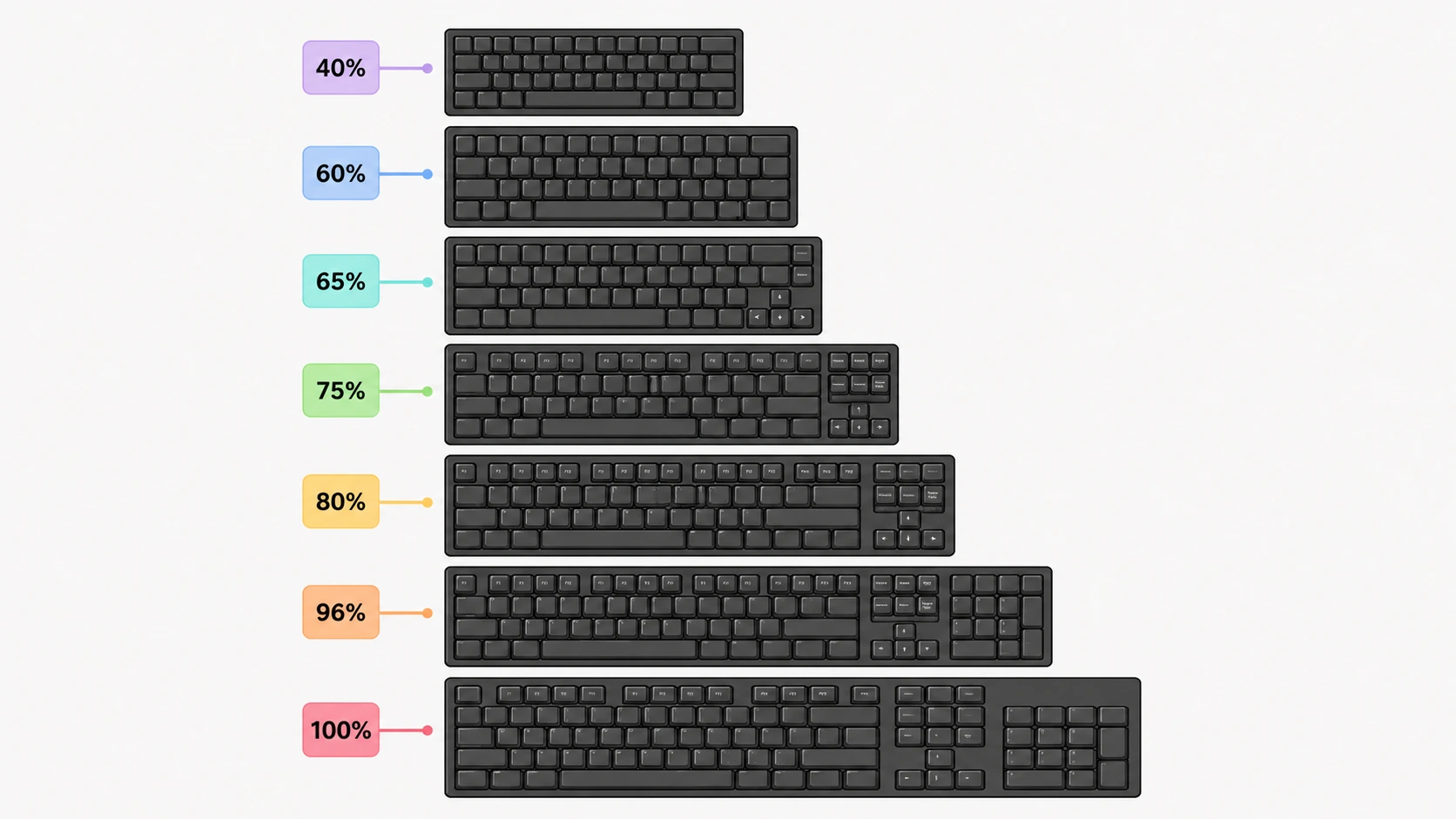
| Layout | Keys | Width (inches) | Width (cm) | Height (inches) | Height (cm) | What's removed |
|---|---|---|---|---|---|---|
| 40% | ~40-48 | ~9.6" | ~24.4cm | ~3.3" | ~8.4cm | Numpad, F-row, number row, nav |
| 60% | 61 | ~11.0" | ~28.0cm | ~4.1" | ~10.4cm | Numpad, F-row, nav cluster, arrows |
| 65% | 68 | ~11.5" | ~29.2cm | ~4.1" | ~10.4cm | Numpad, F-row |
| 75% | 84 | ~12.6" | ~32.0cm | ~4.1" | ~10.4cm | Numpad |
| TKL / 87% | 87 | ~14.0" | ~35.6cm | ~4.8" | ~12.2cm | Numpad |
| 96% / 1800 | 96-98 | ~15.4" | ~39.1cm | ~4.8" | ~12.2cm | Nothing (compact numpad) |
| Full-size / 100% | 104 | ~17.5" | ~44.5cm | ~5.0" | ~12.7cm | Nothing |
Note: Measurements are for standard ANSI layouts. ISO (European) layouts add ~0.3-0.5" in width. Individual keyboards vary by +-0.2-0.5" depending on manufacturer and case design.
Each Layout Explained
40% Keyboard (~9.6" / 24.4cm wide)
A 40% keyboard retains only the core alphabetic keys, a small symbol row, and modifiers. Number keys, F-keys, and navigation are entirely on Fn layers. Used almost exclusively by enthusiast typists who have memorized their layout.
Who uses it: Ultra-portable users, minimalist enthusiasts, heavy Fn-layer users Who should avoid it: Anyone who types numbers, uses shortcuts, or is still learning keyboard positions
60% Keyboard (~11.0" / 28.0cm wide)
The smallest layout that retains a full alphabetic block plus modifiers. No numpad, no F-row, no dedicated navigation keys, no dedicated arrow keys. Arrow keys are accessed via Fn layer on most 60% keyboards (exception: some 60% boards add arrow keys as a separate cluster in the bottom-right corner, which technically makes them a 65%).
Common 60% keyboards: Anne Pro 2, Ducky One 2 Mini Who uses it: Minimalists, portable typists, gamers who prefer the smallest possible footprint Who should avoid it: Anyone who uses arrow keys or F-keys regularly
65% Keyboard (~11.5" / 29.2cm wide)
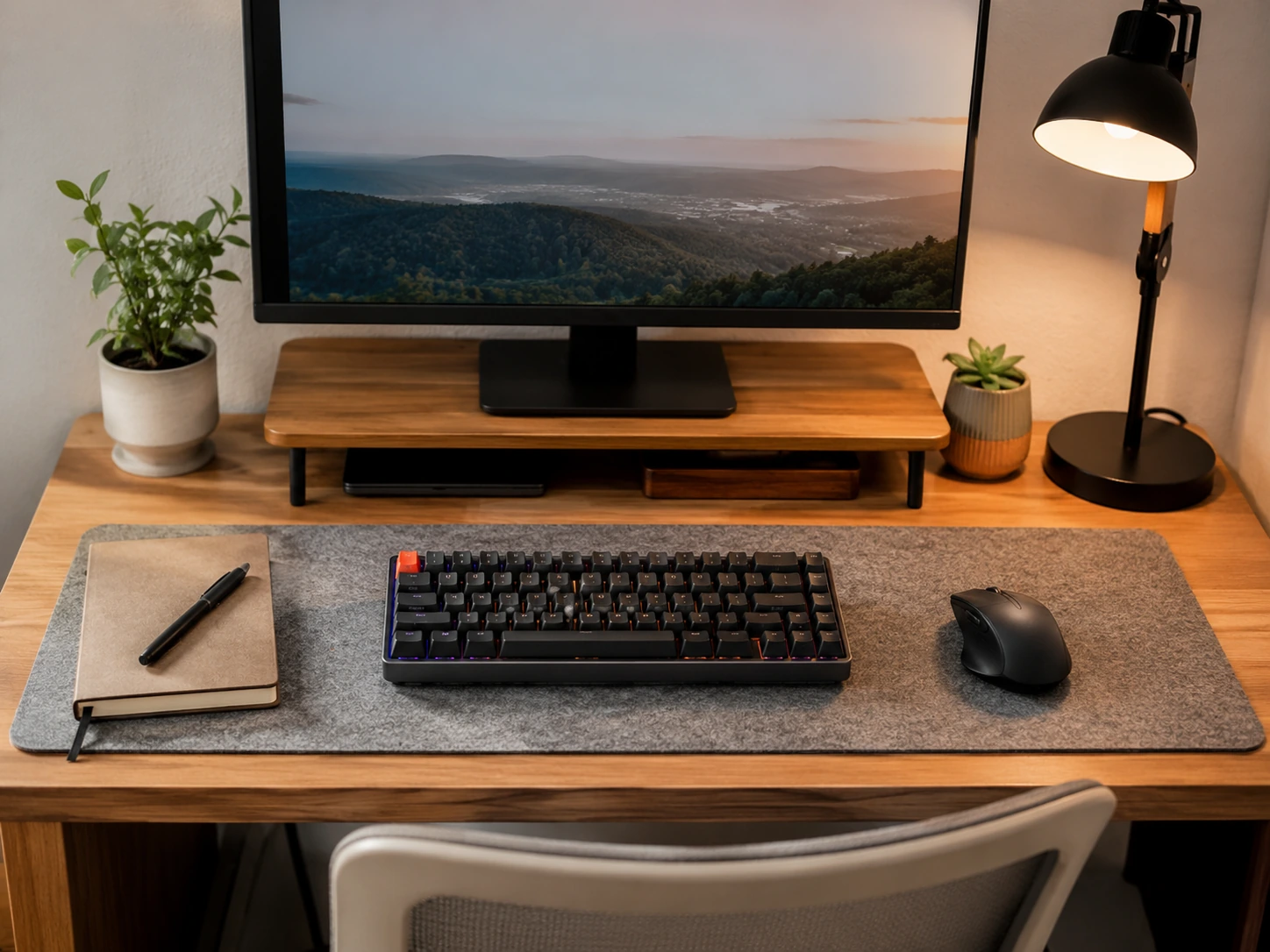
A 65% keyboard adds dedicated arrow keys and a compact navigation cluster back to the 60% layout. It is the smallest layout that retains dedicated arrow keys, making it the most popular compact layout for gaming.
Compared to 60%: +0.5" wider, +dedicated arrow keys Compared to 75%: -1.1" narrower, -physical F-row (F1-F12 via Fn layer only)
Common 65% keyboards: Keychron K6, HyperX Alloy Origins 65, RK Royal Kludge RK68 Who uses it: FPS gamers, users who don't use F-keys regularly, compact desk setups Who should avoid it: Video editors, programmers who use F-keys heavily, gamers with F-key in-game binds
75%, TKL, 96%, and Full-Size
75% Keyboard (~12.6" / 32.0cm wide)
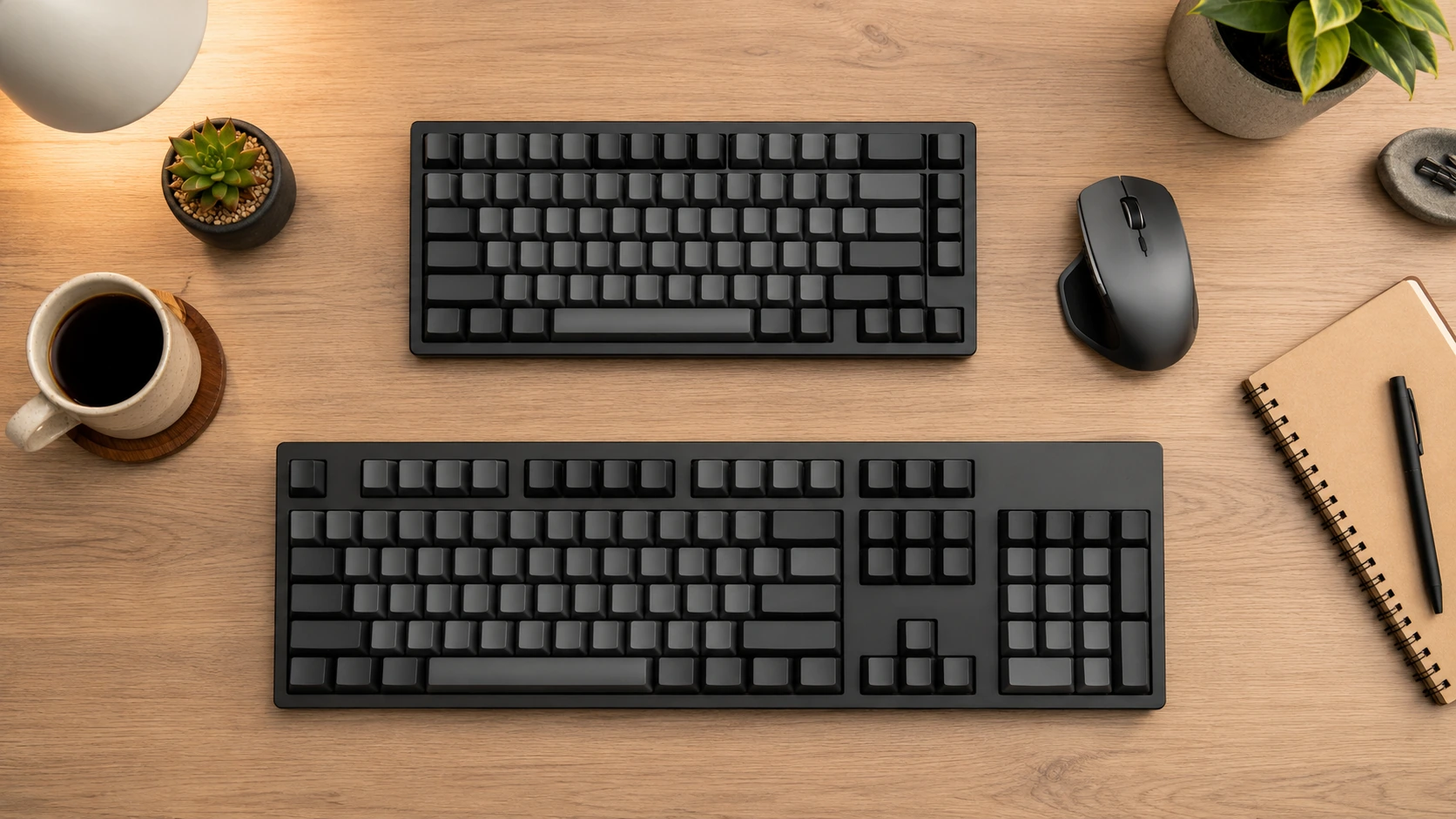
A 75% keyboard is a compressed TKL - it keeps the F-row, arrow keys, and a minimal navigation cluster but removes the spacing gap between the main block and nav keys, reducing width from 14" to 12.6".
Compared to 65%: +1.1" wider, +physical F-row (F1-F12 as dedicated keys) Compared to TKL: -1.4" narrower, same functional key set (nav keys compressed)
The 75% is the most popular compact layout for home office use because it keeps every functional key group while saving meaningful desk space.
Common 75% keyboards: Keychron V1, RK Royal Kludge RK84, GMMK Pro Who uses it: Home office workers, programmers, anyone who needs F-keys but wants a smaller board than TKL
TKL / 87% Keyboard (~14.0" / 35.6cm wide)
TKL (Tenkeyless) removes the numpad from a full-size keyboard. Every other key group is present - F-row, full nav cluster, arrow keys - with normal spacing between them.
Who uses it: Gamers who want mouse space without giving up the F-row, office workers who don't need a numpad, anyone upgrading from full-size Who should avoid it: Accountants, data entry professionals, anyone who uses the numpad daily
96% / 1800 Keyboard (~15.4" / 39.1cm wide)
A 96% keyboard compresses the numpad tightly against the main block with no gap, fitting nearly all keys of a full-size keyboard in ~88% of the width. It is less common and has fewer budget options available.
Who uses it: Users who need a numpad but want a slightly smaller footprint than full-size Who should avoid it: Anyone who confuses the numpad location due to missing gap
Full-Size / 100% Keyboard (~17.5" / 44.5cm wide)
The standard keyboard with all 104 keys (ANSI). Numpad, F-row, full navigation cluster, dedicated arrow keys - everything present with standard spacing.
Who uses it: Data entry, spreadsheet-heavy work, users who switch between keyboard and numpad frequently Who should avoid it: Anyone with a desk under 48" wide where the keyboard takes up disproportionate space, gamers who want mouse room
Keyboard Size Comparison and Reference Tables
Visual Width Comparison
Each block below represents approximately 0.5 inches of keyboard width:
`` 40% (9.6") ##################### 60% (11.0") ###################### 65% (11.5") ####################### 75% (12.6") ######################### TKL (14.0") ############################ 96% (15.4") ############################### 100% (17.5") ################################### ``
Keyboard Size in Centimeters
| Layout | Width | Depth | Approximate area |
|---|---|---|---|
| 40% | 24.4cm | 8.4cm | 205 cm2 |
| 60% | 28.0cm | 10.4cm | 291 cm2 |
| 65% | 29.2cm | 10.4cm | 304 cm2 |
| 75% | 32.0cm | 10.4cm | 333 cm2 |
| TKL | 35.6cm | 12.2cm | 434 cm2 |
| 96% | 39.1cm | 12.2cm | 477 cm2 |
| Full-size | 44.5cm | 12.7cm | 565 cm2 |
What Size Keyboard Do I Need?
| Situation | Recommended size |
|---|---|
| Desk under 36" wide, gaming | 65% |
| Desk 36-48", home office + gaming | 75% |
| Desk 40"+, home office only | TKL or 75% |
| Need numpad daily (data entry) | 96% or Full-size |
| Portable use, travel keyboard | 60% or 65% |
| Maximum productivity, no space limit | Full-size |
| FPS competitive gaming | 65% |
| Programmer who uses F-keys | 75% or TKL |
Best Keyboard Size for Gaming
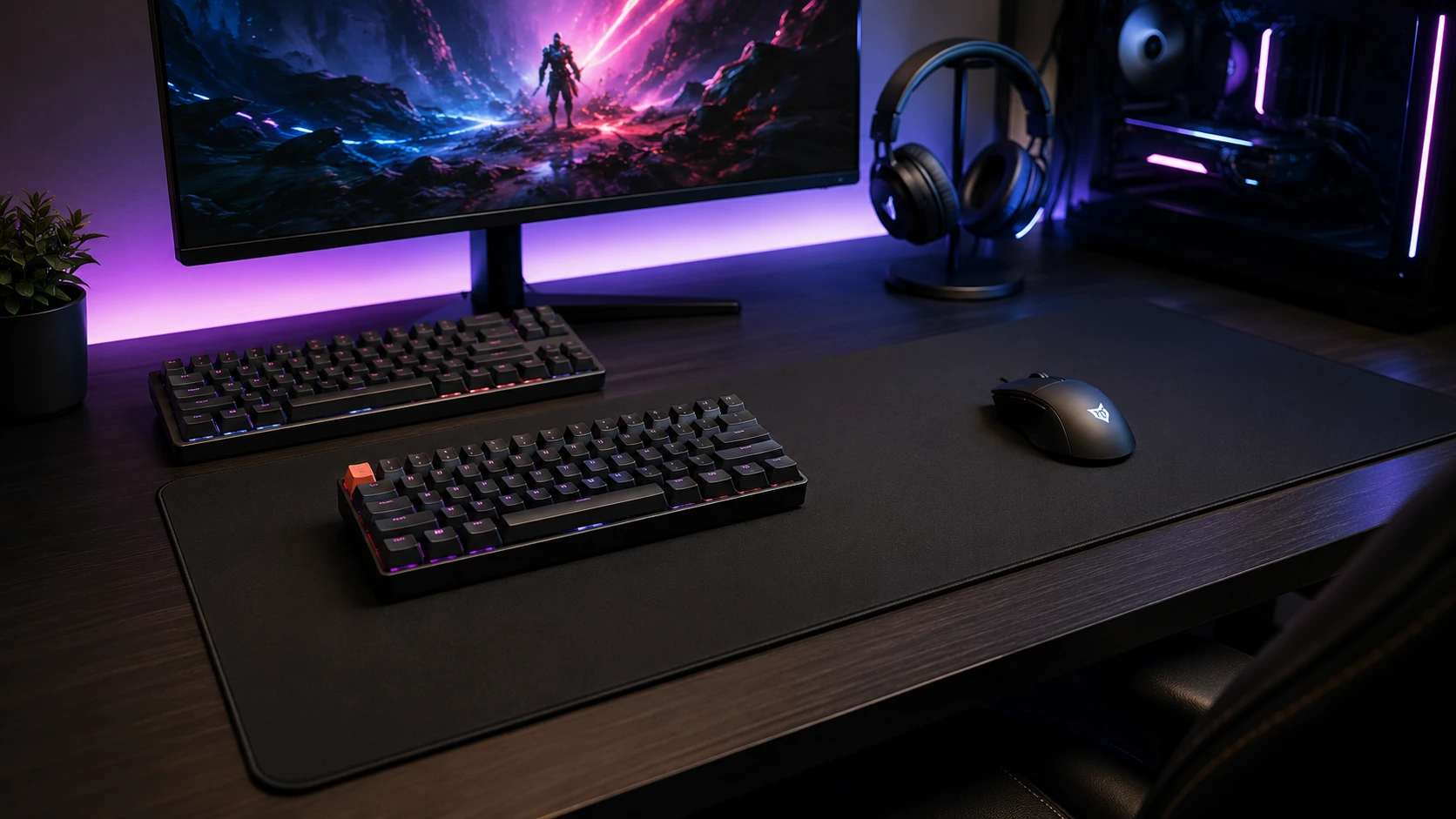
The two most popular keyboard sizes for gaming are 65% and 75%.
Why 65% is popular in FPS gaming: Mouse clearance. On a right-handed setup, a narrower keyboard shifts the mouse zone 2.5" closer to the body compared to TKL. This lowers the elbow angle and allows larger arm-sweep mouse movements - a practical advantage in games like CS2, Valorant, and Apex Legends that use low DPI.
Why 75% is more popular for hybrid gaming/work setups: 75% retains dedicated F-keys. Many games bind abilities, map views, or settings to F1-F12. Without physical function keys, these require a two-key Fn combination in the middle of a game. For titles that use F-key binds, 75% eliminates this problem while saving 1.4" over TKL.
| Game type | Best keyboard size |
|---|---|
| FPS (CS2, Valorant, Apex) | 65% or 75% |
| MOBA (Dota 2, League) | 65% or 75% |
| MMO / RPG (heavy macro use) | TKL or Full-size |
| Battle Royale (no F-key binds) | 65% |
| Strategy / RTS | TKL (frequent F-key use) |
| Casual / all-rounder | 75% |
Related comparisons:
- TKL vs Full-Size Keyboard - numpad decision guide
- 60% vs 65% vs 75% Keyboard - compact layout comparisons
How We Picked
Every product in this guide was evaluated across five criteria, weighted for real small-space use. We do not claim hands-on lab testing — our evaluation is based on verified buyer feedback patterns, published product specifications, and structured comparison criteria.
Small-Space Fit
Physical footprint, mounting options, and whether the product works without consuming space you don't have.
Build Quality
Materials, finish durability, and construction quality as indicated by product specs and verified buyer feedback patterns.
Ease of Use
Setup time, daily usability, and how much adjustment the product requires once in place.
Value for Money
Price-to-performance ratio compared to competing products in the same subcategory.
Buyer Feedback
Patterns from verified Amazon reviews — what real buyers praise and complain about most over time.
Laptop Keyboards, Keycap Sizes, and Switch Colors
Laptop Keyboard Size vs. Desktop Keyboard
Laptop keyboards use a different sizing convention than desktop keyboards.
| Laptop keyboard type | Key pitch | Width (typical) | Notes |
|---|---|---|---|
| Standard laptop (15") | 18-19mm | ~11.0-11.5" | TKL-equivalent layout |
| Compact laptop (13-14") | 17-18mm | ~10.5-11.0" | Some keys compressed |
| External compact (60-65%) | 19mm | ~11.0-11.5" | Same as laptop key pitch |
| Desktop full-size | 19mm | ~17.5" | Standard MX-compatible |
Laptop keyboards use the same key pitch (spacing center-to-center) as desktop keyboards - 19mm for most laptops over 13 inches. The difference in total width comes from fewer keys and no numpad, not smaller keys.
Key pitch is the measurement that determines how a keyboard feels under your hands. A 65% desktop keyboard and a 14" laptop keyboard have nearly identical key pitch and layout width, which is why compact desktop keyboards feel natural for laptop users.
Keycap Size Chart
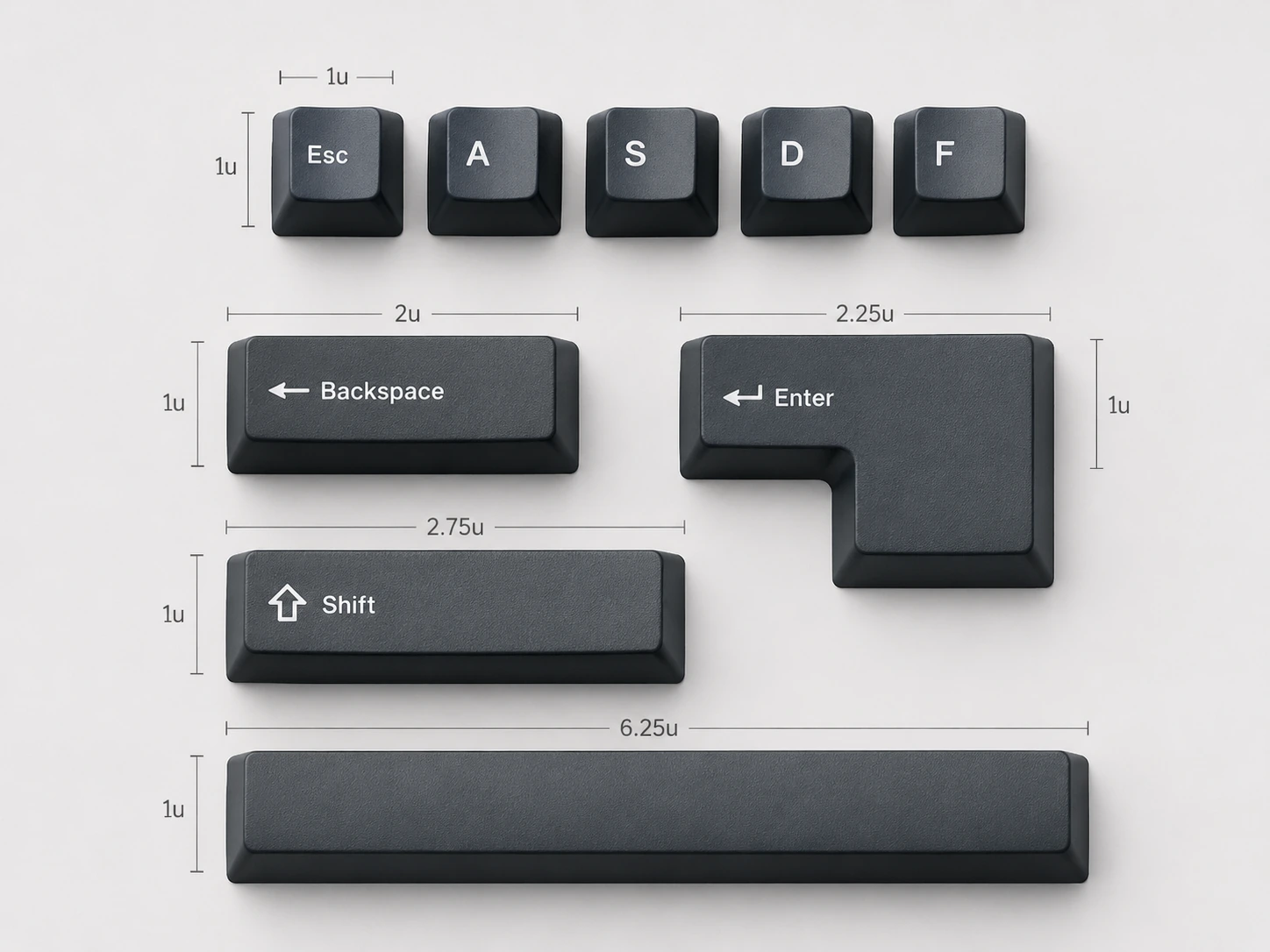
Keycaps are measured in units (u) where 1u = the size of a standard letter key (approximately 18mm x 18mm keycap, on a 19mm x 19mm plate spacing).
Standard ANSI Keycap Sizes
| Key | Size |
|---|---|
| Letter keys (A-Z), number row (1-0), symbols | 1u |
| Tab | 1.5u |
| Caps Lock | 1.75u |
| Left Shift | 2.25u |
| Right Shift (standard) | 2.75u |
| Right Shift (compact, 65/75%) | 1.75u |
| Backspace | 2u |
| Enter | 2.25u (horizontal) |
| Spacebar (standard) | 6.25u |
When buying aftermarket keycaps: Verify the spacebar size and bottom row layout before purchasing. The most common incompatibility involves non-standard spacebar sizes (6u, 6.5u, 7u) or different modifier widths. Budget keyboards from Redragon, RK, and some AULA models often have non-standard bottom rows.
Switch Color Comparison Chart
Cherry MX Switch Chart
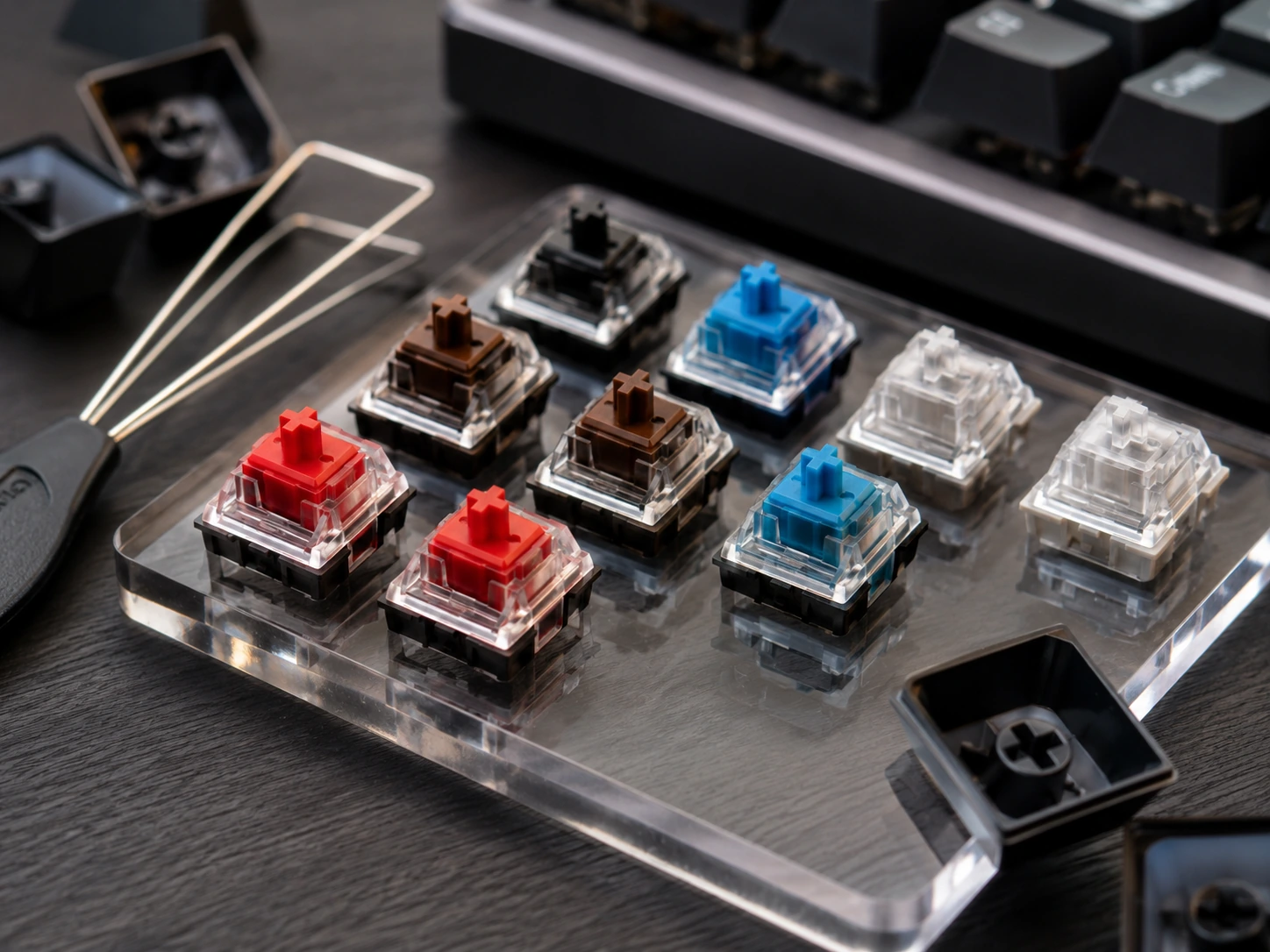
| Color | Type | Actuation force | Sound | Best for |
|---|---|---|---|---|
| Red | Linear | 45g | Quiet | Gaming, fast typists |
| Black | Linear | 60g | Quiet | Heavy typists, gaming |
| Speed Silver | Linear | 45g | Quiet | Competitive gaming (fastest) |
| Brown | Tactile | 45-55g | Moderate | Home office, gaming hybrid |
| Clear | Tactile | 65g | Moderate | Deliberate typists |
| Blue | Clicky | 50-60g | Loud | Typing, NOT for offices or calls |
| Green | Clicky | 80g | Very loud | Heavy typists who want clicky |
Budget Switch Equivalents
| Cherry MX color | Gateron | Outemu | Akko |
|---|---|---|---|
| Red (linear, light) | Gateron Red / Yellow | Outemu Red | Akko CS Jelly Red |
| Brown (tactile) | Gateron Brown | Outemu Brown | Akko CS Jelly Brown |
| Blue (clicky) | Gateron Blue | Outemu Blue | Akko CS Jelly Blue |
Notable differences: Gateron switches are widely considered smoother than Cherry MX at the same price point. Budget Outemu switches (found on Redragon keyboards) are functional but less refined. Akko CS switches (factory pre-lubed on Akko keyboards) punch above their price.
Switch Type Quick Decision
| Use case | Switch type | Color |
|---|---|---|
| Gaming (general) | Linear | Red or Yellow |
| Gaming (competitive, fastest actuation) | Linear | Speed Silver or Yellow |
| Home office (quiet) | Linear | Red |
| Home office (typing feedback) | Tactile | Brown |
| Typing only, shared space | Tactile | Brown or Clear |
| Typing only, private space | Clicky | Blue |
| Video calls / open office | Linear or Tactile | Red or Brown - AVOID Blue |
Frequently Asked Questions
What is the standard keyboard size?
The standard keyboard size is full-size (100%), approximately 17.5 inches wide and 5.0 inches deep (44.5cm x 12.7cm). This is the size most commonly found in offices, sold with desktop computers, and used as a baseline for all other layout comparisons.
What keyboard size is best for a small desk?
For desks under 40 inches wide, a 65% (11.5" / 29.2cm) or 75% (12.6" / 32.0cm) keyboard leaves adequate space for a mouse. A full-size keyboard on a 36-inch desk takes nearly half the horizontal surface.
What is the difference between 65% and 75%?
A 65% keyboard is 11.5 inches wide and has no physical F-row (F1-F12 are on the Fn layer). A 75% keyboard is 12.6 inches wide and retains a physical F-row while removing only the numpad and nav key spacing. The 1.1-inch width difference is the trade-off for dedicated function keys.
How big is a 75% keyboard in cm?
A 75% keyboard is approximately 32.0cm wide and 10.4cm deep. Specific models vary by +-0.5-1.0cm depending on case design. The Keychron V1 (one of the most popular 75% keyboards) measures 32.5cm x 11.0cm with the case.
What is keycap size 1u?
1u is the size of a standard letter key - approximately 18mm x 18mm keycap on a 19mm x 19mm plate pitch. All letter keys, number row keys, and most symbol keys are 1u. Larger keys (Shift, Space, Enter, Backspace) are measured in multiples of 1u: Spacebar is 6.25u, Left Shift is 2.25u, Backspace is 2u.
What is the difference between Cherry MX Red and Brown?
Cherry MX Red is a linear switch - it presses straight down with no tactile bump or click. Cherry MX Brown is a tactile switch - it has a subtle bump at the actuation point (2.0mm) that provides keystroke feedback without a click sound. Red is preferred for gaming; Brown is preferred for typing in shared environments.
Related Buying Guides
TKL vs Full-Size Keyboard: Which One Should You Get?
60% vs 65% vs 75% Keyboard: Which Size Should You Get?
6 Best Mechanical Keyboards Under $100 for Home Office and Gaming (2026)
7 Best Monitor Arms Under $100 in 2026: Picks for Every Desk Size
Want to browse more options? See all related products on Amazon.
Browse on AmazonEvaluation note: Products in this guide were assessed on overall score, small-space fit, build quality, ease of use, value for money, and buyer feedback from verified Amazon reviews. We do not claim hands-on product testing.
Read our full methodology →