
Best Charging Stations for Desk: Clean Picks for Workspaces and Small Desks
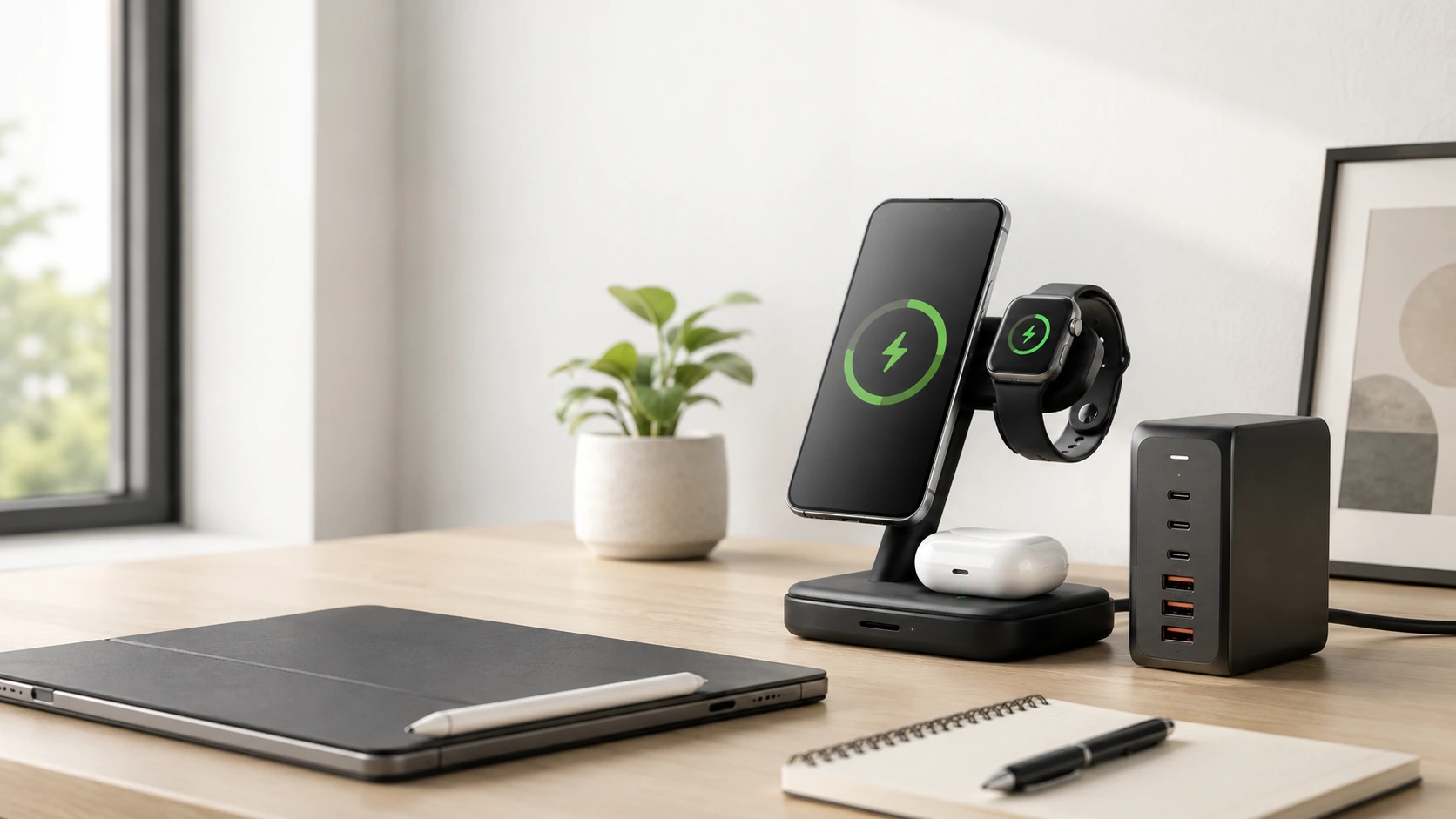
A good desk charging station consolidates everything -- phone, watch, earbuds, tablet, even your laptop -- into one hub with one power cord running to the wall. Less cable clutter, less scrambling, less dead-battery anxiety during the workday.
Quick Picks
| Pick | Product | |
|---|---|---|
| Best Overall | Anker Prime 200W (6-Port GaN) | Check price |
| Best USB-C | UGREEN Nexode 200W | Check price |
| Best Wireless | Anker MagSafe 3-in-1 Qi2 (15W) | Check price |
| Best Multi-Device | Baseus Nomos 5-in-1 (140W) | Check price |
| Best Compact | Anker Nano Charging Station (6-in-1, 67W) | Check price |
| Best with Organizer | BESTEK 8-Port USB Charging Station with Desk Organizer | Check price |
| Best Budget | Anker 5-Port USB Charging Hub | Check price |
It's 2 PM on a Tuesday and your phone is at 14%. Your AirPods are flashing orange. Your Apple Watch buzz just reminded you about a call in 20 minutes -- and you have one cable dangling from a laptop, nowhere near the other devices.
If that's your desk right now, a charging station would fix all of it.
A good desk charging station consolidates everything -- phone, watch, earbuds, tablet, even your laptop -- into one hub with one power cord running to the wall. Less cable clutter, less scrambling, less dead-battery anxiety during the workday.
The catch is that not all charging stations are made for desks. Some are too big, some have the wrong port mix, and some look like they belong in a server room, not on your workspace.
We tested and reviewed 12+ options across every category. Below are the seven best desk charging stations in 2026, picked by use case so you can find exactly what fits your setup.
All 7 Picks at a Glance
At a Glance
Our Top Picks for Desk Charging Stations
Anker Prime 200W (6-Port GaN)
Why it wins
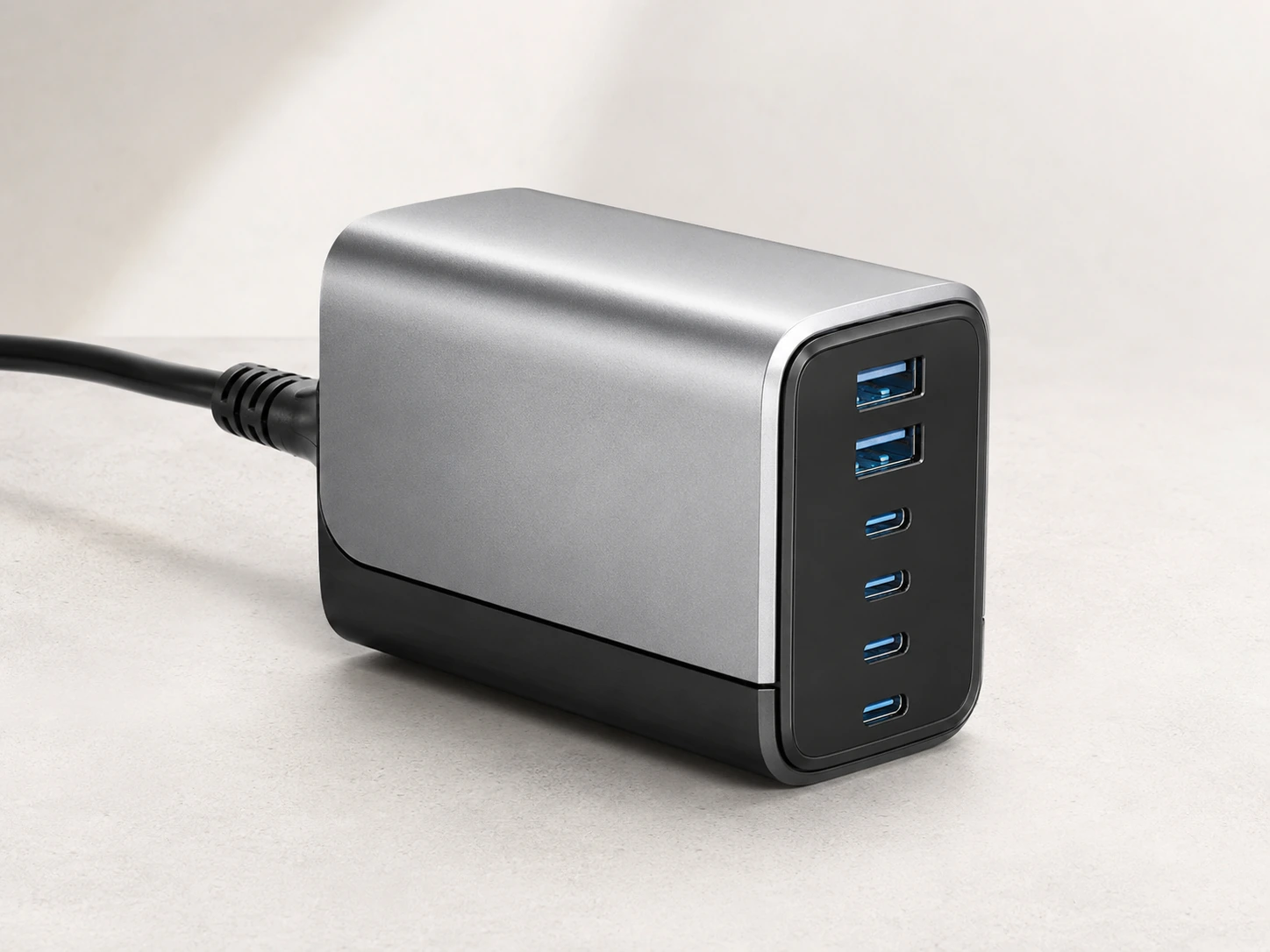
The Anker Prime 200W is the most versatile desk charging station you can buy right now. Four USB-C ports and two USB-A ports handle virtually any mix of devices, and the 200W total output is enough to charge a MacBook Pro and five other devices at the same time -- all from a single station that's compact enough to sit between your keyboard and monitor.
The real headline is the port intelligence: the primary USB-C port delivers up to 100W on its own, dropping to a sensible 65W/35W split when a second device is plugged in. That means your laptop always gets meaningful power, not just trickle charge.
GaN technology keeps the unit running cool without a fan. No noise, no heat buildup on your desk surface.
Check price on AmazonSpecs at a glance
- Total output: 200W
- Ports: 4x USB-C (up to 100W each), 2x USB-A
- Technology: GaN (fanless)
- Form factor: Desktop tower, upright
- Desk footprint: Approximately 8.5 x 8.5 cm base -- fits comfortably in a corner or beside a monitor stand.
Pros
- +200W total handles laptop + phone + tablet simultaneously
- +All 4 USB-C ports support fast charging
- +Fanless -- completely silent
- +Compact for the output it delivers
Cons
- −No built-in wireless charging pad (use alongside a Qi2 pad if needed)
- −Pricier than budget options at ~$80--100
- −USB-A ports limited to 22.5W each
Best for: Anyone who needs to charge a laptop alongside multiple phones, tablets, or accessories from one hub.
UGREEN Nexode 200W
Why it wins
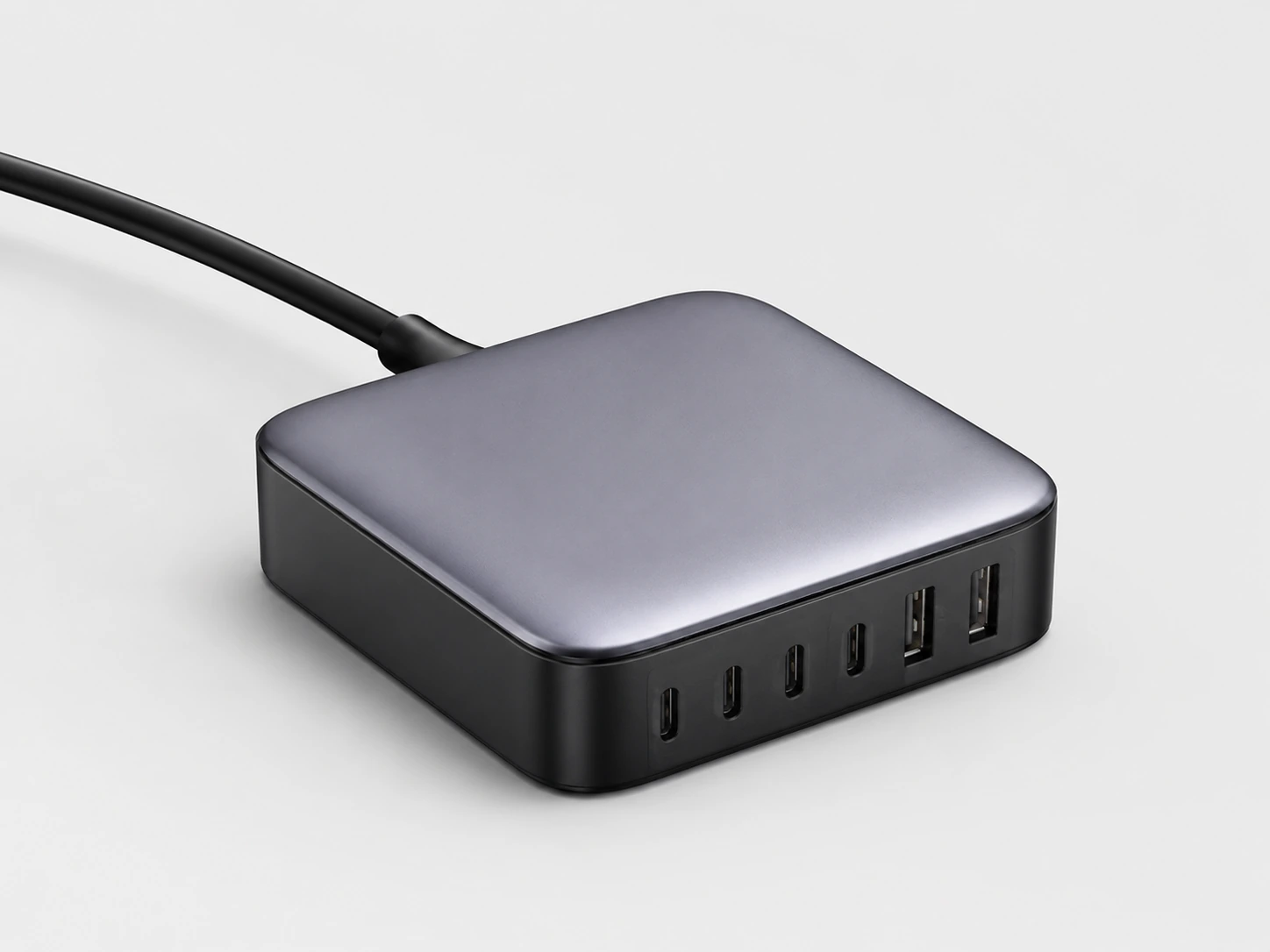
If you live in a USB-C world -- MacBook, iPad Pro, Android phone, wireless earbuds -- the UGREEN Nexode 200W is purpose-built for you. The standout spec is the primary USB-C port: 140W via PD 3.1, which is the first USB-C standard capable of charging a 16-inch MacBook Pro at full speed. Every other competitor in this price range tops out at 100W.
Four USB-C ports and two USB-A ports share that 200W total pool intelligently. Plug in your MacBook and two phones, and it distributes 100W to the laptop and 50W between the phones. Plug in only the laptop, and it gets the full 140W.
The design is clean and desk-friendly -- a dark rectangular unit that sits upright without eating into your working area.
Check price on AmazonSpecs at a glance
- Total output: 200W
- Ports: 4x USB-C (primary: 140W PD 3.1), 2x USB-A
- PD 3.1: Yes (140W primary port)
- Form factor: Desktop upright
- Desk footprint: Approximately 9 x 9 cm base.
Pros
- +140W primary USB-C port -- charges any laptop at full speed
- +PD 3.1 support (future-proof for high-demand devices)
- +Quiet fanless design
- +Strong value vs. competitors at similar price
Cons
- −Large brick if used next to keyboard on very small desks
- −USB-A ports weaker than USB-C counterparts
- −No wireless charging
Best for: MacBook Pro users, iPad Pro users, or anyone with a USB-C-heavy device ecosystem.
Anker MagSafe 3-in-1 Qi2 (15W)
Why it wins
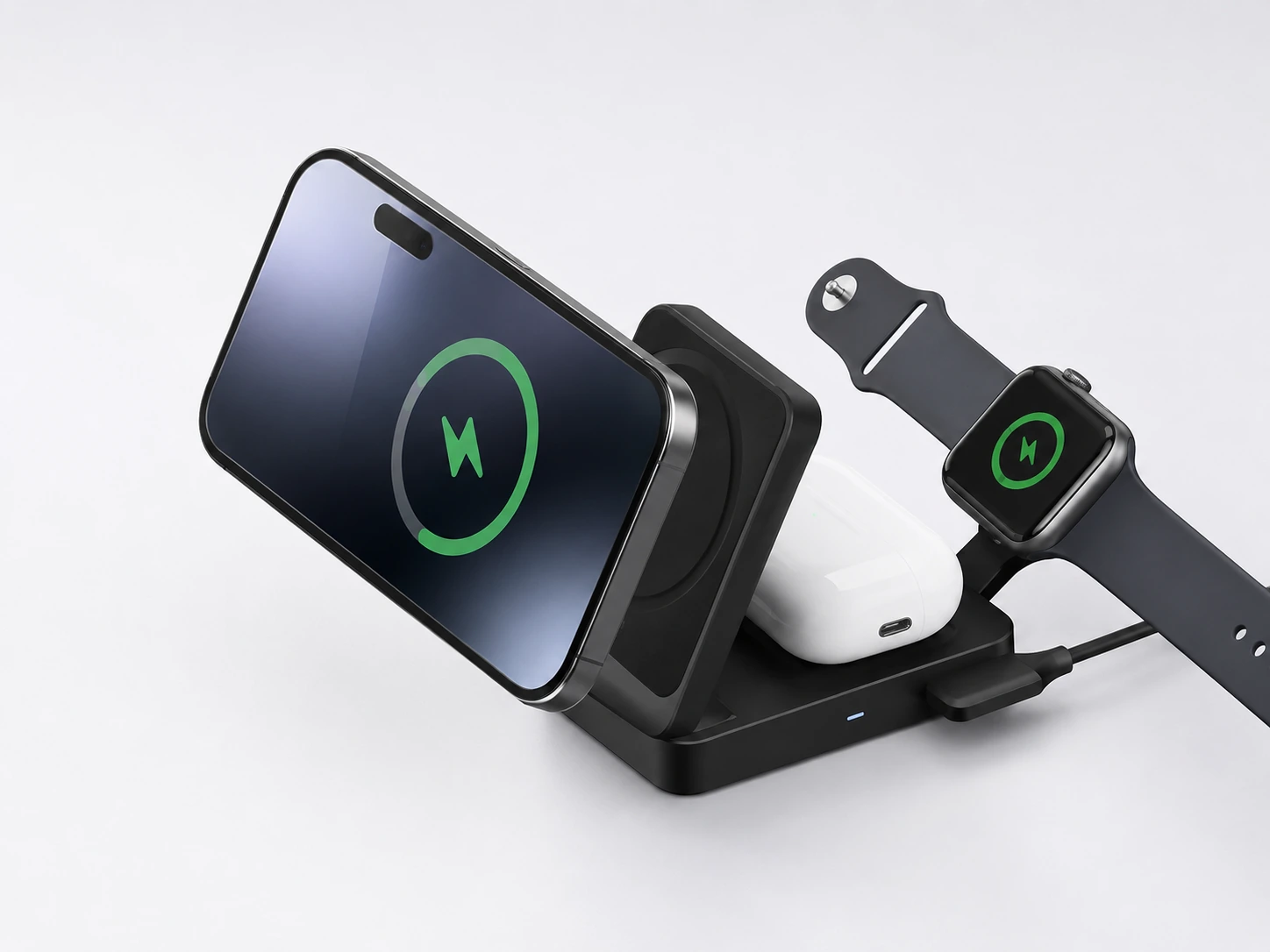
For an Apple setup -- iPhone, Apple Watch, AirPods -- the Anker MagSafe 3-in-1 Qi2 is the cleanest answer. One unit, no cables between your devices, no fumbling to find the charging sweet spot. Your iPhone snaps onto the MagSafe pad at 15W, your Watch charges on a dedicated puck, and your AirPods case drops onto the Qi pad. Done.
The Qi2 certification matters here: it delivers the full 15W wireless speed that used to require Apple's own MagSafe charger, but on an open standard. If you upgrade to any future Qi2-compatible phone, this charger works at full speed.
At $35--100 depending on the current promotion (it discounts heavily and frequently on Amazon), this is also one of the most accessible 3-in-1 wireless desk chargers available.
Check price on AmazonSpecs at a glance
- MagSafe pad: 15W (Qi2)
- Apple Watch pad: 5W
- AirPods pad: 5W (Qi)
- Input: 40W USB-C adapter included
- Cable: 5-foot USB-C
- Desk footprint: Slim vertical stand, base approximately 10 x 8 cm. Can sit behind a phone during charging.
Pros
- +Full 15W MagSafe speed without Apple's premium pricing
- +Qi2 certified -- works with all Qi2 devices
- +Clean single-cable desk setup
- +40W adapter included (many competitors skip this)
- +Goes on deep discount regularly
Cons
- −Apple ecosystem only (no Android fast wireless charging)
- −No USB-C/USB-A wired ports
- −Watch charger is fixed, not adjustable on all variants
Best for: iPhone users who want to eliminate phone, watch, and AirPods cables from their desk completely.
Baseus Nomos 5-in-1 (140W)
Why it wins
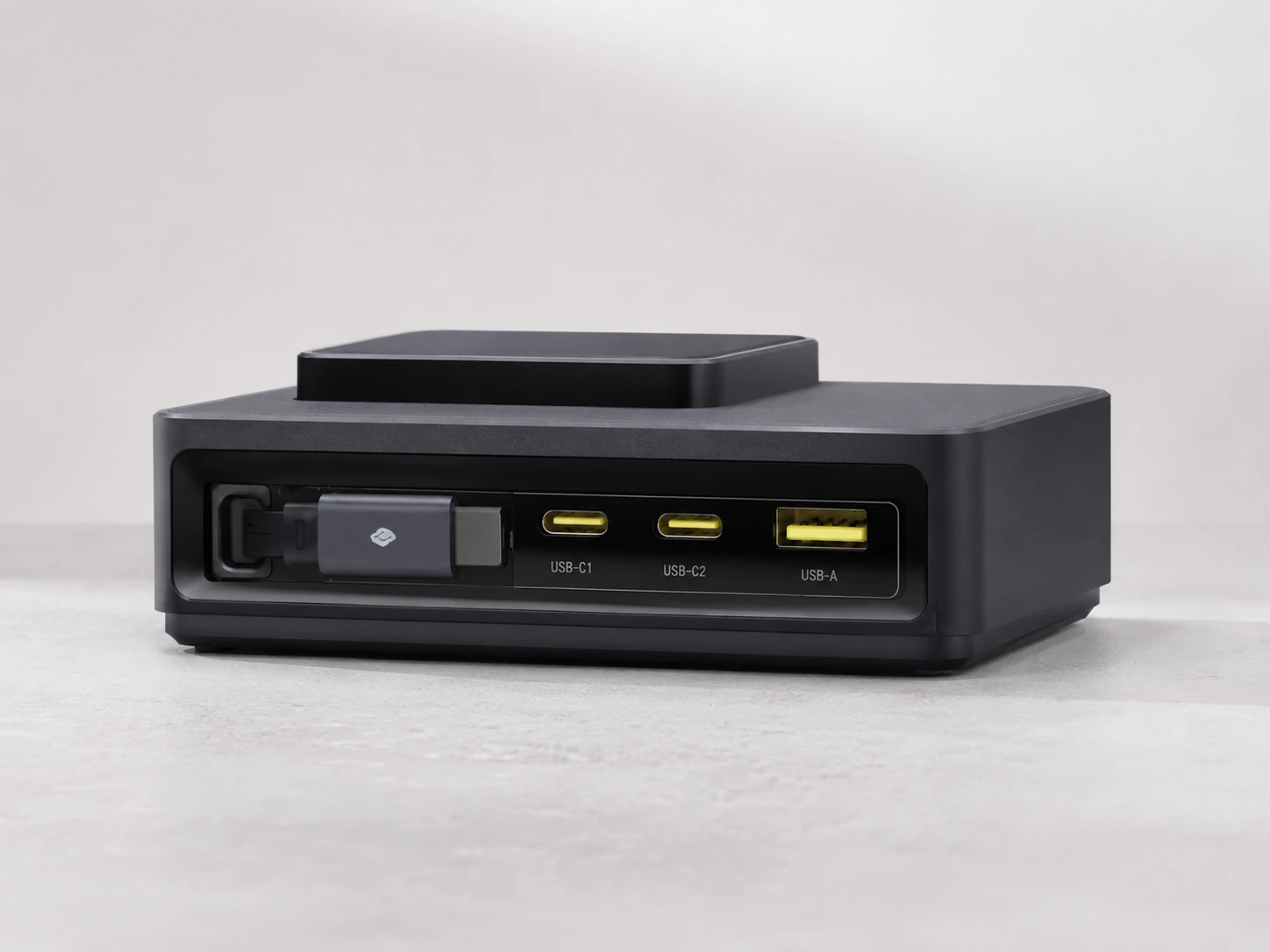
The Baseus Nomos 5-in-1 is the most thoughtfully designed charging hub we tested for desks with a mix of wired and wireless needs. At $69, it charges up to five devices simultaneously: a built-in MagSafe pad at 15W Qi2, a retractable USB-C cable (100W, no more searching for a cable), two fixed USB-C ports, and a USB-A port. The built-in LCD display shows real-time wattage per device -- a feature that used to cost $150+ for.
The retractable cable is the killer feature for desk use. Rather than having a loose cable draped across your desk surface, it snaps back into the unit cleanly when not in use. Small thing, big difference in how your desk looks and feels.
After extended daily use, the Baseus Nomos runs reliably cool, distributes power intelligently, and hasn't shown any port degradation.
Check price on AmazonSpecs at a glance
- Total output: 140W
- Ports: 2x USB-C (primary up to 140W), 1x USB-A, 1x MagSafe 15W Qi2, 1x retractable USB-C (100W)
- Display: Real-time LCD (wattage per port)
- Price: ~$69
- Desk footprint: Compact rectangular unit, approximately 13 x 9 cm base.
Pros
- +Retractable cable eliminates desk cable mess
- +LCD display shows exact wattage per device
- +Qi2 MagSafe at 15W without separate pad
- +USB-A port retained (useful for older accessories)
- +Excellent value at $69 for the feature set
Cons
- −No built-in Apple Watch charger (requires separate puck)
- −140W total means heavy-load scenarios need prioritization
- −Larger footprint than minimalist picks
Best for: Desks with mixed wired + wireless needs, especially iPhone users who also charge laptops and tablets.
Anker Nano Charging Station (6-in-1, 67W)
Why it wins
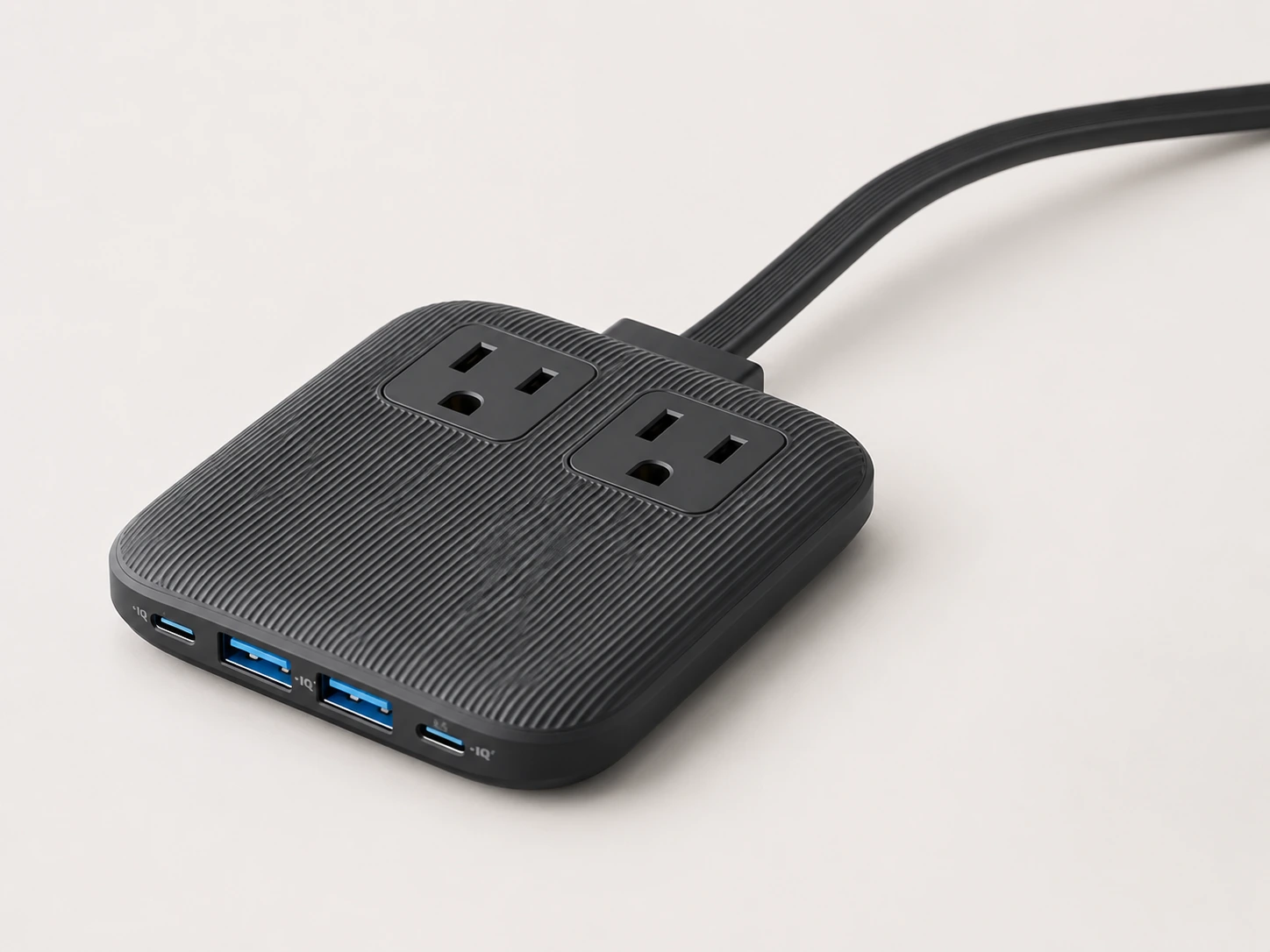
The Anker Nano is the pick for anyone with a small desk who still needs to charge five or six devices. It measures just 3.9 x 3.7 x 0.7 inches -- smaller than most phones -- but delivers 67W across two USB-C and two USB-A ports plus two AC outlets. The 2,100-joule surge protector is an unexpected bonus at this size and price.
The two AC outlets make it versatile beyond just device charging: plug in a desk lamp, a USB hub, or any standard adapter alongside your devices. For a small home office desk or a shared workspace, that flexibility is genuinely useful.
ActiveShield 2.0 monitors temperature in real time, adjusting output to protect devices. In a compact unit where heat is a concern, that matters more than it does in larger, roomier hubs.
Check price on AmazonSpecs at a glance
- Total output: 67W
- Ports: 2x USB-C (up to 67W combined), 2x USB-A, 2x AC outlets
- Surge protection: 2,100 joules
- Dimensions: 3.9 x 3.7 x 0.7 inches (9.9 x 9.4 x 1.8 cm)
- Desk footprint: 9.9 x 9.4 cm -- among the smallest multi-device stations tested.
Pros
- +Smallest footprint for a 6-device capable station
- +2 AC outlets included -- not just USB
- +2,100-joule surge protection
- +GaN-based, runs cool
- +ActiveShield 2.0 temperature monitoring
Cons
- −67W total -- not enough for full-speed laptop charging alongside other devices
- −No wireless charging
- −AC outlets limited to standard plugs only (no oversized adapter clearance)
Best for: Small desks, dorm setups, and anyone where square centimeters of desk space matter.
BESTEK 8-Port USB Charging Station with Desk Organizer
Why it wins
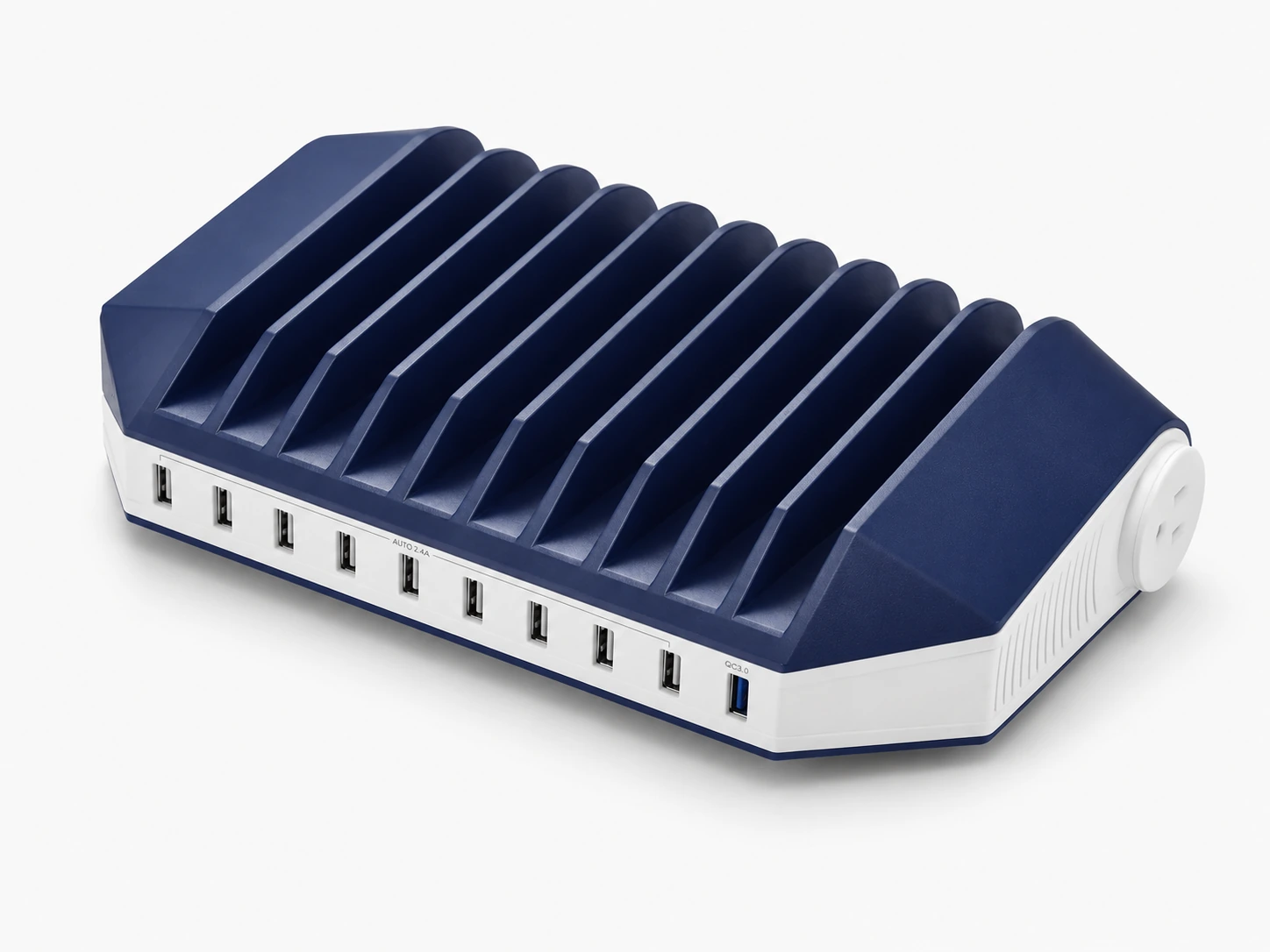
If you want your charger to also organize your desk, the BESTEK 8-Port combines both functions without doubling the footprint. The 4 x 4-inch base holds eight USB ports for charging, while adjustable dividers on top slot phones, tablets, or small accessories upright. Built-in LED indicators show charge status at a glance.
Eight USB ports is the widest port count in this roundup, making it the right pick for shared desks, family charging hubs, or anyone managing a lot of accessories. The adjustable dividers mean it works whether you're slotting in a large iPad or a small phone.
For the price (typically $35--45), it represents strong value -- most organizer-charger combos cost more and offer less port capacity.
Check price on AmazonSpecs at a glance
- Ports: 8x USB-A
- Charging: Smart IC auto-detect per port
- Organizer: Adjustable dividers, top-load slots
- Base dimensions: 4 x 4 inches (10.2 x 10.2 cm)
- Safety: Overcharge, over-current, short-circuit protection
- Desk footprint: 10.2 x 10.2 cm base. Taller than flat chargers but uses vertical space.
Pros
- +8 USB ports -- most in this roundup
- +Adjustable dividers fit phones and tablets
- +Organizer + charger in one unit
- +LED charge status indicators
- +Budget-friendly at $35--45
Cons
- −USB-A only -- no USB-C ports
- −No fast charging (Smart IC, not PD or QC)
- −Charging speeds limited vs. GaN competitors
Best for: Desks needing organization + charging, shared family desks, or setups with many USB-A accessories.
Anker 5-Port USB Charging Hub
Why it wins
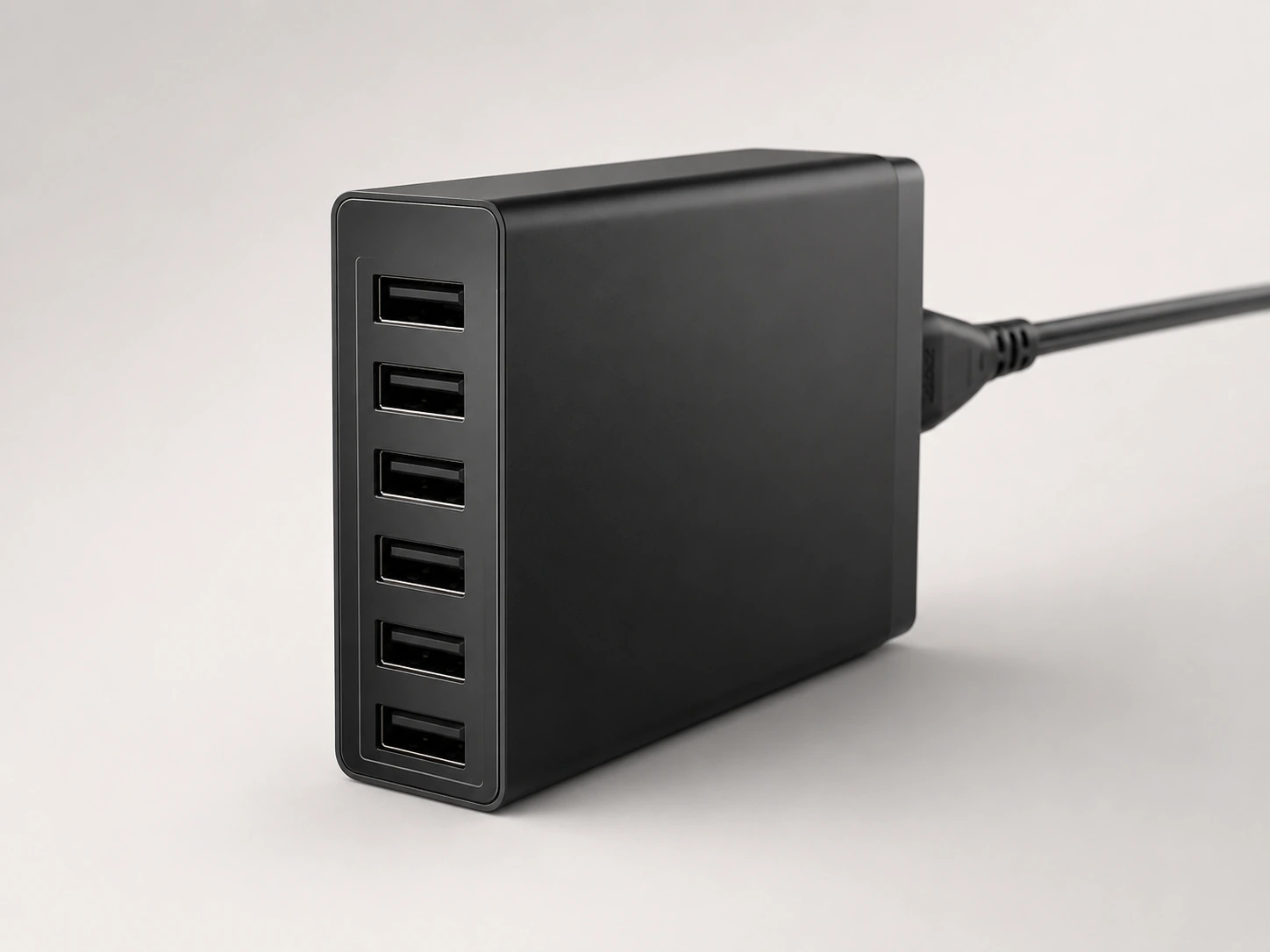
Under $30 and still capable of charging five devices simultaneously -- the Anker 5-Port USB Charging Hub earns its budget pick status without embarrassing itself on specs. The vertical orientation is the smart design choice here: rather than laying flat and consuming desk real estate, it stands upright, using height instead of width. On a small desk, that's meaningful.
Four USB-A ports at 2.4A each handle phones, earbuds, Kindles, and any USB-A accessory reliably. The USB-C port adds fast charging for modern devices without bumping the price past budget territory.
It won't charge your laptop at full speed or offer wireless, but for a bedside table, a secondary desk charging point, or a workspace where you just need a reliable hub without overthinking it, this Anker hub delivers exactly what it promises.
Check price on AmazonSpecs at a glance
- Ports: 4x USB-A (2.4A each), 1x USB-C
- Form factor: Desktop hub
- Price: Under $30
- Desk footprint: Compact footprint -- minimal horizontal desk space used.
Pros
- +Under $30 -- lowest price in this roundup
- +5 simultaneous devices
- +Compact enough for tight spaces
- +Reliable basic charging for everyday use
- +Anker build quality at budget price
Cons
- −No laptop charging
- −No wireless charging
- −Basic Smart IC, not GaN
Best for: Secondary charging stations, dorm desks, small workspaces, or anyone who just needs basic reliable charging without features they'll never use.
What to Look for in a Desk Charging Station
How Much Wattage Do You Actually Need?
This is the question most buyers skip -- and then end up with a charger that trickle-charges their laptop while everything else waits.
Here's a quick reference for common device power requirements:
| Device | Typical Power Draw |
|---|---|
| iPhone 15 Pro (USB-C) | Up to 27W |
| iPhone 15 / 14 (Lightning) | Up to 20W |
| iPad Pro M4 | Up to 45W |
| MacBook Air M3 | 30--35W (charging, not running) |
| MacBook Pro 14" M4 | Up to 70W |
| MacBook Pro 16" M4 | Up to 140W |
| Apple Watch Series 10 | ~5W |
| AirPods Pro | ~5W |
| Android flagship phone | Up to 45W (varies by brand) |
| Samsung Galaxy Tab | Up to 45W |
If you're only charging phones and earbuds, a 65W hub is plenty. Laptop users should look for at least 100W total with a primary port of 65W+.
Port Types: USB-A vs USB-C vs Wireless
The older rectangular port. Still everywhere -- on older phones, accessories, cables -- but maxes out at around 18--22.5W for fast charging. If your charging cables are the old-style plug, you have USB-A devices.
The current standard. Most new phones, tablets, laptops, and accessories use USB-C. It supports USB Power Delivery (PD), which enables fast charging up to 240W on a single cable. If your newest devices use USB-C, prioritize stations with USB-C ports.
Eliminates cables entirely for compatible devices. Qi2 is the current open standard at 15W -- identical speed to Apple MagSafe but works on any Qi2-certified phone. If you have an iPhone 12 or newer (or any Qi2-compatible phone), a wireless pad makes desk charging noticeably cleaner.
Desk Footprint: Does It Actually Fit?
This is the most consistently overlooked spec in charging station reviews. The footprint -- the base area the charger occupies on your desk -- matters enormously, especially on smaller desks.
A practical guide to desk space:
| Desk Width | Realistic Usable Charging Zone |
|---|---|
| 80 cm (31") | 10--15 cm beside keyboard |
| 100 cm (39") | 15--20 cm beside keyboard |
| 120 cm (47") | 20--25 cm beside keyboard |
| 140 cm+ (55"+) | 25 cm+ -- most chargers fit comfortably |
Flat vs. upright chargers:Upright/tower chargers use height instead of desk area. They're ideal for small desks. Flat chargers with organizer tops (like the BESTEK) use more base area but add functionality above the footprint. Always check the base dimensions before buying. "Compact" in a manufacturer's description can mean anything.
Cable Management: Does It Hide the Wires?
Most charging stations come with one power cord running to the wall -- which is already an improvement over five separate adapters. But the cables between your devices and the station can still create clutter.
Look for:
- Built-in cable channels or clips on the station itself
- Retractable cables (like the Baseus Nomos) that eliminate loose cables entirely
- Short (0.3m) charging cables -- sold separately -- that keep connections tidy and close
- Under-desk routing -- if you mount the station under the desk, all cables go downward and are invisible from above
Design: Does It Look Good on Your Desk?
This matters. If you spend hours at your desk, the charger sits in your peripheral vision constantly.
Minimalist desks
Look for matte black, white, or wooden-accented chargers. The Baseus Nomos, Anker Prime, and UGREEN Nexode all come in clean matte finishes.
Visible desks (video calls, client visits)
Avoid chargers with bright LED indicators or industrial-looking designs. Fanless models also eliminate the slight hum some units produce.
Small desk aesthetic
Vertical tower chargers are neater-looking than flat hubs with multiple cables radiating outward.
Charging Station vs Power Strip vs Power Bank -- Which Do You Need?
These three products solve different problems. Here's how to tell them apart:
| Charging Station | Power Bank | |
|---|---|---|
| Purpose | Charge devices daily at desk | Portable charging on the go |
| Ports | USB-C, USB-A, wireless | USB-C, USB-A |
| Laptop charging | Yes (high-watt models) | Limited / no |
| Wireless charging | Some models | Some models |
| Desk-friendly | Yes -- designed for it | Yes |
| Best for | Daily desk use | Travel, commuting |
If you need to expand AC outlets in your room, a power strip is the answer. If you need charging on the go, a power bank. For daily desk charging of multiple devices, a dedicated charging station is the right tool.
Charging Station vs Docking Station -- What's the Difference?
A common point of confusion:
Charging station
Charges your devices' batteries. That's it.
Docking station
Connects your laptop to monitors, Ethernet, USB peripherals, and also charges. Think of it as a hub for your entire desk setup.
If you work with a laptop and external monitor(s), you probably want a docking station, not just a charging station.
How We Evaluated These Picks
Total wattage vs device mix
Does the station's output actually cover a realistic combination of laptop + phone + tablets?
Desk footprint
Is the base footprint appropriate for small desks (under 40 inches), not just large home offices?
Port mix and future compatibility
USB-C PD, Qi2 wireless, and USB-A coverage for both current and legacy accessories.
Build and thermal performance
GaN efficiency, fanless operation, and temperature management under sustained multi-device load.
DeskFinds earns a commission on qualifying purchases at no extra cost to you.
Frequently Asked Questions
Is a charging station worth it for a desk?
Yes, if you charge more than two devices daily at your desk. A charging station replaces multiple adapters and cables with one hub and one wall plug. The desk becomes cleaner, and you stop hunting for the right cable at low battery moments.
Can a desk charging station charge a laptop?
Some can, some can't. For laptop charging, look specifically for a USB-C port with Power Delivery (PD) and at least 65W output on that port -- 100W+ for 15/16-inch pro laptops. The Anker Prime 200W, UGREEN Nexode 200W, and Baseus Nomos all support laptop charging. The Anker budget hub and BESTEK organizer do not.
What is the difference between a charging station and a docking station?
A charging station charges device batteries. A docking station connects peripherals -- monitors, Ethernet, USB devices -- and also charges. For desk setups with external monitors, a docking station handles both connection and power.
How many devices can a desk charging station handle?
The picks in this guide range from 5 devices (budget hub) to 8 devices (BESTEK). Real-world performance depends on total wattage: a 65W station charging a laptop leaves little power for other devices. A 200W station handles a laptop plus 4--5 other devices comfortably.
What is a GaN charger and why does it matter for desks?
GaN (Gallium Nitride) is a semiconductor material that allows chargers to be smaller, more efficient, and cooler-running than traditional silicon chargers. For desks, this means more power output in a smaller footprint, no fan noise, and less heat on your desk surface. All of the top picks in this guide (except the BESTEK and budget Anker options) use GaN technology.
Do I need fast charging for a desk charging station?
If you top up devices during short breaks -- 20-minute meetings, lunch -- fast charging (USB-C PD or Qi2 wireless) makes a real difference. If devices charge overnight or over several hours unattended, standard charging is fine. For desk use where time matters, prioritize USB-C PD and Qi2 wireless where possible.
What charging station has the smallest desk footprint?
The Anker Nano 6-in-1 has the smallest footprint in this roundup at 3.9 x 3.7 inches (9.9 x 9.4 cm). For even smaller footprints, see our guide to the best small desk charging stations.
Bottom Line
For most desks, the Anker Prime 200W the all-around best pick: enough power for a laptop alongside multiple devices, all USB-C and USB-A ports covered, GaN-quiet, and a footprint that fits beside a keyboard without crowding the space.
For Apple-only setups, the Anker MagSafe 3-in-1 Qi2 eliminates phone/watch/AirPods cables completely -- and goes on deep discount regularly.
For the best small-desk pick, the Anker Nano 6-in-1 delivers the most capability in the smallest footprint available.
Whatever your setup, one charging station beats five separate cables every time.
Browse desk charging stations on Amazon
All products are Prime-eligible with free delivery.
Shop on Amazon →Related Guides
Best USB Hubs for Desk
Powered and bus-powered hubs for consolidating desk connections
Best Under-Desk Cable Trays
Hide power strips and cables completely out of sight
Desk Setup Essentials
15 must-have items for any desk setup
Small Desk Setup Ideas
15 smart ways to build a better compact workspace
Last updated: June 2026. Prices and availability checked at time of writing -- always verify current price on Amazon before purchasing.