
Best Charging Station Desk Organizers for Cleaner Workspaces
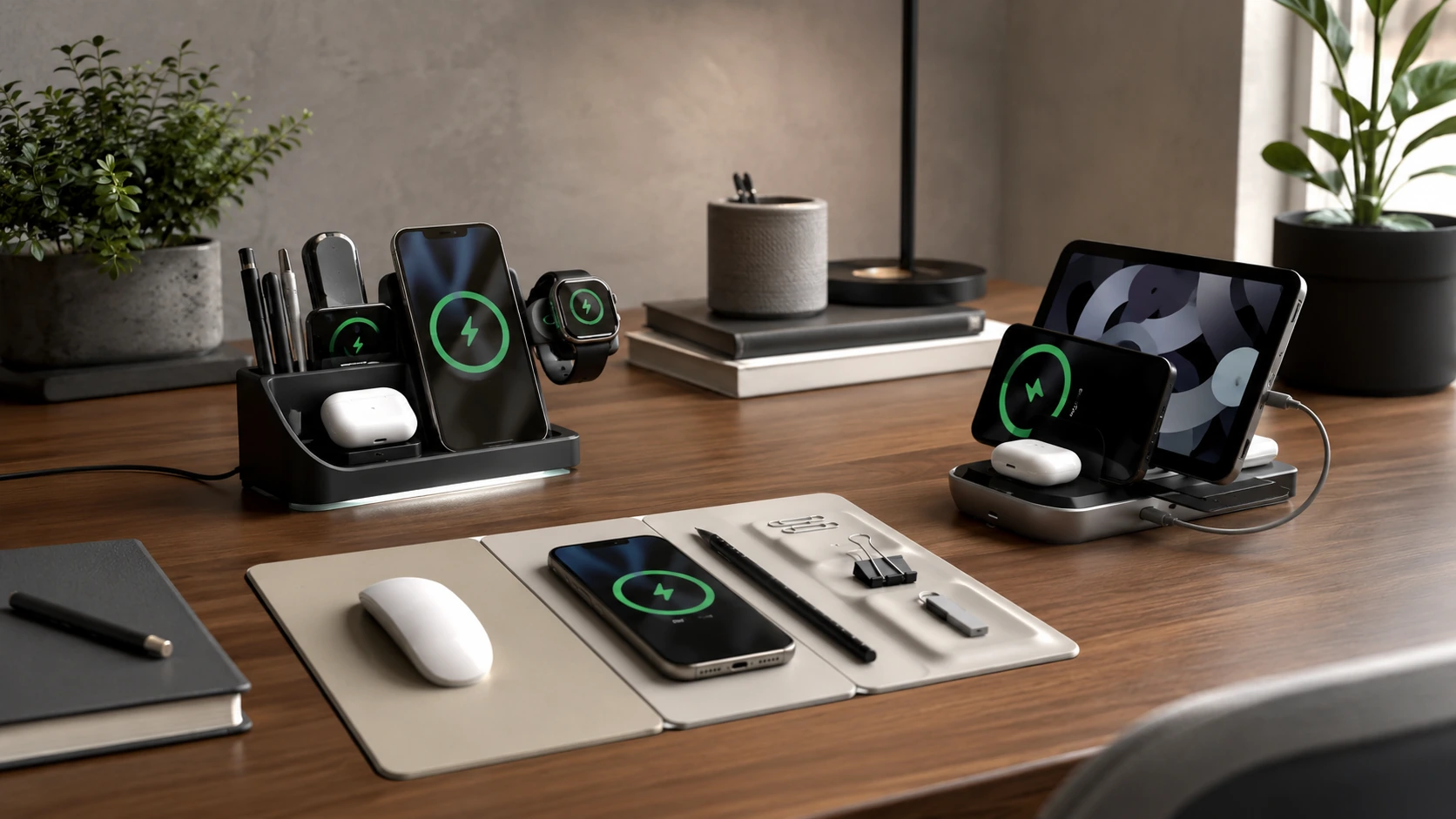
One product, one cable, one footprint. Your phone charges. Your pens have a home. This guide breaks down the charging organizer category by use case -- every pick genuinely does both jobs.
Quick Picks
| Pick | Product | |
|---|---|---|
| Best Overall | Satechi 7-Port USB Charging Station with Organizer | Check price |
| Best Wireless Organizer | LADSTAG 15W Wireless Desk Organizer | Check price |
| Best USB Hub + Organizer | BESTEK 8-Port with Adjustable Dividers | Check price |
| Best Wireless Charging Mat + Organizer | POUT H3 SplitMax Wireless Charging Mouse Pad | Check price |
| Best Compact Organizer | TopMade 4-Slot Wireless Organizer | Check price |
| Best Budget | SooPii 6-Port USB Charging Station Organizer | Check price |
Two products on your desk: a charger and an organizer. Two cables to the wall. Two footprints eating into your workspace. Two separate things to buy, arrange, and eventually knock over.
A charging station desk organizer solves this the clean way -- one product, one cable, one footprint. Your phone charges. Your pens have a home. Your watch goes in a slot. Your sticky notes don't migrate to the floor anymore.
The market for these has matured fast. You can now get everything from a $25 USB hub with adjustable phone slots to a $130 full-desk mat that charges through the surface. The hard part is knowing which version of "organizer + charger" actually matches how you use your desk.
This guide breaks it down by use case. Every pick below was chosen because it genuinely does both jobs -- not just a charger with a token pen slot, and not just an organizer with a weak wireless pad stapled on.
All 6 Picks at a Glance
At a Glance
POUT H3 SplitMax Wireless Charging Mouse Pad
↓ See why we picked itOur Top Picks for Charging Station Desk Organizers
Satechi 7-Port USB Charging Station with Organizer
Why it wins
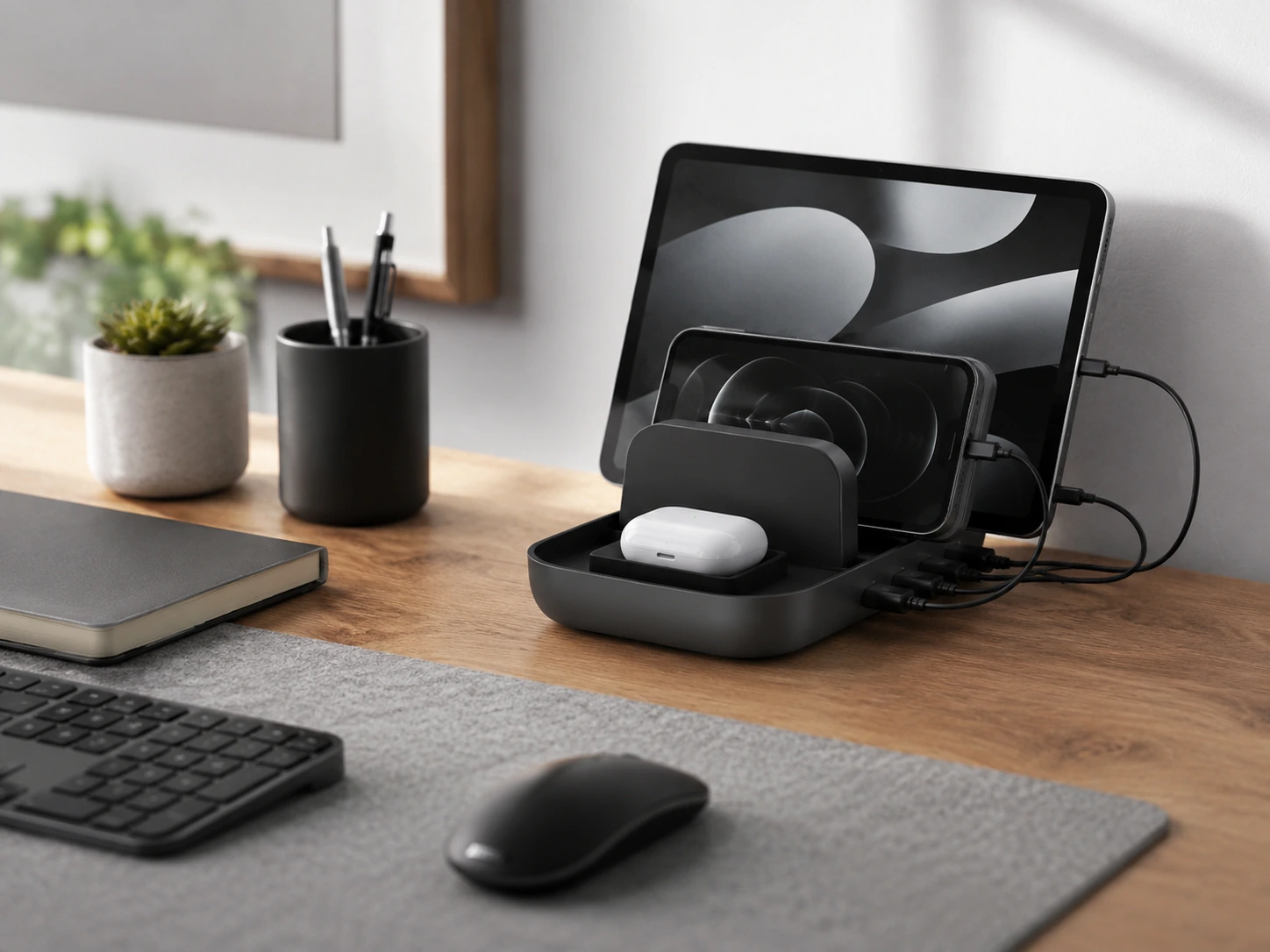
The Satechi 7-Port sits at the intersection of charging muscle and practical organization. Seven USB ports -- including a wireless charging pad on top -- handle any mix of devices. The device slots use Velcro-adjustable dividers, meaning they fit everything from a slim iPhone to a thick-cased iPad. Surge protection and a dedicated cable management channel underneath keep the station from creating the very clutter it is supposed to solve.
What makes Satechi stand out against cheaper organizer-chargers is build quality. The aluminum housing matches the aesthetic of MacBooks and Apple peripherals -- it looks like it belongs on a desk with quality gear, not like an afterthought from a budget accessories bin.
Check price on AmazonSpecs
- Ports: USB-A x multiple + wireless charging pad (Qi)
- Organizer: Adjustable Velcro dividers for device slots
- Cable management: Hollow base channel for routing cables
- Surge protection: Built-in
- Material: Aluminum housing
- Price: ~$55--75
Pros
- +Premium aluminum build -- matches Apple/Satechi ecosystem
- +Wireless pad on top for cable-free phone charging
- +Velcro adjustable dividers fit different device sizes
- +Cable management channel under the base
- +Surge protection included
Cons
- −USB-A only (no USB-C PD for fast charging laptops or modern phones)
- −Wireless pad limited to Qi -- not Qi2 or MagSafe 15W
- −Larger footprint than pure charging stations
Best for: Clean, premium desk setups where aesthetics and organization matter as much as charging function.
LADSTAG 15W Wireless Desk Organizer
Why it wins
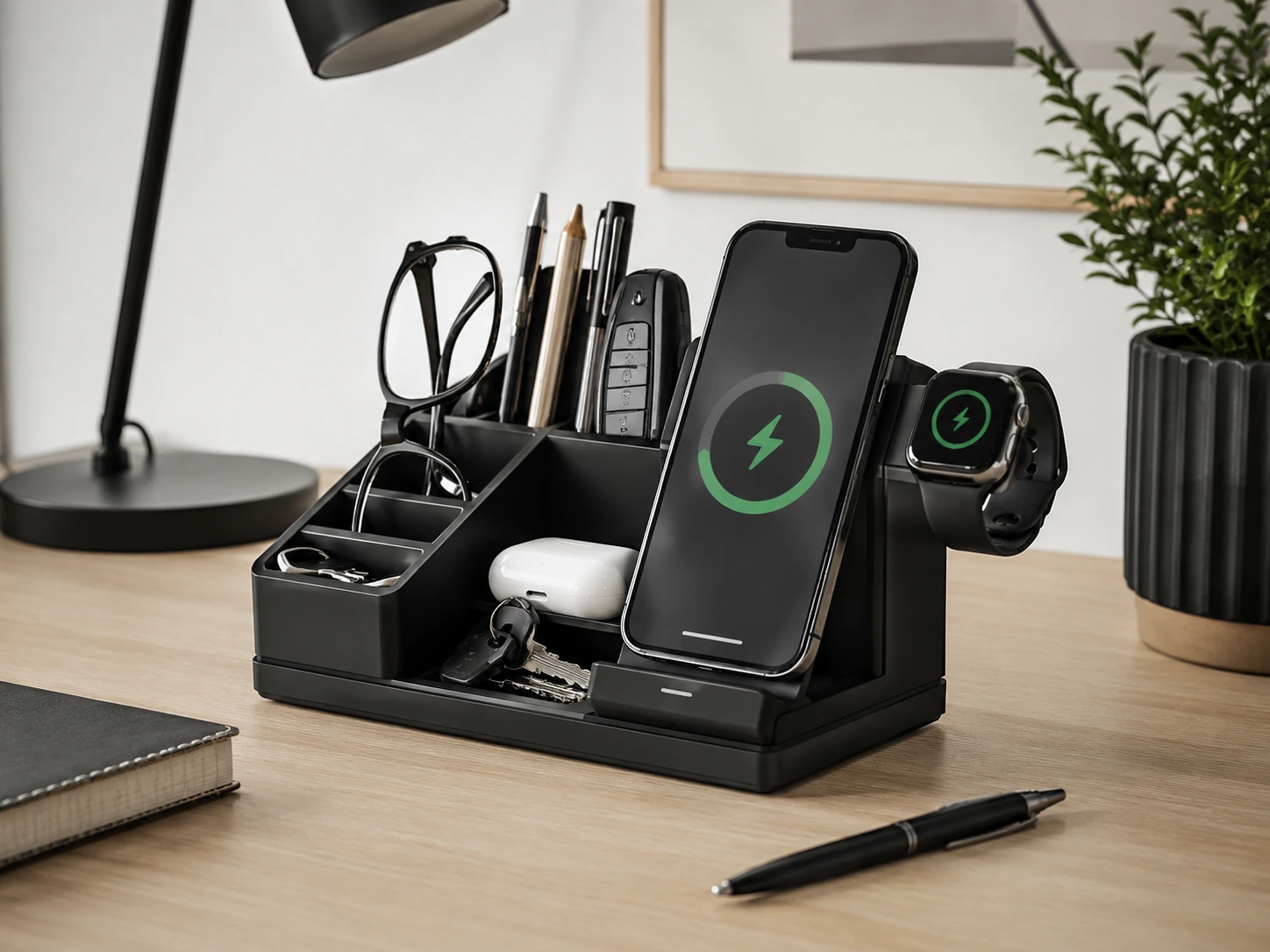
The LADSTAG is the best pick for anyone who wants a desk organizer that charges wirelessly without cables to the phone. The 15W wireless pad sits on top -- place your phone face-down, it charges. Meanwhile, the organizer body below holds pens, remotes, and small office supplies in dedicated compartments. Wall-mount brackets are included if you prefer to keep the desk surface completely clear.
The faux leather finish comes in several neutral colors that blend into most desk aesthetics. The 4.8 x 8.35 x 5.39 inch footprint is modest -- similar in base area to a large smartphone -- which means it genuinely fits on desks where space is tight.
Check price on AmazonSpecs
- Wireless charging: 15W Qi (compatible with iPhone 8+, Samsung Galaxy, all Qi-enabled devices)
- Dimensions: 4.8D x 8.35W x 5.39H in (12.2 x 21.2 x 13.7 cm)
- Organizer features: Pen/pencil holder, remote control slot, stationery tray
- Mounting: Wall-mountable (hardware included)
- Material: Faux leather (PU)
- Price: ~$40--55
Pros
- +15W wireless charging -- genuinely fast for a desk organizer
- +Practical compartments for pens, remote, and stationery
- +Wall-mount option removes it from desk surface entirely
- +Compact 12 x 21 cm base for the function delivered
- +Clean faux leather finish in multiple colors
Cons
- −Wireless only -- no USB ports for wired device charging
- −Not Qi2 / MagSafe -- iPhone charges at up to 7.5W, not the 15W maximum
- −Single device charges at a time on the pad
Best for: Desks where the phone should stay upright and charged without a cable, alongside organized stationery storage.
BESTEK 8-Port with Adjustable Dividers
Why it wins
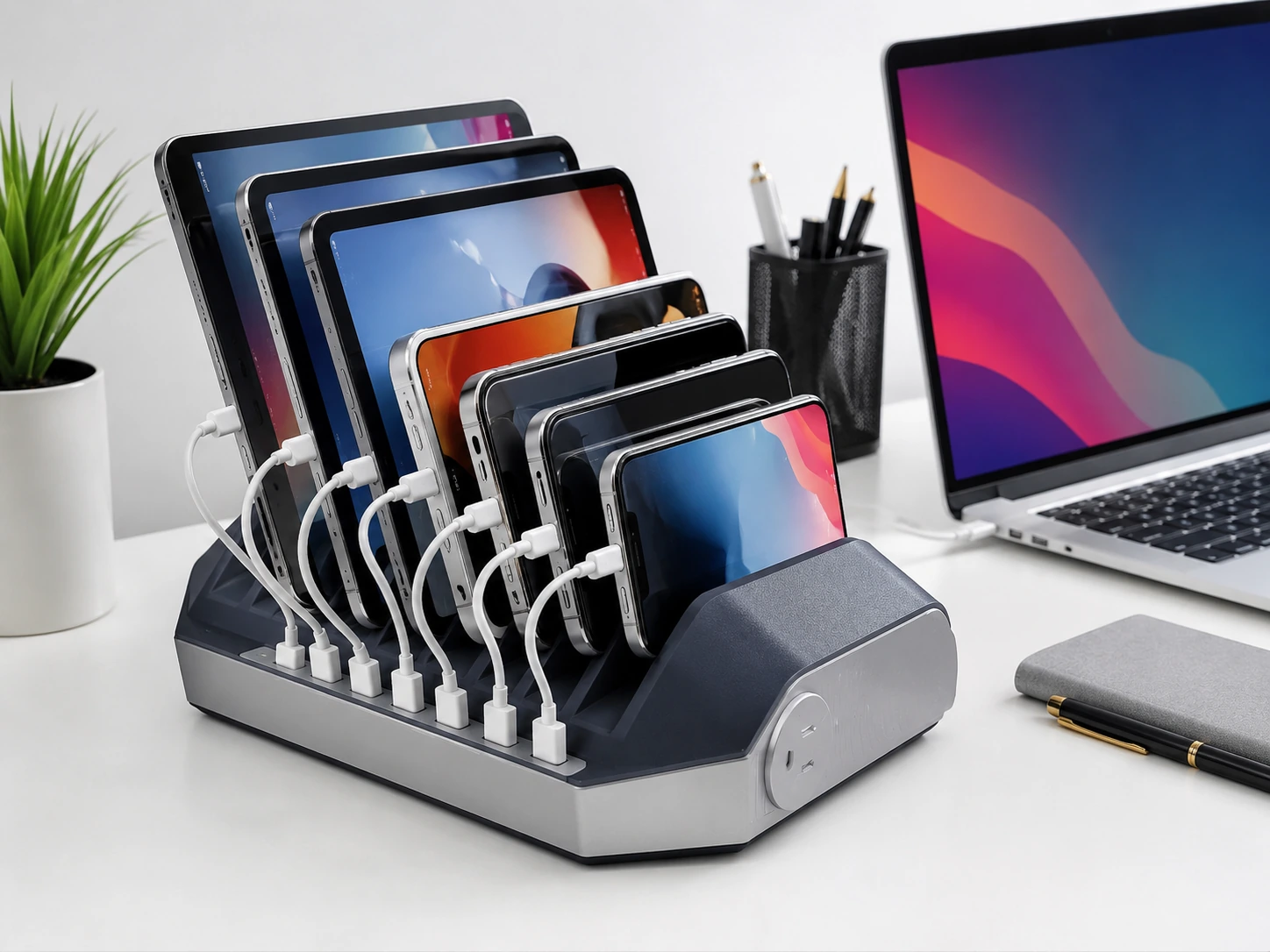
If you manage more cables than wireless pads -- USB-A accessories, older devices, shared desks -- the BESTEK 8-Port is the right organizer-charger. Eight USB ports across a 10.2 x 10.2 cm base, with adjustable device dividers stacked above. The LED charge indicators tell you at a glance which ports are active.
The adjustable dividers are the key practical feature. They slide to accommodate thin phones without cases, bulky-cased phones, small tablets, and anything else that needs to stand upright while charging. On a family desk or a shared workspace where multiple people charge different devices, that flexibility matters.
Smart IC auto-assigns the right amperage per device -- no manual port selection needed.
Check price on AmazonSpecs
- Ports: 8x USB-A (Smart IC auto-detect, up to 2.4A per port)
- Organizer: Adjustable top-load dividers (slides to fit phones, tablets)
- LED indicators: Per-port charge status
- Dimensions: 10.2 x 10.2 cm base
- Safety: Overcharge, over-current, short-circuit protection
- Price: ~$35--45
Pros
- +8 USB ports -- most charging capacity in this roundup
- +Adjustable dividers fit phones and small tablets
- +LED status per port
- +Compact square base
- +Built-in safety protections
Cons
- −USB-A only -- no USB-C PD for fast modern charging
- −No wireless charging
- −Charging speed limited to Smart IC (2.4A) -- not Quick Charge or PD
Best for: Families, shared desks, or anyone managing 6--8 USB-A devices regularly.
POUT H3 SplitMax Wireless Charging Mouse Pad
Why it wins
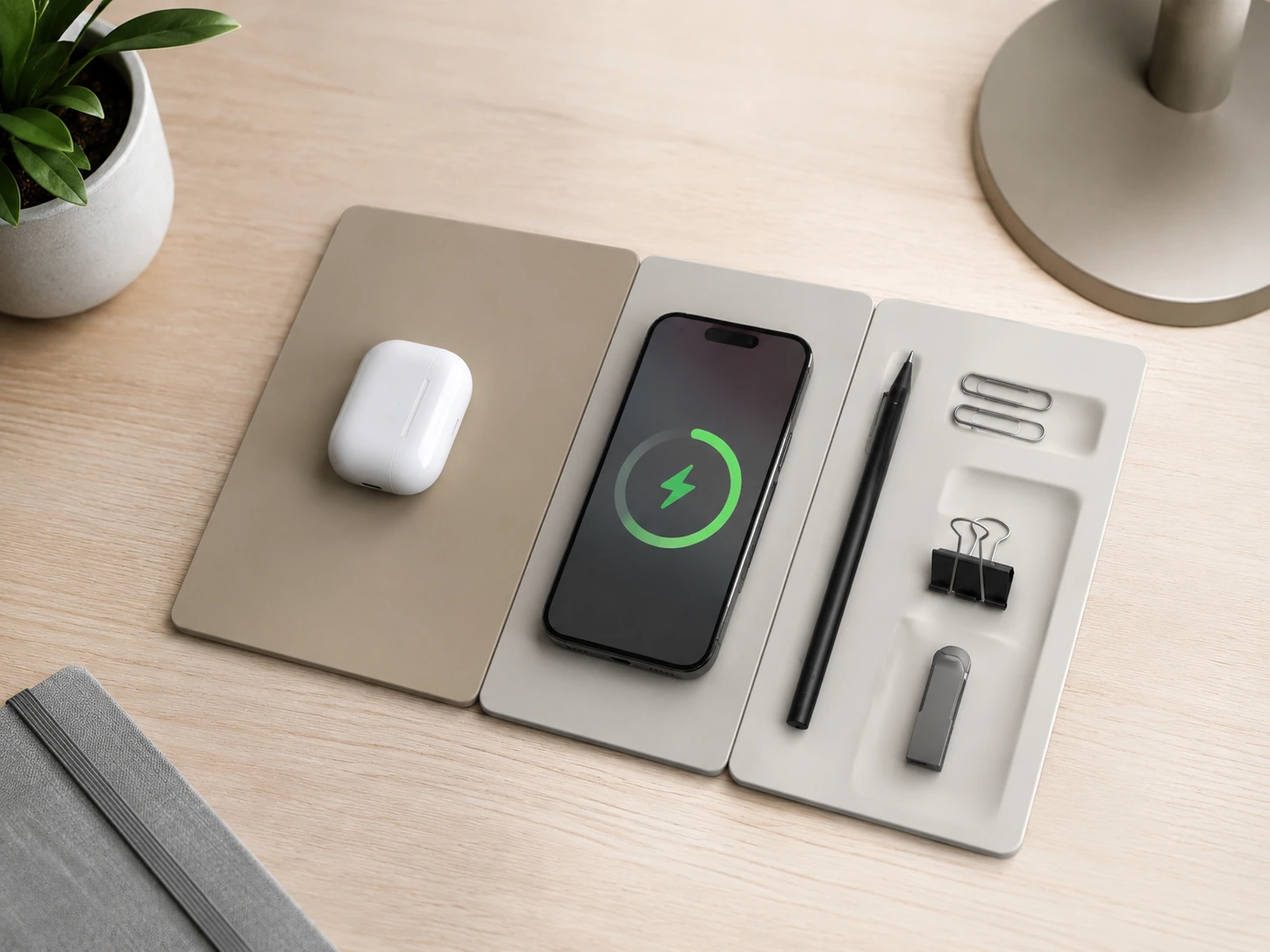
The POUT H3 SplitMax takes a fundamentally different approach: instead of a standalone charging unit, it integrates fast wireless charging into a full mouse pad and desk mat surface. A Qi-certified fast wireless charging zone sits flush with the mat surface -- your phone charges when it lands there. A magnetic tray organizer on one edge holds accessories, a pen, or your phone stand while not actively charging.
The result is a desk where no standalone charging unit occupies surface space. The charging is part of the desk surface itself, and the magnetic tray handles the organization role without adding a second footprint.
The vegan leather mat surface protects your desk and provides a smooth mousing area. Available in multiple neutral colors that blend into minimalist and professional desk setups equally well.
Check price on AmazonSpecs
- Wireless charging: 15W Qi fast charge (compatible with Qi-enabled phones)
- Mat type: Full mouse pad + desk mat surface
- Organizer: Magnetic tray on edge for accessories
- Surface: Vegan leather, multiple color options
- Base: Anti-slip rubber
- Price: ~$45--65
Pros
- +Wireless charging integrated into mat surface -- no standalone unit
- +Full mouse pad surface doubles as desk mat
- +Magnetic tray organizer adds accessory storage
- +Vegan leather looks premium on desk
- +Multiple color options for different desk aesthetics
Cons
- −Qi only -- not Qi2/MagSafe certified for guaranteed 15W on all phones
- −Organizer tray is smaller than standalone organizer units
- −No USB ports -- need separate charger for wired devices
- −Charging zone position is fixed within the mat
Best for: Desks where you want wireless charging and desk mat coverage without any additional standalone units on the surface.
TopMade 4-Slot Wireless Organizer
Why it wins
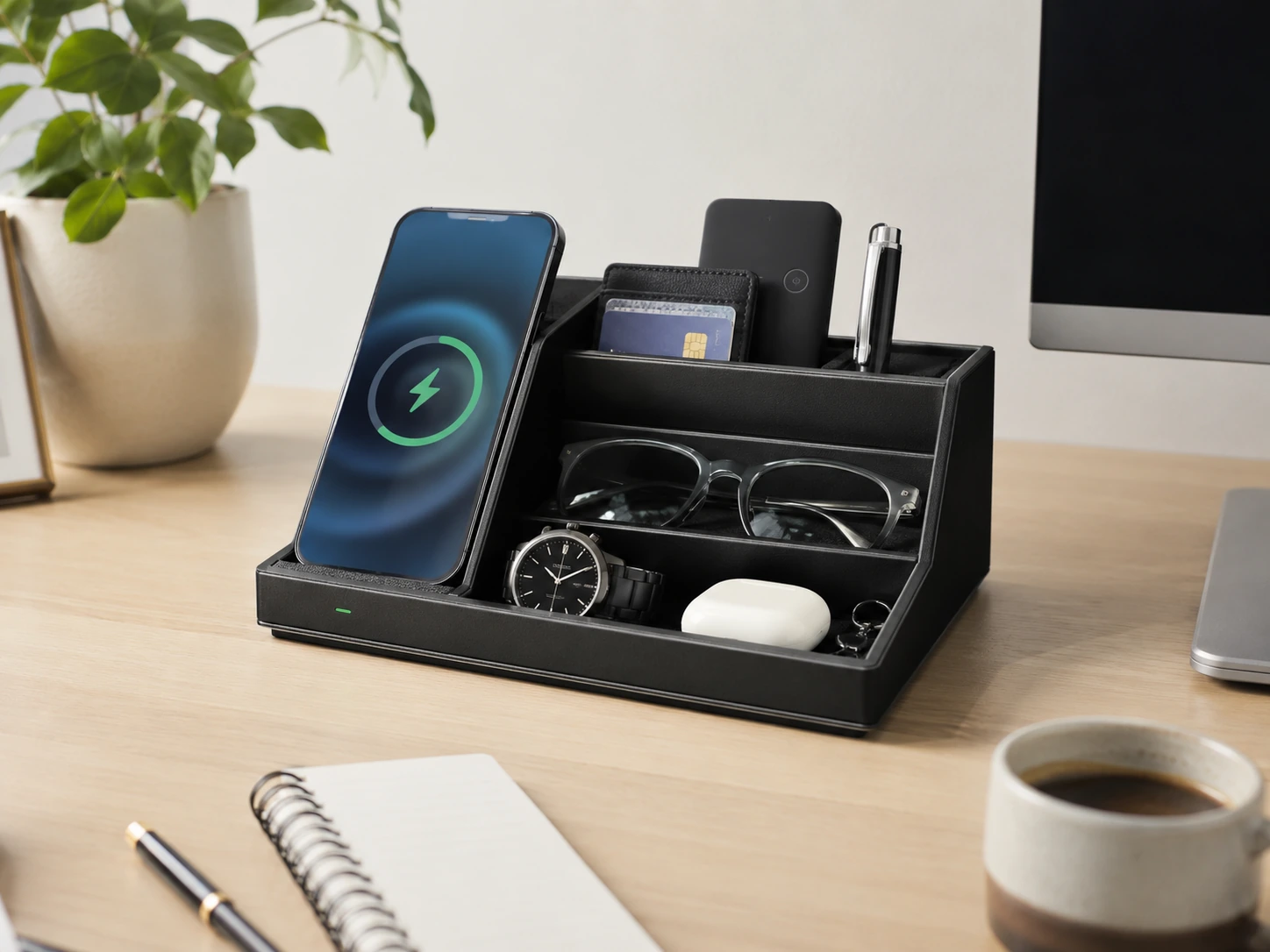
The TopMade is the most space-efficient organizer-charger in this roundup. Four compartments -- phone charging zone, pen holder, stationery tray, small items slot -- plus a 10W wireless charging base, all in a unit roughly 19.5 x 9.5 x 13.5 cm. The soft velvet lining in each compartment prevents phones and accessories from scratching, which sounds small but matters when you are pulling your phone in and out multiple times a day.
The Qi wireless pad at the base works with any Qi-enabled phone including iPhones (7.5W) and Samsung Galaxy (10W). A dedicated phone stand slot at the side keeps your device upright and readable while charging.
For small desks, the compact footprint is the headline spec -- this organizer-charger takes up less desk space than a standalone organizer alone.
Check price on AmazonSpecs
- Wireless charging: 10W (Samsung), 7.5W (iPhone), 5W (other Qi)
- Compartments: 4 (phone zone, pen/pencil, stationery, small items)
- Velvet lining: All compartments
- Phone stand: Dedicated upright slot
- Dimensions: Approx. 19.5W x 9.5D x 13.5H cm
- Material: PU leather
Pros
- +4 functional compartments -- genuine organizer, not just a token slot
- +Velvet lining prevents scratching
- +Upright phone stand keeps screen readable while charging
- +Compact footprint for the functionality delivered
- +Clean PU leather finish
Cons
- −10W max wireless -- not Qi2/MagSafe 15W
- −Incompatible with thick phone cases (over 5mm)
- −No USB ports -- phone charging only, no wired ports for accessories
- −Not suitable for tablets
Best for: Small to medium desks where you want organized stationery storage alongside wireless phone charging in the least desk space possible.
SooPii 6-Port USB Charging Station Organizer
Why it wins
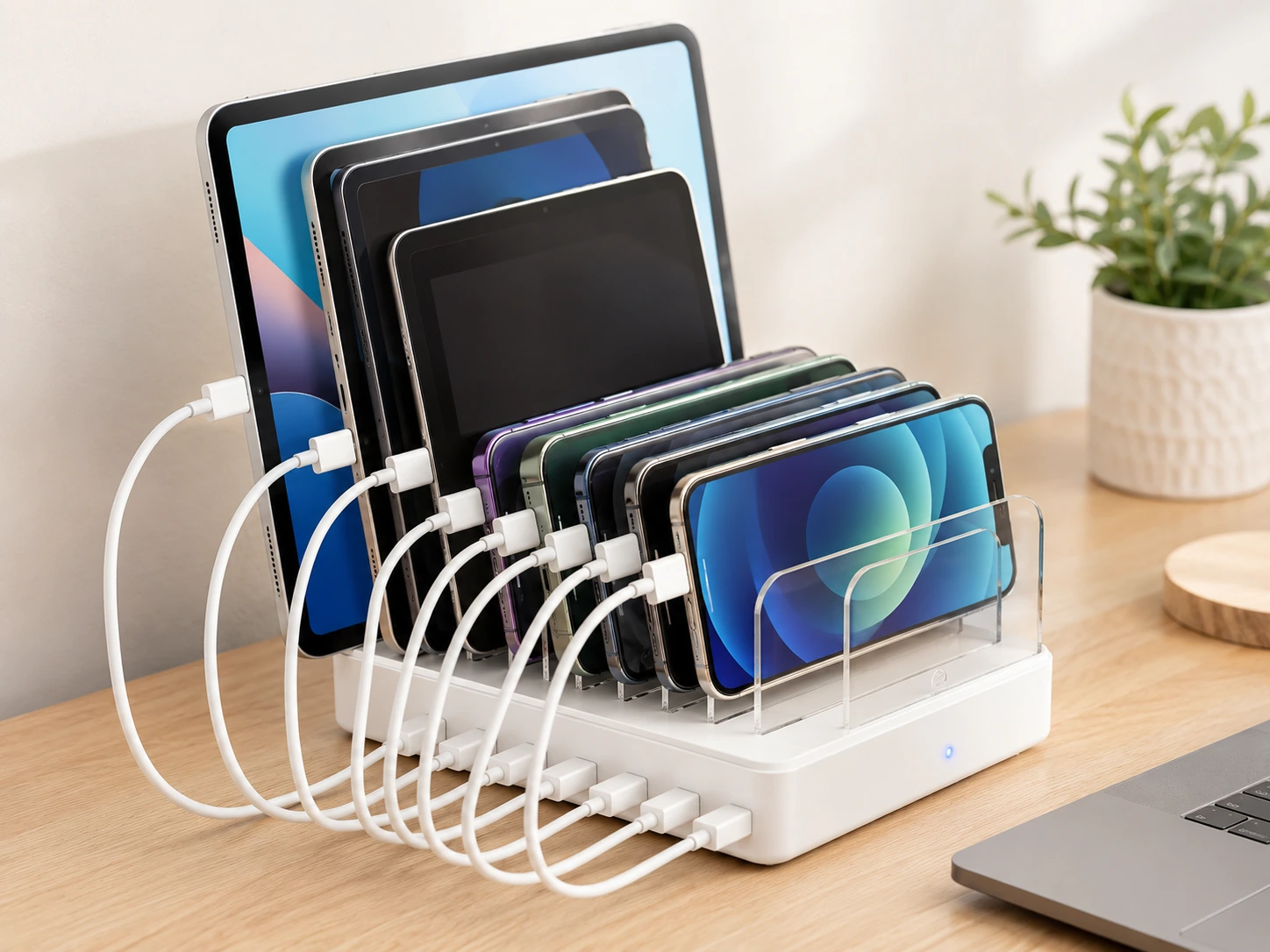
Under $28, adjustable dividers, six USB ports, and 6 short charging cables included -- ready to use out of the box. The SooPii 6-Port Charging Station Organizer does not try to impress -- it just holds your devices upright and charges them through USB-A at 2.4A per port. For a secondary desk, a kids' charging hub, or a workspace where the budget simply doesn't extend to premium organizer-chargers, this is the honest pick.
The adjustable baffles accommodate six different device sizes simultaneously. LED indicators flag which ports are charging. The 6 short mixed cables included eliminate the first setup friction -- no need to hunt for compatible cables before using it.
Check price on AmazonSpecs
- Ports: 6x USB-A (2.4A each, Smart IC)
- Organizer: Adjustable dividers, 6 slots
- Cables included: 6 short mixed charging cables
- LED: Per-port charge indicators
- Safety: Overcharge + short-circuit protection, flame-retardant ABS body
- Price: ~$20--28
Pros
- +Under $28 -- lowest price in this roundup
- +6 short cables included -- ready out of box
- +6 adjustable slots for devices of different sizes
- +LED indicators per port
- +Flame-retardant ABS casing
Cons
- −USB-A only -- no USB-C, no wireless
- −No fast charging -- 2.4A max per port
- −Basic plastic build -- not aesthetically premium
Best for: Budget setups, secondary desks, family shared charging hubs, or anywhere you need reliable basic charging with organized slots.
What to Look for in a Charging Station Desk Organizer
The Organizer Half: What Slots Do You Actually Use?
Most buyers focus on the charging specs and overlook the organizer side -- then end up with a unit that has four slots but they only use one. Before choosing, do a 30-second inventory of what actually sits on your desk right now:
| What's on your desk | Organizer feature you need |
|---|---|
| Phone (always out) | Upright phone slot or wireless pad |
| Apple Watch | Dedicated watch puck dock |
| AirPods / earbuds case | Small items slot or wireless pad |
| Pens and pencils | Cylindrical pen holder |
| Sticky notes, paper clips | Open tray compartment |
| Remote controls | Wide low-profile slot |
| Tablet | Wider adjustable divider |
The best organizer-charger for your desk is the one whose compartments match this list -- not the one with the most total compartments.
Wireless vs. USB: Choosing the Right Charging Side
Choose wireless (Qi/Qi2) if
- Your phone charges wirelessly and you want zero cables to the device
- Aesthetics matter -- no cable running from charger to phone is visibly cleaner
- You're in an Apple ecosystem where Qi2/MagSafe delivers full speed
Choose USB if
- You charge Android and Apple devices -- USB-C PD charges any device at full speed
- You need to charge tablets or laptops (USB-C PD handles this, wireless does not)
- You charge 4+ devices simultaneously -- USB hubs scale better than wireless pads
Choose both (like Satechi) if
- Your phone goes wireless while tablets and accessories stay wired
- You want one hub for the whole desk, not two separate charging zones
Does the Wireless Pad Position Actually Work?
This is the detail that separates organizers that work from ones you stop using after a week. The wireless pad needs to be accessible and not blocked by the organizer's other compartments. On some units, the wireless pad sits under an overhang or beside a compartment that forces you to place your phone at an angle -- meaning it misses the charging sweet spot and never fully charges.
Before buying, check that:
The wireless pad is on the top or front face -- not buried under slots
The pad area is large enough for your specific phone size
If using MagSafe (Qi2), the pad has the magnetic ring alignment
Cable Management: The Feature Nobody Shows in Product Photos
A charging station desk organizer with no cable management creates ironic clutter -- you bought it to declutter, but the charging cables for 6 devices now radiate from one spot on your desk like a spider web.
Cables thread inside the unit body and exit at the back
At minimum, cables should exit from the rear, not the sides or front
Always use 30 cm cables between devices and the organizer -- available on Amazon for under $5 each, dramatically reduces cable mess
Organizer + Charger vs. Two Separate Products
The honest comparison:
| Combo Organizer-Charger | Separate Organizer + Charger | |
|---|---|---|
| Footprint | One unit | Two units |
| Cable to wall | 1 | 2 |
| Cost | $25--130 | $15--40 (organizer) + $30--100 (charger) |
| Flexibility | Fixed combo | Upgrade each independently |
| Aesthetics | Unified look | Can mismatch |
| Best for | Clean desk, limited space | Best-in-class per function |
For most desks under 100 cm wide: the combo wins on footprint and cable count. For large desks where best-in-class charging and best-in-class organization both matter, two separate products (like the Anker Prime 200W for charging + a premium bamboo organizer) can deliver better results at a similar total cost.
How We Evaluated These Picks
Both jobs, genuinely
Every pick had to deliver real charging function AND real organizer function -- not just a token slot bolted onto a charger.
Wireless pad accessibility
Tested whether the wireless charging zone was actually usable or blocked/awkward due to organizer compartment placement.
Cable management built in
Does the unit help keep charging cables tidy, or does it create a second source of clutter?
Value at price point
Combo products carry a premium over standalone chargers. Evaluated whether the organizer function justified the added cost.
DeskFinds earns a commission on qualifying purchases at no extra cost to you.
Frequently Asked Questions
Do charging station desk organizers work with any phone?
USB-port organizers (BESTEK, SooPii budget) work with any phone via cable. Wireless organizers (LADSTAG, TopMade, Satechi) work with any Qi-enabled phone -- that covers all iPhones since iPhone 8 and virtually all Android flagships since 2018. For 15W MagSafe speed, the phone needs to be iPhone 12 or newer and the pad needs to be Qi2-certified.
How do I hide cables from a desk organizer charger?
Use 30 cm cables from devices to the organizer (keeps slack minimal), route the organizer's power cord along the desk's back edge using adhesive cable clips, and if the organizer has a hollow base or cable channel, thread device cables through it. The Satechi 7-Port handles this better than any other pick in this guide.
Can a charging station desk organizer charge a laptop?
The organizers in this guide do not charge laptops -- they top up phones, earbuds, and tablets. For laptop charging alongside organized desk accessories, pair a compact USB-C GaN charger (like the Anker Nano from our small desk guide) with a separate desk organizer.
What's the difference between a charging station desk organizer and a docking station?
A charging station desk organizer holds and charges personal devices (phone, earbuds, accessories) and provides storage for stationery. A docking station connects a laptop to monitors, ethernet, and USB peripherals. They solve different problems.
What organizer features should I actually use?
Start by counting what's on your desk right now. If you only ever need a phone slot and a pen holder, don't pay for a unit with 6 compartments. Use the 'What Slots Do You Actually Use?' table above to match the organizer side of each pick to your actual desk contents.
Bottom Line
For most desks, the Satechi 7-Port with Velcro dividers is the best all-rounder -- aluminum build, genuine cable management, wireless pad on top, and adjustable device slots that fit anything from a slim phone to a tablet.
For wireless-first setups on a tighter budget, the TopMade 4-Slot Wireless Organizer packs surprising function into its compact footprint -- four real compartments, velvet lining, and an upright phone stand that makes it both a charger and the most useful organizer in this price range.
For the cleanest possible desk surface, the POUT H3 SplitMax charging mat hides the charging function in the mat itself and adds a magnetic tray organizer -- ideal if you want the wireless charging integrated into your desk surface without any standalone unit.
Browse desk organizer chargers on Amazon
All products are Prime-eligible with free delivery.
Shop on Amazon →Related Guides
Best Charging Stations for Desk
Full roundup including non-organizer picks
Best Small Desk Charging Stations
Compact picks for tight spaces
Best Wireless Charging Stations for Desk
Wireless-first setups
Small Desk Organization Ideas
Practical organization tips for compact workspaces
Last updated: June 2026. Prices and availability checked at time of writing -- always verify current price on Amazon before purchasing.