
Best Desk Charging Stations for Multiple Devices
The challenge with multi-device chargers is picking the right wattage. Too low, and everything charges slowly. Too high, and you pay for capacity you will never use. This guide solves that with a watt-per-device calculator before the picks.
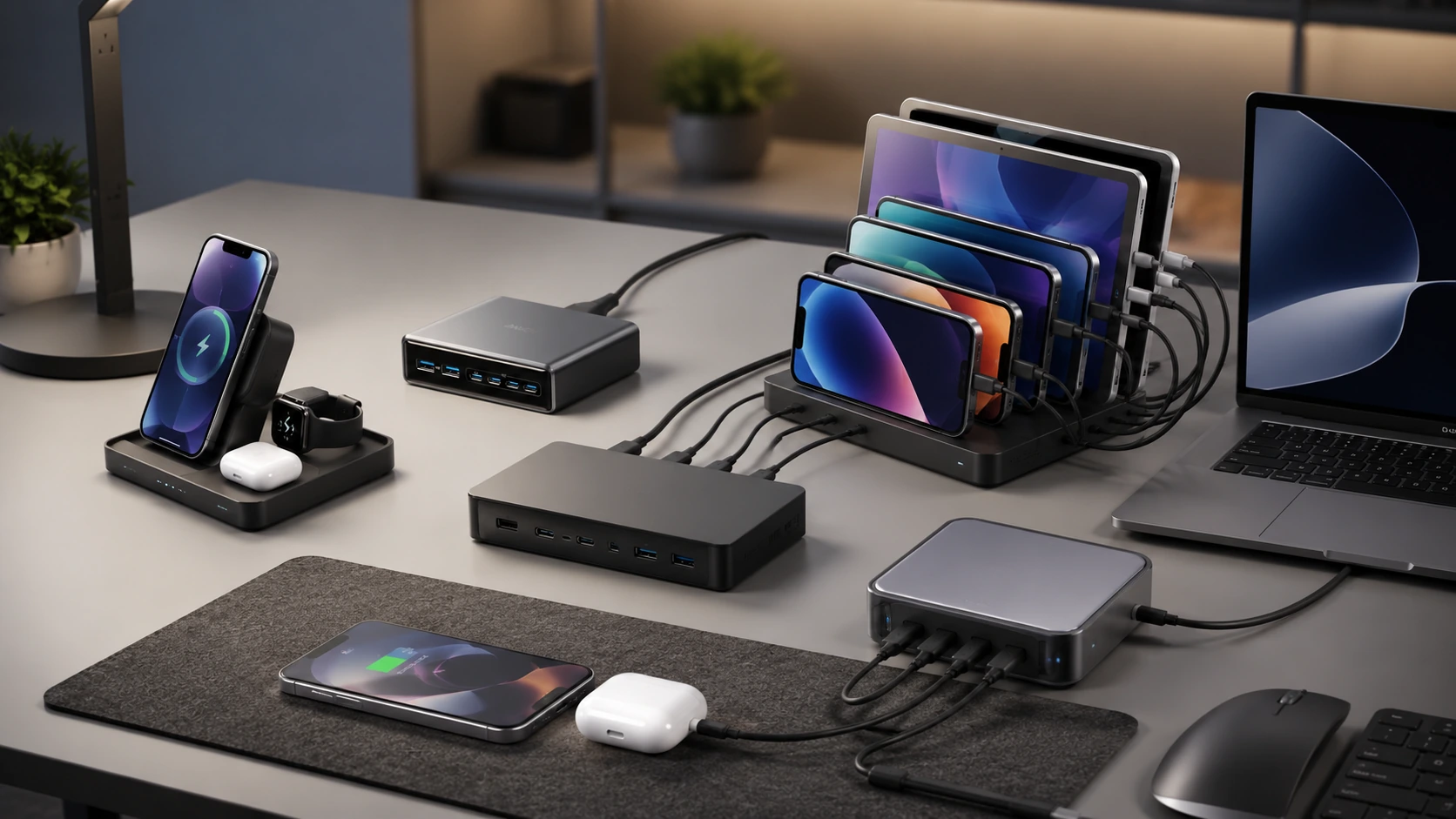
Quick Picks by Device Count
| Devices | Best Pick | |
|---|---|---|
| 2--3 devices | Anker Prime 200W | See pick |
| 4--5 devices | Baseus Nomos 245W | See pick |
| 6 devices (mixed) | TESSAN 130W 8-in-1 | See pick |
| 6--8 devices (family) | Alxum 120W 10-Port | See pick |
| 4--6 devices (budget) | Bototek 60W 6-Port | See pick |
| Laptop + multi-device | UGREEN Nexode 200W | See pick |
Count the devices on your desk right now. For most people in 2026, it is at least five: a phone, a pair of wireless earbuds, a smartwatch, a tablet, and a laptop. Add a second phone for a partner, an e-reader, a Bluetooth keyboard, and a mouse dongle, and you are at eight.
A single-port USB-C adapter handles none of this. A standard power strip handles the laptop via its own adapter -- and nothing else cleanly. A multi-device charging station handles all of it from one hub, with one cable to the wall.
The challenge with multi-device chargers is picking the right wattage. Too low, and everything charges slowly simultaneously. Too high, and you pay for capacity you will never use. This guide solves that with a watt-per-device calculator before the picks -- so you know exactly what you need before reading a single product review.
How Much Wattage Do You Actually Need?
This is the section every competitor skips, which is why buyers either overspend on a 500W charger for three phones or underspend on a 60W hub that slows to a crawl under real load.
Per-Device Power Reference
| Device | Typical Fast-Charge Draw |
|---|---|
| iPhone 16 Pro (USB-C) | 27W |
| iPhone 15 / 14 (USB-C) | 20W |
| Samsung Galaxy S25 | 25--45W |
| iPad Pro M4 (11") | 30--45W |
| iPad Air M3 | 20--30W |
| MacBook Air M3 | 30--35W |
| MacBook Pro 14" M4 | 70W |
| MacBook Pro 16" M4 | 140W |
| Apple Watch Series 10 | 5W |
| AirPods Pro 2 | 5W |
| Android earbuds (generic) | 5W |
| Kindle / e-reader | 9W |
| Nintendo Switch | 18W |
The 3-Step Wattage Calculator
List devices you charge simultaneously (not total devices owned)
Sum their typical fast-charge draw from the table above
Add 20% buffer -- chargers run more efficiently with headroom
Apple home office desk
- MacBook Air M3: 35W
- iPhone 16: 27W
- iPad Air: 25W
- AirPods Pro: 5W
- Apple Watch: 5W
97W → ~115W minimum
Anker Prime 200W handles this with 85W in reserve.
Family of 4 (phones only)
- 4x Android/iPhone phones:
- 4 × 20W = 80W
80W → ~96W minimum
Alxum 120W 10-Port handles this cleanly.
Power user (laptop + peripherals)
- MacBook Pro 16": 140W
- iPhone: 27W
- iPad Pro: 45W
212W → ~255W minimum
Only the Baseus 245W covers this fully.
All 6 Picks at a Glance
At a Glance
Our Top Picks for Multi-Device Desk Charging Stations
Unitek 120W 10-Port Type-C Charging Station
Best for: 10 iPads or tablets at once, classrooms and shared desks

Why it wins
The Unitek 120W 10-Port is built for one specific job: charging 10 tablets or iPads simultaneously from a single unit. Based on the listed specs, each of the 10 USB-C ports draws from a shared 120W pool, which is enough to keep a full set of tablets topped up overnight or during a shared workday without individually managing 10 separate wall adapters.
For a desk that serves as a charging hub for a classroom cart, a shared household of tablets, or a small office's loaner devices, the 10-port layout removes the need to rotate devices through fewer outlets. The tradeoff is per-port speed: 120W split across 10 active ports averages out to roughly 12W per device, which charges tablets and phones at a normal pace but is not a fast-charge solution for any single device.
This is a specialist pick rather than a general desk charger - if you only have 2-4 devices, the Anker Prime 200W above delivers faster charging per device from fewer ports.
Check price on AmazonSpecs
- Total output: 120W
- Ports: 10x USB-C
- Best for: Simultaneous multi-tablet charging
- Price: ~$66
Pros
- +Charges up to 10 iPads or tablets simultaneously
- +Single unit replaces 10 separate wall adapters
- +Compact given the port count
- +Straightforward USB-C only port layout
Cons
- −120W total means roughly 12W average per port at full load
- −Not a fast-charge solution for any single device
- −No wireless charging or AC outlets
Best for: Classrooms, shared device carts, or households with many tablets that all need to charge overnight at once.
Rocoren 400W Charging Station with Organizer
Best for: 6-10 devices with cable management, home offices

Why it wins
The Rocoren 400W is the highest-wattage multi-device station in this guide, built around a 10-port layout with dual 100W PD USB-C ports for laptops alongside standard ports for phones and accessories. It ships with 6 cables and a physical organizer tray, which addresses the cable-clutter problem that most high-port-count chargers leave unsolved.
The included organizer tray keeps devices upright and cables sorted while charging, which matters more on a desk with 6+ devices than the wattage figure alone. Dual 100W PD ports mean two laptops can charge at meaningful speed simultaneously, a capability most sub-$60 multi-device stations do not offer.
At this price, the 400W rating reflects the combined theoretical maximum across all ports rather than a sustained figure every port hits at once - as with any high-port-count charger, expect the practical per-device speed to depend on how many ports are active simultaneously.
Check price on AmazonSpecs
- Total output: 400W (rated)
- Ports: 10-port total, including 2x 100W PD USB-C
- Includes: 6 charging cables, device organizer tray
- Price: ~$50
Pros
- +Dual 100W PD USB-C ports for laptop charging
- +10 total ports for a full multi-device desk
- +Ships with 6 cables included
- +Built-in organizer tray reduces cable clutter
Cons
- −400W is a combined rated maximum, not a guaranteed per-port figure
- −Bulkier than compact single-brick chargers
- −No wireless charging pad
Best for: Home offices or family desks charging a mix of laptops, tablets, and phones that want cable organization built in.
Meifigno 65W 5-in-1 Charging Station
Best for: Apple ecosystem: iPhone, Watch, AirPods, iPad

Why it wins
The Meifigno 65W 5-in-1 targets a specific setup: an all-Apple desk with an iPhone, Apple Watch, AirPods, and an iPad or tablet, none of which need a fast laptop-level charge. It combines a 30W wired stand for a tablet with a foldable MagSafe-compatible wireless charger, so the phone and watch charge cable-free while the tablet charges wired.
The foldable design is the practical highlight for small desks: when not charging all five device types at once, the stand collapses flat, unlike rigid multi-device towers that take up the same footprint whether in use or not.
This is not a laptop-charging station and should not be treated as one - the 65W total is allocated across wireless MagSafe charging and the wired tablet port, both of which are modest wattages by design for phone, watch, and earbud charging rather than high-draw devices.
Check price on AmazonSpecs
- Total output: 65W
- Ports: 30W wired tablet stand, foldable MagSafe-compatible wireless pad
- Compatible with: iPhone, Apple Watch, AirPods, iPad/tablet
- Form factor: Foldable, collapses flat when not in use
- Price: ~$60
Pros
- +Foldable design collapses flat for small desks
- +MagSafe-compatible wireless charging for iPhone
- +Covers iPhone, Apple Watch, AirPods, and a tablet from one stand
- +30W wired port for tablet-speed charging
Cons
- −Not suitable for laptop charging
- −Apple-ecosystem focused - less useful for Android-mixed households
- −65W total is modest compared to the GaN bricks above
Best for: An all-Apple desk charging an iPhone, Apple Watch, AirPods, and iPad together without a tangle of cables.
Anker Prime 200W (6-Port GaN)
Best for: 2--3 devices at full speed, up to 6 at reduced speed
Why it wins
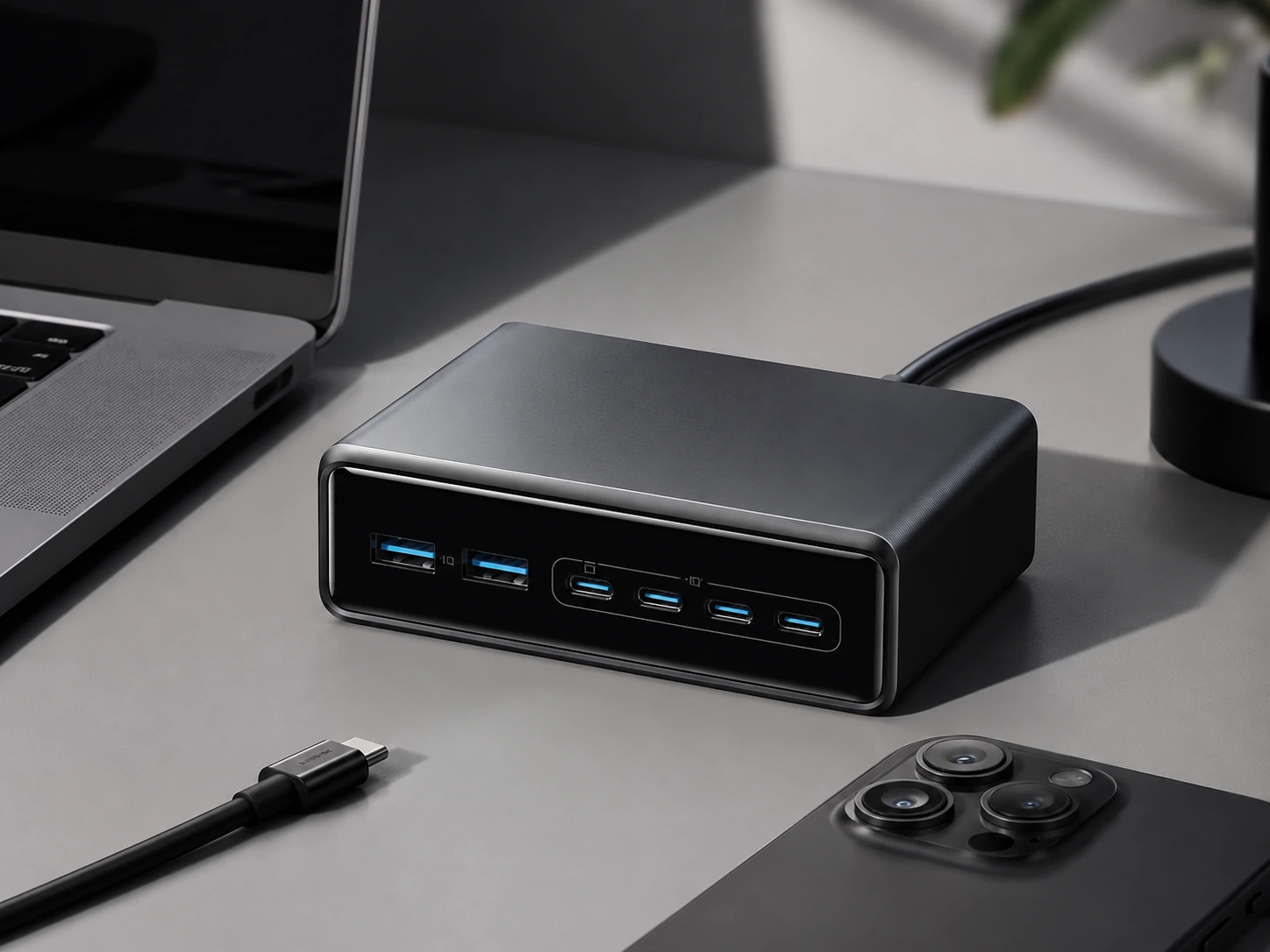
The Anker Prime 200W is the sharpest multi-device charger for desks that need to handle a mix of modern devices without maxing out at six. Four USB-C ports each support up to 100W on their own -- meaning two laptops can charge simultaneously at 65W/65W, or one MacBook Pro gets the full 100W while three other devices fill the remaining 100W.
The power distribution is genuinely smart: plug in a laptop and it gets priority. Add a phone and the charger routes 65W to the laptop and 35W to the phone automatically. No manual port assignment, no guessing which port is fastest.
GaN technology means it runs fanless and cool. The footprint (~8.5 x 8.5 cm) is modest for 200W of output.
Check price on AmazonSpecs
- Total output: 200W
- Ports: 4x USB-C (up to 100W each), 2x USB-A (up to 22.5W each)
- Technology: GaN, fanless
- Smart distribution: Automatic power prioritization
- Dimensions: Approx. 8.5 x 8.5 x 6 cm
- Price: ~$70--100
Pros
- +All 4 USB-C ports support fast charging (100W max each)
- +Smart power routing -- laptop always gets priority
- +Silent, fanless GaN operation
- +Compact for 200W output
Cons
- −No wireless charging
- −Expensive vs. budget multi-device options
- −USB-A ports limited to 22.5W each
Best for: Home offices or desks with a laptop, tablet, and 2--3 accessories all needing real fast-charge speeds.
Baseus Nomos 245W (6-in-1)
Best for: 4--6 devices including laptop + wireless
Why it wins
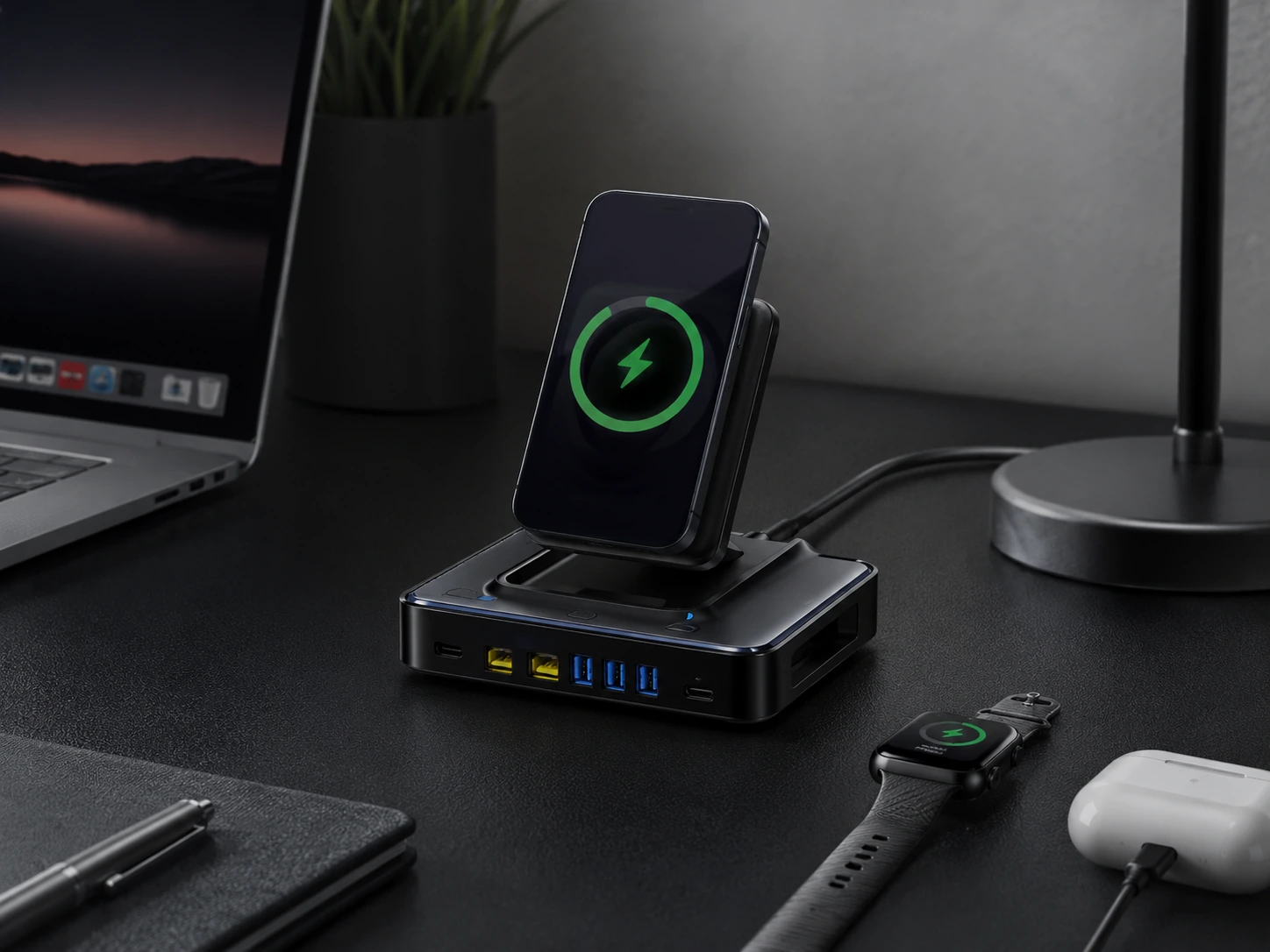
The Baseus Nomos 245W is the most comprehensive multi-device charging station tested for desks. 245W total output. Two retractable USB-C cables (80 cm, 100W each) eliminate loose desk cables entirely. Two fixed USB-C ports add 140W combined for large-device charging. Two USB-A ports at 18W cover older accessories. A 15W Qi2 wireless pad handles the phone without a cable. An LCD display shows real-time wattage per port.
The retractable cables are the standout feature in a multi-device context: on a desk with six devices charging, four of those cables can be retractable -- the desk stays clean even at full load.
The BPS 3.0 Smart Power Allocation technology manages the 245W across all active ports intelligently. The honest caveat: the wireless pad sometimes peaks at 8--10W rather than the full 15W Qi2 spec, and the external 245W power adapter is large. This is a desk-only product.
Check price on AmazonSpecs
- Total output: 245W
- Ports: 2x retractable USB-C (100W each), 2x USB-C (140W combined), 2x USB-A (18W each), 1x 15W Qi2 wireless pad
- Display: 1.83" LCD (real-time per-port wattage)
- Smart allocation: BPS 3.0
- Retractable cable: 80 cm length
- Price: ~$200
Pros
- +245W total -- enough for two MacBook Pros simultaneously
- +Dual retractable cables eliminate loose cables for primary devices
- +LCD shows exact wattage per port in real time
- +Qi2 wireless pad built in -- no separate wireless charger needed
- +Smart power allocation across all 6 ports
Cons
- −$200 price -- most expensive pick in this guide
- −Wireless pad sometimes delivers 8--10W instead of full 15W
- −Large external 245W power adapter
- −Bulky -- not minimal-desk friendly
Best for: Power users who need to charge a MacBook Pro, iPad Pro, iPhone, AirPods, Apple Watch, and one more device -- all at full speed, from one hub.
TESSAN 130W 8-in-1 GaN
Best for: 4--6 mixed devices, shared desks, households
Why it wins
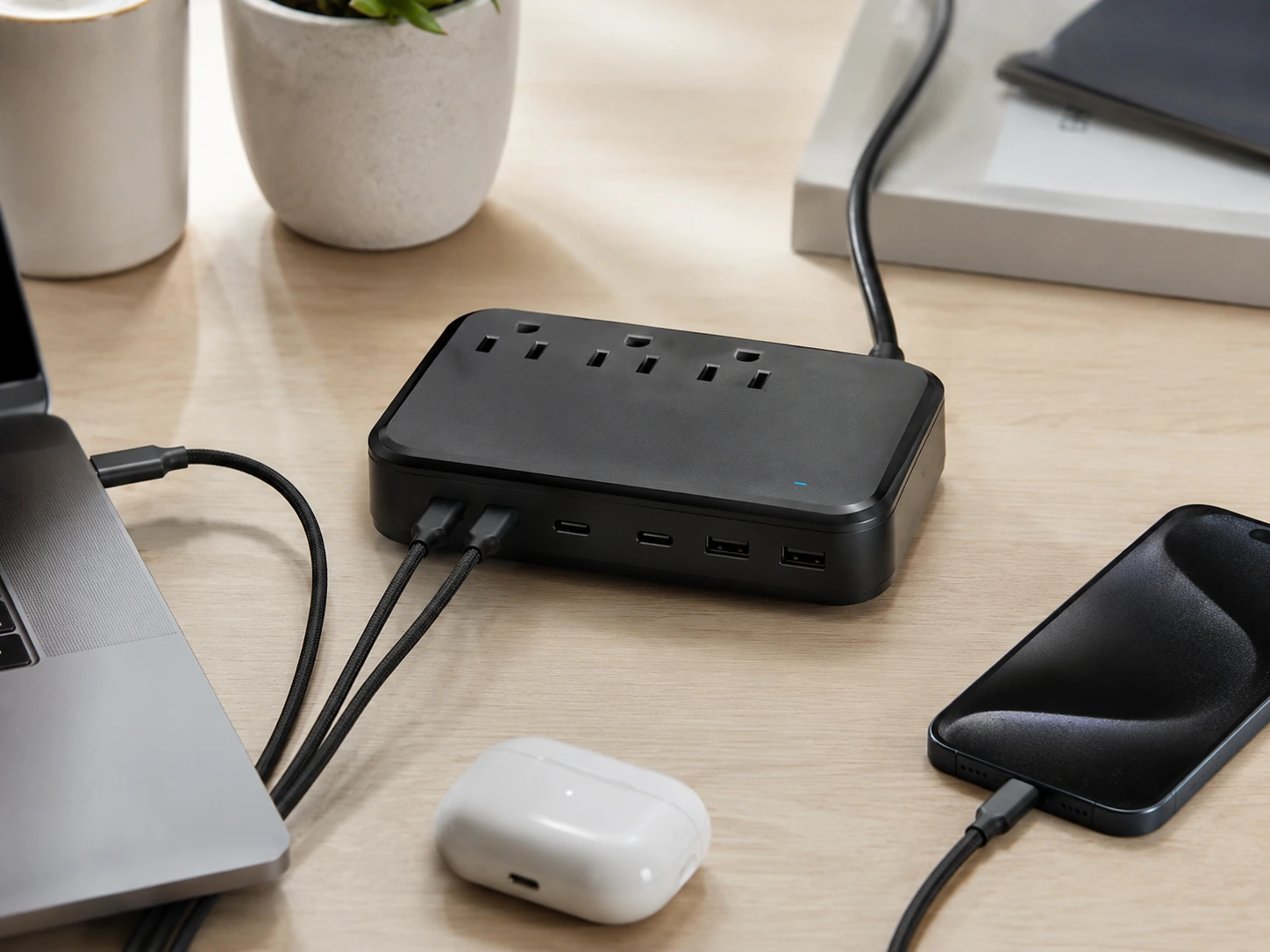
The TESSAN 130W 8-in-1 is the best value multi-device charger for households or shared desks in 2026. Three AC outlets handle laptop adapters or desk accessories that don't use USB. Three USB-C ports support up to 100W on the primary port -- enough for a MacBook Air. Two USB-A ports at 30W handle older phones and accessories. 130W total keeps everything moving at useful speeds.
At ~$28--38, it is by far the lowest-priced option in this roundup with GaN technology and AC outlet coverage. The GaN design runs cooler than competing non-GaN hubs at this price, and the compact form factor does not dominate a shared desk surface.
For a household where the desk charges phones from two adults, a Nintendo Switch, an iPad, and needs one outlet for a desk lamp, the TESSAN covers it all.
Check price on AmazonSpecs
- Total output: 130W
- Ports: 3x AC outlets, 3x USB-C (primary: 100W), 2x USB-A (up to 30W)
- Technology: GaN
- Form factor: Compact bar with built-in power cord
- Price: ~$28--38
Pros
- +Best value GaN multi-device charger in this guide
- +3 AC outlets for non-USB devices
- +100W USB-C primary port charges MacBook Air at full speed
- +GaN runs cooler than non-GaN at same price
- +Compact bar form factor
Cons
- −130W total -- tight if all ports are in heavy use simultaneously
- −AC outlets share the 130W pool with USB ports under full load
- −No wireless charging
Best for: Shared desks, family charging hubs, or any setup that mixes USB-C devices with AC-powered accessories.
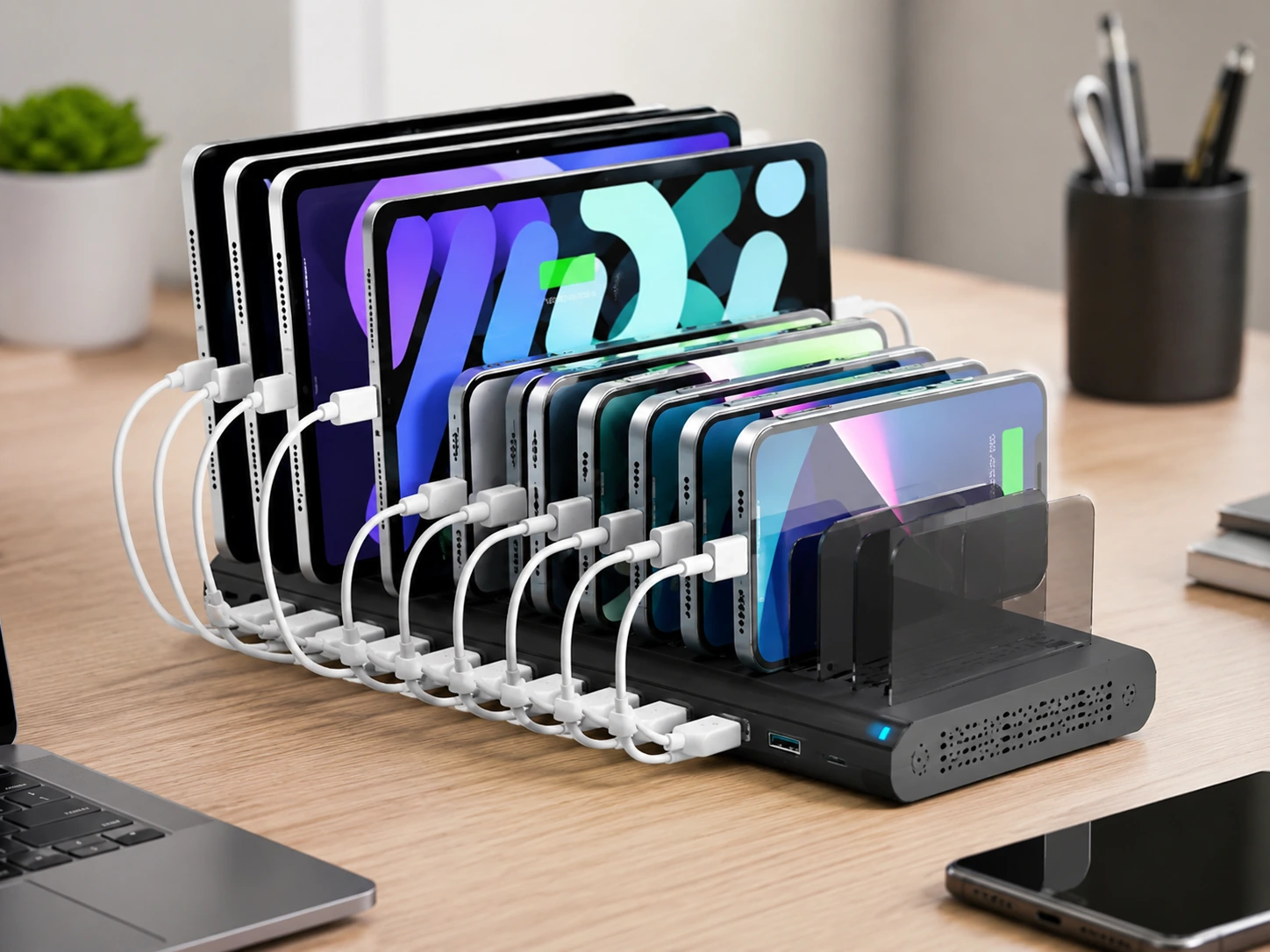
Alxum 120W 10-Port USB Charging Station
Best for: Families, classroom desks, shared offices
Why it wins
For raw port count -- charging 6, 8, or 10 devices simultaneously -- the Alxum 10-Port is the right tool. USB-C Quick Charge and USB-A ports with 120W total output distribute across all 10 ports without one device starving another at standard loads. UL certified for safety, with adjustable device dividers that hold phones and tablets upright on the unit.
The device slot organizer keeps phones and tablets upright while charging -- on a family desk or a shared workspace where multiple people charge different devices, that organization matters as much as the charging speed.
The caveat: USB-C ports are Quick Charge, not full PD for laptops at full speed. This is a phone-and-tablet charger, not a laptop charger. Keep a separate USB-C GaN charger for laptop use.
Check price on AmazonSpecs
- Total output: 120W
- Ports: USB-C (QC), multiple USB-A
- Organizer: Built-in device dividers
- Certification: UL Certified
- Price: ~$40--60
Pros
- +10 simultaneous devices -- highest port count in guide
- +Device dividers organize phones and tablets while charging
- +120W total handles full load without throttling phones
- +UL certified for safety
- +Reliable for shared/family use
Cons
- −USB-C max Quick Charge -- too slow for laptop charging
- −No wireless charging
- −Larger footprint than compact options
Best for: Households or shared office desks where 6--10 phones and small devices need to charge simultaneously.
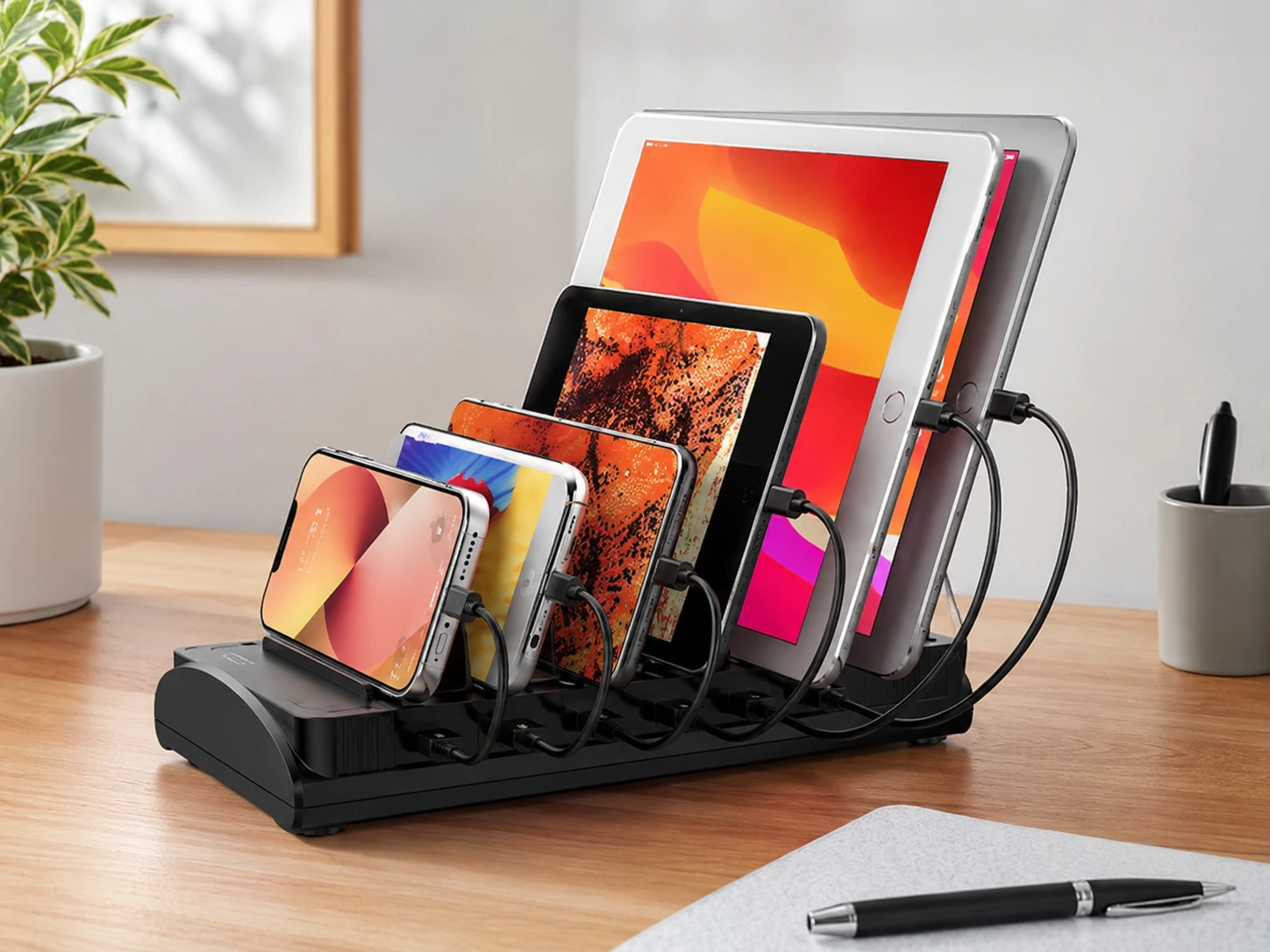
Bototek 60W 6-Port
Best for: 4--6 phones and accessories, budget setups
Why it wins
The Bototek 60W 6-Port delivers what most households actually need -- six simultaneous USB device charges -- at under $30. Vertical design minimizes desk footprint. Intelligent charging chip assigns current per device. Built-in safety features (over-current, over-temperature, short-circuit) keep it safe under full load.
The 60W total is the honest limitation: with 6 devices connected, each gets an average of 10W. Phones charge adequately, but tablets slow significantly and laptops should not be connected. For a desk that charges phones, earbuds, a Kindle, and similar small-draw devices, 60W is sufficient.
Check price on AmazonSpecs
- Total output: 60W
- Ports: 6x USB (Smart IC auto-detect, 2.4A max per port)
- Form factor: Compact vertical tower
- Safety: Over-current, over-temperature, short-circuit protection
- Price: ~$25--35
Pros
- +Under $35 -- lowest price for a 6-device charger
- +Vertical design saves horizontal desk space
- +Smart IC assigns correct current per device
- +Adequate for phones, earbuds, small accessories
- +Good safety protections
Cons
- −60W total -- 10W average per port at full load
- −USB-A only, no USB-C fast charging
- −Not suitable for tablets or laptops
- −No wireless charging
Best for: Budget desks, secondary charging hubs, or setups where only phones and small accessories need charging.
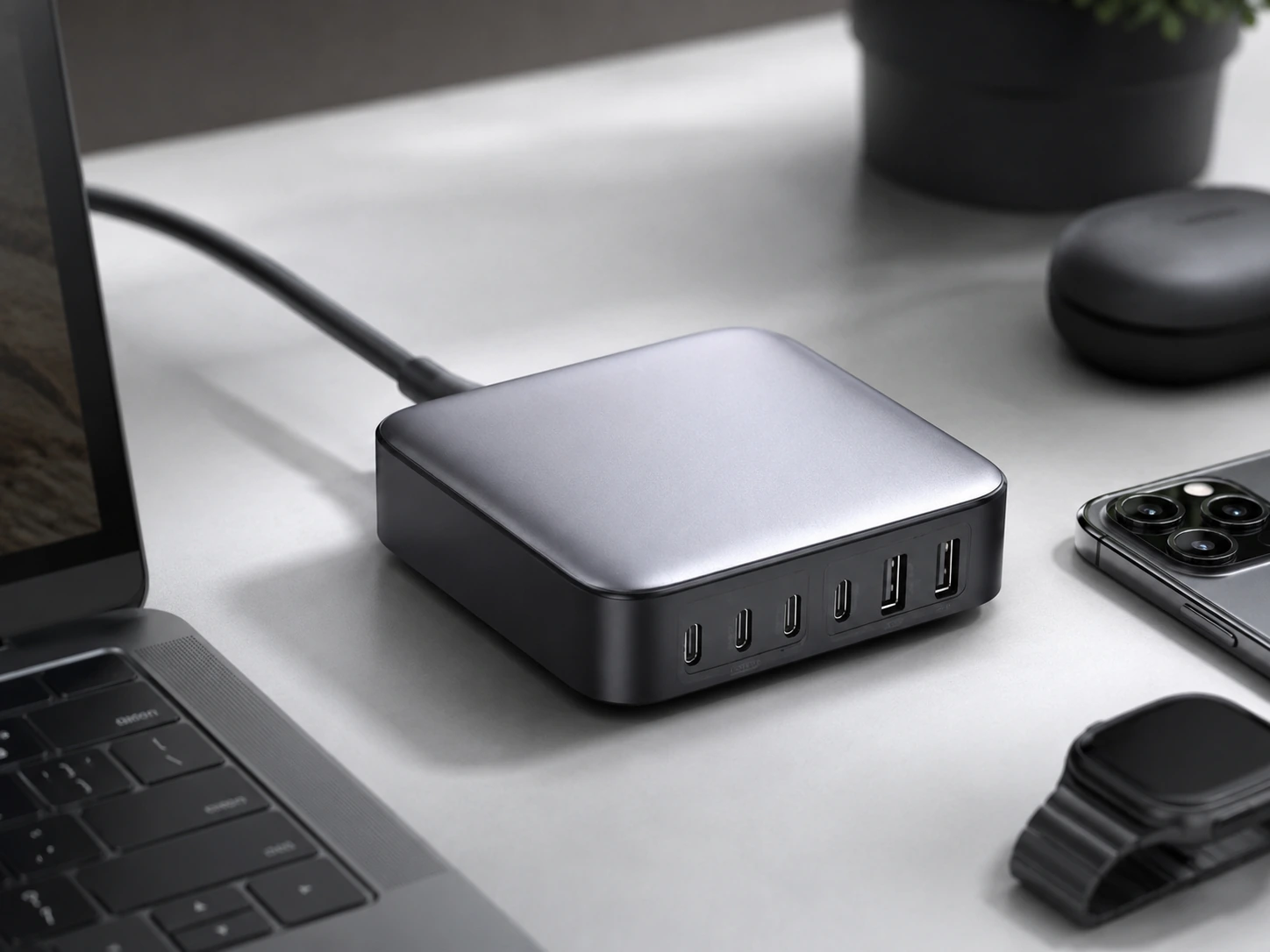
UGREEN Nexode 200W
Best for: MacBook Pro + iPad + phone + accessories
Why it wins
When one of your multiple devices is a MacBook Pro -- especially a 14" or 16" model -- the charger needs a primary port that delivers serious wattage while still covering everything else. The UGREEN Nexode 200W does this better than the Anker Prime in one specific way: the primary USB-C port delivers 140W via PD 3.1 -- the only standard that fast-charges a 16-inch MacBook Pro at full speed.
Plug in the MacBook on port 1 (140W). iPhone on port 2 (35W). iPad Pro on port 3 (45W). AirPods on USB-A. All four devices charge at meaningful speeds simultaneously within the 200W total budget.
For anyone running a MacBook Pro 16" as their primary machine, this is the only compact charger in this price range that handles the full setup properly.
Check price on AmazonSpecs
- Total output: 200W
- Primary USB-C: 140W (PD 3.1)
- Ports: 4x USB-C, 2x USB-A
- Technology: GaN, fanless
- Price: ~$60--80
Pros
- +140W PD 3.1 primary port -- full-speed MacBook Pro 16" charging
- +200W total covers laptop + tablet + 2 phones simultaneously
- +Fanless, silent operation
- +Strong value vs. competitors at same price
Cons
- −No wireless charging
- −Non-primary USB-C ports drop to lower wattage when all ports active
- −No AC outlets
Best for: MacBook Pro users who also need to charge a tablet and 2--3 other devices from one hub.
How to Choose the Right Multi-Device Charger for Your Desk
Match Wattage to Your Actual Device List
Use the calculator above. The single most common mistake when buying a multi-device charger is picking one with enough ports but not enough total wattage -- every device ends up slow-charging because the hub is at its limit.
USB-C vs USB-A: Check Your Cables First
Before buying, look at the cables currently connecting your devices:
need USB-C ports (obvious, but worth checking)
need USB-A or USB-C via Lightning-to-USB-C
need USB-A ports
Most modern phones, tablets, and earbuds now use USB-C. If your desk has a mix of USB-C and older USB-A cables, look for a charger with at least 2 USB-C ports and 2 USB-A ports -- the TESSAN, Anker Prime, and UGREEN Nexode all deliver this.
Simultaneous vs. Sequential Charging
Simultaneous
All devices plugged in and charging at the same time. Requires total wattage ≥ sum of all device draws. Best for home offices and family desks where everything charges during the day.
Sequential
Charge 2--3 devices at a time, rotate. Works fine with lower-wattage chargers. Best for small desks where only a phone and earbuds actually need to charge at once, despite owning 6 devices.
Most buyers overestimate how many devices they actually charge simultaneously. If you plug in your MacBook separately and only use the hub for phone, watch, and earbuds, a 60W charger is plenty.
Port Count Does Not Equal Charging Speed
A 10-port charger at 60W total gives each port ~6W average -- slower than a single 20W USB-C adapter. Check total wattage per port count:
| Charger | Total Wattage | Avg W/Port |
|---|---|---|
| Baseus Nomos 245W | 245W | 35W avg |
| Anker Prime 200W | 200W | 33W avg |
| UGREEN Nexode 200W | 200W | 33W avg |
| TESSAN 130W 8-in-1 | 130W | 16W avg |
| Alxum 120W 10-Port | 120W | 12W avg |
| Bototek 60W 6-Port | 60W | 10W avg |
Higher average wattage per port = faster charging under full load.
How We Evaluated These Picks
Total wattage vs device mix
Does the charger's wattage budget actually cover the device combinations listed in the Quick Picks table?
Smart power allocation
Does the charger prioritize high-draw devices (laptops) automatically, or does it distribute equally regardless of need?
Port mix practicality
USB-C PD for modern devices, USB-A for accessories, AC outlets for desk accessories -- evaluated against real desk setups.
Value per watt
Cost-per-watt across price tiers, with specific attention to the GaN efficiency premium vs. non-GaN alternatives at similar prices.
DeskFinds earns a commission on qualifying purchases at no extra cost to you.
Frequently Asked Questions
How many devices can a desk charging station handle?
Most desktop charging stations handle 4--10 devices. The actual limit is total wattage -- a 10-port charger at 60W will slow-charge everything, while a 6-port charger at 200W fast-charges every device simultaneously. Always check total wattage, not just port count.
Can one charging station charge both Apple and Android devices?
Yes. USB-C charging (PD) and USB-A (Smart IC) work with both iOS and Android. The only exception is wireless charging: Qi2 pads at 15W work with iPhones (12+) and Qi2-certified Android phones, while standard Qi pads work with most wireless-capable phones at 5--10W.
What is the best charging station for a family of 4?
The Alxum 10-Port 120W handles 10 phones simultaneously. For a family where adults also have tablets and laptops, the TESSAN 130W 8-in-1 covers phones, tablets, and one laptop from 8 ports with GaN efficiency.
Do I need fast charging for all ports?
Not necessarily. If devices charge for several hours (overnight or during a full workday), standard 10W charging gets to 100% with time to spare. Fast charging matters most for short windows -- 20-minute breaks, 1-hour lunch. Prioritize fast-charge ports for the devices you top up during the day; slower ports are fine for overnight charges.
Can a multi-device charging station charge a laptop?
Yes, if it has a USB-C port with Power Delivery (PD) at the right wattage for your laptop. MacBook Air M3 needs 30--35W for slow charge, 60W+ for full speed. MacBook Pro 16" M4 needs 100W+ for useful speed, 140W for full speed. The Anker Prime 200W and UGREEN Nexode 200W both handle MacBook Pros properly. The Bototek and Alxum options do not.
What is the difference between a multi-device charging station and a docking station?
A multi-device charging station charges device batteries via USB. A docking station connects a laptop to monitors, Ethernet, USB peripherals, and also charges. If you need one connection to run your full desk setup (monitors + keyboard + mouse + network), you want a docking station.
Bottom Line
For most desks (3--5 devices): The Anker Prime 200W handles any combination of modern devices at full speed. Smart power routing keeps the laptop prioritized. It is the most flexible choice for a desk whose device mix changes day to day.
For full-load power users (laptop + 5 devices): The Baseus Nomos 245W covers everything -- retractable cables, wireless pad, LCD display, 245W total. The price is high but the functionality is unmatched.
For families or shared desks: The TESSAN 130W 8-in-1 delivers the best value for mixed households: GaN technology, three AC outlets, three fast USB-C ports, and under $38.
Whatever you choose: use the watt calculator above before buying. Port count without adequate wattage is the most common -- and most frustrating -- mistake in this category.
Browse multi-device charging stations on Amazon
All products are Prime-eligible with free delivery.
Shop on Amazon →Related Guides
Best Charging Stations for Desk
Full roundup across all categories
Best Wireless Charging Stations for Desk
If wireless matters for your setup
Best Docking Stations for Desk Setup
When you need monitor + network too
Best USB Hubs for Desk
If you only need more USB ports, not a full charging hub
Last updated: June 2026. Prices and availability checked at time of writing -- always verify current price on Amazon before purchasing.