
Best Wireless Charging Stations for Desk: Clean Picks for Phones, Earbuds, and Watches
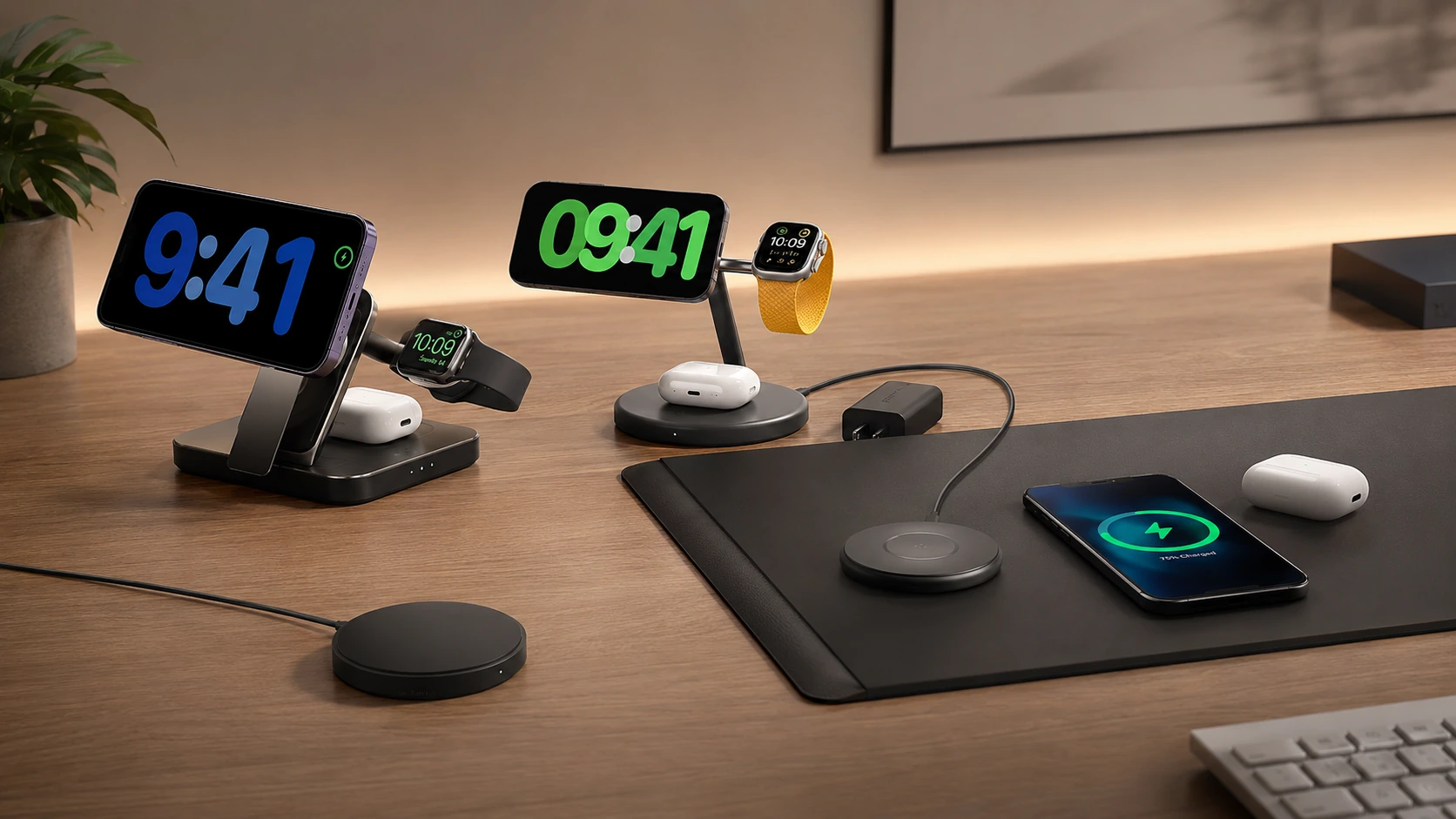
Your phone charges every time you set it down. No fumbling for a cable, no fraying connector. One wireless pad can replace three cables on your desk -- phone, watch, and earbuds -- in a single compact stand.
Quick Picks
| Pick | Product | |
|---|---|---|
| Best 3-in-1 (Value) | Anker MagSafe 3-in-1 Qi2 (15W) | Check price |
| Best 3-in-1 (Premium) | Belkin BoostCharge Pro 3-in-1 Qi2 (15W) | Check price |
| Best Qi2 Stand (Compact) | LISEN Qi2 3-in-1 | Check price |
| Best Flat Wireless Pad | Anker MagGo Qi2 Pad (15W) | Check price |
| Best Wireless Desk Mat | Journey ALTI Qi2 (15W) | Check price |
| Best Budget Wireless | Anker 313 Wireless Pad (5-10W) | Check price |
The case for wireless charging on a desk is simple: your phone charges every time you set it down. No fumbling for a cable, no micro-USB mismatch, no fraying Lightning connector. You put the phone down, pick it up fully charged an hour later. That is the whole pitch.
The case against is equally simple: wireless charging is slower than wired for most phones, it runs warmer, and if your phone lands off-center on the pad, it charges at reduced speed or not at all.
Both of those statements were more true in 2021 than they are in 2026. Qi2 -- the current open wireless standard -- charges iPhones at 15W via magnetic alignment, matching Apple's own MagSafe speed. The magnetic ring snaps the phone to the center of the pad automatically, so misalignment is no longer a problem. Heat management has improved across the board.
For desk use specifically, wireless charging has another advantage competitors' guides consistently miss: it reduces the number of cables crossing your desk surface. One wireless pad replaces three cables to your phone, earbuds, and watch. That is a meaningful visual and ergonomic improvement, especially on small desks.
This guide covers every wireless charging format that makes sense for a desk -- 3-in-1 stations, single-device stands, flat pads, and charging desk mats.
Qi vs Qi2 vs MagSafe -- What Is the Actual Difference?
This is the section every competitor skips, which is why buyers end up confused about why their "MagSafe charger" doesn't deliver 15W on their Android phone.
| Qi | Qi2 | MagSafe | |
|---|---|---|---|
| Max speed | 5--15W (varies by device/charger combo) | 15W guaranteed | 15W (Apple devices only) |
| Alignment | None -- manual centering | Magnetic ring -- auto-align | Magnetic ring -- auto-align |
| Compatibility | Any Qi-enabled device | Any Qi2-certified device | iPhone 12 and newer only |
| Android support | Yes | Yes (Qi2 Android phones) | No |
| Open standard | Yes | Yes | No (Apple proprietary) |
| Price premium | Base | Moderate | High (Apple-only licensing) |
The practical rule for desk buyers:
Get a Qi2 or MagSafe charger. Both deliver 15W. Qi2 is slightly cheaper and works on future non-Apple Qi2 devices too.
Check if your phone is Qi2-certified (Samsung Galaxy S25+, Pixel 9 series, and others). If yes, Qi2 pads deliver full speed. If not, any Qi pad charges -- but at the phone manufacturer's standard (typically 5--15W depending on brand).
A Qi2 pad covers everyone. It works on Qi2 phones at 15W and on standard Qi phones at whatever speed the phone supports.
All 6 Picks at a Glance
At a Glance
Our Top Picks for Wireless Charging Stations for Desk
Anker MagSafe 3-in-1 Qi2 (15W)
Why it wins
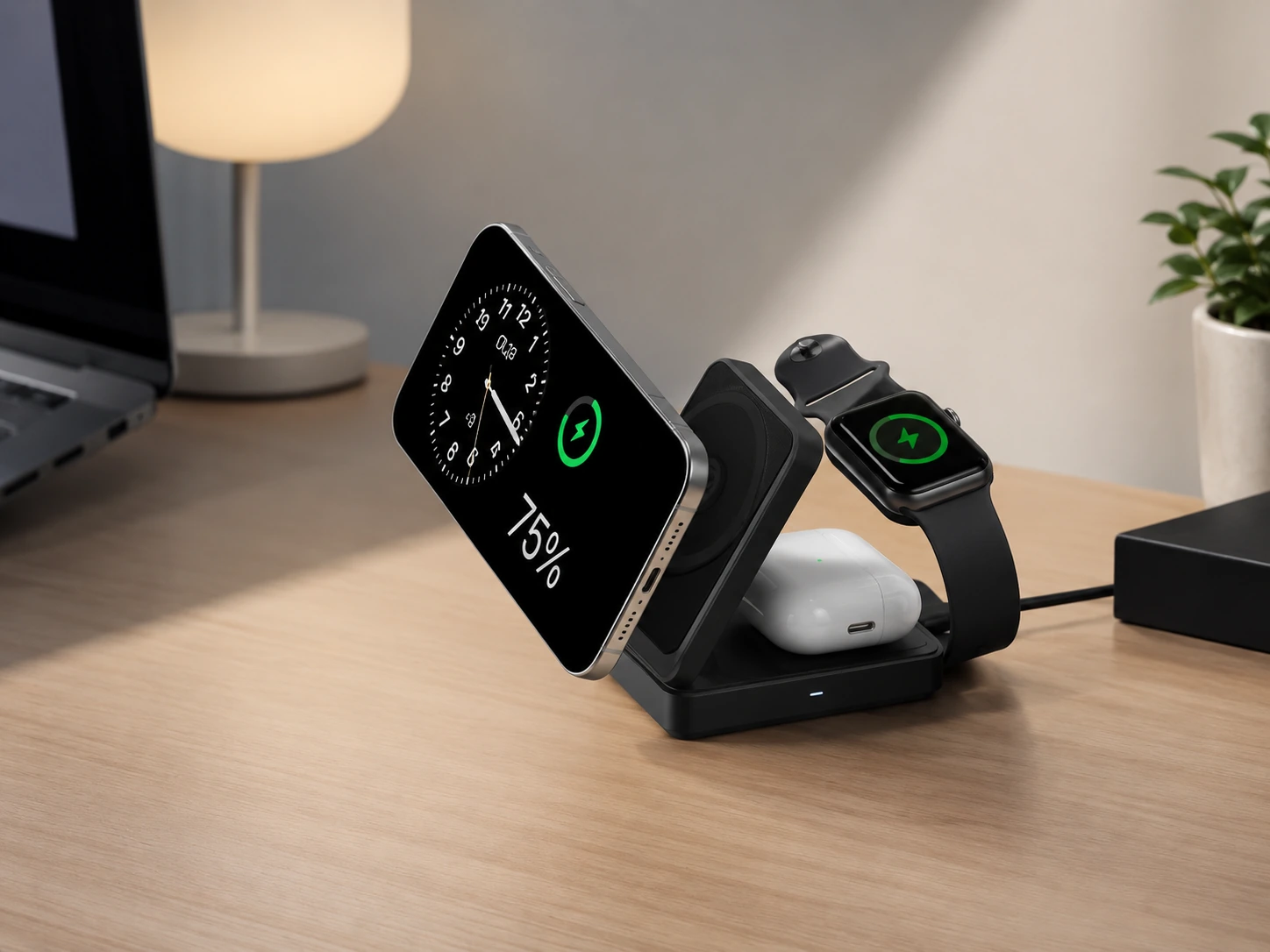
The Anker MagSafe 3-in-1 Qi2 is the best all-round wireless desk charger for Apple households at any price. One compact stand charges your iPhone at 15W via Qi2 magnetic alignment, your Apple Watch on a side puck, and your AirPods on a Qi pad at the base -- simultaneously, from a single USB-C cable.
The stand footprint is roughly 10 x 8 cm. Your phone snaps to the MagSafe pad, stands upright and readable while charging, and stays there. No off-center charging, no cable knocking the phone sideways.
The price is the headline: listed at $100, it discounts heavily and frequently to $35--45. At that price point, it is the easiest recommendation in this guide. The 40W USB-C adapter is included -- a detail that premium competitors like Belkin omit to keep the shelf price lower while quietly raising total cost.
Check price on AmazonSpecs
- iPhone pad: 15W Qi2 (MagSafe-compatible, iPhone 12 and newer)
- Apple Watch pad: 5W
- AirPods pad: 5W Qi
- Input: 40W USB-C adapter (included)
- Cable: 5-foot USB-C
- Footprint: ~10 x 8 cm stand base
Pros
- +Full 15W Qi2 speed -- not compromised vs. Apple's own charger
- +40W adapter included (many competitors skip this)
- +Compact stand footprint -- fits any desk
- +Phone stands upright, readable while charging
- +Deeply discounted regularly -- check current price before buying
Cons
- −Apple ecosystem only -- no benefit for Android users
- −Watch charger position is fixed (not repositionable on all variants)
- −No wired USB-C/USB-A ports -- need a separate charger for tablets, laptops
Best for: Any Apple desk setup. The first wireless charger to buy if you have an iPhone, Apple Watch, and AirPods.
Belkin BoostCharge Pro 3-in-1 Qi2 (15W)
Why it wins
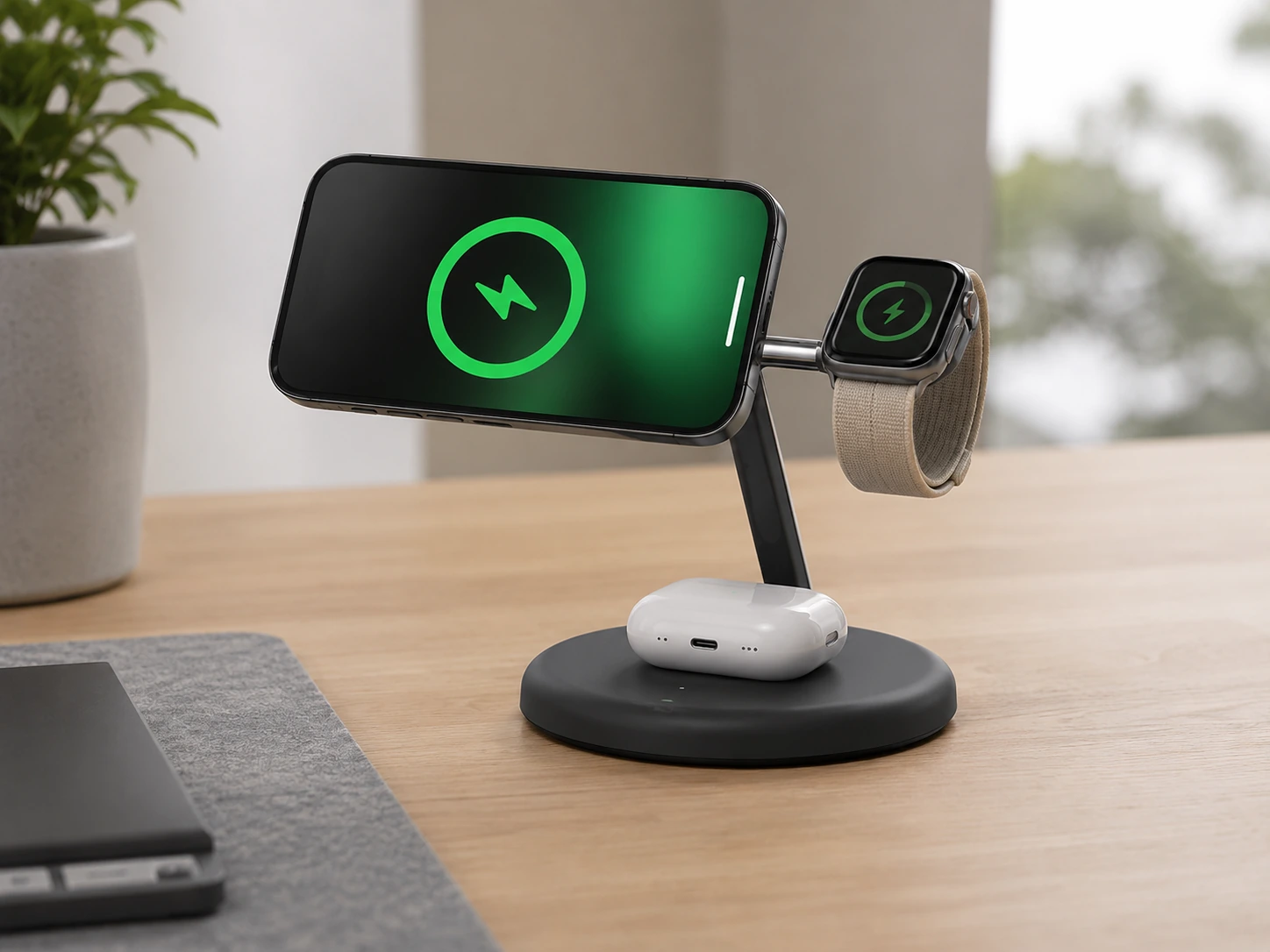
The Belkin BoostCharge Pro is the premium-tier 3-in-1 for desks where the charger is always visible and aesthetics matter. The weighted base does not move when you pick up your phone one-handed -- a detail budget 3-in-1 stands consistently fail at. The adjustable tilt on the iPhone pad lets you set the angle for your line of sight, whether you watch the screen at eye level or need it angled slightly downward.
Belkin's build quality is the differentiator. The cable exits cleanly from the back rather than draping forward. The Watch charging puck retracts neatly when not in use. The overall unit looks intentional on a desk rather than like a $20 phone stand with charging bolted on.
The trade-off: the adapter may not be included depending on the variant. For a $79--119 charger, factor ~$15--20 for an adapter into the effective price if buying the version without one.
Check price on AmazonSpecs
- iPhone pad: 15W Qi2 (iPhone 12 and newer, MagSafe-compatible)
- Apple Watch pad: 5W, fast charge compatible (Series 4 and newer)
- AirPods pad: 5W Qi
- Stand: Adjustable tilt angle
- Base: Weighted (non-slip)
- Price: ~$79--119
Pros
- +Weighted base stays put when removing phone one-handed
- +Adjustable iPhone pad tilt -- set angle to your line of sight
- +Clean rear cable exit
- +Premium build -- looks intentional on a visible desk
- +Apple Watch fast charge (Series 4+) -- faster than most competitors
Cons
- −Adapter may not be included on some variants -- adds to actual cost
- −Apple ecosystem only
- −Pricier than the Anker at baseline
- −No wired ports
Best for: Desks where the charger is always in view -- a home office, a client-facing workspace, or anywhere you care about what your desk looks like.
LISEN Qi2 3-in-1
Why it wins
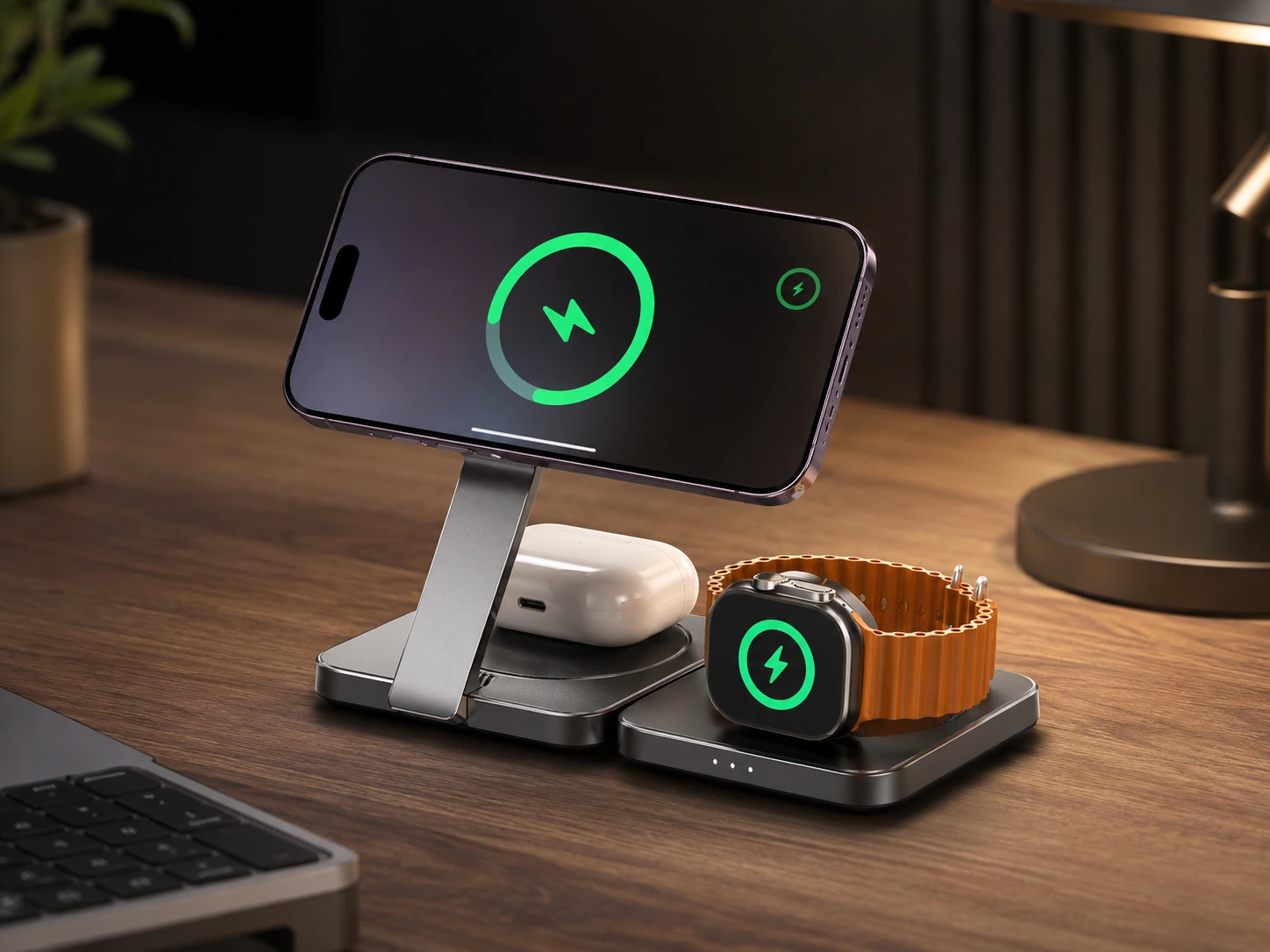
The LISEN Qi2 3-in-1 punches above its price point on two specific desk-friendly details: the metal construction adds enough weight that it stays put on smooth desk surfaces, and the Watch charging puck retracts into the main body when not in use. That second feature -- a retractable Watch charger -- is surprisingly rare, and it makes a genuine difference in how clean the unit looks when you are not actively charging your watch.
The Qi2 certification means iPhones charge at the full 15W with magnetic alignment. Android Qi2 phones get the same 15W treatment. The Apple-inspired silver-and-black metal design reads as a premium accessory at a non-premium price.
At ~$25--45, the LISEN is the value alternative for buyers who want the quality feel of Belkin at closer to the Anker price.
Check price on AmazonSpecs
- iPhone pad: 15W Qi2 (MagSafe-compatible, iPhone 12+)
- Apple Watch pad: 5W (retractable puck)
- AirPods pad: 5W Qi
- Material: Aluminium and metal construction
- Includes: USB-C cable + power adapter
- Price: ~$25--45
Pros
- +Retractable Watch charger -- tidiest of all 3-in-1 units for clean desk look
- +Metal construction -- heavier, more stable than plastic alternatives
- +Full 15W Qi2 for iPhone and Qi2 Android phones
- +Power adapter included
- +Best value-to-premium-feel ratio in this roundup
Cons
- −Less brand recognition than Belkin/Anker -- fewer third-party reviews
- −Apple-focused design (AirPods slot optimized for AirPods shape)
- −No wired ports
Best for: Minimalist desks where the charger should disappear visually when not actively charging every device.
Anker MagGo Qi2 Pad (15W)
Why it wins
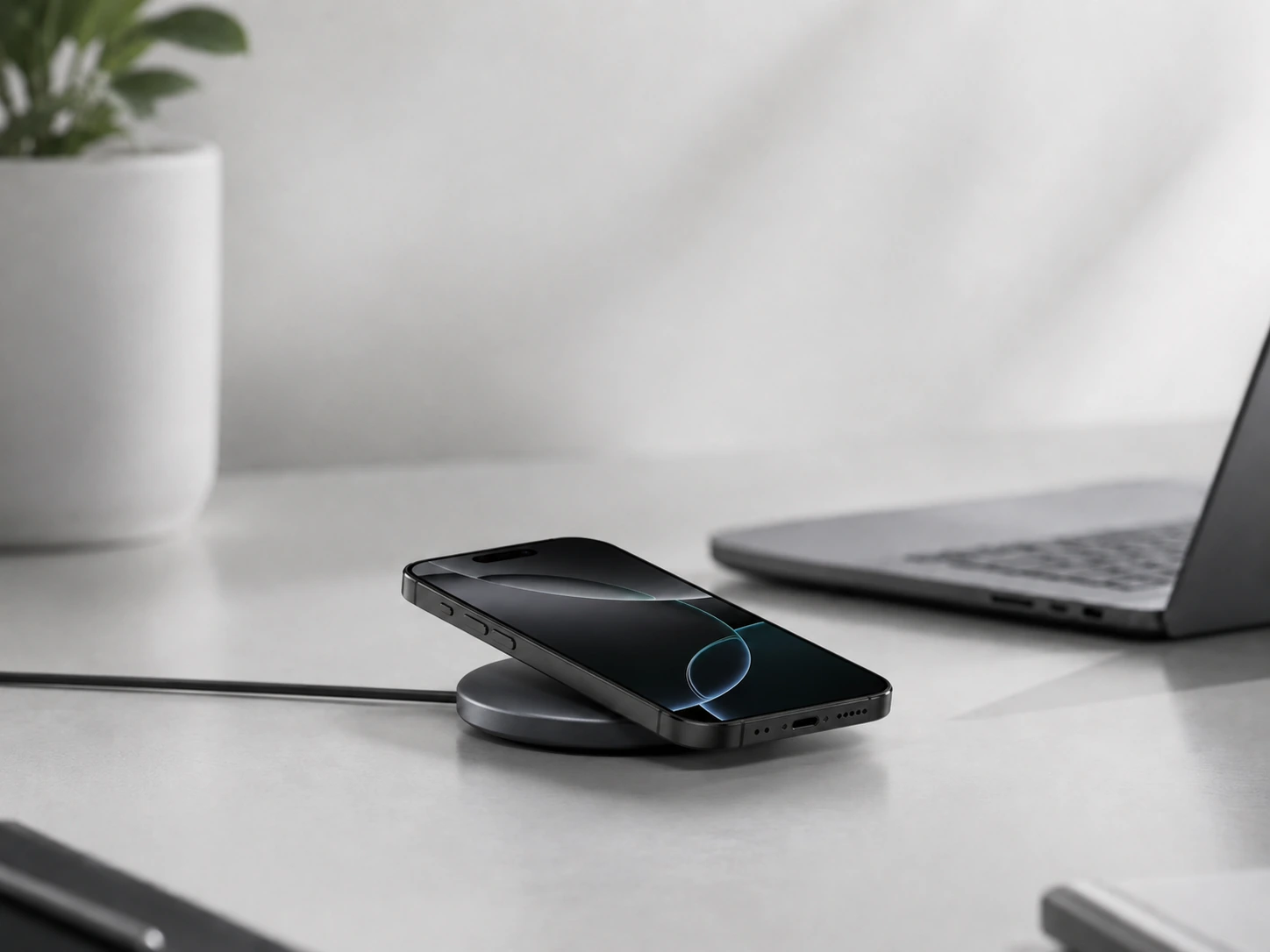
Sometimes a wireless charger on a desk just needs to do one thing cleanly: charge a phone when it is set face-down or flat. No stand arm, no watch puck, no stack of charging zones -- just a flat pad with magnetic alignment that your phone snaps onto automatically.
The Anker MagGo Qi2 Pad delivers exactly this. Qi2 certification means the full 15W on any Qi2 phone. The magnetic ring centers the phone every time -- no guessing where the sweet spot is. The rubberized base keeps the pad from sliding across desk surfaces.
At ~$20--28, it is the lowest-cost entry point for true Qi2 charging on a desk. The footprint is minimal -- roughly the size of a coaster.
Check price on AmazonSpecs
- Output: 15W Qi2 (MagSafe-compatible for iPhone 12+), 10W for Qi phones
- Alignment: Magnetic (Qi2 ring)
- Base: Anti-slip rubberized
- LED indicator: Single charging-status light
- Cable: USB-C (adapter sold separately)
- Dimensions: ~10 cm diameter
Pros
- +Cheapest Qi2 15W option in the roundup
- +Minimal desk footprint (~10 cm diameter)
- +Magnetic alignment eliminates misalignment charging
- +Works as a flat desk pad or a slight angle stand on some variants
- +Clean single-cable setup
Cons
- −Charges one device only -- no Watch or AirPods pad
- −USB-C adapter not always included -- check listing
- −LED indicator cannot be dimmed (can be slightly bright at night)
- −No wired ports
Best for: Desks where one device (phone) needs wireless charging and simplicity matters more than multi-device support.
Journey ALTI Qi2 (15W)
Why it wins
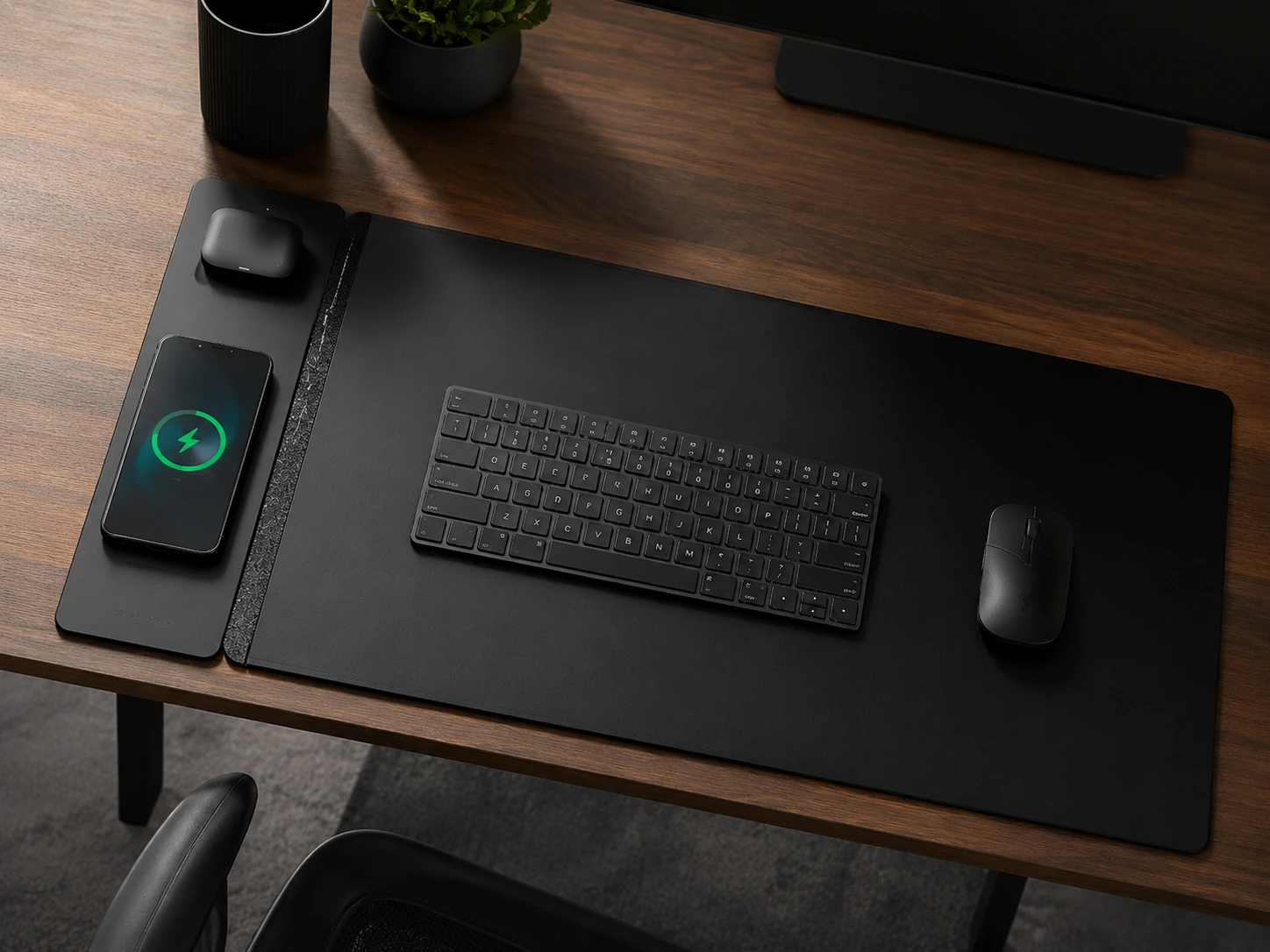
The Journey ALTI approaches wireless desk charging from the opposite end of the spectrum: instead of a standalone unit, it integrates a Qi2 charging zone into a full-size desk mat. The mat covers 68 x 37 cm of desk surface. The charging panel along one edge delivers 15W MagSafe/Qi2 for an iPhone and 5W for AirPods. Your phone does not sit on a pad -- it charges through the mat surface.
The result is a desk with no standalone charging unit at all. The charger is invisible unless you look for it.
At ~$104--130, this is the most expensive pick in the guide. But if you are replacing a worn desk mat anyway, the Qi2 integration is a meaningful upgrade that eliminates one more device from your desk surface.
Check price on AmazonSpecs
- Phone charging: 15W Qi2 (MagSafe-compatible, iPhone 12+)
- AirPods charging: 5W Qi
- Mat dimensions: 68 x 37 cm
- Charging panel: 10 cm strip along one edge
- Surfaces: Vegan leather (front) / soft felt (reverse)
- Hidden pocket: Document storage between mat layers
- Input: USB-C
- Price: ~$104--130 (20% checkout discount available)
Pros
- +Zero visible charging hardware on desk surface
- +Full 15W Qi2 speed -- not reduced by the mat format
- +Desk mat + charging + document pocket in one product
- +Premium dual-surface material (leather / felt)
- +Eliminates one cable (no power brick visible)
Cons
- −Most expensive pick (~$104--130)
- −Requires desk at least 80 cm wide to lay flat
- −Apple/Qi2 only for wireless -- no wired ports for other devices
- −Phone charging area fixed to one edge of mat
Best for: Desk setups where eliminating all visible hardware is the goal, or where you would buy a premium desk mat regardless.
Anker 313 Wireless Pad (5-10W)
Why it wins
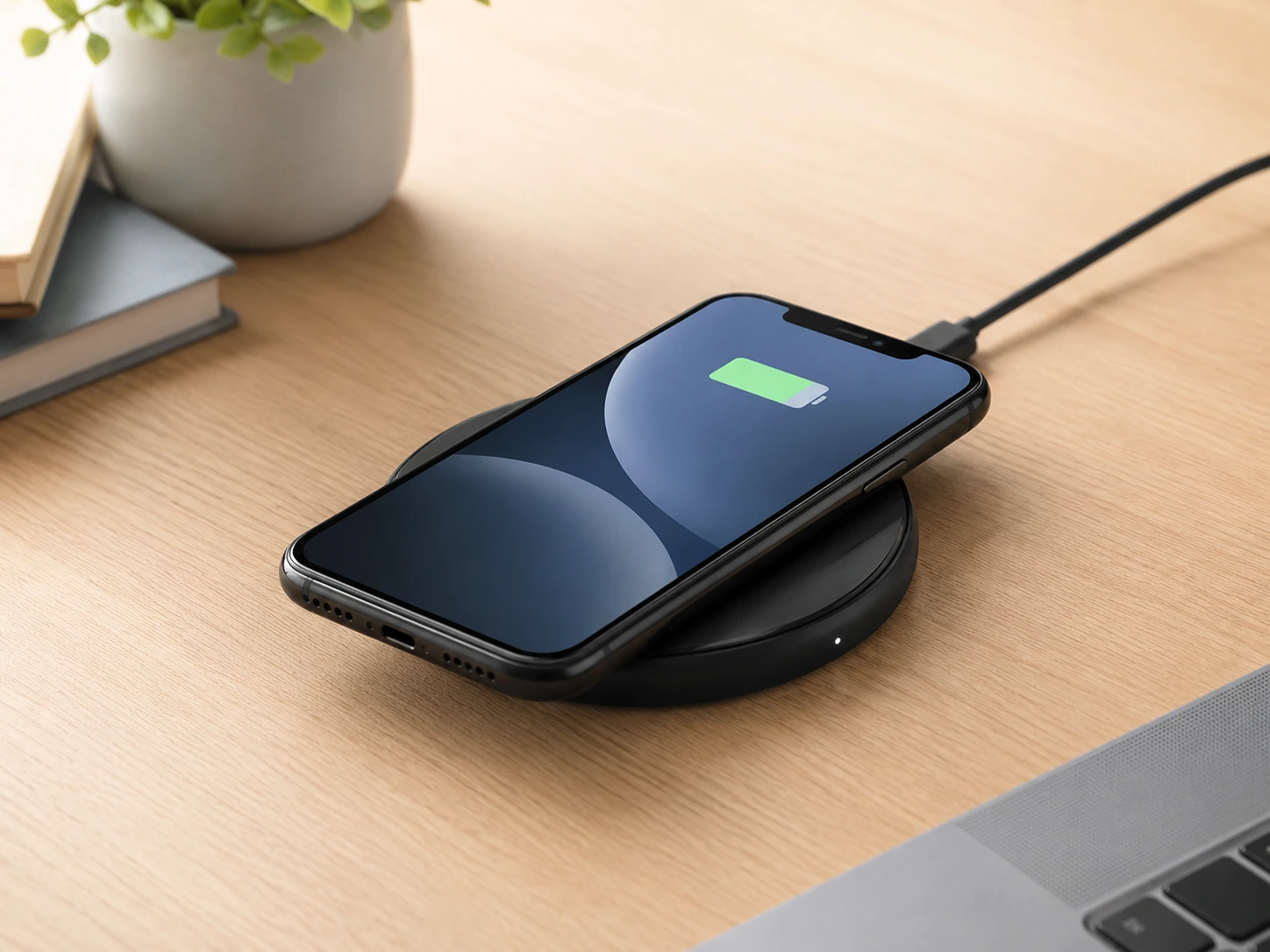
Not every desk needs 15W Qi2. If you charge overnight, top up during lunch, or just want a wireless pad as a convenience addition to a wired charging setup, an entry-level Qi pad under $15 does the job. The Anker 313 charges Qi-enabled phones at 5--10W, has a rubberized pad to prevent sliding, and a status LED. That is everything a budget wireless desk charger needs to be.
The charging speed difference from Qi (5--10W) to Qi2 (15W) matters most for short charging windows -- 20-minute meetings, half-hour lunch breaks. If you charge for an hour or more at a stretch, the gap narrows significantly.
Check price on AmazonSpecs
- Output: 10W (Samsung), 7.5W (iPhone), 5W (other Qi)
- Alignment: Standard Qi (no magnets -- manual placement)
- Base: Rubberized non-slip
- LED: Charge status indicator
- Cable: Micro-USB or USB-C (check variant)
- Price: Under $15
Pros
- +Under $15 -- lowest price in the roundup
- +Works with any Qi phone (iOS and Android)
- +Minimal footprint
- +Reliable basic wireless charging
Cons
- −No magnetic alignment -- phone can miss center
- −5--10W output -- noticeably slower than Qi2 for short charges
- −No Apple Watch or AirPods charging
- −Not Qi2 -- won't auto-align with MagSafe magnets
Best for: Adding wireless charging to a desk on a tight budget, overnight charging, or as a secondary pad for guests.
Wireless Charging on a Desk -- Practical Things to Know
Where to Place a Wireless Pad on Your Desk
Placement determines whether wireless desk charging actually gets used. The best position is where your phone naturally rests when you are not holding it -- not where you think it should go.
Placements that work
- Left of keyboard (natural drop zone, left-handed phone pickup)
- Right of keyboard (same logic, right-handed)
- Back-center beside monitor (passive charging, phone out of work zone)
- Corner of desk (charging area separate from working area)
Placement to avoid
- In front of keyboard (forces you to reach over phone constantly)
- On top of a stack of papers (wireless charging does not work through thick materials)
- Near a metal desk lamp base (some interference possible)
For stand chargers (Anker 3-in-1, Belkin, LISEN): place where the screen is readable. The main benefit of a stand over a flat pad is passive screen monitoring -- seeing notifications, calls, or time without picking up the phone.
Does Wireless Charging Work Through a Phone Case?
Yes -- with important limits.
| Case Type | Wireless Charging |
|---|---|
| Thin silicone or plastic (under 3mm) | Works fully |
| Leather or fabric (under 5mm) | Works |
| Thick rugged case (5--10mm) | Works on most Qi2 |
| Metal case or metal plate inside | Blocks wireless |
| MagSafe-compatible case | Optimal on Qi2 |
| Wallet attached to phone back | Blocks wireless |
The magnetic alignment of Qi2 means that even thicker cases work better than on standard Qi chargers, because the magnet centers the phone precisely regardless of case.
Does Wireless Charging Heat Up Your Phone or Desk?
This is the question most reviews skip.
Phone heat
Wireless charging is less efficient than wired (typically 80--85% efficiency vs. 95%+ wired). The lost energy becomes heat. A phone charging wirelessly at 15W may feel warmer than one charging at the same rate via USB-C. Most modern phones manage this via thermal throttling -- they slow the charge rate automatically if temperature rises above safe levels.
Desk heat
Qi2 and MagSafe pads generate minimal surface heat. The pad itself may be warm to the touch under load, but not hot enough to damage desk surfaces including lacquered wood, glass, or standard desk mats.
Wireless vs. Wired on a Desk -- Honest Comparison
| Wireless (Qi2 15W) | Wired USB-C (PD 27W) | |
|---|---|---|
| Speed (iPhone 15 Pro) | ~90 min 0--100% | ~60 min 0--100% |
| Cables on desk surface | 0 (phone, watch, buds) | 1--3 |
| Works while phone in hand | No | Yes |
| Laptop charging | No | With right charger |
| Setup friction | None -- just set phone down | Plug in each time |
| Best for | Passive desk charging | Active top-up or speed |
For wired options alongside wireless: Best Charging Stations for Desk
How We Evaluated These Picks
Charging standard and speed
Qi2 vs MagSafe vs standard Qi -- actual delivered wattage on a desk, not just listed specs.
Desk footprint
Stand dimensions and how the unit fits on typical small-to-medium desk setups with keyboard and monitor.
Build quality and stability
Does the charger stay in place when you pick up the phone one-handed? Weighted bases tested against lightweight alternatives.
Value at price point
What the unit delivers vs. what it costs -- with specific attention to adapter inclusion, which significantly affects effective price.
DeskFinds earns a commission on qualifying purchases at no extra cost to you.
Frequently Asked Questions
Does wireless charging work through a wooden desk?
Yes -- wireless charging (Qi and Qi2) works through wood up to approximately 30 mm thick. This is the basis of under-desk wireless charging pads that charge through the desk surface from below. For standard desk tops (18--25 mm), it works reliably.
Is Qi2 better than MagSafe?
For iPhone users, Qi2 and MagSafe deliver identical speed: 15W with magnetic alignment. The practical difference is compatibility: MagSafe works on iPhones only, while Qi2 works on any Qi2-certified device including Android phones (Samsung Galaxy S25 series, Google Pixel 9 series, and others). For a desk used by multiple people with different phones, Qi2 is the better standard.
Can I charge an Android phone on a MagSafe charger?
A MagSafe charger will charge most Android phones at standard Qi speeds (5--10W) -- but the magnets will not align with an Android phone's back, so manual centering is required. For full Qi2 15W speed on an Android phone, the phone itself needs to be Qi2-certified.
How fast does wireless charging charge at a desk?
Qi2 / MagSafe at 15W charges an iPhone 15 Pro from 0 to 100% in approximately 90 minutes. Qi at 10W takes approximately 2 hours. For a device charging passively during a workday (sitting on the pad 4--6 hours), both standards get to 100%.
Why is my wireless charger charging slowly?
Common reasons in a desk context: phone case is too thick or contains metal, phone is off-center on a non-Qi2 pad, the charger's adapter is underpowered (use the included or a certified adapter), or thermal throttling from heat (direct sunlight or a lamp nearby). Qi2 with magnetic alignment eliminates the off-center problem.
What is the smallest wireless charging station for a desk?
The Anker MagGo Qi2 Pad at ~10 cm diameter. For a 3-in-1 station (phone + watch + buds), the LISEN Qi2 and Anker MagSafe 3-in-1 both have base footprints around 10 x 8 cm -- roughly the size of a large smartphone.
Bottom Line
For Apple households, the Anker MagSafe 3-in-1 Qi2 is the starting point -- it covers phone, watch, and AirPods from a compact stand, frequently discounts to $35, and includes the adapter. Start here.
If the desk is visible (home office, client-facing workspace), the Belkin BoostCharge Pro -- the weighted base and adjustable tilt justify the premium for a charger that stays put and looks deliberate.
For the purest, most minimal desk setup where no hardware should be visible at all, the Journey ALTI Qi2 desk mat embeds the charger in the surface itself and disappears.
Whatever you choose: use a stand-style charger (not a flat pad) so your phone is readable while charging. That is the single biggest difference between a wireless charger that genuinely improves your desk workflow and one that just sits there.
Browse wireless desk chargers on Amazon
Qi2, MagSafe, and 3-in-1 options -- all Prime-eligible.
Shop on Amazon →Related Guides
Best Charging Stations for Desk
Full roundup including wired options
Best Small Desk Charging Stations
Compact picks for tight spaces
Desk Setup Essentials
15 must-have items for any desk setup
Best Desk Mats for Small Desks
Top desk mats reviewed for compact workspaces
Last updated: June 2026. Prices and availability checked at time of writing -- always verify current price on Amazon before purchasing.