
Best Small Desk Charging Stations for Cleaner, Clutter-Free Setups
Every product below was chosen with its base dimensions as the primary filter. Only chargers that realistically fit the desk sizes most people actually have -- dorm desks, apartment work corners, shared home office setups, and small standing desks.
Quick Picks
| Pick | Product | |
|---|---|---|
| Best Overall | Anker Nano 6-in-1 (67W) | Check price |
| Best Slim / Flat | Anker 615 GaNPrime 65W | Check price |
| Best Vertical Tower | Anker 525 7-in-1 (65W) | Check price |
| Best Wireless Compact | Anker MagSafe 3-in-1 Qi2 (15W) | Check price |
| Best Budget Under $30 | Anker PowerPort 5 | Check price |
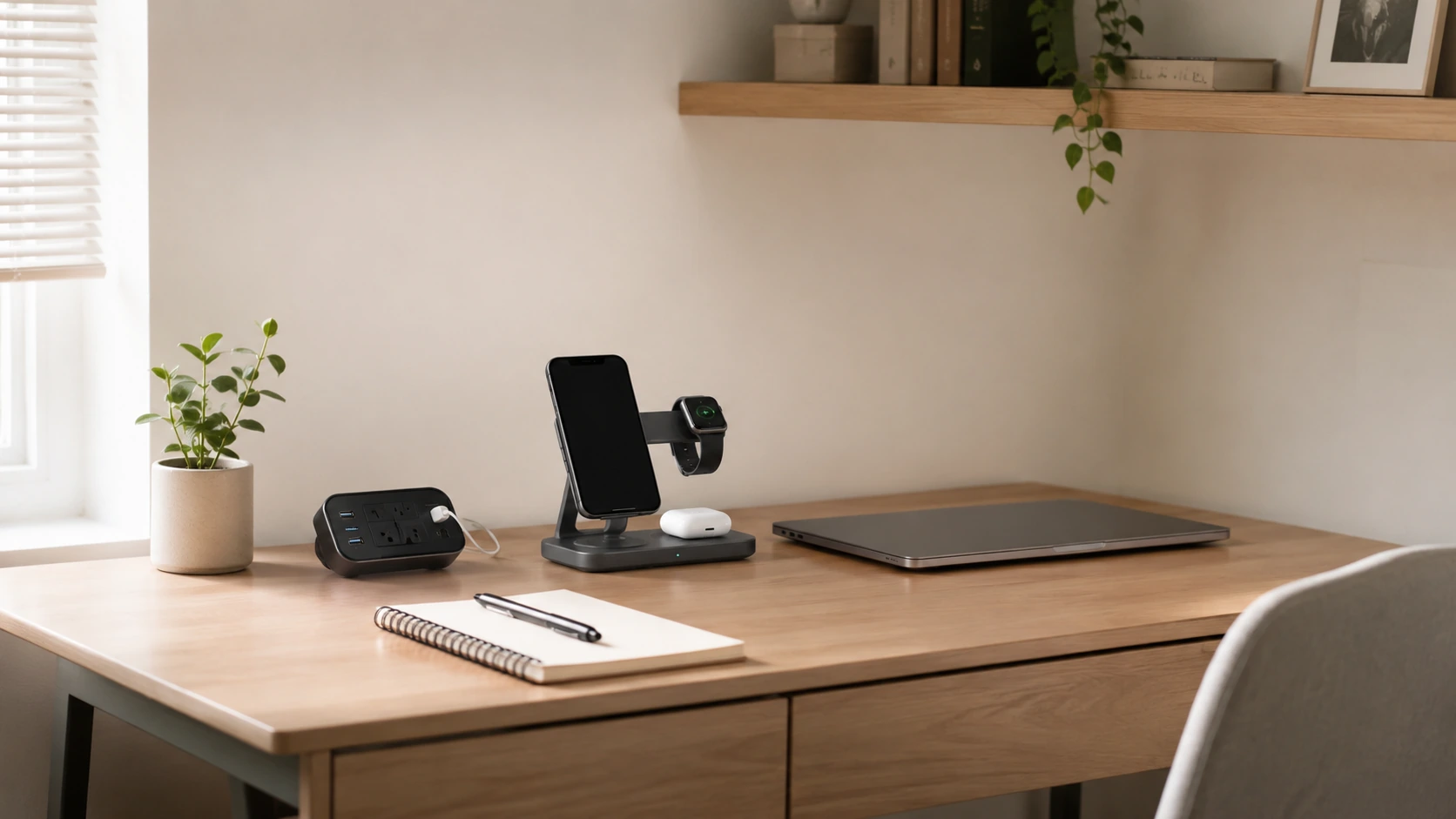
Here is the reality of a small desk: 60 to 100 centimeters wide, your keyboard takes up roughly 40 cm, your mouse needs another 15 cm, and your monitor stand or laptop occupies a chunk of the back edge. The sliver of space left for a charging station is roughly 15 to 20 cm wide.
Most charging station reviews completely ignore this. They test products on large studio desks, never mention footprint dimensions, and describe a 15 x 12 cm hub as "compact." That is not compact when you have 15 cm of free space.
This guide is built specifically for small desks. Every product below was chosen with its base dimensions as the primary filter. We measured, compared, and shortlisted only the chargers that realistically fit the desk sizes most people actually have -- dorm desks, apartment work corners, shared home office setups, and small standing desks.
All 5 Picks at a Glance
At a Glance
Our Top Picks for Small Desk Charging Stations
Anker Nano 6-in-1 (67W)
Why it wins
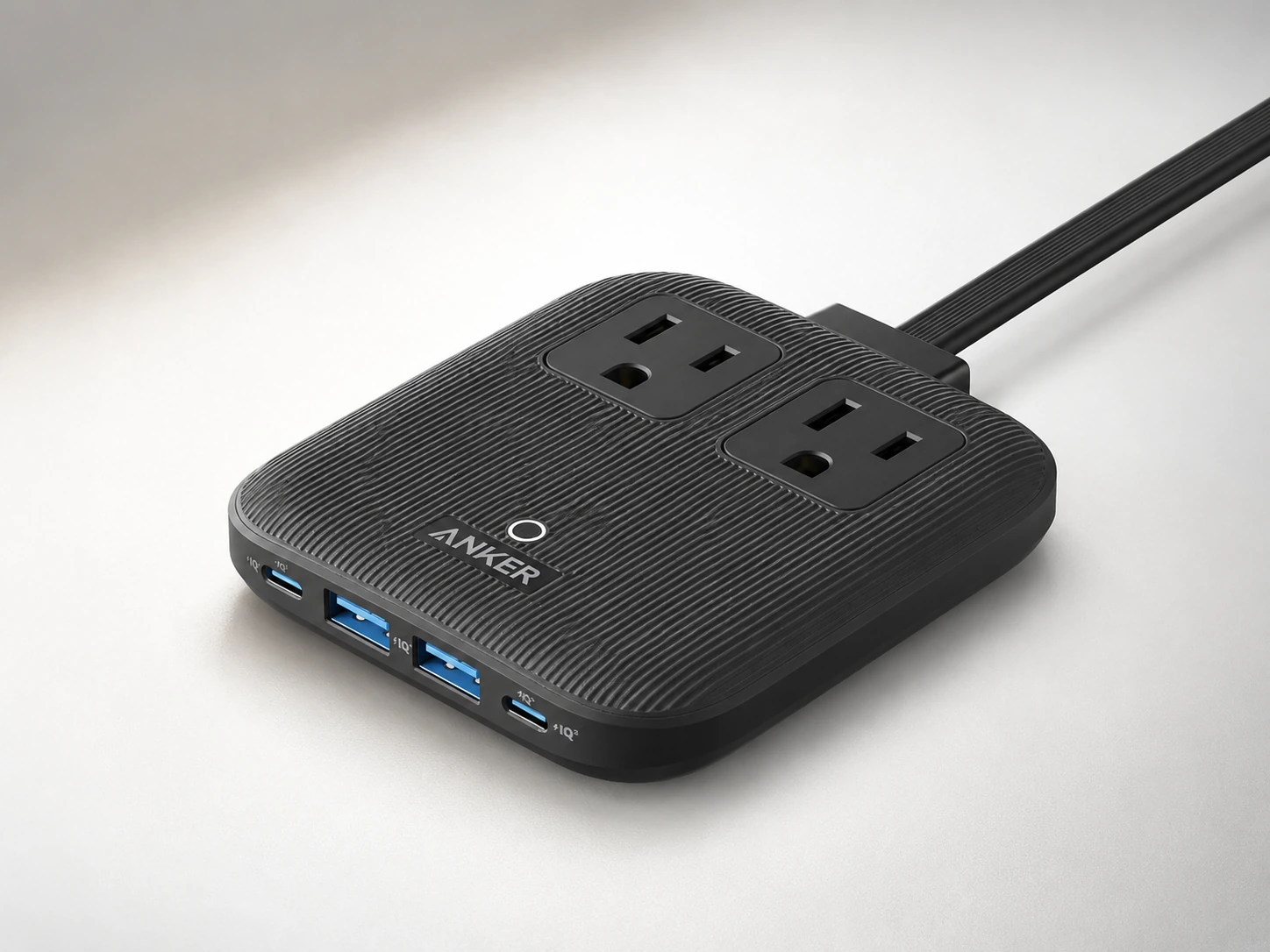
The Anker Nano 6-in-1 has the smallest footprint of any multi-function charging station we tested: 9.9 x 9.4 cm at the base. That is slightly smaller than a Post-it note. Despite that size, it delivers two USB-C ports, two USB-A ports, and two AC outlets -- making it the most capable charger per square centimeter in this roundup.
The 0.7-inch (1.8 cm) height keeps it from creating a visual obstruction between your keyboard and monitor. On desks where vertical clearance is tight -- say, a desk tucked under a shelf -- that matters as much as the base footprint.
The 2,100-joule surge protection is an unexpected feature at this size and price. The two AC outlets add real versatility: plug in a desk lamp or a USB hub alongside your devices without needing a separate power strip.
Check price on AmazonSpecs
- Total output: 67W
- Ports: 2x USB-C (up to 67W combined), 2x USB-A, 2x AC outlets
- Dimensions: 3.9 x 3.7 x 0.7 in (9.9 x 9.4 x 1.8 cm)
- Surge protection: 2,100 joules
- Technology: GaN, ActiveShield 2.0 temperature monitoring
- Price: ~$40--55
Pros
- +Smallest footprint in this roundup for a multi-port station
- +Includes 2 AC outlets -- rare at this size
- +2,100-joule surge protection
- +GaN runs cool, no fan noise
- +Flat profile -- stays low on the desk surface
Cons
- −67W total -- not enough to fast-charge a laptop and multiple phones simultaneously
- −No wireless charging
- −AC outlets positioned close together (large adapters may block adjacent port)
Best for: Small desks where you need to charge phones, tablets, and accessories without sacrificing AC access.
Anker 615 GaNPrime 65W
Why it wins
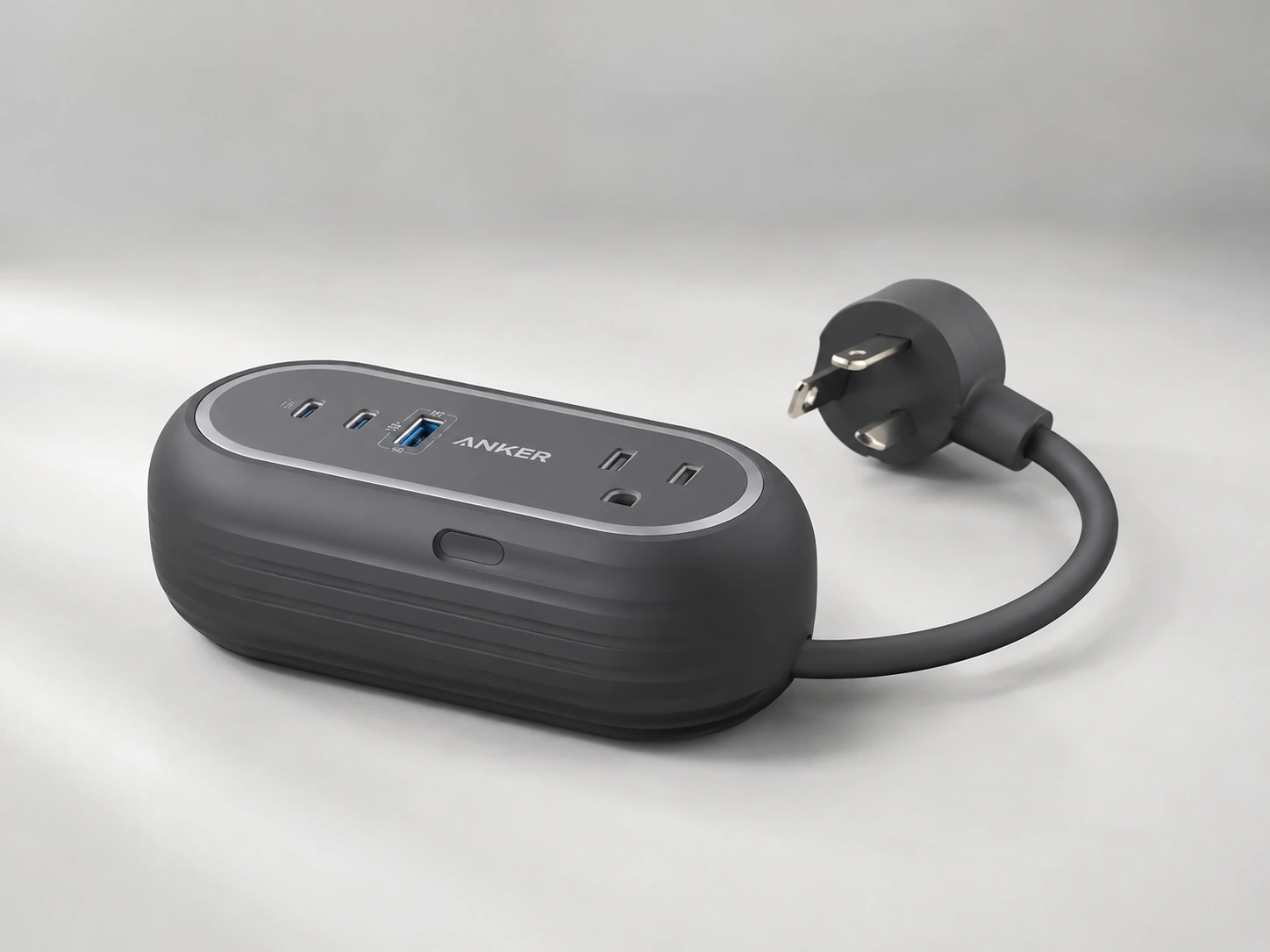
The Anker 615 is designed as a bar -- long and narrow rather than square -- which makes it ideal for placement along the back edge of a small desk where vertical depth is minimal. At 11.9 x 5.9 cm, it slides into the gap behind your keyboard without pushing forward into your working zone.
The GaNPrime technology makes it noticeably cooler and quieter than comparable non-GaN options. Two USB-C ports support Power Delivery, one USB-A covers older devices, and two AC outlets handle any standard adapter. The built-in 3-foot extension cord eliminates the need to position it near a wall outlet -- run the cord down the back of the desk cleanly.
The 65W total output handles one laptop plus one phone simultaneously, or two phones plus accessories.
Check price on AmazonSpecs
- Total output: 65W
- Ports: 2x USB-C (PD, up to 65W), 1x USB-A, 2x AC outlets
- Dimensions: 4.69 x 2.32 x 1.83 in (11.9 x 5.9 x 4.6 cm)
- Cable: Built-in 3-foot extension cord
- Technology: GaNPrime
- Price: ~$30--40
Pros
- +Narrow bar shape -- hugs the back desk edge without intruding
- +Built-in 3-foot cord -- no separate cable needed to reach outlet
- +GaNPrime runs cool
- +2 USB-C PD ports handle modern devices
- +Good price for GaN technology
Cons
- −Only 1 USB-A port -- if you have many USB-A accessories, this may not be enough
- −65W total limits simultaneous laptop charging
- −Bar orientation means it works best at the desk's back edge, not the side
Best for: Desks where you want the charger tucked along the back edge, out of the working zone entirely.
Anker 525 7-in-1 (65W)
Why it wins
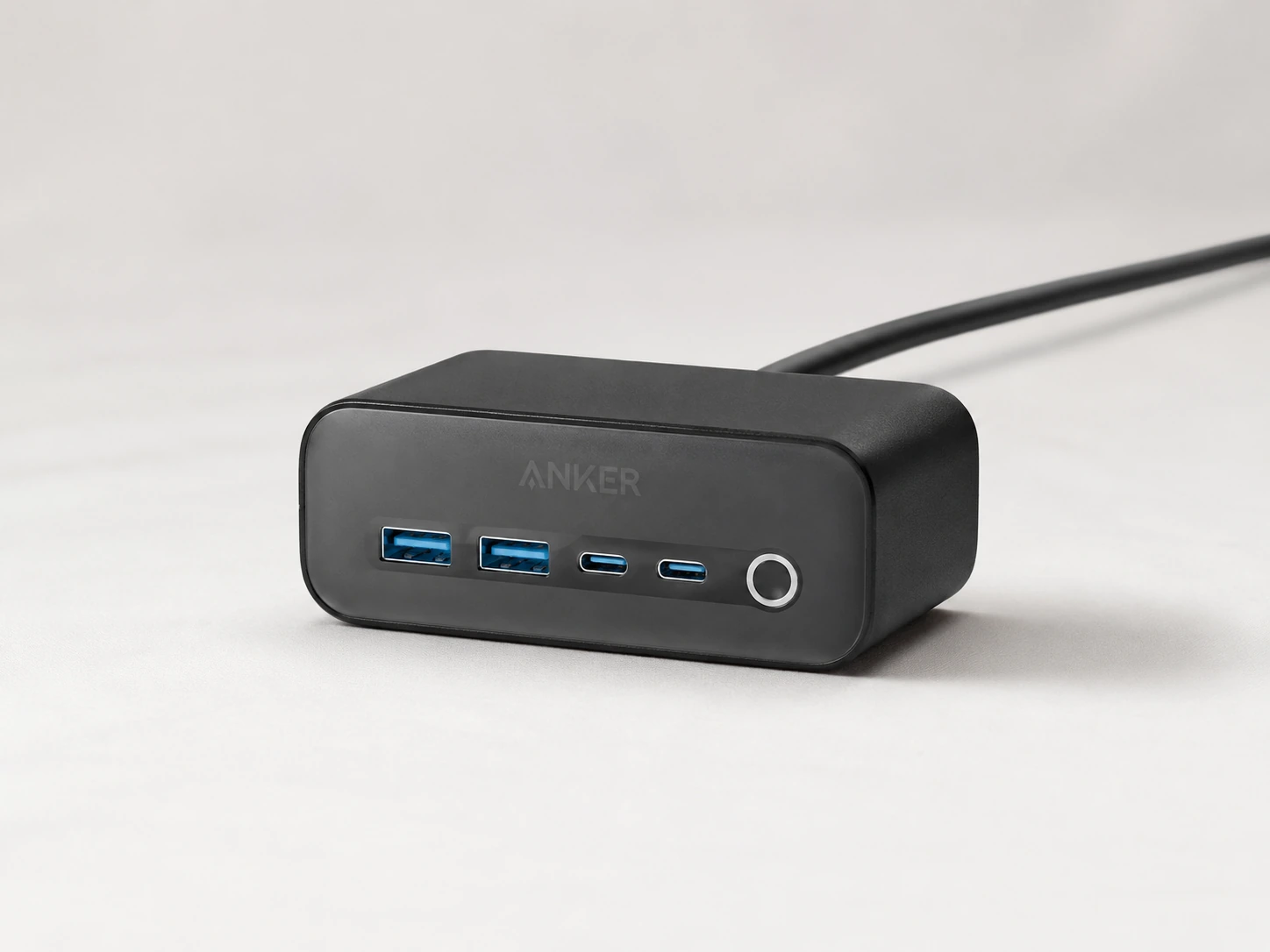
The Anker 525 takes a different approach to small-desk ergonomics -- it stands upright as a tower, trading horizontal desk space for vertical height. The base is 11.7 x 6.4 cm, similar to the 615, but the footprint feels smaller in practice because the unit's body rises away from the desk surface rather than spreading across it.
Seven total ports -- three AC, two USB-C, two USB-A -- make this the port-richest option in this roundup. If you regularly use a desk lamp, a laptop adapter, and a USB hub alongside your phone charging, the three AC outlets absorb all of it.
The 65W USB-C Power Delivery port handles laptop charging. The 5-foot extension cord gives more routing flexibility than the 615's 3-foot cord -- useful on desks farther from wall outlets.
Check price on AmazonSpecs
- Total output: 65W
- Ports: 3x AC outlets, 2x USB-C (PD, up to 65W), 2x USB-A
- Dimensions: 4.61 x 2.52 x 1.73 in (11.7 x 6.4 x 4.4 cm) base
- Cable: Built-in 5-foot extension cord
- Weight: 18.6 oz
- Price: ~$30--45
Pros
- +7 total ports -- most in this roundup
- +3 AC outlets for lamps, adapters, and other accessories
- +5-foot cord gives flexible outlet placement
- +Upright orientation reduces perceived desk footprint
- +Strong value per port
Cons
- −Heaviest option -- 18.6 oz means it can shift on smooth desk surfaces
- −No GaN technology -- slightly warmer under heavy load vs. GaN models
- −Upright form factor can be visually dominant on very minimal desks
Best for: Desks with multiple AC-powered accessories (lamp, monitor, laptop adapter) that need a single hub for everything.
Anker MagSafe 3-in-1 Qi2 (15W)
Why it wins
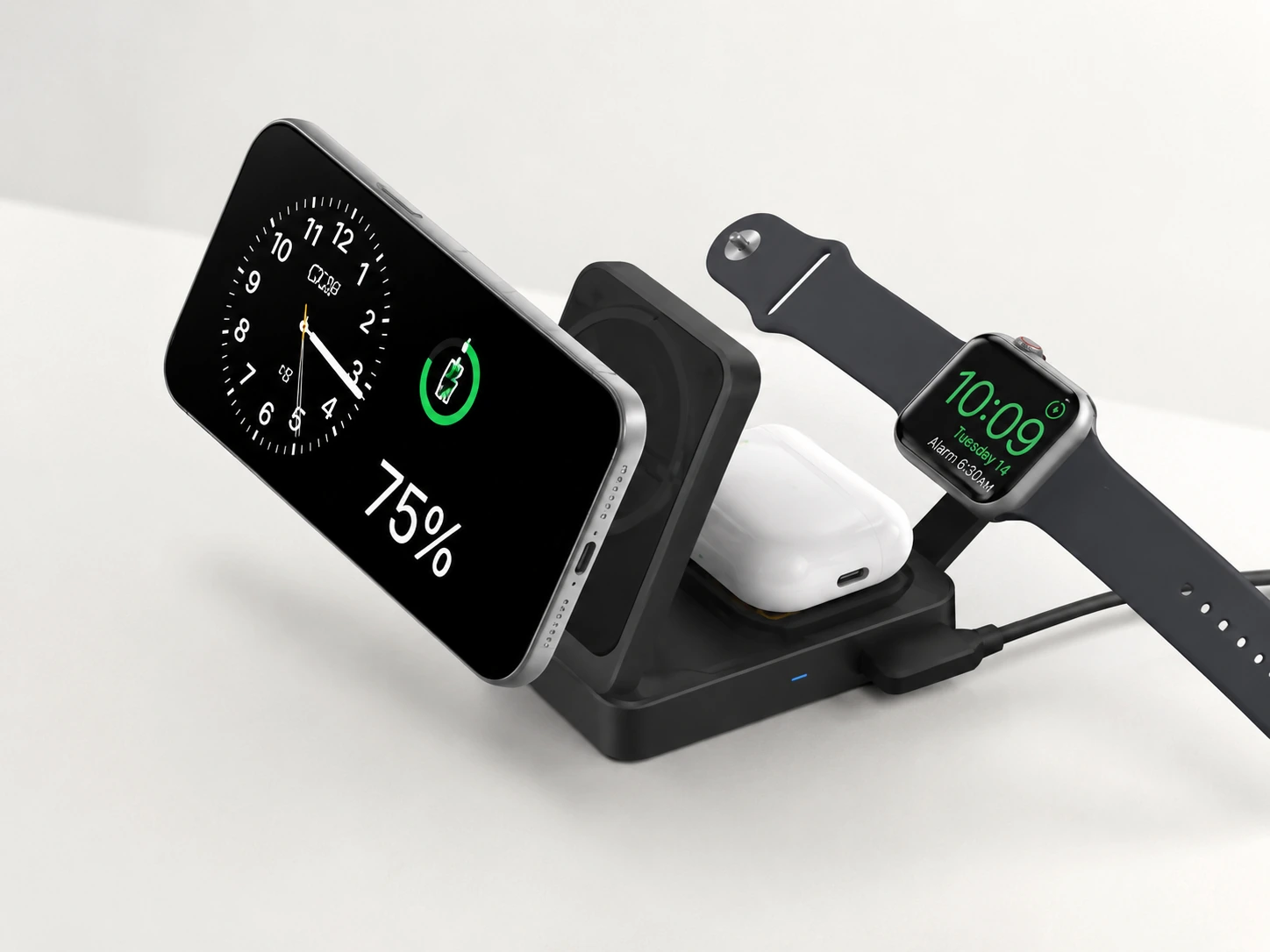
On an Apple-ecosystem small desk, the cleanest solution is to remove charging cables entirely. The Anker MagSafe 3-in-1 Qi2 takes up roughly 10 x 8 cm of desk space -- similar to the Anker Nano -- but eliminates three separate charging cables (phone, watch, AirPods). Net result: fewer cables crossing your desk surface.
The vertical stand design means it can sit behind your phone while charging, rather than requiring the phone to lie flat on a pad. Your phone screen faces you, readable without picking it up. Your Apple Watch charges on the side puck. Your AirPods sit on the bottom Qi pad.
The Qi2 certification delivers the full 15W MagSafe charging speed -- meaning no sacrificing speed for the convenience of wireless.
Check price on AmazonSpecs
- Phone charging: 15W Qi2 (MagSafe-compatible, iPhone 12 and newer)
- Watch charging: 5W
- AirPods charging: 5W Qi
- Input: 40W USB-C adapter included
- Cable: 5-foot USB-C
- Stand footprint: ~10 x 8 cm
- Price: ~$35--100 (heavy discounts available)
Pros
- +Eliminates three separate charging cables -- net desk space gain
- +Full 15W MagSafe speed via Qi2
- +Vertical stand -- phone is readable while charging
- +40W adapter included
- +Frequently discounted to ~$35
Cons
- −Apple ecosystem only -- no wired ports for Android, laptops, or accessories
- −Requires iPhone 12 or newer for 15W speed
- −No USB-C/USB-A ports -- not a complete small-desk solution by itself
Best for: Small desks in an all-Apple setup where eliminating cables matters more than having wired ports.
Anker PowerPort 5
Why it wins
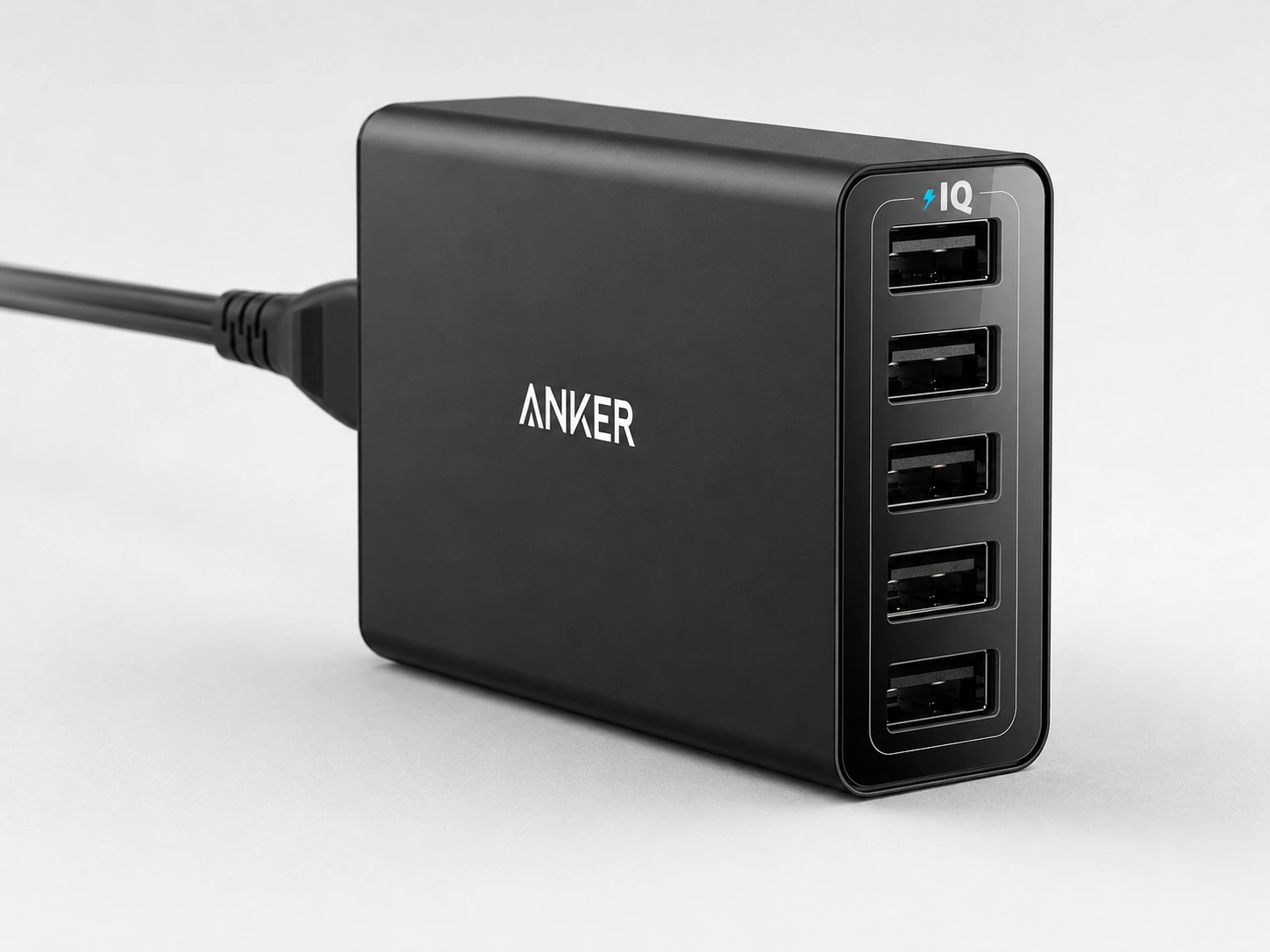
The Anker PowerPort 5 is the most affordable option in this roundup and earns its place entirely on footprint and simplicity. Five USB-A ports, a compact base, and an Anker build that has logged millions of units sold -- this is the most well-proven budget charging hub available. Under $20 means the decision is low-risk.
Five USB-A ports at 2.4A each handle phones, earbuds, Kindles, and any USB-A accessory. PowerIQ technology detects each device and delivers its optimal charging speed. The compact desktop form factor tucks into a corner without demanding attention.
It will not charge a laptop at meaningful speed and has no AC outlets or wireless charging -- but for a secondary charging point, a dorm desk, or a small workspace where the budget is tight, the Anker PowerPort 5 delivers exactly what it promises.
Check price on AmazonSpecs
- Ports: 5x USB-A (PowerIQ, 2.4A each)
- Total output: 40W
- Form factor: Compact desktop
- Price: Under $20
Pros
- +Under $20 -- lowest price in this roundup
- +5 USB-A ports with PowerIQ device detection
- +100,000+ Amazon reviews -- most proven pick here
- +Compact enough for desk corners and tight spaces
- +Anker reliability at budget price
Cons
- −USB-A only -- no USB-C ports
- −No AC outlets
- −No laptop charging
- −No wireless
- −Basic Smart IC, not GaN
Best for: Dorm desks, secondary charging points, or anyone needing basic reliable charging at minimal cost and footprint.
How to Choose a Charging Station for a Small Desk
Step 1: Measure Your Available Space First
Before anything else, measure the space you actually have. The "charging zone" on a small desk is typically the area between the edge of your keyboard and the edge of your monitor stand or laptop.
A practical guide:
| Desk Width | Typical Charging Zone Left |
|---|---|
| 60 cm (24 in) | ~10 cm -- very tight |
| 80 cm (31 in) | ~15--20 cm |
| 100 cm (39 in) | ~20--30 cm |
| 120 cm (47 in) | ~30--40 cm -- most chargers fit |
If your desk is 80 cm or under, the Anker Nano (9.9 cm base) or Anker PowerPort 5 are the only picks in this guide that reliably fit in the available zone. Everything else benefits from a 100 cm+ desk.
Vertical vs. Flat: Which Saves More Space?
This is the question most people skip, and it matters more than the listed footprint number.
Flat chargers (Anker Nano, Anker 615)
Spread across the desk surface. What you see in the spec sheet is what you get -- the footprint is the footprint.
Vertical chargers (Anker 525)
Trade horizontal area for height. The base dimensions are similar, but the unit rises upward. On a small desk, vertical chargers feel less intrusive because they don't spread into your working zone -- they just stand in a corner.
Does It Need Wireless Charging?
Adding a wireless pad to a small desk seems like it saves space -- no cable dangling to the phone -- and it does, but only if you use it consistently.
Wireless works well when
- You're in an Apple ecosystem and use the 3-in-1 wireless stand
- Your phone always stays in the same spot on the desk while charging
- You want a truly cable-free desk surface aesthetic
Wired works better when
- You charge different devices each day
- You need to charge a laptop too
- Budget matters (wireless adds ~$20--40 vs. a comparable wired option)
For most small desks, a compact wired charger -- paired with one short 30 cm cable per device -- creates a neater result than a wireless pad surrounded by partial cables.
Cable Management for Small Desks
The charger footprint is only half the equation. Cables radiating from a charging station can create more visual clutter than the charger itself. On a small desk, that mess is amplified -- there is no space to hide it.
Four things that make a real difference:
Use short cables (30 cm / 1 ft)
A 30 cm USB-C cable keeps a phone close to the charger with almost no slack. Standard 1-meter cables pile up in loops on small desks.
Cable clips along the desk edge
Small adhesive clips (available in packs for under $5) route cables along the back edge of the desk and down to the charger. Invisible from the front.
Choose a charger with a built-in cord
The Anker 615 and Anker 525 have built-in cords routed to the wall -- one less loose cable on your desk surface.
Mount under the desk if possible
For the cleanest possible small-desk surface, an under-desk power station completely removes the charger from your surface.
Do You Actually Need to Charge a Laptop?
This narrows your options significantly. Here is why:
- A laptop needs at least 65W from a single USB-C port to charge while in use
- On a small desk, that often means choosing a charger with fewer ports to keep the footprint minimal
- The Anker Nano, Anker 615, and Anker 525 all support 65W USB-C -- but their total wattage means other devices charge more slowly when the laptop is connected
Small Desk Charging Station Setup Tips
These tips take five minutes and make a visible difference in how clean your small desk looks.
Put the charger in the back corner, not beside your keyboard
The back corners of a desk are "dead space" -- you don't work there. Your keyboard and mouse live in the front-center. Moving the charger to a back corner frees up the zone next to your keyboard and hides most of the cables behind your monitor or laptop.
Use the same color cable as your desk
White cables on a white desk disappear. Black cables on a dark desk disappear. This sounds obvious but most people use whatever cable came in the box. A $6 cable in your desk color removes visible clutter without changing the setup.
Route cables down the back, not across the surface
Run cables from devices to the charger along the back edge of the desk -- not across the working surface. Adhesive cable clips keep them in place. The result: cables are there but not visible during work.
Charge overnight when possible
On a small desk, the cleanest solution is to plug everything in at night and start the day fully charged. A slower, cheaper charger works fine for overnight charging -- saving the fast-charging option for midday top-ups.
How We Evaluated These Picks
Footprint as primary filter
Every pick was measured and verified against the charging zones available on 60--120 cm wide desks.
Vertical vs flat real-world fit
Not just base dimensions -- how the unit actually feels on a crowded desk with keyboard, monitor, and other accessories in place.
Port mix for small-desk users
USB-C PD for laptop and modern device charging, USB-A for accessories, AC outlets for lamps and adapters.
Value at price point
Each pick was evaluated on what it delivers relative to its price, with a specific eye on the budget segment where features are most constrained.
DeskFinds earns a commission on qualifying purchases at no extra cost to you.
Frequently Asked Questions
What is the smallest charging station that works for a small desk?
The Anker PowerPort 5 has one of the smallest footprints in this roundup. For multi-port with AC outlets included, the Anker Nano at 9.9 x 9.4 cm is the smallest option. Both fit in the charging zone of an 80 cm desk.
Can a small charging station charge a laptop?
Yes, if it has a USB-C port with Power Delivery (PD) at 65W or more. The Anker Nano 6-in-1 (67W), Anker 615 (65W), and Anker 525 (65W) all support laptop charging via USB-C PD. The Anker PowerPort 5 does not -- it maxes out at standard USB-A speeds.
Is it better to have a flat or vertical charger on a small desk?
For desks under a shelf, flat (Anker Nano, Anker 615). For standard open desks, vertical (Anker 525) -- they feel less intrusive even at similar base dimensions because they grow upward rather than across. See the full comparison in the guide above.
How do I keep cables tidy with a small desk charging station?
Use short 30 cm cables, route them along the desk's back edge with adhesive clips, and place the charger in a back corner rather than beside your keyboard. See the setup tips section above for the full approach.
What charging station fits on a 60 cm desk?
A 60 cm desk leaves roughly 10 cm of charging zone beside the keyboard. The Anker PowerPort 5 and Anker Nano 6-in-1 (9.9 cm base) are the best options. Alternatively, mount a charger under the desk or on the desk's side edge to free up the surface entirely.
Do I need a wireless charging pad for a small desk?
Only if you're in an Apple ecosystem and want to eliminate phone, watch, and AirPods cables. The Anker MagSafe 3-in-1 Qi2 removes three cables in exchange for one clean stand. For mixed ecosystems or laptop-inclusive setups, a compact wired charger with short cables is usually the cleaner solution.
Bottom Line
For most small desks, the Anker Nano 6-in-1 is the right pick for most small desks: the smallest base area for a full-function charger, two AC outlets included, GaN technology, and a flat profile that disappears in a back corner.
If your desk is genuinely tiny, the Anker PowerPort 5 is the call for desks genuinely tight on space and budget -- its minimal footprint and under-$20 price mean the decision is low-risk.
If you're all-Apple and want zero cables, the Anker MagSafe 3-in-1 Qi2 is the answer for all-Apple setups wanting zero cables on the desk surface -- it trades wired ports for a dramatically cleaner desk aesthetic.
Whatever you choose: measure your available space first, route cables along the back edge, and place the charger in a corner. The charger choice is secondary to the placement.
Browse small desk charging stations on Amazon
All products are Prime-eligible. Sorted by footprint so you can find what actually fits.
Shop on Amazon →Related Guides
Best Charging Stations for Desk
Full roundup across all categories -- wired, wireless, and multi-device
Best Wireless Charging Stations for Desk
If you want to go cable-free
Small Desk Setup Ideas
15 practical ideas for building a better compact workspace
Best Under-Desk Cable Trays
Remove the charger from the surface entirely
Last updated: June 2026. Prices and availability checked at time of writing -- always verify current price on Amazon before purchasing.