
Best Under-Desk Charging Stations and Mounts for Cleaner Setups
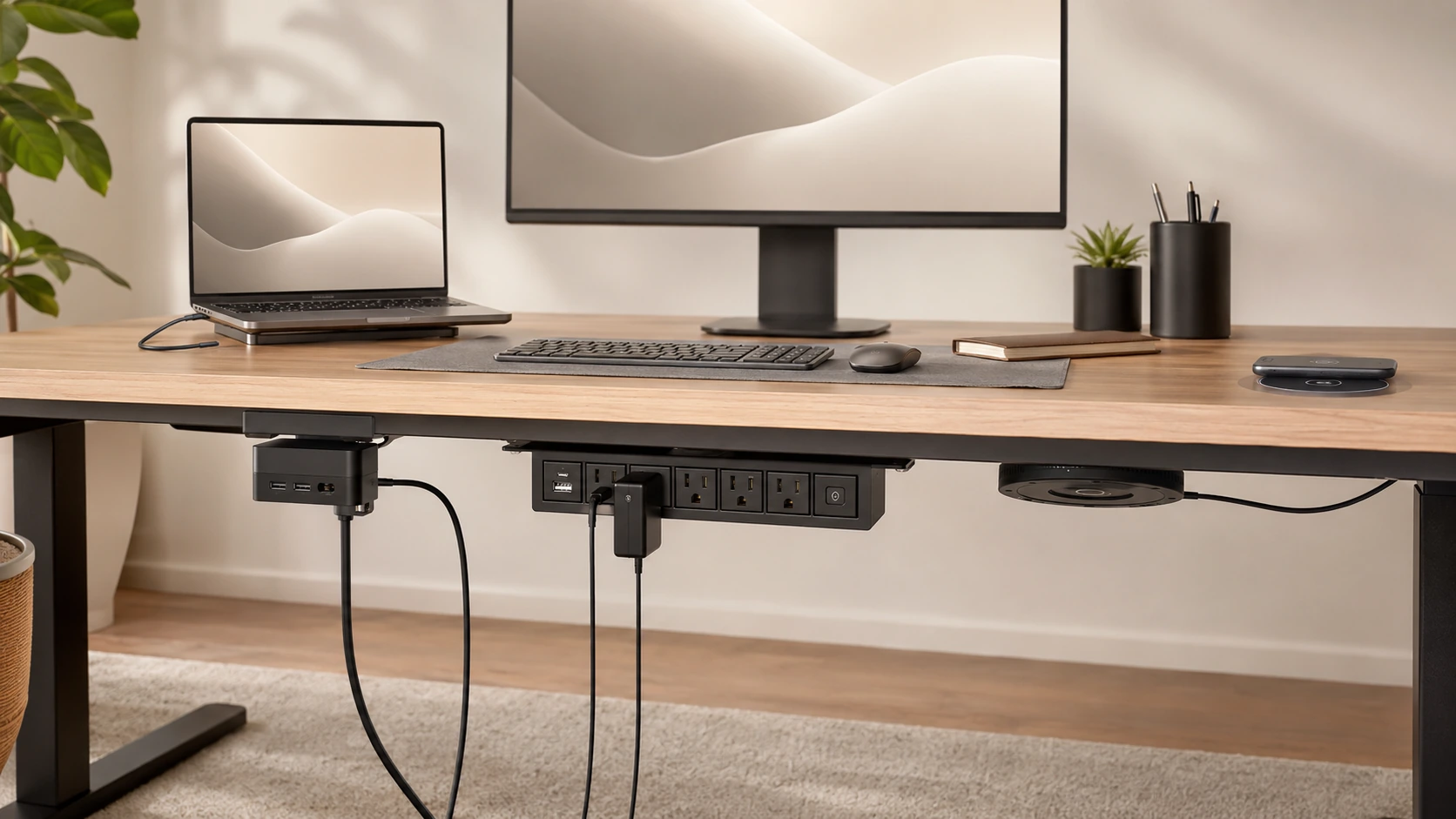
The cleanest possible desk has nothing on it except your monitor, keyboard, and mouse. Under-desk charging makes this achievable -- power strips clamped to the edge, wireless chargers built into the surface, everything hidden.
Quick Picks
| Pick | Product | |
|---|---|---|
| Best Clamp Station | Anker Nano Power Strip (10-in-1, 70W) | Check price |
| Best Budget Clamp | Tessan 14-in-1 Desk Clamp Power Strip | Check price |
| Best Through-Desk Wireless | Humanscale NeatCharge | Check price |
| Best In-Desk Grommet | i-VALUX In-Desk Wireless Charger (15W) | Check price |
| Best Screw-Mount Strip | QBA 8-in-1 Under-Desk Mount Power Strip | Check price |
The cleanest possible desk has nothing on it except your monitor, keyboard, and mouse. Everything else -- cables, power bricks, charging stations -- is hidden. Under-desk charging is the category that makes this achievable. Instead of a hub sitting on your desk surface, everything moves underneath.
This is also the least-covered product category in desk setups. Most reviews focus on what sits on the desk. Almost none explain what goes under it -- which is exactly why buyers searching "charging station under desk" land on generic power strip pages that don't address their real question.
This guide covers every under-desk charging format: clamp stations, through-desk wireless chargers, grommet-mounted pads, and screw-mounted strips. Plus: the installation steps nobody else documents, and the materials guide for wireless-through-desk charging.
Types of Under-Desk Charging -- What Exists
Before the picks, a quick map of what is available and how each works:
| Type | Best for |
|---|---|
| Clamp station | Renters, adjustable desks |
| Screw-mount power strip | Permanent setups |
| Through-desk wireless pad | Minimalist surface |
| In-desk grommet charger | Desks with existing grommet |
| Under-desk dock mount | Laptop dock users |
All 5 Picks at a Glance
At a Glance
Our Top Picks for Under-Desk Charging
Anker Nano Power Strip (10-in-1, 70W)
Why it wins
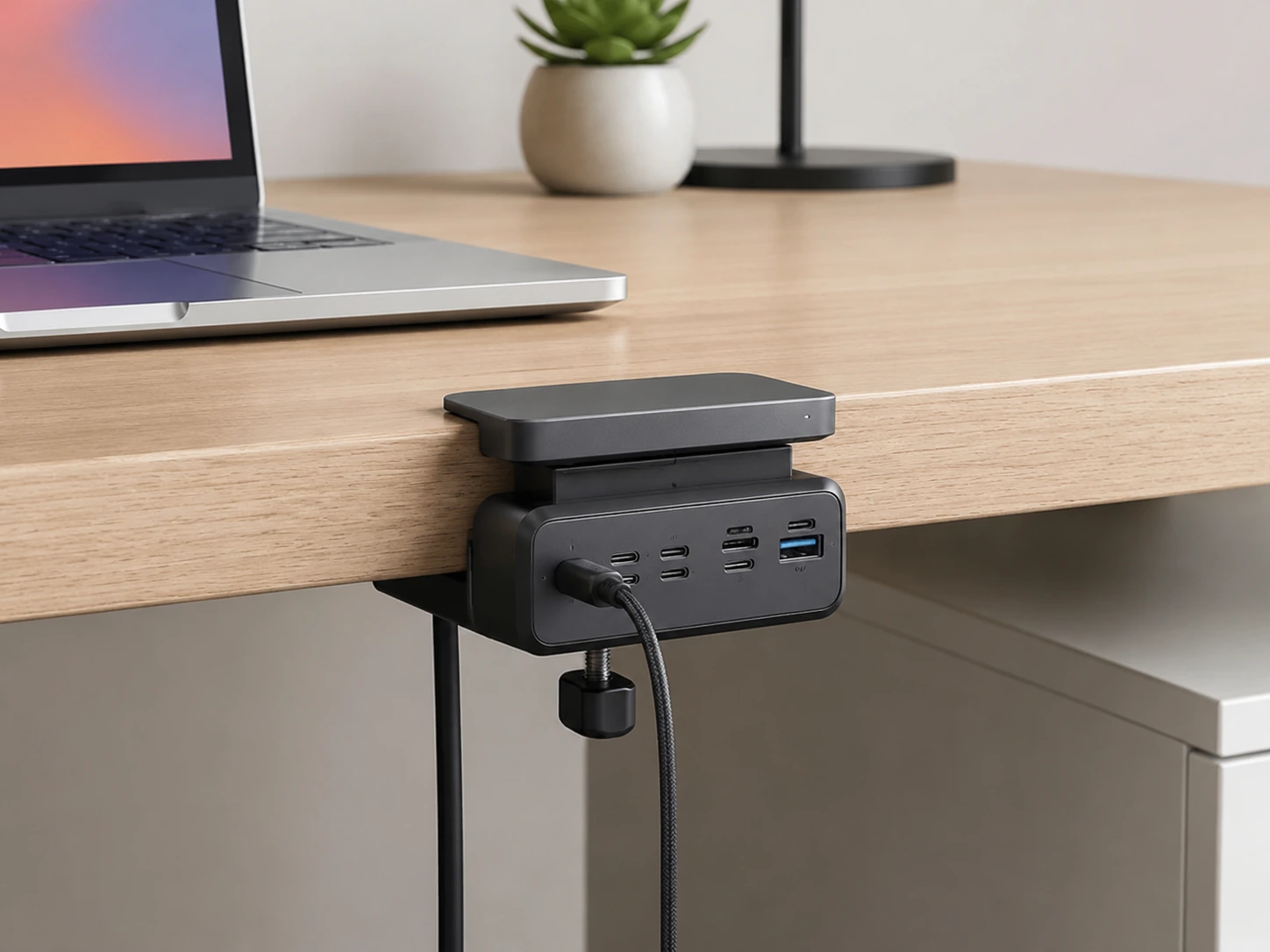
Released April 2026, the Anker Nano Clamp is the best-designed under-desk charging station available. It clamps to the desk edge -- no screws, no drilling, no permanent modification -- and splits into two zones: two USB-A ports and two USB-C ports (70W combined) sit above the desk surface for easy device access, while four AC outlets hang below the surface out of sight. One 5-foot power cord routes to the wall.
The clamp fits desk thicknesses from 0.6 to 1.8 inches (15--45mm), covering virtually every standard desk. Silicone pads on both clamp surfaces prevent scratching. The 1,500-joule surge protection handles the inevitable power spike.
The design is the headline: above-deck USB ports for phones and quick plugs, below-deck AC outlets for laptop adapters and power bricks. The only cable leaving the unit is the power cord.
Check price on AmazonSpecs
- Total output: 70W
- Upper zone: 2x USB-C (45W + 25W split), 2x USB-A (12W each), 2x AC
- Lower zone: 4x AC outlets
- Surge protection: 1,500 joules
- Desk fit: 0.6--1.8 inch thickness (15--45mm)
- Power cord: 5 ft
Pros
- +Zero permanent desk modification -- clamps on and off
- +Above-deck USB for device access + below-deck AC for hidden power bricks
- +70W USB-C handles most laptop charging
- +1,500J surge protection
- +Works on sit/stand desks -- moves with the desk
Cons
- −70W total -- tight if two USB-C laptops charge simultaneously
- −Clamp adds ~10mm visible hardware at desk edge
- −No wireless charging
Best for: Renters, sit-stand desk users, or anyone who wants hidden charging without drilling. The cleanest non-permanent under-desk solution available in 2026.
Tessan 14-in-1 Desk Clamp Power Strip
Why it wins
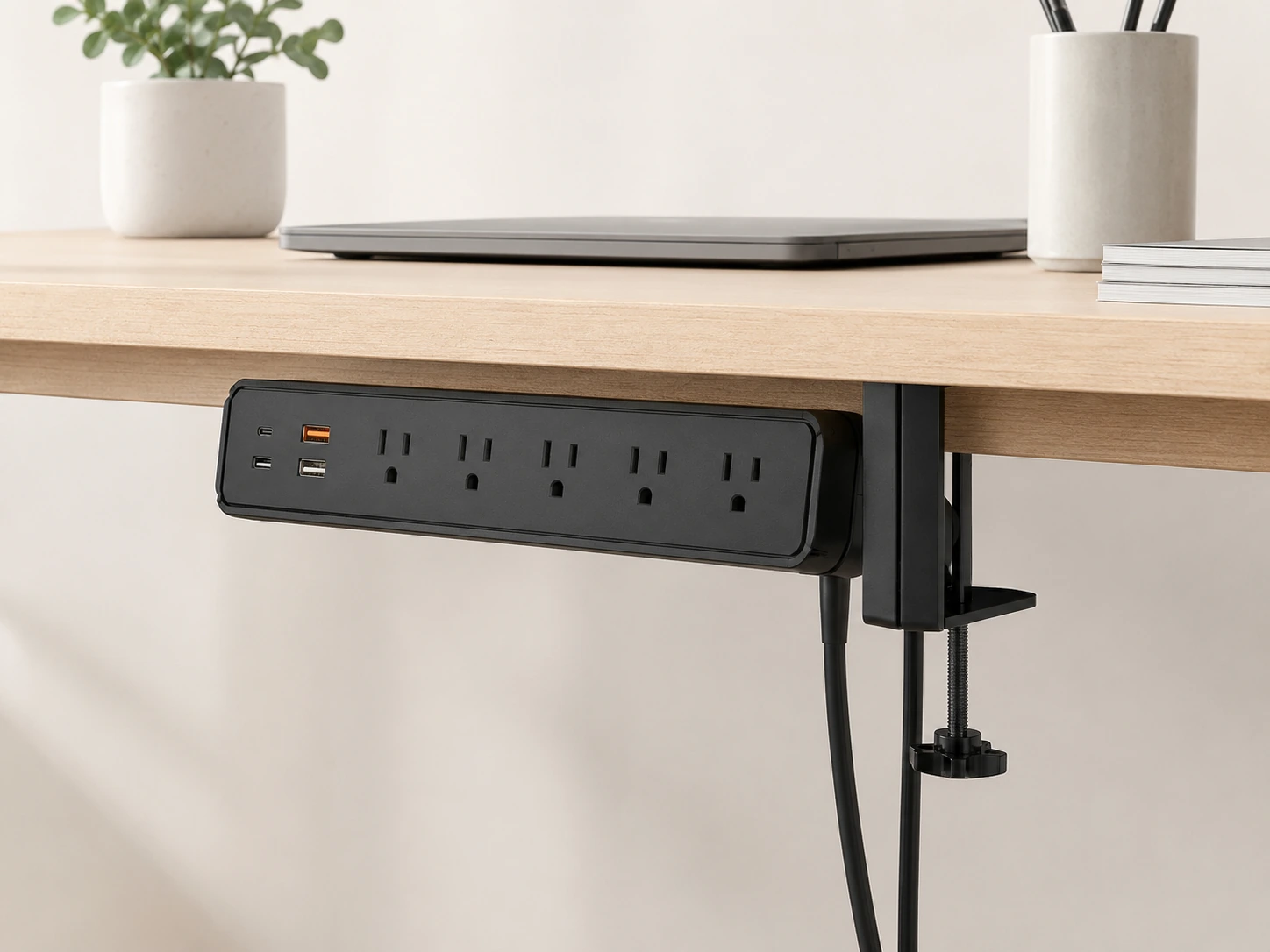
At $14--25, the Tessan 14-in-1 Desk Clamp delivers the same core concept as the Anker -- AC outlets and USB ports accessible from a clamp-mount position -- at less than a quarter of the price. Three AC outlets, two USB-C ports (PD 20W each), and two QC 3.0 USB-A ports (18W each) cover the standard desk charging needs.
The adjustable clamp fits most standard desk thicknesses. The build quality is noticeably lighter than the Anker, and the surge protection is basic, but for a secondary desk, a rental apartment setup, or anyone testing the under-desk concept before committing to a premium option, it works.
Check price on AmazonSpecs
- Ports: 3x AC, 2x USB-C (PD 20W each), 2x USB-A (QC 3.0 18W each)
- Total USB: ~80W combined
- Clamp: Adjustable, fits standard desks
- Surge protection: Basic
Pros
- +$14--25 -- lowest price in this guide
- +Covers AC + USB-C + USB-A from one clamp unit
- +Quick Charge 3.0 on USB-A ports
- +No drilling required
Cons
- −Lighter build than premium options
- −No split above/below desk zones like Anker
- −Basic surge protection
- −USB-C 20W -- not enough for laptop fast charging
Best for: Budget setups, secondary desks, or a low-risk way to test whether under-desk clamping works for your setup before upgrading.
Humanscale NeatCharge
Why it wins
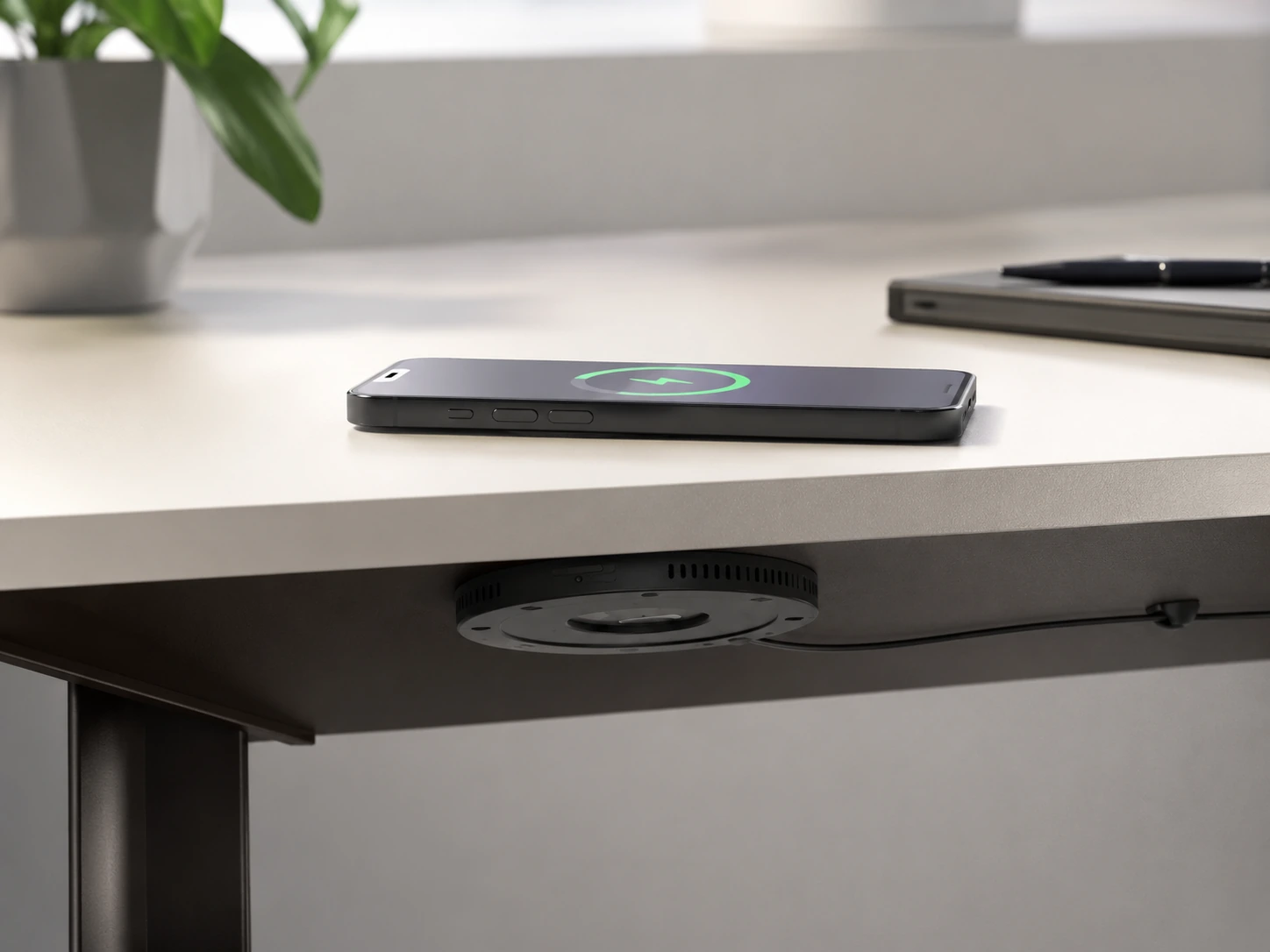
The NeatCharge is installed under the desk surface with adhesive -- the charging pad is entirely invisible from above. Your phone charges when you set it in the right spot on your desk surface, with zero hardware visible from any angle. The result is genuinely magical in practice: a desk with no charging hardware anywhere.
The 5.14-inch diameter pad delivers 10W Qi wireless charging through wood surfaces up to 30mm thick. A position marker (included) goes on the desk surface above the charger -- a small dot or line to indicate where to place the phone.
At ~$120--150, it is the most expensive pick in this guide. But no other product removes charging hardware from the visual field of the desk more completely.
Check price on AmazonSpecs
- Output: 10W Qi wireless (through desk surface)
- Max surface thickness: 30mm wood
- Pad diameter: 5.14 inches (130mm)
- Mount: Adhesive under-desk surface
- Cable: USB-C connection to power source
- Position marker: Included
Pros
- +Completely invisible -- zero hardware on desk surface
- +Charges through wood up to 30mm thick
- +No drilling required -- adhesive mount
- +Works with any Qi-enabled phone
Cons
- −Most expensive pick (~$120--150)
- −10W max -- standard Qi, not Qi2 15W
- −Phone must be placed precisely over hidden pad
- −Only works through wood, stone, laminate -- not metal desk tops
- −Does not charge Apple Watch or AirPods separately
Best for: Minimalist desk setups where the goal is zero visible charging hardware, and the desk surface is wood or laminate (not metal).
i-VALUX In-Desk Wireless Charger (15W)
Why it wins
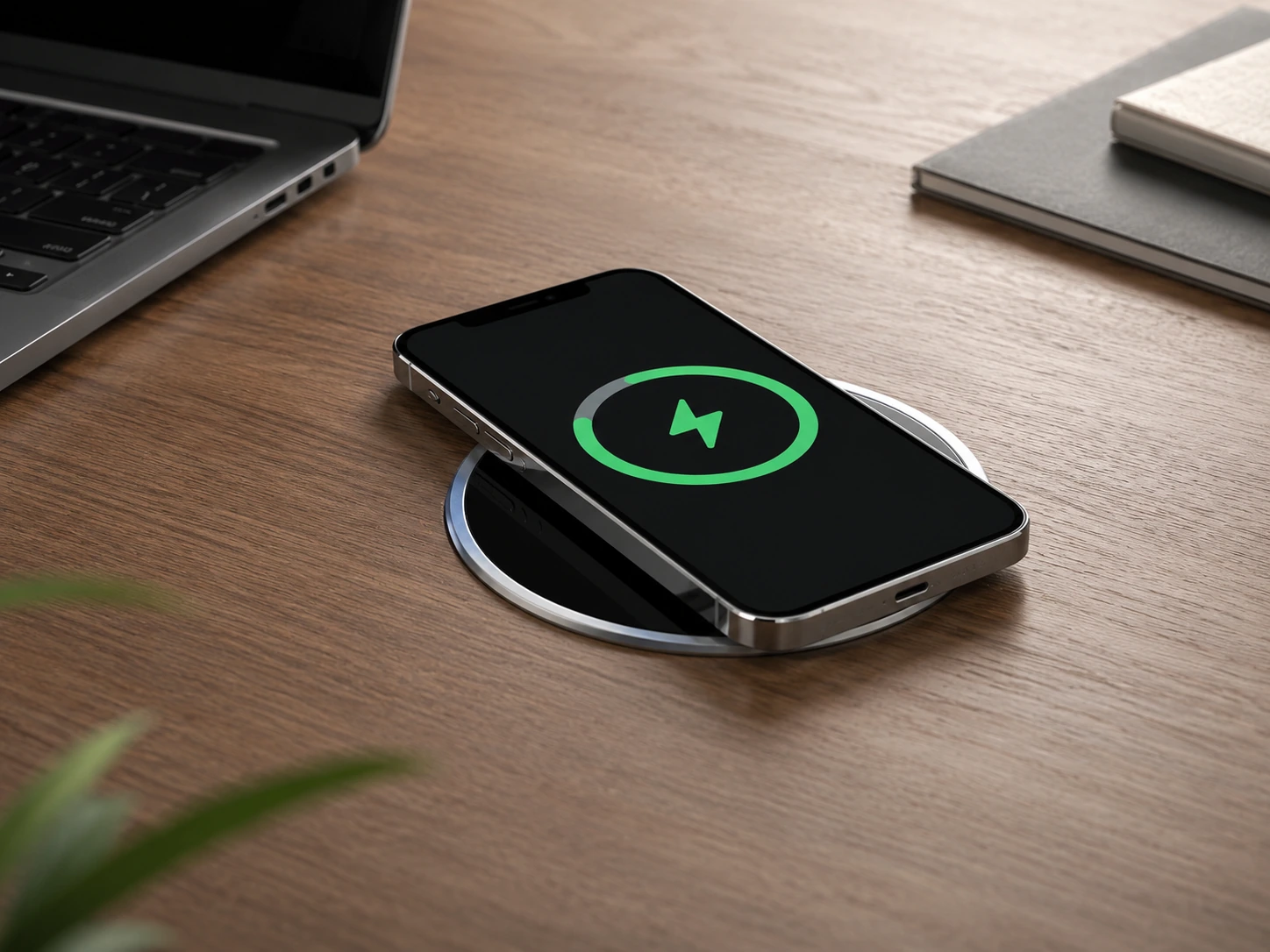
Many desks come with a circular grommet hole -- typically 80mm (3.15 inches) -- for cable routing. The i-VALUX In-Desk Wireless Charger converts that unused hole into a flush-mounted wireless charger. The top surface sits level with the desk, looking like a premium inset pad rather than a product bolted on. At 15W Qi fast charging, it delivers more speed than many through-desk competitors.
Compatible with iPhone 17/16/15/14/13/12/11 and Samsung Galaxy S-series. This is the most elegant single-product desk upgrade if your desk already has an 80mm grommet hole and you want to put it to use. No adhesive, no clamp -- just drop it in.
Check price on AmazonSpecs
- Wireless charging: 15W Qi fast charge (iPhone 8+, Samsung Galaxy, all Qi devices)
- Fits: Standard 80mm (3.15") desk grommet hole
- Mount: Grommet drop-in (no tools for most installations)
- Surface: Flush with desk top -- no raised edges
Pros
- +Uses existing grommet hole -- zero drilling required
- +Flush surface -- looks intentional, not retrofitted
- +15W Qi fast charging -- faster than most through-desk options
- +Wide device compatibility (iOS + Android)
- +Easy drop-in installation
Cons
- −Requires standard 80mm grommet hole -- measure your desk first
- −Not compatible with metal desks (blocks wireless charging)
- −Phone must be placed directly on the inset pad
- −No USB ports for wired charging accessories
Best for: Desks with an existing 80mm grommet hole that want to upgrade it to a flush wireless charger with no modification.
QBA 8-in-1 Under-Desk Mount Power Strip
Why it wins
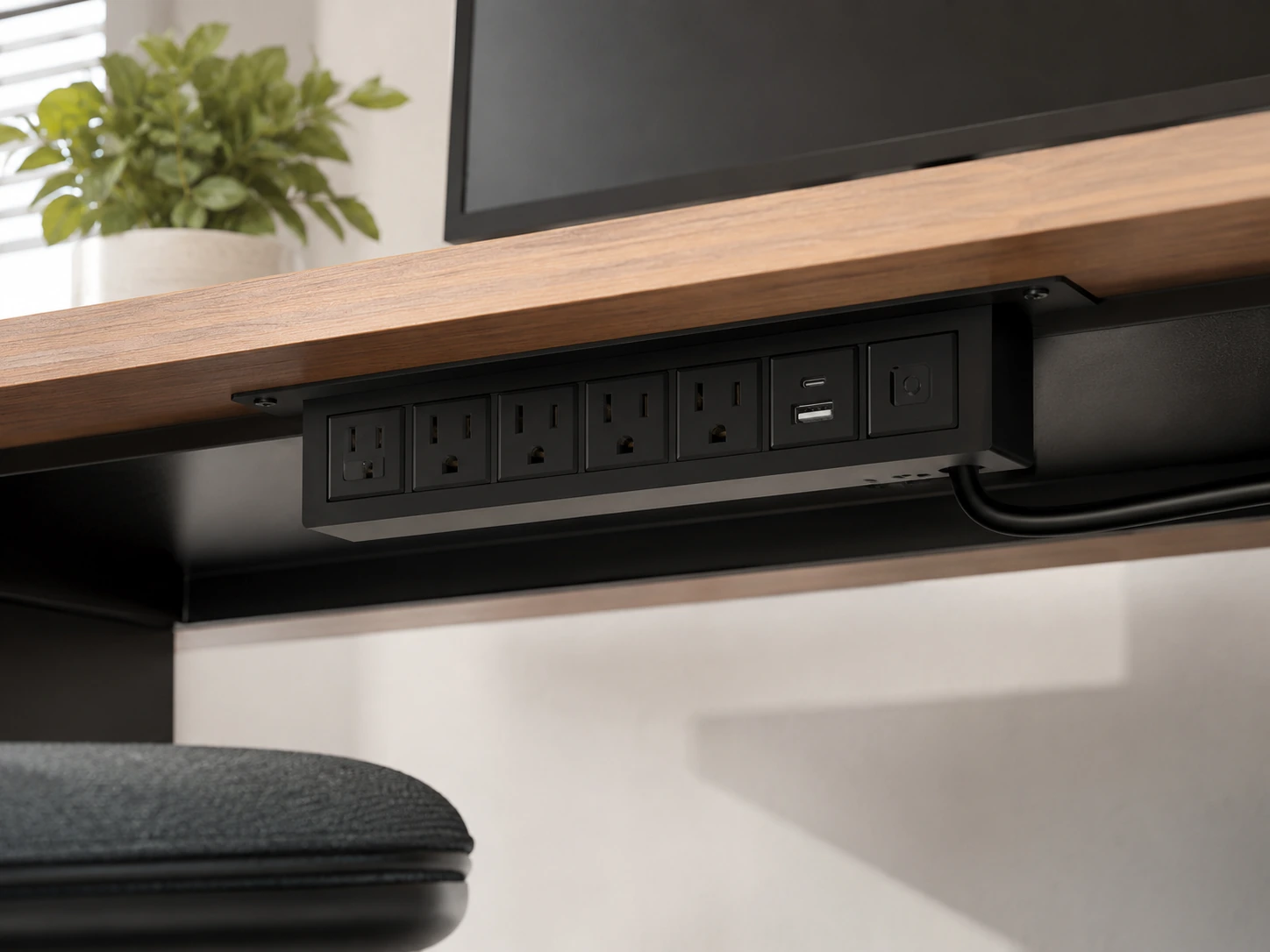
For a permanent desk setup where you want maximum power and USB ports completely hidden, the QBA 8-in-1 screw-mount strip gives the most port coverage in the least visible footprint. It mounts flat against the underside of the desk with included screws, all cables route along the underside to a single wall cord, and the desk surface is completely clear.
The port lineup is genuinely useful: 4 AC outlets, 1 PD 20W USB-C, 1 QC 3.0 USB-A, and 2 standard USB-A -- covering a laptop adapter plus phone and accessories simultaneously. ETL listed for safety. The 6-foot cord gives enough reach from the desk underside to the nearest wall outlet.
Check price on AmazonSpecs
- AC outlets: 4
- USB ports: 1x USB-C PD 20W, 1x USB-A QC 3.0, 2x USB-A standard
- Mount: Screw-mount bracket (screws included)
- Power cord: 6 ft
- Safety: ETL listed, surge protection, overload protection
Pros
- +Completely hidden -- flush against desk underside
- +No edge hardware visible from desk surface or sides
- +USB-C PD 20W and QC 3.0 for fast phone charging
- +ETL listed -- third-party safety certification
- +Permanent, does not shift or lose grip
Cons
- −Requires drilling/screwing -- permanent modification
- −Cable routing to wall must be planned before mounting
- −Not suitable for renters
- −USB-C limited to 20W -- not laptop-charging speed
Best for: Owned desks, permanent home office setups, or anyone committed to the cleanest possible desk surface and willing to do a one-time 30-minute installation.
Does Your Desk Work with Under-Desk Wireless Charging?
This is the most practical question for through-desk wireless charging -- and the one no other guide answers directly.
Material Compatibility Table
| Desk Material | Through-Desk Wireless |
|---|---|
| Solid wood (up to 30mm) | Works fully |
| Laminate / MDF (up to 30mm) | Works fully |
| Plywood (up to 30mm) | Works fully |
| Glass | Works fully |
| Quartz / stone | Works fully |
| Bamboo (up to 30mm) | Works fully |
| Metal (steel, aluminium) | Blocked completely |
| Metal frame inside wood | Depends on setup |
| Thick solid wood (30mm+) | Depends on setup |
How to Install an Under-Desk Charging Station
Option A -- Clamp (No Tools, 5 Minutes)
- 1Choose install position -- typically left or right back corner of desk edge
- 2Open clamp to maximum width, slide over desk edge
- 3Tighten clamp knob until silicone pads grip firmly (do not over-tighten)
- 4Route power cord along desk underside to wall outlet
- 5Use adhesive cable clips to secure cord against underside -- one clip every 30cm
Result: AC + USB accessible from desk edge. Power cord hidden along underside.
Option B -- Adhesive Through-Desk Wireless Pad (No Tools, 15 Minutes)
- 1Measure desk thickness -- confirm it is under 30mm
- 2Confirm desk material is not metal (use the compatibility table above)
- 3Clean underside of desk with alcohol wipe -- dust affects adhesion
- 4Place position marker (included) on desk top surface at desired charging spot
- 5Peel adhesive backing from wireless pad
- 6Press pad firmly against underside of desk, centered under position marker
- 7Hold for 60 seconds -- adhesive cures over 24 hours to full strength
- 8Route USB-C cable from pad along underside to power source
- 9To test: place phone on position marker -- charge indicator should appear within 10 seconds
Option C -- Screw Mount (Tools Required, 30 Minutes)
- 1Plan cable route: where does the power cord exit to the wall?
- 2Mark drill pilot hole positions (most brackets: 2--3 holes)
- 3Drill pilot holes -- 3mm bit for wood/MDF
- 4Screw bracket to underside with included hardware
- 5Mount power strip into bracket
- 6Route power cord along underside using cable raceways or clips
- 7Route peripheral cables up through desk grommet hole or along back edge
Under-Desk Charging Setup Tips
Plan cable routes before mounting anything
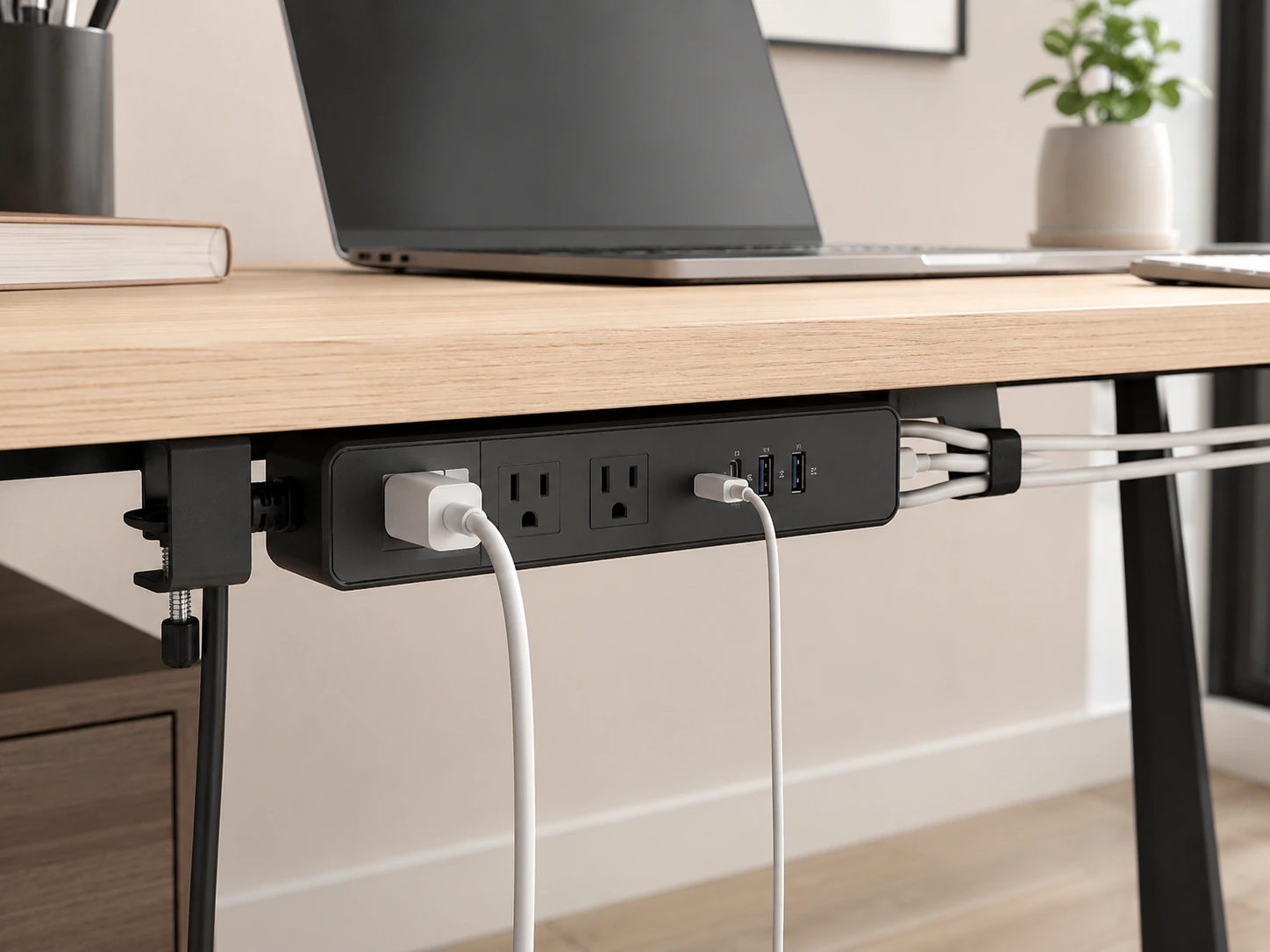
The biggest under-desk mistake: mounting a strip, then realizing the power cord does not reach the wall without crossing the floor. Measure the cord length first, map the path from strip to wall outlet, then mount.
Use cable raceways for the floor run
If the power cord must drop from the desk underside to a floor outlet, a cable raceway (J-channel type, ~$8 on Amazon) mounts against the wall and hides the vertical drop. Looks intentional rather than temporary.
Match mount position to cable reach of your devices
A wireless through-desk pad does not help if your phone sits 40cm away from the charging zone. Place the pad directly under where your phone naturally rests during work -- not where you think it should go.
Test before permanent installation
For clamp options: test for one week before committing to a screw-mount. For wireless pads: tape the pad in position for a day before removing the adhesive backing -- verify the phone location works with your actual workflow.
Frequently Asked Questions
Can wireless charging work through a wooden desk?
Yes -- Qi and Qi2 wireless charging works through wood up to approximately 30mm thick. Most standard desk tops (18--25mm) work reliably at full charging speed. The desk material must be non-metallic: wood, laminate, MDF, glass, stone, or bamboo all work. Metal desk tops block wireless charging completely.
How do I mount a charging station under my desk without drilling?
Use a clamp-style station -- the Anker Nano 10-in-1 Clamp or Tessan 14-in-1 both clamp to the desk edge without screws. For wireless charging, the NeatCharge adhesive pad requires no drilling either. Only the screw-mount power strip requires drilling.
What is the best way to hide a charging station on a desk?
Three options in order of visibility reduction: (1) Clamp station at the back desk edge -- hardware visible only from behind. (2) Screw-mount strip under the desk -- completely hidden. (3) Through-desk wireless pad -- charging hardware is entirely invisible.
Does under-desk mounting damage the desk?
Clamp mounts: no damage if silicone pads are used. Adhesive pads: removable without damage if removed carefully within 6 months (longer adhesion can leave residue). Screw mounts: small pilot holes remain -- only suitable for owned furniture.
Will an under-desk clamp work on a sit-stand desk?
Yes -- clamp stations like the Anker Nano move with the desk as it raises and lowers. The power cord should have enough slack for the full height range. For most sit-stand desks with a 70--120cm height range, a 5-foot power cord is sufficient.
Bottom Line
For most desk setups, the Anker Nano 10-in-1 Clamp is the cleanest starting point: no permanent modification, above-deck USB access, below-deck hidden AC outlets, and 70W USB-C charging. Install in five minutes, remove in two.
If your desk already has an 80mm grommet hole, the i-VALUX Grommet Wireless Charger is the most elegant upgrade -- flush, invisible, and no drilling required.
For the ultimate clean setup where no charging hardware is visible from any angle, the Humanscale NeatCharge installs under the surface and charges your phone through the desk -- provided the desk is non-metallic and under 30mm thick.
Whatever you choose: measure your desk thickness first, plan the cable route before mounting, and use cable clips to keep the underside as clean as the top.
Browse under-desk charging solutions on Amazon
Clamp, wireless, grommet, and screw-mount options -- all Prime-eligible.
Shop on Amazon →Related Guides
Best Charging Stations for Desk
On-desk charging options
Best Small Desk Charging Stations
When the desk is small but stays on-surface
Best Charging Station Desk Organizers
Organizer + charging in one footprint
Best Docking Stations for Desk Setup
Hide your dock under the desk too
Last updated: June 2026. Prices and availability checked at time of writing -- always verify current price on Amazon before purchasing.