
Gaming Desk Setup Ideas: Layouts for Every Space (2026)
Affiliate Disclosure: We may earn a small commission on qualifying Amazon purchases at no extra cost to you. Full disclosure →
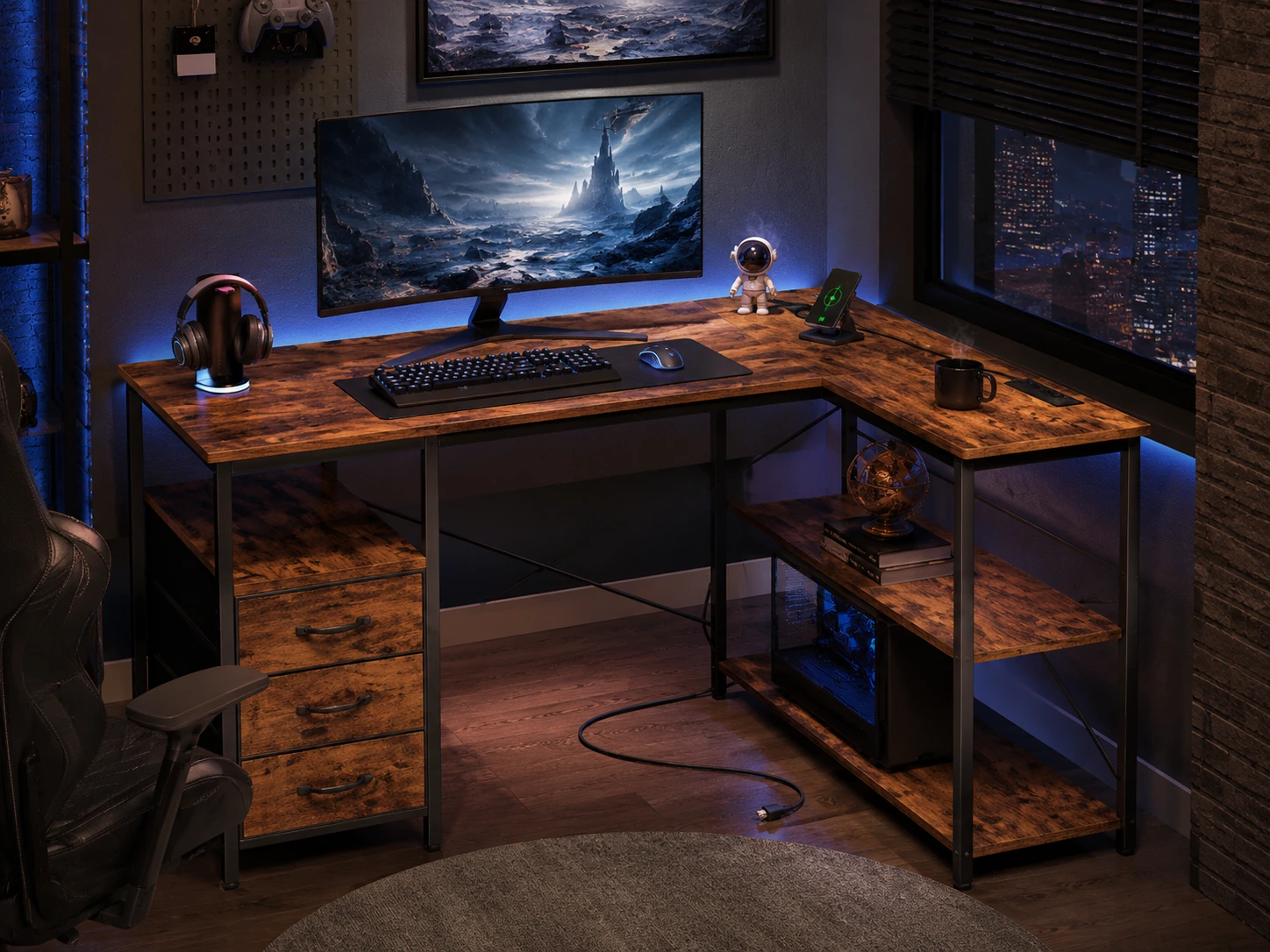
A gaming desk setup has to handle a large monitor, fast mouse sweeps and a PC or console with plenty of cables. The layouts below fit those needs into the space you actually have.
Start from the monitor and mouse, then work outward to the PC, lighting and extras.
Quick answer: Plan about 30 inches of depth for a 27 inch or larger monitor, and at least 48 inches of width for a single screen plus mouse room. A 34 inch ultrawide is about 31 inches wide (calculated), so allow 55 to 60 inches if you also want speakers and a desk mat.
Layouts by screen type
| Screen setup | Panel width, calculated | Desk width to plan for | Notes |
|---|---|---|---|
| Single 24 inch | About 21 in | 40 to 48 in | Good for a small room |
| Single 27 inch | About 23.5 in | 48 to 55 in | Leaves mouse room |
| 34 inch ultrawide | About 31 in | 55 to 60 in | Centre it on the chair |
| Two 27 inch | About 47 in | 60 to 72 in | Angle them inward |
Panel widths are calculated from the diagonal at standard aspect ratios and ignore bezels and stands. Our gaming desk size chart gives fuller dimension guidance, and the best gaming desks list models by size.
Mouse and keyboard room
Low-sensitivity players need a wide mouse sweep, and a compact keyboard buys that room. See the TKL versus full-size comparison and a gaming desk pad that covers the whole front area.
Where the PC and cables go
Keep the tower off the desk if you can, on the floor with airflow around it or on a shelf. Run display, power and USB through a tray under the desk. The desk power strips and cable trays guides cover options.
Lighting and mood
Bias lighting behind the monitor reduces eye strain in a dark room. Keep the brightness low, and avoid colours that reflect on the screen. A monitor light bar lights the desk instead of the room.
Chair and posture for long sessions
Long sessions make chair fit matter more than appearance. Set elbows near 90 degrees and keep the monitor at eye level, the same checks as the ergonomic desk setup guide.
Frequently asked questions
How should I set up a gaming desk?
Start with the monitor and mouse, then add the keyboard, lighting, PC and cable routing. Keep the screen's top near eye level.
How big a desk do I need for gaming?
About 48 inches wide for one monitor, 55 to 60 for an ultrawide, and 60 to 72 for two monitors.
How deep should a gaming desk be?
About 30 inches suits a large monitor at a comfortable distance, and 24 inches is workable for smaller screens.
Where should I put my gaming PC?
On the floor with space for airflow, or on a shelf. Avoid enclosed spaces that trap heat.
How do I hide cables on a gaming desk?
Route them to a power strip and cable tray under the desk and keep a clean front edge.
Do I need RGB lighting?
No. A light bar or bias light is enough, and it works better with a dimmer.
Sources and scope
- OBSBOT ergonomic desk setup: posture and screen position basics
- CSU Channel Islands workstation checklist: keyboard and monitor height advice
- AUT workstation tip sheet: how to place the screen and chair for long sessions
Desk widths are planning ranges and panel widths are calculated, ignoring bezels and stands. Check dimensions on your actual monitor and desk.