
Gaming Desk Size Chart: How Wide, Deep and Tall Should It Be?
Affiliate Disclosure: We may earn a small commission on qualifying Amazon purchases at no extra cost to you. Full disclosure →
The right gaming desk size depends on three things: the width of your monitors, how deep the desk is for your viewing distance, and how much room you can spare. Many people buy by width alone and then find that the monitor sits too close to their eyes or that the mouse hits the edge during a swing.
This chart gives typical gaming desk sizes, calculates the width of common monitors so you can plan around them, and explains how mouse space and monitor arms change the numbers. Treat the ranges as guidelines: sources differ, and your own habits matter more than a chart.
Quick answer: A common gaming desk is about 48 to 60 inches wide and 24 to 30 inches deep, with 60 to 72 inches suited to multi-monitor or accessory-heavy setups. One buying guide puts the minimum for a single monitor of 27 inches or smaller at about 47 inches wide and 28 inches deep, and for two 27 inch monitors at about 55 inches wide, with 63 inches comfortable.
Gaming desk size by setup
Guides disagree on exact numbers, but the pattern is consistent: more screens and more accessories need more width, and deeper desks suit larger monitors and sim gear. The table converts a published metric guide to inches and adds the general retailer range.
| Setup | Width | Depth | Notes |
|---|---|---|---|
| Single monitor up to 27 inches | About 47 inches minimum | About 28 inches | Leaves a little room for a mouse and a keyboard. |
| Standard gaming desk | 48 to 60 inches | 24 to 30 inches | The common retail range for a single or dual setup. |
| Two 27 inch monitors | About 55 inches minimum, 63 inches comfortable | About 30 to 31 inches | From a published guide using 140 cm and 160 cm widths. |
| Multi-monitor or accessory heavy | 60 to 72 inches | 30 inches or more | Room for speakers, a mic arm and a controller. |
| Sim racing or very large monitors | As wide as your setup needs | 31 to 39 inches or more | Depth gives viewing distance. |
The 24 inch depth often quoted is a practical minimum for a keyboard, mouse and a 24 to 27 inch monitor, and 28 to 31 inches feels more comfortable, because the screen can sit further from your face.
Monitor width reference
Monitor sizes are quoted as a diagonal, but a desk needs the width. The figures below are calculated from the diagonal and the aspect ratio and are approximate, because bezels and stands add roughly an inch or more. Check the product page for the exact width.
| Monitor | Aspect ratio | Approximate panel width |
|---|---|---|
| 24 inch | 16:9 | 20.9 inches |
| 27 inch | 16:9 | 23.5 inches |
| 32 inch | 16:9 | 27.9 inches |
| 34 inch ultrawide | 21:9 | 31.3 inches |
| 38 inch ultrawide | 21:9 | 34.9 inches |
| 49 inch super ultrawide | 32:9 | 47.2 inches |
Two 27 inch monitors side by side are about 47 inches wide before stands and gaps, which is why 55 inches is a sensible minimum for a dual setup. Our monitor size chart lists more sizes.
Depth and viewing distance
A deeper desk lets the monitor sit further back, which helps with larger screens. At 24 inches, a 27 inch monitor can feel close once the keyboard is in front of it. At 28 to 31 inches, there is room for the monitor, a keyboard and a wrist rest without pushing the screen against the wall.
If the desk is shallow, use a monitor arm to move the screen back and free the surface. One guide notes that arms can reduce the width you need by about 4 to 8 inches because mounts can sit tighter or overlap.
Mouse space
Gamers who use low sensitivity need room to swing the mouse, which is the reason many players choose a wider desk. A large mouse pad of about 36 by 12 inches or larger needs at least that much width in front of the keyboard. Our gaming desk pads guide covers sizes that cover the whole desk.
Height and ergonomics
Most fixed gaming desks are about 28 to 30 inches tall, which suits standard chairs. A sit-stand desk offers a range so you can match your elbow height. If you use a fixed desk and feel your shoulders rise while you type, a keyboard tray or a lower chair setting can help. The desk size chart has more on standard heights.
Corner and wood gaming desks
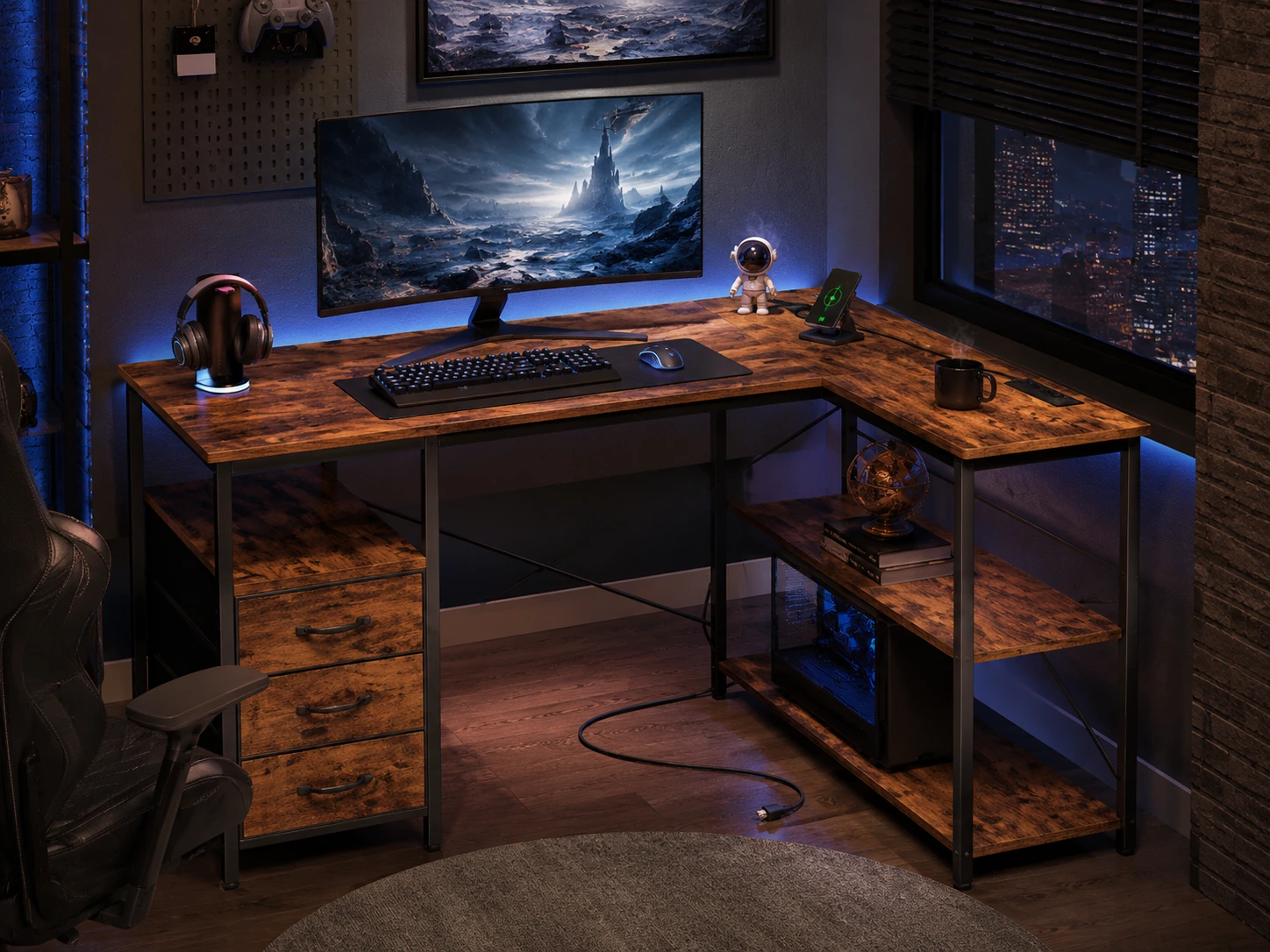
A corner gaming desk can wrap around a wall and give two surfaces, which suits a main monitor plus a console or laptop. The best corner gaming desks guide compares sizes. For natural materials and a classic look, the best wooden gaming desks guide lists options. If you want to add a shelf above the screens, see the monitor shelves for gaming desks guide.
Frequently asked questions
What is the standard size of a gaming desk?
There is no official standard, but a common size is 48 to 60 inches wide and 24 to 30 inches deep. A larger desk of 60 to 72 inches suits multiple monitors.
Is a 47 inch desk big enough for gaming?
It can be for a single monitor of 27 inches or smaller, according to one published guide, which suggests about 47 inches wide and 28 inches deep as a minimum.
How wide should a desk be for two monitors?
A published guide suggests about 55 inches as a minimum for two 27 inch monitors and 63 inches as comfortable. Monitor arms can reduce the needed width.
What desk depth do I need for a 27 inch monitor?
At least 24 inches, and 28 to 31 inches feels more comfortable, because the screen can sit further back.
How tall should a gaming desk be?
Fixed desks are usually about 28 to 30 inches tall. A height-adjustable desk lets you match your elbow height more precisely.
Does a corner gaming desk need more space?
It uses a corner and gives two surfaces, but it needs wall space on two sides. Measure both walls and the chair path before buying.
Sources and scope
- Desky: ideal desk size for a gaming setup - typical width and depth ranges.
- Evetech gaming desk guide - minimum and comfortable widths for single and dual monitors, and depth guidance.
Monitor widths are calculated from diagonal and aspect ratio and are approximate. Desk size guidance comes from retailer and buying guides, which differ, so treat it as a starting point and check exact product dimensions.
Related Guides
Best Gaming Desks for Small Rooms (2026)
Read guide →Best Gaming Desks Under $100 (2026)
Read guide →Best Gaming Desks Under $200 (2026)
Read guide →best wooden gaming desk
Read guide →best corner gaming desks
Read guide →best gaming desk pads
Read guide →monitor size chart
Read guide →desk size chart
Read guide →