
Best Charging Stations for Home Office Desks
A home office desk has different charging demands than a regular desk. Your laptop is not optional -- and a 65W charger running a MacBook Pro under Zoom, Slack, and three browser tabs may run a battery deficit. This guide picks specifically for the home office context.
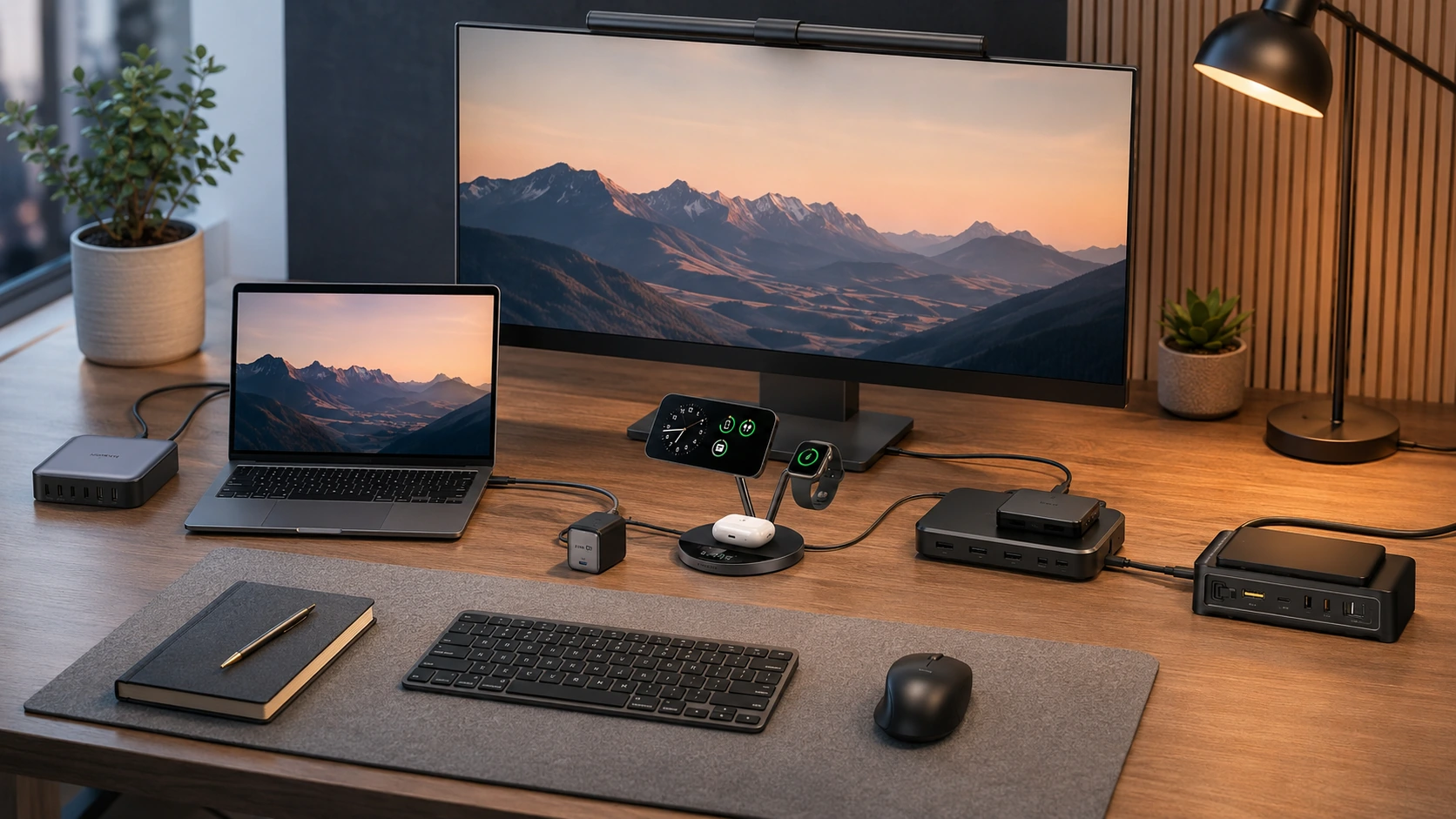
Quick Picks
| Pick | Product | |
|---|---|---|
| Best Overall | Anker Prime 200W (6-Port GaN) | Check price |
| Best for MacBook Pro 16" | UGREEN Nexode 200W (6-Port) | Check price |
| Best Wireless | Anker Prime 3-in-1 Qi2 25W | Check price |
| Best All-in-One | Baseus Nomos 5-in-1 140W | Check price |
| Best Value | TESSAN 130W 8-in-1 GaN | Check price |
A home office desk has different charging demands than a regular desk -- and most charging station guides completely miss this. The difference: your laptop is not optional. A standard desk charging station review might list a "best compact" pick at 65W and call it good. But at home, on a video call, with your MacBook Pro running Zoom, three browser tabs, and Slack -- that 65W charger is running a deficit.
Home office charging also has a professional appearance factor. If you are on camera regularly, what is visible behind your keyboard matters. A tangled pile of adapters reads as unprofessional. A single clean hub with one cord to the wall does not.
This guide picks specifically for the home office context: laptop charging that actually works under load, multi-device support for a full work setup, and clean aesthetics for video-visible desks.
What Makes a Home Office Charging Station Different
Laptop Charging Is Non-Negotiable
At a home office, you want one hub for everything -- including the laptop. This changes the minimum spec significantly:
| Laptop | Minimum PD to charge under load |
|---|---|
| MacBook Air M3/M4 | 35W |
| MacBook Pro 14" M4 | 70W |
| MacBook Pro 16" M4 | 100W+ |
| Dell XPS 13/15 | 45--65W |
| Lenovo ThinkPad X1 | 65W |
| HP Spectre / Envy | 65W |
Every pick in this guide has at least 100W on its primary USB-C port -- enough for any MacBook or Windows ultrabook at full load.
Professional Aesthetics Matter in a Home Office
If you take video calls from this desk, everything behind and around your keyboard is visible on camera.
Reads well on video
- One clean charging station with a single cord to the wall
- Matte black or white finish that blends with desk accessories
- No blinking LEDs visible in frame
- No tangled multi-adapter pile
What to avoid
- Bright blue or green LED indicators facing the camera
- Multiple large power bricks stacked near the monitor
- Visible cable chaos around the charging zone
Home Office Setups Charge More Devices Than You Think
A typical home office daily charge list: laptop, phone, wireless earbuds, tablet, smartwatch, wireless mouse/keyboard, webcam. That is 5--7 devices regularly needing power from one desk. A 3-port charger does not cut it.
All 5 Picks at a Glance
At a Glance
Our Top Picks for Home Office Charging Stations
Anker Prime 200W (6-Port GaN)
Why it wins
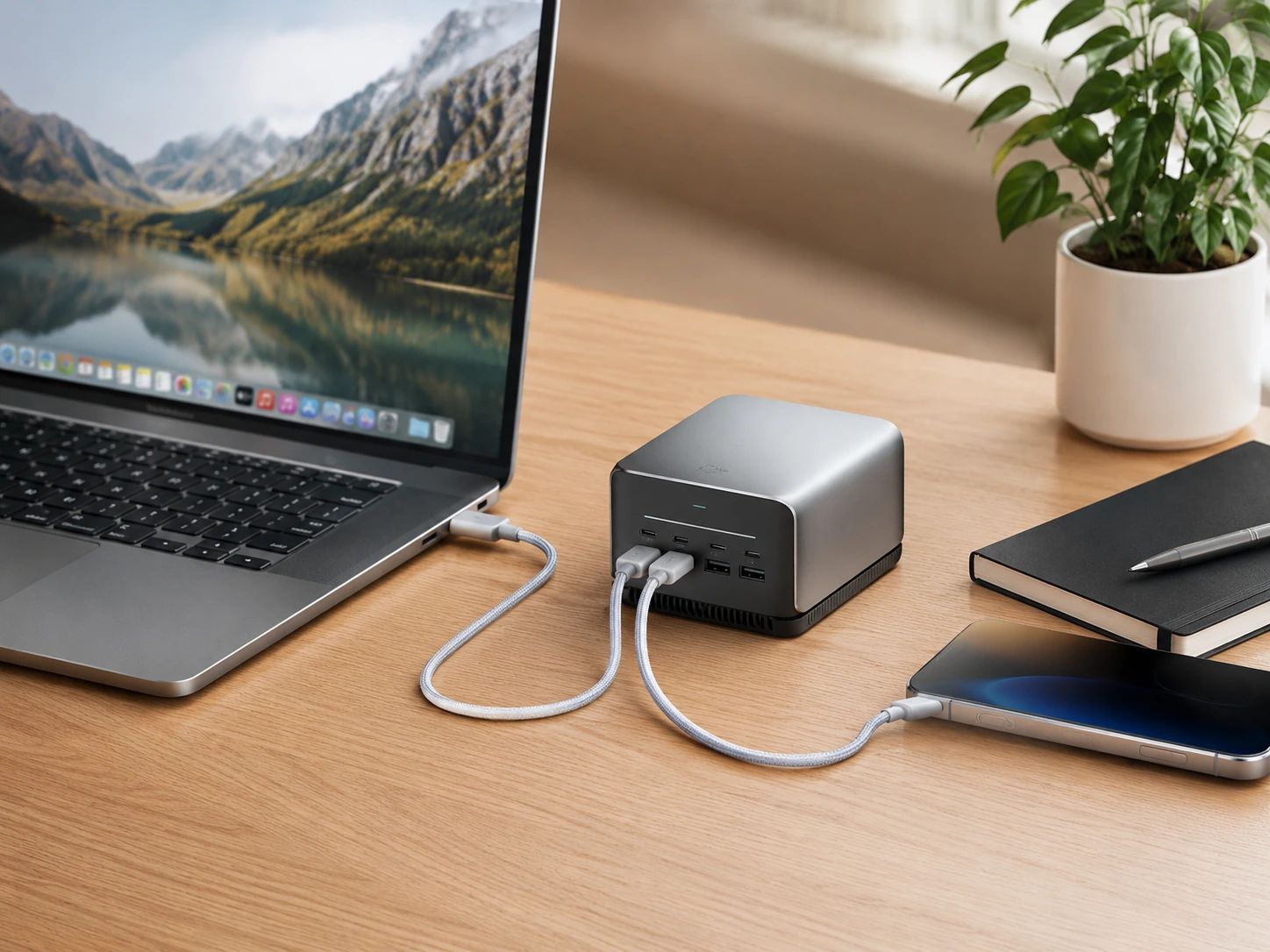
The Anker Prime 200W is the most balanced home office charging station available. It handles a MacBook alongside four other devices with smart power routing that always prioritizes the laptop -- no manual configuration, no guessing which port is fastest. The 200W total output means the laptop charges at a useful rate even when every port is occupied.
The fanless GaN design is the home office detail: no fan hum audible during quiet calls or recordings. The compact 4.4 x 3.0 x 1.4 inch footprint keeps the desk clean for video. One power cord to the wall.
Check price on AmazonSpecs
- Total output: 200W
- Ports: 4x USB-C (up to 100W each), 2x USB-A (22.5W each)
- Technology: GaN, fanless, silent
- Smart power routing: Laptop auto-prioritized
- Dimensions: 4.4 x 3.0 x 1.4 in
Pros
- +All 4 USB-C ports support fast charging -- no 'slow' ports
- +Silent fanless operation -- no noise during calls
- +Smart routing keeps laptop charging at useful speed under full load
- +Matte finish blends into any desk aesthetic
- +Drops to ~$50 regularly on Amazon
Cons
- −No wireless charging
- −100W primary port -- sufficient for MacBook Pro 14", tight for Pro 16" under extreme load
- −No AC outlets (use alongside desk power strip if needed)
Best for: MacBook Air, MacBook Pro 14", Dell XPS, or any USB-C laptop home office with 3--5 accessories.
UGREEN Nexode 200W (6-Port)
Why it wins
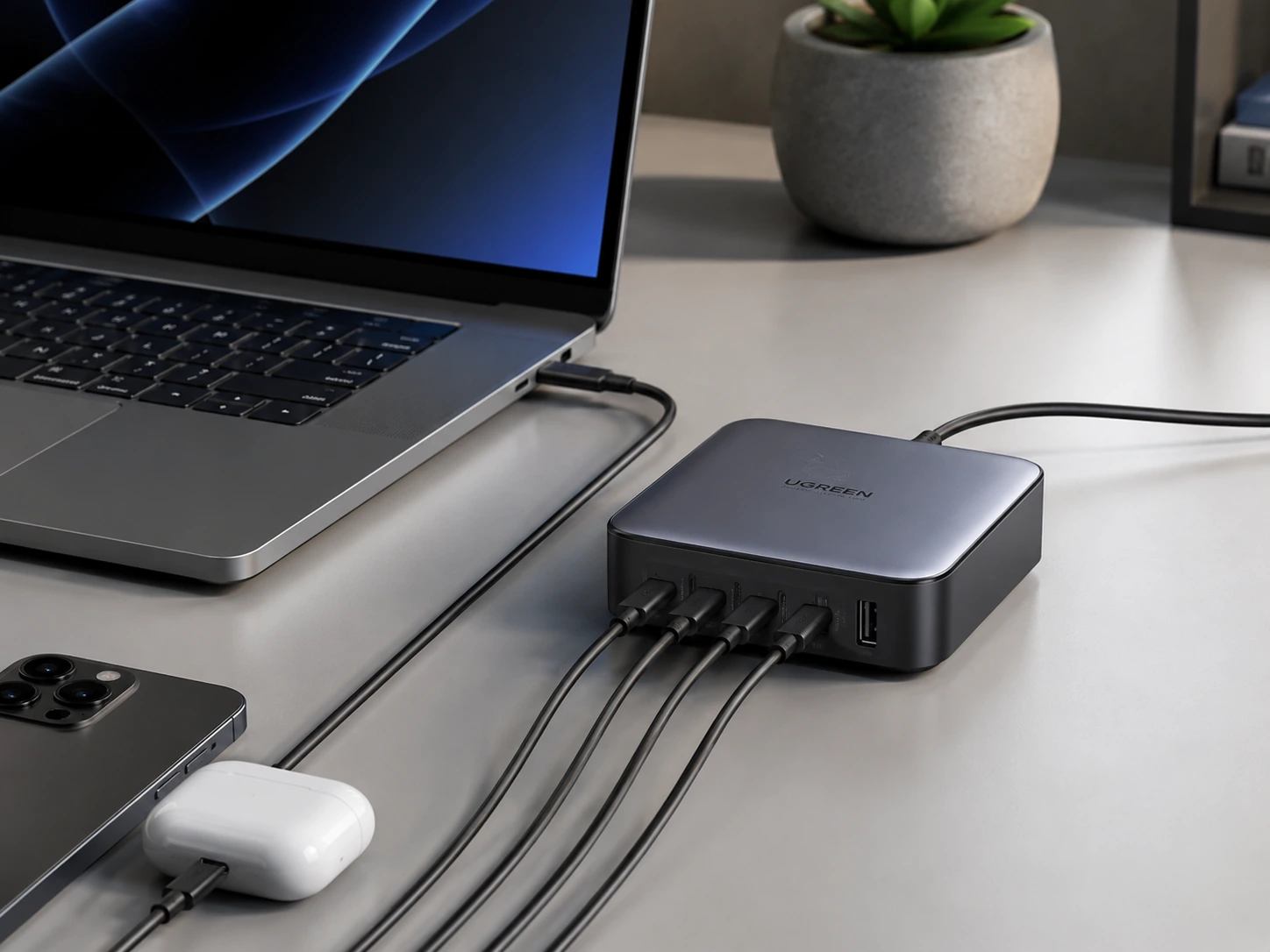
If you run a MacBook Pro 16" as your home office machine, the primary USB-C port spec is the only number that matters -- and the UGREEN Nexode delivers 140W via PD 3.1, the only standard that charges a 16-inch MacBook Pro at full speed. Every competitor at this price tops out at 100W.
The real-world impact: with the Anker Prime 200W at 100W, a MacBook Pro 16" under heavy load (video export, compiling, running a VM) may still drain battery slightly during charging. With the UGREEN Nexode at 140W, it charges under any load.
Same 200W total pool, same 6 ports, same GaN technology -- just that one critical spec difference for power users.
Check price on AmazonSpecs
- Total output: 200W
- Primary USB-C: 140W (PD 3.1)
- Ports: 4x USB-C, 2x USB-A
- Technology: GaN, fanless
Pros
- +140W PD 3.1 -- only pick in guide that maxes out MacBook Pro 16"
- +Full-speed laptop charging under any workload
- +200W total covers laptop + iPad + phone + 3 accessories
- +Fanless, silent operation
- +Same price range as Anker Prime
Cons
- −Non-primary USB-C ports step down under full load
- −No wireless charging
- −No AC outlets
Best for: MacBook Pro 16" home offices, video editors, developers running heavy workloads where 100W laptop charging is genuinely insufficient.
Anker Prime 3-in-1 Qi2 25W
Why it wins
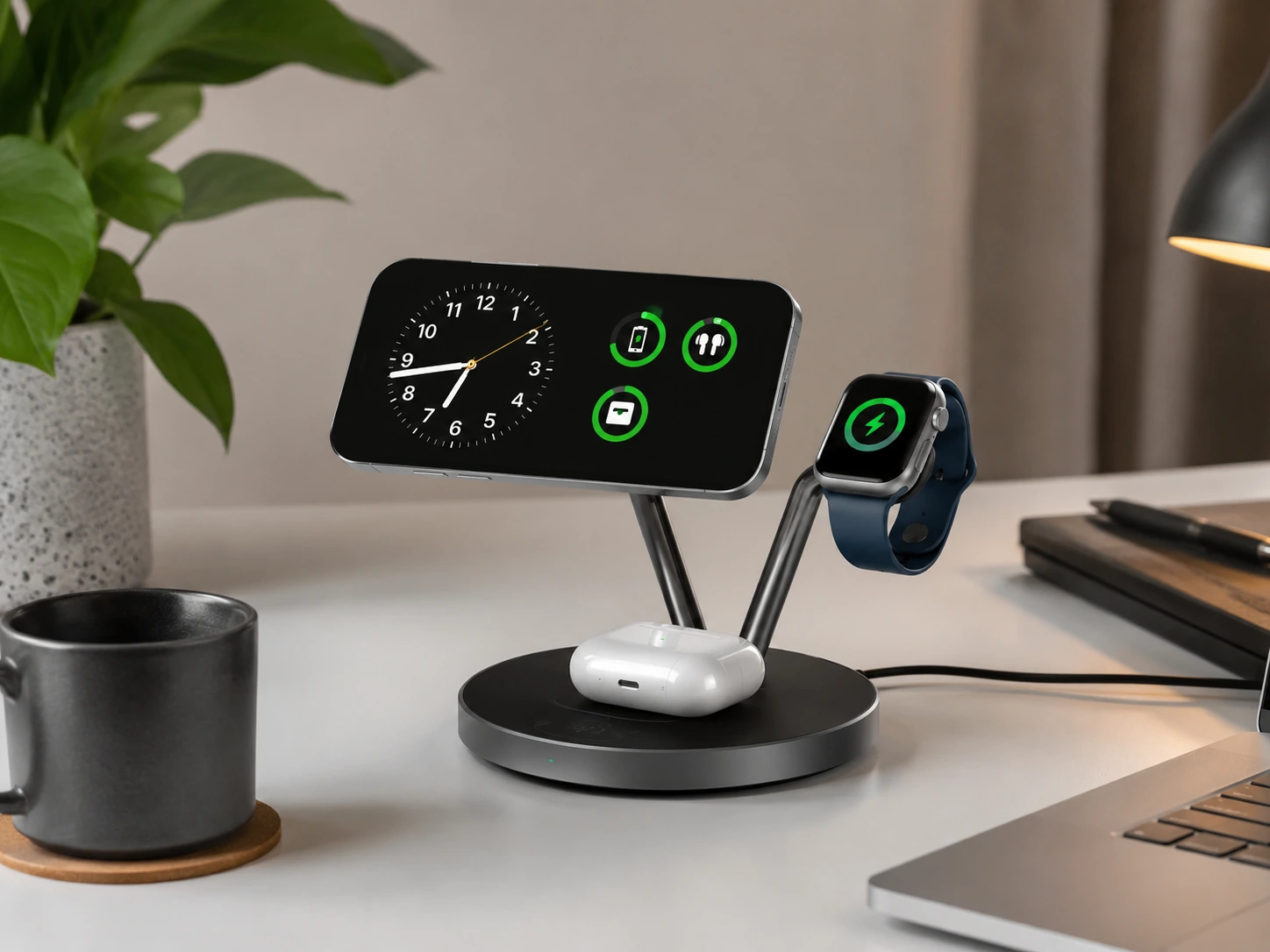
The Anker Prime 3-in-1 Qi2 25W is the premium wireless desk charger for Apple home office setups. The new Qi2.2 standard delivers 25W wireless charging -- nearly double the previous 15W maximum -- meaning your iPhone charges as fast wirelessly as most wired options. A built-in smart display shows live wattage and temperature. TEC active cooling prevents the thermal throttling that slows down cheaper wireless chargers under sustained desk use.
The relevance for a home office: this charger stays on your desk all day while you are on calls. A phone that charges reliably between calls, without cables, keeps your desk cleaner and your battery topped up during a full work day.
Check price on AmazonSpecs
- iPhone charging: 25W Qi2.2 (MagSafe-compatible, iPhone 15+)
- Apple Watch: 5W fast charge
- AirPods: 5W Qi
- Display: Smart wattage + temperature screen
- Cooling: TEC active thermal management
Pros
- +25W Qi2.2 -- fastest wireless iPhone charging available in 2026
- +Smart display shows charge status without picking up phone
- +TEC active cooling prevents throttling on long desk sessions
- +Premium build quality appropriate for visible home office desk
- +No cable to phone -- cleaner desk for video calls
Cons
- −Apple ecosystem only (iPhone 15+ for 25W)
- −No USB-C ports -- still need a separate wired charger for laptop/accessories
- −Premium price (~$120--150)
Best for: Apple home office setups where the desk is frequently on camera and wireless phone charging is a priority alongside a separate laptop charger.
Baseus Nomos 5-in-1 140W
Why it wins
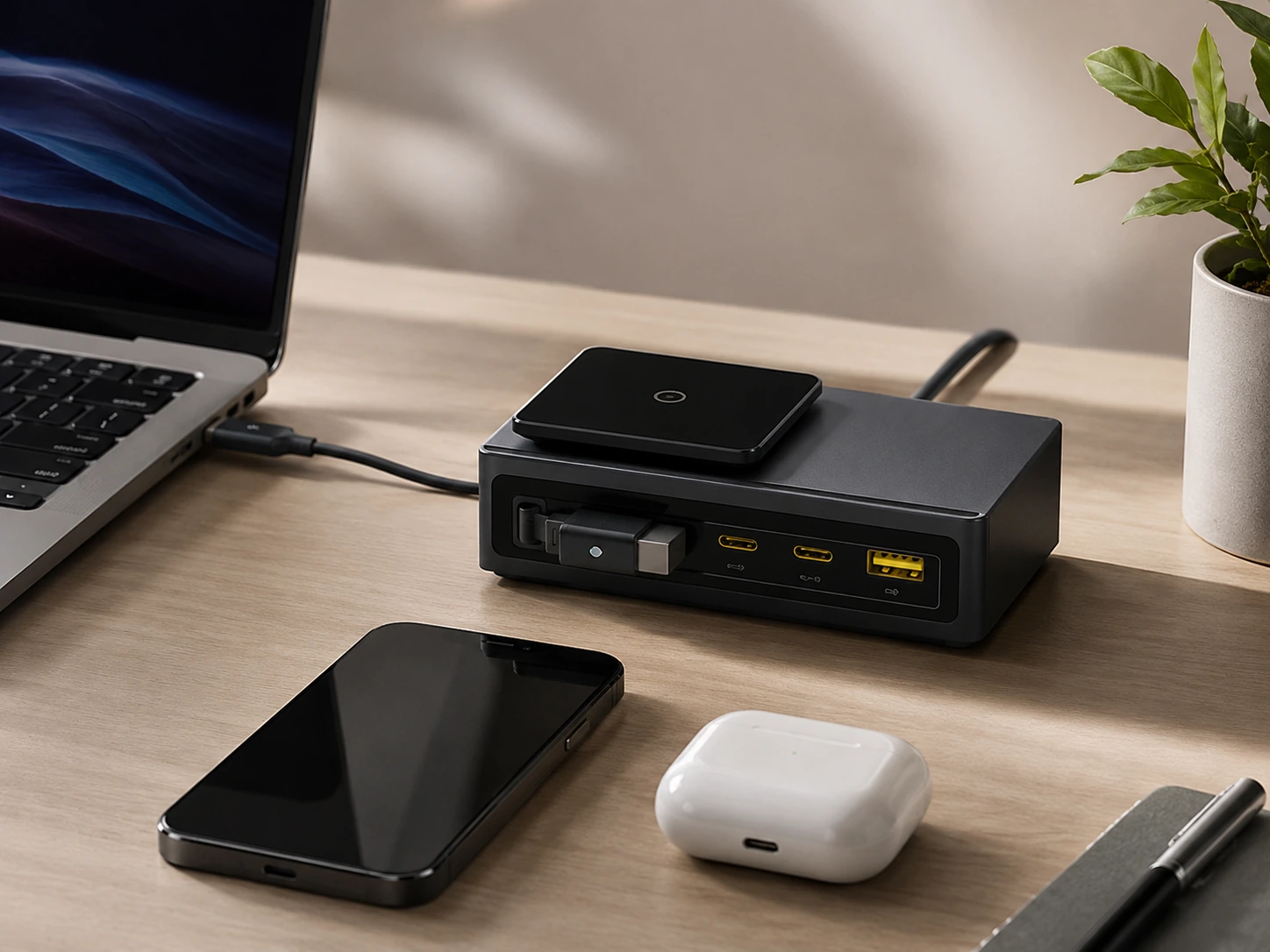
The Baseus Nomos 5-in-1 is the pick that eliminates the most cables from a home office desk in one product. Two retractable USB-C cables handle the laptop and tablet -- no loose cables on the desk surface. A 15W Qi2 MagSafe pad handles the phone wirelessly. Two more USB ports cover earbuds and accessories. The LCD display shows exactly how much power each device is drawing, which is genuinely useful for a desk that runs 8+ hours.
For a home office where the desk is always occupied and cables tend to accumulate, the retractable design makes a practical daily difference.
Check price on AmazonSpecs
- Total output: 140W
- Ports: 2x retractable USB-C (100W each), 2x fixed USB-C, 1x USB-A (18W), 15W Qi2 wireless pad
- LCD: Real-time per-port wattage display
- Smart allocation: BPS 3.0
Pros
- +Retractable cables eliminate loose cords on desk surface
- +Qi2 wireless pad + wired USB-C in one unit
- +LCD display shows real-time charging data -- useful during long work sessions
- +140W covers laptop + tablet + phone + earbuds simultaneously
- +Compact for the features delivered
Cons
- −140W total: MacBook Pro 16" exhausts the budget quickly alongside other devices
- −External 140W power adapter is large
- −Wireless pad occasionally peaks at 8--10W instead of full 15W
- −Higher price than pure wired options
Best for: Home offices where cable clutter is the primary pain point -- the retractable cables visually clean the desk without any cable management effort.
TESSAN 130W 8-in-1 GaN
Why it wins
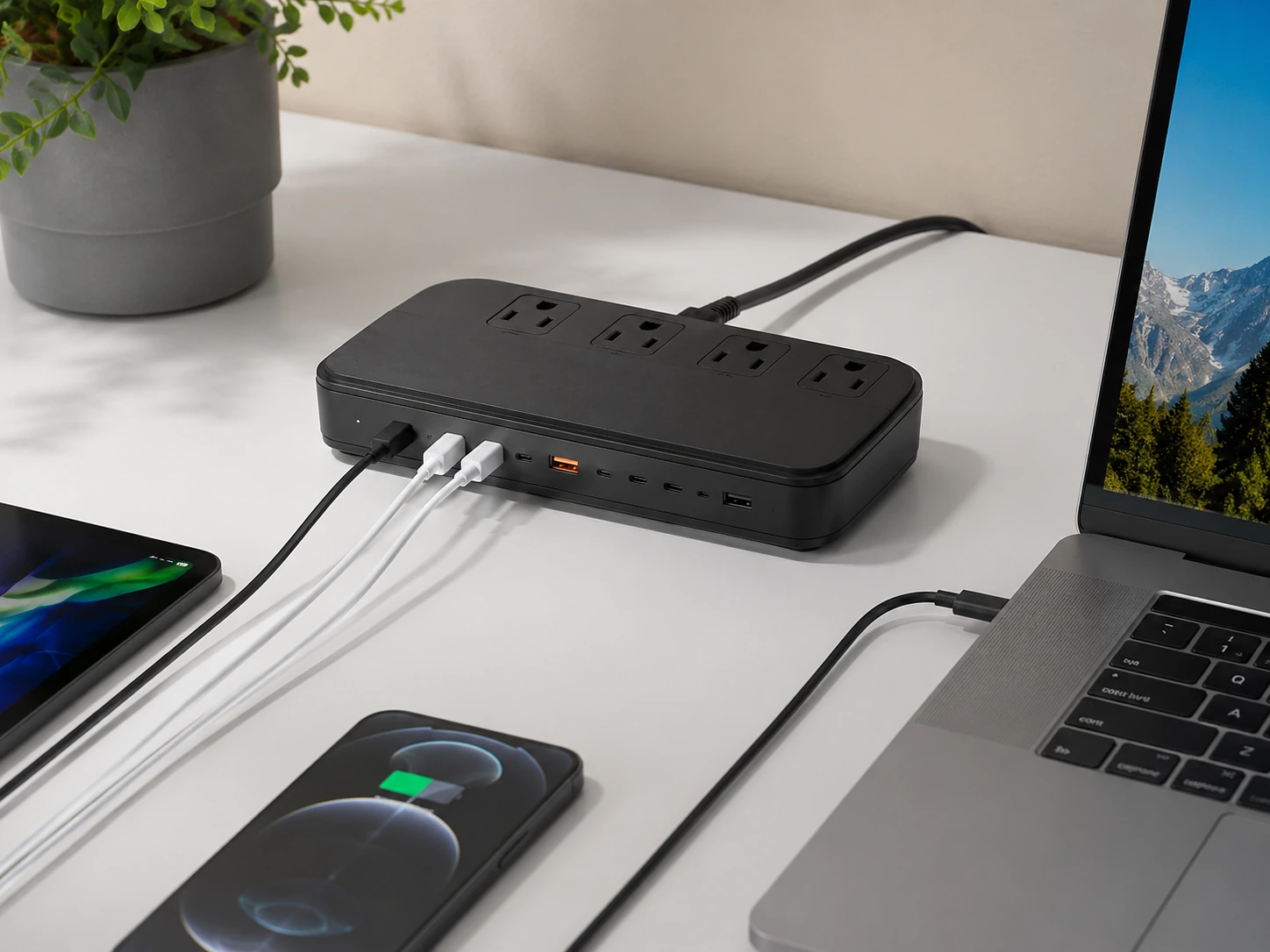
For under $38, the TESSAN 130W 8-in-1 delivers a home office charging hub that covers the full device list: three AC outlets for laptop adapter, desk lamp, and any AC-powered accessory; three USB-C ports (primary at 100W); and two USB-A ports. The GaN design runs cooler than non-GaN competitors at this price.
This is the pick for home office setups where the budget does not extend to premium options but the device list is genuinely demanding. Three AC outlets is the feature that separates it from pure USB charging stations -- a home office desk frequently has AC-powered accessories (lamp, speaker, external drive hub) that need outlets alongside the USB charging.
Check price on AmazonSpecs
- Total output: 130W
- Ports: 3x AC, 3x USB-C (primary 100W), 2x USB-A (30W)
- Technology: GaN
- Cable: Built-in 5ft extension cord
- Dimensions: 6.42 x 4.06 x 1.26 in
Pros
- +Under $38 -- best price for GaN home office station with AC outlets
- +100W USB-C primary charges any laptop at usable speed
- +3 AC outlets cover lamp + speaker + adapter alongside USB devices
- +GaN runs cooler than budget non-GaN at same price
- +5ft built-in cord routes cleanly to wall
Cons
- −130W total -- at max load, all ports share the budget
- −No wireless charging
- −Larger physical footprint than pure USB stations
- −Build quality is functional, not premium
Best for: Home offices needing a full charging hub (laptop + phone + tablet + accessories + lamp) at the best possible price.
Home Office Charging Setup: The Right Way to Organize It
Zone Your Desk for Charging
A home office desk has three zones. Place charging accordingly:
Monitor Zone
Monitor, speakers
Work Zone
Keyboard, mouse, notebook, coffee
Charging Zone
Charging hub, phone, watch
The charging zone lives at one back corner -- typically the corner nearest to your wall outlet. All device cables route to that corner. One power cord exits to the wall.
Cable Routing for Video Call Desks
If your desk is on camera, cable routing matters as much as the charger choice.
between the hub and devices sitting in the charging zone -- no slack
(adhesive, $5--8 pack on Amazon) route the hub's power cord along the desk's back edge to the wall
-- the hub disappears behind the monitor stand, with only device cables visible in the charging zone
Get a docking station if you want to plug in one cable and have your entire desk come alive -- monitors, wired network, all USB devices, and laptop charging simultaneously. Best Docking Stations for Desk Setup →
For a desk always on camera, consider moving the charging station under the desk entirely. A clamp-mount station puts everything below the surface and completely out of frame. Best Under-Desk Charging Stations →
Frequently Asked Questions
What is the best charging station for a home office?
For most home offices, the Anker Prime 200W handles a laptop alongside 3--5 accessories at full speed from one hub. MacBook Pro 16" users should choose the UGREEN Nexode 200W for its 140W PD 3.1 primary port. Budget-conscious setups with AC outlet needs are best served by the TESSAN 130W 8-in-1.
Can a home office charging station charge a MacBook?
Yes -- all five picks in this guide charge MacBooks. MacBook Air and Pro 14" need 35--70W for a meaningful charge under load; the Anker Prime (100W primary) handles both. MacBook Pro 16" needs 100W+ under heavy load; only the UGREEN Nexode at 140W guarantees full-speed charging regardless of workload.
Do I need a docking station or a charging station for my home office?
If you use an external monitor and want one-cable desk connectivity, you need a docking station. If you just want to charge the laptop and accessories cleanly from one hub (laptop connects to monitor via its own HDMI/DisplayPort), a charging station is enough and significantly cheaper.
What's the best charging station for a home office with multiple devices?
The Baseus Nomos 5-in-1 handles the most diverse home office device mix -- laptop via retractable cable, phone via Qi2 wireless, tablet + accessories via USB-C -- in the most cable-clean configuration. The TESSAN 130W 8-in-1 handles the most simultaneous devices (8) at the best price.
Is a GaN charging station worth it for a home office?
Yes, consistently. GaN chargers run cooler, quieter (fanless), and more efficiently than silicon alternatives at the same wattage. For a home office where the charger runs 8+ hours daily, the thermal and noise benefits are practical -- not just marketing. All five picks in this guide use GaN technology.
How do I hide a charging station on a home office desk for video calls?
Place the hub at the back corner of your desk, behind the monitor stand. Use 30cm short cables from hub to devices. Route the power cord along the back desk edge with adhesive cable clips. For maximum cleanliness, mount the hub under the desk.
Bottom Line
For most home offices: The Anker Prime 200W covers any laptop alongside a full device ecosystem, runs completely silent, and discounts regularly to ~$50 -- the easiest recommendation in this guide.
MacBook Pro 16" users: The UGREEN Nexode 200W is the only compact hub that delivers 140W to the laptop at full speed, full stop.
Budget-conscious full setups: The TESSAN 130W 8-in-1 at ~$28--38 delivers GaN efficiency, three AC outlets, and laptop-capable USB-C from one hub at a price that undercuts every other option by 40--60%.
Browse home office charging stations on Amazon
GaN, laptop-capable, all Prime-eligible.
Shop on Amazon →Related Guides
Best Charging Stations for Desk
Full pillar guide across all categories
Best Multi-Device Charging Stations
When device count is the priority
Best Docking Stations for Desk Setup
One-cable desk connectivity with monitor support
Best Under-Desk Charging Stations
Remove the charger from the desk surface entirely
Last updated: June 2026. Prices verified at time of writing -- always check current Amazon price before purchasing.