
Best Webcam for Video Calls (2026): Zoom, Teams and Meet
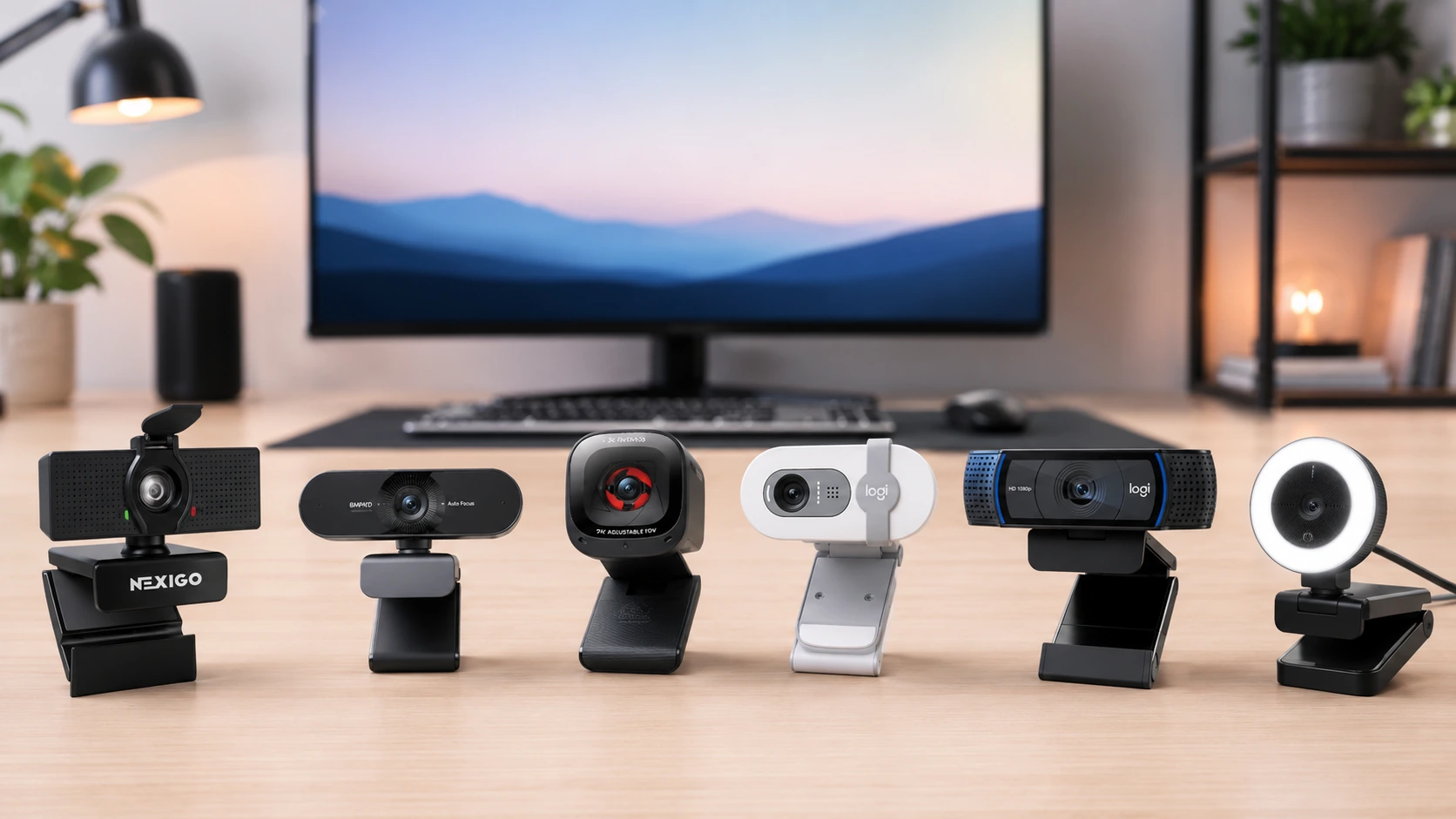
Best webcams for video calls in 2026: NexiGo N60, Logitech Brio 100, EMEET NOVA 4K, Anker C200, and C920x. Top picks for Zoom, Teams, and Google Meet.
Affiliate Disclosure: We may earn a small commission on qualifying Amazon purchases at no extra cost to you. Full disclosure →
Quick answer: Best overall for daily calls - Logitech C920x (~$60, B085TFF7M1). Best budget - NexiGo N60 (~$25-35, B088TSR6YJ). Best for dark rooms / built-in lighting - Razer Kiyo (~$60, B075N1BYWB). Best Teams-certified - Logitech Brio 100 (~$40-50, B0BXGCRRLW).
Quick Picks Table
| Pick | Best for | Resolution | Price | |
|---|---|---|---|---|
| NexiGo N60 | Best budget, wide FOV | 1080p / 30fps | ~$25-35 | Check price on Amazon |
| Logitech Brio 100 | Teams/Zoom certified, budget upgrade | 1080p / 30fps | ~$40-50 | Check price on Amazon |
| EMEET NOVA 4K | 4K sensor, AI framing | 4K / 30fps | ~$50-65 | Check price on Amazon |
| Anker PowerConf C200 | Best standalone mic | 2K / 30fps | ~$50-60 | Check price on Amazon |
| Logitech C920x | Best overall, proven | 1080p / 30fps | ~$60-70 | Check price on Amazon |
| Razer Kiyo | Built-in ring light for dark rooms | 1080p / 30fps | ~$60-70 | Check price on Amazon |
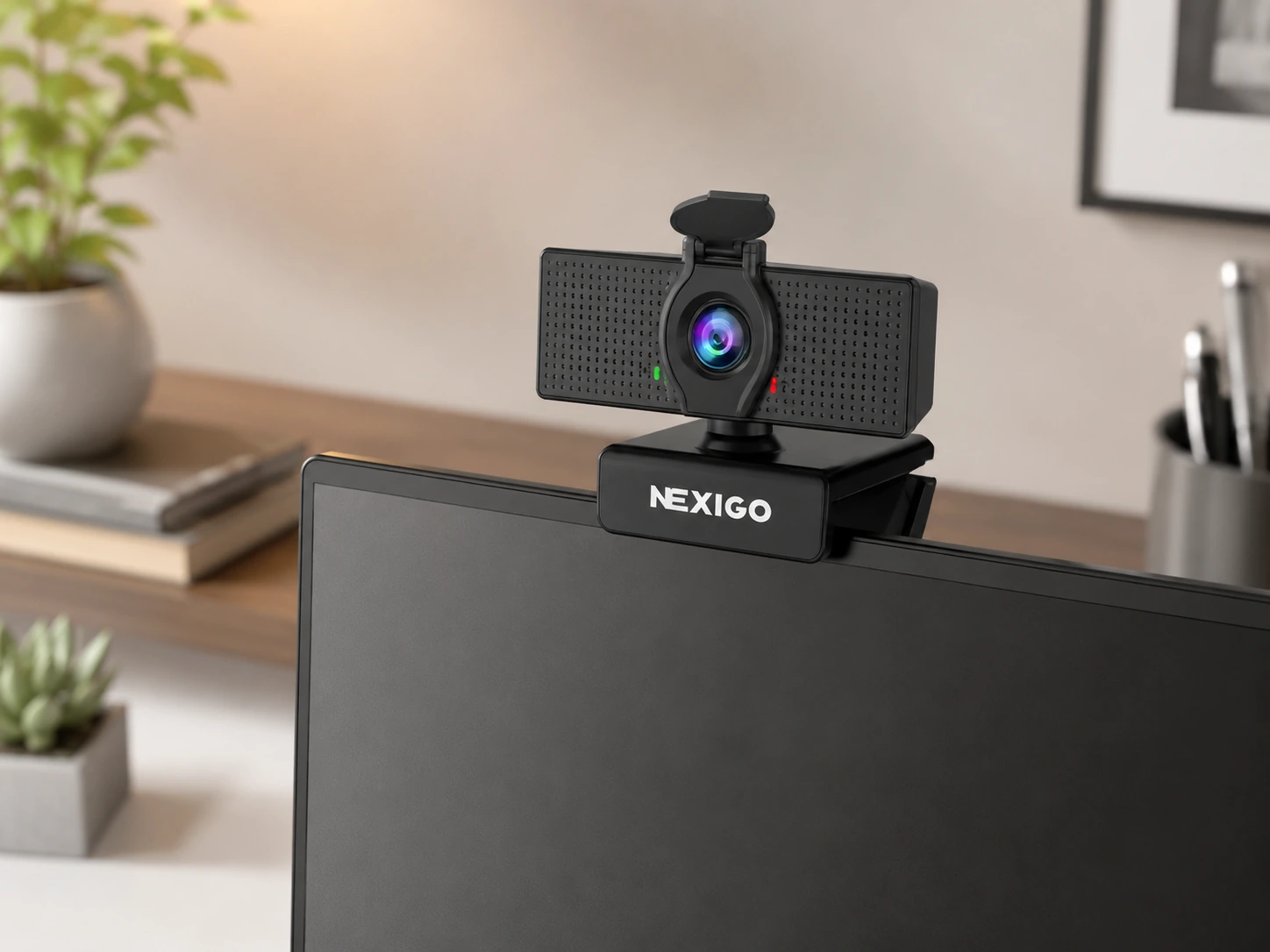
NexiGo N60 - Best Budget Webcam for Video Calls
Resolution: 1080p / 30fps FOV: 110 degrees Autofocus: Fixed focus Mic: Built-in noise-reduction mic Privacy cover: Yes (physical slider) Compatibility: Windows, Mac, Linux, ChromeOS - plug-and-play Zoom / Teams certified: No Price: ~$25-35
At under $35, the NexiGo N60 is the best webcam to buy for budget-conscious WFH setups. It delivers true 1080p video with plug-and-play compatibility across all platforms - no drivers, no software to install. The physical privacy cover is a useful feature most budget webcams skip.
The 110-degree FOV is the widest in this list - useful for showing a larger room, fitting two people in frame, or screen-sharing presentations where background context matters.
Fixed focus (not autofocus) is the key limitation. Optimized for 50-200cm from the lens, it holds a sharp image at seated desk distance without adjustment. If you frequently move closer or hold objects up for the camera, autofocus (C920x, C200, Brio 100) is a better fit.
Pros:
- Best 1080p webcam under $35
- Widest FOV in this list - 110 degrees
- Physical privacy cover
- Plug-and-play, zero setup
- Works on all platforms including Linux
Cons:
- No autofocus - fixed focus
- Single mic only (not dual)
- Not Teams or Zoom certified
- No software features or AI framing
Best for: Teams, students, budget WFH setups where the goal is 1080p on video calls without spending $60.
Check price on Amazon - NexiGo N60
Logitech Brio 100 - Best Teams and Zoom Certified Pick Under $50
Resolution: 1080p / 30fps FOV: 70 degrees (default), 90 degrees via software Autofocus: Yes Mic: Built-in omni mic with noise reduction Privacy cover: Built-in physical shutter Zoom certified: Yes Teams certified: Yes Price: ~$40-50
The Logitech Brio 100 is Logitech's entry-level certified webcam - priced lower than the C920x but carrying the full Teams and Zoom certification that makes platform setup seamless.
Microsoft Teams and Zoom certification means: the Brio 100 is listed automatically in the platform's device picker with its full name, integrates with platform-level noise cancellation and echo reduction, and has been tested to meet each platform's minimum quality standards. For corporate environments where the IT policy requires certified devices, the Brio 100 is the most affordable option.
The built-in physical privacy shutter (not a clip-on cover) slides over the lens without removing the webcam from the monitor. Color reproduction is accurate and natural for Logitech's image processing.
Pros:
- Certified for Microsoft Teams and Zoom
- Autofocus - adapts when you lean in or out
- Physical privacy shutter built-in
- Accurate color, Logitech color science
- Logitech G HUB software for brightness/contrast tweaks
Cons:
- 70-degree default FOV is narrower than budget alternatives
- Single mic (not dual stereo)
- No 60fps - 30fps only
- Not the sharpest in low light vs C920x
Best for: Corporate WFH setups with Teams or Zoom policies, anyone who wants an official Logitech warranty and certified platform support under $50.
Check price on Amazon - Logitech Brio 100
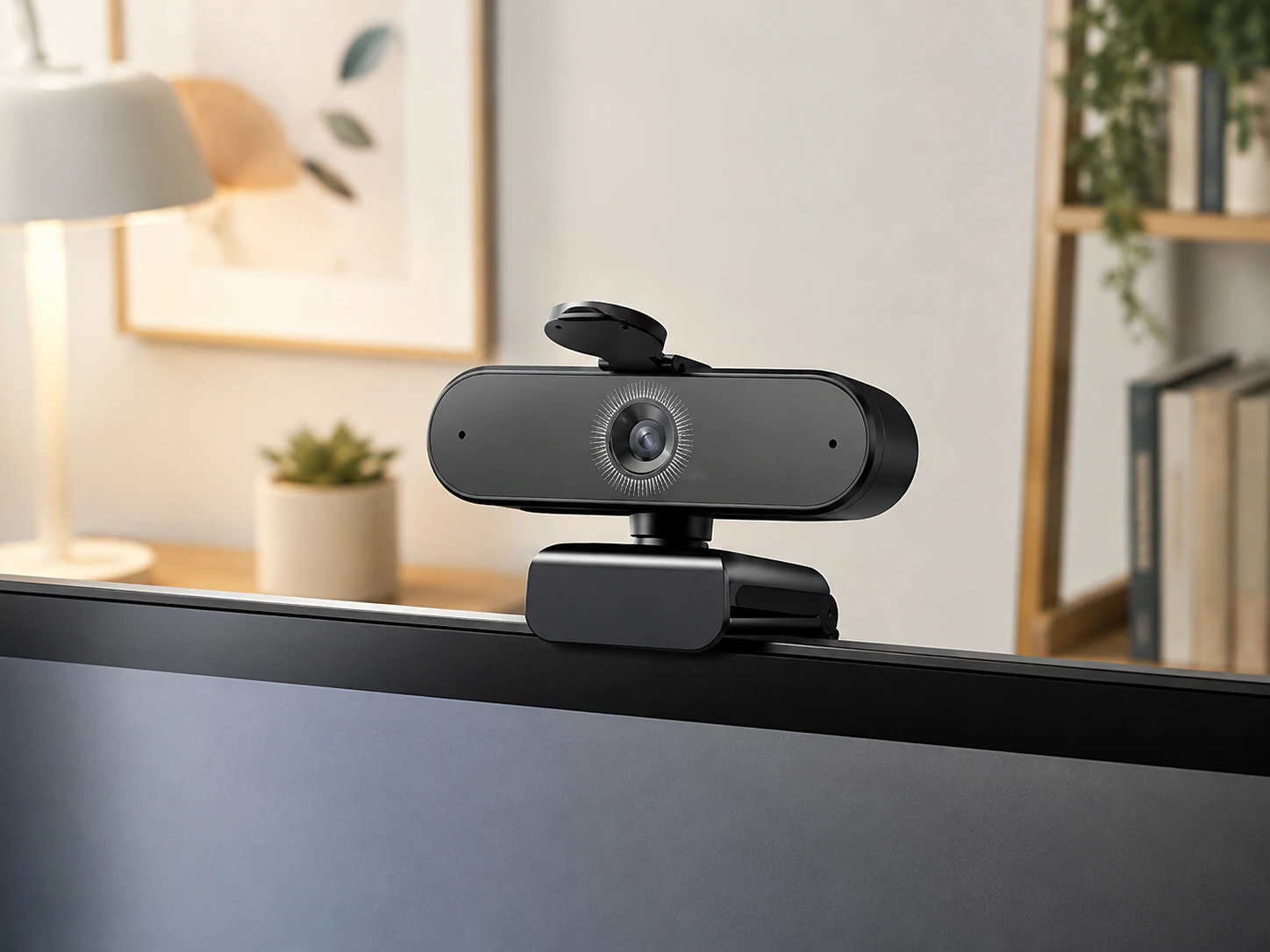
EMEET NOVA 4K - Best 4K Webcam for Video Calls Under $65
Resolution: 4K / 30fps (also 1080p / 60fps mode) FOV: 90 degrees (AI adjustable) Autofocus: AI autofocus Mic: 4 omnidirectional AI noise-canceling mics Privacy cover: Yes AI framing: Yes (auto-zoom, face tracking) Price: ~$50-65
The EMEET NOVA 4K is the pick for users who want a 4K sensor without going above $65. The 4K advantage on video calls is subtle - Zoom/Teams/Meet transmit at 1080p - but it enables digital zoom without visible resolution loss and provides crisper 1080p output when the platform downsamples from 4K.
The standout feature is 4 omnidirectional AI microphones - more coverage directions than any other webcam in this list. In a shared workspace or open office, the 4-mic array picks up the primary speaker while filtering out ambient noise more aggressively than 2-mic competitors.
AI framing automatically adjusts the FOV to keep the speaker in frame when moving around - useful during standing desk sessions or when you move back from the camera.
Pros:
- 4K sensor - best image clarity when platform supports it
- 4-mic AI noise cancellation - best audio coverage in the list
- AI auto-framing and face tracking
- 1080p/60fps mode available (if recording locally)
- Physical privacy cover
Cons:
- 4K advantage lost on standard video call platform caps
- AI framing has slight lag - visible adjustment delay
- Heavier and larger than fixed-lens webcams
- Software required for AI features
Best for: Home office users with a 4K monitor, creators who record locally at 4K, open office setups where background noise interference is an issue.
Check price on Amazon - EMEET NOVA 4K
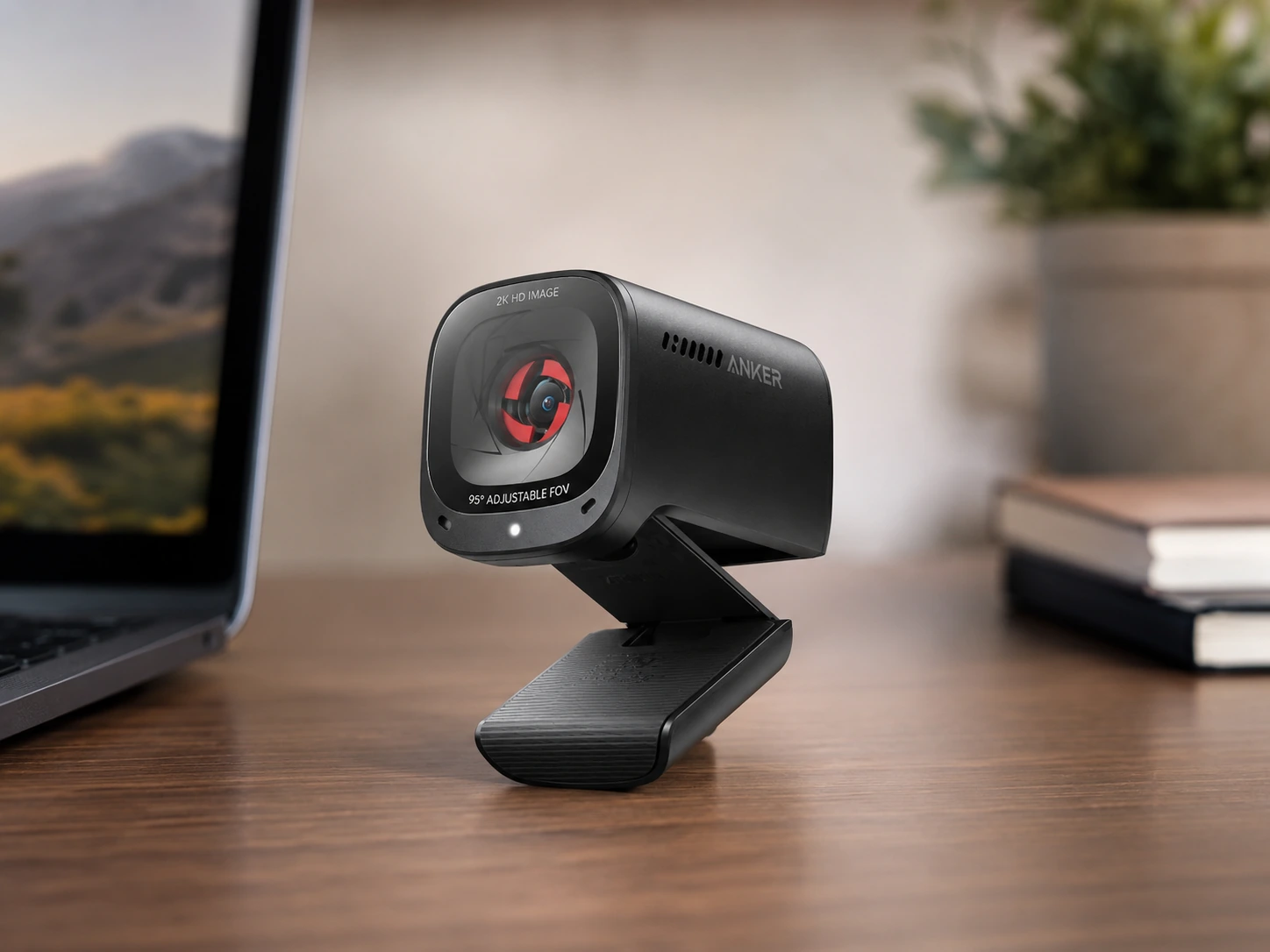
Anker PowerConf C200 - Best Mic Quality in This List
Resolution: 2K QHD / 30fps FOV: 78 degrees Autofocus: Yes (PDAF) Mic: Dual stereo noise-canceling mics (AI-powered) Privacy cover: Yes Price: ~$50-60
The Anker PowerConf C200's defining feature is its AI-powered dual stereo microphone system - the best audio quality in this guide. Anker positioned this camera specifically for video call audio clarity, and the mic delivers noticeably richer voice pickup with more aggressive background noise reduction than single-mic or standard dual-mic competitors.
2K QHD resolution sits between 1080p and 4K - sharper than 1080p webcams but without the file size or bandwidth demand of 4K. On a 1080p monitor, 2K outputs a cleaner image. On a 1440p monitor, the advantage is more visible.
PDAF (Phase Detection Autofocus) is faster than contrast detection - it re-locks onto the speaker's face in under a second when returning to frame.
Pros:
- Best mic in this list - AI dual stereo noise cancellation
- 2K resolution - sharper than 1080p at similar price
- PDAF autofocus - fast and accurate
- Physical privacy cover
- AnkerWork software for mic tuning
Cons:
- Not Teams or Zoom certified (works fine, just not listed officially)
- 78-degree FOV is moderate - not for wide group shots
- No 60fps
- AnkerWork software required to unlock full AI mic features
Best for: Anyone where audio quality on calls matters as much as video - podcast guests, frequent presenter roles, home offices where background noise is an issue.
Check price on Amazon - Anker PowerConf C200
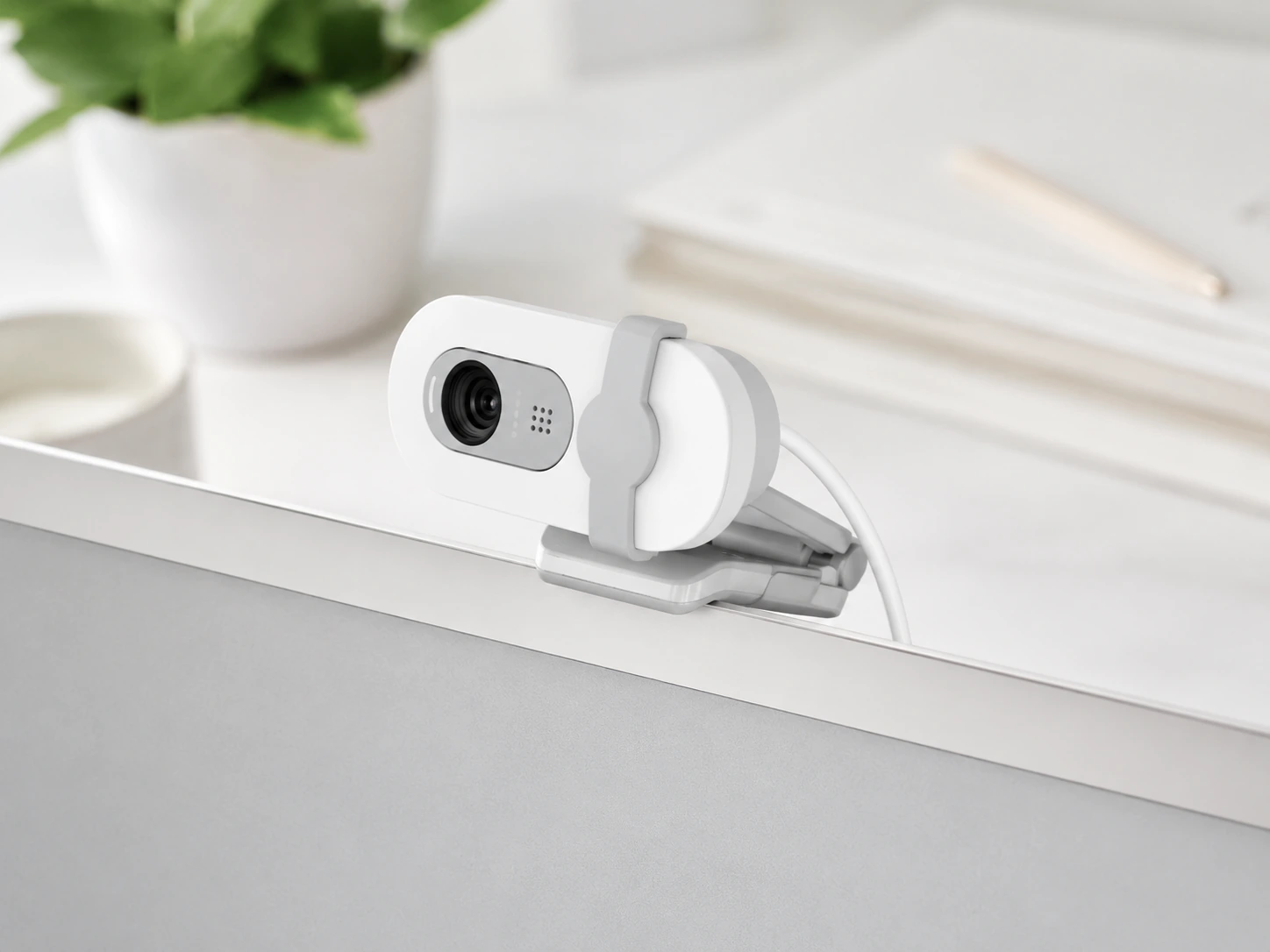
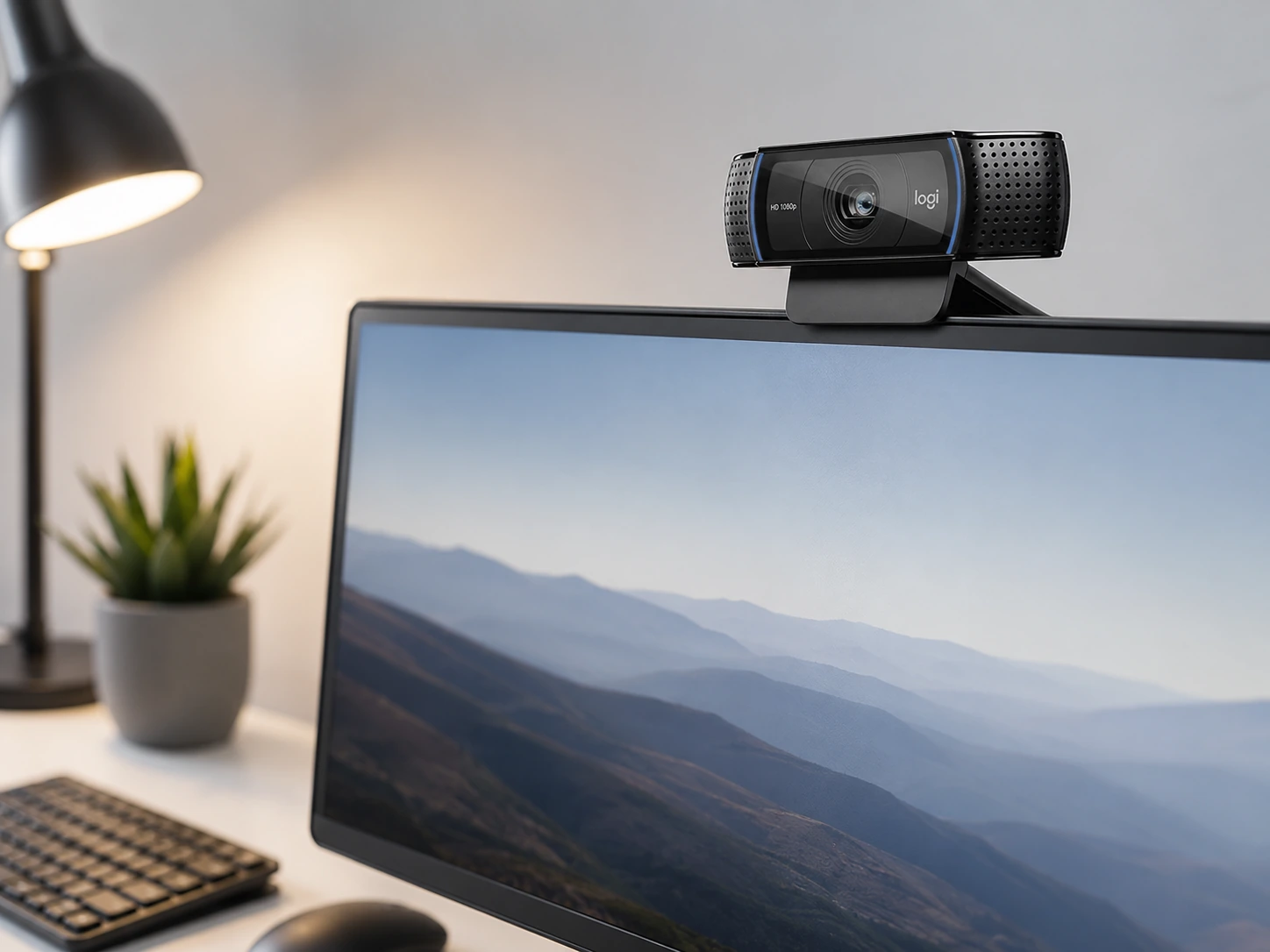
Logitech C920x - Best Overall Webcam for Video Calls
Resolution: 1080p / 30fps FOV: 78 degrees Autofocus: Yes (Carl Zeiss) Mic: Dual stereo mics with noise reduction Zoom certified: Yes Teams certified: Yes Price: ~$60-70
The Logitech C920x is the most recommended webcam for daily video calls for one consistent reason: it produces the most reliable image and audio combination across the widest range of lighting conditions, without adjustment or software.
Carl Zeiss glass and accurate Logitech color science deliver natural skin tones and sharp focus in suboptimal lighting - the scenarios most people encounter on real calls (backlit windows, dim rooms, artificial overhead lighting). Most competitors handle these conditions with digital correction that introduces artifacts or unnatural color.
Both Zoom and Teams certification are included - the C920x appears in both platform device pickers automatically and integrates with platform-level noise suppression.
Pros:
- Best overall video quality consistency in natural and difficult lighting
- Zoom and Teams certified
- Dual stereo mics - best audio baseline of any non-AI mic
- Carl Zeiss autofocus - tracks accurately without hunting
- Proven 5-year track record at this price point
Cons:
- No privacy cover (requires clip-on)
- 30fps only at 1080p - no 60fps
- No 4K or 2K option at this price
- No AI framing or auto-zoom
Best for: Daily professional calls, client-facing roles, anyone who wants a webcam that works perfectly with zero configuration and produces consistently good video in any lighting.
Check price on Amazon - Logitech C920x
How We Picked
Every product in this guide was evaluated across five criteria, weighted for real small-space use. We do not claim hands-on lab testing — our evaluation is based on verified buyer feedback patterns, published product specifications, and structured comparison criteria.
Small-Space Fit
Physical footprint, mounting options, and whether the product works without consuming space you don't have.
Build Quality
Materials, finish durability, and construction quality as indicated by product specs and verified buyer feedback patterns.
Ease of Use
Setup time, daily usability, and how much adjustment the product requires once in place.
Value for Money
Price-to-performance ratio compared to competing products in the same subcategory.
Buyer Feedback
Patterns from verified Amazon reviews — what real buyers praise and complain about most over time.
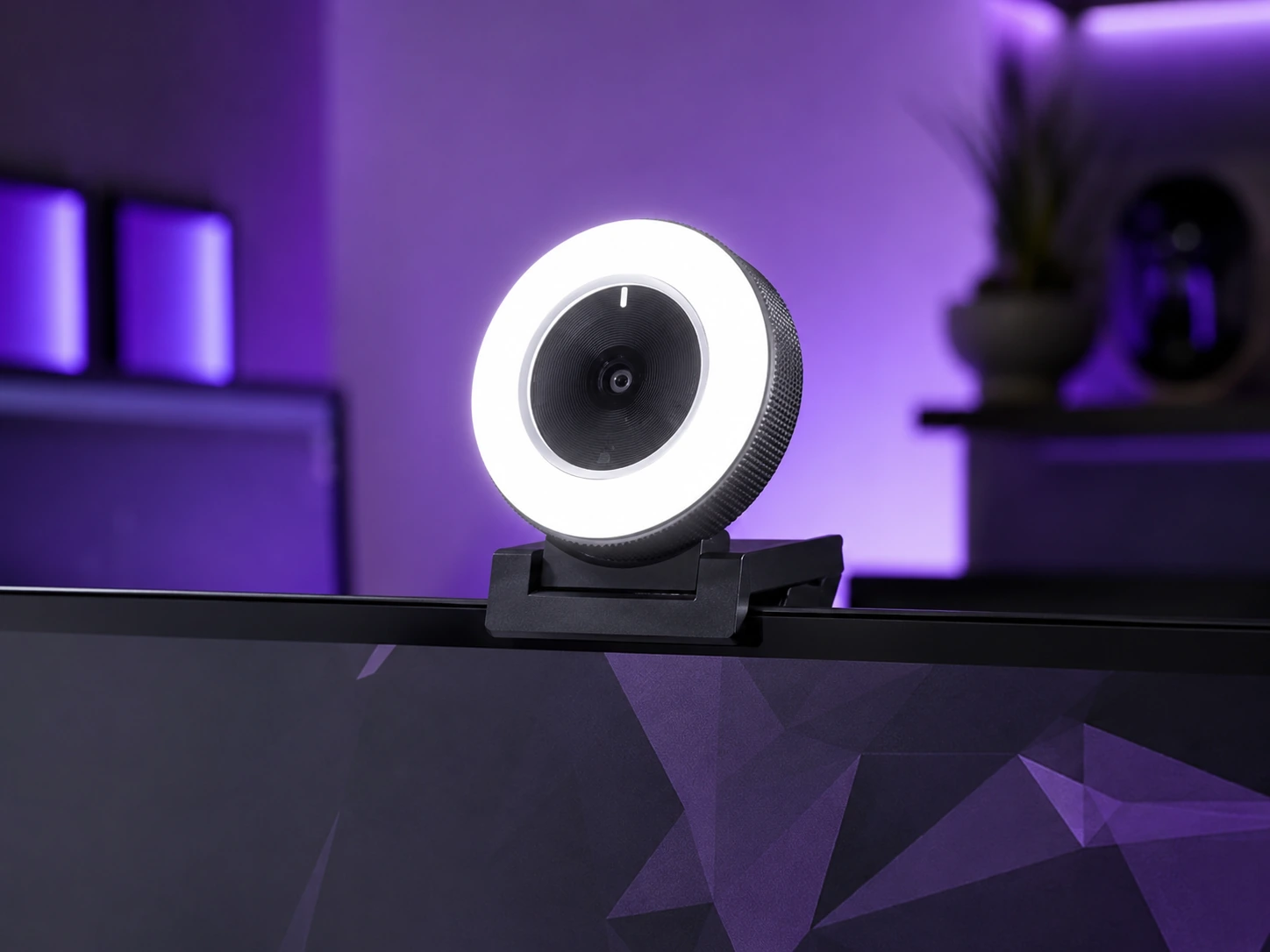
Razer Kiyo - Best for Dark Rooms with Built-In Ring Light
Resolution: 1080p / 30fps FOV: 81.6 degrees Autofocus: Fixed focus Mic: Built-in with beamforming Ring light: Built-in circular ring light (adjustable brightness) Price: ~$60-70
The Razer Kiyo's only unique feature is the built-in circular ring light mounted around the lens. That ring light fills in facial shadows, reduces the flat lighting effect of overhead room lights, and makes a meaningful visible difference in dim or backlit offices without adding a separate desk light.
For video quality alone (ignoring the ring light), the Razer Kiyo is not the best option at this price - fixed focus, single mic, and average color reproduction put it behind the C920x on pure video call performance.
Pick the Razer Kiyo specifically when: The call environment is consistently dim, the overhead light is unflattering, or adding a separate ring light or desk lamp is not an option. In those specific conditions, the built-in ring light makes the Kiyo the most practical solution.
Pros:
- Built-in adjustable ring light - unique at this price
- Warm, soft illumination from circular LED mount
- Plug-and-play, no software required for basic use
- 1080p resolution
Cons:
- Fixed focus only - no autofocus
- Single mic - weakest audio in the list
- Ring light quality is less adjustable than dedicated desk lights
- Razer Synapse software needed for full ring light control
- Not certified for Teams or Zoom
Best for: Dark home offices, basement desks, or any setup where overhead lighting is unflattering and adding a separate light source is impractical.
Check price on Amazon - Razer Kiyo
How to Choose the Right Webcam for Your Calls
| Your situation | Best pick |
|---|---|
| Budget under $35, any platform | NexiGo N60 |
| Corporate Teams or Zoom policy - needs certification | Logitech Brio 100 |
| Teams certified, mid-budget upgrade | Logitech Brio 100 |
| Open office / background noise on calls | EMEET NOVA 4K or Anker C200 |
| Best audio on calls | Anker PowerConf C200 |
| Dim office, need lighting without extra setup | Razer Kiyo |
| Best overall for daily calls | Logitech C920x |
| 4K recording for content + calls | EMEET NOVA 4K |
| Two people sharing the same frame | NexiGo N60 (110-degree FOV) |
Full Comparison Table
| NexiGo N60 | Brio 100 | EMEET NOVA 4K | Anker C200 | C920x | Razer Kiyo | |
|---|---|---|---|---|---|---|
| Resolution | 1080p | 1080p | 4K | 2K | 1080p | 1080p |
| Autofocus | Fixed | Yes | AI AF | PDAF | Zeiss AF | Fixed |
| Mics | 1 | 1 | 4 AI | 2 AI stereo | 2 stereo | 1 |
| FOV | 110 deg | 70-90 deg | 90 deg AI | 78 deg | 78 deg | 81.6 deg |
| Privacy cover | Yes | Yes | Yes | Yes | No | No |
| Ring light | No | No | No | No | No | Yes |
| Teams certified | No | Yes | No | No | Yes | No |
| Zoom certified | No | Yes | No | No | Yes | No |
| Price | ~$25-35 | ~$40-50 | ~$50-65 | ~$50-60 | ~$60-70 | ~$60-70 |
What Actually Matters on a Video Call
Most people buying a webcam for video calls focus on resolution - but resolution is rarely the limiting factor for call quality. Here is what actually affects how you look and sound on Zoom, Teams, or Google Meet:
Lighting (biggest impact): Poor lighting degrades any webcam's image. A well-lit face on a budget webcam looks better than a dim face on a 4K camera. Position a light source in front of you (window, desk lamp, ring light) before upgrading webcam hardware.
Autofocus vs fixed focus: Autofocus matters if you move frequently during calls - leaning back, gesturing, or standing. Fixed-focus webcams hold sharp focus at a specific distance and blur outside that range. Most seated desk users at a fixed position will not notice a difference.
Mic quality: Most participants judge call quality by audio, not video. A webcam with better mics (C920x dual stereo, Anker C200 AI dual) makes a noticeable difference in how clear you sound, especially in rooms with echo or background noise.
Platform certification: Teams and Zoom certification means the webcam is tested for platform-specific features. For standard calls, non-certified webcams work fine. Certification matters for enterprise deployments with IT device policies.
Frequently Asked Questions
What is the best webcam for Zoom and Microsoft Teams?
For most people doing daily video calls on Zoom or Teams, the Logitech C920x (B085TFF7M1) or Logitech Brio 100 (B0BXGCRRLW) is the safest pick. Both are officially certified for Microsoft Teams and Zoom - meaning they appear automatically in the device list, work with platform-level noise cancellation, and have been tested to meet Teams/Zoom quality standards. For under $40, the NexiGo N60 (B088TSR6YJ) is the best value option with decent 1080p video at a budget price.
What does it mean when a webcam is 'certified for Teams' or 'certified for Zoom'?
Certification means the webcam has been tested by Microsoft or Zoom and verified to meet their minimum quality, compatibility, and performance standards. Certified webcams appear reliably in the platform's device selector, support platform-specific features like noise suppression handoff, and receive regular driver updates. Non-certified webcams work fine but may require manual selection and miss some platform-specific optimizations.
Is a 4K webcam worth it for video calls?
No, for daily video calls. Zoom and Google Meet cap outgoing video at 1080p on standard plans - Teams caps at 1080p on premium plans. A 4K webcam like the EMEET NOVA 4K captures at 4K but transmits at 1080p or lower. The advantage of 4K sensors for calls is slightly better 1080p cropping and digital zoom without visible resolution loss - not actual 4K delivery to participants. For local recording or streaming at 4K, a 4K sensor matters.
What is the best budget webcam for work-from-home?
The NexiGo N60 (B088TSR6YJ) at ~$25-35 is the best WFH webcam under $40. It delivers 1080p video with a physical privacy cover, wide 110-degree FOV, and plug-and-play compatibility. For the $40-60 range, the Logitech Brio 100 (B0BXGCRRLW) is the step up - it adds Teams/Zoom certification, better color reproduction, and Logitech software support.
Does the Razer Kiyo have good video quality for meetings?
The Razer Kiyo at 1080p/30fps has average video quality for the price. Its main differentiator is the built-in ring light - circular LED illumination that fills in shadows and works well in dim offices without a separate desk light. For pure video call quality at the same price, the Logitech C920x has better autofocus and more natural color. Choose the Razer Kiyo specifically for the ring light, not for superior video specs.
Can I use a webcam on a laptop for video calls?
Yes. All webcams in this guide are plug-and-play via USB on Windows 10/11, macOS 10.14+, ChromeOS, and Linux - no additional drivers required. After connecting, open Zoom, Teams, or Google Meet Settings and select the webcam as the video input device. The external webcam will deliver significantly better video quality than most built-in laptop cameras, which are typically 720p with no autofocus.
Related Buying Guides
Best Budget 1080p Webcam: Top Picks Under $70 (2026)
7 Best Webcams for Home Office in 2026 (Tested for Zoom, Teams and Google Meet)
Best Webcams Under $50 for Small Desks and Dorm Rooms (2026)
6 Best Mechanical Keyboards Under $100 for Home Office and Gaming (2026)
Want to browse more options? See all related products on Amazon.
Browse on AmazonEvaluation note: Products in this guide were assessed on overall score, small-space fit, build quality, ease of use, value for money, and buyer feedback from verified Amazon reviews. We do not claim hands-on product testing.
Read our full methodology →