
Best Webcams Under $50 for Small Desks and Dorm Rooms (2026)
Most webcam guides assume you have a spacious home studio, a wide monitor, and no roommate. This one doesn't. Here are the best budget webcams for small desks, dorm rooms, thin-bezel laptops, and buyers who just want something that works — no drivers, no fuss, no wasted desk space.
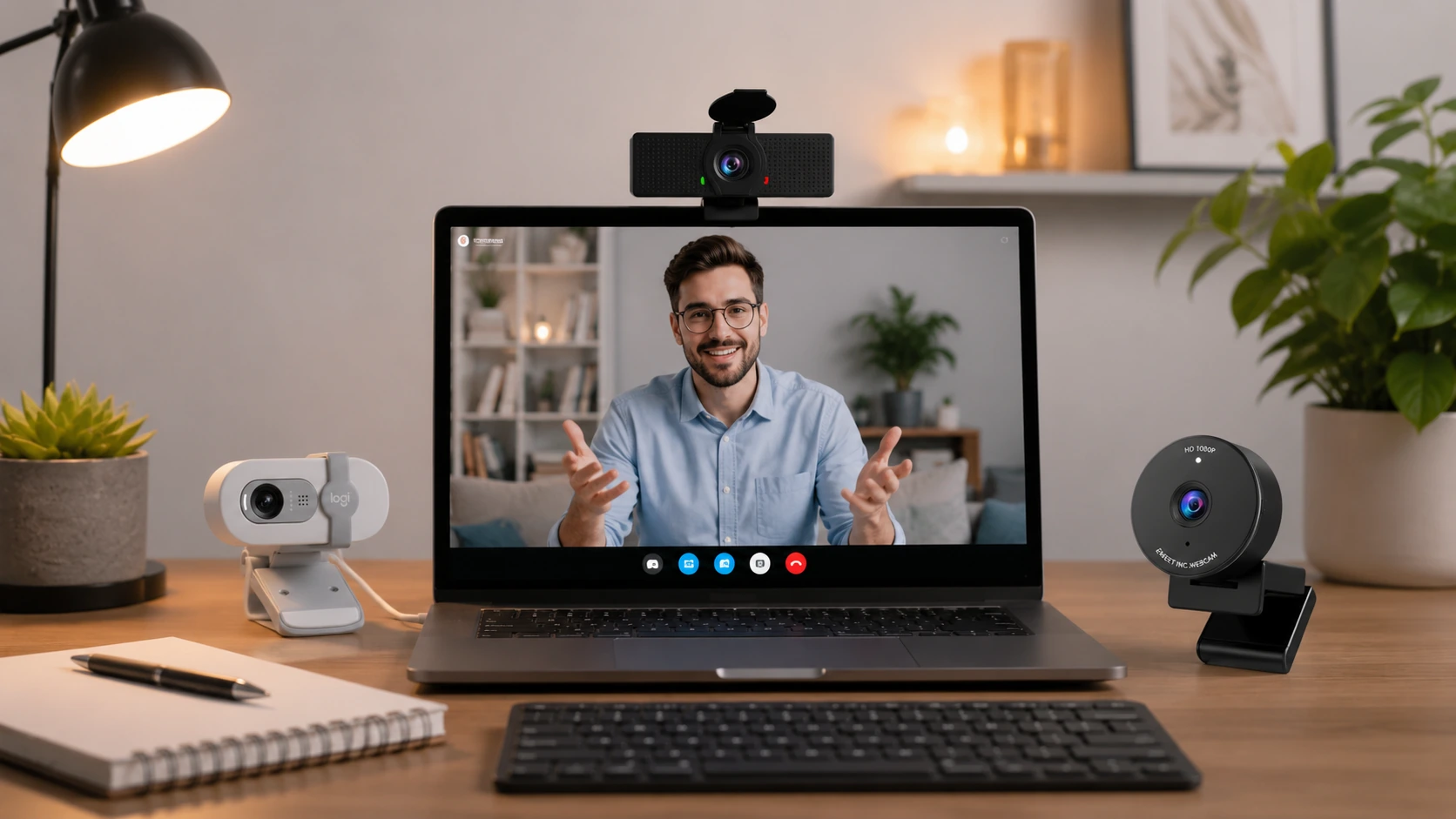
Our Top Picks at a Glance
| Pick | Product | |
|---|---|---|
| Best Overall Under $50 | Logitech Brio 100 | Check price |
| Best Under $30 | Logitech Brio 101 | Check price |
| Best for Small Desks | NexiGo N60 1080P | Check price |
| Best Dual Mic for Calls | EMEET C960 | Check price |
| Best Under $20 | EMEET C950 | Check price |
Most webcam guides are written by tech reviewers with dedicated home offices, wide monitors, and no budget constraints. The result: roundups that lead with $150 4K cameras and treat “budget” as anything under $80.
This guide is written for people with different constraints: a small desk, a shared dorm room, a laptop that might be a Chromebook, a budget that caps out at $50, and a requirement that the thing just works when plugged in — no driver download on a school-managed machine.
Every pick here is under $50, plug-and-play on Chromebook, and evaluated specifically for compact desk setups. No 4K cameras, no AI tracking, no features you'll never use.
Do You Actually Need an External Webcam?
Most laptop built-in cameras are 720p with poor low-light performance and a wide lens that distorts your face at close range. An external webcam is a genuine upgrade — but it's not always necessary.
Get an external webcam if…
- ✓You're on video calls daily (remote work or online classes)
- ✓People frequently comment on your video quality
- ✓Your laptop camera produces a yellow or grainy image
- ✓You share a room and want a physical privacy shutter
- ✓Your laptop camera aims upward (thin-and-light angle problem)
Your built-in camera is fine if…
- —You're on video calls once a week or less
- —Your laptop is less than 2 years old with a 1080p built-in
- —You have good window lighting directly in front of you
- —Calls are audio-first (camera optional in your workflow)
- —You're genuinely on a tight budget — save it for something else
Webcam Placement for Small Desks
No competitor guide addresses the physical placement challenge on a small desk. Here's what matters.
Eye-level beats top-of-monitor
A webcam perched on a monitor that sits below eye level shoots upward — nostrils, ceiling, unflattering angle. On a small desk, your screen is often lower than ideal. Fix it: put a book or stand under your laptop/monitor to raise it so the webcam is level with your eyes, or use an adjustable-arm monitor mount.
90° FOV is the right choice at small-desk distances
Wider FOVs (110°+) are popular in marketing but show more background — your entire room behind you. At 18–24 inches from a small desk screen, a 90° FOV fills the frame naturally with just your head and shoulders. All five picks use 90° for exactly this reason.
Clip-on fits thin bezels without a tool
All five picks in this guide clip directly onto your monitor or laptop screen. For thin-bezel laptops (most modern ultrabooks), confirm the clip grip on day one. Logitech's clip mechanism is the most reliable for thin bezels; the NexiGo and EMEET clips are functional but stiffer.
Cable length and desk clutter
Budget webcams ship with ~1.5m USB-A cables. On a small desk, route the cable behind the monitor stand or use a small cable clip to keep it from occupying surface space. A cable that crosses the desk surface is the primary cause of webcam-related clutter.
Criteria to Look for Before You Buy a Webcam
At the under-$50 price point, spec sheets are often misleading. Here's what actually matters — and what you can safely ignore.
Resolution: 1080p is the minimum in 2026
Must-haveSkip any webcam labeled 720p — the difference is visible on modern screens and most video platforms support 1080p. Beware of cheap no-name units that advertise "1080p" but deliver noticeably softer video. Every pick in this guide is genuine 1080p verified by buyer reports.
Physical privacy shutter
A physical lens cover blocks the camera mechanically — software can't override it. Critical for shared dorm rooms and shared home offices. Nice-to-have for everyone else. Two picks in this guide include one (NexiGo N60 and EMEET C960); the Logitech Brio 100 also includes a built-in shutter.
Built-in microphone quality
Most budget webcams include a basic mono mic — adequate for weekly calls, not for daily remote work in noisy environments. If audio matters to you, the EMEET C960's dual-mic with noise cancellation is the clear winner at this price point. If audio is critical, consider a separate USB mic instead.
Plug-and-play (no driver required)
Must-haveSchool-managed laptops and Chromebooks often can't install software. All picks in this guide are UVC-compliant: plug in, use immediately on Windows, macOS, and Chrome OS. Avoid webcams that require companion app installs — they fail on managed devices.
Field of view: 78°–90° for small desks
Wider FOV (110°+) sounds better on paper but shows more background at typical small-desk distances. At 18–24 inches from your screen, 90° frames you cleanly without exposing your room. All five picks here use 90°.
Clip mechanism and thin-bezel compatibility
Must-haveVerify the clip fits your monitor or laptop. Logitech clips are specifically designed for thin bezels. Generic clips on cheap models often droop on modern thin-screen laptops within weeks. If you have an ultra-thin laptop (under 4mm bezel), Logitech is the safest choice.
Frame rate: 30fps is fine for calls, not for streaming
Every webcam under $50 caps at 30fps. This is perfectly adequate for Zoom, Teams, and Google Meet. If you need 60fps for smooth streaming or content creation, you need to spend more — the Logitech C920x (~$55–$60) is the entry point for 60fps.
Brand reliability over spec padding
At under $20, generic brands routinely fail at the hinge within 3 months or deliver below-spec video quality. Stick with EMEET, NexiGo, or Logitech — they have real product support and consistent quality. The $5 you save on a no-name unit rarely outlasts a semester.
Our Top 5 Picks
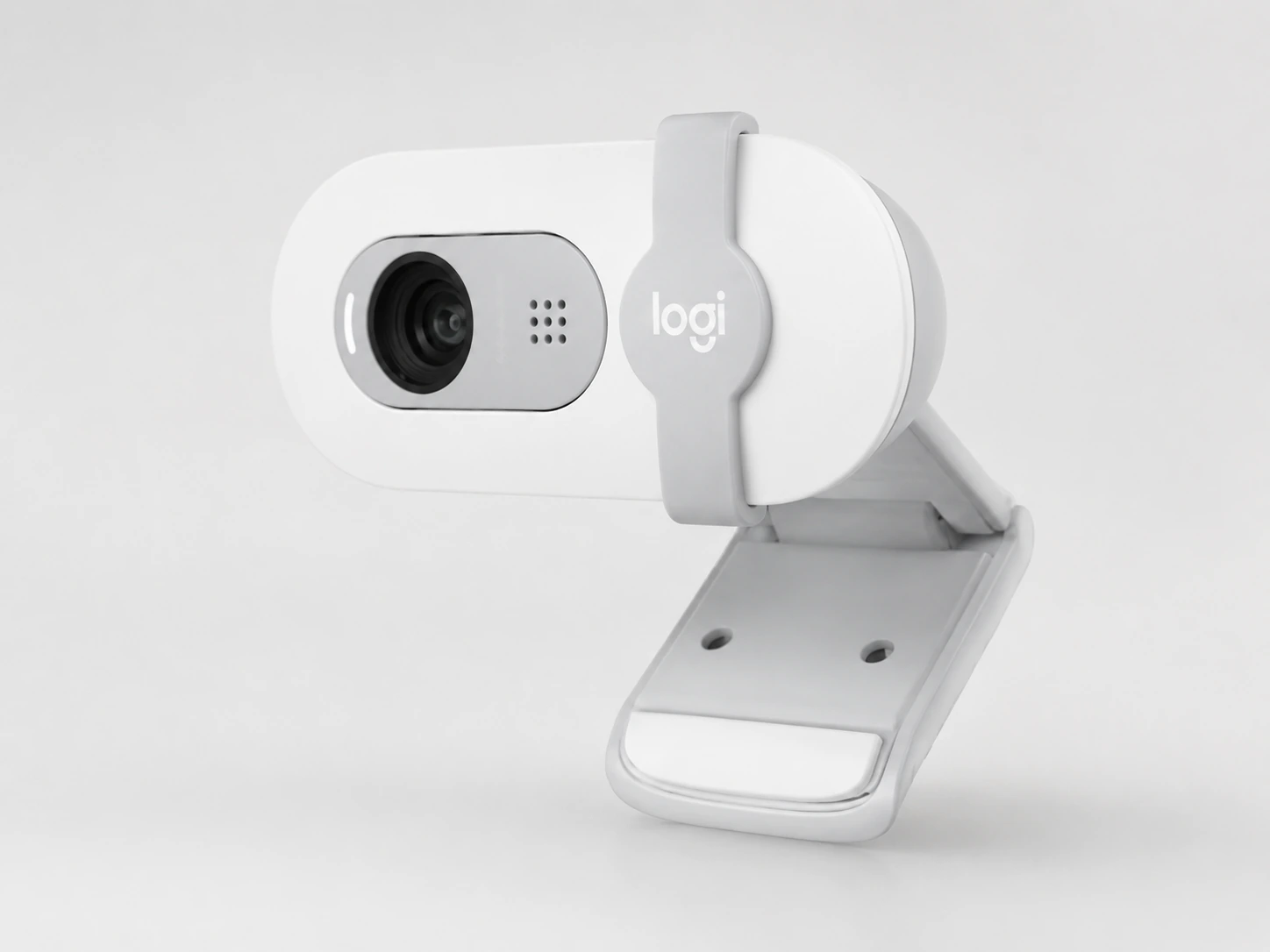
Logitech Brio 100
Why it wins
The Logitech Brio 100 is the safest pick under $50 — no driver installation required, works instantly on Windows, macOS, and Chromebook, and delivers consistently clean 1080p video that holds up well in mixed dorm lighting. Logitech's clip mechanism is well-engineered and grips both thin-bezel laptops and thick monitors without wobbling.
The 90° field of view is well-matched to small-desk shooting distances — it fills the frame naturally at arm's length without showing your entire messy room behind you. The fixed focus is sharp from about 10 inches out, so no hunting or lag during video calls. Audio from the built-in mic is adequate for Zoom and Teams calls, with acceptable noise rejection for shared rooms.
Check price on AmazonSpecs
- Resolution: 1080p Full HD
- Frame rate: 30 fps
- Field of view: 90°
- Focus: Fixed focus
- Microphone: Built-in mono
- Connection: USB-A (cable ~1.5 m)
- Compatibility: Windows, macOS, Chrome OS — no driver
- Privacy shutter: Yes — built-in lens cover
Pros
- +Truly plug-and-play — zero software or driver install
- +Works on Chromebook out of the box
- +Built-in privacy shutter — rare at this price from a major brand
- +Logitech clip fits both thin-bezel laptops and thick monitors
- +Clean 1080p in good lighting at this price
Cons
- −30 fps only — not for streaming
- −Fixed focus (not ideal if you move around a lot)
- −Mono mic — not ideal for loud environments
Best for: Students, remote workers, and anyone who wants a plug-and-play webcam with no setup friction and Logitech brand reliability.
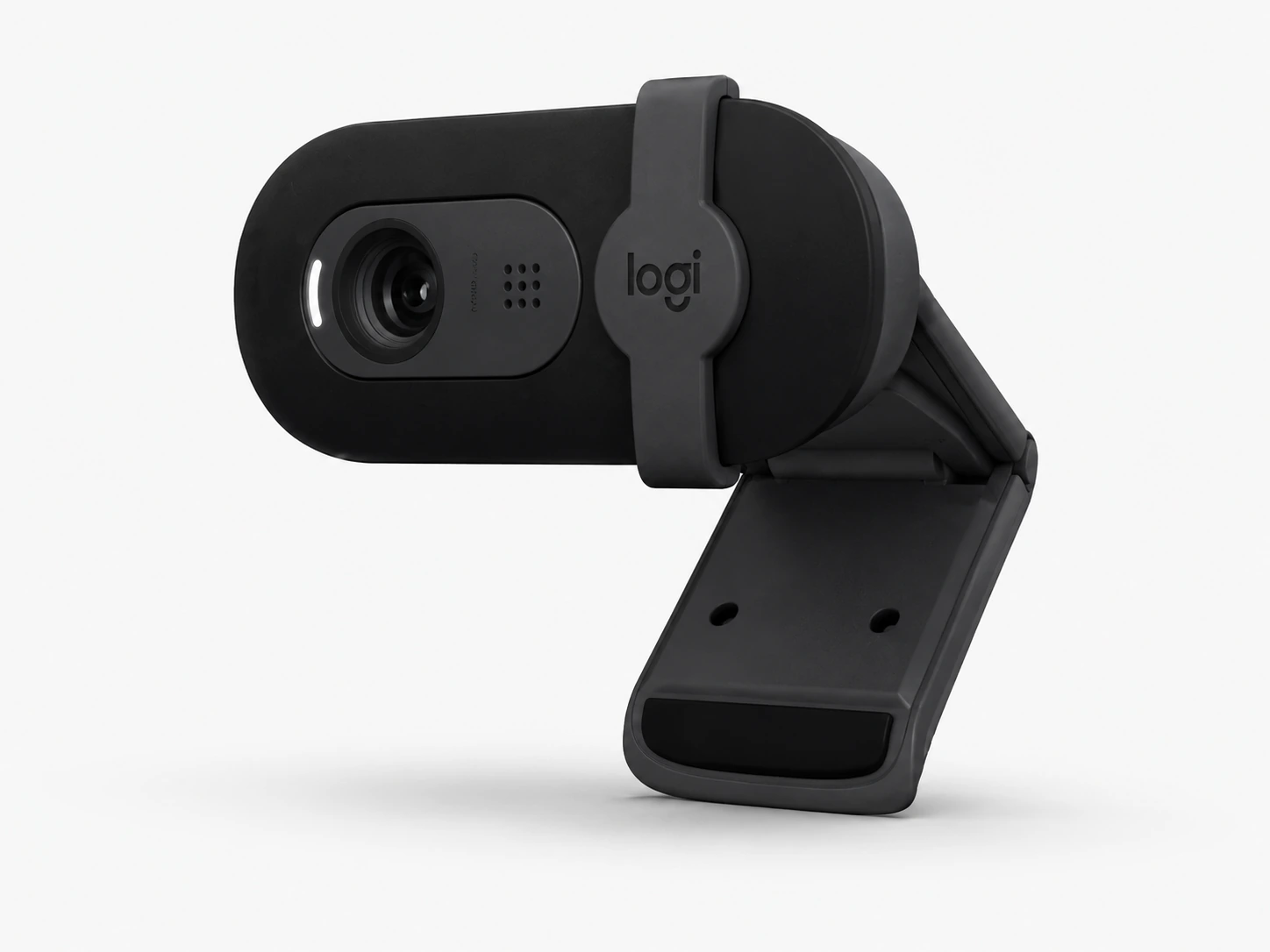
Logitech Brio 101
Why it wins
The Brio 101 is essentially the Brio 100 at $10 less — same 1080p resolution, same 90° FOV, same plug-and-play simplicity. Image processing is slightly softer under harsh dorm overhead lighting, but for Zoom lectures and Teams meetings the difference is invisible. It's the right answer when you want brand reliability and your budget is firmly $30.
Same clip design as the Brio 100, compatible with the same range of monitors and thin-bezel laptops. The color correction under fluorescent lighting is where it falls slightly short of the 100 — skin tones can skew warmer. A free positioning fix: put the webcam level with your eyes, not atop a screen that's lower than eye level, and the image improves noticeably.
Check price on AmazonSpecs
- Resolution: 1080p Full HD
- Frame rate: 30 fps
- Field of view: 90°
- Focus: Fixed focus
- Microphone: Built-in mono
- Connection: USB-A (cable ~1.5 m)
- Compatibility: Windows, macOS, Chrome OS — no driver
- Privacy shutter: No
Pros
- +Logitech quality at $30 — strong brand trust
- +Same plug-and-play as Brio 100, zero setup
- +Chromebook compatible without drivers
- +Compact clip footprint — nothing to store between calls
- +Reliable for daily Zoom/Teams/Google Meet
Cons
- −Color accuracy softer than Brio 100 in fluorescent lighting
- −No privacy shutter
- −Mono mic
- −30 fps ceiling
Best for: Anyone who wants Logitech reliability without paying the Brio 100 premium — ideal for class video calls and remote work check-ins.
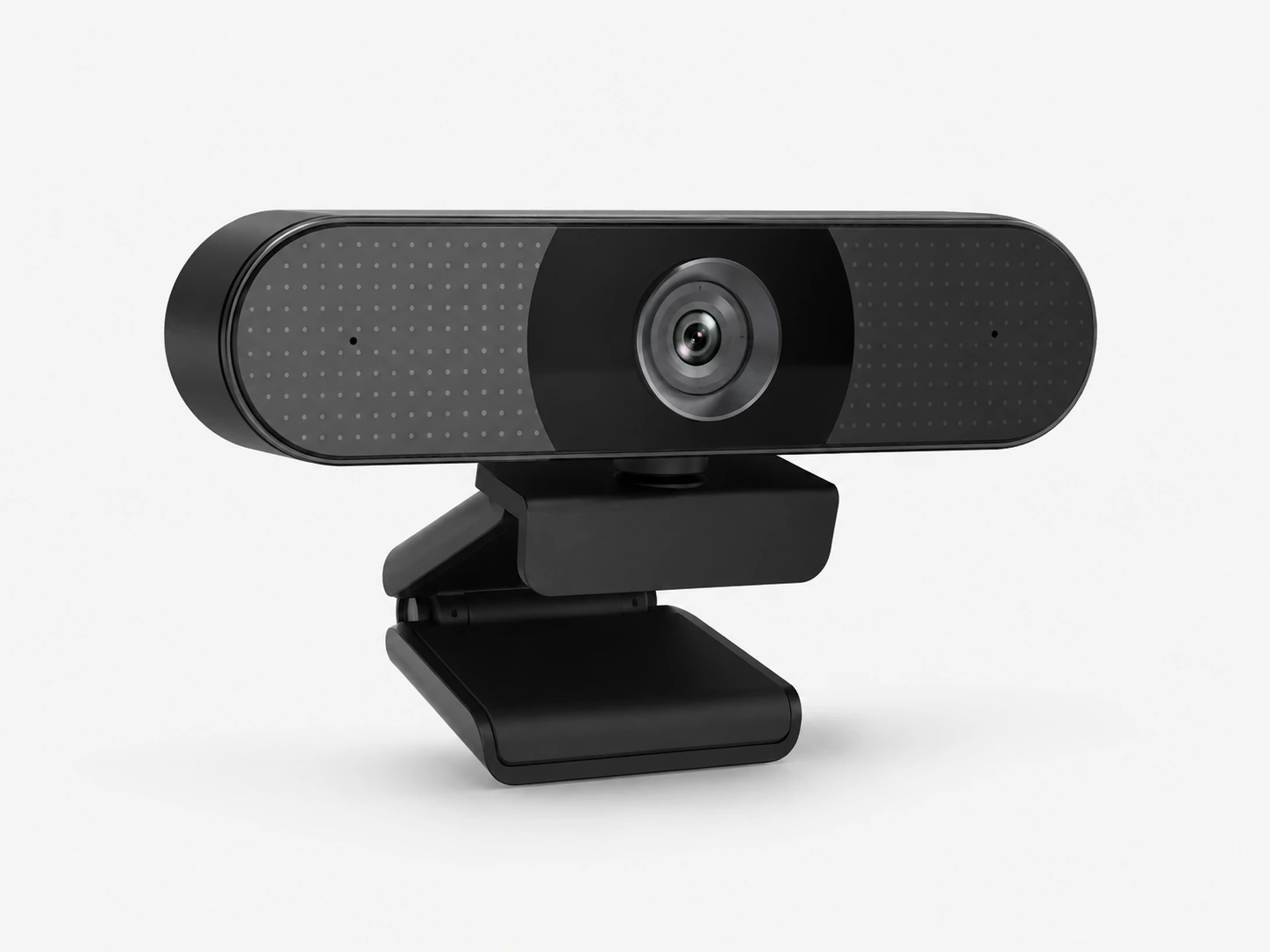
NexiGo N60 1080P
Why it wins
The NexiGo N60 scores highest on our Small-Space Fit metric: it has a physical privacy shutter (a genuine need in shared dorm rooms), a stereo microphone that outperforms the Logitech mono mics at this price, and it's the smallest clip-based 1080p webcam in this roundup. Plug-and-play on Chrome OS with zero driver install — verified.
At $23, the build quality is honest plastic but the hinge is solid — it doesn't droop on thin laptop bezels the way some no-name clips do. The 90° FOV keeps background clutter out of frame on small desks. Low-light performance is average for the price (don't expect miracles without a lamp), but in a normally lit dorm or office it produces clean, acceptable 1080p. If you share a room and want to cover your webcam between calls, the physical shutter is the feature that matters most.
Check price on AmazonSpecs
- Resolution: 1080p Full HD
- Frame rate: 30 fps
- Field of view: 90°
- Focus: Manual focus ring
- Microphone: Built-in stereo (2 mics)
- Connection: USB-A (cable ~1.5 m)
- Compatibility: Windows, macOS, Chrome OS — no driver
- Privacy shutter: Yes — physical lens cover
Pros
- +Physical privacy shutter — genuinely useful in shared rooms
- +Stereo dual-mic outperforms most built-in laptop mics
- +Smallest clip footprint in this roundup
- +Manual focus ring for fine-tuning at tight desk distances
- +Plug-and-play on Chromebook verified
Cons
- −Average low-light performance without supplemental lighting
- −Manual focus requires one-time setup
- −No autofocus (fixed after adjustment)
- −Build quality is entry-level — not as solid as Logitech
Best for: Small-desk and dorm users who want a physical privacy shutter and the smallest possible monitor footprint at the lowest brand-trusted price.
EMEET C960
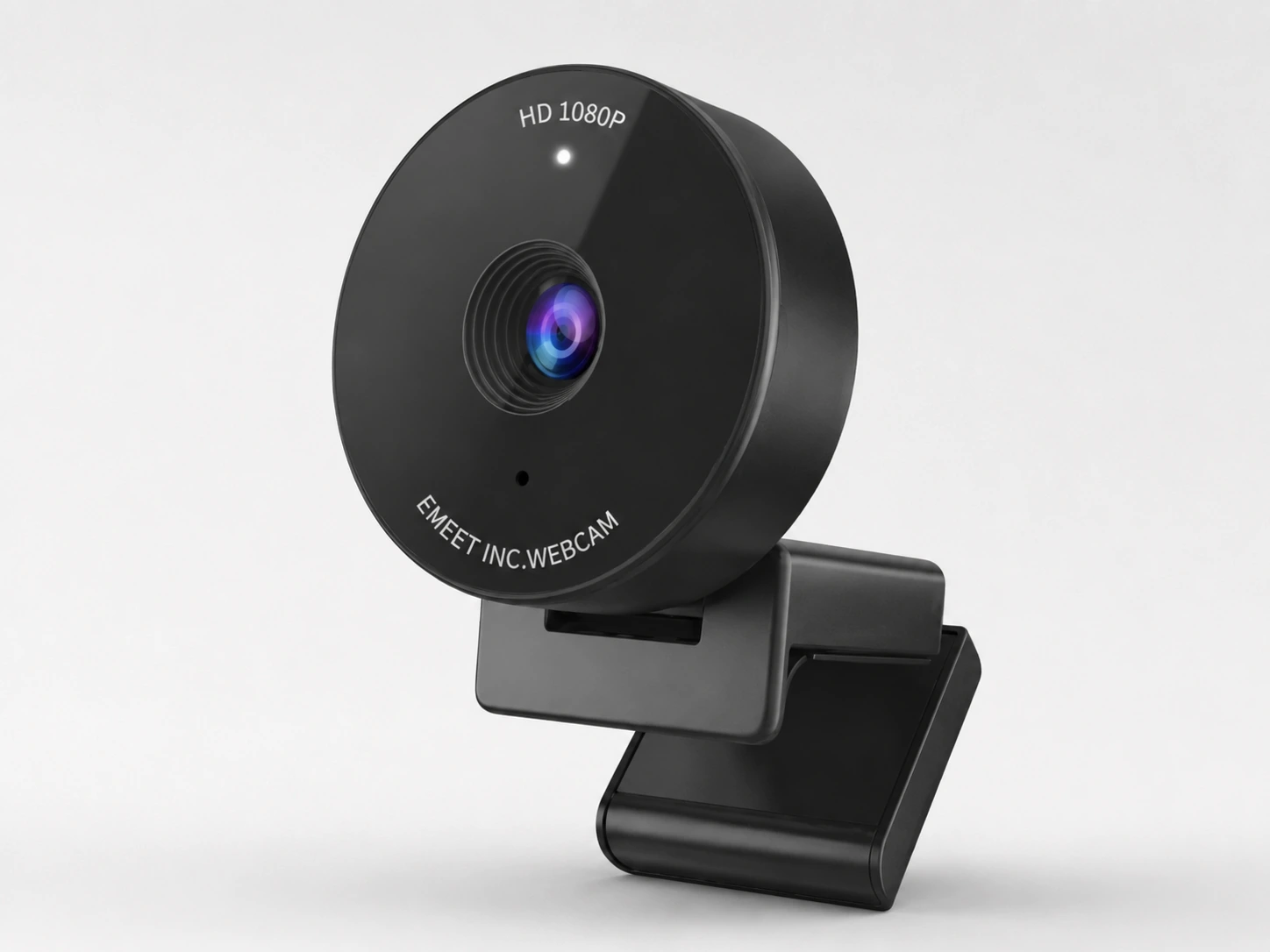
Why it wins
The EMEET C960 is the pick when audio matters more than anything else. Its dual microphone with hardware noise cancellation filters out keyboard clicks, HVAC hum, and background dorm noise more effectively than any mono built-in in this price range. It also ships with a physical privacy shutter — useful for the same audience that needs clean audio (people in shared spaces).
EMEET is a conferencing-focused brand, and it shows: the mic tuning is conservative and clear rather than punchy, which is exactly what Zoom and Teams calls need. Video quality is on par with the NexiGo N60 — clean 1080p in good light, acceptable in mixed light. The physical footprint is slightly larger than the NexiGo, but still compact enough for a 24-inch monitor setup.
Check price on AmazonSpecs
- Resolution: 1080p Full HD
- Frame rate: 30 fps
- Field of view: 90°
- Focus: Fixed focus
- Microphone: Dual mic, hardware noise cancellation
- Connection: USB-A
- Compatibility: Windows, macOS, Chrome OS — no driver
- Privacy shutter: Yes — physical lens cover
Pros
- +Dual mic with real noise cancellation — best audio under $30
- +Physical privacy shutter included
- +Plug-and-play on Chromebook
- +Consistent 1080p image in daylight conditions
- +EMEET is a dedicated conferencing brand — reliable for calls
Cons
- −Slightly wider body than NexiGo — more monitor space used
- −Fixed focus, no manual adjustment
- −Average low-light performance
- −Video quality identical to cheaper models — you're paying for the mic
Best for: Students and remote workers who need noticeably cleaner audio from their webcam — EMEET's noise cancellation is the best microphone performance available under $30.
EMEET C950
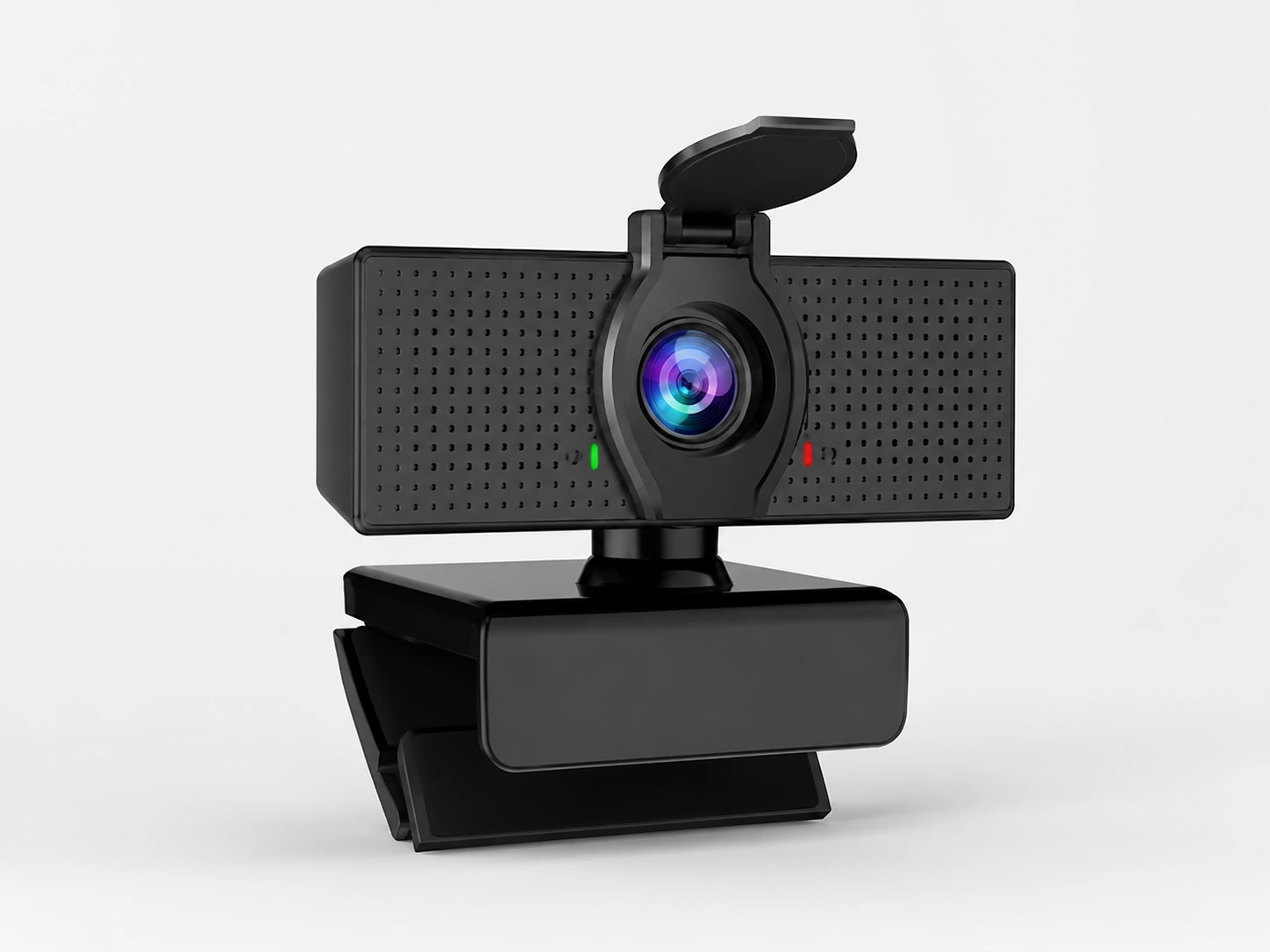
Why it wins
At $18, most webcams are generic no-name units that break within months or deliver 720p video they falsely label as 1080p. The EMEET C950 is a genuine 1080p camera from a brand with real product support — it's not the best performer here, but it's the most honest option at this price point. Works on Chromebook without drivers.
Build quality is entry-level — the plastic hinge is functional but not premium. In good lighting it delivers clean enough 1080p for Zoom lectures and Google Meet check-ins. Don't expect great low-light performance or noise-cancelling audio. If you're on a strict budget and only need a webcam for occasional calls (not daily remote work), this is the pick that won't disappoint within its intended use case.
Check price on AmazonSpecs
- Resolution: 1080p Full HD
- Frame rate: 30 fps
- Field of view: 90°
- Focus: Fixed focus
- Microphone: Built-in mono
- Connection: USB-A
- Compatibility: Windows, macOS, Chrome OS — no driver
- Privacy shutter: No
Pros
- +Genuine 1080p from a real brand at $18
- +Plug-and-play on Chromebook
- +Compact clip — minimal monitor footprint
- +Adequate for weekly Zoom/Google Meet calls
- +EMEET has real product support (not a ghost brand)
Cons
- −Entry-level build quality — hinge not as solid as Logitech
- −Below-average low-light performance
- −Mono mic picks up background noise easily
- −Not built for daily multi-hour remote work sessions
Best for: A legitimate brand option under $20 for students who only need a webcam for weekly lectures or check-ins — not daily heavy use.
How to Look Good on a Budget Webcam (Without Buying a Ring Light)
The single biggest mistake in budget webcam setups: spending $30 on a webcam and sitting in front of a dark wall with overhead fluorescent lighting. The camera is not the problem. Here's how to fix your image quality for free.
Face a window
Biggest free improvementNatural light from a window directly in front of you — not behind or to the side — transforms any webcam. Even a $18 webcam looks clean with good window light. If the window is behind you, you become a silhouette. Move your desk or flip your chair.
Put a lamp at eye level in front of you
Free if you already have a lampA desk lamp placed at monitor level, facing you, acts as a basic fill light. Aim for 4000–5000K (cool white or daylight) for a clean, natural look on camera — warm light at 2700K will make you appear orange-toned. Position it slightly to the side, not directly behind the screen.
Raise your camera to eye level
Free — use books or a standA webcam that points upward shows ceiling, nostrils, and a generally unflattering angle. Stack books, use a laptop stand, or mount your monitor higher until the webcam lens is level with your eyes. This alone changes how others perceive your setup.
Put a light-colored surface or wall behind you
Reflects light back onto faceA white or light-grey wall behind your desk reflects ambient light back toward your face, acting as a soft reflector. Dark walls absorb light and deepen shadows. If you can rearrange, sit with the lighter wall behind you.
Chromebook and Laptop Compatibility Notes
Every pick in this guide works on Chromebook without driver installation. Chrome OS natively supports all UVC-compliant webcams — which includes all mainstream brands. The only webcams that don't work on Chromebook are those requiring proprietary software (AI tracking cameras, specialized streaming cams).
| Webcam | Windows | macOS | Chromebook |
|---|---|---|---|
| Logitech Brio 100 | ✓ | ✓ | ✓ |
| Logitech Brio 101 | ✓ | ✓ | ✓ |
| NexiGo N60 1080P | ✓ | ✓ | ✓ |
| EMEET C960 | ✓ | ✓ | ✓ |
| EMEET C950 | ✓ | ✓ | ✓ |
How We Scored These Webcams
The DeskFinds Fit Score rates every pick on five criteria weighted toward small-space and student use cases. A $20 webcam that genuinely delivers for its intended use case scores higher than a $40 webcam with overstated specs.
Small-Space Fit
Physical footprint of the clip, whether it fits thin-bezel laptop screens without wobbling, FOV suitability at close desk distances, and cable management impact on a small surface.
Ease of Use
Plug-and-play across Windows, macOS, and Chromebook without driver installation. School-managed machines often can't install software — true plug-and-play is non-negotiable for students.
Build Quality
Hinge durability (will it hold position after 3 months of daily use?), cable construction, and brand reliability. Generic brands often fail on the hinge within weeks.
Value for Money
Honest image quality relative to price. A webcam that actually delivers 1080p scores higher than a webcam with misleading specs.
Buyer Feedback
Synthesized from verified buyer reports — common failure modes, long-term durability observations, and real-world performance in non-ideal lighting.
Scores reflect DeskFinds editorial assessment based on product specifications, verified buyer reports, and structured comparison criteria. They are not crowd-sourced ratings. How we review →
Frequently Asked Questions
Do I even need an external webcam, or is my laptop's built-in camera good enough?
It depends on how often you're on camera. Most built-in laptop cameras are 720p with poor low-light performance and a wide-angle lens that exaggerates nose and forehead. If you're on Zoom daily, a $25 external webcam is a noticeable upgrade. If you're on video calls once a week, the built-in is fine. One honest benchmark: if people frequently ask you to turn your camera on, your built-in is probably fine. If people ask you to turn it off because the quality is distracting, an external webcam is worth it.
Will these webcams work on a Chromebook without installing software?
Yes — all five picks in this guide are plug-and-play on Chrome OS. No driver installation required. Chrome OS natively supports USB webcams that follow the UVC (USB Video Class) standard, which all mainstream webcam brands use. The only webcams that don't work on Chromebook are those requiring proprietary drivers — usually very cheap no-name units or AI-feature webcams (like OBSBOT) that need companion apps.
Is 720p webcam quality acceptable for Zoom, Teams, and Google Meet?
Technically yes, but 1080p is the practical minimum in 2026. Zoom and Teams both support 1080p HD, and meeting participants can tell the difference. More importantly, most budget webcams labeled 720p actually deliver below-720p quality in poor lighting. Every pick in this guide is genuine 1080p — you won't need to apologize for your video quality in class or at work.
What's the right field of view (FOV) for a small desk setup?
For a small desk where you sit close to the screen, 78°–90° is ideal. Wider angles (110°+) show more background — which means more of your dorm room or cluttered desk in frame. The 90° FOV on all five picks here is the sweet spot: it fills the frame naturally when you're sitting 18–24 inches from your screen, without exposing too much of what's behind you.
My laptop only has one USB port. Can I still use a webcam?
Yes, but you'll need a USB hub. All five picks use USB-A connections — if your laptop only has USB-C, you'll need a USB-C to USB-A adapter (costs under $10) or a small USB-C hub. The NexiGo N60 and EMEET models draw very little power, so they work reliably through most USB hubs without power delivery issues.
Will the webcam clip fit on a thin-bezel laptop?
Logitech's clip mechanism (Brio 100 and 101) is specifically designed for thin-bezel screens — it grips securely without scratching. The NexiGo N60's clip is functional but slightly stiffer. For very thin Chromebook lids (under 4mm thick), test the grip on day one and tighten the hinge if it droops. Avoid over-tightening plastic clips on glass-backed screens.
How can I look better on a budget webcam without buying a ring light?
The biggest free improvement: face a window (natural light from in front of you, not behind). This alone transforms a $20 webcam. If natural light isn't available, put a plain desk lamp at eye level in front of you — not above or to the side. Raise your laptop on a stand or stack of books to bring the webcam closer to eye level; cameras aimed upward show ceiling and nostrils. A light-colored wall behind you also bounces light back onto your face.
Do physical privacy shutters actually matter?
In shared rooms, yes. A physical shutter is a mechanical lens cover — it physically blocks the lens, not just disables the software. If you share a dorm room, a physical shutter gives you certainty that the camera isn't on between calls, regardless of what the software shows. The NexiGo N60 and EMEET C960 both include physical shutters. The Logitech Brio models do not.
What's the best webcam under $50 for streaming on Twitch or Discord?
Streaming requires 60fps for smooth motion — no webcam in the under-$50 range delivers this reliably. All five picks are 30fps. If streaming quality matters to you, you need to stretch your budget to the Logitech C920x (~$55–$60) or above. For Discord video calls and study streams where motion quality isn't critical, 30fps is acceptable.
Can I use one of these webcams on a laptop with no external monitor?
Yes. All five picks clip onto laptop screens. Position the webcam on the top edge of your laptop lid — the same location as the built-in camera. The advantage over the built-in: you can reposition the external webcam slightly to the left or right to improve your angle, and the image quality will be noticeably better. For laptop-only setups, the NexiGo N60's compact clip is the easiest to reposition.