
7 Best Small Keyboards with Numpad in 2026: 96% Layout and Separate Numpad Options
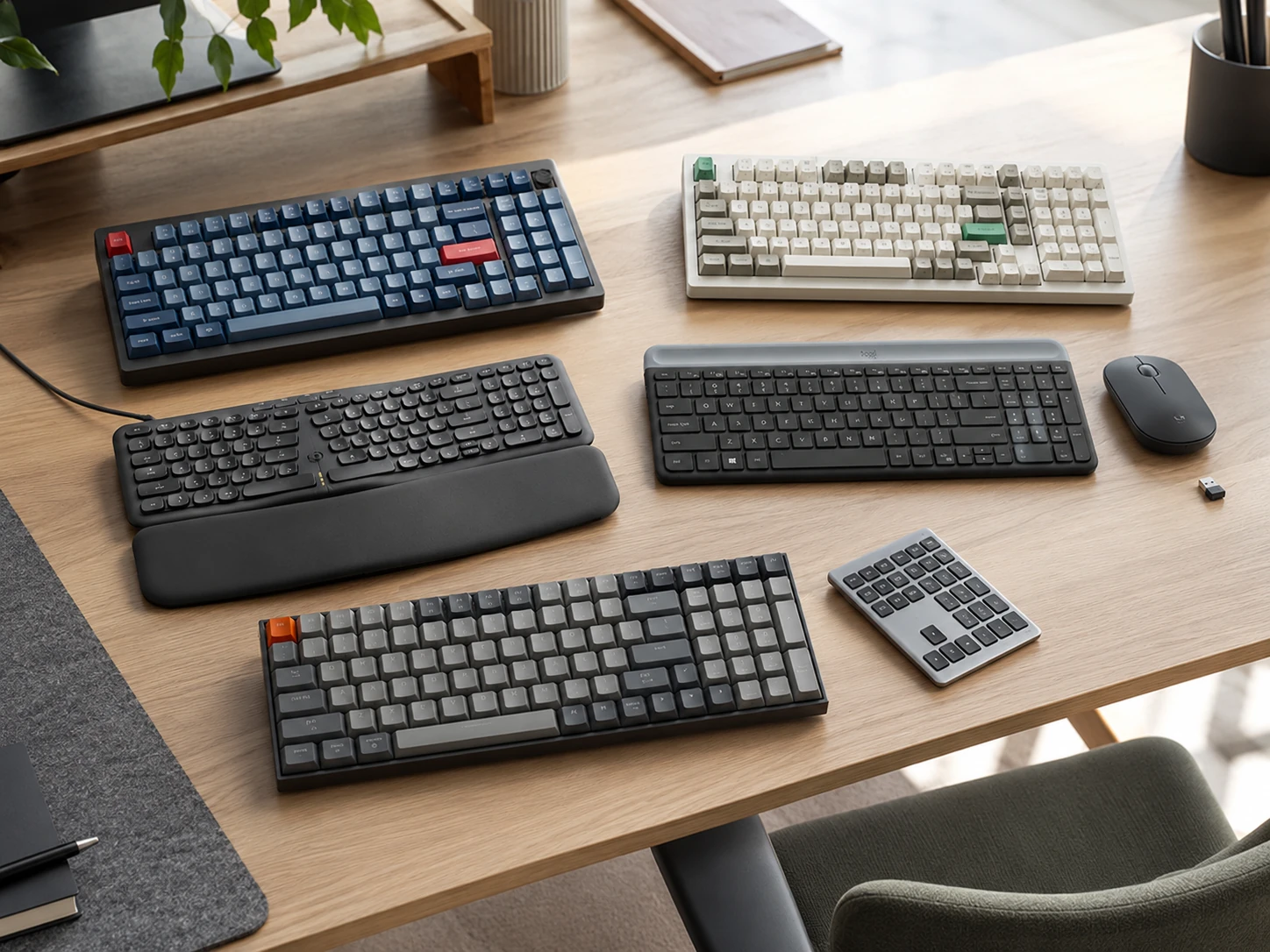
Most small keyboard guides tell you to give up the numpad. But the numpad is not a luxury for people who use it for data entry, Excel, or invoicing. This guide covers 7 options that keep the numpad: six 96% integrated keyboards from $25 to $200, and one separate wireless numpad that adds numpad capability to any existing compact keyboard.
Quick Picks
| Pick | Product | |
|---|---|---|
| Best Overall | Keychron V5 Max | Check price |
| Best Premium Build | Keychron Q5 Max | Check price |
| Best Budget Wireless | Amazon Basics Modern Wireless Keyboard | Check price |
| Best Ergonomic | Perixx PERIBOARD-536B | Check price |
| Best Keyboard and Mouse Combo | Logitech MK470 | Check price |
| Best Mid-Range Wireless | Keychron K4 | Check price |
| Best Separate Numpad Add-On | Nulea Wireless Number Pad | Check price |
Most small keyboard guides tell you to give up the numpad. But the numpad is not a luxury for people who use it for data entry, Excel, or invoicing. This guide covers 7 options that keep the numpad: six 96% integrated keyboards from $25 to $200, and one separate wireless numpad that adds numpad capability to any existing compact keyboard.
If budget is the main constraint, see our roundup of compact keyboards under $50. For a broader look at form factors without the numpad requirement, see our guide on the best small keyboards.
Two Ways to Have Both: 96% Layout vs Separate Numpad
Option A: 96% Integrated Layout
A 96% keyboard packs all 104 keys into a narrower frame by removing the gaps between key clusters. You get a full numpad at all times without managing a second device. This is the right choice if you use the numpad regularly throughout the day.
| Layout | Typical Width | Has Numpad |
|---|---|---|
| Full-size (100%) | ~44 cm | Yes |
| 96% | ~38 to 40 cm | Yes |
| TKL (tenkeyless) | ~36 cm | No |
Option B: Compact Keyboard Plus Separate Wireless Numpad
If you already own a compact keyboard (TKL, 65%, or similar) that you are happy with, a separate wireless numpad like the Nulea adds numpad capability without replacing your keyboard. Place it to the right when doing data entry and store it when not. This is the most flexible setup for occasional numpad users who do not want to give up their current keyboard.
What to Look for in a Compact Keyboard with Numpad
Layout: 96% vs 1800
The 96% layout is the dominant compact-numpad format in 2026. It places the numpad cluster flush against the main keys with no gap. The 1800 layout is similar but retains small spacing between clusters, making it fractionally wider. Both are narrower than full-size. For small desk use, 96% is the more compact choice.
Connection Type
| Type | Latency |
|---|---|
| Wired USB-C | Lowest (1 ms) |
| 2.4 GHz dongle | Very low (1-2 ms) |
| Bluetooth 5.x | Low (7-10 ms) |
| Tri-mode (all three) | Depends on mode |
Mechanical vs Membrane
Mechanical keyboards have individual switches under each key, giving tactile feedback and a longer lifespan (50 to 100 million keystrokes per switch). Membrane keyboards use a rubber dome layer that is quieter and lower cost but provides less feedback. For data-entry-heavy work, mechanical with linear or tactile switches reduces finger fatigue over long sessions. For shared quiet offices, silent membrane or silent mechanical switches are a better fit.
Desk Footprint
A standard full-size keyboard occupies roughly 44 x 15 cm. A 96% keyboard at 38 to 40 cm wide frees up 4 to 6 cm for mouse movement or desk items. On a 60 cm wide desk that difference is meaningful. The width saving from 96% vs full-size is roughly equivalent to placing a full-size mouse pad between the keyboard and the desk edge.
7 Best Small Keyboards with Numpad
Keychron V5 Max
Why it works
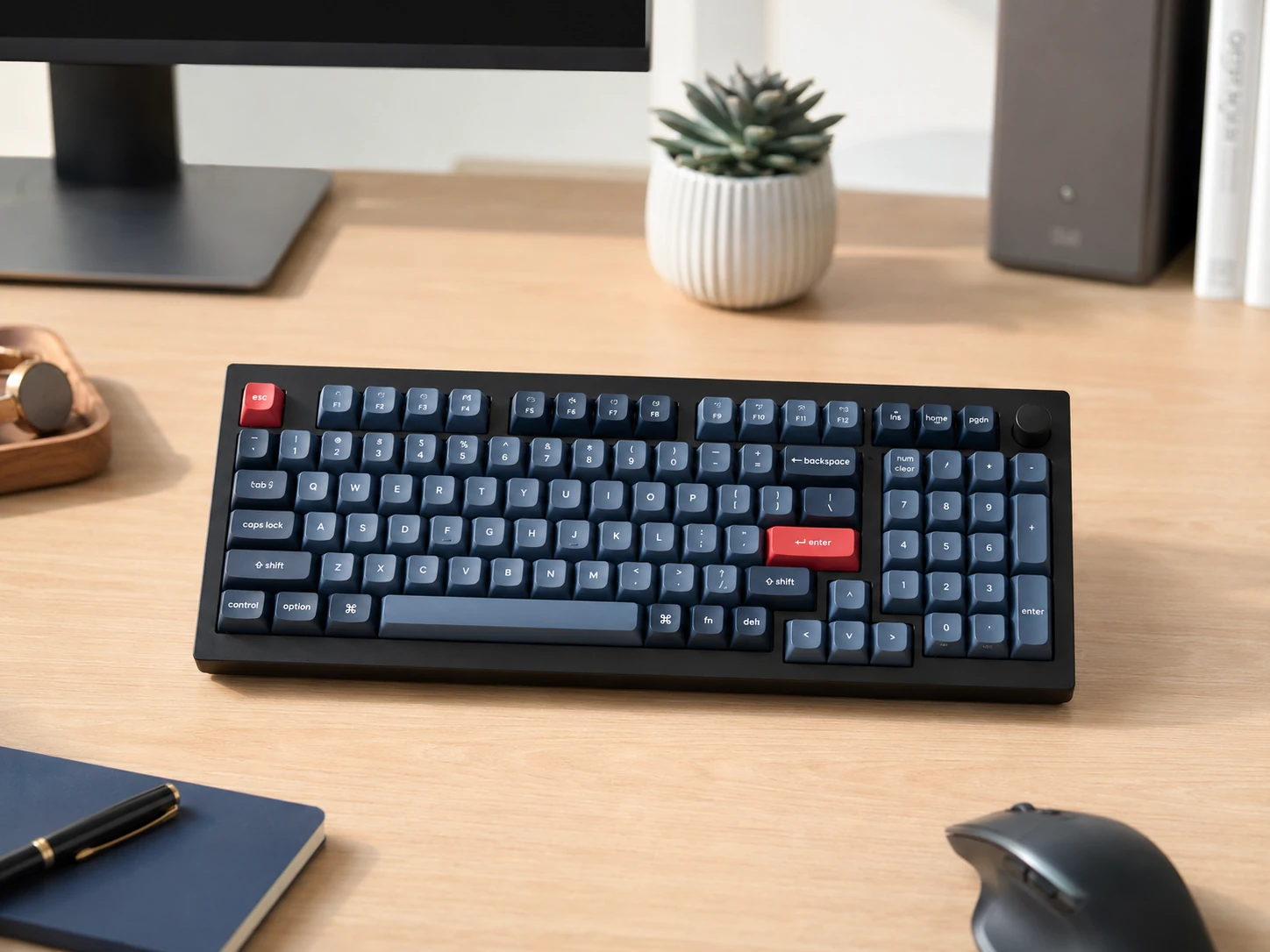
Most complete 96% wireless keyboard at this price: tri-mode wireless (2.4 GHz at 1000 Hz polling rate, Bluetooth 5.1 up to 3 devices, USB-C wired), hot-swappable switches, and QMK/VIA for full key remapping. The 96% layout fits a full numpad in a frame about 4 to 5 cm narrower than full-size. Works on Mac, Windows, and Linux out of the box.
Trade-offs
- · No rotary knob on this ASIN
- · Banana switch may not suit linear-focused users (Red switch variant available)
Skip if: You want full aluminum build quality. The Keychron Q5 Max at $180 to $200 adds a CNC aluminum body and double-gasket mounting.
Check price on AmazonPros
- +Tri-mode wireless with 1000 Hz polling
- +QMK/VIA programmable
- +Hot-swappable switches
- +Works on Mac and Windows
- +96% layout with full numpad
Cons
- −No rotary knob
- −Higher price tier for this roundup
- −Banana switch is specific preference
Keychron Q5 Max
Why it works
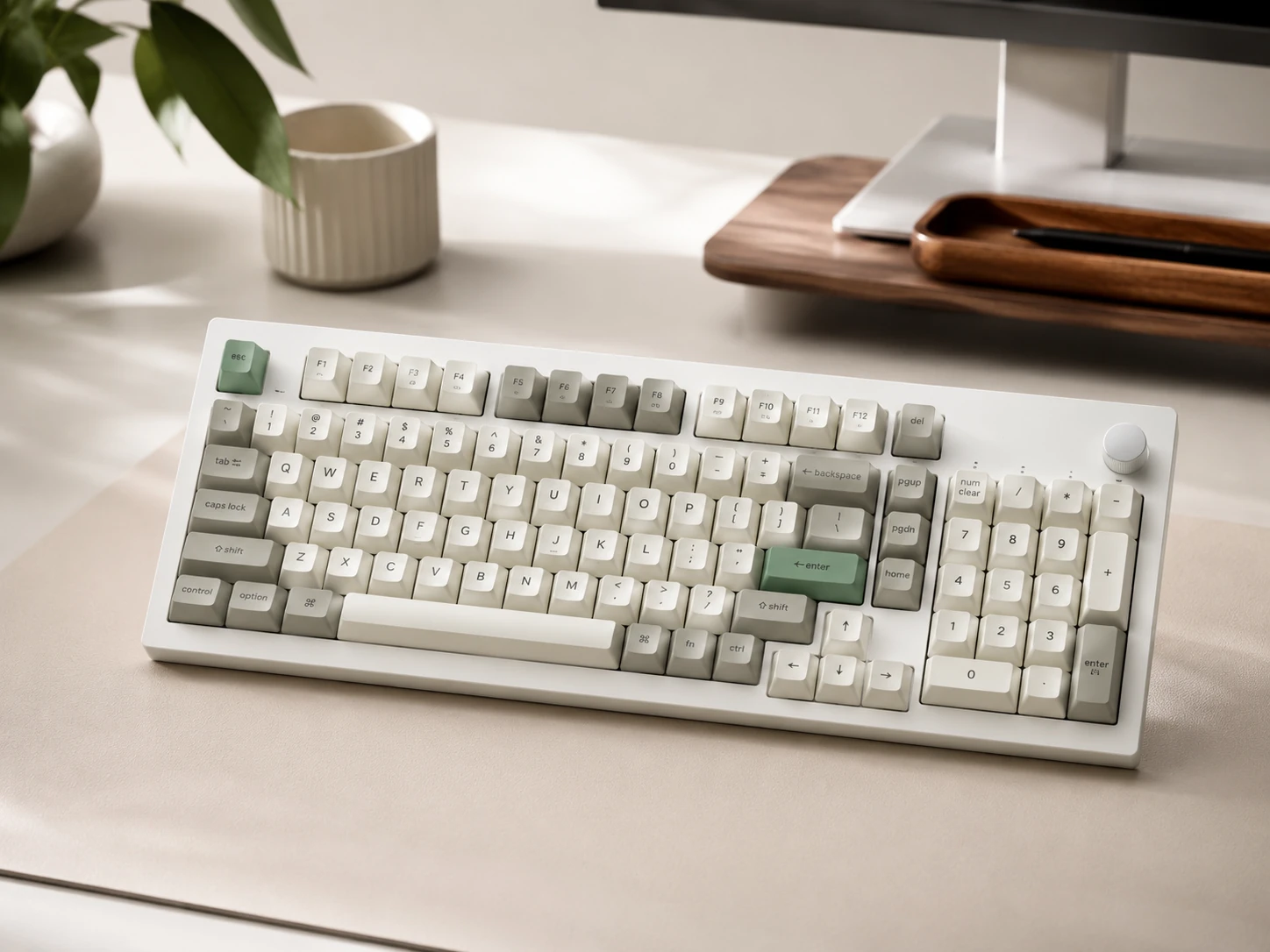
Full aluminum CNC-machined body with double-gasket mounting system reduces typing vibration and noise significantly compared to standard plate-mounted keyboards. At about 2 kg, it gives a premium desk feel. QMK/VIA programmability means every key is remappable. All three wireless modes are included. Same 96% layout as the V5 Max but with premium materials throughout.
Trade-offs
- · High price at $180 to $200
- · Heavy at about 2 kg (not portable)
- · Premium over V5 Max is mainly build feel, not features
Skip if: Budget is under $150. The Keychron V5 Max delivers the same layout and wireless at $115 to $130.
Check price on AmazonPros
- +Full aluminum CNC body
- +Double-gasket mounting (quieter typing)
- +QMK/VIA
- +Tri-mode wireless
- +Hot-swappable
Cons
- −Highest price in roundup
- −Heavy and not portable
- −Premium mainly in build materials
Amazon Basics Modern Wireless Keyboard
Why it works
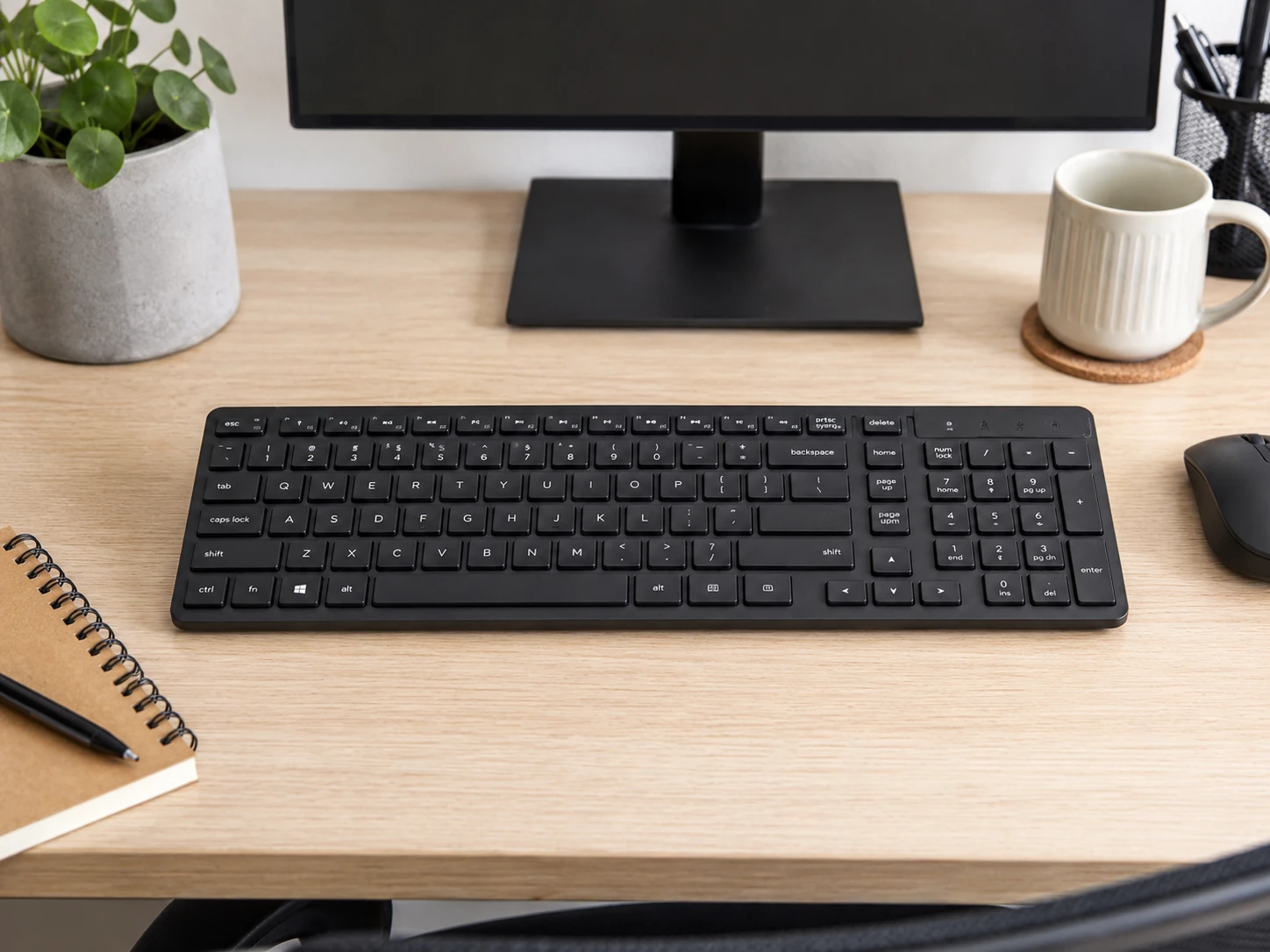
Only option in this roundup making a full compact numpad layout accessible at a minimal budget. 2.4 GHz wireless with plug-and-play USB receiver, compact layout with numpad included. Works out of the box with no software, no setup, and no subscription. Clean quiet low-profile membrane keys for shared workspaces.
Trade-offs
- · Membrane keys with no tactile feedback
- · Windows-optimized layout with limited Mac support
- · No multi-device Bluetooth
- · No backlight
Skip if: You want mechanical switch feedback or Mac support. The Keychron K4 at $80 to $100 adds mechanical switches and Bluetooth for Mac.
Check price on AmazonPros
- +Lowest price in roundup
- +Wireless with numpad included
- +Zero-setup plug-and-play
- +Compact layout
Cons
- −Membrane only
- −Windows-optimized
- −No backlight
- −No multi-device Bluetooth
Perixx PERIBOARD-536B
Why it works
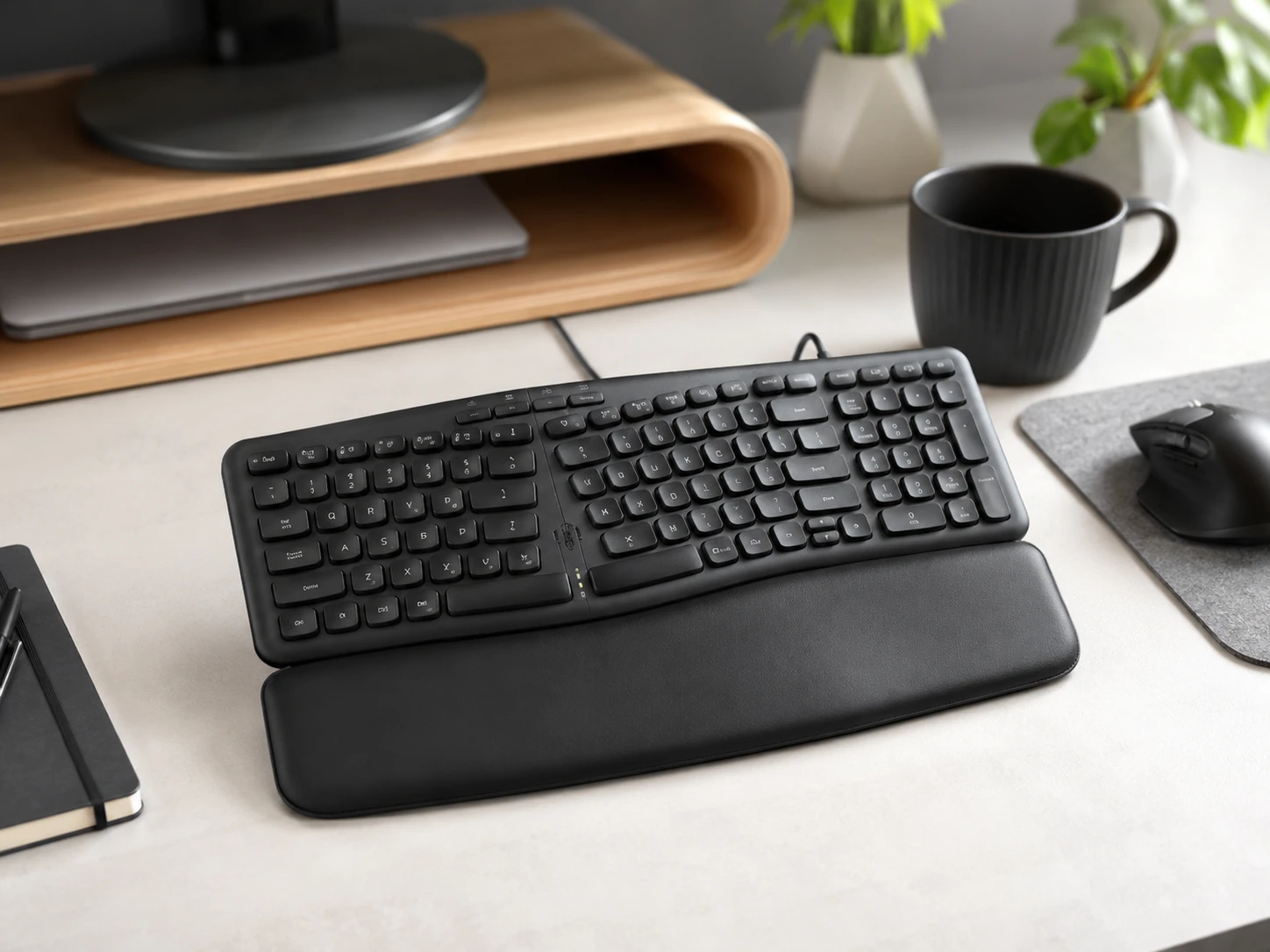
Solves a problem none of the other picks address: wrist and forearm strain from extended typing. The split ergonomic layout angles both halves outward keeping wrists in a more natural position. The built-in numpad is on the right half and fully integrated. Detachable wrist rest is included. Silent membrane switches are appropriate for shared workspaces. Narrower than standard ergonomic keyboards at 16.34 by 5.71 inches.
Trade-offs
- · Wired only (no wireless)
- · Split layout requires an adjustment period
- · Not for mechanical switch fans
Skip if: You have no wrist strain concerns and prefer wireless. The Keychron V5 Max is the better all-around 96% pick.
Check price on AmazonPros
- +Ergonomic split design reduces wrist strain
- +Silent keys for shared offices
- +Built-in numpad
- +Detachable wrist rest included
- +Compact vs standard ergonomic keyboards
Cons
- −Wired only
- −Split layout adjustment period
- −Membrane keys only
Logitech MK470
Why it works
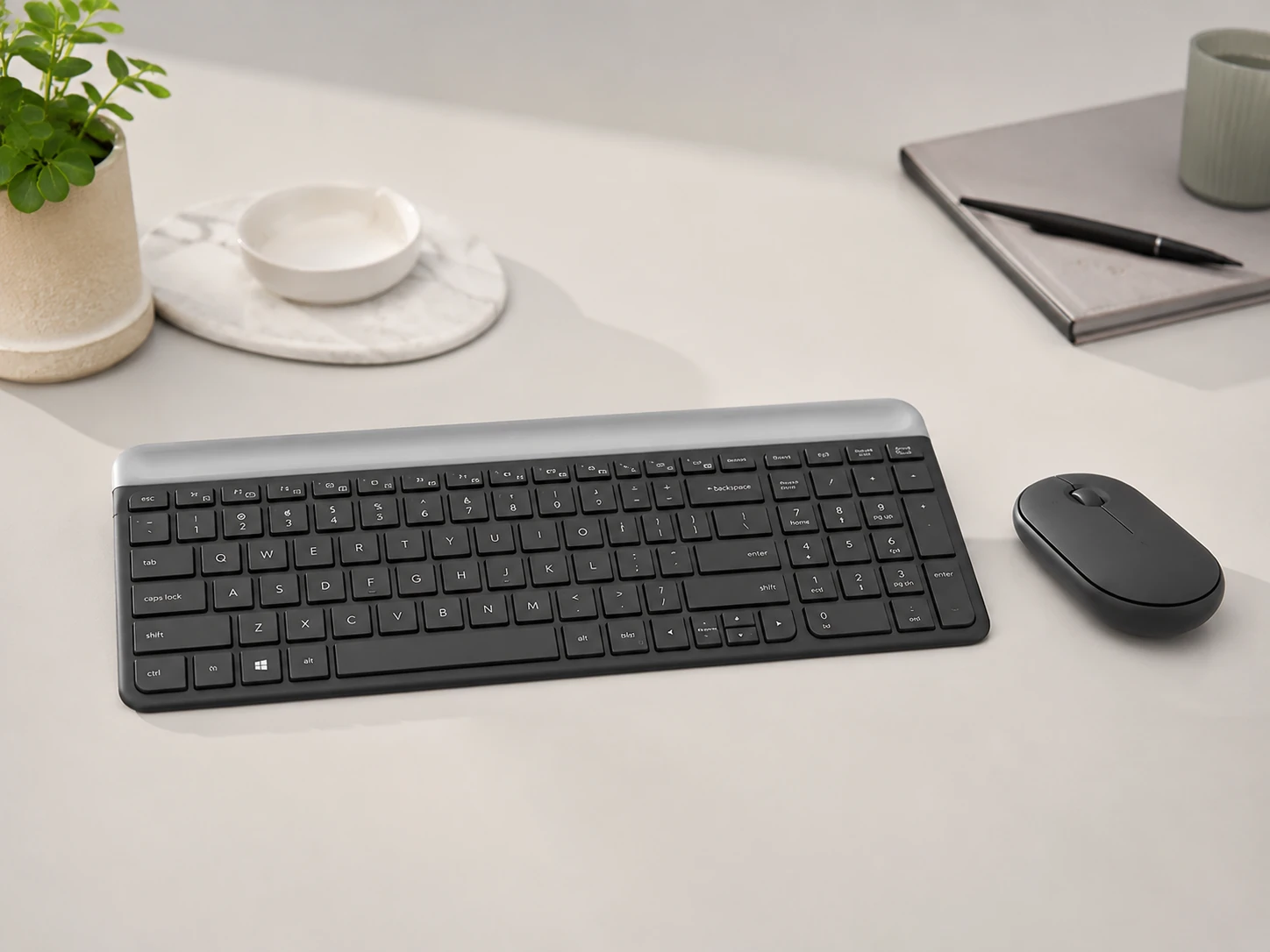
Pairs a compact slim keyboard with numpad with a matching wireless mouse in one USB receiver. For a small desk being built from scratch, the combo eliminates needing to source a compatible mouse separately. Low-profile scissor-switch keys are quiet (Logitech rates them 90% quieter than standard keyboard). Both the keyboard and mouse share one USB port.
Trade-offs
- · Windows-optimized with limited Mac key labeling
- · No Bluetooth (single receiver only)
- · No RGB
- · Not mechanical
Skip if: You already have a mouse or need Mac support. The keyboard alone is not sold separately with this combo.
Check price on AmazonPros
- +Complete keyboard plus mouse in one purchase
- +One USB receiver for both devices
- +Quiet scissor-switch keys
- +Compact layout with numpad
- +Reliable Logitech build
Cons
- −Windows-optimized
- −No Bluetooth
- −Not mechanical
- −No RGB
Keychron K4
Why it works
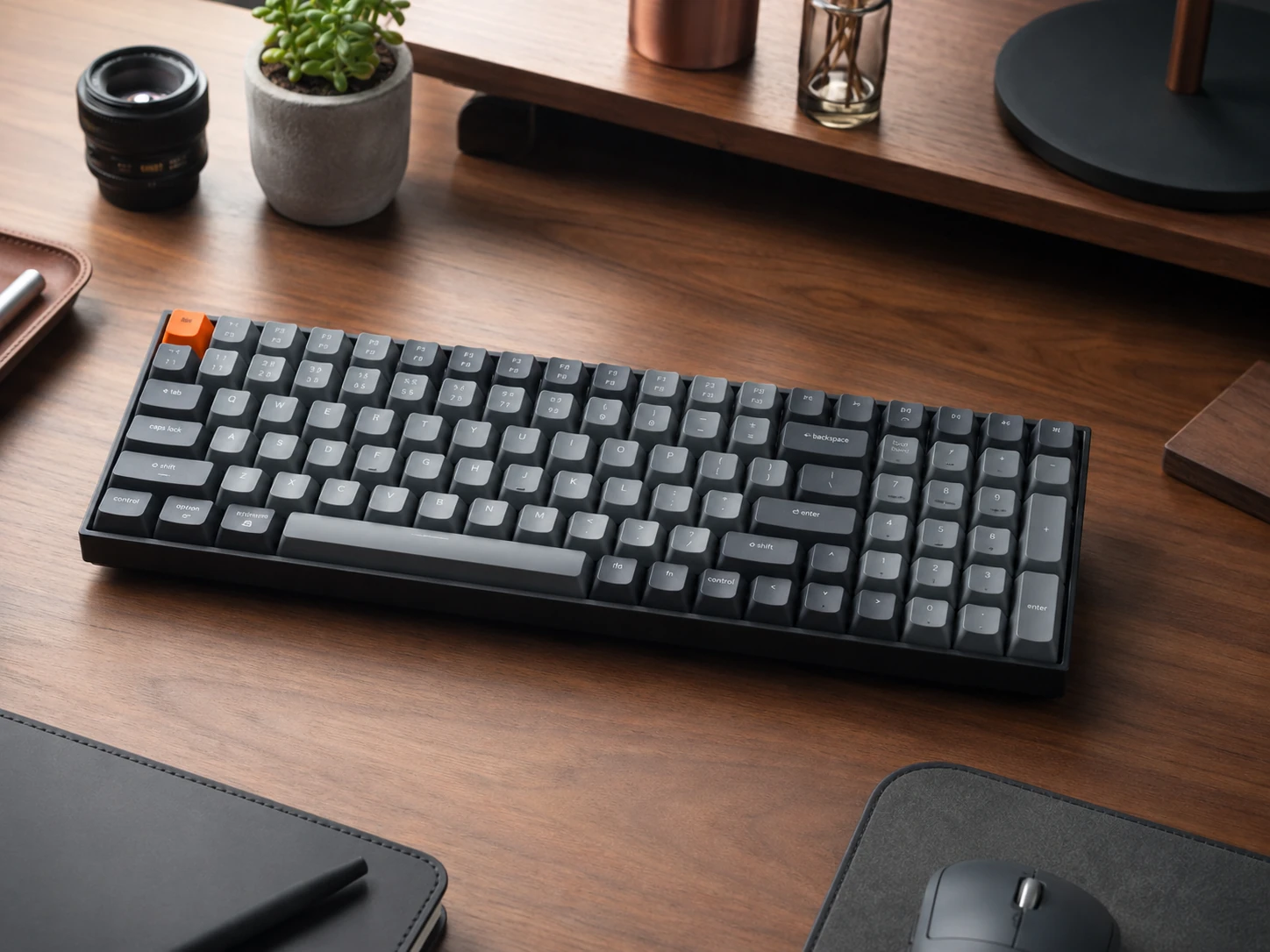
One of the first widely available 96% wireless mechanical keyboards. Bluetooth 5.1 connects up to 3 devices. Mac and Windows are both supported with included keycap sets. Hot-swappable sockets on newer versions. 4000 mAh battery rated at up to 240 hours without backlight. Sits between the Amazon Basics and the premium Q5 Max, offering mechanical switches and wireless at a mid-range price.
Trade-offs
- · Older model (V2), limited updates vs V5 Max
- · Bluetooth only wireless (no 2.4 GHz)
- · White LED only on this model (no RGB)
- · Verify current stock before purchasing
Skip if: You want 2.4 GHz wireless or RGB. The Keychron V5 Max at $115 to $130 adds both and has a higher polling rate.
Check price on AmazonPros
- +Mechanical switches at mid-range price
- +3-device Bluetooth
- +Mac and Windows support
- +240-hour battery
- +Hot-swappable version available
Cons
- −Bluetooth only (no 2.4 GHz)
- −White LED only
- −Older model with limited updates
Nulea Wireless Number Pad
Why it works
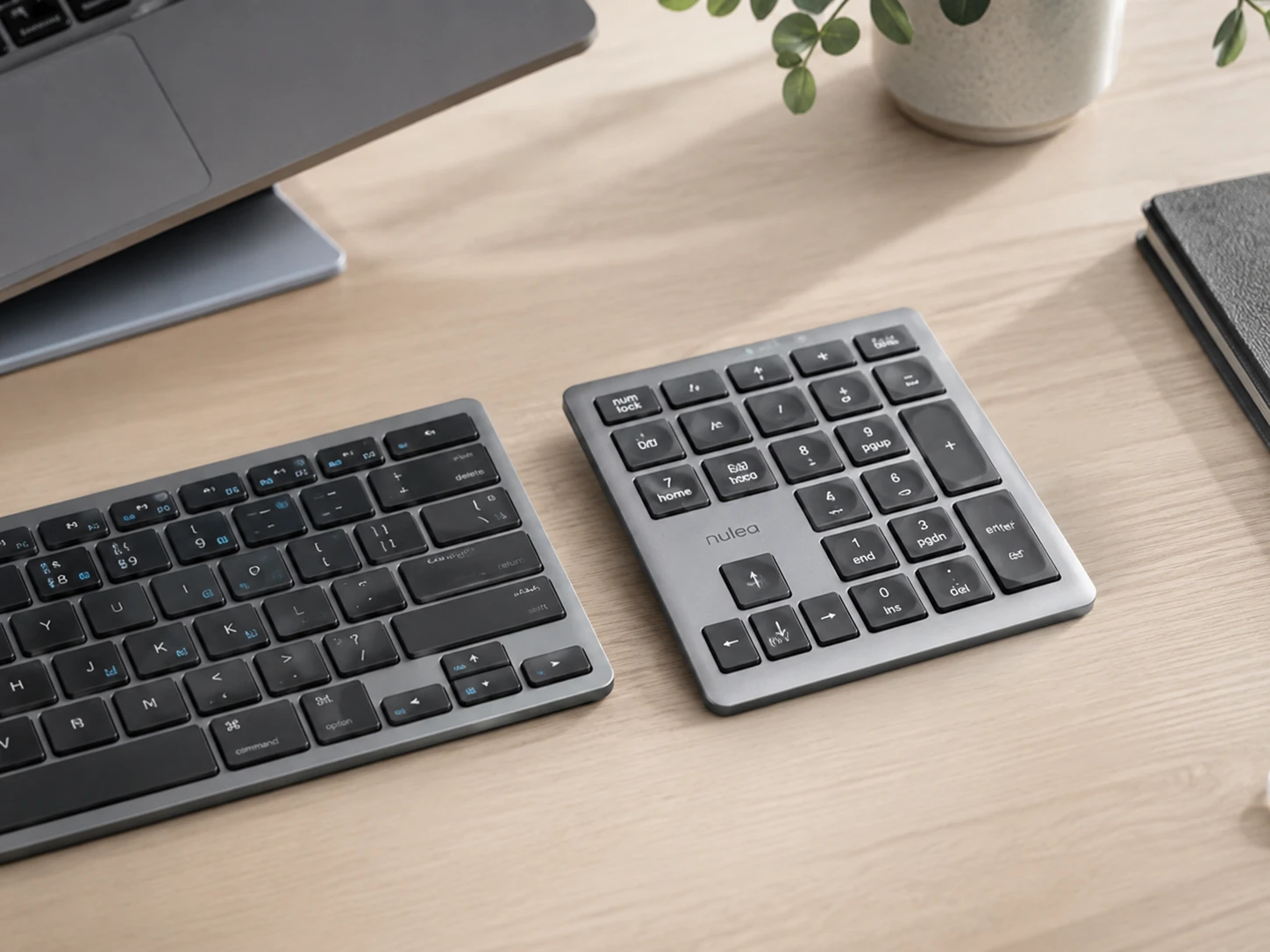
Built for a completely different scenario: you already have a compact keyboard you like (TKL, 65%, or any layout without numpad) and want to add numpad capability without replacing it. Connects via Bluetooth 5.0 or 2.4 GHz dual-mode. The 34 keys cover all standard numpad functions plus arithmetic operators. USB-C rechargeable. Place it to the right when doing data entry and store it in a drawer when not needed.
Trade-offs
- · Separate device to manage (charging and pairing)
- · Not integrated with main keyboard
- · Small form factor means occasional misplacement
Skip if: You need a numpad available at all times. A 96% keyboard with integrated numpad is a more seamless solution for frequent numpad users.
Check price on AmazonPros
- +Adds numpad to any existing keyboard
- +Dual wireless (Bluetooth plus 2.4 GHz)
- +USB-C rechargeable
- +Stores away when not needed
- +Works with Mac and Windows
Cons
- −Separate device to charge and pair
- −Not integrated
- −Only useful if you already have a compact keyboard
Frequently Asked Questions
What is a 96% keyboard?
A 96% keyboard includes all the keys of a full-size 104-key keyboard including the numpad in a more compact frame. It achieves this by eliminating the gaps between key clusters and slightly tightening the navigation section. The result is a keyboard about 4 to 6 cm narrower than a standard full-size layout while retaining every key including the number pad.
Is a 96% keyboard good for small desks?
Yes. A full-size keyboard with numpad typically measures 44 cm wide. A 96% keyboard measures about 38 to 40 cm. That 4 to 6 cm difference is meaningful on a 60 to 80 cm desk. For comparison, a TKL without numpad is about 36 cm, so the trade-off for keeping the numpad in a 96% layout is only about 2 to 4 cm wider than TKL.
Can I add a numpad to my existing TKL keyboard?
Yes. A separate wireless numpad like the Nulea connects via Bluetooth or 2.4 GHz and functions as an independent number pad. You place it to the right of your keyboard when needed and store it when not. This is the most flexible option if you already own a compact keyboard you are happy with.
Which compact keyboard with numpad is best for Mac?
The Keychron V5 Max and K4 both ship with Mac and Windows keycap sets and are designed for dual-OS use. The Logitech MK470 and Amazon Basics are Windows-optimized. For Mac users, Keychron is the cleaner choice with proper key labeling and Fn mapping.
What is the difference between a numpad and a number row?
The number row (keys 1 to 0 across the top of the keyboard) requires the Shift key for symbols and a longer finger reach. The numpad is a dedicated 17-key cluster in a calculator layout allowing fast single-hand numeric entry. For Excel, accounting, invoicing, or any data-heavy work, the numpad is significantly faster for number input than the number row.
What is the difference between a 96% keyboard and a full-size keyboard?
A full-size keyboard has 104 keys spread across dedicated clusters with spacing between them, typically about 44 cm wide. A 96% keyboard has the same keys but removes the gaps between clusters, bringing the total width to about 38 to 40 cm. Both have a numpad. The 96% saves about 4 to 6 cm of desk width without losing any keys.
Bottom Line
For most people: Keychron V5 Max: tri-mode wireless, QMK/VIA programmable, 96% layout with full numpad in a compact frame.
For tight budgets: Amazon Basics Wireless: numpad included, 2.4 GHz wireless, plug-and-play under $35.
Already have a compact keyboard: Nulea Wireless Numpad: add numpad capability to any existing keyboard without replacing it.
For wrist strain concerns: Perixx PERIBOARD-536B: ergonomic split layout with built-in numpad and detachable wrist rest.
Browse compact keyboards with numpad on Amazon
All Prime-eligible. 96% layouts, budget wireless, and ergonomic options.
Shop on Amazon →Related Guides
Last updated: June 2026. Verify current Amazon prices before purchasing.