
7 Best Compact Keyboards Under $50 in 2026: 60%, 65%, 75%, and TKL Picks
The $50 ceiling used to mean settling for mushy keys, plastic flex, and unreliable wireless. Tri-mode wireless, hot-swappable switches, gasket mounting, and QMK/VIA programmability are all available under $50 in 2026. This guide covers 7 compact keyboards under $50 across 60%, 65%, 75%, and TKL layouts.
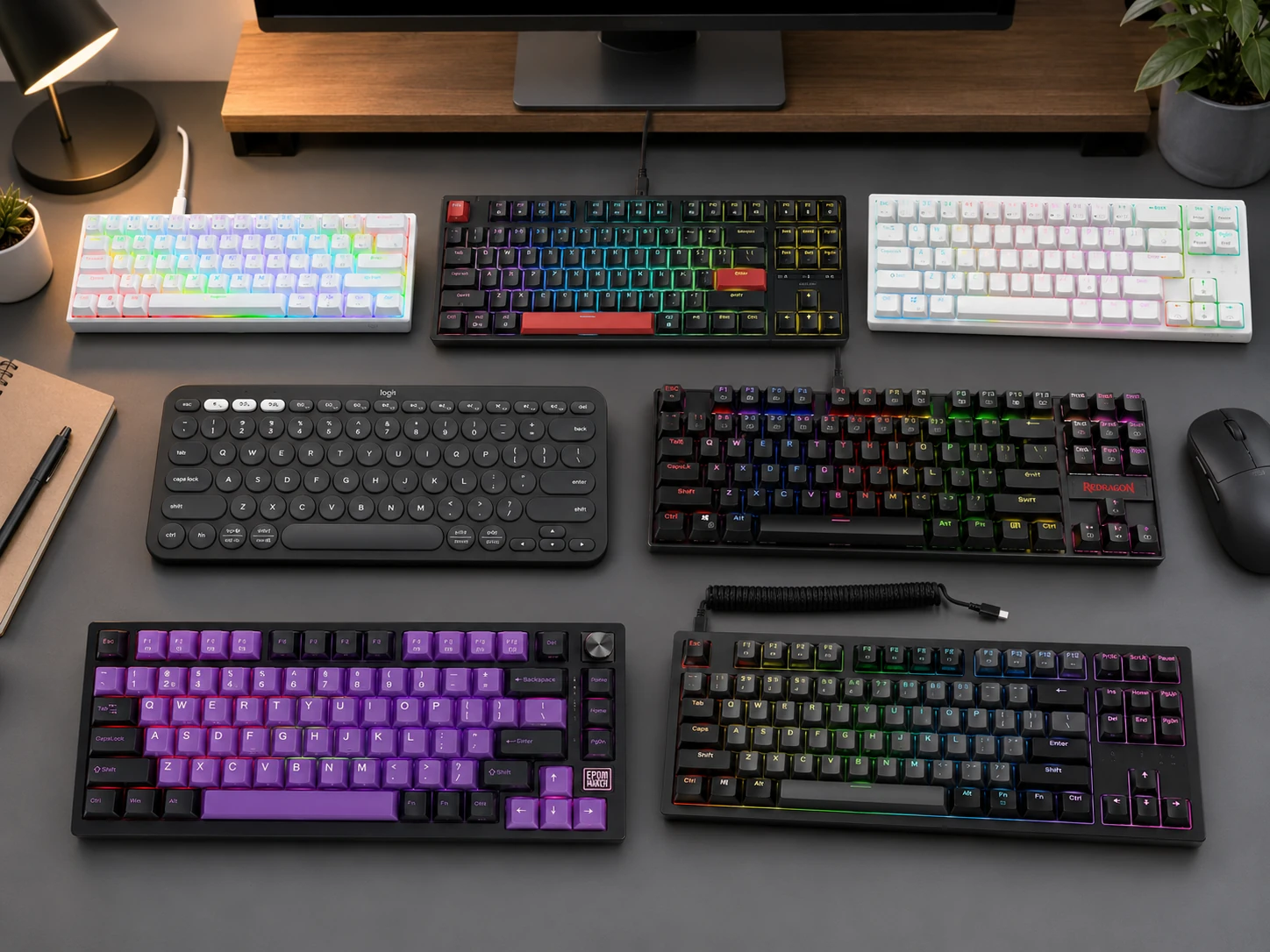
Quick Picks
| Pick | Product | |
|---|---|---|
| Best Overall | RK Royal Kludge RK61 | Check price |
| Best Typing Feel | Keychron C3 Pro | Check price |
| Best 65% with Arrow Keys | RK Royal Kludge RK68 Plus | Check price |
| Best for Mac and Multi-Device | Logitech Pebble Keys 2 K380s | Check price |
| Best Budget Wired | Redragon K552P | Check price |
| Best 75% Wireless | Epomaker TH80 SE | Check price |
| Best Wireless TKL | Tecware Phantom+ Elite | Check price |
The $50 ceiling used to mean settling for mushy keys, plastic flex, and unreliable wireless. Tri-mode wireless, hot-swappable switches, gasket mounting, and QMK/VIA programmability are all available under $50 in 2026.
This guide covers 7 compact keyboards under $50 across 60%, 65%, 75%, and TKL layouts. If you are also researching layout options more broadly, see our guide on best small keyboards or if you need a number pad alongside a small footprint, our compact keyboards with numpad guide covers that.
Which Layout Do You Actually Need
| Layout | Keys |
|---|---|
| 60% | 61 |
| 65% | 68 |
| 75% | 84 |
| TKL 87% | 87 |
60% is the smallest and most desk-friendly but requires the largest adjustment period. Arrow keys and the function row live behind Fn layers.
65% adds dedicated arrow keys in only 2 cm of extra width over 60%. The practical sweet spot for users who need arrows daily.
75% adds the function row back in a frame barely wider than 65%. Best balance of compactness and key accessibility.
TKL 87% removes only the numpad. Easiest transition from a full-size keyboard, keeps all navigation and function keys.
What to Look for in a Budget Compact Keyboard
Hot-Swap vs Soldered
Hot-swappable keyboards let you pull switches out and replace them without soldering. For a long-term board, this means you can swap a broken switch in seconds, and experiment with different switch feels without buying a new keyboard. Six of the seven picks in this guide are hot-swappable.
Soldered keyboards (the Logitech K380s in this guide uses scissor-over-membrane, not traditional switches) are typically non-mechanical and built for compact portability rather than switch customization.
Wireless Connection Types
| Type | Latency |
|---|---|
| Tri-mode (BT + 2.4 GHz + USB) | Low (2.4 GHz) |
| Bluetooth only | Marginal |
| Wired only | Zero |
Switch Types
| Type | Feel |
|---|---|
| Red (linear) | Smooth, no bump |
| Brown (tactile) | Tactile bump, no click |
| Blue (clicky) | Tactile bump + click |
Build Quality
Metal plate: Adds rigidity and a firmer typing feel. The Redragon K552P includes a metal top plate under $35, which is rare at this price.
PBT vs ABS keycaps: PBT keycaps (Keychron C3 Pro, Tecware Phantom+ Elite) resist shine and feel slightly textured. ABS keycaps (most budget boards) develop a glossy shine over months of use but are cheaper to produce.
Gasket or foam dampening: Gasket mounting isolates the switch plate from the case, reducing vibration and producing a softer, quieter sound profile. Both the Keychron C3 Pro and Epomaker TH80 SE offer this under $50.
7 Best Compact Keyboards Under $50
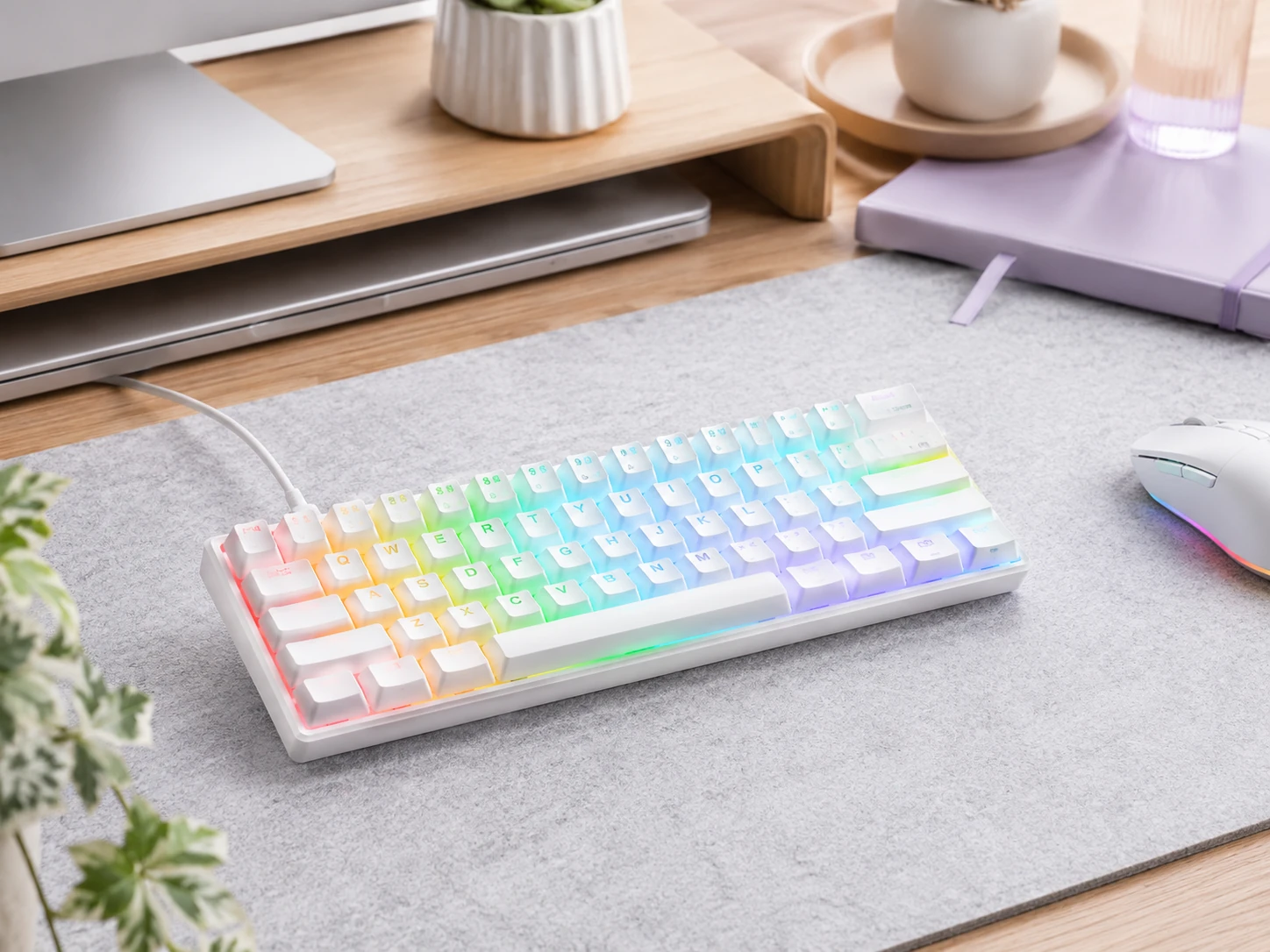
RK Royal Kludge RK61
Why it works
Tri-mode wireless (Bluetooth 5.0, 2.4 GHz, USB-C wired), hot-swappable switches, QMK/VIA programmability, and RGB backlight all under $45. Connects to three Bluetooth devices simultaneously. Maximum compactness at 60% footprint eliminates cables while saving the most desk space.
Trade-offs
- · No dedicated arrow keys or function row, both accessed via Fn layers
- · 60% layout requires relearning muscle memory for arrow keys
- · ABS keycaps develop shine faster than PBT over time
Skip if: You use arrow keys frequently in spreadsheets, text editing, or navigation. Move to the RK68 Plus for dedicated arrows.
Check price on AmazonPros
- +Tri-mode wireless on a 60% layout
- +Hot-swappable switches
- +QMK/VIA programmable
- +RGB backlight
- +Under $45
Cons
- −No dedicated arrow keys
- −No dedicated function row
- −ABS keycaps
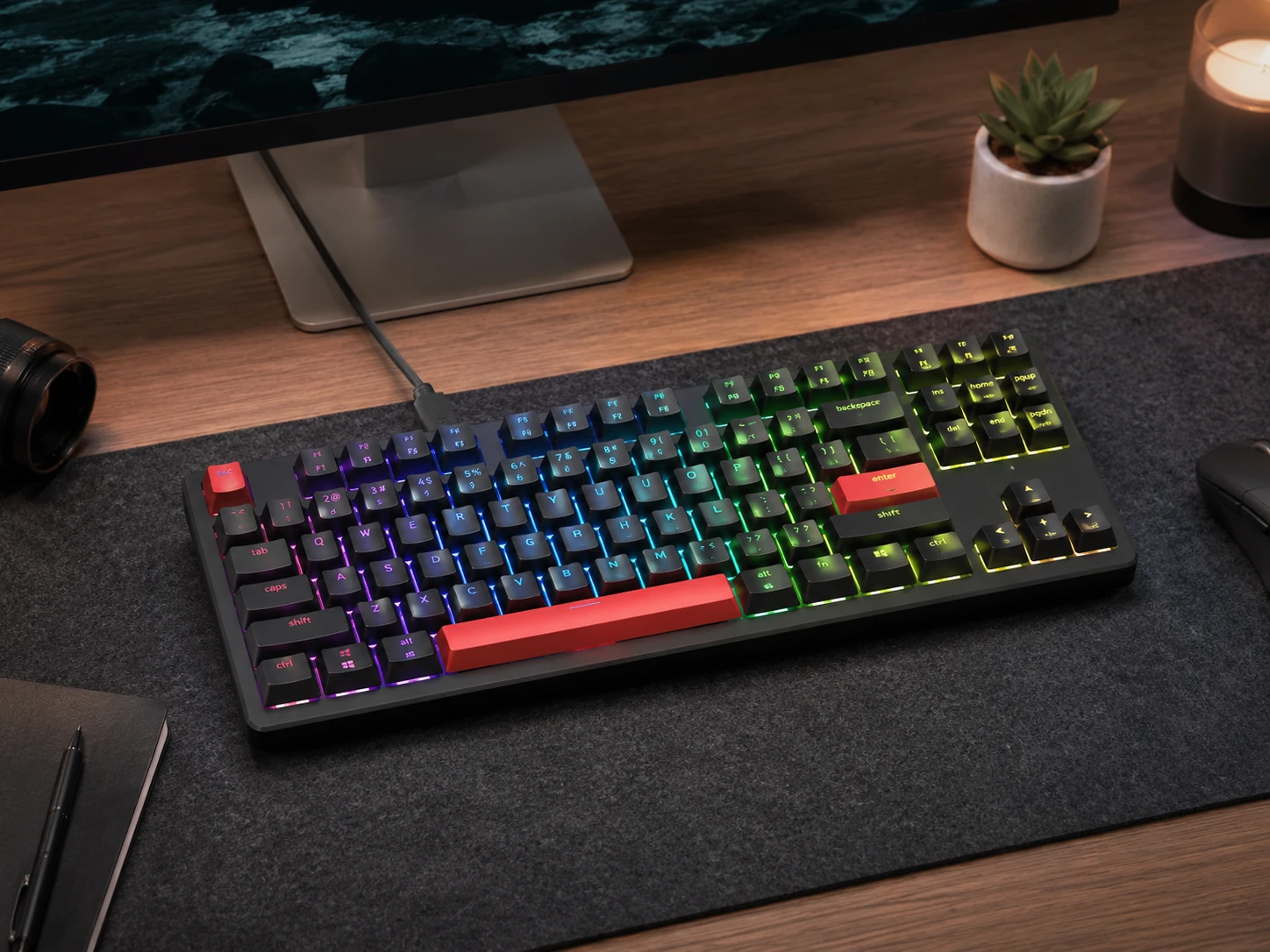
Keychron C3 Pro
Why it works
Gasket mounting at this price delivers noticeably reduced typing vibration and a premium sound profile that plastic-plate keyboards cannot match. QMK/VIA programmability, hot-swappable switches, and double-shot PBT keycaps at $35 to $40. TKL layout keeps all arrow keys, function row, and navigation cluster. Mac and Windows both supported with included keycap sets.
Trade-offs
- · Wired only, no Bluetooth or 2.4 GHz wireless
- · TKL is the widest layout in this roundup at ~36 cm
Skip if: You need wireless. The Keychron C3 Pro is wired-only, which rules it out for cable-free setups.
Check price on AmazonPros
- +Gasket mounting (rare under $50)
- +QMK/VIA programmable
- +Hot-swappable switches
- +Double-shot PBT keycaps
- +Mac and Windows compatible
Cons
- −Wired only
- −Widest layout at ~36 cm
- −No wireless option
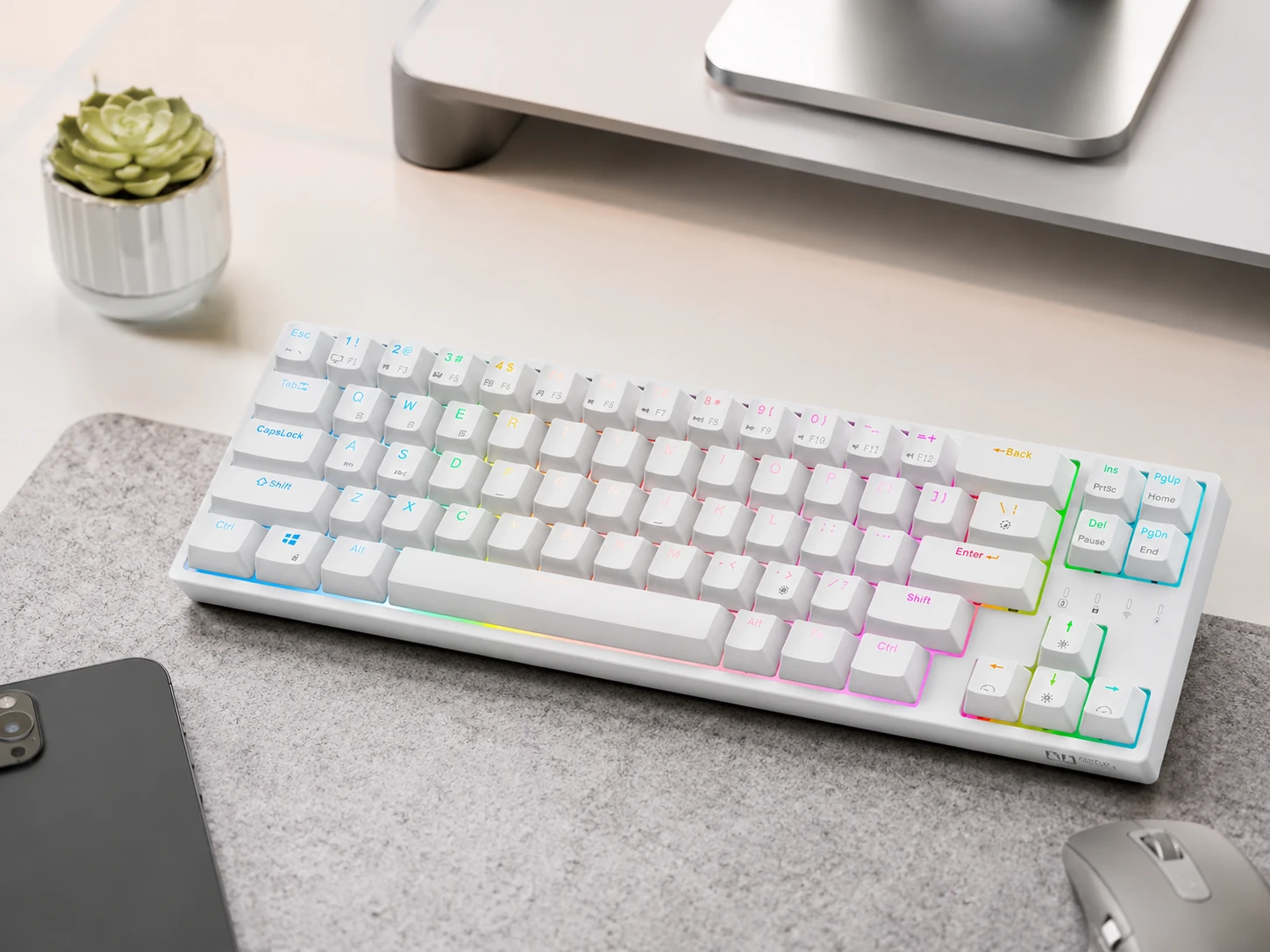
RK Royal Kludge RK68 Plus
Why it works
Adds dedicated arrow keys and a few navigation keys over the RK61 in only 2 cm of extra width while keeping tri-mode wireless and hot-swap. 65% is the practical sweet spot for users who need arrows daily without a full TKL footprint. Some versions include USB passthrough ports for additional connectivity on a small desk.
Trade-offs
- · No dedicated function row (Fn layer required)
- · Software occasionally inconsistent on Mac
- · No QMK/VIA support
Skip if: You rely heavily on the function row for F-keys. Consider the Epomaker TH80 SE for a 75% layout with F-row.
Check price on AmazonPros
- +Dedicated arrow keys in 65% footprint
- +Tri-mode wireless
- +Hot-swappable
- +USB passthrough on some versions
Cons
- −No QMK/VIA
- −No dedicated function row
- −Mac software can be inconsistent
Logitech Pebble Keys 2 K380s
Why it works
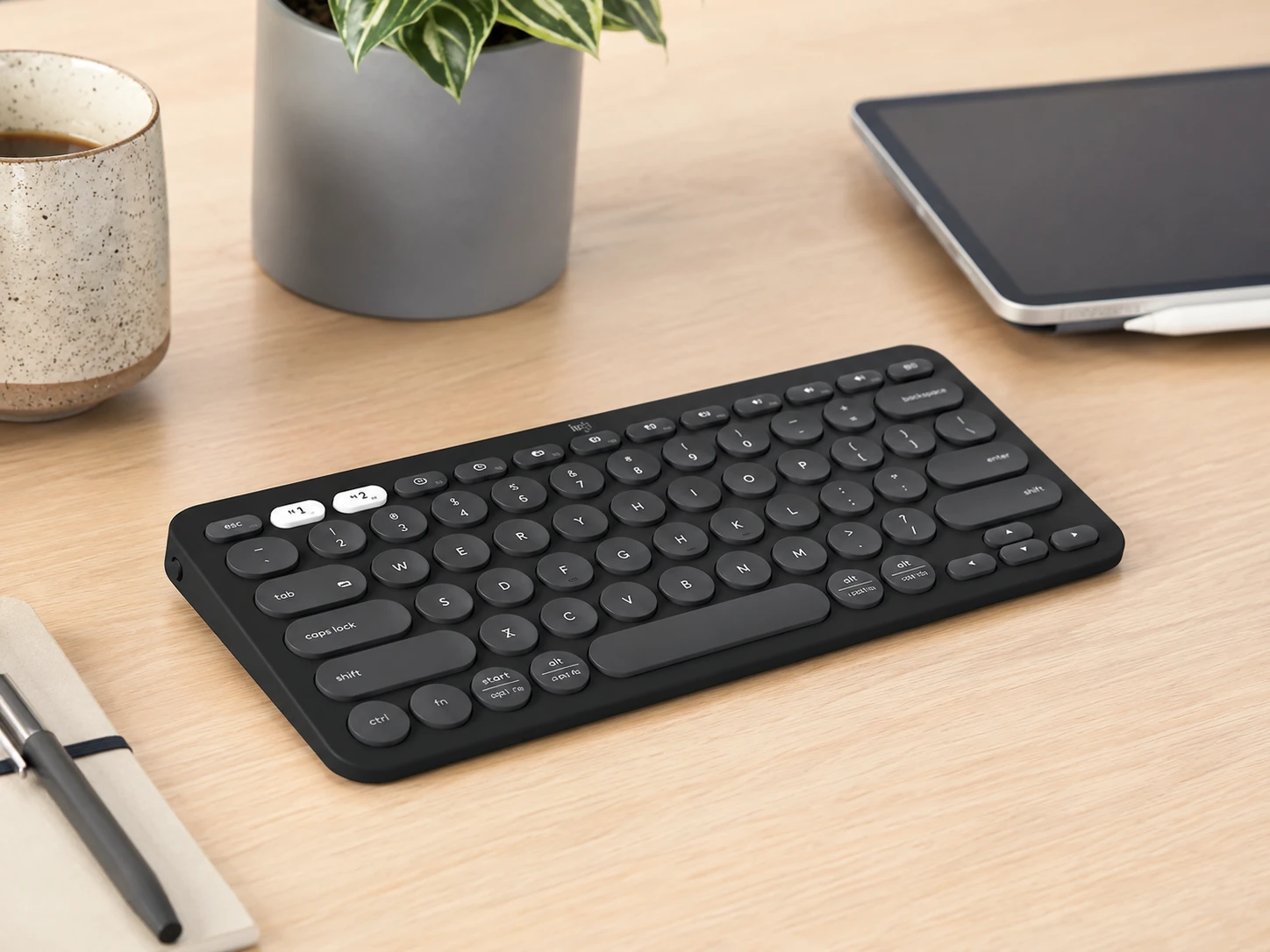
Only pick in this roundup designed explicitly for cross-platform and multi-device use. Connects to three Bluetooth devices simultaneously and switches between them with a single key press. Logi Bolt 2.4 GHz receiver also supported for low-latency connection. 36-month battery life on two AAA batteries eliminates charging management. Narrowest footprint in this list at 27 cm. Designed for macOS, iOS, and iPadOS alongside Windows with correct key labeling.
Trade-offs
- · Not mechanical (scissor switches)
- · No RGB backlight
- · No hot-swap or QMK/VIA programmability
Skip if: You want mechanical switch feedback or RGB. The K380s is built for quiet multi-device productivity, not typist customization.
Check price on AmazonPros
- +3-device Bluetooth switching
- +Narrowest footprint at ~27 cm
- +36-month battery
- +Quiet scissor switches
- +Designed for Mac and iOS
Cons
- −Not mechanical
- −No RGB
- −Bluetooth only, no 2.4 GHz for primary device
Redragon K552P
Why it works
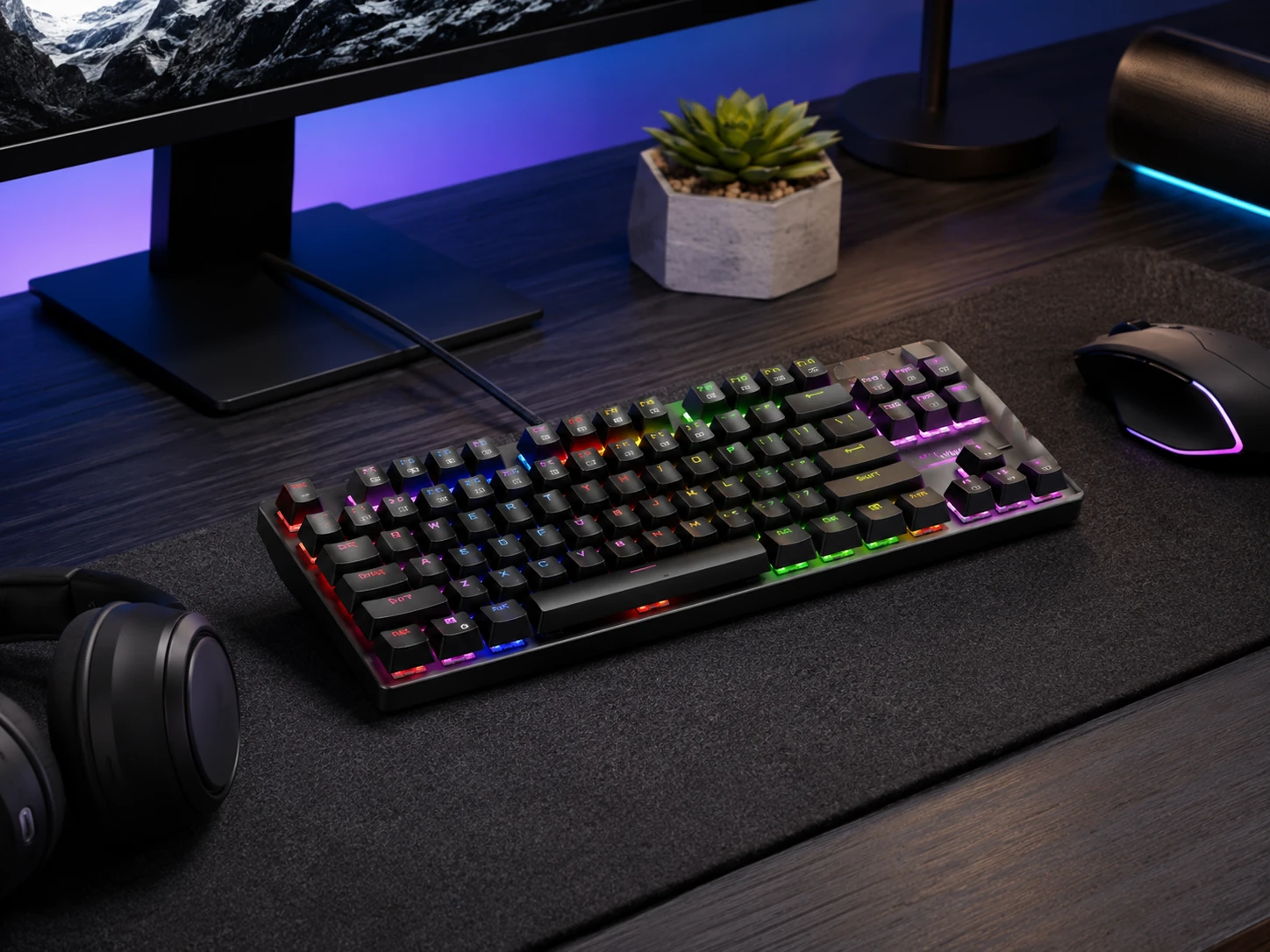
Metal top plate adds rigidity that is very rarely found under $35. Hot-swappable switches let you replace or swap without soldering. 18 RGB backlight modes. N-key rollover for full simultaneous keypress registration. Lowest price in this roundup while maintaining a build quality above its price tier.
Trade-offs
- · Wired only
- · Windows-optimized layout with limited Mac support
- · Outemu switches are functional but not premium
- · No QMK/VIA
Skip if: You need wireless or Mac support. The Redragon K552P is primarily a Windows wired keyboard.
Check price on AmazonPros
- +Metal top plate under $35
- +Hot-swappable switches
- +N-key rollover
- +RGB backlight
- +Most affordable in roundup
Cons
- −Wired only
- −Windows-optimized
- −Outemu switches
- −No QMK/VIA
Epomaker TH80 SE
Why it works
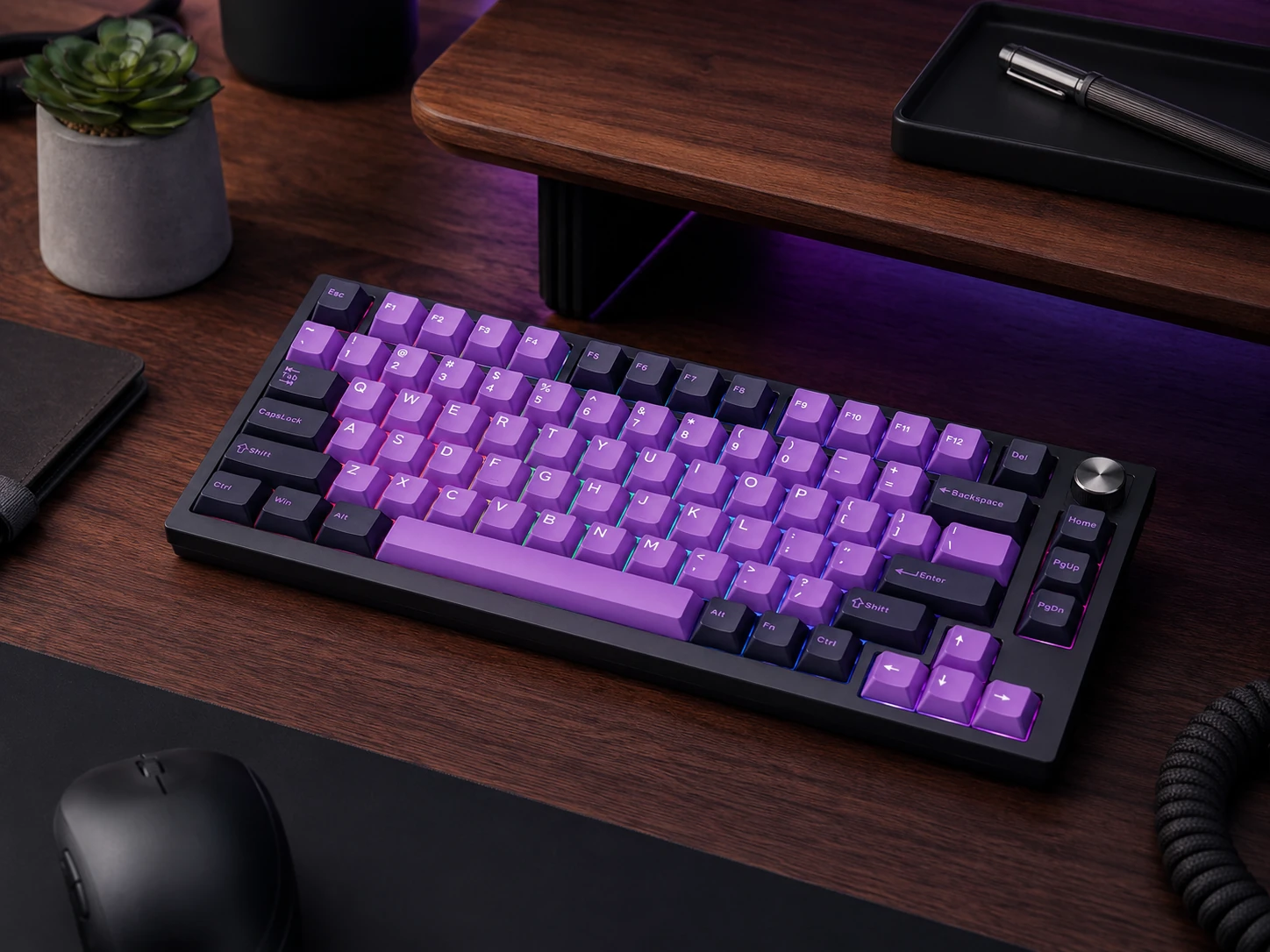
Most feature-complete keyboard in this roundup. Gasket mounting, NKRO, tri-mode wireless, 4000 mAh battery, Poron and EVA foam dampening layers, south-facing RGB LEDs, and a metal rotary volume knob. 75% layout keeps both the function row and dedicated arrow keys in a frame only 1 cm wider than 65%. Pricing fluctuates and frequent Amazon sales bring it to $40 to $45.
Trade-offs
- · Price can exceed $50 at non-sale pricing, verify before buying
- · No QMK/VIA support
- · Software can be inconsistent
Skip if: Current price is above $50. Check before purchasing as pricing varies week to week.
Check price on AmazonPros
- +Gasket mount and foam dampening at this price
- +Metal rotary volume knob
- +Tri-mode wireless
- +4000 mAh battery
- +75% keeps function row and arrow keys
Cons
- −No QMK/VIA
- −Price fluctuates above $50
- −Software inconsistency reported
Tecware Phantom+ Elite
Why it works
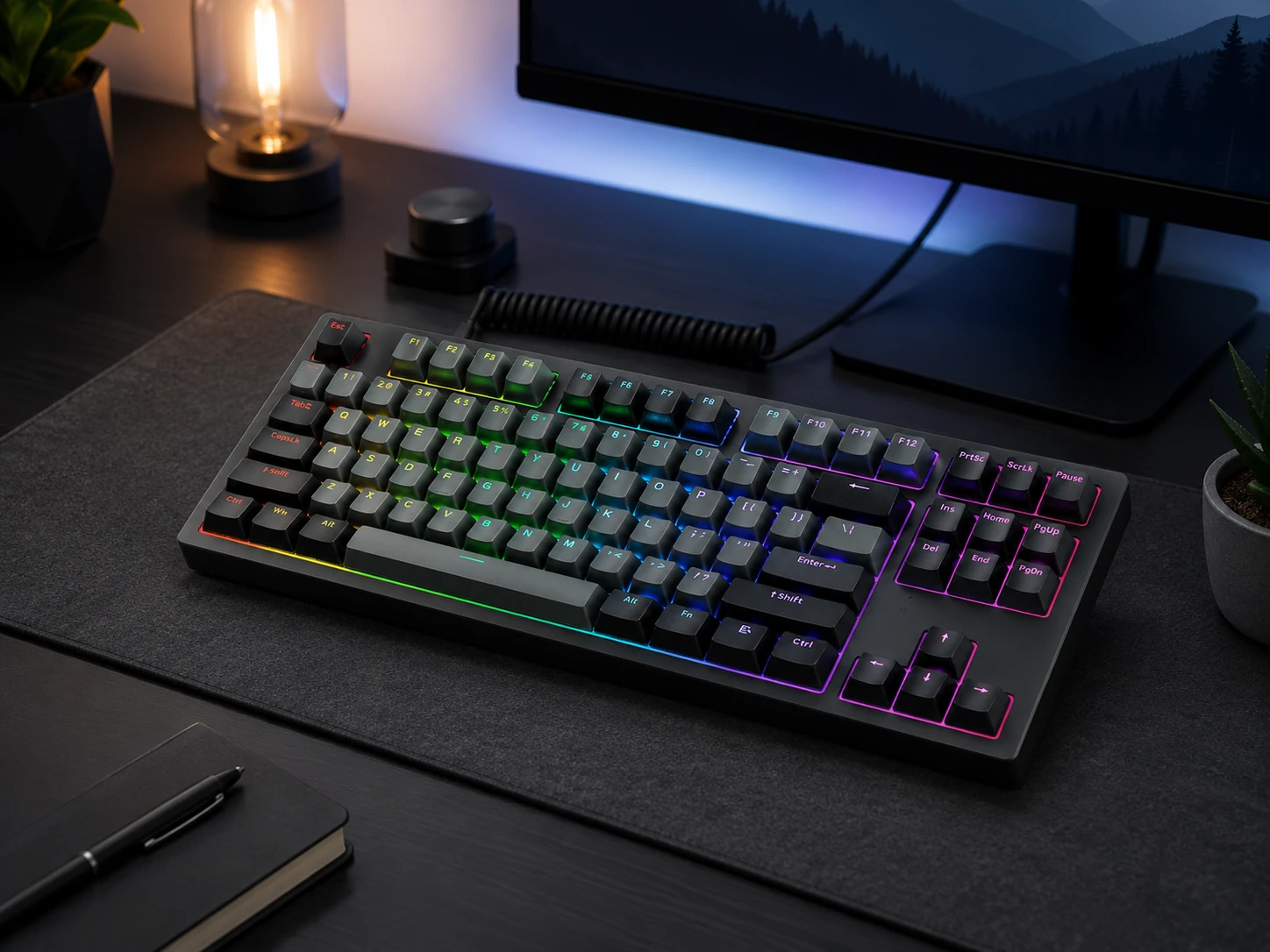
Brings tri-mode wireless to the TKL layout at under $55, which is genuinely hard to find at this price. 5-pin hot-swappable sockets, double-shot PBT keycaps, and dampened case for a thocky sound profile. For users who want the familiar TKL layout with wireless freedom without paying $80 to $100 for Keychron wireless options.
Trade-offs
- · Near or slightly above $50 depending on current pricing
- · Wraith switches are proprietary and less widely reviewed
- · No QMK/VIA
Skip if: Budget is strictly $50 or less. The Tecware may push slightly over depending on the listing. Verify current price.
Check price on AmazonPros
- +Wireless TKL under $55 (rare)
- +5-pin hot-swap
- +Double-shot PBT keycaps
- +Thocky dampened case
- +Tri-mode connectivity
Cons
- −Can exceed $50
- −Proprietary Wraith switches
- −No QMK/VIA
Frequently Asked Questions
Is a compact keyboard better for a small desk?
Yes for desk space management. A TKL saves about 8 cm vs a full-size keyboard. A 65% saves about 13 cm. On a 70 to 90 cm desk that difference is real, with more room for mouse movement, notebook, or a less cluttered surface. The trade-off is losing keys you may use depending on layout.
What is the best compact mechanical keyboard under $50?
For typing feel, the Keychron C3 Pro at about $35 with gasket mounting and QMK/VIA is exceptional. For wireless flexibility, the RK61 with tri-mode wireless and hot-swap under $45 is the better pick. Choose based on whether wireless is essential to your setup.
Are wireless keyboards under $50 reliable?
The RK61, RK68 Plus, TH80 SE, and Tecware Phantom+ Elite all offer 2.4 GHz wireless which is reliable for desk use. Bluetooth adds multi-device flexibility but with marginally higher latency. For gaming, 2.4 GHz is preferred. For typing and productivity, either is fine.
What is the difference between 60% and TKL keyboards?
A 60% keyboard (61 keys, about 29 cm wide) removes the numpad, function row, navigation cluster, and arrow keys, all accessible via Fn layers. A TKL (87 keys, about 36 cm) removes only the numpad, keeping everything else dedicated. TKL is much easier to adapt to; 60% requires a relearning period.
Do I need hot-swappable switches under $50?
If this is a long-term board (1 to 3 years or more), hot-swap lets you replace individual broken switches without soldering and experiment with different switch feels. If it is a short-term or secondary keyboard, hot-swap is a nice addition rather than essential.
Which compact keyboard under $50 works best for Mac?
The Logitech K380s is designed explicitly for macOS and iPadOS with correct key labeling, proper Fn mapping, and 3-device Bluetooth for switching between Mac, iPad, and iPhone. The Keychron C3 Pro also includes Mac keycaps and a system toggle but is wired-only.
Bottom Line
Best overall: RK Royal Kludge RK61: tri-mode wireless, hot-swap, 60% footprint, QMK/VIA under $45.
Best typing feel: Keychron C3 Pro: gasket mount, QMK/VIA, PBT keycaps, the best wired pick at ~$35.
Best for Mac and multi-device: Logitech Pebble Keys 2 K380s: 3-device Bluetooth switching, narrowest footprint, quiet keys designed for macOS.
Most features per dollar: Epomaker TH80 SE: gasket mount, rotary knob, tri-mode wireless, 4000 mAh battery when on sale under $50.
Browse compact keyboards under $50 on Amazon
All Prime-eligible. 60%, 65%, 75%, and TKL options with wireless and hot-swap.
Shop on Amazon →Related Guides
Last updated: June 2026. Verify current Amazon prices before purchasing.