
How to Choose a Phone Stand for Landscape Viewing While Charging
Affiliate Disclosure: We may earn a small commission on qualifying Amazon purchases at no extra cost to you. Full disclosure →
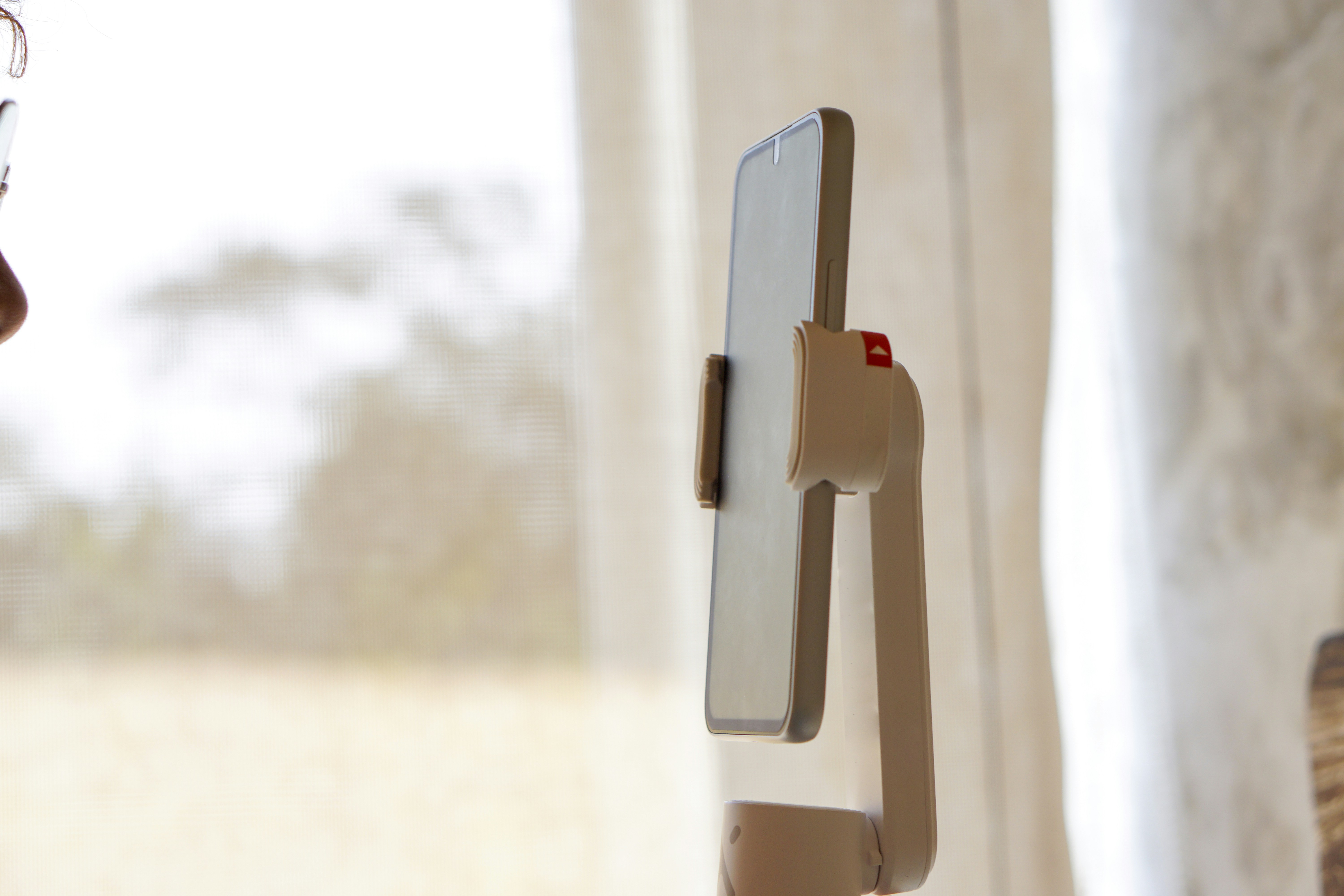
A phone stand may hold a device upright while leaving too little room for its charging plug in landscape. A thick case, side button, camera bump, or cable loop can change the fit. Compare the phone as you actually use it, including the connected plug and the action of lifting it from the stand.
Quick answer: Check documented phone-and-case compatibility and permitted landscape support, then measure the usable cradle and plug clearance. Keep buttons, speakers, and the camera available for the intended task. Route the charging cable without lifting or twisting the phone. A stand’s advertised screen-size range does not establish case-on fit or charging access in every orientation.
Start with the reason for landscape
Decide whether you watch reference video, join calls, read a dashboard, or use a supported clock display. Each task may need another viewing angle, camera position, or control. Do not choose a stand only because a product photo shows the phone sideways.
Check whether the application supports the intended orientation. Some views remain portrait or crop differently in landscape. A stand cannot create an application feature. Verify the real screen behavior before buying around an assumed horizontal layout.
For background on support geometry, see phone stand angles explained. Use the actual model’s supported range rather than applying another person’s preferred angle as a universal rule.
Measure the complete phone and case
Record the dimensions where the stand contacts the device, including thick corners, an attached grip, or a case hinge. A camera bump can affect the back contact while a raised case edge changes the cradle fit. Compare those features with the stand’s actual usable support surfaces.
Do not force a case into a narrow lip or rest the phone on an attachment not intended to carry it. If the case must be removed, include that handling step and where the case goes. A stand that fits only the bare phone may still be acceptable for an occasional task, but it should not be described as a verified case-on fit.
UGREEN’s phone-holder documentation illustrates a model-specific charging-access feature. That does not establish the same clearance in every orientation, with every case, or on another stand. Check the complete configuration rather than borrowing a general compatibility sentence.
Add the charging plug body
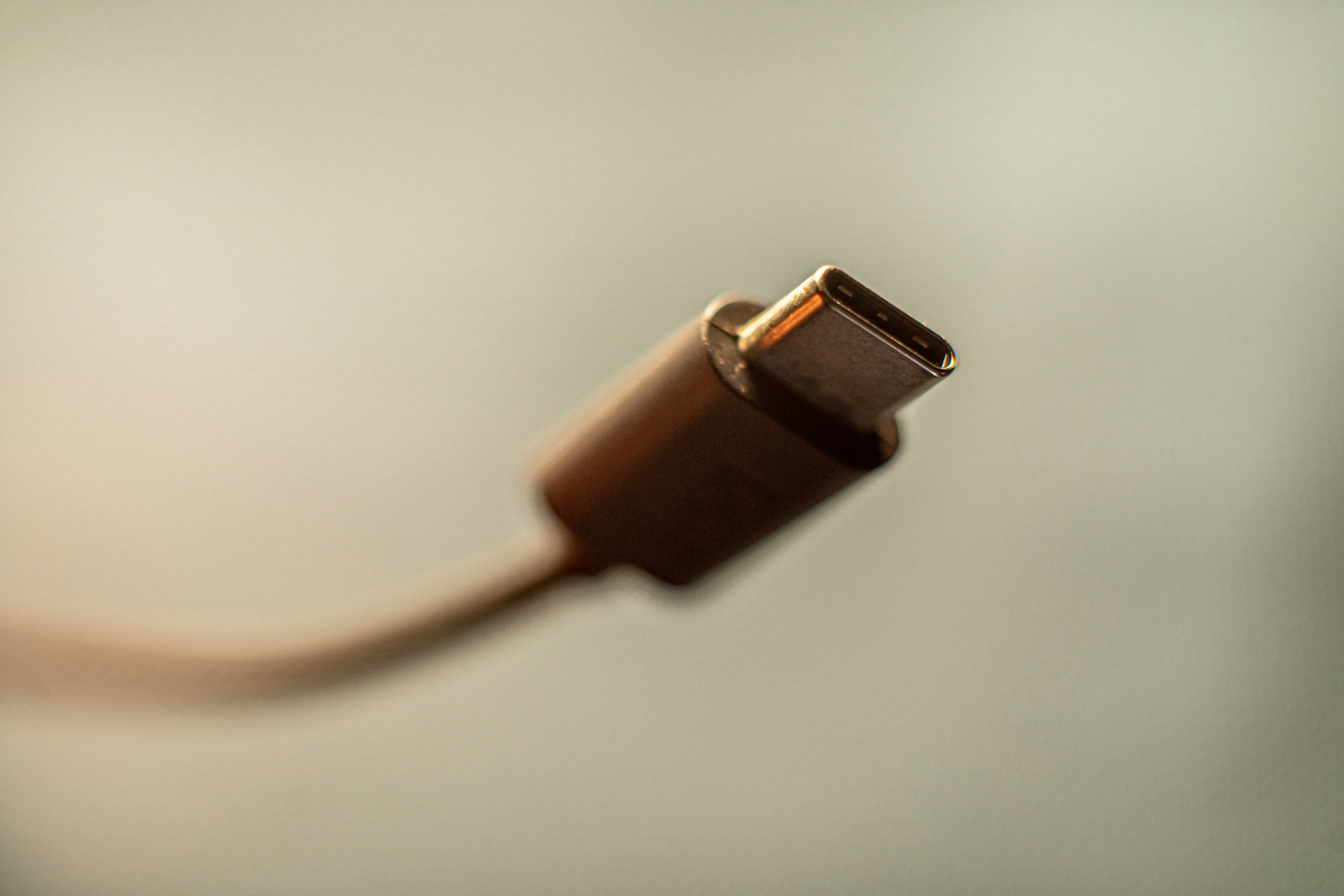
Insert the intended compatible plug in a safe supported planning state and include its rigid body before the flexible lead begins. A small port opening is not the same as space for the plug. In landscape, the connector may project into a stand arm, desktop, or neighboring object.
Check the route as the phone tilts within the documented range. The cable should not lift one edge, press against the stand, or make a tight bend at the connector. A longer cable may help reach but needs appropriate electrical compatibility and a sensible route; length alone is not the requirement.
For a magnetic wireless alternative, use the case-and-alignment guide. Wireless charging changes the connection at the phone but does not remove the stand’s power cable or guarantee compatibility with the case and device.
Check buttons, sound, and camera
Place the phone in each permitted landscape direction you intend to use. A side button can sit against a support in one direction and remain clear in the other. Check the microphone and speaker openings relevant to calls or playback without assuming every notch in a stand serves every phone.
For video calls, verify camera framing in the actual application. A low stand can point the camera differently from the position you expected. Do not balance the stand on an unstable stack to raise it. Compare another suitable product or documented arrangement if the needed position cannot be reached.
If an overhead view is needed instead, the overhead phone mount guide addresses a different support task. A viewing stand should not be converted into an overhead holder because it has an adjustable hinge.
Reserve the connected footprint
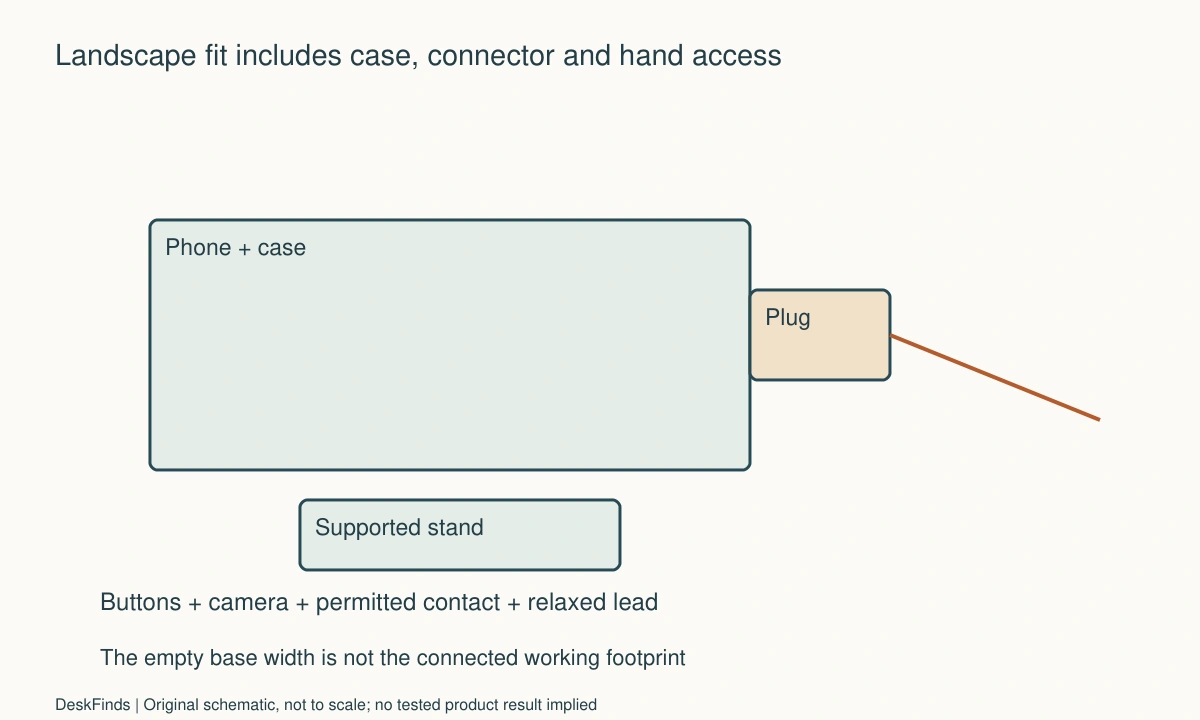
Outline the base, phone body, side plug, and relaxed cable loop. Include the hand route used to tap controls or remove the phone. A compact stand can occupy more width than expected when a large phone and charging connector are added.
Keep the arrangement outside the normal mouse sweep and paper area. If the stand sits near the keyboard, check ordinary typing and reaching for a key. A phone you consult occasionally should not displace a primary input device into an awkward position just to remain centered.
The tablet and phone stand comparison helps distinguish categories. A heavier tablet or thick folding phone may need a different supported product even if the stand’s generic device-size range appears broad.
Separate viewing from repeated interaction
A stand designed for static viewing is not automatically suitable for frequent tapping at a steep angle. Check the intended interaction and surface conditions. Use ordinary supported actions after delivery, not an informal push-to-tip experiment.
If you type extensively on the phone, compare a supported alternative arrangement or the actual need for the stand. A large hinge range does not mean every angle is equally practical for every task. Keep the device’s retention and operating requirements visible in the decision.
For a shared stand, check each phone and case separately. Similar diagonals can hide different button, camera, and port positions. A simple reset state can help, but it does not establish universal compatibility across everyone who uses the desk.
Worked example: the plug changed the landscape fit
Imagine a hypothetical user who watches training videos while working on paper. The phone sits comfortably in a compact stand without a cable. During charging, the side-facing plug approaches part of the stand and the cable pushes against the phone’s position.
The user compares the actual plug envelope with the stand’s documented orientations. Another permitted landscape direction may help only if buttons, camera, and retention remain appropriate. The user does not force the plug into the gap or use a cable under tension to keep the phone seated.
A different compatible stand is compared with the same phone, case, cable, and task. A wireless option is also considered through its own device and case requirements rather than assumed to work automatically. The comparison includes the remaining power lead and the useful desk area.
The hypothetical decision favors a complete supported charging-and-viewing state. A stand that looks smaller empty may be less practical once connected. No claim is made about charging speed, battery health, or the stability of an unnamed product.
A second scenario: the case grip prevented proper contact
Consider a hypothetical person whose phone case includes an attached grip or wallet feature. The stand’s listed phone-size range appears suitable, but the attachment changes where the back rests. The phone does not contact the intended surfaces in the first proposed arrangement.
The person checks the stand and case guidance rather than compressing the attachment or resting the phone on a narrow edge. Removing the attachment may be a documented option for a particular product, but that possibility is not assumed. The routine cost of removal and replacement is included if it is permitted and acceptable.
The person compares another suitable stand with a clear supported cradle and the actual charging route. Landscape and portrait are checked separately because the contact points differ. A successful portrait fit does not establish the requested landscape use.
The final hypothetical plan names the complete assembly instead of saying the stand fits all phones. This makes later changes easier to assess: a new case or accessory can change fit even when the phone itself stays the same. The example illustrates a purchasing check, not a product test.
Compare a stand with the simplest useful position
A stand can be valuable when it improves repeated reference access, camera placement, or supported interaction. If the phone is consulted rarely, another appropriate storage or reference arrangement may be enough. Avoid adding a stand merely because there is a narrow gap beside the monitor.
Include the charger, cable, case handling, and desk footprint in the cost. A charging stand and a non-charging holder are different products. A magnetic holder may provide no charging at all. Read the functions explicitly rather than assuming a magnetic attachment or USB socket implies the desired power behavior.
Retain instructions and packaging while checking the delivered fit. If the needed plug clearance or supported interaction is missing, use support or return options rather than modifying the cradle. The right accessory should accommodate the actual phone assembly through its documented design.
Six checks for connected landscape use
Application view
Open the intended task and verify that landscape behaves as expected. Check crop, controls, and any camera view. A physical holder cannot change an application’s orientation limits. Keep the requirement concrete, such as reading a reference video while taking notes, rather than treating sideways placement itself as the benefit.
Case-on contact
Check the actual thickness, corners, camera bump, and attachments against the usable cradle. Keep the phone on the intended contact surfaces. If removal of a case or accessory is necessary, include the permitted handling and storage steps. A broad diagonal-size range is not proof that every external shape fits correctly.
Plug envelope
Include the rigid connector body, flexible cable route, and finger space for disconnection. Check the intended angle and permitted landscape direction. Do not force a tight bend or use the lead to hold the device in place. A compatible cable still needs a practical physical route in the completed desk arrangement.
Controls and calls
Check buttons, speaker and microphone openings, and the actual camera framing. Use the stand only for its intended interaction and supported positions. A static viewing fit does not establish suitability for repeated tapping or an improvised raised platform. Compare another documented product when the task requires a position the stand cannot provide.
Desk movement
Outline the loaded phone, stand, cable, and hand route beside the keyboard and mouse. Keep ordinary input and paper work available. If the phone changes position between tasks, give it a stable destination rather than balancing it against the monitor. The connected footprint, not the empty base, determines the practical space used.
Removal and reset
Lift the phone through the supported route and disconnect as appropriate without pulling the cable or moving unrelated equipment. Restore the stand and lead for the next use. If the desk is shared, check each complete device assembly separately. A useful stand makes both viewing and departure manageable, with the intended phone, case, and charger.
A connected-width example
Suppose a hypothetical phone-and-case assembly is 166 mm long when placed horizontally. The intended charging plug projects another 24 mm before the flexible lead begins. The visible device and plug therefore occupy at least 190 mm in that direction before allowing a relaxed cable route and hand access. These are invented dimensions, not a recommended stand size or a specification for a named phone.
A 175 mm clear gap beside the monitor may appear suitable for the phone alone while failing the connected arrangement. Do not bend the cable tightly to make the subtraction disappear. Compare another permitted phone orientation, a suitable stand location, or a documented charging alternative.
The base width remains a different measurement. A narrow base can support a permitted phone overhang, but only the product instructions can establish that use. The complete footprint still includes the projecting phone and connector, so the gap should be assessed around the loaded arrangement rather than the empty stand.

Check both landscape directions deliberately
Rotating the phone the other way can move the charging port, buttons, camera, and speakers relative to the cradle. It may resolve one conflict while introducing another. Treat the two supported directions as separate configurations and verify the actual application view in each.
If a button contacts the support, do not cover or disable it through an improvised pad. If the charging port becomes inaccessible, do not force a rigid adapter into the gap. A suitable product should accommodate the complete task through its intended surfaces and permitted angles.
Keep the phone’s normal case in the comparison. A bare-device result can be useful only for a routine in which case removal is acceptable and appropriately handled. It should not be reported as evidence for a case-on fit that was never established.
Decide whether charging during viewing is necessary
Some tasks genuinely need the phone powered for a long session; others involve brief reference checks. Compare the supported routine you have rather than assuming continuous charging is always required. This is a workflow question, not advice about battery health or a promise of runtime.
If a cable is retained, give it a clear parking position when the phone leaves. If a wireless alternative is selected, include the stand’s own supply lead, case requirements, and removal action. Wireless at the device does not mean the desk has no power route to plan.
A non-charging magnetic holder is another category again. Read functions explicitly so a mounting purchase is not mistaken for a charging solution. The simplest useful setup may be a suitable holder plus the existing supported charger, but both parts need to work together physically.
Use an ordinary session to refine access
After documented compatibility is established, check the actions repeated in the real task: tap playback, answer a call, read a reference, lift the phone, and return it. Keep private material out of exploratory recordings and follow the stand’s intended interaction conditions.
If one action regularly moves the stand or pulls the connector, revise the supported position rather than accepting a fragile routine. A product can hold a phone statically and still be inconvenient for frequent touch use. Record that task limitation without making an unsupported universal stability claim.
Recheck when the case or cable changes. A thicker corner or longer rigid plug can alter the fit while the phone model remains the same. Retaining the original assembly details makes those changes easier to assess without starting the whole purchase comparison again.
Sources and scope
- UGREEN adjustable phone-holder information - Example of a documented charging-access feature; every case, orientation and connector still requires its own fit check.
Editorial note: This is a research-based planning guide, not a hands-on product review. All worked scenarios are hypothetical. Measurements and compatibility must be confirmed for the exact equipment. Photography supplies context, not proof of a tested arrangement.
Photos are illustrative and come from free-license libraries such as Unsplash; diagrams are original to DeskFinds.