
How to Choose Cable Clips for Thick or Braided Charging Cables
Affiliate Disclosure: We may earn a small commission on qualifying Amazon purchases at no extra cost to you. Full disclosure →
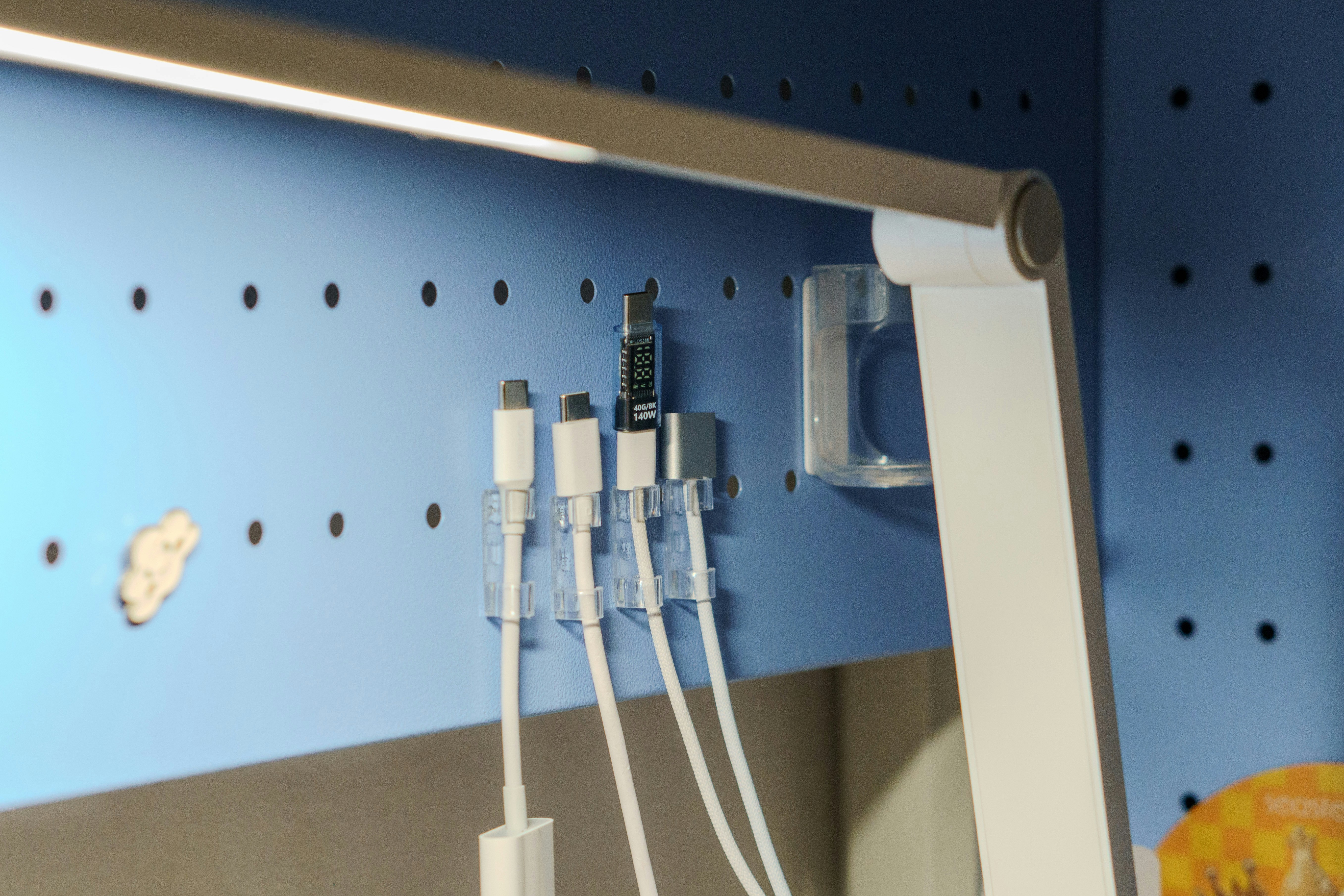
A cable clip can keep a charger within reach while making the cable awkward to pull out or return. Thick braided jackets, large connector bodies, and different magnetic or spring closures change the fit. Choose around the cable’s actual shape and daily movement, not a photograph of a thin sample lead.
Quick answer: Check the clip’s documented cable range and closure against the actual jacket diameter and shape. Confirm that the cable rests without crushing, abrasion, or an excessively tight route, and that its connector remains accessible. Verify the attachment surface and removal method separately. A magnetic closure does not mean the clip will attach to every desk, or that it is designed to carry a hanging charger or device.
Define the clip’s job
Decide whether you need an end keeper for a disconnected lead, a route guide for a stationary cable, or access to a cable that moves with a device. Those roles can need different retention and release behavior. A clip that prevents an end falling behind the desk may be unsuitable as a fixed anchor for a moving laptop lead.
List the actual cables, including their destination and how often they move. Keep charging, video, and storage roles identifiable. The cable-management types guide helps distinguish clips from trays, ties, sleeves, and raceways. Buying more clips does not replace a route plan.
Anker’s cable-management guidance identifies different clip and channel roles. Use it as category context, then obtain the exact product’s diameter, surface, and use information. A general organizing article is not confirmation that a particular magnetic or spring clip fits your cable.
Measure the jacket where it is retained
Measure the outer cable jacket at the intended contact point without compressing it. A braided surface, flat section, or local reinforcement can differ from a smooth round lead. Compare the product’s stated range and intended shapes rather than forcing an irregular cable into a nominally similar opening.
Do not measure only the metal connector or the cable’s electrical category. Two USB-C leads can have very different external diameters and stiffness. A cable fitting one clip is not evidence that every lead with the same plug will fit.
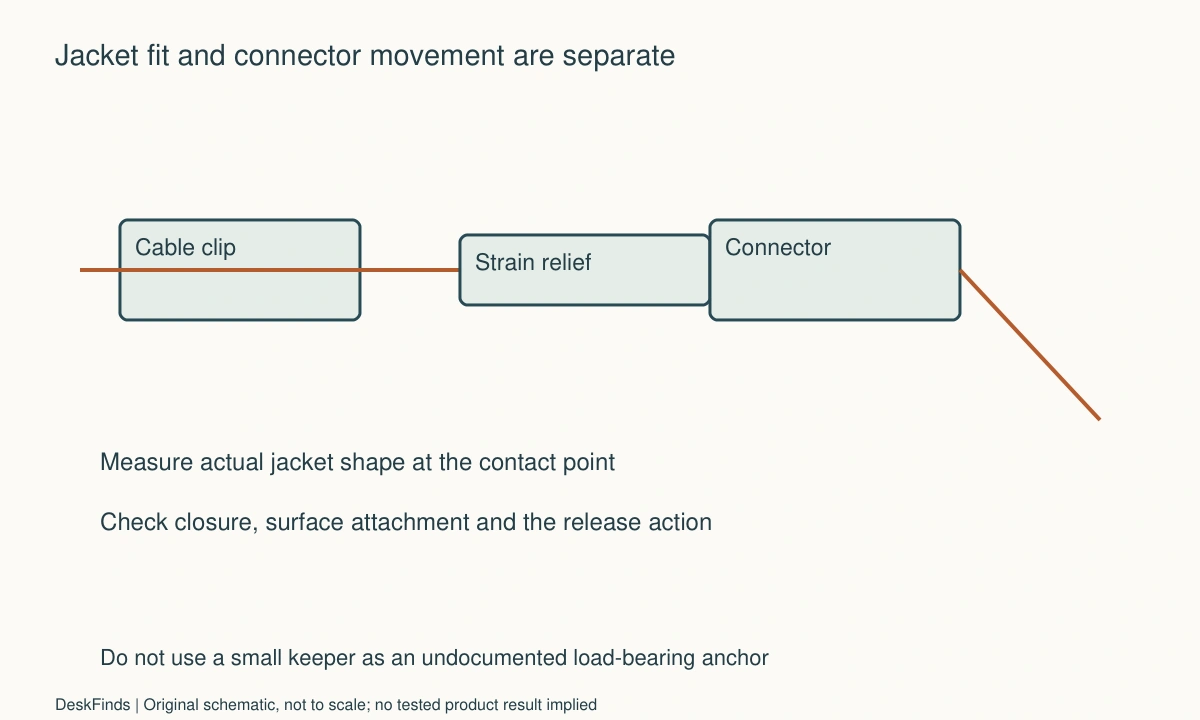
Keep the strain-relief area in mind. A clip placed immediately beside a rigid connector can create a sharp transition even when the jacket diameter fits. Follow the cable and accessory instructions rather than treating a short neat line as the objective.
Distinguish closure from mounting
A magnetic lid can close around a cable while the clip itself attaches by adhesive or another method. A magnetic mounting base may instead require a compatible metal surface. Read which function uses magnetism. The word magnetic alone does not describe the installation or retention system.
Check surface material, finish, texture, cleanliness requirements, and removal guidance. A removable adhesive claim is not a guarantee for every painted, veneered, or rented surface. If compatibility is uncertain, choose another supported method or location instead of testing casually on an important visible finish.
Do not add a metal plate or substitute adhesive to make a different mounting method work unless the product documentation supports it. The accessory should be installed through its intended system, not an improvised combination that changes how loads reach the furniture.
Preserve the connector’s usable position
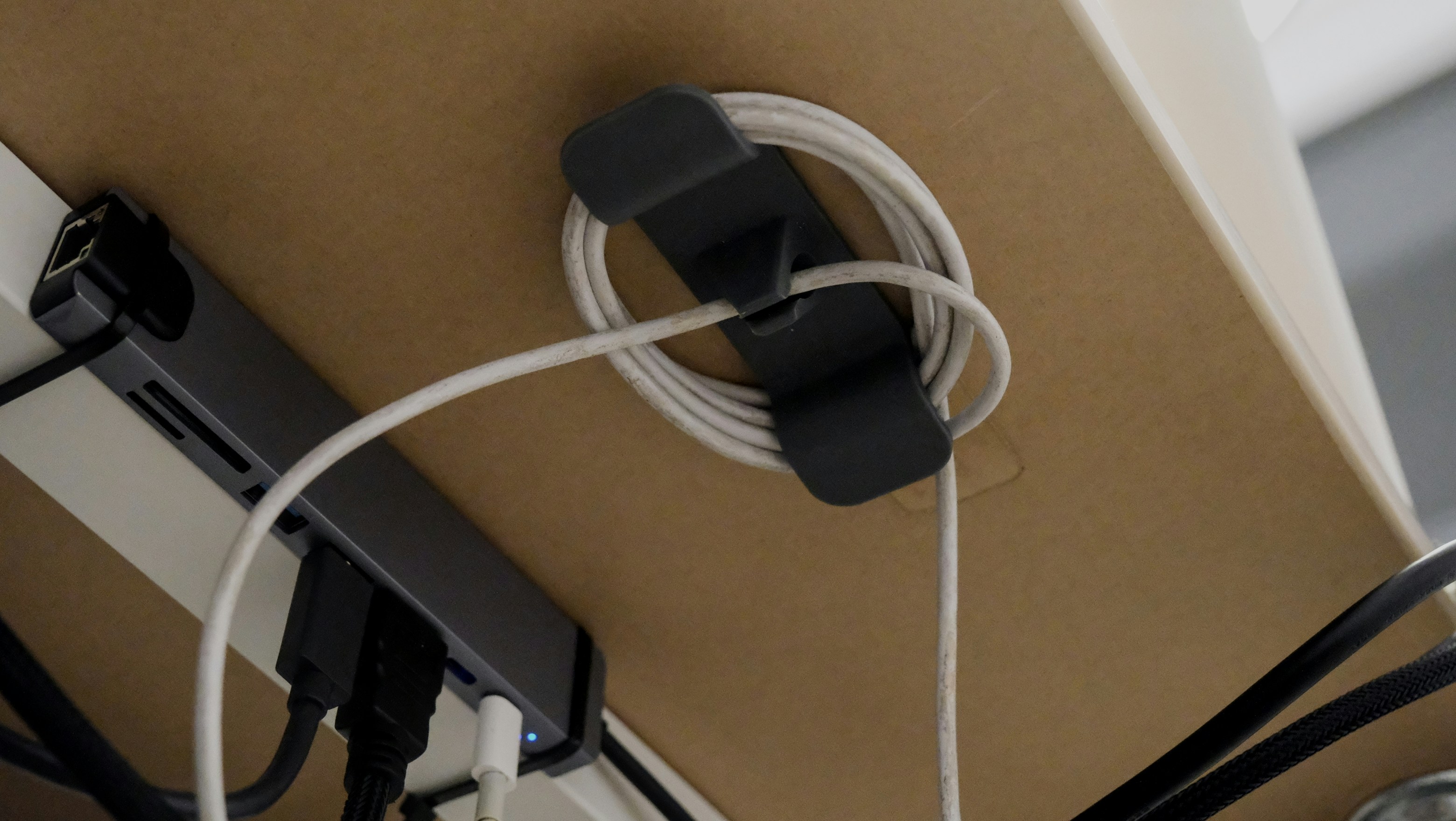
When a cable is parked, the connector should be easy to identify and grasp. Include the plug body and your hand route beside the monitor, keyboard, or desk edge. A clip can hold the jacket while allowing the connector to slip out of reach if the opening and end geometry do not serve the keeper role.
Compare the intended release action. Some designs open before removing the lead; others permit a documented sliding movement. Do not pull a thick jacket through a closed narrow opening unless that is intended. A strong closure is not automatically better if it makes ordinary retrieval awkward.
For a connected phone, see the landscape stand cable guide. The clip and stand must allow the phone to be lifted and returned without tension. A cable end remaining on the desk is not worth a route that loads the device’s port.
Allow the movement the device needs
Trace the cable from its fixed source through the clip to the device. Check the normal working position, adjustment, and removal. Keep enough supported slack for those actions, while avoiding loops in the chair or walking route. A clip should guide an appropriate route rather than become an accidental tether.
If the desk changes height, include the complete movement and the outlet end. Do not fasten a moving cable to a fixed point without accounting for travel. The standing-desk cable guide covers that broader routing task; clips are only one part of it.
Do not use a small keeper to support a power brick or the weight of a device unless that load is expressly permitted. Support those objects independently according to their instructions. A tidy cable can still be under inappropriate tension if something heavy hangs from the other end.
Check jacket contact during ordinary use
Inspect the intended contact and release method after delivery. The jacket should not be pinched, cut, or visibly damaged by the accessory. If the cable or clip is unsuitable, stop and follow the relevant support process rather than filing the opening or stretching a closure beyond its design.
Keep dirt and abrasive debris out of the contact area through the maker’s care guidance. Braided surfaces can make it harder to see where pressure or rubbing occurs, so use the actual cable during the fit check. Do not perform repeated destructive pulling to estimate durability.
If several cables share one product, check each position and the combined intended use. A slot accommodating one lead does not establish that two can be stacked there. Avoid forcing extra cables into an opening simply because the lid can still be pressed shut.
Worked example: the thick cable fit but could not move usefully
Imagine a hypothetical worker with a stiff braided laptop lead and a small desktop keeper. The cable diameter falls within the listing’s range, so the worker initially considers fit established. The chosen clip position is close to the laptop port, leaving little relaxed movement when the laptop is shifted for writing.
The worker traces the complete route and compares another supported keeper location. The cable remains accessible when disconnected but does not become taut during ordinary laptop movement. The connector’s strain relief is included, rather than treating the first flexible section as the only space needed.
A different clip closure may be compared if daily removal remains awkward. The worker does not enlarge the opening or drag the jacket through a closed mechanism. The actual cable and the documented release action decide whether the accessory is practical.
The hypothetical outcome is a route that serves both parked and connected states. It does not claim a pull-force or abrasion test. The example shows why a diameter match can be necessary without being the whole fit decision.
A second scenario: magnetic meant a lid, not a desk attachment
Consider a hypothetical buyer who expects magnetic cable clips to stick directly to a desk frame. The selected product uses a magnetic closure but an adhesive mounting base. The buyer notices the difference before installation and checks the intended surface requirements.
If the desk frame or finish is not supported for that adhesive, the buyer compares another documented product or location. A separate metal plate, stronger adhesive, or improvised screw is not added merely to preserve the original assumption. The mounting method is treated as part of the purchase, not an incidental detail.
The buyer also checks whether the cable keeper remains reachable in the revised location. A surface-compatible placement behind the desk may still be inconvenient for a lead retrieved several times a day. Both installation and ordinary access must work.
The final hypothetical record names the closure, mounting method, cable, and surface. It does not use magnetic as shorthand for all four. This makes future changes clearer when a cable gets thicker or the desk moves to a room with different furniture.
Compare a clip with a sleeve or tie
A clip can maintain access at one point, while a sleeve groups a longer route and a reusable tie can organize a suitable stationary bundle. Choose the tool for the actual action. The branching cable-sleeve guide covers a route where cables separate toward several devices.
Do not replace the required cable capability with an organizer choice. A shorter or thinner replacement still needs the correct electrical function. An attractive route using the wrong data or charging cable is not a complete solution.
Start with a small number of well-placed keepers and check the routine before installing a large set. Too many fixed points can make a cable difficult to move or service. A clear route with accessible ends can be more useful than attaching every visible section to furniture.
Six checks for a thick-cable keeper
Cable dimensions
Record the actual outer jacket diameter or shape at the intended contact point. Include braid and reinforcement where relevant. Do not infer fit from the plug type or another cable’s appearance. If the product’s range or shape support is unclear, ask before forcing the lead into a closure that happens to look large enough.
Contact and release
Use the documented insertion and removal method with the real cable. Check for inappropriate compression, rubbing, or a sharp transition near the plug. A closure that can be forced shut is not proof of suitability. Do not modify the opening or repeatedly pull against it to create a makeshift durability test.
Mounting surface
Identify whether the base is adhesive, magnetic, clamped, or otherwise attached. Follow surface preparation and removal instructions for the exact product. A magnetic lid does not establish magnetic mounting, and removable does not mean damage-free on every finish. Choose another supported method when the furniture compatibility is unresolved.
Parked connector
Check that the disconnected end remains visible, identifiable, and reachable without pulling the cable by its wire. Include the plug body and hand route. A useful keeper supports the daily retrieval action, not merely the appearance of a cable line along the desk. Give similar leads destination labels where appropriate without covering technical information.
Connected movement
Trace the complete lead through ordinary device and desk positions. Keep plugs relaxed and support heavy objects independently. A keeper should not become a tether or carry an undocumented load. If movement conflicts with the fixed point, revise the route instead of shortening slack until the setup looks neat only in one position.
Service and reset
Check how the cable is removed for travel, cleaning, or replacement and how it returns to the working route. Keep the relevant product instructions. Start with enough organization to solve the actual dropped-end or routing problem, then add only what helps. A small number of compatible accessible keepers can be more useful than a dense row of fixed obstacles.
A cable-diameter example without a universal fit claim
Suppose a hypothetical smooth cable measures 4 mm across and a braided laptop lead measures 7 mm at the intended contact point. A clip documented only for the first size should not be assumed suitable for the second because both use USB-C plugs. The figures are invented examples of external dimensions, not a recommendation or a rating for a named clip.
Now add the strain relief and connector body. Even a closure that supports the jacket size may need a different position to keep the rigid end and flexible lead relaxed. Mark those parts separately rather than measuring a single diameter and declaring the whole route complete.
A flat lead needs another shape check. Do not squeeze it into a round opening merely because one measured thickness seems small. Use the accessory’s documented cable shapes and contact method. The fit question concerns how the jacket is retained and released, not whether a lid can be pressed shut with enough force.
Compare keeper, guide, and anchor roles
An end keeper is useful when a disconnected plug repeatedly falls behind the desk. A guide defines a suitable route while allowing the movement the product provides. A strain-relief or anchoring function requires its own documented design and load conditions. Avoid treating those roles as interchangeable because all involve a small piece attached to furniture.
For a daily laptop lead, check both the parked end and connected reach. For a stationary display cable, service access and permitted bends may matter more. For a phone lead, ordinary lifting and replacement should remain possible without loading the port. Write the role next to each planned clip before installing a row of them.
If the actual problem is a long mixed bundle, a sleeve or suitable reusable tie may serve another section better. Keep selected ends accessible outside that group where needed. Organization is most useful when it reflects which parts move together and which should remain independently available.
Check removal before committing adhesive
Read surface preparation, waiting time where specified, load conditions, and removal instructions before attaching the base. Confirm the actual finish and permission to alter it. A small footprint does not make an adhesive test harmless on painted, veneered, or borrowed furniture.
If the surface cannot be confirmed, use another supported method or location. Do not upgrade to a stronger adhesive or add a metal plate as an improvised fix. Those changes can alter both the surface consequence and the accessory’s intended load path.
Keep the clip’s technical information and an appropriate destination label for similar cables. Avoid putting a label where it interferes with the closure or covers connector markings. A clear parked lead can reduce mistaken retrieval without making every cable permanently fixed to the desk.
Recheck after a cable upgrade
A new higher-capability cable can have a thicker jacket, stiffer braid, or larger plug. Its electrical suitability does not establish physical fit in the old keeper. Repeat the relevant dimension and movement checks instead of forcing the replacement into a route designed for another lead.
Likewise, a new device location can change slack requirements even when the cable stays the same. Update the keeper position only through a supported installation and removal method. The useful record names the actual cable, role, surface, and movement, so future changes do not inherit assumptions that no longer apply.
Sources and scope
- Anker cable-management category guidance - Category context for clips and routes only. Magnetic closure, cable diameter and surface compatibility require the selected clip documentation.
Editorial note: This is a research-based planning guide, not a hands-on product review. All worked scenarios are hypothetical. Measurements and compatibility must be confirmed for the exact equipment. Photography supplies context, not proof of a tested arrangement.
Photos are illustrative and come from free-license libraries such as Unsplash; diagrams are original to DeskFinds.