
Ergonomic Chair vs Gaming Chair: The Real Difference
Gaming chairs look good but perform poorly for 8-hour workdays. This guide compares lumbar support, materials, and price tiers to help you choose.
Affiliate Disclosure: We may earn a small commission on qualifying Amazon purchases at no extra cost to you. Full disclosure →
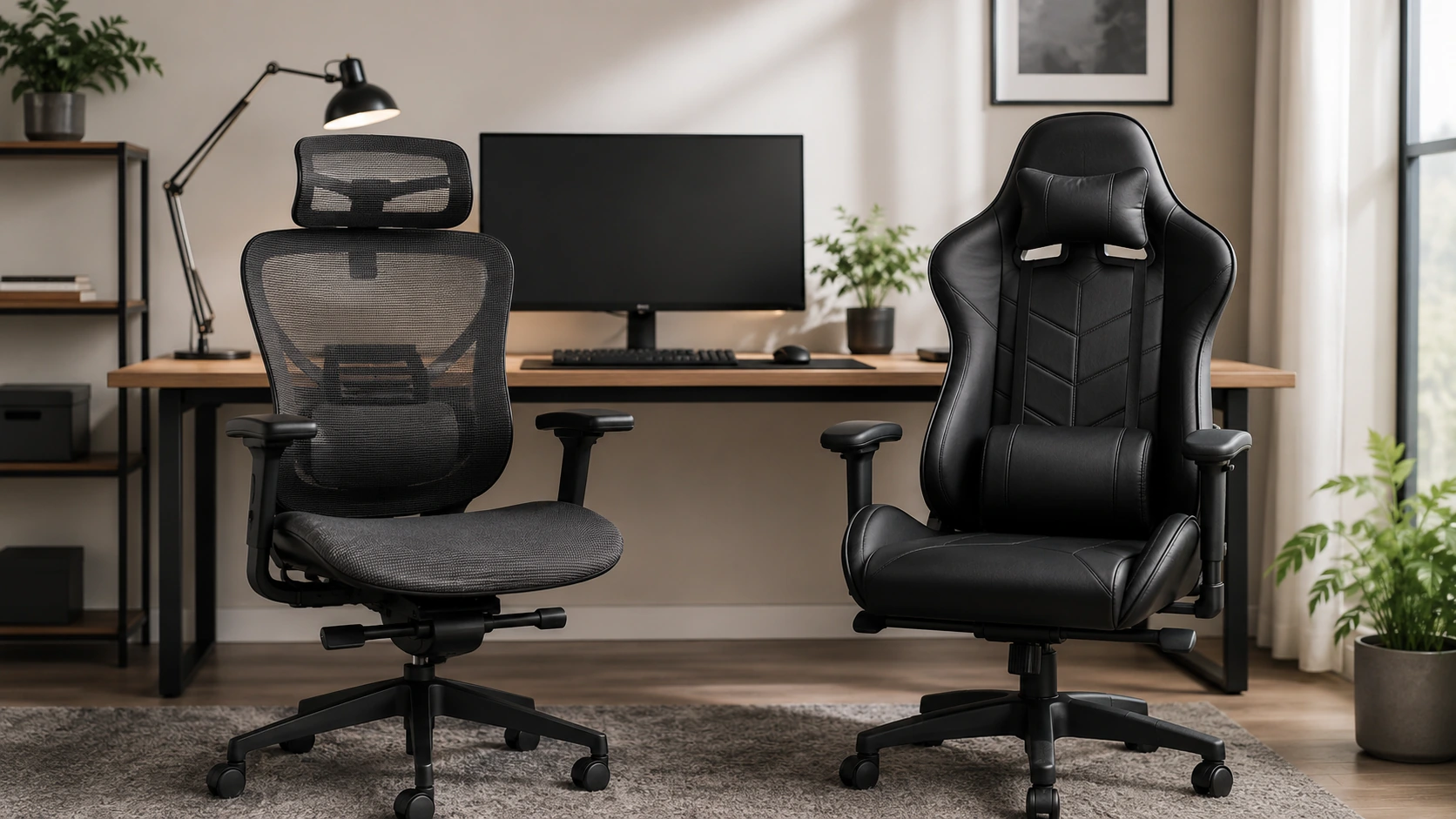
Quick answer: Gaming chairs are designed to look good and feel comfortable for short sessions. Ergonomic chairs are designed to support your spine correctly during 8-hour workdays. If you sit at a desk for more than 4-5 hours per day, an ergonomic chair is the better investment in almost every objective measure. The price difference is smaller than most people expect.
Why This Comparison Matters
Gaming chairs dominate the budget chair market visually, and their racing-seat aesthetic and color variety make them popular in desk setup photos. This has led many buyers to purchase a gaming chair for daily office work, not realizing the design intention is fundamentally different.
An ergonomic chair is engineered from human factors research: where does the lumbar spine need support, how far forward should the seat pan extend, at what angle should the backrest sit for neutral spine alignment. A gaming chair is engineered from a racing car seat: maximum side bolstering, a dramatic recline, and a bold visual signature.
The result: one performs significantly better for daily seated work, and it is not the one that looks better in photos.
Side-by-Side Comparison
| Feature | Ergonomic Chair | Gaming Chair |
|---|---|---|
| Lumbar support | Integrated, adjustable (height + depth) | Removable pillow strapped to back |
| Back shape | S-curve mirrors spine | Flat or bucket-shaped with bolsters |
| Seat material | Mesh or breathable fabric | PU leather / faux leather |
| Breathability | High (mesh) or moderate (fabric) | Low - PU leather traps heat |
| Adjustability | Seat depth, height, lumbar, 3D-5D arms | Height, recline, armrests (limited) |
| Seat depth adjustment | Available on mid-range+ | Rare |
| Recline quality | Synchro-tilt or multi-lock | Free-recline (often flops back) |
| Intended use duration | 8+ hours/day | 2-4 hours/session |
| Lifespan | 5-10 years | 2-4 years |
| Price range | $150-500 (this guide) / $500-2,000+ premium | $100-500 |
The Lumbar Support Problem
The single most important functional difference is lumbar support, and it is not close.
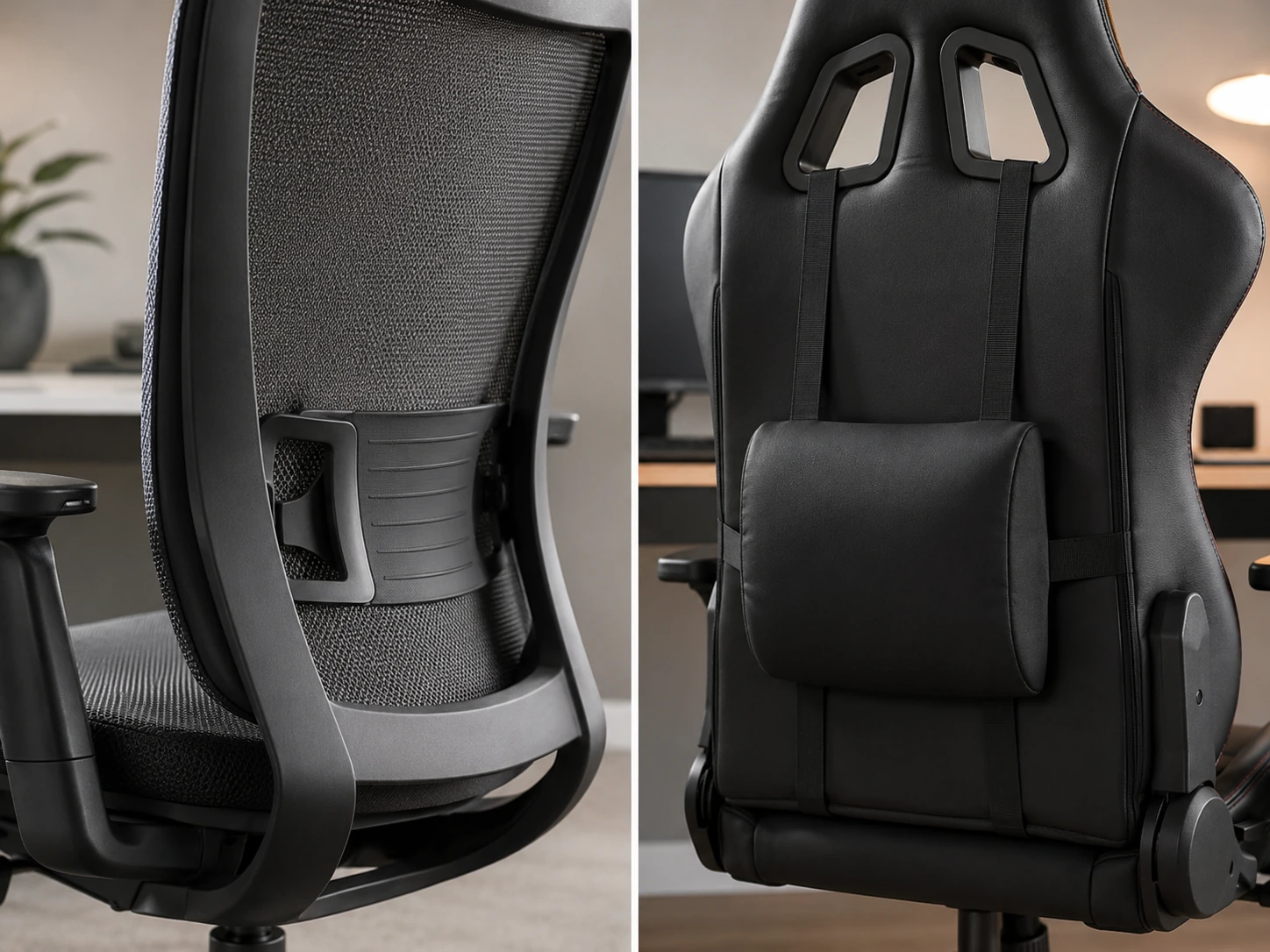
Gaming chairs: Lumbar support is provided by a separate foam or memory foam pillow that attaches to the backrest with elastic straps. The pillow position is determined by where you tie the straps, not by your anatomy. It slides, rotates, and falls out of position throughout the day. Consistent support requires constant manual repositioning.
Ergonomic chairs: Lumbar support is built into the backrest structure. Adjustable models allow you to move the support pad up/down (height) and in/out (depth). Premium models use dynamic mechanisms that automatically adjust pressure as you shift posture. The support stays where you set it, continuously.
For someone working 8 hours daily, the difference in lumbar support quality translates directly to afternoon lower back fatigue. The gaming chair's pillow will be in the wrong position within 30 minutes of a posture shift. The ergonomic chair's lumbar stays set.
The Heat Problem: Mesh vs. PU Leather
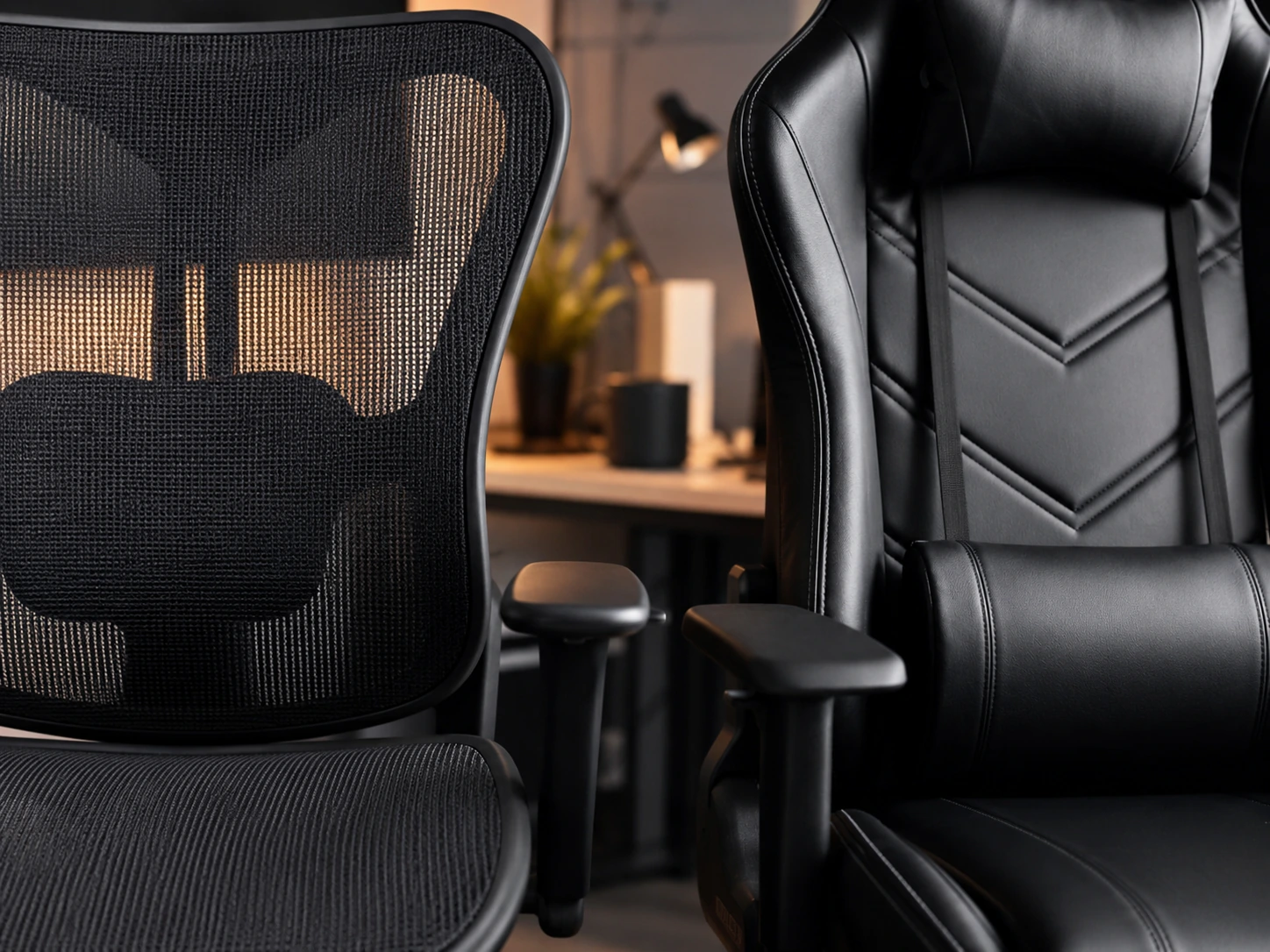
PU leather (polyurethane leather), the material used on most gaming chairs, is a plastic coating over a fabric base. It does not breathe. Body heat accumulates under the seat surface within 1-2 hours of use, creating noticeable warmth and moisture buildup on the seat and backrest contact surfaces.
Mesh ergonomic chairs allow air circulation through the seat and back continuously. The difference in thermal comfort during a 6-8 hour session is significant.
| Material | Breathability | Durability | Cleaning |
|---|---|---|---|
| Mesh (ergonomic) | Excellent | 5-8 years | Easy - wipe or vacuum |
| Fabric (ergonomic) | Good | 5-7 years | Moderate |
| PU leather (gaming) | Poor | 2-4 years before peeling | Easy |
| Genuine leather (gaming) | Poor | 5-8 years | Requires conditioning |
Note: PU leather peels. After 2-3 years of regular use, the PU coating begins to crack and flake, especially at seat edges and armrest surfaces. This is the most common reason for gaming chair replacement.
The Adjustability Gap
| Adjustment | Budget ergonomic ($150-200) | Mid ergonomic ($200-300) | Budget gaming ($100-200) | Mid gaming ($200-400) |
|---|---|---|---|---|
| Seat height | Yes | Yes | Yes | Yes |
| Armrest height | Yes | Yes | Yes | Yes |
| Armrest width | Yes | Yes (3D+) | Yes | Rarely |
| Lumbar height | Yes | Yes | Pillow position | Pillow position |
| Lumbar depth | Yes | Yes | No | No |
| Seat depth | Yes | Some | No | No |
| Recline lock positions | 2-3 | Multi-lock | Free or 2 positions | Free or 3 positions |
| Headrest adjustment | Basic | 2D (height + tilt) | Pillow | Pillow |
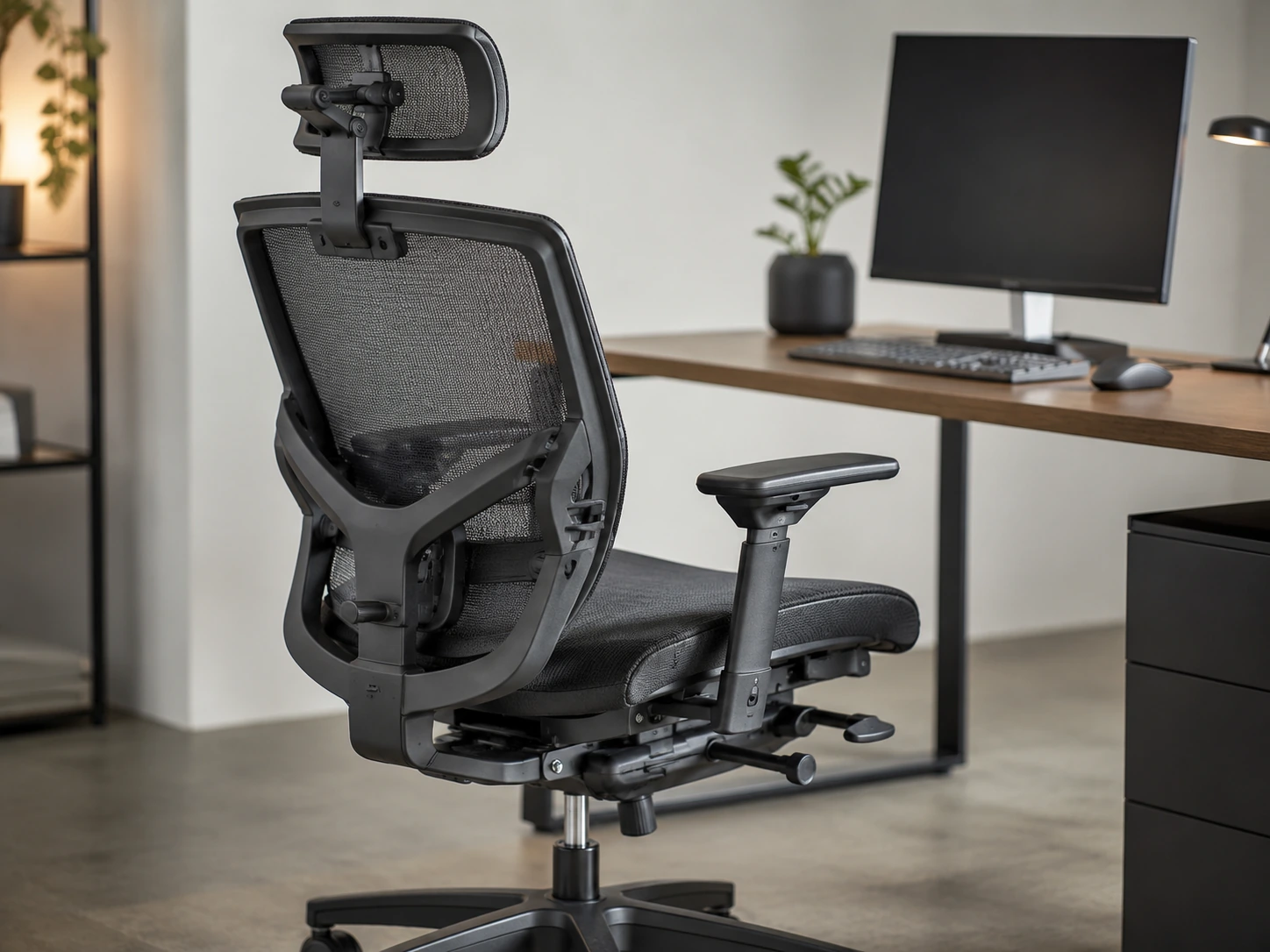
The pattern is consistent: ergonomic chairs at every price tier deliver more precise adjustability than gaming chairs at equivalent prices.
Price Reality: The Gap Is Smaller Than You Think
The perception that gaming chairs are budget-friendly and ergonomic chairs are expensive is driven by marketing, not pricing reality.
| Price tier | Gaming chair | Ergonomic chair |
|---|---|---|
| ~$150 | Basic PU leather, 2D arms, lumbar pillow | SIHOO M57 - full mesh, 3D arms, 2D lumbar, 3-yr warranty |
| ~$200-250 | Mid gaming, tilt-lock, better PU | Sihoo Doro C300 - dynamic auto-adjust lumbar, 3-yr warranty |
| ~$350-400 | Premium gaming (SecretLab Titan, etc.) | Branch Ergonomic Chair - 7-yr warranty, 3D arms, furniture aesthetic |
| ~$450-500 | High-end gaming | Branch Ergonomic Chair Pro - 5D arms, forward tilt, aluminum base |
At $150, the ergonomic option (SIHOO M57) is objectively better for daily work than any gaming chair in the same price range. The $350-400 tier is where gaming chairs (SecretLab Titan) first become competitive for users who specifically want the gaming aesthetic and synthetic leather feel.
When Gaming Chairs Make Sense
Gaming chairs are not universally bad. They are bad for the specific use case most buyers use them for. Scenarios where a gaming chair is appropriate:
Short sessions (under 3 hours/day): Gaming sessions, casual browsing, homework. The lumbar pillow and recline are comfortable for 1-2 hour use and the ergonomic deficiencies do not accumulate.
Aesthetic priority: If matching a specific color scheme (red/black, white/black) matters more than ergonomics and you sit less than 4 hours daily, the visual impact of gaming chairs is real and legitimate.
SecretLab-tier gaming chairs specifically: SecretLab Titan EVO ($399+) and Noblechairs ICON ($399+) include integrated lumbar systems, good build quality, and PU leather that lasts longer than budget alternatives. These are meaningfully better than typical gaming chairs and a legitimate choice at their price, though still worse for daily 8-hour work than equivalent ergonomic chairs.
Console gaming and TV setups: For racing game setups, flight sim rigs, or TV/console use where the chair is used reclined and the gaming posture is different from desk work, the gaming chair design can be appropriate.
Who Needs an Ergonomic Chair
Daily desk workers (5+ hours/day): The core use case. If you work from home, work at a desk full-time, or study intensively, an ergonomic chair is not a luxury. It is the correct tool for sustained seated work.
Anyone with lower back pain: Ergonomic chairs address the root cause (insufficient lumbar support, poor seat depth fit, excessive hip flexion angle) rather than masking symptoms. A lumbar pillow on a gaming chair addresses none of these.
Tall users (over 6'1") or short users (under 5'5"): Most gaming chairs are sized for an average adult male. Ergonomic chairs with adjustable seat depth, seat height, and lumbar positioning fit a wider range of body proportions.
Users over 200 lb: The structural difference between a gaming chair and a quality ergonomic chair is more significant at higher weights. Budget gaming chair frames and casters show wear significantly faster.
How We Picked
Every product in this guide was evaluated across five criteria, weighted for real small-space use. We do not claim hands-on lab testing — our evaluation is based on verified buyer feedback patterns, published product specifications, and structured comparison criteria.
Small-Space Fit
Physical footprint, mounting options, and whether the product works without consuming space you don't have.
Build Quality
Materials, finish durability, and construction quality as indicated by product specs and verified buyer feedback patterns.
Ease of Use
Setup time, daily usability, and how much adjustment the product requires once in place.
Value for Money
Price-to-performance ratio compared to competing products in the same subcategory.
Buyer Feedback
Patterns from verified Amazon reviews — what real buyers praise and complain about most over time.
The Verdict
| Session length | Recommendation |
|---|---|
| Under 2 hrs/day | Gaming chair is fine |
| 2-4 hrs/day | Ergonomic chair preferred; budget ergonomic at $150 is worth it |
| 4-6 hrs/day | Ergonomic chair - any model with 3D arms and adjustable lumbar |
| 6-8+ hrs/day | Ergonomic chair - Sihoo C300 ($200-280) minimum, Branch Pro ($499) ideal |
The most common mistake in chair buying: spending $200-300 on a gaming chair with good reviews, sitting in it for 8 hours a day, developing lower back pain after 3-6 months, and then spending $200-300 on an ergonomic chair. The total cost is $400-600 for one chair's worth of ergonomic support.
Buying the ergonomic chair first costs less.
Ready to choose? See our full guides: Best Ergonomic Chair Under $300 and Best Ergonomic Chair Under $500.
Frequently Asked Questions
Are gaming chairs bad for your back?
For sessions under 2-3 hours, no. For 6-8 hour workdays, yes. Gaming chairs use removable lumbar pillows that shift out of position and PU leather that traps heat. The combination produces more lower back fatigue than a comparable ergonomic chair over a full workday.
Is a $200 ergonomic chair better than a $300 gaming chair?
For daily desk work, yes. A $200 ergonomic chair (such as the Sihoo Doro C300) includes dynamic lumbar support, mesh breathability, and multi-lock recline. A $300 gaming chair at this price tier still uses a lumbar pillow and PU leather. For 8-hour daily use, the ergonomic chair at the lower price is the better tool.
What about SecretLab?
SecretLab Titan EVO ($399+) is a meaningfully better gaming chair than most competitors. It includes an integrated lumbar system and better build quality. It is a legitimate choice for users who want the gaming aesthetic and sit under 6 hours daily. For 8-hour workdays, it still falls behind equivalent ergonomic chairs at the same price on lumbar adjustability and breathability.
Can I use an ergonomic chair for gaming?
Yes, and most users who switch report no downside. Ergonomic chairs support a more upright posture that works well for desk gaming. The mesh back and adjustable lumbar support long sessions better. The only loss is the visual aesthetic if a racing-seat look matters to you.
How long do gaming chairs last vs. ergonomic chairs?
Budget gaming chairs typically last 2-4 years before the PU leather begins peeling and the foam compresses noticeably. Quality ergonomic chairs last 5-10 years. SecretLab chairs last approximately 4-6 years. Premium ergonomic chairs (Herman Miller, Steelcase) are warrantied for 12 years.
Related Buying Guides
10 Best Ergonomic Chairs Under $300 in 2026
10 Best Ergonomic Chairs Under $500 in 2026: Every Budget Tier
Standard Desk Height: What It Is and How to Find Yours
Ultrawide vs Dual Monitor: Which Is Better for Your Desk?
Want to browse more options? See all related products on Amazon.
Browse on AmazonEvaluation note: Products in this guide were assessed on overall score, small-space fit, build quality, ease of use, value for money, and buyer feedback from verified Amazon reviews. We do not claim hands-on product testing.
Read our full methodology →