
How to Choose a Desk Clock That Is Readable Without Dominating a Bedroom
Affiliate Disclosure: We may earn a small commission on qualifying Amazon purchases at no extra cost to you. Full disclosure →
A clock can look clear in a product close-up while being difficult to read from the chair or bed. Another model may be readable everywhere but visually intrusive at night. Choose from the positions where you actually check the time and the display controls the exact model provides, rather than treating digit size as the whole answer.
Quick answer: Check the display from the intended distances and angles in ordinary daytime and nighttime room states. Verify available dimming, backlight, display-off, alarm, and power-loss behavior through the exact manual. Include controls and cable access. Do not assume every battery is a display backup or every clock has a dark mode, and do not infer a health benefit from a brightness feature.
Define the viewing positions
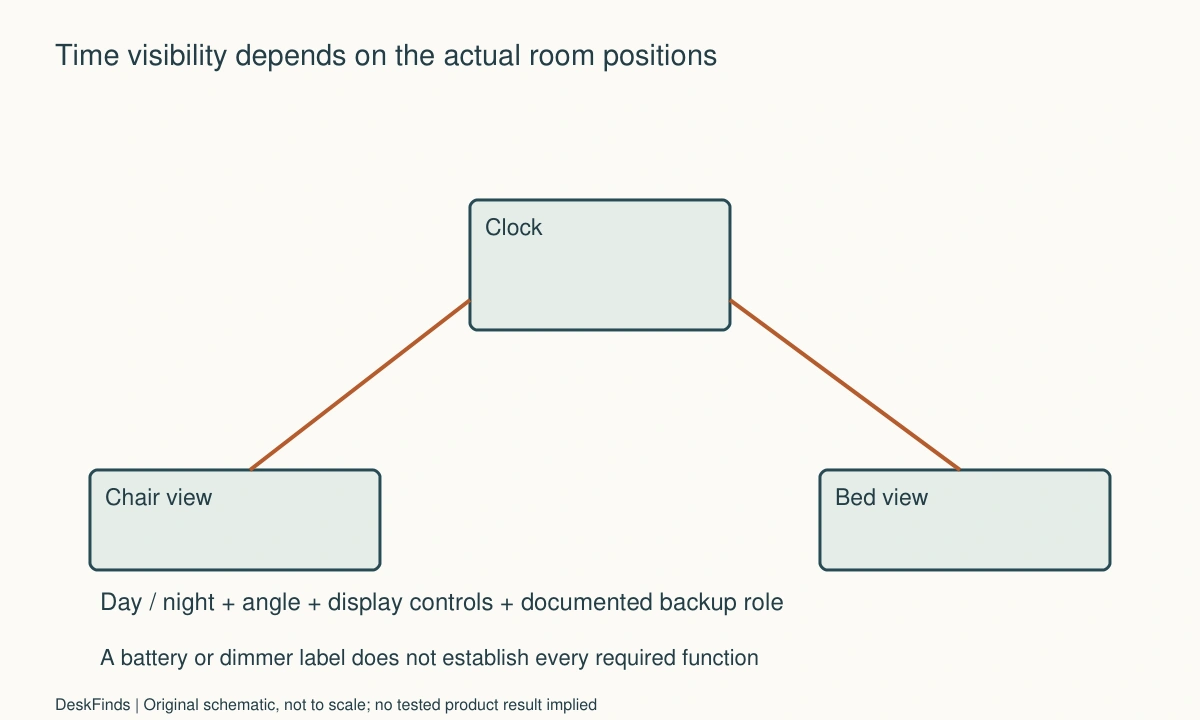
Mark where the clock will sit and where it must be read: a desk chair, bed, doorway, or another ordinary location. Include the angle and nearby obstructions. A large display viewed sideways behind a monitor can be less useful than a smaller one facing the actual approach.
Decide which positions are essential and which are optional. Trying to serve every corner of a small room can produce an unnecessarily large or bright product. A clock that works well from the chair and bed may not need to be readable from the corridor.
Keep the purpose concrete. If the goal is checking the time without opening a phone application, compare that routine. Do not assume a dedicated clock improves sleep, concentration, or health. Those are different claims from whether a display is accessible in a particular room.
Compare contrast and angle with digit size
Look at character shape, spacing, contrast, and the information shown around the time. A temperature or calendar field can reduce the prominence of the digits you care about. Product images can demonstrate layout but not guarantee readability at your actual distance and light level.
Check the display’s permitted orientation and stand position. Tilting a clock beyond its designed support or balancing it on a narrow object is not an appropriate way to improve the view. Compare another suitable location or product instead.
For the room-light distinction, see task and ambient lighting. A screen’s visibility depends on the actual surrounding light, so a dark-room photo alone should not decide a clock used in daylight beside a window.
Verify display controls model by model
Read whether brightness is fixed, manually adjustable, automatically controlled, temporarily backlit, or capable of being switched off. These are different features. A dimmer does not necessarily provide a fully dark state, and a display-off mode may change how the time is checked.
Braun’s BC20 information illustrates a specific model with adjustable display brightness. It is an example of a control to verify, not a universal feature or recommendation for every room. Use the exact product manual for levels, button behavior, and any automatic mode.
Do not assume a phone’s clock-like display has the same controls or persistence as a dedicated clock. The magnetic charging guide covers charging compatibility if a supported phone display is an alternative, but the software behavior still needs its own check.

Check the room in more than one state
Compare ordinary daylight, desk lighting, and the nighttime arrangement. Include other occupants’ viewpoints where relevant. The goal is an acceptable practical display, not the brightest setting that can be read in every possible condition.
If you use glasses, check the view as you ordinarily would. Do not remove necessary eyewear or adopt an awkward position to make a product appear readable. If visibility remains a concern beyond the product’s arrangement, seek appropriate professional advice rather than treating a clock feature as a remedy.
Keep observations specific: digits are hard to distinguish from the bed, the angle hides a segment, or the display is too prominent for a roommate’s preference. Those statements guide a purchase more usefully than a universal label such as ideal nighttime brightness.
Understand power and backup behavior
Read how the clock is powered and what any battery actually supports. A backup may preserve time or settings without lighting the display or sounding every alarm. Another product may operate fully from batteries. Do not infer the function from the presence of a battery compartment.
Use the specified supply, cable, and battery type, following replacement and care instructions. If the clock includes USB charging, verify those ports’ actual functions and limits. A clock’s power input and its output to another device are separate roles.
For a combined device station, compare the three-device charging guide. A clock display added to a charging product can be convenient, but it should not hide unresolved compatibility or power-loss questions for any part of the station.
Keep alarms and controls understandable
List whether you need one alarm, several schedules, a silent display, or no alarm function. Check setting and cancellation methods through the manual. A small visible button can have several actions, so do not assume its meaning from the icon alone.
Check access from the actual placement. A clock under a shelf may be readable while its top control is blocked. A rear setting button may require moving the unit, so include the cable slack and suitable handling route. Avoid putting a clock where ordinary reach can knock another device or spill a drink.
For a shared room, agree on alarm use and audible behavior. A visual preference does not settle another person’s tolerance for a buzzer or button sound. Choose around the actual routine without inventing a measured noise rating from a short listening observation.
Worked example: the largest digits were not the clearest view
Imagine a hypothetical user selecting a clock for a desk beside a bed. A large-digit product looks ideal in a front-facing photo. The intended shelf position, however, puts the display at a sideways angle from the bed and partly behind another object.
The user compares the actual placement and supported viewing position rather than increasing size automatically. Another location may give a smaller clock a clearer direct view while preserving controls and cable access. The user includes ordinary daylight and nighttime conditions in the comparison.
If a brightness feature is required, it is checked in the exact manual before ordering. A dim setting is not assumed to be fully dark, and automatic behavior is not inferred from a promotional image. The user keeps the acceptance criteria tied to the room’s actual viewpoints.
The hypothetical outcome may favor a less prominent product in a better position. No readability or health study is claimed. The example shows why digit size, viewing angle, obstruction, and display control should be considered together.
A second scenario: backup preserved settings but not the display
Consider a hypothetical worker who wants the time visible during a power interruption. The shortlisted clock has a backup battery, so the worker initially assumes the display continues normally. The manual describes a more limited backup role.
The worker writes the essential requirement explicitly and compares products documented to provide it. A different battery-operated clock or another supported arrangement may be appropriate. The existing model is not called defective for behaving as documented, and no improvised battery or power source is added.
Alarm behavior is checked separately. Preserving the time, retaining an alarm setting, illuminating the display, and sounding an alarm are different functions. The user does not treat one successful backup feature as proof of the others.
The final hypothetical purchase is based on documented behavior during the actual scenario. It does not promise indefinite runtime or recommend a universal battery type. The useful step is asking what backup means for the chosen model before relying on it for an important routine.
Compare a clock with a phone-based display
A supported phone display can combine time visibility and charging, but it may introduce notifications, application state, screen behavior, and case compatibility. A dedicated clock can simplify some of those variables while adding another device and power arrangement. Compare the complete routine rather than assuming fewer objects always means fewer steps.
If the phone leaves during the day, decide whether the room still needs a visible clock. If the clock is moved often, compare its supported stand, power cable, and settings access. The most useful form can depend on when and where time is checked.
Retain the instructions and check delivered behavior while return options remain available. Do not cover sensors, modify the display, or apply improvised darkening material unless the maker explicitly permits it. Choose a suitable control set or placement rather than altering a product to imitate an unavailable feature.
Six checks for a small-room clock
Actual viewpoints
Record the essential distances, angles, and obstructions from the chair and bed or other intended positions. Do not choose solely from a close-up product image. A direct useful view can matter more than maximum digit size. Keep the product supported in its designed position rather than tilting it on an unstable object.
Display information
Check character shape, contrast, spacing, and secondary fields alongside size. Evaluate the time layout you will use, including supported format options. A crowded display can make the main information less prominent. Describe the actual difficulty rather than assuming one display technology or color is universally best for every person.
Light controls
Verify dimming, backlight, automatic, and display-off behavior in the exact manual. Distinguish a lower level from a fully dark state. Check ordinary room conditions and other users’ preferences without making health claims. If a required behavior is unavailable, compare another product instead of covering the display or sensor with improvised material.
Power functions
Record the specified supply and battery role, including documented behavior during loss of primary power. Keep display, time retention, settings, and alarm output as separate questions. A backup label is not enough. Do not substitute an unsupported source to create a capability the product does not provide.
Control access
Reach setting, alarm, and ordinary check controls in the intended location. Include a safe route to move the clock if a rear button must be used. Check cable slack and nearby objects. A readable display is less useful if its ordinary controls are hidden behind a monitor or blocked by the shelf above it.
Shared-room reset
Agree on alarm use and restore the intended display state after adjustments. Keep a short note of essential settings if the product is shared or moved. A suitable clock serves the room’s actual viewing and audible routine, with documented power behavior, rather than merely looking clear in a staged nighttime photograph.
Make a viewing-position record
For a hypothetical room, the clock might be checked from a chair 0.9 m away and a bed 2.4 m away, at different angles. Those invented distances are not readability recommendations or product claims. They simply make the requirement more precise than asking for large digits.
Mark the actual obstacles at each view: monitor edge, lamp, shelf lip, or another device. A small supported move can change the view more than buying a larger display. Check the intended product position rather than turning it beyond its designed support to face every direction.
Record daytime and nighttime room states separately. A display that is readable beside a bright window may be more prominent than desired after lights are lowered. Conversely, an attractive night image says little about daylight contrast. The useful product provides the controls and placement needed for the actual routine.

Compare display types through actions
A continuously visible display can offer immediate time access while requiring an acceptable light level. A temporary backlight can reduce persistent visual presence but add a button press. A display-off feature may suit one routine and frustrate another. These are workflow tradeoffs, not universal health or sleep recommendations.
Ask what happens when the display is dimmed or off: how the time is checked, which controls remain active, and whether alarms or settings behave differently. Use the exact manual. Similar-looking screens can implement these functions in different ways, so a product category name is insufficient.
If a phone is the alternative, include supported software behavior, charging, notifications, and the fact that it may leave the room. A dedicated clock can simplify some of those variables while adding another device and supply. Compare the whole task rather than assuming integration always reduces effort.
Turn backup into four separate questions
During loss of primary power, does the product retain the time, retain settings, illuminate the display, and provide the required alarm behavior? Those are different functions. A battery compartment or backup label should not fill all four rows automatically.
Do not test an important routine by relying on an uncertain power state. Read the documented behavior and use the manufacturer’s appropriate procedure where a check is needed. Keep the specified battery and supply requirements intact rather than substituting another source to create an unavailable function.
If visible time during interruptions is essential, compare products explicitly documented for that use. A clock behaving according to a limited backup role is not defective merely because the user expected more. Clear requirements prevent the wrong product from being selected in the first place.
Check the ordinary alarm-setting sequence
Use a harmless trial at an appropriate time and follow the manual, taking other occupants into account. Confirm how an alarm is enabled, canceled, or changed and how the current state is indicated. Do not infer a button’s meaning from its location or a familiar icon alone.
Include the route to rear or top controls at the chosen placement. If setting the alarm requires moving the clock, keep the cable relaxed and nearby objects clear. A readable screen can still be poorly located for the action performed every evening.
Retain a short record of essential settings and power behavior when the clock is shared or moved. Recheck after a relevant supply or device change. The acceptance statement should describe visibility and control in the actual room, without claiming that one color, brightness level, or alarm style is best for everyone.
Sources and scope
- Braun BC20 product information - Specific example of display brightness control; no universal backup, alarm or nighttime-health claim is made.
Editorial note: This is a research-based planning guide, not a hands-on product review. All worked scenarios are hypothetical. Measurements and compatibility must be confirmed for the exact equipment. Photography supplies context, not proof of a tested arrangement.
Photos are illustrative and come from free-license libraries such as Unsplash; diagrams are original to DeskFinds.