
7 Best Document Cameras for Home Office and Teaching in 2026
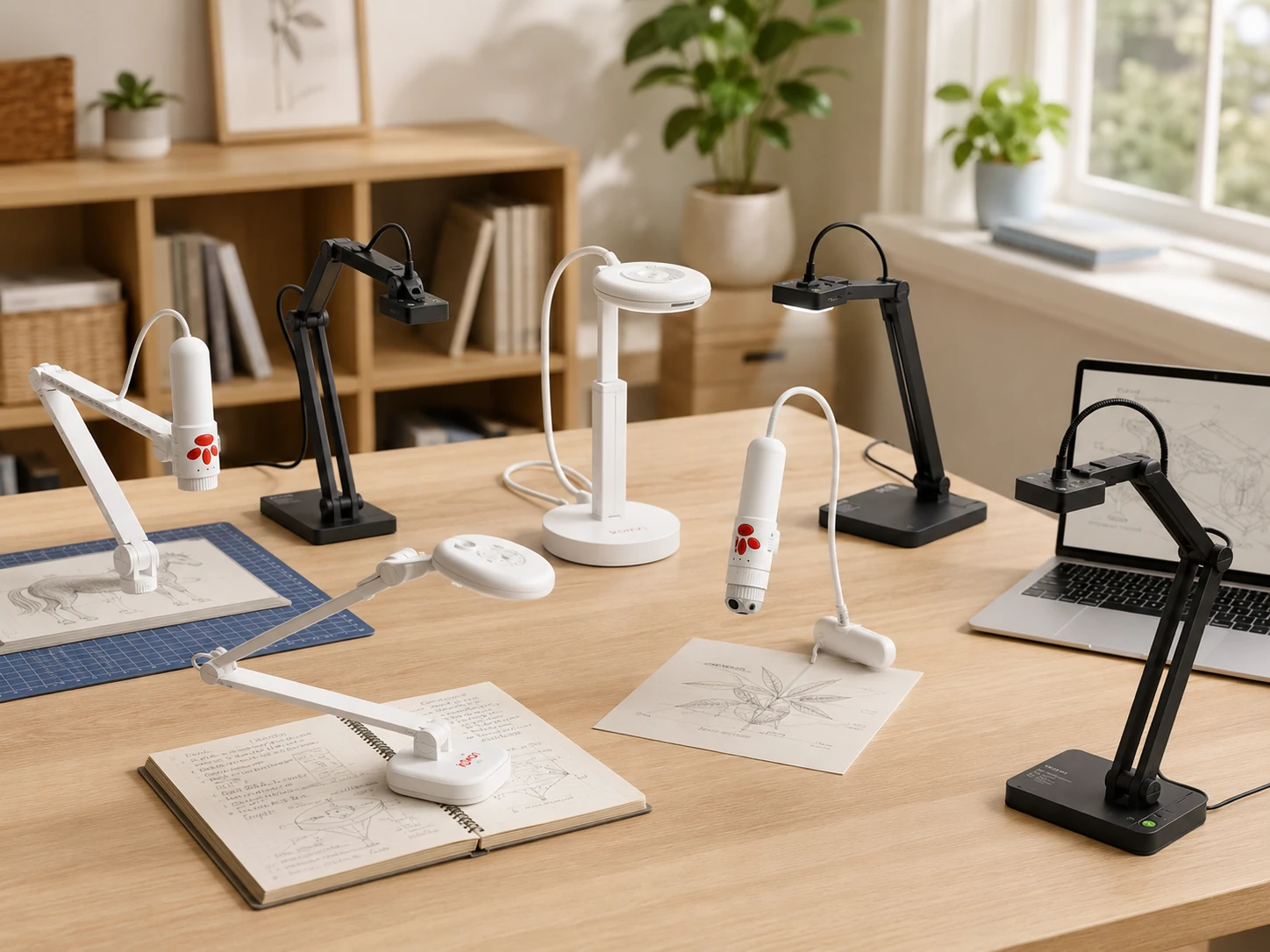
Most people discover they need a document camera the first time they try to show a printed page on a Zoom call and realize their webcam cannot focus at 30 centimeters. This guide covers seven document cameras from $50 to $200 for home office workers and teachers.
Quick Picks
| Pick | Product | |
|---|---|---|
| Best Budget Pick | INSWAN INS-1 | Check price |
| Best for Daily WFH and Online Teaching | IPEVO V4K PRO | Check price |
| Best for 3D Objects and Demos | INSWAN INS-3 | Check price |
| Best for 4K and OCR Scanning | INSWAN INS-2 | Check price |
| Best Wide-Angle Coverage | IPEVO V4K PRO 120 | Check price |
| Best for Classroom Projection | IPEVO VZ-R Ultra | Check price |
| Best Wireless Option | IPEVO VZ-X | Check price |
A standard webcam focuses at 50 to 100 centimeters for face capture. A document camera focuses at 20 to 40 centimeters to capture what is on your desk. That single difference explains why you cannot just point your laptop camera at a printed page and expect a readable result.
This guide covers seven document cameras suited for home office workers who occasionally need to share documents, and for teachers who use overhead cameras for live demos, object displays, or classroom projection. Every pick includes clear guidance on when to choose it and when to step up to the next option.
If you need a webcam for face capture rather than document display, see our best webcams for home office guide. For audio setup recommendations, see our best headset for work guide.
What to Look For in a Document Camera
Document Camera vs Webcam: When You Actually Need One
| Situation | Use a Webcam | Use a Document Camera |
|---|---|---|
| Video call face capture | Yes - optimized for 50-100cm | Works but not ideal |
| Show printed document | No - cannot focus at 30cm | Yes - designed for this |
| Demonstrate physical object | Partial - poor angle | Yes - overhead view |
| Scan document to file | No | Yes - with OCR models |
| Project to classroom screen | No | Yes - with HDMI models |
HDMI Mode vs USB Mode: What the Spec Actually Means
USB mode connects to your laptop and the camera appears as a video source in Zoom, Teams, or any other conferencing software. This is how all seven cameras on this list work by default.
HDMI mode (available only on the IPEVO VZ-R Ultra and IPEVO VZ-X) connects directly to a projector or monitor with no computer involved. The camera outputs video signal through HDMI just like a media player. This matters for classroom teachers who want to project without routing through a laptop, but adds no value for home office use where you are always on a computer.
Resolution and Coverage: What You Actually Need
| Resolution | Best For |
|---|---|
| 8MP | Standard A4 documents, printed text, general demos |
| 13MP / 4K | Small handwriting, fine diagrams, A3-size pages |
| 4K wide-angle | Full open textbooks, large reference materials |
Document Camera for Remote Workers: 3 Real Use Cases
1. Reviewing printed contracts or reports on a call
Position the camera overhead pointing at the page. Participants see the document in real time as you annotate or point. INSWAN INS-2 or IPEVO V4K PRO handle this well.
2. Digitizing handwritten notes or sketches
Capture as still image or export frame. INSWAN INS-2 with OCR converts printed text to editable document automatically. For handwriting, export as image and use third-party OCR.
3. Demonstrating a physical product or hardware
INSWAN INS-3 detachable design lets you hold the camera and orbit around the object. Standard overhead cameras are limited to top-down view only.
7 Best Document Cameras for Home Office and Teaching
INSWAN INS-1
Why it works
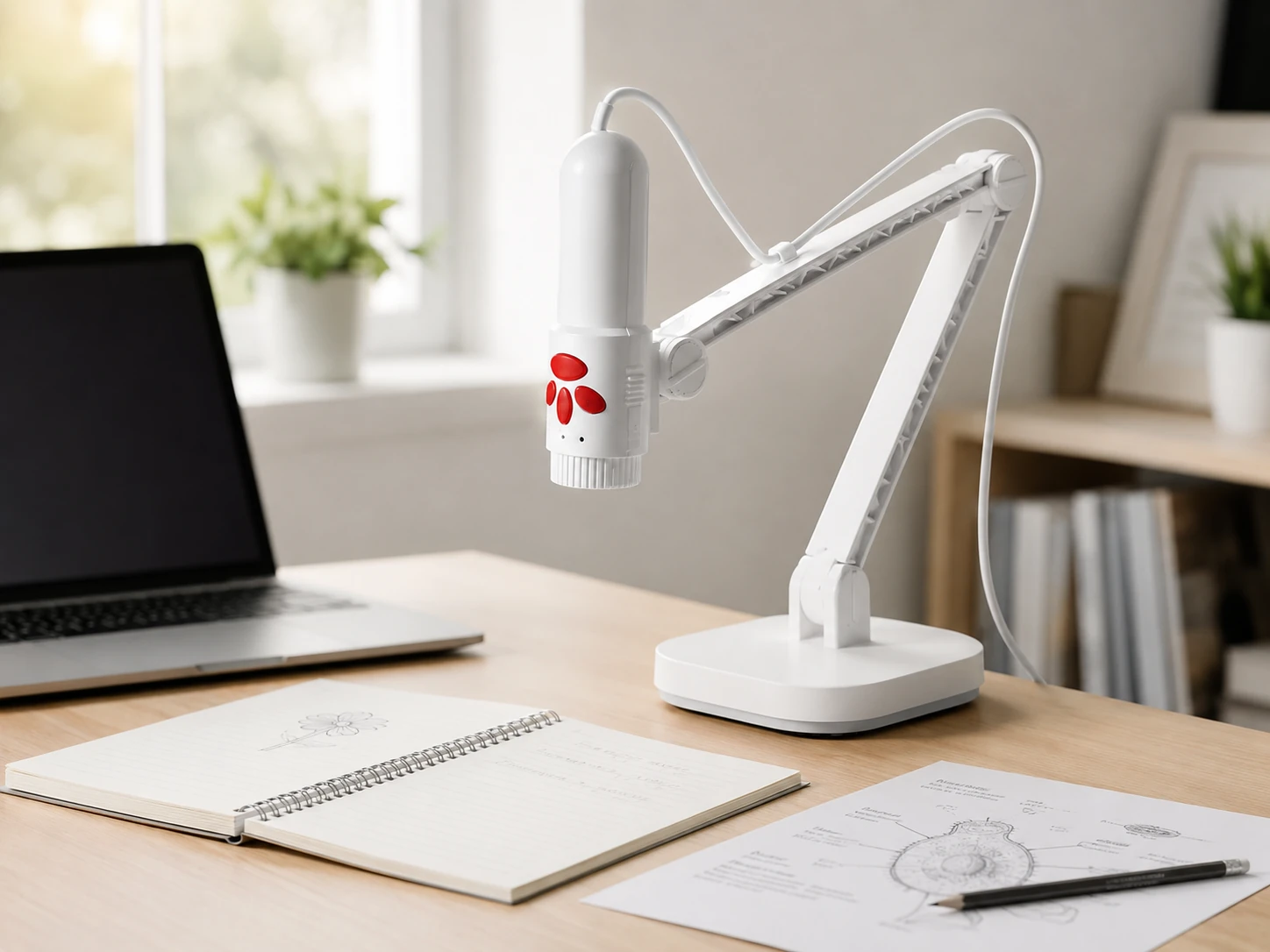
Starting point for occasional document sharing without justifying $80+; 8MP resolution with autofocus and built-in LED light; captures clean A4-size stills and live video; connects via USB as plug-and-play in Zoom, Teams, Meet, and Skype; compatible with Windows, Mac, iPad, Chromebook without driver installation; compact footprint takes up minimal desk space.
Trade-offs
- · Fixed arm height limits maximum coverage area
- · Built-in microphone is basic
- · USB only, no HDMI
- · Not suitable for A3 documents or large open books
Skip if: You regularly share A3 pages, large textbooks, or need to connect directly to a classroom projector; step up to INSWAN INS-2 or IPEVO VZ-R Ultra.
Check price on AmazonPros
- +Budget-friendly entry price around $50
- +Plug-and-play USB, no drivers needed
- +Autofocus with built-in LED light
- +Compact footprint
- +Works with Zoom, Teams, Meet, Skype
- +Compatible with Windows, Mac, iPad, Chromebook
Cons
- −A4 coverage only
- −Basic built-in microphone
- −No HDMI output
- −Limited arm height adjustment
IPEVO V4K PRO
Why it works
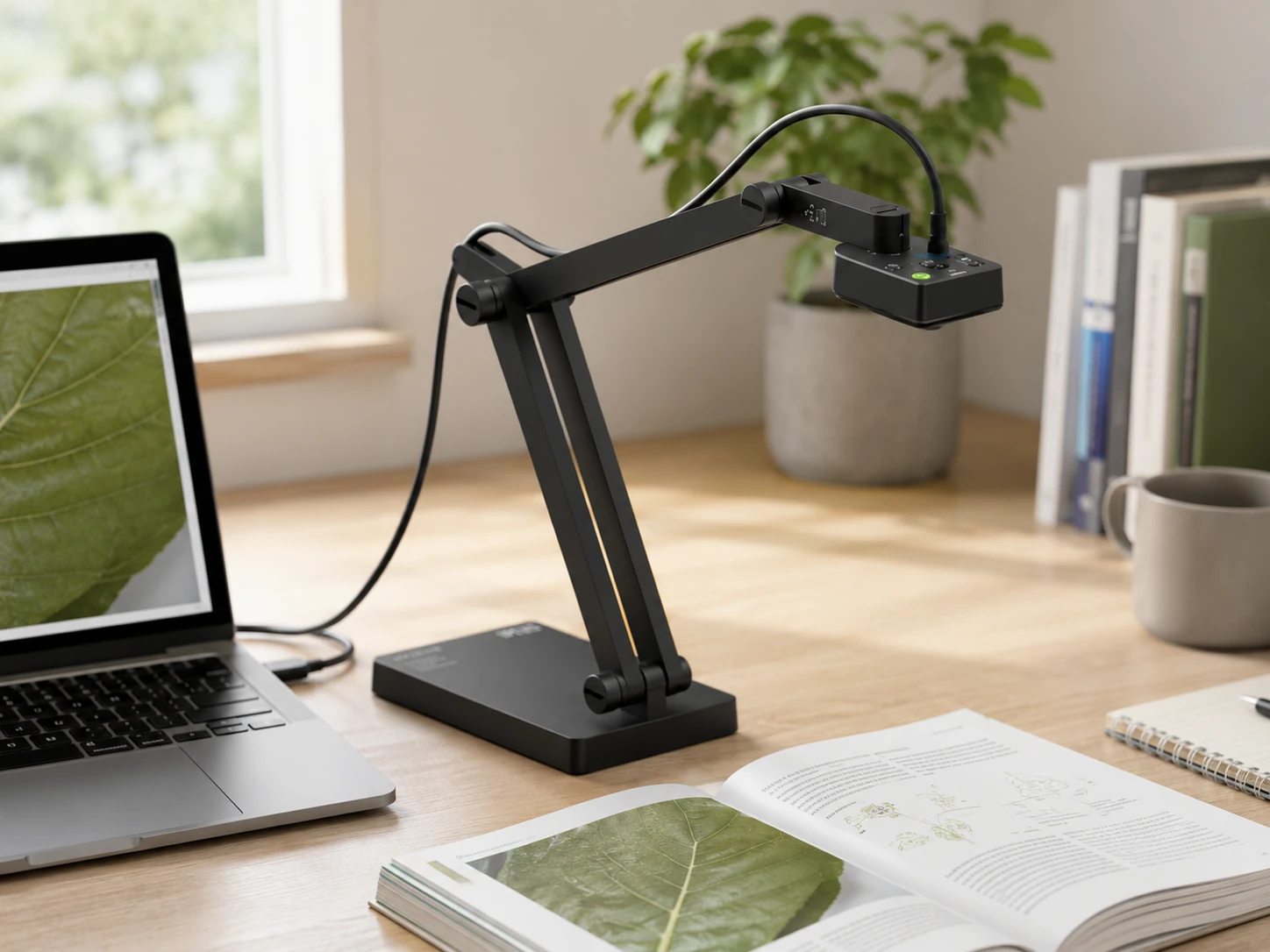
Most well-rounded document camera for regular home office use; 8MP Sony sensor delivers sharp consistent image quality across different lighting conditions; multi-jointed arm lets you position over documents, objects, or at face height for regular video calls; AI-enhanced microphone with noise cancellation reduces keyboard and room noise noticeably; works with Zoom, Teams, Google Meet, Skype as plug-and-play USB camera.
Trade-offs
- · 8MP is sufficient for most tasks but outclassed by 13MP models for fine detail
- · No HDMI output, cannot connect to projector without laptop
Skip if: You teach in a physical classroom and need to project directly to a screen without a laptop; IPEVO VZ-R Ultra handles that with dual HDMI and USB output.
Check price on AmazonPros
- +Sony sensor for consistent image quality
- +AI noise-cancelling microphone
- +Multi-jointed flexible arm for versatile positioning
- +Plug-and-play USB, no drivers needed
- +Works as face webcam or overhead document camera
Cons
- −No HDMI output
- −8MP limited for fine detail work
- −Needs laptop to connect to projector
INSWAN INS-3
Why it works
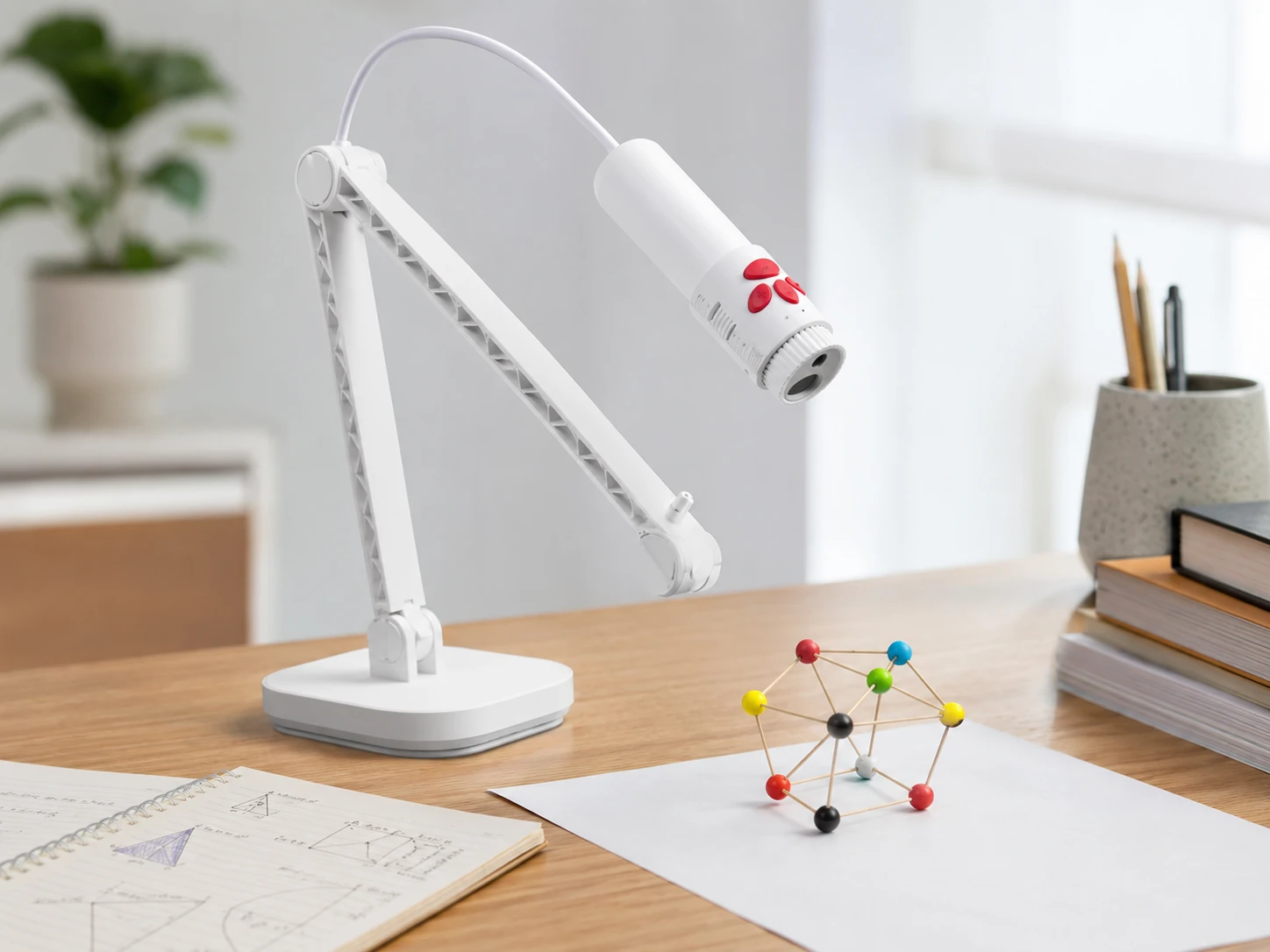
Detachable handheld design; camera head disconnects from stand and can be held, repositioned, or angled at objects from any direction; uniquely suited for hands-on demonstrations: showing underside of a product, demonstrating a repair, rotating a specimen, capturing 3D models from multiple angles; on the stand it functions as standard overhead document camera; autofocus, LED light, built-in microphone included.
Trade-offs
- · Detachable design introduces slight connection wobble when handheld that can make live video jitter
- · Smaller and less stable base footprint at maximum arm extension
- · Best as hybrid tool rather than pure document camera
Skip if: You use it exclusively for flat document capture; IPEVO V4K PRO or INSWAN INS-2 will give cleaner static overhead shots for less complexity.
Check price on AmazonPros
- +Detachable handheld camera head
- +Ideal for 3D object demos from any angle
- +Versatile positioning beyond fixed overhead
- +Autofocus with LED light
- +Built-in microphone included
Cons
- −Wobble when handheld during live video
- −Less stable base than standard cameras
- −More complex than a standard document camera
INSWAN INS-2
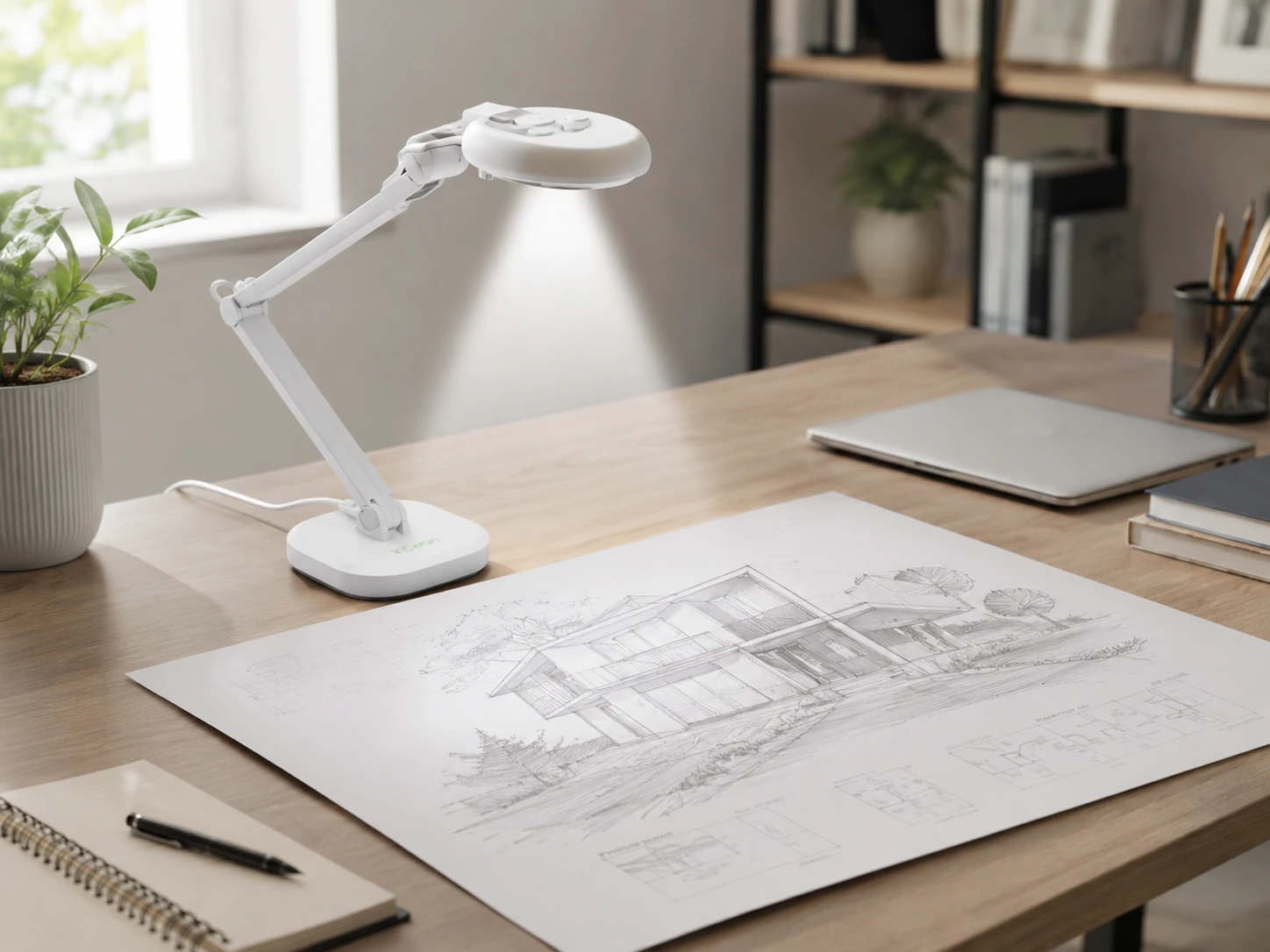
Why it works
Closest to a flatbed scanner in a document camera; 13MP sensor captures A3-size pages in single frame at 4K Ultra HD; dual autofocus modes for static document capture and moving objects; included Documate OCR software converts scanned text to editable Word or PDF files at approximately 96% accuracy covering multiple languages; for home offices handling contracts, reports, or multi-page documents, removes need for separate scanner.
Trade-offs
- · Arm height needs correct setup to cover full A3 page
- · No HDMI output
- · OCR software is Windows-only, Mac users get full camera function but not OCR
Skip if: You are a Mac-primary user who specifically needs OCR functionality; for Mac-based document capture, IPEVO V4K PRO with third-party OCR software is a better fit.
Check price on AmazonPros
- +13MP 4K resolution for fine detail
- +A3 page coverage in single frame
- +OCR software included, converts text at ~96% accuracy
- +Replaces need for separate flatbed scanner
- +Multiple language OCR support
Cons
- −No HDMI output
- −OCR is Windows-only
- −Arm setup requires initial calibration for full A3 coverage
IPEVO V4K PRO 120
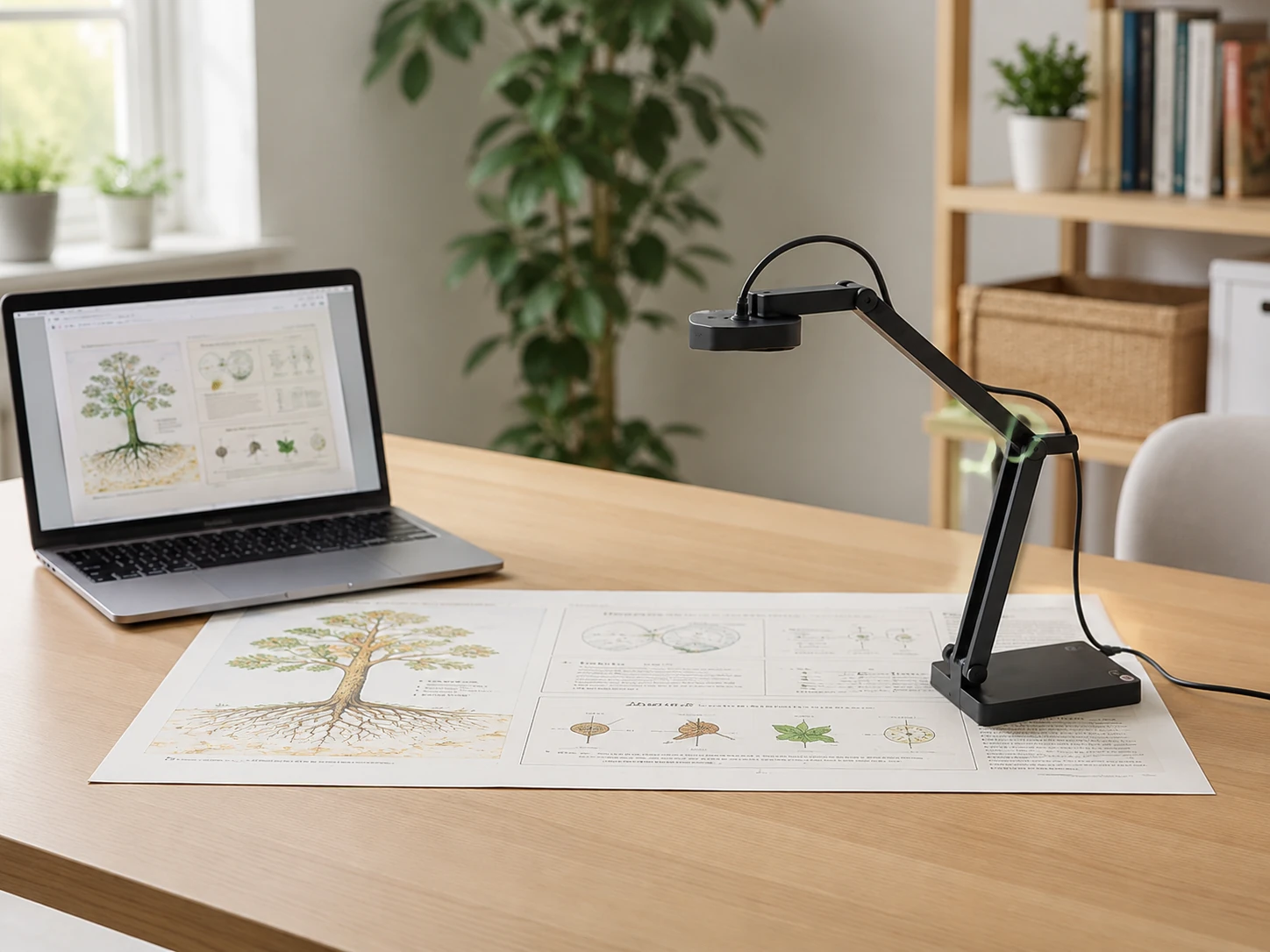
Why it works
120-degree field of view covers complete open textbook, large A3 sheet, or wide workspace area without raising arm to maximum height; 4K Sony CMOS sensor delivers sharp resolution across full frame; AI noise reduction on microphone handles noisy home office environments; ideal for teachers demonstrating full-page content or researchers working with large reference materials.
Trade-offs
- · 120-degree FOV introduces slight barrel distortion at extreme edges
- · Wider angle reduces effective magnification for small fine-detail work
- · Priced higher than standard V4K PRO for feature most solo WFH users will not fully use
Skip if: You primarily capture A4-size documents or smaller; standard IPEVO V4K PRO covers A4 comfortably at lower price.
Check price on AmazonPros
- +120-degree wide field of view
- +4K Sony CMOS sensor
- +AI noise-cancelling microphone
- +A3 and large open-book coverage without maximum arm height
Cons
- −Barrel distortion at extreme edges
- −Less effective magnification for fine detail
- −Overkill for A4-only use cases
IPEVO VZ-R Ultra
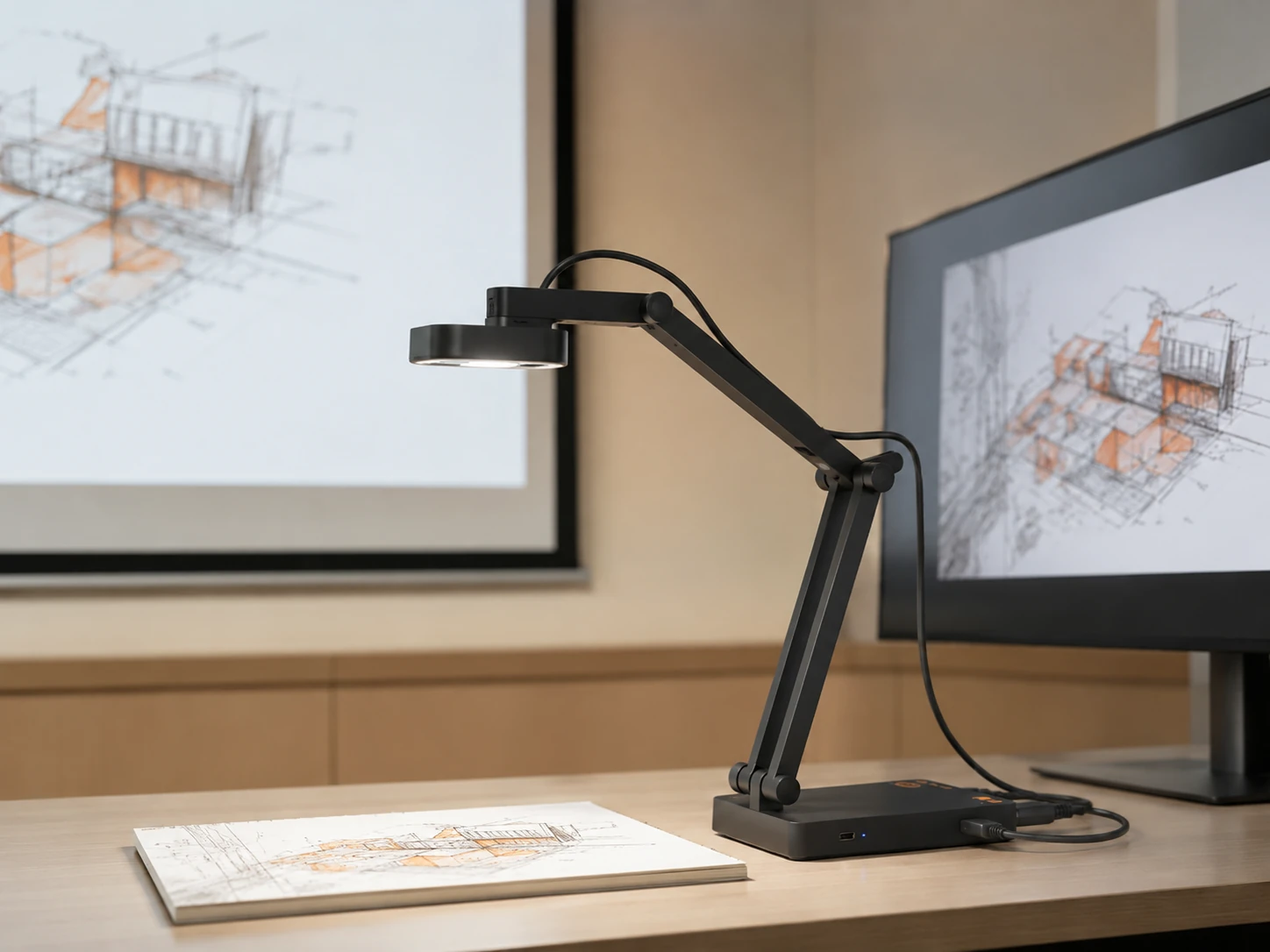
Why it works
Built for classroom teachers who need to project to screen without routing through laptop; HDMI output connects directly to any projector, monitor, or interactive flat panel with single cable; switch to USB mode and it becomes standard webcam source for video conferencing; 13MP sensor delivers 4K image quality that holds up on large classroom screens; compatible with Mac, Windows, Chromebook in USB mode.
Trade-offs
- · $150 premium is specifically for HDMI direct-to-projector capability
- · If home office only, INSWAN INS-2 at $100 gives comparable image quality
- · Stand is more functional than premium in build feel
Skip if: You work entirely from home and never need to project to a display without a computer; INSWAN INS-2 delivers similar 13MP image quality at $50 less.
Check price on AmazonPros
- +HDMI output for direct-to-projector connection
- +13MP 4K image quality
- +Dual HDMI and USB modes
- +No laptop required for classroom projection
- +Compatible with Mac, Windows, Chromebook
Cons
- −Premium price justified only if using HDMI mode
- −Functional rather than premium build quality
- −INSWAN INS-2 matches image quality at $50 less for home-only use
IPEVO VZ-X
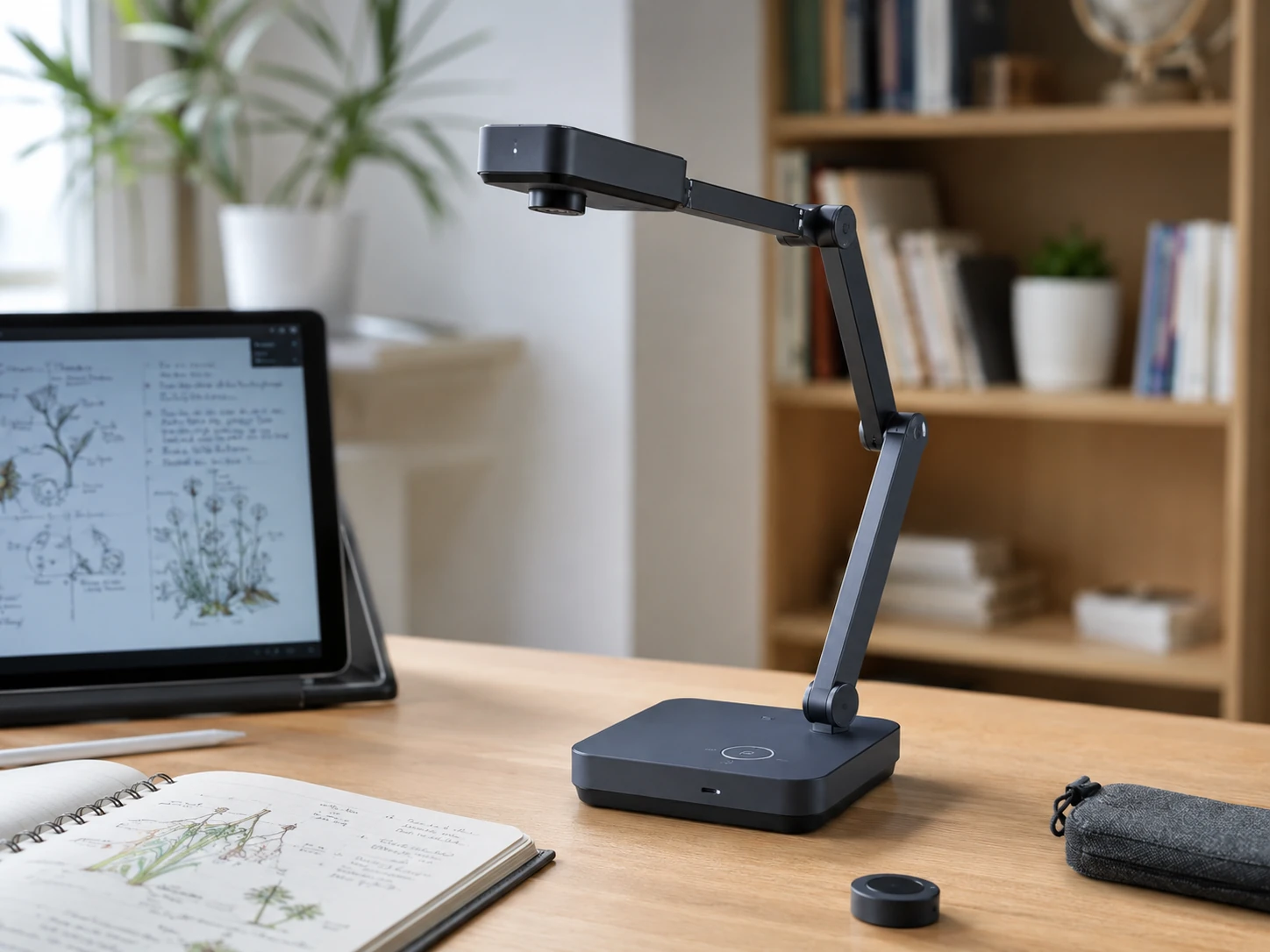
Why it works
Only camera on this list that works wirelessly; in WiFi mode streams directly to iPad, iPhone, Apple TV, or Android device without USB or HDMI cable; right pick for teachers who move around classroom needing camera positioned at student workspace rather than tethered to teacher desk; also supports HDMI direct-to-projector and USB-to-computer modes, making it a three-mode device; setup handled through IPEVO IDocCam app on iOS or Android.
Trade-offs
- · Wireless mode requires IDocCam app and stable local WiFi
- · Wireless latency adds small delay compared to USB or HDMI
- · Highest price on list at $200
- · Image quality in USB mode matches standard V4K PRO rather than higher-resolution 13MP models
Skip if: You always work at a fixed desk; WiFi capability is the reason for the price premium, and a cable-based camera at $80 delivers the same quality for stationary use.
Check price on AmazonPros
- +WiFi wireless streaming without any cable
- +Three connection modes: WiFi, HDMI, and USB
- +Works with iPad and Android tablets via IDocCam app
- +Ideal for mobile classroom teaching
- +HDMI direct-to-projector mode also included
Cons
- −Highest price on the list at $200
- −Wireless latency compared to wired modes
- −Requires IDocCam app and stable WiFi
- −8MP, not 13MP like VZ-R Ultra
Frequently Asked Questions
What is a document camera and how is it different from a webcam?
A document camera is an overhead camera on an adjustable arm, optimized to focus at 20 to 40 centimeters for capturing flat documents, books, and objects on your desk. A webcam is optimized for 50 to 100 centimeters for capturing your face. A document camera shows content; a webcam shows you. Many users benefit from having both.
Can I use a document camera as a regular webcam for video calls?
Yes. Every document camera on this list appears as a USB camera source in Zoom, Teams, and Google Meet. You can position the arm to point at your face for a standard video call. However, a dedicated webcam is better optimized for face capture at typical monitor distance, with auto-framing and face-detection features that document cameras do not include.
What resolution do I need for a document camera?
For A4 documents with standard printed text, 8MP is sufficient. For small handwriting, fine diagrams, or A3-size pages, 13MP or 4K resolution provides noticeably sharper capture. The INSWAN INS-2 and IPEVO VZ-R Ultra both offer 13MP for users who need fine detail at larger capture areas.
Do document cameras work with Zoom, Teams, and Google Meet?
Yes. All picks on this list connect via USB and appear as camera sources in any conferencing software. In your video call settings, select the document camera as your video input. You can switch between your webcam and document camera mid-call in most platforms.
What does HDMI mode mean on a document camera?
HDMI mode lets you connect the camera directly to a projector, monitor, or display using a standard HDMI cable, with no computer in between. This is primarily useful for in-person classroom teaching or meeting rooms where you want to project documents to a screen without routing through a laptop. For home office use via Zoom or Teams, USB mode is sufficient.
Can a document camera replace a flatbed scanner?
For most home office document scanning needs, yes. The INSWAN INS-2 captures A3-size pages and includes OCR software that converts printed text to editable documents at approximately 96 percent accuracy. For high-volume scanning or documents requiring archival-quality resolution, a dedicated scanner is still faster. For occasional digitizing of contracts, notes, and printed pages, a document camera is a practical replacement.
Which document camera is best for a standing desk or flexible workspace?
The INSWAN INS-3 with its detachable handheld design offers the most flexibility. The arm detaches so you can hold the camera at any angle, position it over objects at different heights, or mount it separately from the base. It works well for unconventional desk setups.
Do I need a wireless document camera?
Only if you move the camera between locations during use. For a fixed home office desk, a USB cable is more reliable and adds no latency. Wireless mode is most useful for classroom teachers who position the camera at student desks or walk around the room during demonstrations. The IPEVO VZ-X is the only wireless option on this list.
Bottom Line
Occasional document sharing on a budget: INSWAN INS-1, plug-and-play USB, 8MP, A4 coverage, under $50.
Daily WFH and online teaching: IPEVO V4K PRO, Sony sensor, AI noise-cancelling mic, flexible arm positioning.
4K resolution and OCR scanning: INSWAN INS-2, 13MP 4K, A3 coverage, OCR software included, replaces flatbed scanner.
Classroom projection without a laptop: IPEVO VZ-R Ultra, 13MP, HDMI direct-to-projector, USB mode also included.
Browse document cameras on Amazon
All Prime-eligible. USB, HDMI, OCR, and wireless options available.
Shop on Amazon →Related Guides
7 Best Headsets for Work: Budget to Premium
7 Best Webcams for Home Office in 2026
Ergonomic Desk Setup Guide
Last updated: June 2026. Verify current Amazon prices before purchasing.