
8 Best Standing Desks for Dual Monitors in 2026
Best standing desks for dual monitors in 2026. Wide 55 to 72 inch electric desks with bamboo options, drawer storage, monitor risers, and premium European builds ranked by width and features.
Quick Picks
| Pick | Product | |
|---|---|---|
| Best Premium European | Desktronic HomeOne 60x30 inch Standing Desk | Check price |
| Best Budget w/Drawer | SHW 55 inch Electric Standing Desk with Drawer | Check price |
| Best One-Piece | FLEXISPOT EN1 48 inch One-Piece Standing Desk | Check price |
| Best All-Steel | VIVO 60 inch All-Steel Electric Standing Desk | Check price |
| Best Large w/USB-C | FEZIBO 71x37 inch Large Standing Desk with USB-C | Check price |
| Best Bamboo | FLEXISPOT E6 Bamboo Standing Desk 55 inch | Check price |
| Best Premium Bamboo | UPLIFT V3 72 inch Dark Bamboo Standing Desk | Check price |
| Best w/Riser | SHW 62 inch Standing Desk with Monitor Riser | Check price |
A standing desk for dual monitors needs at least 55 inches of surface width, a stable frame that handles the combined monitor weight, and a height range that covers both your sitting and standing positions.
This guide covers eight standing desks for dual monitors ranked by width (48 to 72 inches), surface depth, motor configuration, and special features like bamboo tops, risers, and drawers.
For the widest possible surface in an L-shaped format, see our best corner standing desks guide.
How to Choose the Right One
Key buying criteria so you get the right fit the first time.
Minimum desk width for two monitors
Two 24-inch monitors side by side occupy roughly 46 to 48 inches of desk width including bezels. Two 27-inch monitors occupy 54 to 58 inches. For two 32-inch monitors, plan for 64 to 68 inches. Add at least 2 inches on each side for margin. A 55-inch desk is the practical minimum for dual 27-inch screens, and a 60-inch desk provides comfortable spacing.
Monitor arm vs riser shelf
A monitor arm mounts to the desk edge and holds screens in mid-air, freeing the entire desk surface. A riser shelf sits at the rear and elevates screens on a fixed platform. Arms provide full tilt, swivel, and height adjustment per monitor. Risers are simpler and cheaper but limit adjustment. For dual monitors with different heights (one main, one secondary), an arm is better. For two identical screens, a riser works well.
Desk depth for dual monitor ergonomics
With monitors sitting directly on the desk, you need at least 28 to 30 inches of front-to-back depth to position screens at arm's length (18 to 24 inches) while still having space for a keyboard in front. A 30-inch deep desk is the minimum for comfortable dual-monitor use. At 24-inch depth, screens will be close to your face unless mounted on an arm or riser.
Single vs dual motor for dual monitors
Dual monitors, a laptop, and accessories can easily add 30 to 50 lbs to the desktop. A single motor typically handles 110 to 176 lbs total. A dual motor generally handles 176 to 264 lbs and is more stable under heavier loads. For dual 24-inch monitors under 30 lbs total, a single motor is fine. For 27-inch or larger monitors plus a laptop, choose a dual motor to maintain frame stability at standing height.
Cable management for dual-monitor wiring
Two monitors mean two power cables, two data cables (HDMI, DisplayPort), and potentially two USB hubs. A desk with a rear cable raceway or underside cable clips prevents the cable bundle from swinging freely when the desk changes height. A power strip cable spine attached to the frame is the simplest aftermarket solution if the desk does not include built-in management.
Height range for dual-monitor sitting and standing
At sitting height for monitor use, the desk surface should be at elbow height when seated with feet flat on the floor. At standing height, the surface should be 2 to 3 inches below your standing elbow. Most desks cover 28 to 48 inches, which handles users from 5'2" to 6'2". Verify your sitting and standing heights before ordering to avoid a desk that cannot reach your required positions.
8 Best Standing Desks for Dual Monitors in 2026
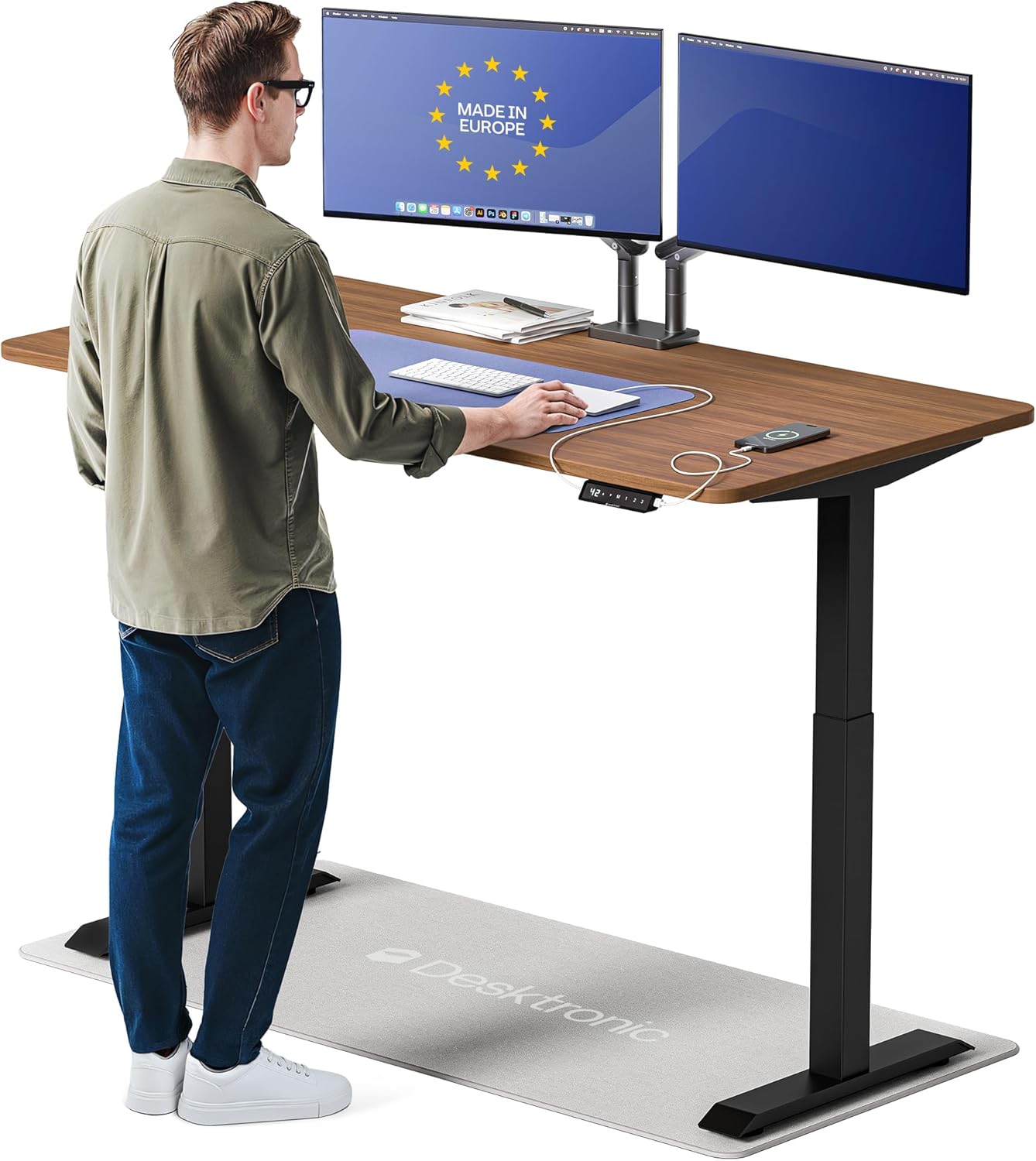
Desktronic HomeOne 60x30 inch Standing Desk
About this pick
The Desktronic HomeOne is a European-manufactured standing desk with a dual motor, 5-year motor warranty, and a 60x30 inch MDF-core desktop with a premium laminate surface. The frame uses steel crossbars rated to 264 lbs and reaches 49.2 inches, one of the highest max heights in this roundup. The keypad stores 4 memory presets and includes a child lock.
At $557.99 the HomeOne targets buyers who want build quality above typical Asian-manufactured budget desks. Desktronic assembles and ships from European warehouses, which provides shorter lead times for buyers in the continental US compared to direct-import brands. The 5-year motor warranty is double the standard offered by most competitors at this price.
Best for: Buyers who want European manufacturing quality and a 5-year motor warranty for a dual-monitor home office setup.
Check price on AmazonPros
- +49.2" max height, tallest in roundup
- +264 lbs capacity
- +5-year motor warranty
- +European build quality and QC
Cons
- −$557.99 premium price
- −No bamboo surface option
- −Limited color availability vs US brands
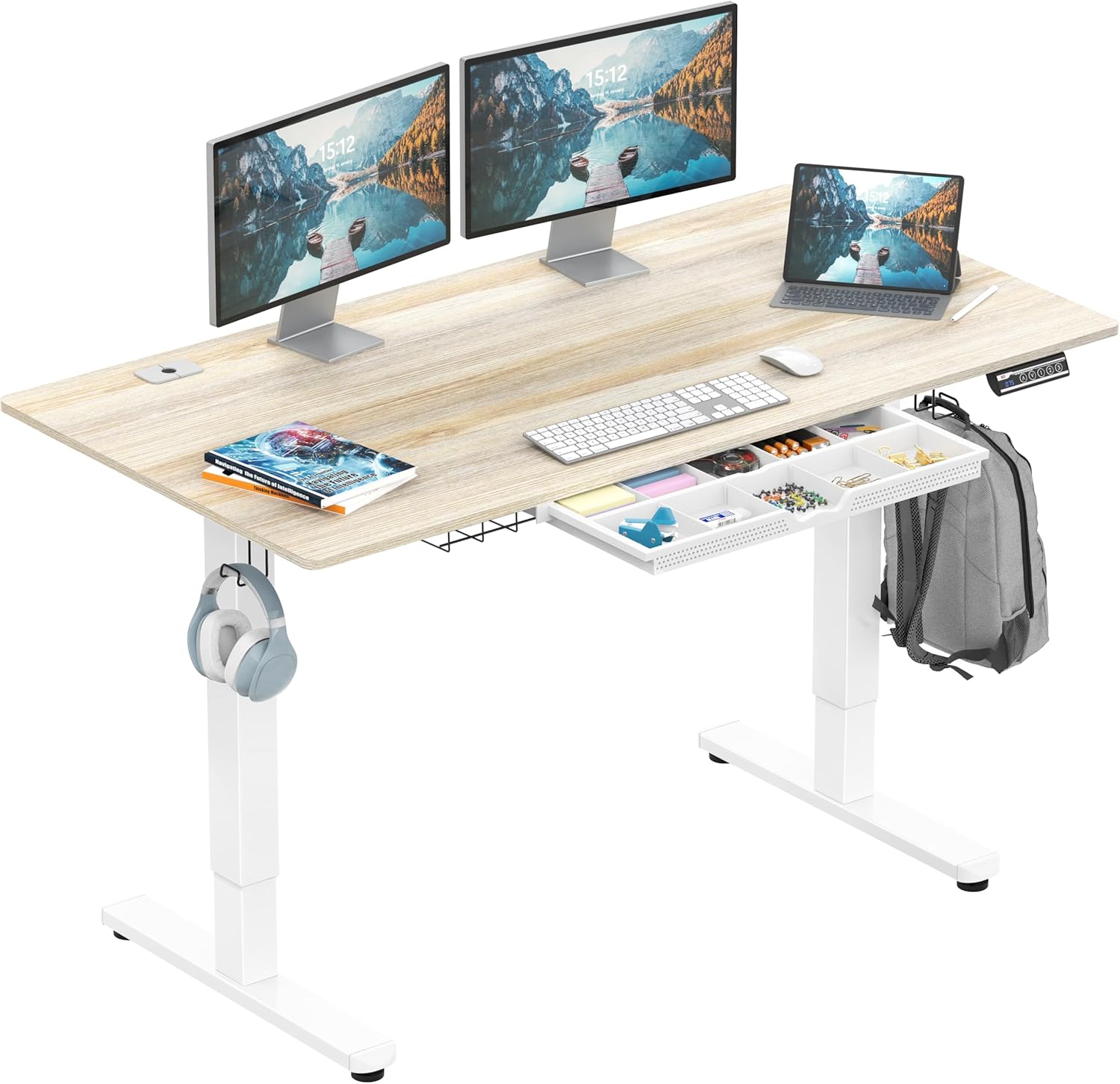
SHW 55 inch Electric Standing Desk with Drawer
About this pick
The SHW 55-inch desk includes a pull-out drawer mounted under the desktop surface, which adds storage for notebooks, chargers, and small items without requiring a separate desk organizer. At $189.87 this is the most affordable desk in the roundup with a built-in drawer. The single motor handles 154 lbs and the height range covers 28 to 45.3 inches.
For a dual-monitor setup with two 24-inch monitors, the 55-inch surface provides adequate width with a few inches to spare on each side. The drawer depth is approximately 3 inches, suitable for flat items but not thick binders. The keypad includes 3 memory presets.
Best for: Budget buyers who want desktop storage for two monitors without a separate organizer.
Check price on AmazonPros
- +Built-in drawer under $200
- +55 inch fits two 24" monitors
- +Clean desk surface with hidden storage
- +Budget-friendly entry price
Cons
- −Single motor, less stable at max height
- −45.3" max height, limits taller users
- −154 lbs lower capacity
- −Drawer depth limited to flat items
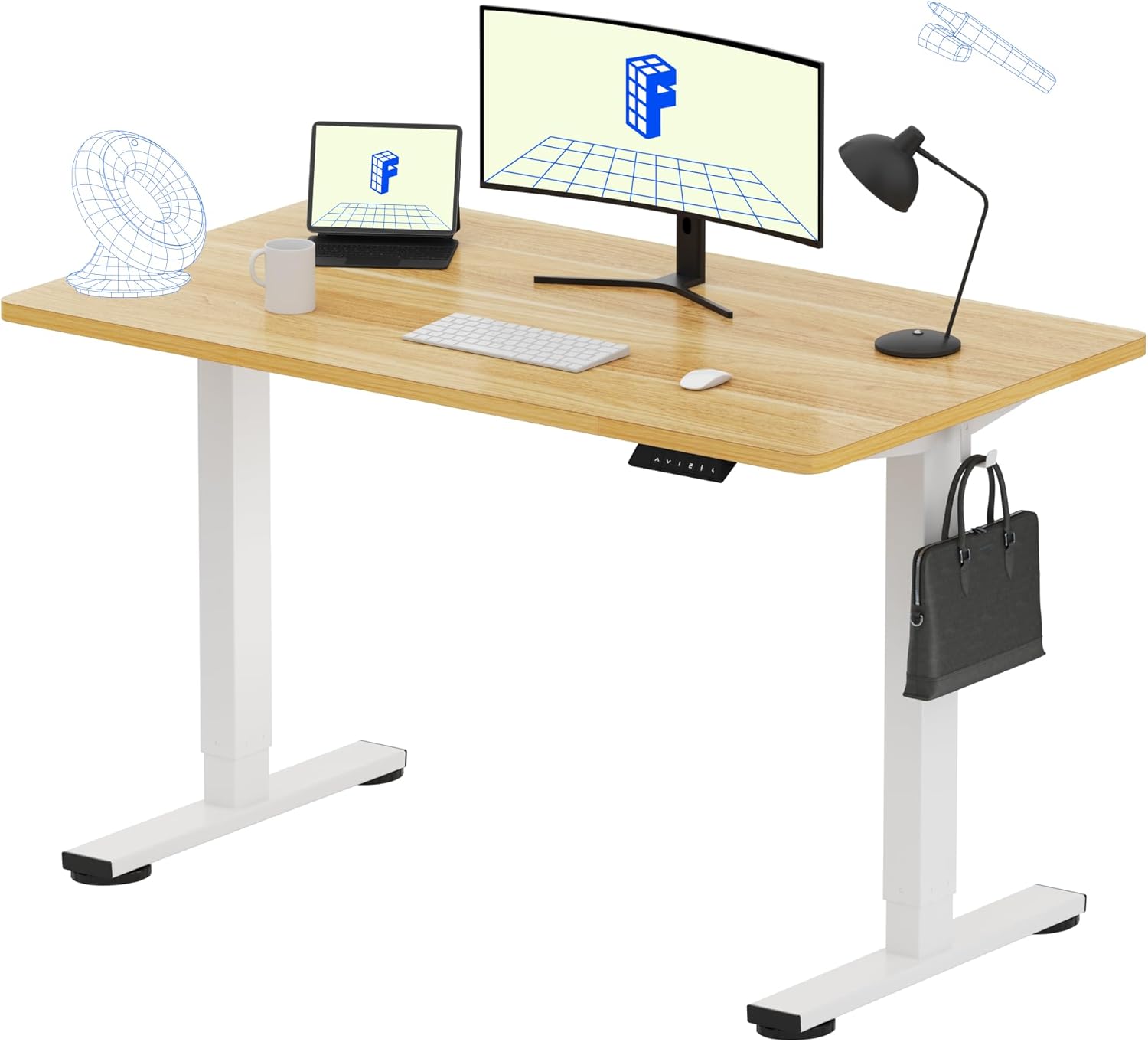
FLEXISPOT EN1 48 inch One-Piece Standing Desk
About this pick
The FLEXISPOT EN1 48-inch one-piece desktop has no center seam, unlike desks where the tabletop ships in two halves. The seamless MDF core covered with laminate means the surface is fully flat across the width with no ridge or gap at the center. At $139.99 it is the best-priced one-piece standing desk available.
At 48 inches the EN1 fits two 24-inch monitors side by side with minimal margin. For two 27-inch monitors, the 48-inch span is tight and a monitor arm is recommended to push the displays back and create more front desk space. FLEXISPOT includes a 2-year motor and 5-year frame warranty.
Best for: Buyers who want a seamless desktop surface at the lowest possible price for a dual 24-inch monitor setup.
Check price on AmazonPros
- +No center seam, fully flat surface
- +FLEXISPOT 5-year frame warranty
- +$139.99 lowest price for one-piece
- +4 memory presets
Cons
- −48 inch is tight for two 27" monitors
- −Single motor
- −46.5" max height
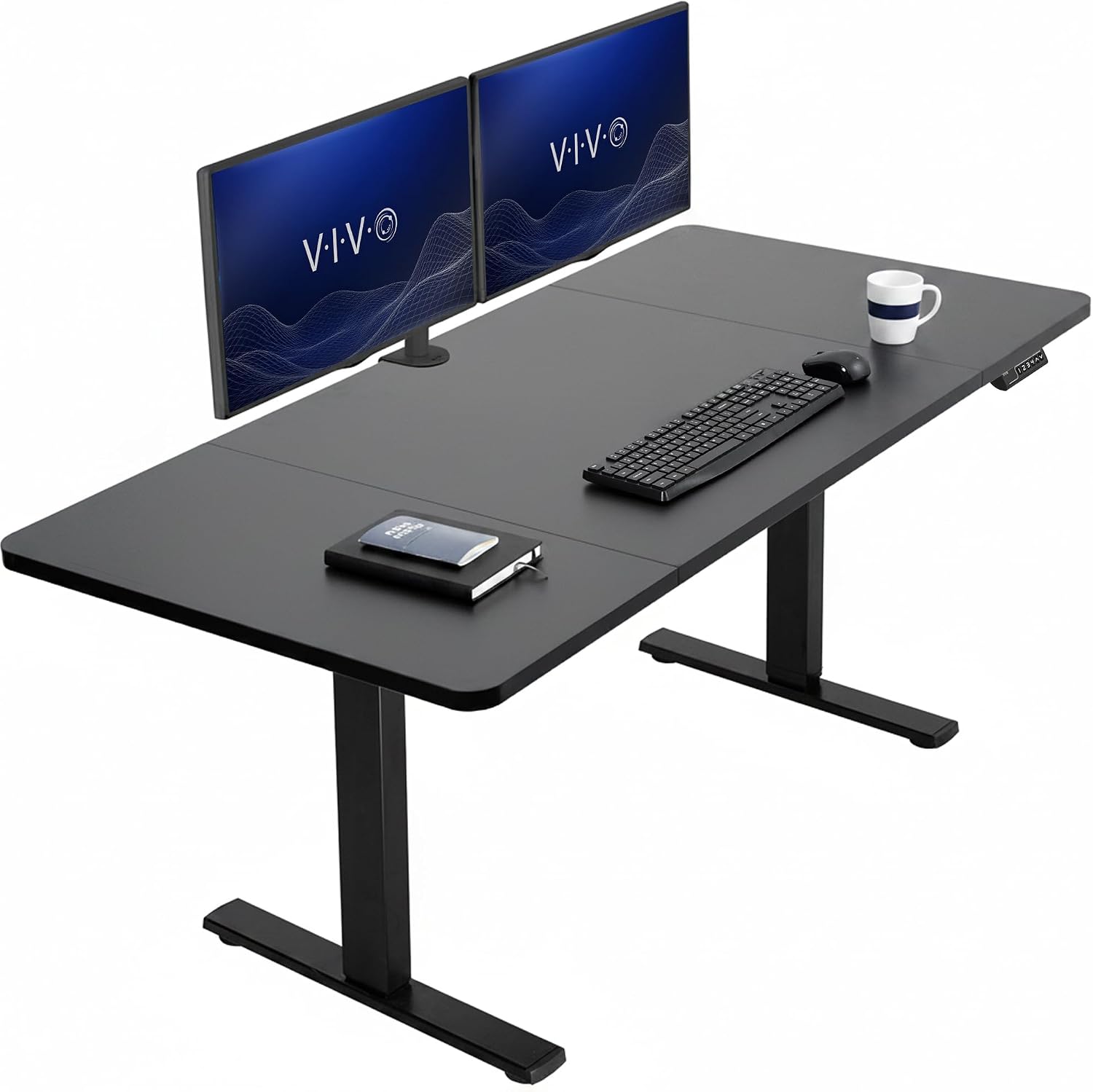
VIVO 60 inch All-Steel Electric Standing Desk
About this pick
The VIVO 60-inch 1B series uses an all-steel desktop frame with a steel-reinforced underside that reduces flex compared to MDF-core alternatives. The dual motor handles 176 lbs and the height range spans 28.5 to 48.4 inches. At $240.96 it provides a wide 60-inch surface for dual monitors at a mid-range price.
The all-steel frame construction means the desk is heavier than laminate alternatives, which contributes to reduced resonance vibration when typing or clicking. VIVO includes a 5-year motor warranty and ships from US warehouses with fast delivery.
Best for: Users who want reduced desk flex and vibration for a dual-monitor typing setup.
Check price on AmazonPros
- +All-steel frame reduces flex and vibration
- +60 inch wide surface
- +48.4" max height
- +VIVO 5-year motor warranty
Cons
- −$240.96 mid-range price
- −Heavier than MDF alternatives
- −No drawer or USB charging
FEZIBO 71x37 inch Large Standing Desk with USB-C
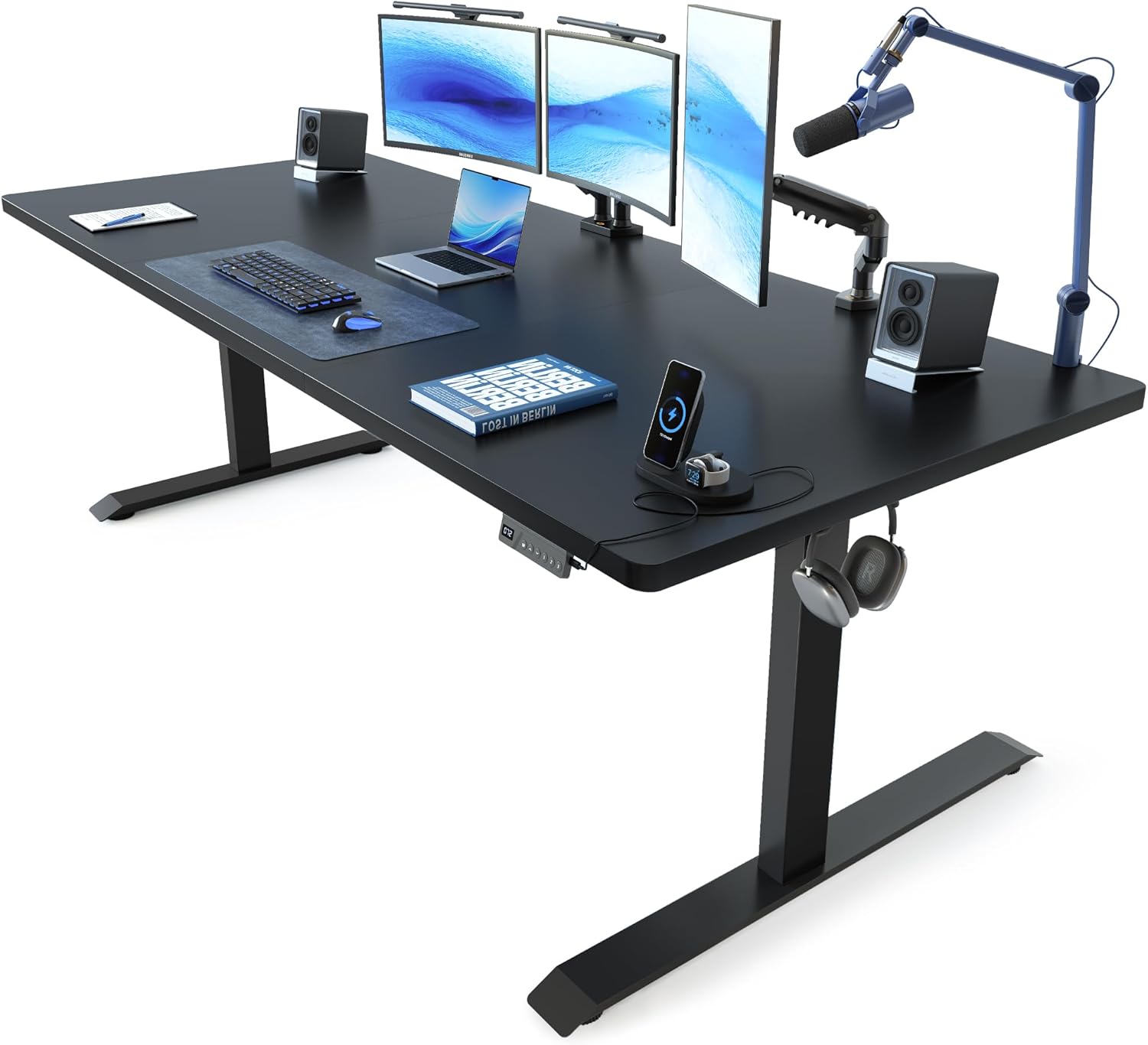
About this pick
The FEZIBO 71x37 inch desk provides the widest surface and deepest workspace in this roundup, with a 37-inch front-to-back depth that leaves room for a laptop behind dual monitors. The built-in USB-C and USB-A charging panel is embedded in the desktop at $299.99. The dual motor handles 176 lbs and reaches 47.2 inches.
The 71-inch width comfortably fits two 32-inch monitors side by side with room left over. The 37-inch depth allows dual monitors on a riser at the back with a keyboard, mouse, and notepad in front without crowding. For a dual large-monitor setup this is the best surface area pick in the roundup.
Best for: Dual large-monitor setups (27 to 32 inch screens) that need maximum desk width and depth.
Check price on AmazonPros
- +71 inch width fits two 32" monitors easily
- +37 inch depth adds front desk space
- +Built-in USB-C charging
- +$299.99 for this surface area
Cons
- −Larger footprint needs more room
- −47.2" max height on the lower end
- −No bamboo surface option
FLEXISPOT E6 Bamboo Standing Desk 55 inch
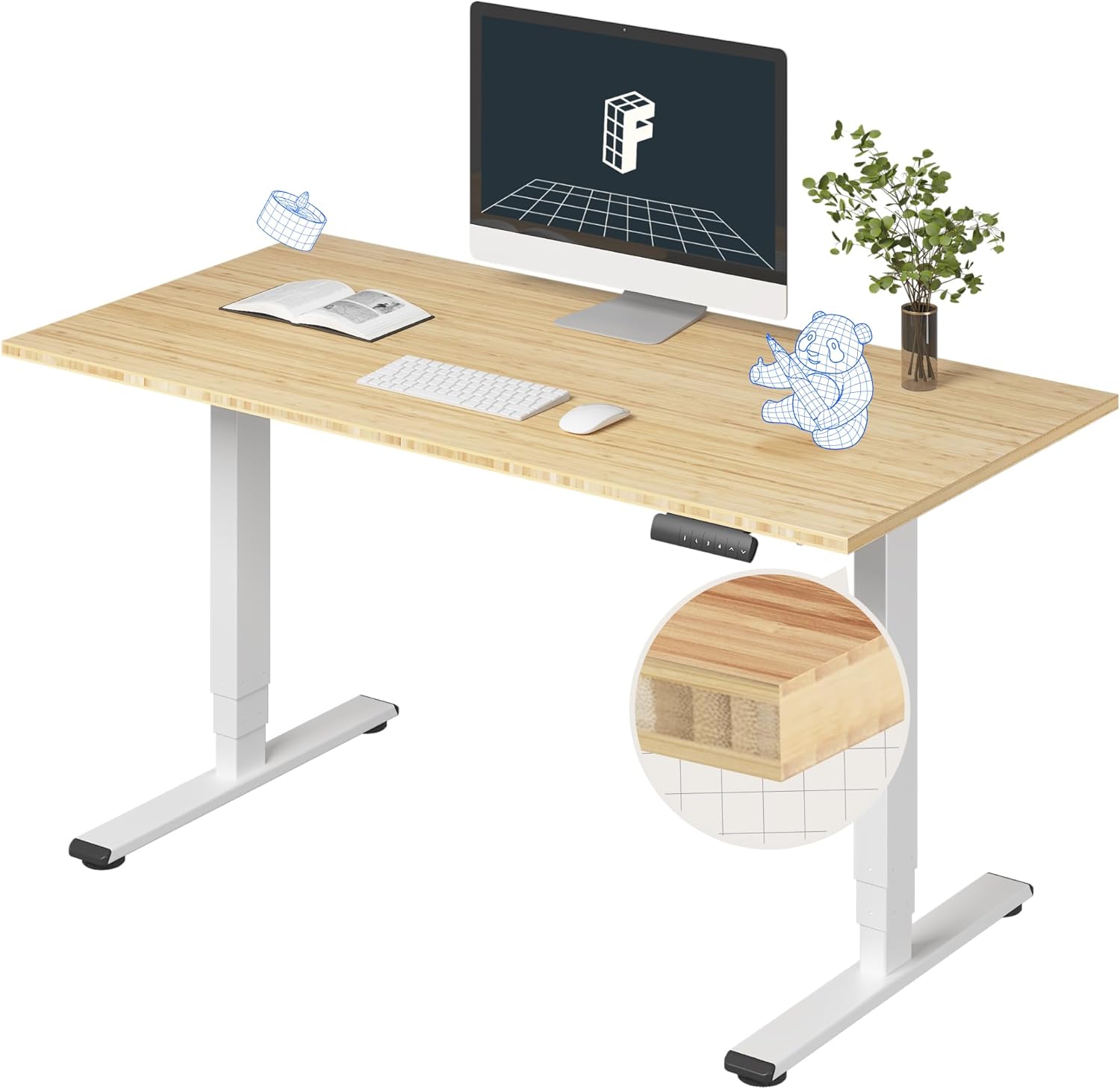
About this pick
The FLEXISPOT E6 Bamboo uses a solid bamboo desktop instead of laminate or MDF, which provides a natural warm surface that is harder than most laminate tops and more resistant to surface scratches over time. The dual-motor frame reaches 48.4 inches and handles 220 lbs. At $284.97 the bamboo premium over a comparable laminate model is approximately $100.
Bamboo desktop edges are thicker than most laminate options, giving the desk a more substantial visual presence. The surface is naturally anti-bacterial and moisture-resistant relative to laminate. For a dual-monitor home office setup where aesthetics and surface quality matter, the bamboo top adds long-term value.
Best for: Home office dual-monitor setups where a natural bamboo surface improves the room aesthetic and long-term surface durability.
Check price on AmazonPros
- +Solid bamboo is harder and warmer than laminate
- +220 lbs capacity
- +48.4" max height
- +Natural antibacterial surface
Cons
- −$284.97 bamboo premium
- −Bamboo can show water rings without coaster use
- −Heavier than laminate tops
UPLIFT V3 72 inch Dark Bamboo Standing Desk
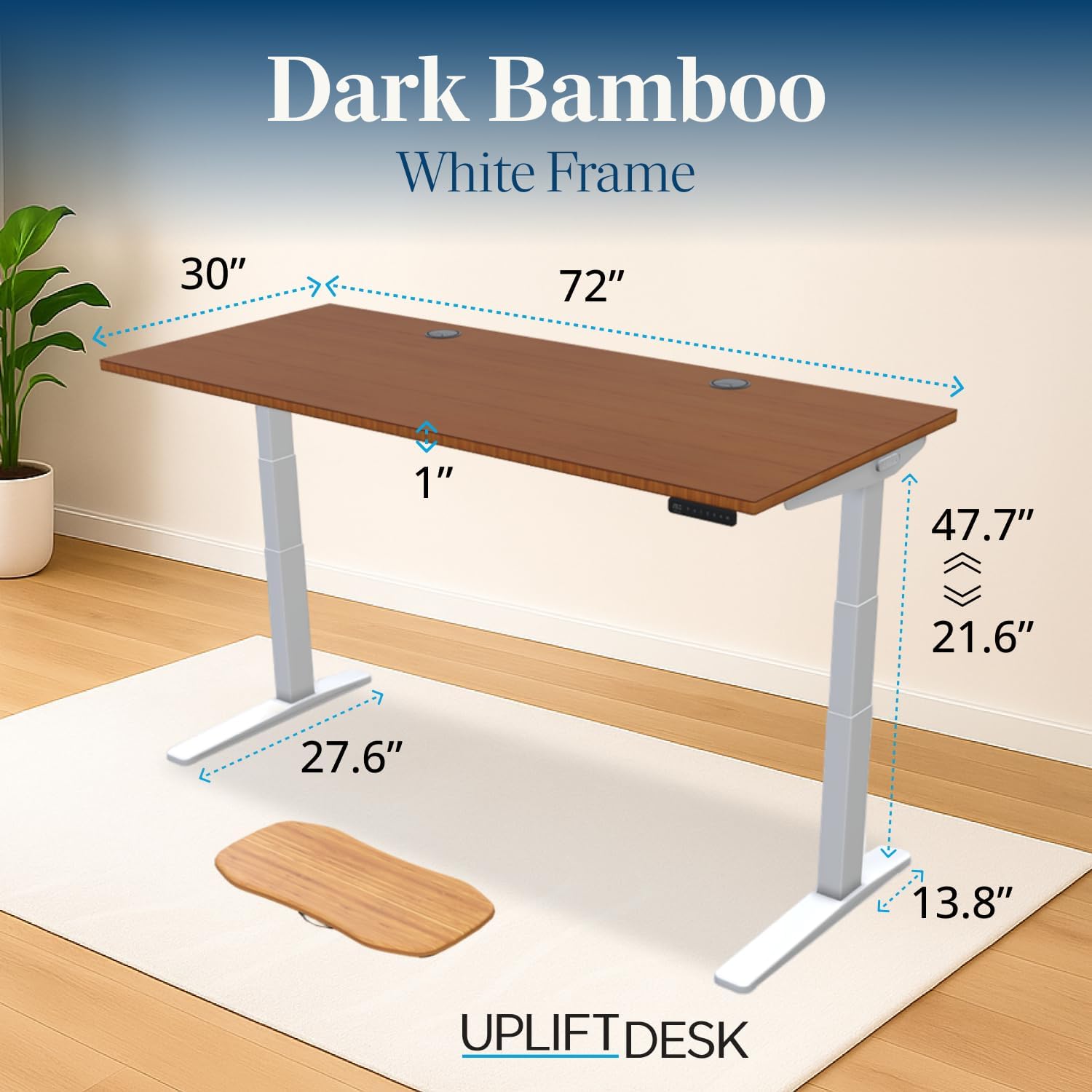
About this pick
The UPLIFT V3 at $988 with a dark bamboo desktop is the premium pick for a dual-monitor home office setup. The V3 frame uses UPLIFT's proprietary leg design with dual crossbars per leg that reduce wobble to near-zero at standing height, which is measurably better than any other frame in this roundup. The 72-inch surface provides space for two large monitors with a laptop beside them.
UPLIFT covers the V3 with a 15-year warranty on the frame and a 5-year warranty on the motor, the longest combined warranty in this category. The dark bamboo carbonized surface is harder than standard bamboo, moisture-sealed, and available in multiple widths. For buyers who want to buy a desk once and not replace it for a decade, the UPLIFT V3 is the benchmark.
Best for: Long-term buyers who want the best-built dual-monitor standing desk they will not need to replace for 10 to 15 years.
Check price on AmazonPros
- +15-year frame warranty, longest available
- +355 lbs capacity, highest in roundup
- +Near-zero wobble at standing height
- +Dark carbonized bamboo, hardest surface
Cons
- −$988 premium investment
- −Requires planning, not a quick purchase
- −72 inch needs sufficient wall space
SHW 62 inch Standing Desk with Monitor Riser
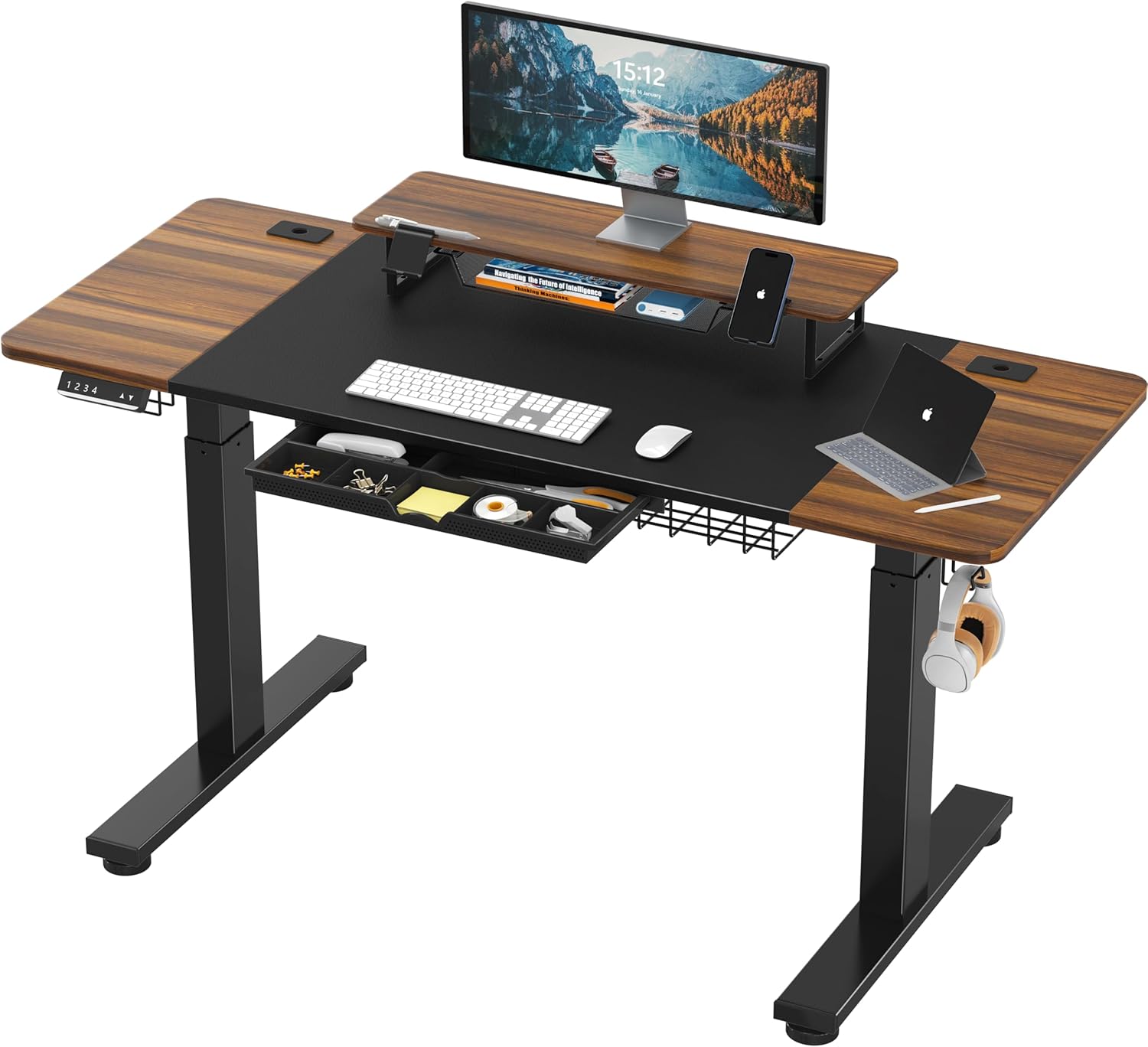
About this pick
The SHW 62-inch desk includes an attached monitor riser shelf across the rear of the desktop surface. The riser elevates two monitors to eye level without a separate monitor arm, and leaves the full front desk surface clear for keyboard, mouse, and notes. At $199.87 this is the most affordable combined desk-plus-riser solution in the roundup.
The riser shelf attaches to the rear desktop edge and measures approximately 62 inches wide by 6 inches deep, suitable for two monitors up to 27 inches. The single motor frame handles 154 lbs and reaches 45 inches. For users who want to eliminate monitor arm cost while still achieving eye-level screens, this is the most efficient solution.
Best for: Buyers who want monitors at eye level without buying a separate arm, at a budget price.
Check price on AmazonPros
- +Included riser eliminates monitor arm cost
- +62 inch wide for dual monitors
- +Riser lifts monitors to eye level
- +Under $200
Cons
- −Single motor
- −45" max height
- −Riser shelf is not removable on most configurations
- −154 lbs capacity
Frequently Asked Questions
What size standing desk do I need for dual monitors?
For two 24-inch monitors: minimum 55 inches wide. For two 27-inch monitors: 60 inches is comfortable, 55 is tight. For two 32-inch monitors: 70 to 72 inches is recommended. Add 4 to 6 inches of margin beyond your measured monitor widths to avoid a cramped setup. Depth matters too: aim for 28 to 30 inches front-to-back for proper screen distance.
Should I use a monitor arm or riser shelf for dual monitors on a standing desk?
A monitor arm is better for most dual-monitor setups. It frees the entire desk surface, allows per-monitor height adjustment, and lets you push screens back further when you do not need them. A riser shelf is simpler and cheaper, but it takes up permanent desk depth and limits adjustment. If you use both screens equally and at the same height, a riser is fine. If one screen is dominant, an arm gives more flexibility.
Do dual monitors make a standing desk wobble more?
Yes, slightly. Two monitors mounted on a fixed riser shift the center of gravity slightly and add weight, which can increase the amplitude of any existing wobble. A dual-motor desk wobbles less than a single-motor desk at the same load. A monitor arm that extends further from the desk edge adds more leverage and can amplify wobble. Keep monitor arms shorter (4 to 6 inches from the desk edge) to minimize the effect.
What standing desk height is correct for dual monitors?
At standing height, your monitor tops should be at or just below eye level, with the screen center at roughly nose height when looking straight ahead. This is different from your keyboard surface height. Raise or lower the desk to your correct keyboard height first (2 to 3 inches below your standing elbow), then adjust monitor height via an arm or riser to meet your eye level independently.
Can I use a 48-inch desk for dual monitors?
A 48-inch desk fits two 24-inch monitors side by side with minimal clearance. It does not comfortably fit two 27-inch monitors without a monitor arm that pushes them close together. If you plan to use 27-inch or larger screens, a 55-inch or wider desk provides a better experience. A monitor arm on a 48-inch desk can position screens more efficiently but limits keyboard space on a narrow surface.
Bottom Line
best overall: Desktronic HomeOne 60x30 inch Standing Desk - 4.7 stars, best premium european pick in this roundup.
See the full rankings above for all eight picks with pros, cons, and best-for summaries.
Browse on Amazon
All Prime-eligible options with current pricing.
Shop on Amazon →