
How to Build a Paper Inbox System for a Desk With No Drawers
Affiliate Disclosure: We may earn a small commission on qualifying Amazon purchases at no extra cost to you. Full disclosure →
A drawerless desk can handle incoming paper without becoming a row of trays. The key is a clear path from arrival to action and final storage. Containers help only when each has a defined role and papers actually leave the system.
Quick answer: Use one incoming location, a small number of active categories, a review routine, and a separate destination for reference or archived material. Choose trays or folders that fit the actual documents and preserve the working area. Follow relevant workplace and privacy requirements; a visible desktop tray is not secure document storage.
Define what arrives
List mail, receipts, forms, printed work documents, school papers, and notes. Identify which require action and which are merely kept for reference. Do not assume all paper belongs in the same long-term container because it enters through the same door.
Choose one arrival point. If paper currently lands in several rooms, decide how it reaches the inbox. A near-door drop zone may collect it temporarily, but the desk system needs an agreed handover rather than a second forgotten pile.
Keep incoming separate from active work
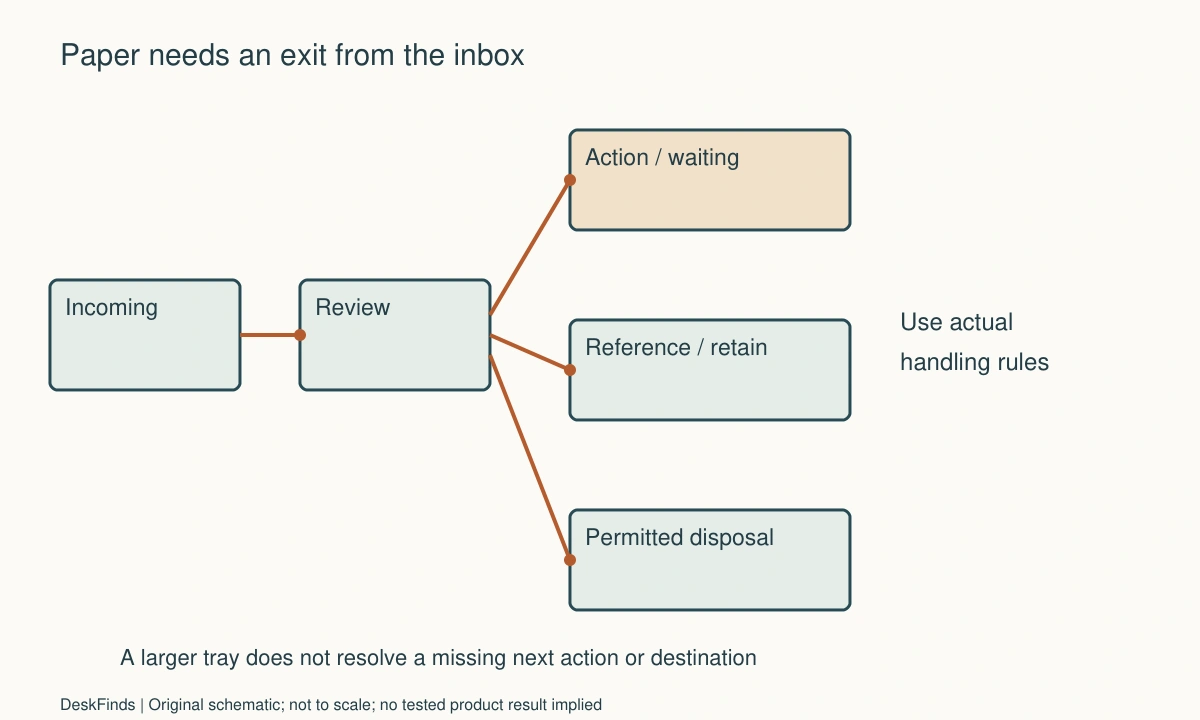
The inbox means not yet reviewed, not everything important. After review, paper should move to an appropriate action, reference, archive, or disposal route. Use categories that match the actual tasks and remain few enough to understand.
Avoid a category called miscellaneous for unresolved decisions. It often becomes a permanent holding area. If several papers wait on the same event, a clearly labeled waiting folder may be useful, with a review date or trigger appropriate to the work.
Choose a physical format
A shallow tray gives a visible stack; an upright holder can keep folders accessible; a portable file box can move off the desk. Compare actual paper size, envelopes, clips, and the hand movement needed to remove a document.
A tray labeled letter may not fit A4 documents without overhang, and neither label describes bulky folders. Measure the largest ordinary item and the clear opening. Do not buy from total organizer dimensions alone.
Limit desktop occupation
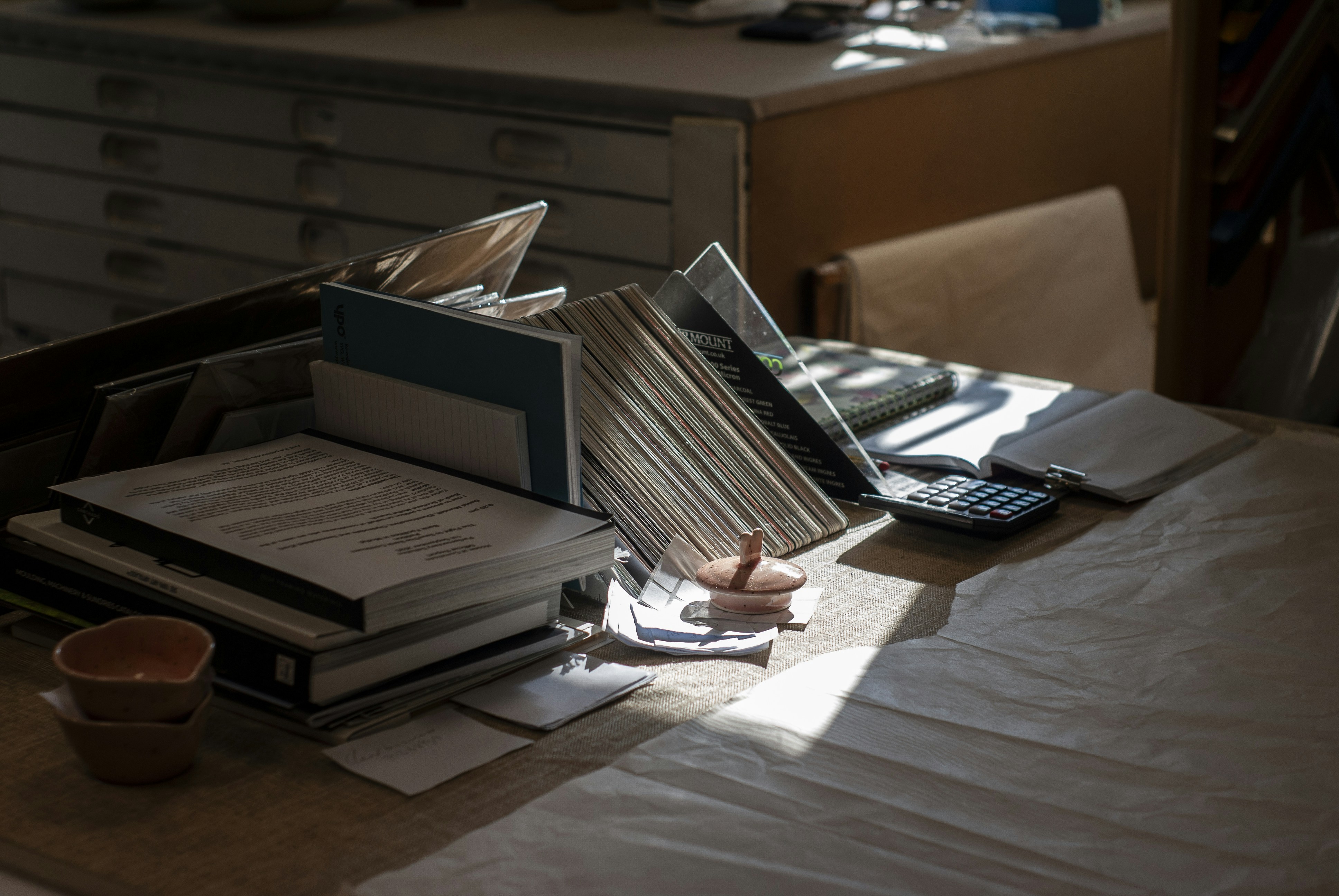
Reserve the keyboard, mouse, and active writing area before adding trays. A drawerless desk does not require every paper category to remain on its surface. Nearby permitted storage or a portable box may hold reference material.
Stacking trays saves some surface but needs vertical access and supported loading. Check removal paths below shelves and beside screens. More levels can make lower contents less visible and encourage accumulation.
Set a review routine
Choose a realistic interval and a concrete action: open the inbox, decide each item, assign a next step, and move it to the correct destination. The interval depends on the work and deadlines, not a universal productivity rule.
Keep the review manageable by limiting inflow where appropriate. Unneeded printed copies or duplicate mail can be addressed at the source. Do not discard required records based on a generic decluttering recommendation; retention and disposal depend on the document and applicable requirements.
Keep actions observable
An active folder should correspond to a task or waiting condition. Add a concise note when the next step is not obvious. A paper can remain visible in a tray for weeks without anyone knowing what should happen to it.
If a digital task list is used, decide whether the paper supports that task and where it is stored. Avoid two independent systems that both claim to be authoritative but are not updated together. The purpose is a reliable next action, not duplicate administration.
Separate reference and archive
Reference is material consulted during current work; archive is kept for an appropriate future need. Give each a suitable destination outside the inbox. A drawerless desk may use a file box or cabinet elsewhere without losing a clear workflow.
See file cabinets versus file boxes for format choices. If documents require controlled access, choose storage that meets that requirement rather than relying on a closed decorative folder.
For records that leave the active desk, compare file cabinets and file boxes.
Handle sensitive material appropriately
Follow workplace, legal, and personal-information requirements relevant to the papers. Keep confidential documents out of camera frames and shared open areas. Use an appropriate disposal method when disposal is permitted.
Do not describe scanning as automatic permission to destroy originals. Some records may require original retention or specific handling. Our document scanning comparison addresses the format decision; the document’s actual requirements still control.
Example: three trays, no decisions
Imagine a desk with trays labeled urgent, important, and miscellaneous. Papers accumulate because the categories overlap and nothing defines when an item leaves. The user initially plans to buy another tray.
Instead, the system changes to one incoming tray, a few clearly defined active folders, and separate reference storage. At review, a bill gets a next action, a completed form leaves for filing, and an unnecessary duplicate goes through an appropriate disposal route. The inbox becomes a temporary state again.
The user measures the actual folders before choosing an upright holder. The holder fits the paper but initially blocks notebook removal, so it moves to a reachable side position. Workflow and physical fit are solved together rather than assuming better labels create more desk space.
Make the exit routes real
| Paper state | Destination |
|---|---|
| Not reviewed | One inbox |
| Actionable | Defined task or active folder |
| Waiting | Identified dependency and review trigger |
| Current reference | Accessible reference storage |
| Retained record | Appropriate archive or controlled storage |
| Permitted disposal | Suitable disposal process |
Use the desk-declutter checklist to remove unrelated objects before adding storage. A useful inbox system stays small because papers move through it. The goal is not a perfectly empty desk every minute, but a reliable way to find the next action and return the work surface to use.
Design an exit for every paper state
An inbox should be a temporary status, not a synonym for important paper. Write what happens after review: a next action, a waiting condition, reference use, appropriate retention, or permitted disposal. The actual requirements depend on the document and the work. A general home-office system should not invent legal retention rules or assume a digital copy allows destruction of every original.
Choose active categories from the tasks people really perform. If urgent and important overlap, the same document can fit both and stay undecided. A task folder with an observable next step can be clearer. A waiting group should identify what is expected and when it will be reviewed. Keep the number of categories small enough that the next user or your future self can understand the system without interpreting a complicated color code.
Decide how paper and digital tasks interact. You may use a digital reminder while retaining supporting paper in a known folder. The key is knowing which system records the action and where the physical item is located. Avoid two competing task lists that drift apart. A short location note is often more useful than duplicating every detail of the paper in several tools.
The physical format should preserve the desk’s primary work. One shallow inbox or upright holder may be enough on the surface, while reference and retained material live in appropriate storage elsewhere. Draw open folders, clips, envelopes, and the hand access needed. A tray fitting loose paper can still fail with the bulky folder the routine requires. Check lidded or stacked access separately from outside fit.
Set a review trigger you can maintain. The interval should reflect deadlines and inflow, not a universal productivity slogan. The review itself needs decisions and destinations, not merely tidying the stack. If the inbox regularly overflows, inspect the intake and action process before buying another level. More trays can hide an unresolved workflow rather than improve it.
Finish with information handling. Consider camera views, shared-room access, sensitive mail, and disposal appropriate to the actual papers. A closed folder or decorative box may improve appearance without meeting a controlled-storage requirement. Keep those requirements explicit and choose the relevant secure or permitted destination. The desk can remain drawerless while the wider system still provides appropriate storage beyond its surface.

Worked redesign: from three overlapping trays to one inbox
Imagine a worker with trays marked urgent, important, and miscellaneous. Documents arrive through mail, printed work, and loose meeting notes. The trays fill because categories overlap and none defines the next action or final destination. The worker initially plans a taller organizer.
The redesign begins with one arrival point and a review routine. Each paper is considered for an actual next step, waiting condition, reference role, retention requirement, or appropriate disposal. The worker does not apply a generic discard rule to records whose requirements are unknown.
A few active folders replace the overlapping tray labels. One document receives a digital task with its physical location noted; another goes to a clearly defined waiting group; completed material leaves the desktop for suitable storage. The systems have distinct roles rather than independently claiming to hold the authoritative action list.
The physical organizer is then measured using the actual folders and envelopes. A compact tray handles loose paper but not the widest active folder. An upright alternative fits the contents, yet its position blocks notebook retrieval beneath a shelf. The worker changes orientation or location and repeats typing, writing, and document access.
Sensitive material stays outside the real camera frame and shared open areas as appropriate. A decorative lid is not treated as secure storage. If a document can be disposed of, the worker uses the suitable process rather than assuming scanning alone authorizes destruction.
After a normal week, the inbox is reviewed again. One recurring incoming category is unnecessary duplication and can be reduced at the source where permitted. Another needs a clearer owner or next step rather than another container. The worker removes an unused tray instead of filling it simply because it exists.
The final system occupies less desktop area and supports a reliable flow. It does not promise that all paper disappears or that every document can become digital. The improvement is knowing what each active item means, where it belongs, and how it leaves the temporary inbox so the drawerless desk remains available for work.
Use overflow as diagnostic information
When the inbox fills, identify which stage has stopped. Unreviewed arrivals, tasks with no next action, waiting items without a trigger, and records with no archive destination need different responses. Buying a larger tray treats all of them as a volume problem and can hide the real interruption for longer.
Keep the review focused on decisions. Straightening the stack or moving it into a prettier folder does not change its status. Move each item to the appropriate next destination, following actual handling and retention requirements. If a decision needs information, identify that dependency rather than returning the paper to an undefined miscellaneous pile.
For shared work, clarify ownership of actions. A common inbox can work when someone knows who reviews it and how papers move onward. If several people assume another person is handling a form, no physical organizer will make the process reliable. Keep the categories understandable and the responsibility explicit.
If paper is moved away from the desk, retain a usable location system. A folder name or short reference on the task can be enough. Avoid an elaborate inventory that takes longer to maintain than it saves. The important question is whether the supporting document can be found when the next action occurs.
Reassess scanning as its own workflow. Capture quality, storage, access, backup, and any requirement to retain the original matter. Do not infer that a scan allows disposal simply because the image looks readable. Choose the appropriate process for the document and relevant rules rather than applying a universal paperless target.
Finally, check the physical desk again. The inbox, active folders, and reference materials should leave room for typing, pointing, and the current document. A drawerless desk does not need every retained paper within arm’s reach. A small reliable active system supported by appropriate storage elsewhere can provide more useful work space than a tall organizer holding unresolved material indefinitely.
For the holder itself, use organizers for thick planners.
Your practical comparison worksheet
Use the following checks with the actual people, objects, and room in your plan. Record a measured value, an observed task result, or the exact product information that answers each point. Keep unresolved details separate from confirmed ones. A result about one feature should not silently establish another: physical fit, ordinary use, support, and care may require different evidence. Work through the checks before ordering, then repeat the relevant actions with the delivered item while the return terms apply. The worksheet is a planning aid rather than a product test or approval for an improvised installation.
1. Intake
List paper sources and choose one incoming location with a clear route from door, printer, or other arrival point.
Keep inbox meaning not yet reviewed. Multiple informal piles can hide tasks even when each individual container looks organized.
2. Action
Define the observable next step for a paper and the place where its task is recorded and supporting item stored.
Avoid overlapping labels that allow indefinite indecision. If a digital reminder is used, retain a reliable physical location rather than two drifting action systems.
3. Waiting
Identify the person, event, or information needed and an appropriate review trigger for material that cannot move yet.
A waiting folder needs a condition, not simply a more polite name for miscellaneous. Keep the group small enough to review meaningfully.
4. Reference
Separate currently consulted material from incoming work and retained records, choosing an accessible appropriate destination.
Do not leave every past document on the desktop because the desk has no drawers. Storage elsewhere can preserve a clear workflow and useful work surface.
5. Retention and disposal
Check the requirements applying to the actual document before deciding what stays, can be digitized, or can be discarded.
Do not infer permission to destroy an original from a scan or a generic decluttering rule. Choose appropriate handling and disposal where permitted.
6. Physical fit
Measure real folders, envelopes, clips, and ordinary removal paths alongside tray or holder clear dimensions.
Nominal paper size and outside organizer dimensions do not establish bulky-folder access. Preserve typing, mouse, and active handwriting space.
7. Privacy
Inspect camera views, shared access, sensitive contents, and any controlled-storage needs relevant to the papers.
An opaque folder or decorative lid can improve appearance without meeting a security requirement. Keep sensitive material in a suitable actual destination.
8. Review
Choose a manageable trigger, make decisions, and move papers to their next destinations rather than merely straightening the pile.
If overflow repeats, examine intake and action flow before adding trays. A useful inbox becomes available again because items leave it.
Sources and scope
- FTC: documents and personal-information disposal - Reference for protecting personal information during disposal; no universal retention schedule or permission to destroy originals is given.
Editorial note: This is a research-based planning guide, not a hands-on product review. Worked examples are hypothetical. Follow the exact product instructions and resolve compatibility, installation, and care questions before relying on the arrangement.