
How to Position Desktop Speakers on a Shallow Desk
Affiliate Disclosure: We may earn a small commission on qualifying Amazon purchases at no extra cost to you. Full disclosure →
On a shallow desk, speakers compete with the monitor base, keyboard, mouse, and the distance to the listener. Pushing both speakers into whatever corners remain can create an uneven arrangement or block controls. A useful plan starts with the seated listening position, not the empty desk edges.
Quick answer: Follow the speaker maker’s placement guidance, keep a stereo pair sensibly balanced relative to the listener, and compare compact supports only after measuring the complete speaker and connection envelope. Include wall spacing, port and ventilation requirements, cable access, and room for input devices. Avoid a universal wall-distance rule for every speaker design.
Identify the speakers and intended use
A pair used for background sound has different demands from studio monitors used for detailed audio decisions. Find the exact model’s instructions, intended orientation, supported placement, and any boundary settings.
Record the whole cabinet dimensions, controls, rear plugs, and any ports. A compact outside depth does not include a projecting power or audio connector. Do not cover a rear port or ventilation opening simply to make the speaker sit flush against the wall.
Fix the listening position first
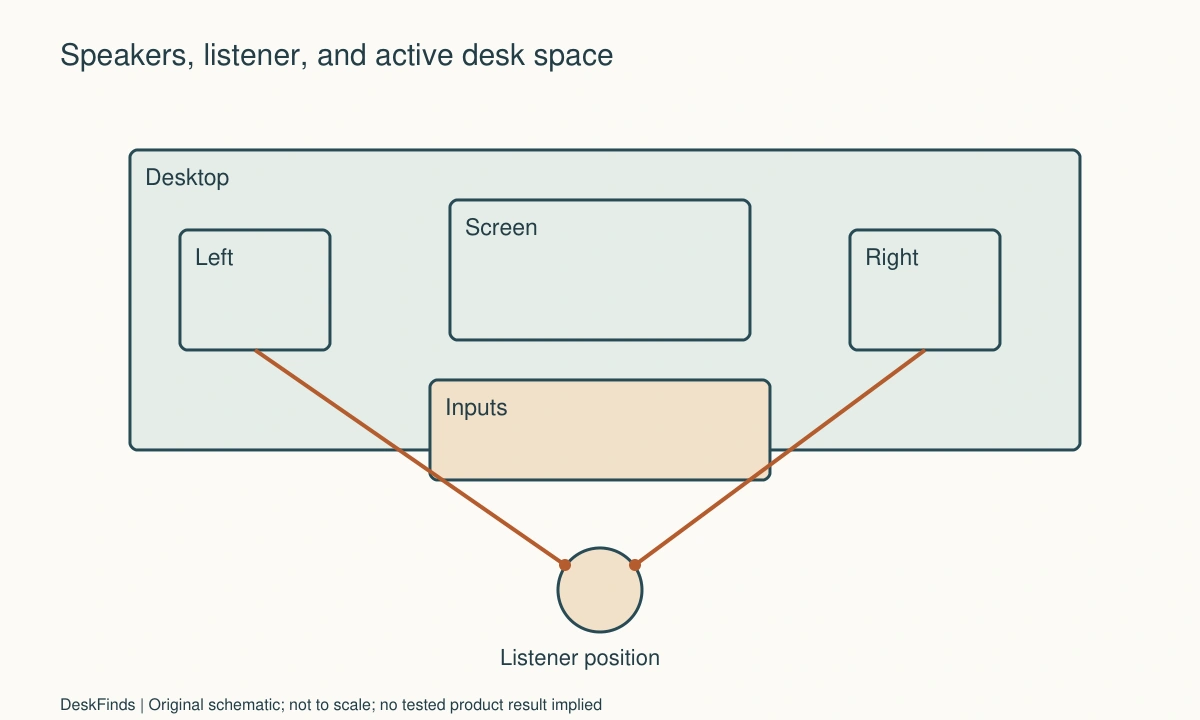
Place the chair, keyboard, and main display in their useful working arrangement. Mark where the listener’s head normally sits. Then compare speaker positions relative to that location.
Do not move the screen to an inconvenient position merely to make an attractive symmetrical photograph. The desk still needs to support its primary tasks. If the required speaker arrangement cannot coexist with them, consider different equipment or another support location.
Keep pair geometry coherent
Manufacturer guidance commonly discusses balanced left/right placement, orientation, and listening direction. Apply the exact model’s instructions. Genelec, for example, provides detailed studio-monitor placement guidance, but its figures should not be copied as universal limits for unrelated desktop products.
Avoid placing one speaker directly beside the listener and the other far behind a monitor. A pair can be visually balanced on the desktop yet have different paths to the ears. Check the actual listening line and obstructions.

Consider height and tilt separately
A small stand can raise or tilt a speaker, but it also adds a footprint and changes stability. Check the maker’s intended acoustic axis or orientation where provided. Cabinet height alone is not the same as the relevant listening position.
Use supports rated and shaped for the speaker. Do not stack loose books or balance a heavy cabinet on a narrow riser. Include pads and retention features as instructed, and keep controls reachable after the speaker is raised.
Check the wall and desktop interactions
Walls and the desk surface can influence the sound. Placement recommendations and available adjustment settings vary by model. Read the documentation rather than following a single internet rule about how many inches every speaker must stand from a wall.
If the desk is against a wall, compare permitted positions and settings systematically. Keep the listening level suitable and use familiar material. This is a personal setup comparison, not a measured claim that one stand eliminates reflections or improves every frequency.
Protect input-device space
Lay out the mouse’s active movement and the keyboard’s complete shape. A speaker support should not force the mouse far to the side or block a notebook area needed daily. A desk with enough total width may still lack the right clear shapes.
Compare narrow-footprint supported stands, a different monitor support, or smaller speakers when appropriate. Each alternative has separate fit and loading requirements. Do not clamp a speaker shelf onto an unsupported desktop region to reclaim space.
Route power and signal leads
Keep connectors accessible and allow the natural cable path. Avoid leads stretched behind a moving screen or draped across the chair. If one speaker connects to the other, include that cable’s permitted length and route.
Keep volume and power controls usable without reaching over fragile equipment. The arrangement should support ordinary troubleshooting and cleaning. A neat rear view is not worth hiding plugs that must be accessed regularly.
Example: the stand helps space but creates a viewing conflict
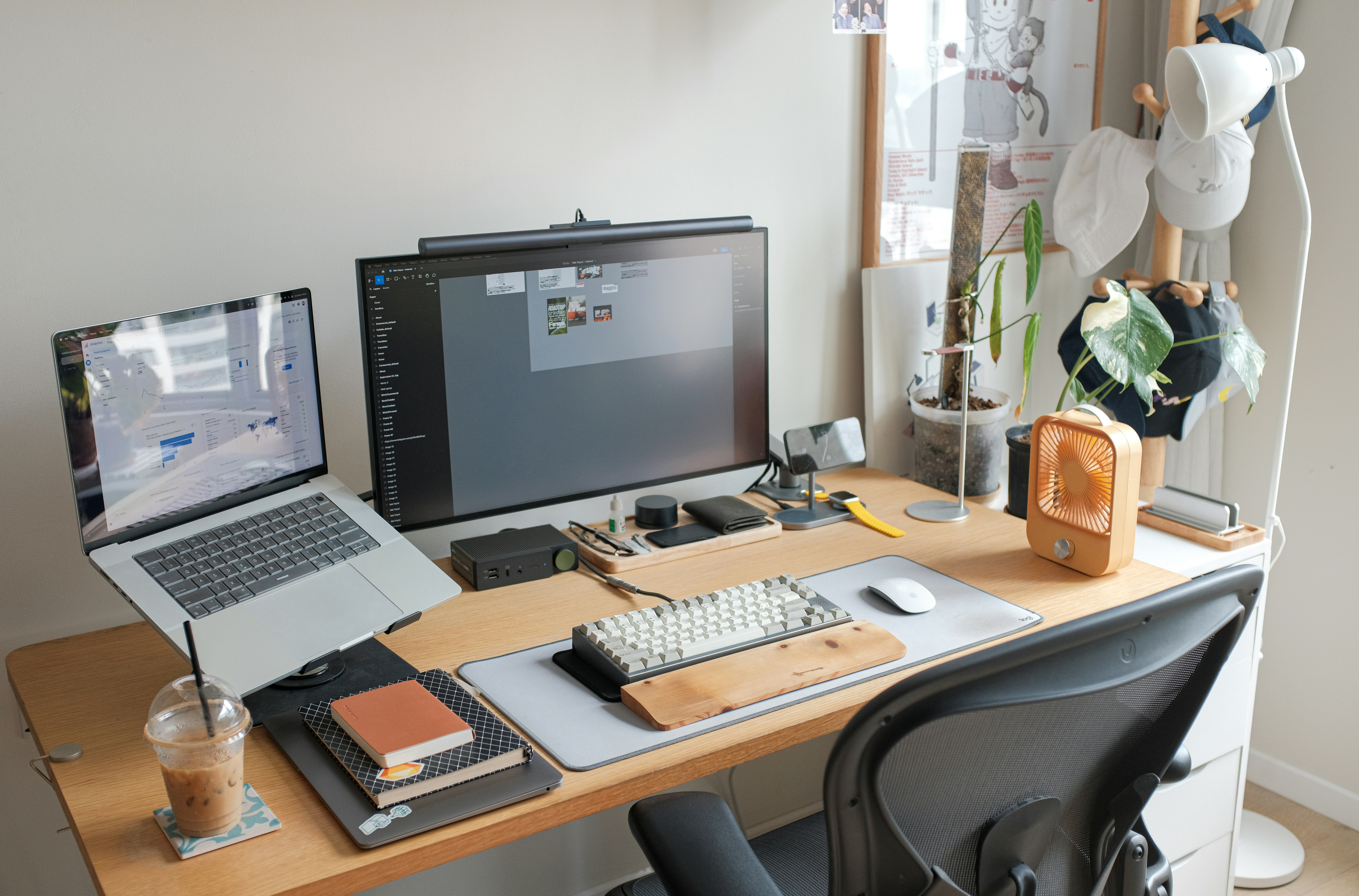
Imagine a shallow desk with one monitor and a compact stereo pair. The original speaker positions crowd the keyboard and mouse. Raising the pair on suitable stands clears some surface, but one stand’s height blocks the display’s lower corner from the seated position.
The user compares stand location and speaker tilt according to the instructions. Moving the pair farther apart clears the display but makes one speaker approach a side wall more closely. That becomes another documented placement check, not an automatic improvement.
A smaller pair may ultimately provide the more coherent arrangement. The user chooses from task space, supported geometry, connection access, and acceptable listening results. No claim is made that the largest speaker fitting the desktop is the best option.
If the screen support consumes the remaining surface, compare monitor arms and stands.
Keep comparison conditions consistent
Use the same listening position and normal playback level. Change one placement or supported setting at a time. Note whether the change improves the result for speech, music, or the particular work you do.
Do not compare one position at a much louder level and call it better. If measurements or precise monitoring accuracy are required, use the appropriate equipment or professional guidance. The studio-versus-regular-speaker guide helps define the equipment category before planning its footprint.
For speaker selection context, compare studio and regular speakers.
Make the desk work as a whole
The final arrangement should let you type, view the screen, reach controls, and move safely around the desk. Check it with the lamp and any microphone in their working positions. For a related space conflict, see handwriting during video calls.
A shallow desk rewards deliberate equipment choices. Supported placement and a clear task area are more useful than an oversized pair squeezed into the remaining corners. Keep the speaker instructions and the measured layout together for the next change of screen or desk.
Compare placement with a task-first sketch
Draw the seated listener and the clear keyboard-and-mouse area before adding speakers. Put the monitor and its base in the useful viewing position. Then place each speaker’s cabinet and connected plugs, followed by any stand. This sequence exposes whether the chosen pair genuinely fits or only occupies surface left over after primary work is compromised.
Keep the dimensions separate. A speaker’s cabinet depth, rear connector projection, required port or ventilation clearance, and suggested acoustic placement are different inputs. Some may overlap geometrically; others control the final position. Draw the side profile rather than adding unrelated allowances blindly. Use the exact maker’s guidance when it gives a requirement.
A support can solve height or footprint while changing stability and reflections. Compare the complete arrangement, including the support’s base and any tilt. Do not infer performance from a foam pad’s presence or assume a stand removes all desktop interaction. Published model-specific guidance is more useful than a generic promise of better sound.
Consider controls during real work. A volume knob hidden behind a display encourages awkward reaching or reliance on another control path. If software volume is the intended routine, confirm it behaves as needed with the actual connection. Keep power and signal troubleshooting accessible enough that a loose lead does not require dismantling the whole desk.
If the pair cannot coexist with the task area, compare genuinely different options: smaller speakers, a permitted separate support, an appropriate monitor arrangement, or headphones for particular work. Do not force a large cabinet into an unstable position to preserve the original purchase. The desk serves the user’s work and listening goals together; a larger driver or taller stand is worthwhile only when the supported layout remains coherent.

Worked trial: the pair fits only with the mouse displaced
Imagine a user with a shallow desk, one screen, and a stereo pair. The cabinets fit at the rear corners, but the right speaker pushes the mouse far outward. The first reaction is to buy narrow stands, expecting them to free the entire surface.
A full-size sketch shows the stands’ feet still occupy part of the input area. Raising the speakers also puts one cabinet in front of a screen corner from the seated viewpoint. The user compares a different supported stand location and tilt, then checks the actual listening geometry rather than judging the desk while standing.
Moving the pair farther apart clears the screen but brings one speaker closer to a side wall. The maker’s placement and boundary guidance is consulted. The user does not apply another brand’s numerical wall rule automatically. The same familiar audio and normal listening position are used for each trial.
Rear connections create another limitation. One plug extends toward the wall and cannot be reached once the desk is pushed back. The final installed footprint therefore includes an intentional access gap. Cable neatness is improved only after that route is settled.
The user then compares a smaller pair whose documented arrangement leaves a useful keyboard, mouse, and notebook area. The choice provides less visual bulk while supporting the actual work. The original larger pair is not declared bad; it is simply less suitable for this desk and task combination.
After a week, the user checks ordinary volume changes, cleaning, call use, and any microphone position. A successful setup should remain usable after accessories return to the desk. The result is recorded as a practical listening and layout comparison, not a claim that the selected stand or spacing universally improves every desktop speaker.
Check the desk after the listening trial
Return the notebook, lamp, charger, and any microphone to their normal places. Many speaker arrangements appear spacious only because the comparison was made on an empty desktop. Type, point, write, reach the volume control, and leave the chair. Keep the audio result only if the working routine still makes sense.
Inspect the actual connection state. Some compact speakers place controls or power on one cabinet and a connecting lead between the pair. That can determine which side is practical. A physically symmetrical arrangement may still need different cable access on each side. Use the intended cable and supported route rather than stretching a lead across the active work area.
If a wall or separate stand is considered, treat it as another installation. Suitable loading, fixings, feet, orientation, and cable movement remain necessary. Reclaiming desktop area does not eliminate the speaker’s mass or create permission to mount it on any nearby shelf. Check the complete support and the room route beneath it.
Do not use informal listening to diagnose every acoustic issue. A persistent problem may involve the room, device settings, source, connection, or the speaker itself. Keep those branches separate and follow model-specific troubleshooting. A new pad or stand should not become the automatic answer to distortion, intermittent signal, or a fault unrelated to placement.
For shared rooms, include the other occupant’s use. A setup pleasant at the desk can still disturb a person nearby or elsewhere. Appropriate headphones, level choices, and schedules may be part of the routine. Speaker placement is not sound isolation, and a supported stand does not guarantee less transmission beyond the workstation.
The final comparison record should name the pair, supports, normal orientation, relevant settings, connection route, and task result. If a larger monitor or deeper stand is added later, revisit the geometry. Retaining a measured outline is more useful than relying on a photograph whose perspective hides the actual mouse area and rear clearance. The goal remains a workable desk with suitable listening, not preserving one arrangement after the equipment around it changes.
Your practical comparison worksheet
Use the following checks with the actual people, objects, and room in your plan. Record a measured value, an observed task result, or the exact product information that answers each point. Keep unresolved details separate from confirmed ones. A result about one feature should not silently establish another: physical fit, ordinary use, support, and care may require different evidence. Work through the checks before ordering, then repeat the relevant actions with the delivered item while the return terms apply. The worksheet is a planning aid rather than a product test or approval for an improvised installation.
1. Speaker identity
Record exact model, cabinet dimensions, intended orientation, controls, ports, and ventilation or installation guidance.
Use that documentation for placement. A studio-monitor recommendation from another design is not a universal boundary-distance rule for every compact speaker.
2. Listening position
Mark the user’s normal head position after the chair, inputs, and main screen are arranged for work.
Place the pair relative to that position rather than moving the user into an awkward task posture merely to achieve a symmetrical desktop photograph.
3. Pair balance
Compare left and right distance, orientation, nearby boundaries, and any screen or object obstructing the direct paths.
Seek a coherent supported arrangement. Equal distance from desktop edges is not necessarily equal geometry relative to the listener.
4. Stand envelope
Include base, top support, pads, tilt, and speaker cabinet in the complete footprint and height.
Check loading and stability as instructed. A narrow visible column does not mean the support has a small base or permits every cabinet position.
5. Wall connection
Draw rear plugs and their natural cable routes alongside the cabinet and the model’s required clearances.
Reserve service access where needed. A cabinet fitting flush in a drawing does not establish that connected equipment can be used or maintained there.
6. Input area
Outline active mouse movement, keyboard, and current paperwork with speakers in place.
Compare smaller equipment or another supported location if the pair displaces essential tasks. Total desk area does not reveal the shape of useful working space.
7. Controls and leads
Test volume, power, source switching, and normal cable access without reaching over unstable or fragile objects.
Choose a route that remains usable after the screen and lamp return to their working positions, not only while the desk is empty.
8. Listening comparison
Keep material, normal playback level, seat, and other settings consistent while changing one supported placement detail.
Record a personal result for the intended task. Informal listening does not establish a laboratory response or a transferable improvement percentage.
Sources and scope
- Genelec monitor placement - Model and system placement context; no numerical rule is generalized to unrelated speakers.
- Genelec room acoustics guidance - Reference for boundary and placement considerations; no informal trial is presented as a calibrated result.
Editorial note: This is a research-based planning guide, not a hands-on product review. Worked examples are hypothetical. Follow the exact product instructions and resolve compatibility, installation, and care questions before relying on the arrangement.