
7 Best Phone Gimbals for Content Creators in 2026 (Including Desk Setup and Home Studio Use)
Most phone gimbal reviews focus on outdoor and travel use. This guide covers 7 gimbals specifically evaluated for desk content, product shots, tutorials, and home studio recording from $60 to $200.
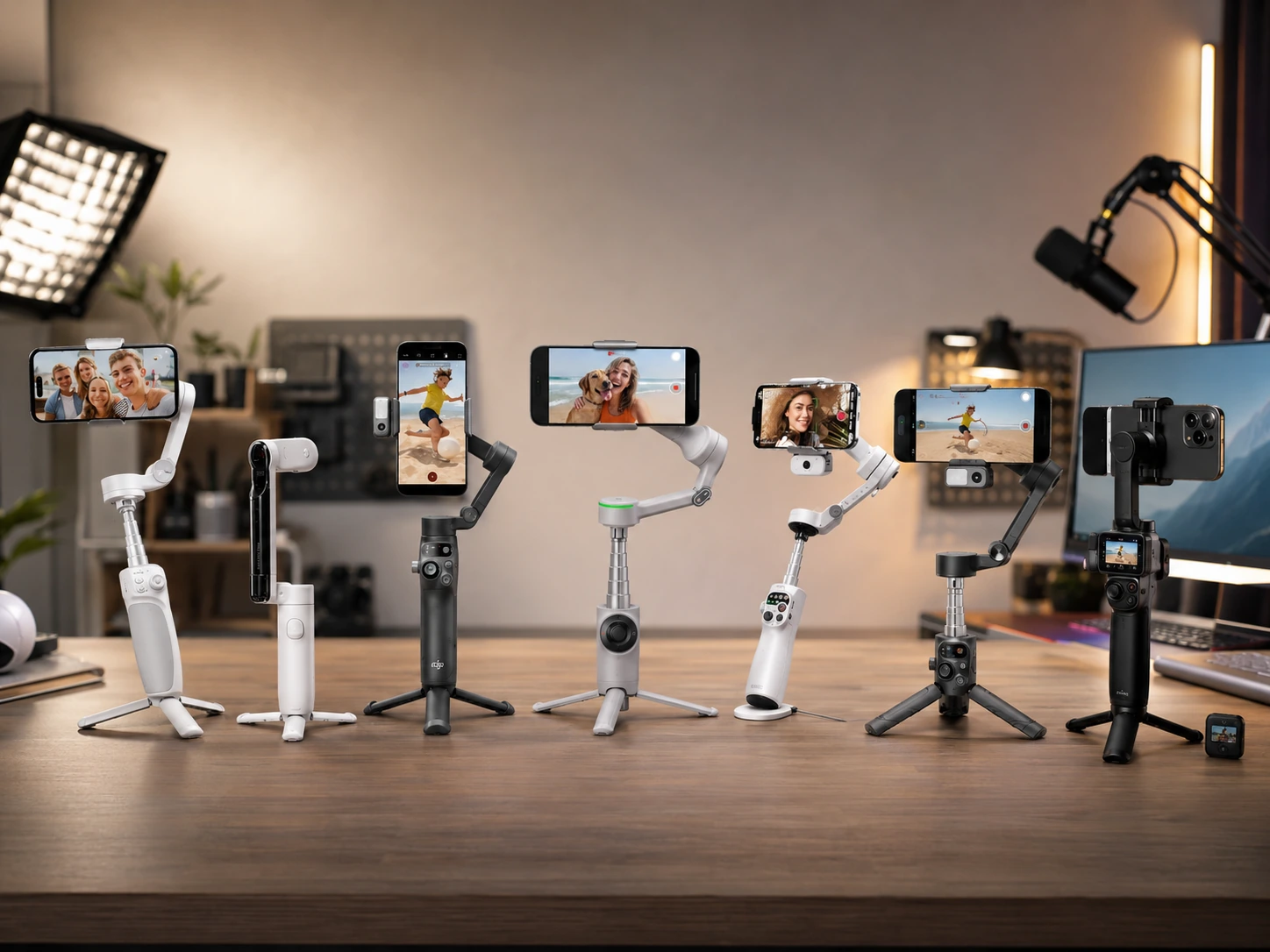
Quick Picks
| Pick | Product | |
|---|---|---|
| Best Budget Starter | Zhiyun Smooth Q4 | Check price |
| Best Compact Foldable Under $100 | Insta360 Flow | Check price |
| Best All-Round | DJI Osmo Mobile 7P | Check price |
| Best for iPhone Creators | Insta360 Flow 2 Pro | Check price |
| Best AI Tracking with Remote | Hohem iSteady M7 | Check price |
| Best for Long Shooting Sessions | Zhiyun Smooth Q5 Ultra | Check price |
| Best All-In-One Bundle | DJI Osmo Mobile 7P + Mic Mini TX | Check price |
Most phone gimbal reviews focus on outdoor filming and travel vlogging. This guide covers 7 gimbals specifically evaluated for desk content, product shots, tutorials, and home studio recording: the use cases that desk-based creators actually face.
The key differences for desk and home studio use are: whether tracking works outside the manufacturer app, whether the gimbal has a fill light for controlled indoor lighting, and whether the folded base works as a stable tripod. If you are building out your full home studio audio setup, see our guide to the best headsets for work audio. If you are comparing a gimbal against a fixed camera solution, our best webcams for home office guide covers the static alternative.
Every pick was evaluated for tracking reliability, build quality, battery life under realistic shooting conditions, and whether the spec claims match real-world use reports.
What to Look For in a Phone Gimbal
Gimbal vs Tripod vs Handheld: Choose by Use Case
A tripod holds the phone in a fixed position. It costs less than a gimbal and is the right tool for static talking-head shots, podcast recording, or any content where the camera does not move.
A gimbal adds motorized stabilization and, on most picks in this guide, a built-in tripod mode for static shots. The main reasons to choose a gimbal over a tripod are: you want smooth panning across a desk, you want the camera to follow you automatically as you move, or you want cinematic motion in shots that would otherwise look static.
3-Axis Explained: What Each Motor Does
| Axis | Motion it controls |
|---|---|
| Pan (yaw) | Left and right rotation |
| Tilt (pitch) | Up and down rotation |
| Roll | Side-to-side tilt |
All gimbals on this list are 3-axis, which is the standard for smooth video in any direction. Single-axis or 2-axis stabilizers exist at lower price points but are not covered here as they do not handle the full range of desk content shooting scenarios.
Native Tracking vs App Tracking: The Difference That Matters
App-only tracking (picks 1 and 2) means the gimbal follows a subject using computer vision processing done inside the manufacturer app on your phone. The moment you switch to your native camera app, TikTok, Instagram Live, or any third-party recording app, tracking stops.
Native tracking (picks 3 to 7) uses a hardware sensor or dedicated AI chip on the gimbal itself to detect and follow subjects. It works regardless of which app is running on the phone. For creators who shoot in ProRes, record directly to social platforms, or prefer the native iOS or Android camera for quality, native tracking at the $130 price point is a meaningful jump in workflow.
Battery Life: What the Spec Actually Means
| Rated battery | Real-world estimate |
|---|---|
| 8-9h | 5-7h active use |
| 10-12h | 7-9h active use |
| 13.5h | 5.5h with fill light on |
7 Best Phone Gimbals for Content Creators
Zhiyun Smooth Q4
Why it works
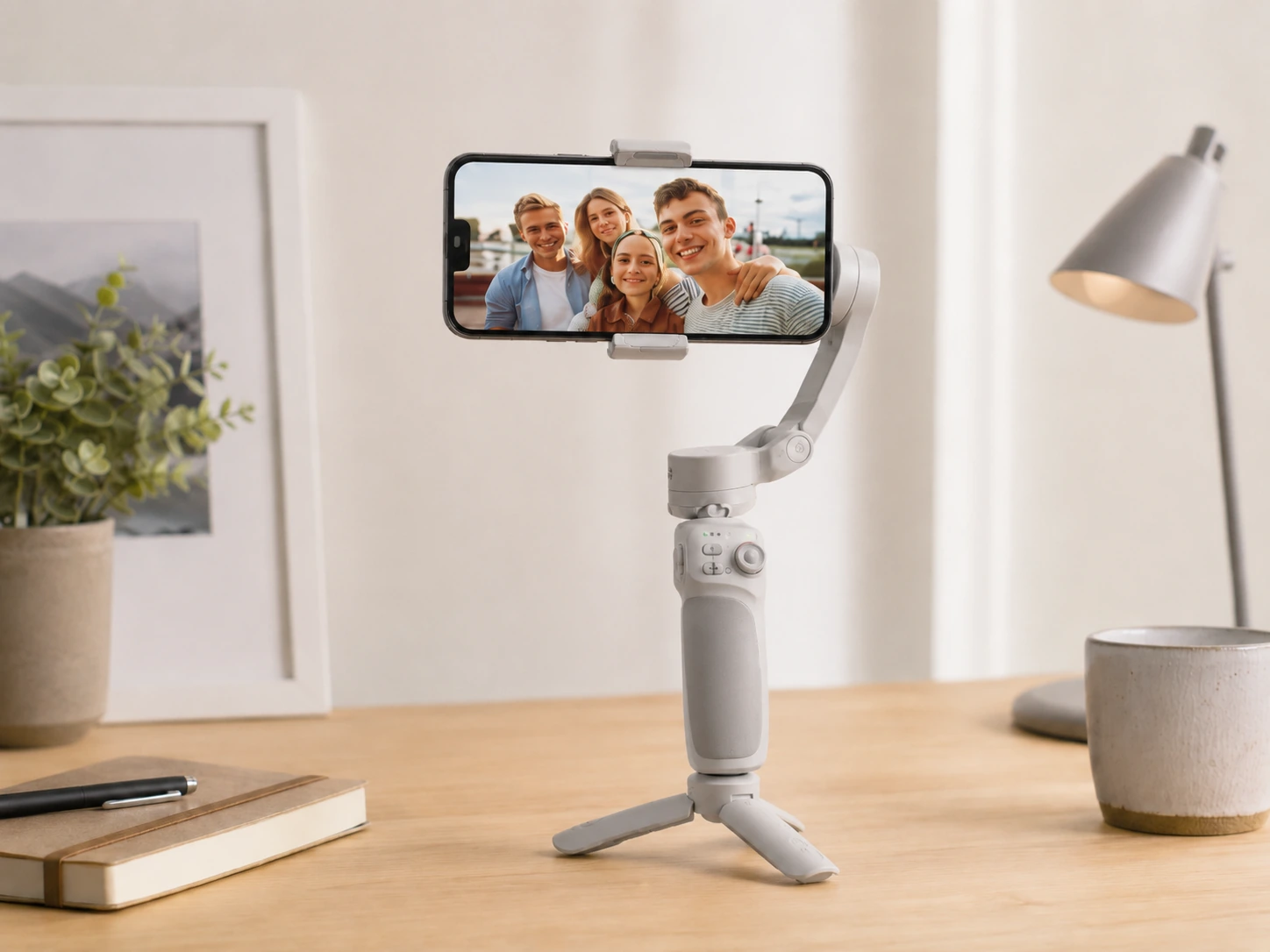
Right first gimbal for creators wanting to test motorized stabilization before committing to a higher price. 3-axis stabilization handles smooth handheld shots, steady zooms, and controlled pans. Foldable design collapses small enough for a bag pocket. Built-in extension rod doubles as a selfie stick. Compatible with the Zhiyun ZY Cami app for Android and iOS tracking.
Trade-offs
- · Tracking only works inside the Zhiyun app, stops when you switch to native camera or third-party platforms
- · No built-in fill light
- · Less sophisticated app tracking than mid-range competitors
Skip if: You record directly to the native camera app and need tracking active. DJI Osmo Mobile 7P at $130 adds native tracking that works in any app.
Check price on AmazonPros
- +Budget-friendly 3-axis stabilization at ~$60
- +Foldable compact design for portability
- +Extension rod included for selfie stick use
- +ZY Cami app tracking for Android and iOS
Cons
- −App-only tracking, stops outside Zhiyun app
- −No fill light
- −Less refined tracking than mid-range options
Insta360 Flow
Why it works
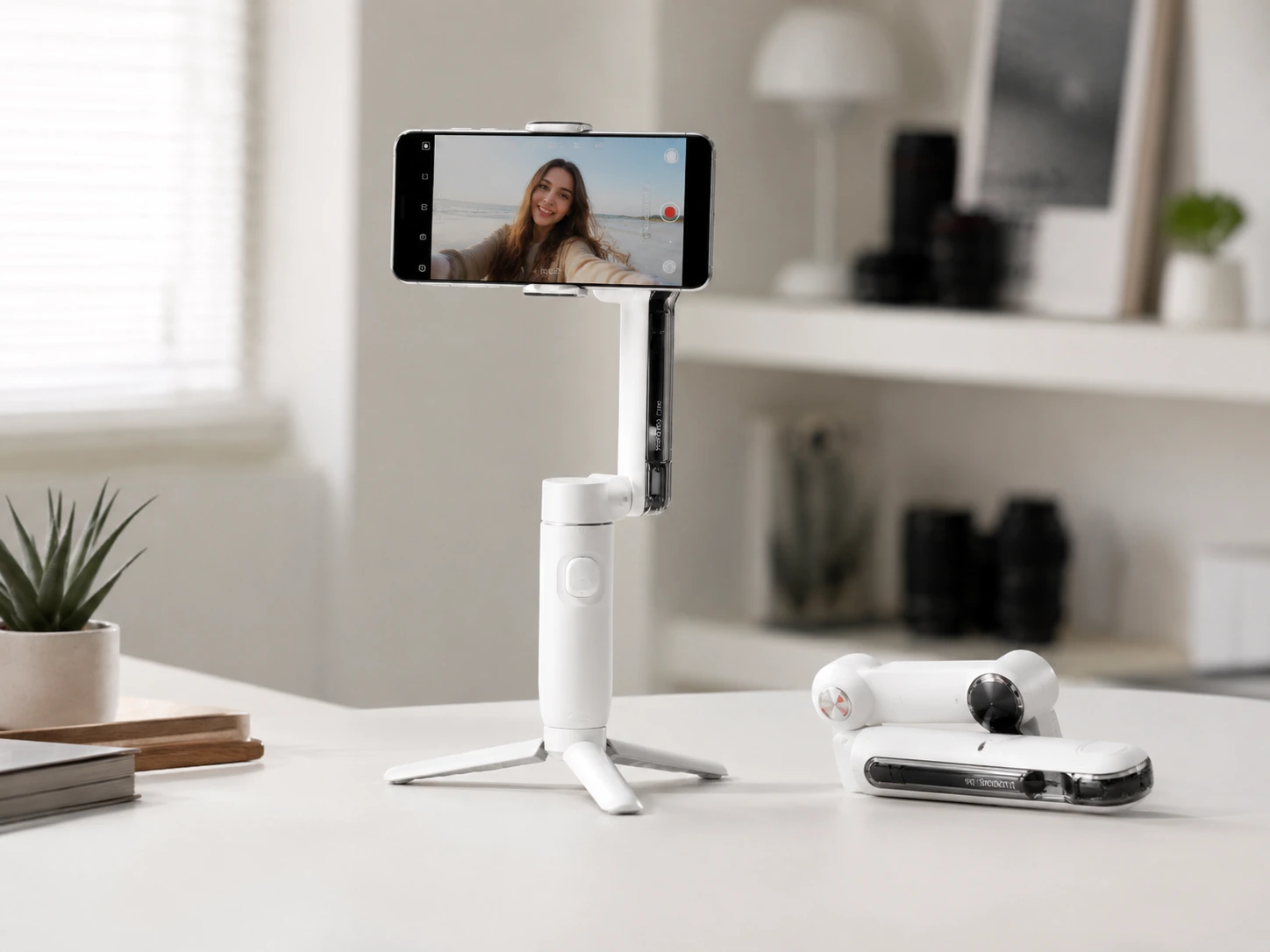
Most portable gimbal on this list. Magnetic phone clamp snaps in and out in a second without screwing or adjusting. Built-in selfie stick extends to 215mm. Folded base acts as a tripod for static desk shots. Insta360 app offers AI tracking, gesture control, and basic editing. Spotlight accessory clips on top for fill light when needed.
Trade-offs
- · Tracking works inside the Insta360 app only
- · Spotlight is a separate purchase and not included
- · Magnetic clamp does not work reliably with thick or non-flat phone cases
- · Pan smoothness at slow speeds is below DJI at the same price tier
Skip if: You need tracking outside the Insta360 app or use a large-format Android phone that does not seat securely in the magnetic clamp.
Check price on AmazonPros
- +Most portable gimbal on the list
- +Magnetic clamp snaps in and out instantly
- +Folded base serves as a tripod for desk shots
- +Gesture control and AI tracking in Insta360 app
Cons
- −App-only tracking
- −Spotlight accessory sold separately
- −Magnetic clamp has issues with thick phone cases
DJI Osmo Mobile 7P
Why it works
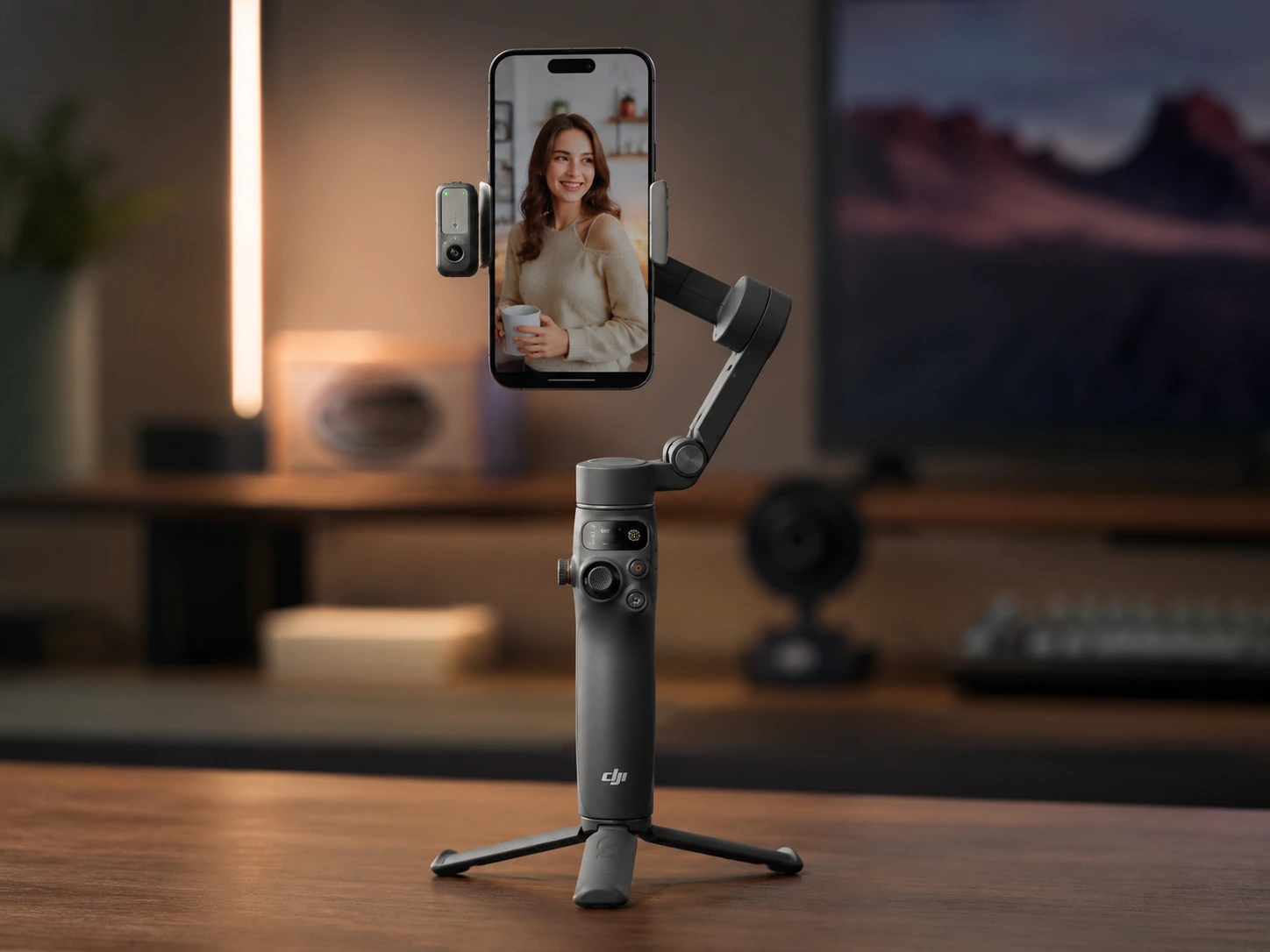
Native tracking follows subjects in any app, not just DJI Mimo. 7th-generation stabilization handles fast movement with less overcorrection than previous generations. Built-in fill light with adjustable color temperature is useful for desk content. Extension rod extends for wide angles. Folded base serves as a tripod. Phone charging via the grip keeps battery topped during long sessions.
Trade-offs
- · DJI Mimo app offers the deepest feature set but requires an account
- · Built-in light has limited output compared to a dedicated ring light
- · Heavier than the Insta360 Flow with the extension rod extended
Skip if: You are an iPhone-primary creator wanting seamless Apple DockKit integration for native iOS tracking. Insta360 Flow 2 Pro at $150 is purpose-built for that use case.
Check price on AmazonPros
- +Native tracking in any app without opening DJI Mimo
- +7th-generation stabilization for fast movement
- +Built-in fill light with adjustable color temperature
- +Tripod mode for static desk shots
- +Phone charging via grip for long sessions
Cons
- −DJI Mimo account required for full feature set
- −Built-in light output limited vs dedicated ring light
- −Heavier than compact competitors
Insta360 Flow 2 Pro
Why it works
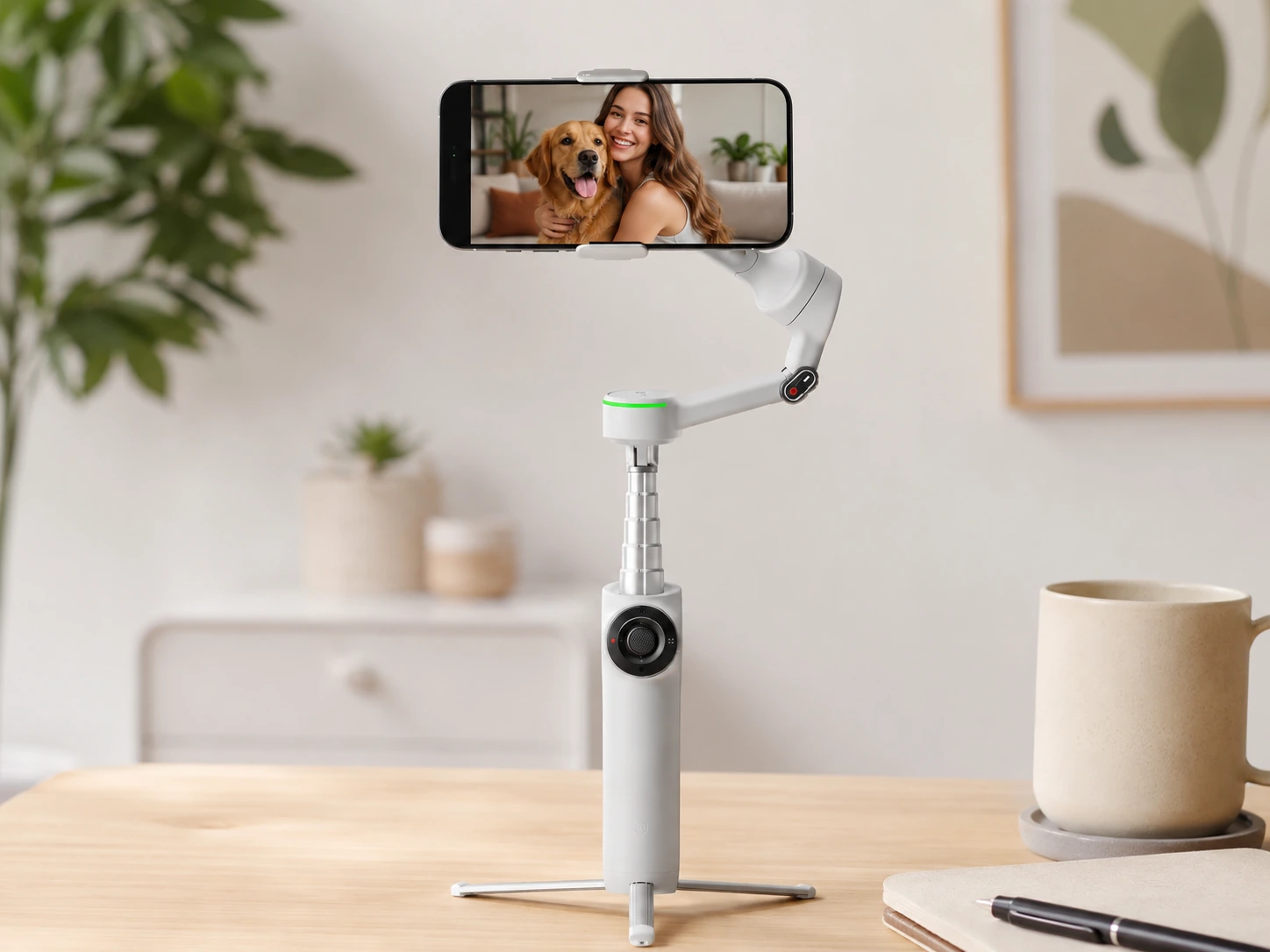
Built around Apple DockKit, the native iOS tracking API that lets the gimbal follow subjects through the iPhone camera app without any third-party software open. For iPhone creators recording in ProRes or directly to third-party apps, this is the cleanest tracking workflow available. 360-degree pan rotation for product shots and environment reveals. Multi-person tracking switches between subjects automatically. Built-in tripod and selfie stick included.
Trade-offs
- · DockKit tracking only works on iPhone, Android users get app-based tracking only
- · No built-in fill light
Skip if: You use Android. DJI Osmo Mobile 7P delivers similar all-platform tracking at $20 less and includes a fill light.
Check price on AmazonPros
- +Apple DockKit native iOS tracking in any app
- +360-degree pan for product shots and reveals
- +Multi-person tracking switches subjects automatically
- +12h battery, longest in the under-$150 range
- +Built-in tripod and selfie stick
Cons
- −DockKit tracking only works on iPhone
- −No fill light
- −Android users get app-only tracking, removing the primary advantage
Hohem iSteady M7
Why it works
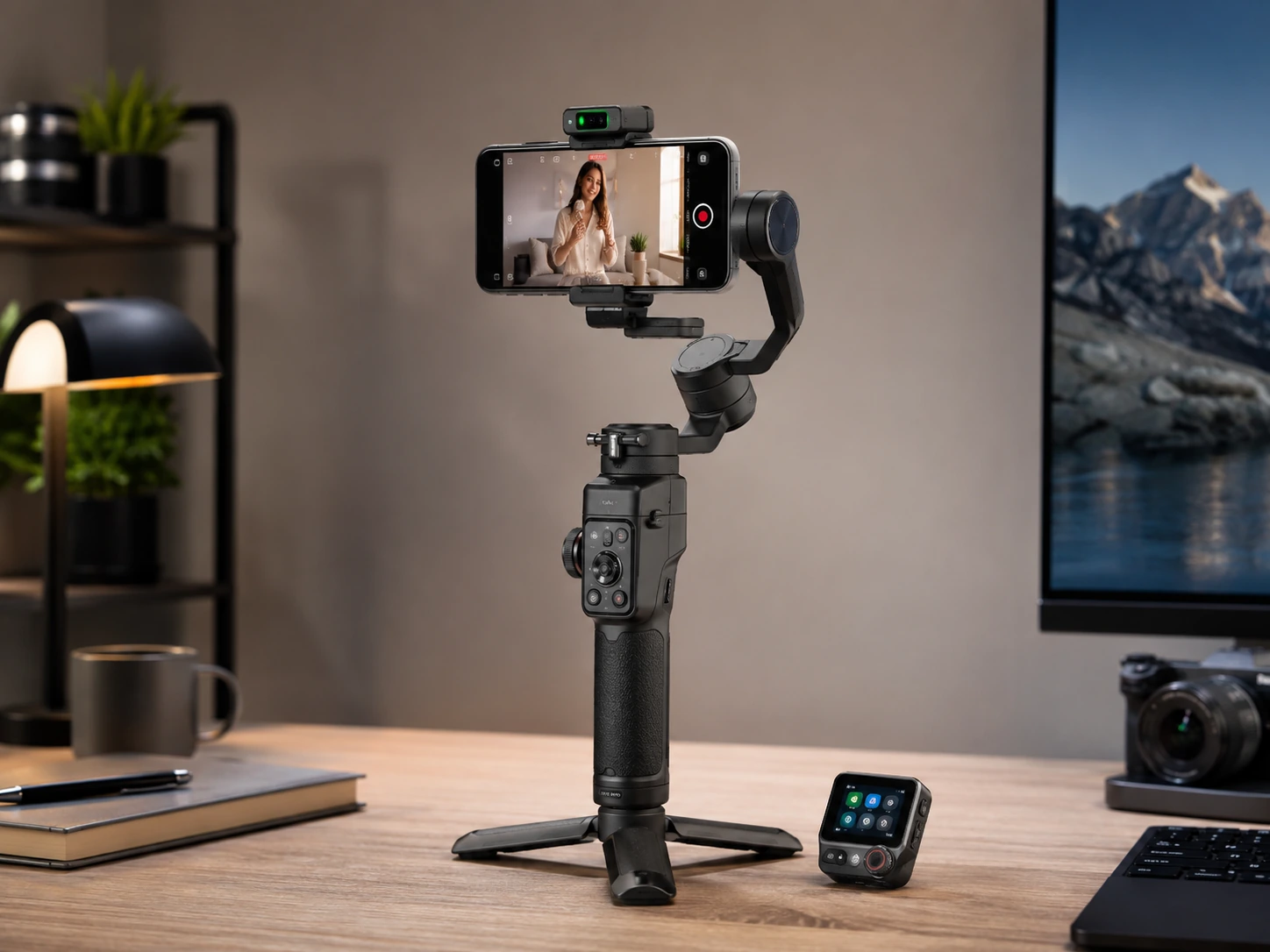
Solves the problem of not being able to see what the camera is tracking when you are in front of it. Detachable 1.4-inch OLED touchscreen remote attaches to the handle or can be held separately up to 32 feet away, giving a live preview of what the camera sees. Native AI tracking module handles people, pets, vehicles, and objects across any app. Built-in fill light with adjustable brightness and color temperature. 500g payload handles most flagship smartphones with cases.
Trade-offs
- · Remote display is small at 1.4 inches for detailed preview work
- · Heavier than DJI and Insta360 competitors when the remote is attached
- · Firmware updates have historically been needed to resolve early tracking jitter on fast movements
Skip if: You want the smallest, lightest rig. If portability is the primary concern, Insta360 Flow 2 Pro or DJI Osmo Mobile 7P are significantly lighter.
Check price on AmazonPros
- +OLED touchscreen remote for live camera preview up to 32 feet away
- +Native AI tracking in any app
- +Fill light with adjustable brightness and color temperature
- +Handles up to 500g payload for heavy flagship phones
Cons
- −Small 1.4-inch remote display
- −Heavy with remote attached compared to competitors
- −May require firmware updates for smooth tracking on fast movements
Zhiyun Smooth Q5 Ultra
Why it works
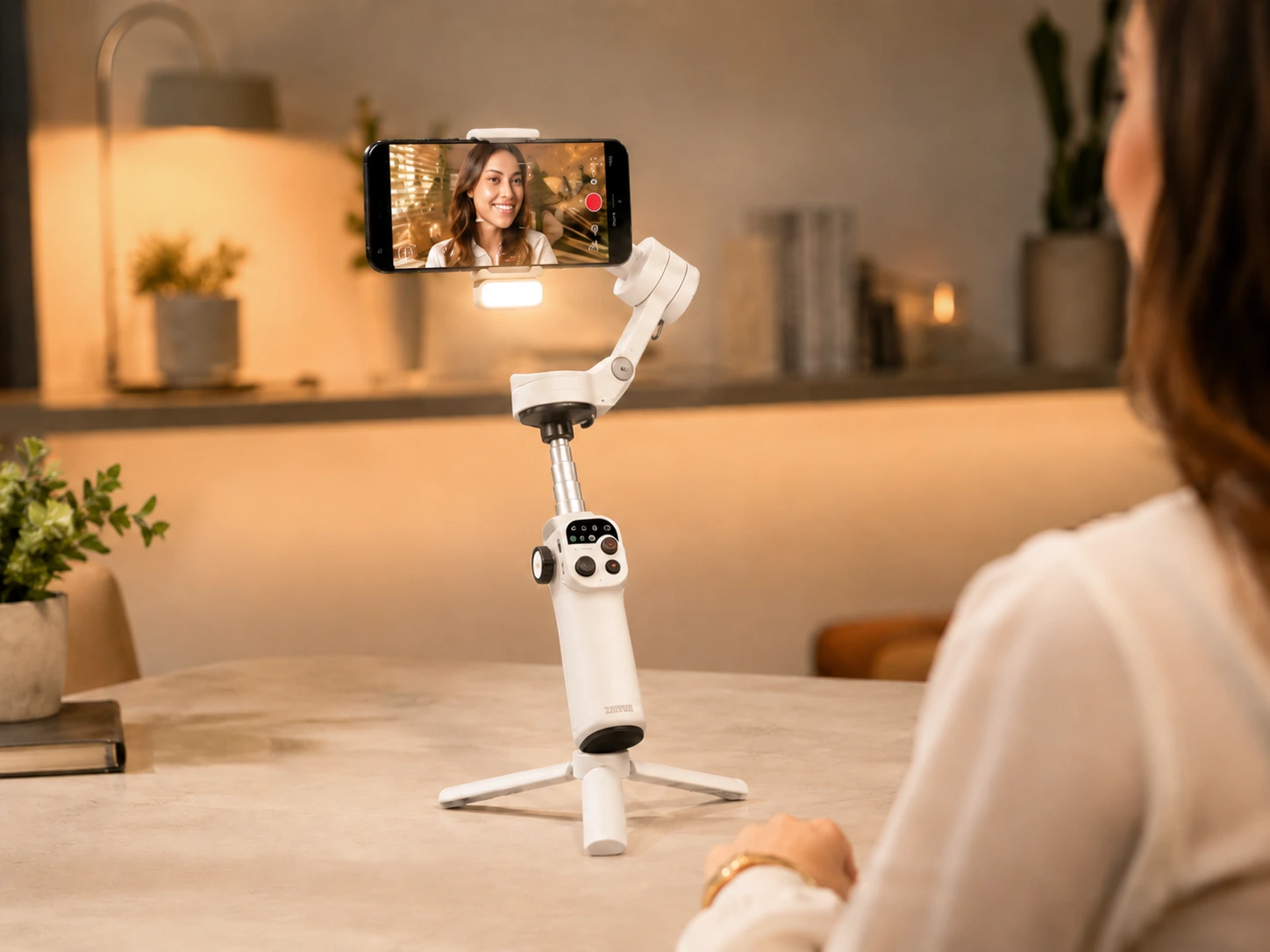
13.5-hour battery is the longest on this list. For creators shooting across a full day or covering events running 8 or more hours, this is a meaningful practical advantage. Built-in fill light reaches 226 lux with adjustable color temperature from 2700K to 6200K. Detachable voice remote lets you trigger recording, switch modes, and adjust zoom without touching the phone or handle. Native AI tracker works across apps.
Trade-offs
- · Fill light running continuously drops battery to around 5.5 hours
- · Largest gimbal on the list, does not fold as compactly as foldable alternatives
- · Zhiyun app is less polished than DJI Mimo
Skip if: Portability or weight is a priority. The Smooth Q5 Ultra is a stationary-use powerhouse but less ideal for pack-light travel.
Check price on AmazonPros
- +Longest battery on the list at 13.5h
- +226-lux fill light with wide color temperature range 2700K to 6200K
- +Voice remote for hands-free control
- +Native AI tracking across apps
Cons
- −Heavy and large with no folding design
- −Fill light drains battery to approximately 5.5h when used continuously
- −Zhiyun app less polished than DJI Mimo
DJI Osmo Mobile 7P + Mic Mini TX
Why it works
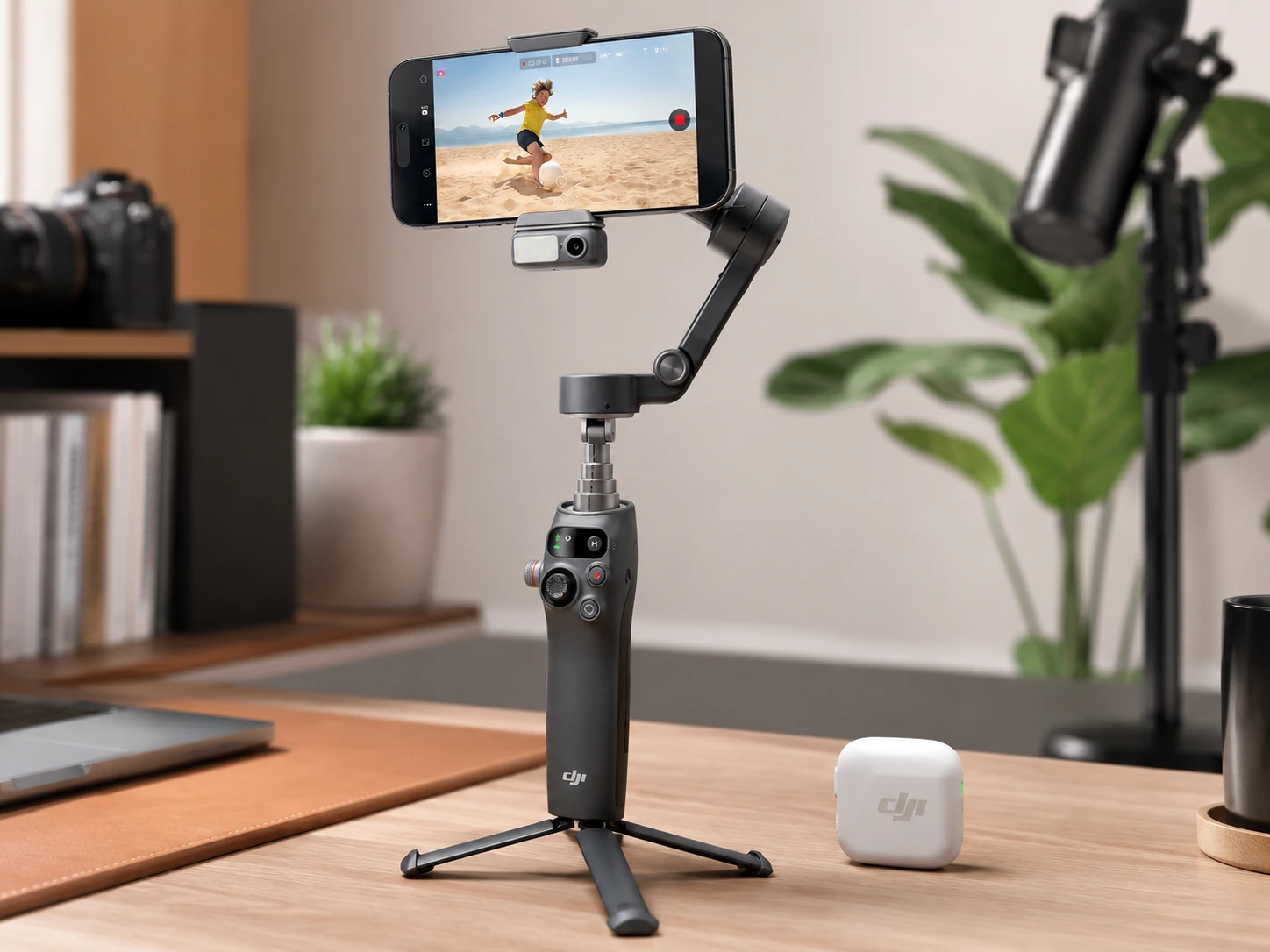
Pairs the Osmo Mobile 7P with a DJI Mic Mini transmitter. The Mic Mini TX clips to clothing and connects to the 3.5mm port, bypassing the built-in phone microphone for cleaner vocal audio. For product reviews, tutorials, and talking-head content, audio quality is as important as video quality. The combined bundle removes the need to research and buy a separate microphone. Everything integrates through DJI Mimo app.
Trade-offs
- · Highest price on the list at ~$200
- · DJI Mic Mini TX is a transmitter only, not a full kit with receiver - verify compatibility with your phone input before purchasing
- · No benefit if you already own a wireless microphone solution
Skip if: You already have a wireless microphone or prefer a different audio solution. The standalone gimbal at $130 is better value in that case.
Check price on AmazonPros
- +Complete video and audio rig in a single purchase
- +Wireless mic transmitter included for clean vocal audio
- +Native tracking in any app
- +Built-in fill light with color temperature control
- +Full DJI Mimo integration
Cons
- −Highest price on the list at ~$200
- −Mic TX only, not a full receiver kit
- −No benefit if you already own wireless audio
Frequently Asked Questions
Do I need a gimbal or just a better tripod?
A tripod is the right tool for static shots where the camera does not move. A gimbal is the right tool when you want smooth camera movement, handheld walking footage, or automatic subject tracking. For a fixed desk talking-head shot, a tripod is sufficient and costs less. For panning across products, following movement, or walking-and-talking content, a gimbal removes manual effort from those shots.
What is native tracking and why does it matter?
Native tracking means the gimbal has a sensor or AI chip that detects and follows subjects independently, regardless of which app the phone is running. App-only tracking means subject following only works inside the manufacturer's app. For creators who shoot to their native camera app for best quality, or directly to TikTok or Instagram, native tracking justifies stepping up from the $60 budget tier.
Can I use a phone gimbal for desk content creation?
Yes. A gimbal on a desk works well for slow product pans, following movement when you lean in or reach forward, and adding cinematic motion to otherwise static shots. The built-in tripod mode on folding gimbals like the DJI Osmo Mobile 7P and Insta360 Flow 2 Pro makes them practical for desk use.
Is the DJI Osmo Mobile 7P worth it over the older models?
The 7P adds native tracking that works in any app, an improved built-in fill light with adjustable color temperature, and 7th-generation stabilization that handles faster movement with less overcorrection. For creators who want to record to their native camera app or third-party platforms with tracking active, the upgrade from older models is meaningful.
Does a phone gimbal work with any smartphone?
Most gimbals on this list use a spring-loaded or magnetic clamp accommodating phones from about 60mm to 90mm wide. The Hohem iSteady M7 handles up to 500 grams payload, covering most flagship phones with heavy cases. Check the maximum payload spec before buying if you use a plus-size or foldable phone.
What is Apple DockKit and do I need it?
Apple DockKit is a native iOS API that lets a compatible gimbal control tracking directly through the iPhone camera app without any third-party app open. It means you can shoot in ProRes and still have the gimbal track you automatically. It only works on iPhone. Android users on the Insta360 Flow 2 Pro get app-based tracking only.
Should I get the gimbal bundle with the microphone or buy separately?
If you do not already own a wireless microphone, the DJI Osmo Mobile 7P and Mic Mini TX bundle at $200 is a practical single purchase. If you already have a microphone solution, buying the standalone gimbal at $130 is better value. Microphone quality matters as much as video quality for most content types, particularly talking-head and tutorial formats.
Bottom Line
First gimbal, testing stabilization before committing: Zhiyun Smooth Q4: 3-axis, foldable, extension rod, ZY Cami app tracking at $60.
Best all-round for most desk creators: DJI Osmo Mobile 7P: native tracking in any app, fill light with color temp, tripod mode, phone charging at $130.
iPhone creators recording in ProRes or native iOS apps: Insta360 Flow 2 Pro: Apple DockKit native iOS tracking, 360-degree pan, 12h battery at $150.
Browse phone gimbals on Amazon
All Prime-eligible. Budget starter to professional bundle options.
Shop on Amazon →Related Guides
Last updated: June 2026. Verify current Amazon prices before purchasing.