
How to Store Backpacks and Work Bags Beside a Small Desk

Affiliate Disclosure: We may earn a small commission on qualifying Amazon purchases at no extra cost to you. Full disclosure →
A work bag on the floor can obstruct the chair, while a hook can put straps into drawers or pull on an unsuitable desk edge. Storage should protect the bag’s contents and leave the workstation easy to enter and use.
Quick answer: Measure and weigh the bag in its normal loaded state, choose whether it stands or hangs, and check the complete projection, straps, handle design, and supporting product instructions. Keep the bag outside chair, drawer, and cable routes. An empty-bag photograph or a hook’s small size does not describe the installed storage footprint.
Define the loaded bag
Include the laptop, charger, bottle, lunch container, and other items normally carried. Use the actual filled shape and weight. A backpack can become wider or deeper when pockets are loaded, while a tote may spread across the floor.
Decide whether the bag stays packed overnight or is emptied daily. That affects access and handling. Give wet, leaking, or food items their own suitable routine rather than assuming the bag is an appropriate long-term container for everything inside it.
Compare hanging and standing
Standing storage can keep weight off handles but uses floor or shelf area. Hanging can free some floor space but needs a suitable handle or strap and a support approved for the loaded arrangement. Check the bag maker’s guidance where relevant.
Do not suspend a heavy bag from a decorative loop or from a strap never intended for storage loading. A stand can be useful if its shape, capacity, and stability suit the bag. Neither method is inherently better for every bag construction.
Check a desk hook in full
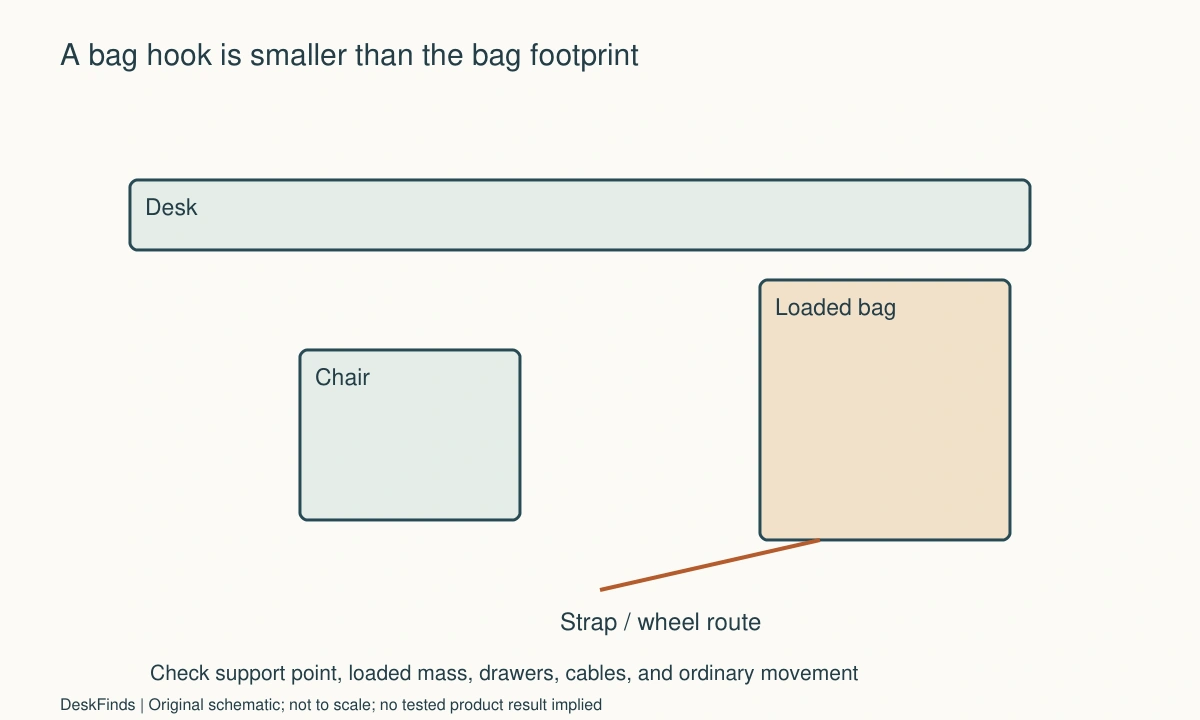
A clamp or edge hook needs compatible desk material, thickness, geometry, and permitted loading. A beveled edge can change contact. The hook’s rated load does not establish that the desktop can support the same load at that point.
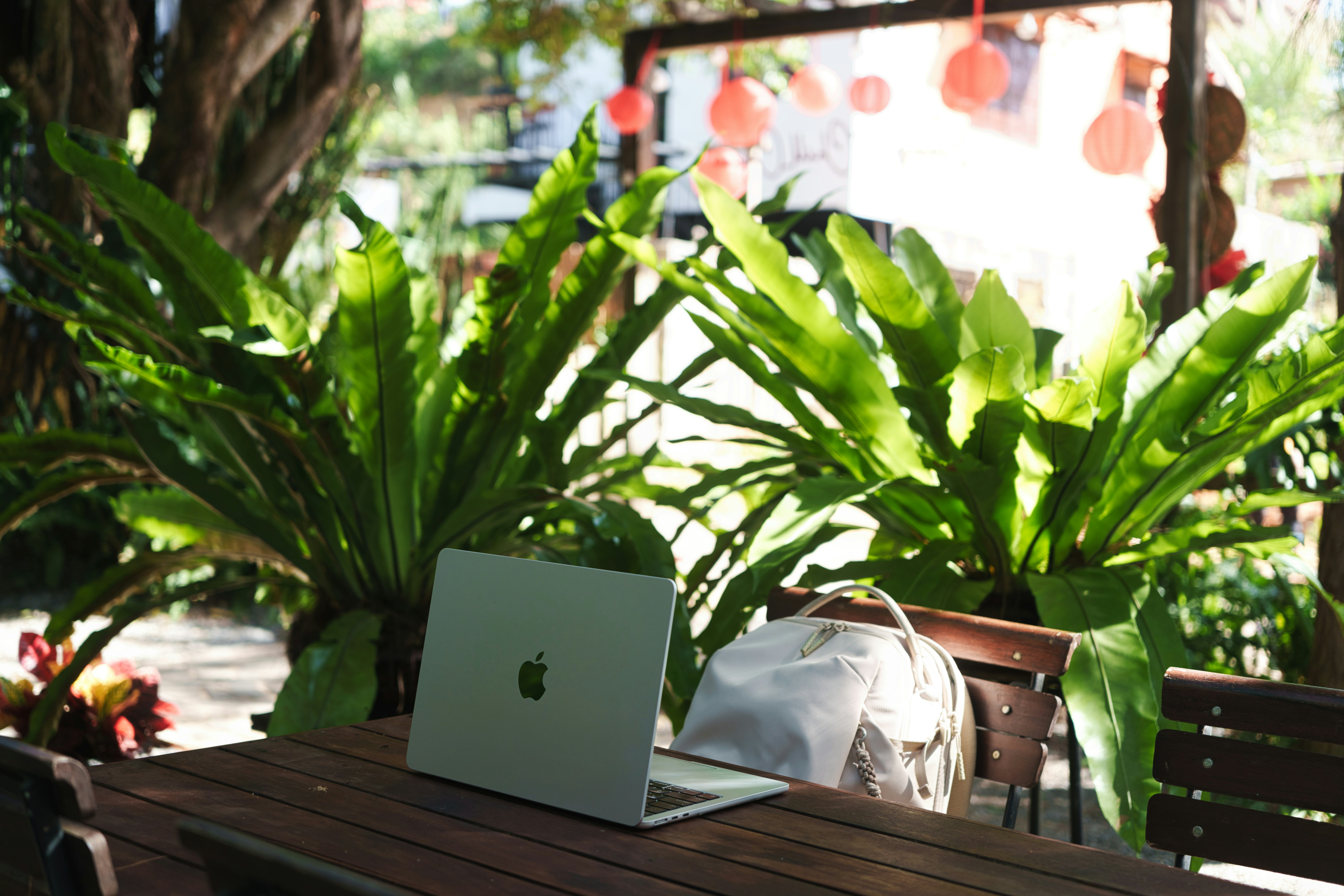
Include the suspended bag, not just the hook. Its body and straps can hit the user’s knee, chair arm, or a drawer. Do not put the hook in the first free edge position without checking the work zone underneath it.
Check wall hooks and adhesive products
Use the exact product’s installation, surface, load, and removal instructions. A loaded bag may exceed a small hook’s capacity. Do not add the capacities of several independent adhesive hooks unless the product system explicitly supports sharing that load.
Keep the required removal access if using a removable adhesive system. A hook hidden behind fixed furniture may be difficult to remove correctly later. Rental permission and finish compatibility remain separate from the product’s marketing label.
Preserve chair movement
Sit, swivel, recline as permitted, stand, and roll away normally. Check the chair base and wheels against the bag body and loose straps. A bag can be clear when the chair is tucked in but obstruct work.
Give handles and straps an appropriate contained position without sharply folding or damaging them. Do not let a strap loop around a chair wheel or power cable. A small amount of tidy storage is useful when it prevents a real snag.
Keep drawers and cabinets functional
Open the nearest drawer and cupboard. A hanging bag may swing into their route, and a freestanding bag may lean against a door. Include the movement caused by removing the laptop or reaching inside.
If the bag needs moving every time the drawer opens, assign a second destination or choose another permanent location. Repeated ad hoc relocation often returns the bag to the chair or walkway.
Protect contents and connections
Remove a laptop or handle its power state according to its maker’s guidance before enclosing it in unsuitable storage. Do not operate heat-producing electronics in a closed bag as if the bag were a ventilated equipment cabinet.
Keep charging leads out of the bag’s removal path. A cable connected to a packed device can pull on the port or desk equipment when the bag is lifted. If charging is part of the routine, design and test that step separately.

Choose a floor position deliberately
A shelf or tray may separate the bag from a floor, but it must fit and support the load. Check cleaning access and avoid placing the bag against a heater or vent. A corner beside the desk may be more useful than the space directly beneath the keyboard.
A narrow stand can add stability when appropriate, but its own feet can enter the chair route. Measure the complete product and bag arrangement. Do not buy it only because it looks smaller than a cabinet.
Example: the bag fits, the straps do not
Imagine a backpack hanging from a permitted hook beside a desk. The body clears the user’s knee, but a loose shoulder strap reaches the chair base. During the test, the user notices the snag path before normal use.
The bag position and strap containment are changed within the relevant instructions. A drawer then reveals a second conflict, so the hook moves to another approved location or the bag uses a separate stand. The original empty-bag measurement would not have revealed either issue.
The user also gives the charger a fixed destination outside the bag when working. Departure no longer involves pulling a connected cable from behind the desk. The final storage supports arriving, working, accessing contents, and leaving.
Make a bag-specific record
| Field | Include |
|---|---|
| Bag | Loaded size, weight, and intended support points |
| Support | Exact hook, stand, shelf, or clamp requirements |
| Movement | Chair, drawers, and removal path |
| Loose parts | Straps, handles, and external accessories |
| Contents | Device care, liquids, and charging routine |
For the bag’s internal layout, see laptop bag compartment organization. For a door-side alternative, compare entryway drop zones. Choose the place that keeps the bag accessible while allowing the desk to remain a useful workspace.
For contents and compartment use, review work-bag organization.
Select the support from the bag, not the empty gap
Begin with the normal loaded bag and its intended support points. A decorative loop, carrying handle, shoulder strap, and backpack grab handle may have different uses. Check the bag’s own information where relevant, particularly for a heavy load. The fact that a loop can reach a hook does not establish that it is the right place to suspend the packed bag for long periods.
Compare hanging with standing before adding hardware. Hanging can preserve some floor area but introduces projection, swinging straps, and support requirements. Standing can protect some handles but needs a defined footprint and stable position. A suitable shelf or stand adds its own loading, finish, and access questions. The best choice follows the actual bag construction and routine rather than a rule that all bags should be off the floor.
If the desk edge is used, draw the whole suspended object beneath it. Check knees, chair arms, wheels, drawers, and cable loops. A small hook can hold a large obstruction. On a beveled or curved edge, contact and clamp reach also matter. The accessory’s stated capacity does not establish that the furniture is suitable at the proposed mounting point. Obtain the relevant instructions or confirmation before relying on that location.
For a wall position, consider installation and later removal. An adhesive product may require a specific surface and access to a release tab. A permanent fixing needs appropriate structure and permission. A loaded bag’s weight and movement should remain within the supported use. Do not solve an uncertain mount by overtightening, adding random padding, or combining independent products without documented support.
Include the contents’ working state. If the laptop leaves the bag during work, the bag can become smaller or lighter. If a device remains connected for charging, the removal path changes and must be designed separately. Keep heat-producing equipment used according to its own instructions rather than treating a closed bag as an equipment enclosure. Liquids and food need appropriate handling regardless of how tidy the outside looks.
The final test is a complete arrival-to-departure cycle. Put the bag away, retrieve the laptop or notebook, use the desk, return belongings, and lift the bag to leave. Keep the arrangement only if all those actions work without catching straps, pulling cables, or blocking another daily function.
For choosing the bag format, compare backpacks and messenger bags.
Worked trial: a hook frees the floor but catches the chair
Imagine a worker moving a backpack from the floor to a permitted desk hook. The body hangs beside the top and initially looks clear of the user’s knees. An empty-room photograph suggests the storage problem is solved.
The worker loads the bag normally and tests the occupied chair. A shoulder strap reaches the wheel base, and the bag swings into a drawer when the laptop is removed. These are two different operating conflicts that the hook’s own dimensions did not describe.
The bag and support instructions are checked. A suitable handle or strap arrangement is used only as intended, and loose straps are contained without damaging them. The worker then compares another approved hook position, a wall destination, and standing storage rather than tightening the original clamp or forcing the bag into a narrower shape.
The wall option has a convenient location but an uncertain support surface. The worker checks the exact product requirements and rental permission. Several small adhesive hooks are not combined under the assumption that their individual capacities create one larger safe rating.
A suitable standing destination beside the desk ultimately preserves the drawer route. Its complete footprint and any stand feet stay outside the chair path. The laptop charger has its own position, and no connected lead remains where lifting the bag would pull a port or equipment from the desk.
The worker repeats arriving, accessing contents, sitting, standing, and leaving with the room’s ordinary belongings present. A bottle and lunch container receive their own appropriate removal routine. The bag does not become a long-term storage site for leaking or unsuitable contents simply because it now has a tidy home.
The final solution may leave the bag visible, but it supports the full workday. It demonstrates why a storage purchase should compare the actual packed bag, support interface, nearby movements, and device handling together. Free floor area is useful only when the new position does not create another recurring interruption.
Recheck the bag when the commute changes
A new laptop, larger water bottle, or added equipment can change both mass and projection. Repeat the loaded support and movement checks rather than assuming the original bag location remains suitable. The support may still be appropriate while the straps or external pockets create a new collision.
Keep the work and travel states separate. During work, some contents may leave the bag and require their own desk positions. Before departure, those items return, and connected cables need to be handled appropriately. A bag stored neatly beside the desk can still produce a rushed cable pull if that transition is not planned.
If sharing the workspace, test each person’s bag. A hook or stand suitable for one shape may be inconvenient for another. Do not ask a second user to hang from an inappropriate loop or compress a bag to preserve a shared aesthetic. A separate appropriate destination can be simpler than one supposedly universal support.
For floor storage, keep cleaning access and nearby equipment in mind. Avoid heater and vent conflicts and do not let a bag conceal electrical connections that need access. A tray or shelf can be useful when compatible, but it adds a support and footprint that also need checking.
If a support loosens, damages a surface, or behaves unexpectedly, follow the maker’s guidance and stop relying on an uncertain mount. Extra tightening, random packing, or another adhesive strip is not a universal repair. Resolve whether the product, location, or load is unsuitable before returning the bag to it.
The final arrangement should let the user work without thinking about the bag and leave without untangling it from the workstation. That is a better measure of value than how completely it disappears in a photograph. Keep the documented support and the normal task route together whenever the furniture or contents change.
Your practical comparison worksheet
Use the following checks with the actual people, objects, and room in your plan. Record a measured value, an observed task result, or the exact product information that answers each point. Keep unresolved details separate from confirmed ones. A result about one feature should not silently establish another: physical fit, ordinary use, support, and care may require different evidence. Work through the checks before ordering, then repeat the relevant actions with the delivered item while the return terms apply. The worksheet is a planning aid rather than a product test or approval for an improvised installation.
1. Loaded bag
Measure the real packed body, pockets, weight, handles, straps, and external accessories in the state used at the desk.
Do not choose a support from an empty-bag photograph. A filled backpack or spreading tote can occupy a much larger shape than its nominal dimensions suggest.
2. Support point
Identify whether the bag maker supports hanging from the intended handle or strap, or whether standing is the more appropriate arrangement.
A decorative loop reaching a hook does not establish load suitability. Keep bag construction and supporting-product capacity as separate checks.
3. Desk interface
Check material, edge shape, thickness, clamp contact, and permitted loading at the actual proposed location.
The hook rating does not certify the desktop. Beveled edges, unsupported areas, and hidden construction can prevent a documented installation even when the opening fits.
4. Wall interface
Read exact fixing or adhesive requirements, surface compatibility, load, installation, permission, and removal access.
Do not add independent hook capacities or hide a removal mechanism behind fixed furniture. Use a supported complete arrangement rather than an improvised load-sharing idea.
5. Chair route
Sit, swivel, recline as permitted, stand, and move away with the loaded bag and loose straps present.
Keep the body and straps outside wheels and knees. A clear tucked-chair state is not evidence that the desk works during normal occupied use.
6. Drawer access
Open adjacent drawers and cabinets and remove ordinary bag contents, allowing for swinging or leaning.
Give any required temporary move a real destination. Repeated ad hoc relocation often returns the bag to a chair or walkway.
7. Device handling
Check laptop power and ventilation guidance, charging leads, adapter support, and the bag’s lifting route.
Do not operate equipment in an unsuitable closed enclosure or leave a cable arranged so departing with the bag pulls a device or connector.
8. Complete cycle
Rehearse arrival, storage, content access, working, repacking, and departure after the desk is fully occupied.
Choose the position that keeps the routine reliable, even if it is more visible than the original gap. Hidden obstruction is still obstruction.
Sources and scope
- Command product FAQs - Reference for product-specific surfaces, strips, and use. Bag support points and desk structure need their own confirmation.
Editorial note: This is a research-based planning guide, not a hands-on product review. Worked examples are hypothetical. Follow the exact product instructions and resolve compatibility, installation, and care questions before relying on the arrangement.