
How to Set Up a Small Desk for Left-Handed Work

Affiliate Disclosure: We may earn a small commission on qualifying Amazon purchases at no extra cost to you. Full disclosure →
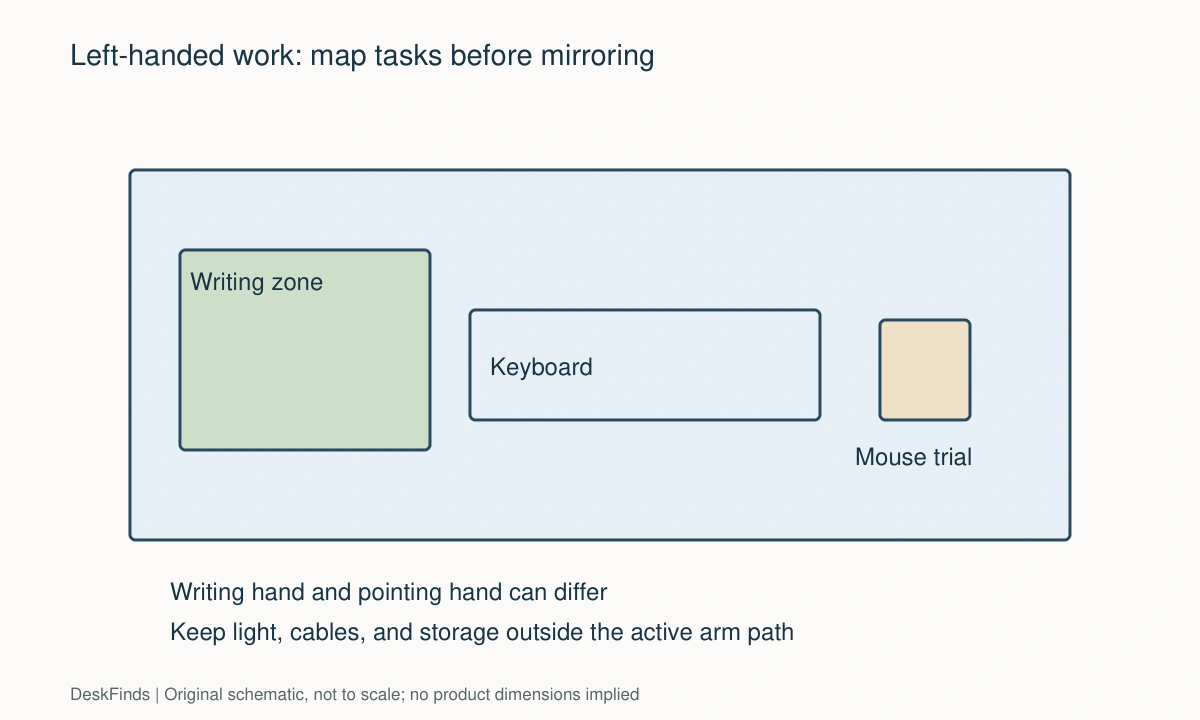
A left-handed desk setup is not always a mirror image of a right-handed one. You may write with your left hand and use a mouse with your right, or switch hands for different tasks. The useful arrangement follows those tasks instead of imposing one definition of left-handed work.
Quick answer: Identify the hand used for writing, pointing, and handling reference materials. Give the writing arm a clear movement area, put the pointing device where you actually use it, and position lighting so your hand does not cast an obstructive shadow. Check drawer, cable, and keyboard placement after those task zones are established.
Map your actual hand use
Spend a normal work session noticing how you use the desk. Include signing papers, turning pages, reaching for a phone, and using keyboard shortcuts. A handedness label alone does not reveal which side needs more room.
Write three task sequences: typing then writing, reading then highlighting, and using the mouse while referring to paper. The objects that move between those tasks reveal the space you need. If the notebook repeatedly lands on top of the keyboard, solve that transition before buying organizers.
Establish a writing rectangle
Place your usual notebook at the angle you find comfortable. Trace the space occupied by the open pages and moving forearm with a loose paper outline. Include any binder rings, hard cover, or spiral binding that changes where your hand can rest.
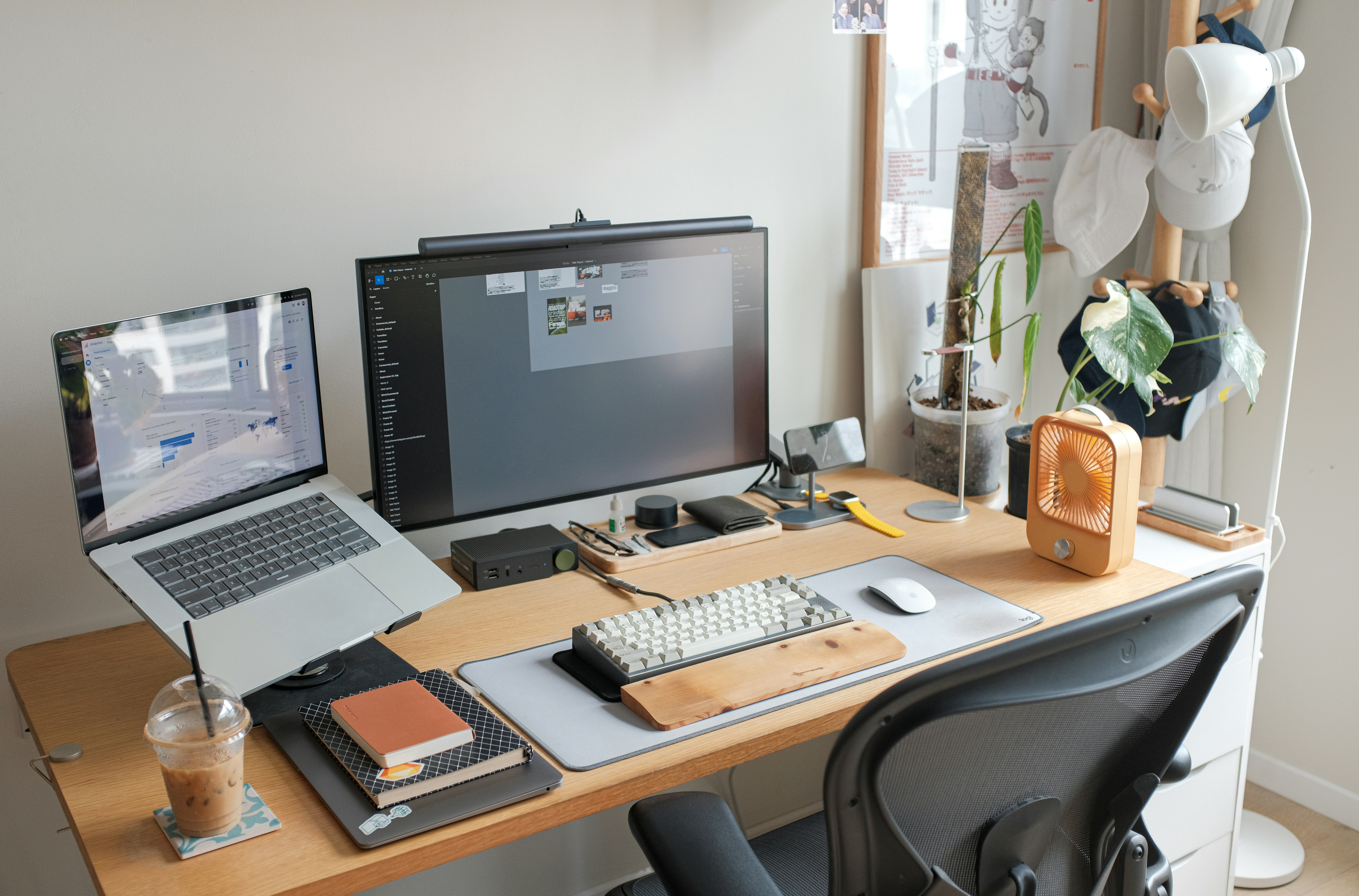
Keep the chair aligned with the task rather than leaving your body centered on the screen while the notebook is far to the side. On a small desk, a temporary keyboard parking position may be useful. It should not require disconnecting cables or balancing the keyboard on unstable objects.
Decide whether the mouse should move
If you already work comfortably with a right-side mouse, left-handed writing does not automatically require changing that. It can let you point with one hand while making notes with the other. Conversely, a left-side mouse needs a clear area on the left that does not compete with the notebook.
Check the mouse shape. A sculpted right-hand design is not made left-handed by changing the buttons. For a new device, compare actual shell shape and control placement. Use our mouse-grip guide to think about the device separately from the desk arrangement.
Check keyboard width and shortcut access
A full-size keyboard can push a left-side mouse or notebook away from the body’s center. A compact keyboard may help, but removing the number pad has a workflow cost if you enter figures frequently. Measure the space gained rather than assuming the smallest layout is best.
An external number pad can be placed independently. Try a paper model in different positions before buying one. Keep shortcut requirements and software remapping options in mind, especially on an employer-managed computer where settings may be restricted.
If key layout is the space constraint, compare external keyboard and mouse planning.
Place the light by the shadow test
With the notebook in place, turn on the task lamp and write several lines. Move the lamp until the hand’s shadow stops obscuring the area you need to see. For many left-handed writers, a light coming from the right is worth testing, but room lighting and page angle still matter.
Then check the monitor for reflections and the webcam for unwanted contrast. The lighting arrangement has to support all your tasks. A long-reach adjustable lamp can help when its base must sit away from the writing area; verify its reach and stability.
Move storage out of the elbow path
A pen cup beside the left edge can interrupt writing even when it occupies very little desktop area. Place frequently used tools within reach but outside the forearm’s sweep. Keep the dominant-hand side free of projecting hooks and drawer handles.
If the desk has a fixed pedestal on the left, check whether it limits how you sit during writing. Moving a desktop organizer cannot correct an obstructed knee position. A reversible desk or separate storage unit may provide more useful flexibility.
Route cables around the hand’s movement
A wired mouse cable should not run across the notebook. Give it a relaxed path along the outside of the active pointing area. Clip the cable only where the retention method does not shorten the movement range or strain the connector.
Place charging leads where you can retrieve them without crossing the writing zone. A charger kept at the back right may suit one mixed-hand workflow, while a phone used on the left may need another route. Choose the route from the task sequence rather than symmetry.
Arrange reference material without repeated crossing
If you write with the left hand while consulting a printed document, try the reference above or to the right of the notebook. If you use the right hand to turn pages, that arrangement may reduce crossing. Test it with the actual document size.
A document holder can help with reading angle, but its base must not displace the keyboard. Loose sheets, bound textbooks, and ring binders need different supports. Do not buy a holder from its maximum paper size alone when your reference is a thick book.
Test shared-desk changes
A shared workstation should be reversible without dismantling the layout. Put portable supplies in one caddy and mark two useful positions for the pointing device. Store a person’s settings notes with their belongings if software changes are permitted.
Avoid permanent cable attachment that fixes the mouse to one side. A modest amount of slack and an accessible receiver can make switching easier. Confirm that any shared input device is physically suitable for both people.
A practical trial before spending
| Friction during work | Test first |
|---|---|
| Notebook overlaps keyboard | A separate keyboard parking area |
| Writing shadow covers the line | Lamp direction and page angle |
| Left mouse feels too far away | Keyboard width and body alignment |
| Elbow knocks organizer | Move storage outside the arm sweep |
| Fixed drawers block the chair | A different desk orientation or frame |
Run the new arrangement for a normal session and record only the moments when you had to stop and move something. Improve those points first. An effective left-handed setup is defined by smooth work, not by putting every object on the opposite side.
Try three hand-use patterns
Left hand writes, right hand points
Keep the notebook in a clear left-side writing area and the mouse on the right. This can be efficient for marking a document while navigating a screen, but check the keyboard’s width. A number pad may push the right-side mouse outward while the notebook occupies the other side.
Move the keyboard only as far as the task permits, or compare a compact layout with an independent number pad. Do not shrink the writing area until your forearm rests against the desk edge. Preserve the shape needed for the open notebook and the movement of your hand across a full line.
Left hand writes and points
Here the notebook and mouse compete for the same side. Create two defined states: a pointing state with the mouse near the keyboard, and a writing state with the notebook aligned to the body. Give the temporarily displaced object a safe parking position.
A desk mat can help define positions, but it must not force every object into one crowded rectangle. Try the transition several times with a real task. If moving the mouse is easy but moving the keyboard pulls cables, change the retention and slack arrangement before buying a larger desk.
Shared desk with mixed preferences
Place common objects centrally only when both users can reach them without crossing the main task area. Keep personal tools in separate portable containers. A lamp with usable adjustment may support both arrangements if its base does not occupy the writing zone.
Agree which changes happen at handover. Physical layout, input-device settings, and device pairing are different tasks. Keep the handover simple enough that the next user does not have to untangle cables or find missing receivers before beginning work.
Use a page-turning test
Open the thickest reference book you normally use and place your notebook where you write. Turn several pages, highlight a line, reach for a pen, and use the mouse. Record where the arms cross or objects collide. The result can justify moving one holder rather than replacing the whole desk.
Binder rings and spiral bindings can matter as much as desk width. A different notebook orientation or a lay-flat binding may make writing easier without changing furniture. Treat those as workflow options, not a claim that one paper format is right for all left-handed people.
For the pointing device itself, review left-handed vertical mouse options.
Make improvements in a sensible order
First establish body and task alignment. Then remove an obstruction, change lighting direction, and improve the cable path. Buy a new keyboard or mouse only when the trial identifies the space or shape it needs to provide. This order makes each purchase answer a specific observation.
After changing an input device, repeat the writing test. A narrower keyboard may create space but alter shortcut use; a differently shaped mouse may need another wrist or forearm position. A good arrangement remains adaptable as tasks change rather than being a rigid mirror-image diagram.

Choose changes from observed friction
Record a few specific interruptions during normal work: the notebook hits the keyboard, the mouse cable crosses the page, the lamp shadow covers the line, or the pen cup meets the elbow. Each observation suggests a different change. A general feeling that the desk is wrong is harder to solve than a short list of repeated actions.
Try repositioning existing equipment first. A portable organizer can move to the back, a notebook can rotate, or a mouse cable can take another route. Use a temporary arrangement long enough to test ordinary tasks. Avoid drilling or permanent adhesive while the main layout is still being explored.
When buying a compact keyboard, check whether its navigation keys and shortcuts suit your software. The space saved should have a defined use, such as a left-side mouse area or an open notebook. A smaller device is poor value if it creates workflow problems without improving the task that prompted the purchase.
When buying a lamp, compare usable reach and shade movement rather than placing the base according to a universal handedness rule. Test shadows and reflections with the real page and screen. A lamp may need to light a shared writing zone at different angles during the day.
For a child or another household member, ask how they actually use the tools rather than arranging everything from their stated writing hand. Preferences can differ across pointing, cutting, drawing, and writing. Keep the setup adjustable. The final layout should make the person’s tasks easier, not enforce a visually tidy assumption about which side every object belongs on.
Worked example: a left-handed writer who keeps a right-side mouse
Suppose a user writes with the left hand, points with the right, and works from a full-size keyboard. The small desk holds a notebook on the left and a pen cup beside it. The initial plan is to move the mouse left because a left-handed layout diagram shows that arrangement.
A real task trial suggests otherwise. The user already switches smoothly between right-hand pointing and left-hand notes. Moving the mouse left makes it compete with the notebook and creates more rearrangement. The useful change is to keep the mouse right and remove the pen cup from the writing forearm’s path.
The notebook still overlaps the keyboard during long notes. The user tests a temporary keyboard parking position farther back, but its cable becomes taut. The cable is rerouted with appropriate slack and retention, preserving the connection without crossing the page. This resolves the transition without immediately replacing the keyboard.
Lighting is then checked with a full line of handwriting. Moving the lamp toward the right reduces the hand’s obstructive shadow in this arrangement. The user also checks the monitor for reflections and confirms that the lamp’s base does not occupy the mouse area. The successful position follows the actual light path, not merely a rule about which side left-handed people should use.
After a week, the user records that number entry is frequent enough to keep the full-size keyboard. A compact keyboard would save space, but it is no longer necessary to solve the main friction. A shallow rear organizer replaces the pen cup, and daily tools remain reachable outside the arm sweep.
The resulting setup is not a complete mirror image of a conventional desk. It combines left-side writing with right-side pointing, an independently positioned lamp, and a reliable keyboard transition. That is the useful lesson: choose the layout from task sequences and observed interruptions. Handedness informs the trial but does not prescribe every object’s side. Another user who points left would need a different state change and should test that workflow independently.
Use the lamp-reach guide.
Your eight-point comparison worksheet
Use these checkpoints to compare the actual room, furniture, or device with a candidate product. Keep each result separate; a favorable overall impression cannot resolve a failed required function. Blank record fields are deliberate so you can use your own measurements rather than copying hypothetical examples.
1. Hand-use map
Record which hand writes, points, turns pages, and handles the phone during a normal session.
Allocate space from those actual tasks; do not move a comfortable right-side mouse merely because writing happens with the left hand.
2. Writing footprint
Outline the open notebook and the moving forearm, including binding rings and the page angle used for full lines.
Keep organizers outside this shape and move the task toward the body rather than stretching sideways around fixed objects.
3. Keyboard footprint
Include side controls, number pad, cable exit, and any palm support in the keyboard’s working width.
Compare the space gained by a compact layout against the shortcuts and number entry you would lose before buying it.
4. Pointing area
Test the active movement of the actual mouse on the side where it is used, not just its resting outline.
Check device shape and button access independently from software settings; a right-hand shell does not become symmetrical by remapping buttons.
5. Light direction
Write several lines with the lamp on, then inspect shadows on the active line and reflections on the screen.
Adjust the lamp and page together; use a directional trial rather than treating a fixed left-or-right rule as sufficient.
6. Elbow clearance
Check the arm’s sweep near pen cups, desk edges, drawer handles, and hooks during writing and page turning.
Move storage away from repeated collisions before enlarging the desk, especially when the obstacle is a small accessory.
7. Cable route
Follow the mouse and charging leads during the transition from typing to handwriting and back.
Retain useful slack outside the writing area; a neat clipped cable should not limit movement or cross the notebook.
8. Shared reset
Switch the physical layout to the second user’s arrangement and return it without unplugging unnecessary devices.
Choose portable supply containers and accessible adjustments when sharing, and avoid permanent attachment that fixes the input devices to one side.
Sources and scope
- OSHA: pointer and mouse workstation guidance - General input-device positioning reference; hand-use trials here are individualized editorial exercises.
Editorial note: This is a research-based planning guide, not a hands-on product test or a certification of a custom installation. Dimensions described as hypothetical are examples. Follow the exact product instructions and confirm unresolved compatibility before buying.