
7 Best Portable Monitors Under $300 in 2026
Seven portable monitors under $300 compared, including OLED, 4K and touch panels, a stylus screen and a 17.3 inch model, for creatives and frequent travelers.

New to Amazon Prime?
Get fast, free shipping on every pick in this guide, plus Prime Video and exclusive deals.
Try Prime Free


At a Glance
Once you pass $150, a portable monitor is no longer a cheaper copy of a regular screen: the extra money buys OLED panels, 4K resolution on a 15 inch body, touch and stylus input. That makes this tier about choosing a specialty rather than just a bigger screen, so the question is what you want the second display to do that a basic one cannot.
We evaluated seven monitors from their listings and ordered them by how well the extra spend translates into everyday use. A few picks lean toward creative work, others toward travel, and every price figure here is an approximate band because Amazon prices move.
5 Criteria to Look For Before Buying a Portable Monitors Under $300
Key buying criteria so you get the right fit the first time.
Does your laptop output video over USB-C
A portable monitor with a USB-C jack only shows a picture when the laptop port behind it supports DisplayPort Alternate Mode, and some charge-only or data-only ports do not. The result is a black screen that looks like a dead monitor when the real cause is the port. Check the laptop spec sheet for a DisplayPort or video-output icon beside the port, and use the cable from the monitor box, because many look-alike USB-C cables carry power but no video.
Resolution relative to screen size
Pixel density is resolution divided by screen size, and it decides whether text looks crisp or soft at arm's length. A 15.6 inch 1080p panel is already fine for documents, while a 16 inch 2560x1600 panel packs about 60 percent more pixels per inch and shows smaller text cleanly, at the cost of more power and a pricier panel. Compare the listed resolution with the diagonal, and check that your laptop can drive the higher mode at the refresh rate you want.
Sustained brightness, not peak claims
Brightness is measured in nits, and a headline figure may be a short peak that the panel cannot hold on one cable. Standard portable panels sit near 250 to 400 nits, which suits a desk but washes out near a sunny window or on a train seat. Look for a stated typical brightness, treat a much larger peak number as a best case, and remember that OLED panels reach full contrast in dark rooms but still need decent brightness in daylight.
IPS, OLED and touch trade-offs
IPS panels are the safe choice with wide viewing angles and steady brightness, while OLED panels give deep blacks and strong contrast but can show burn-in if a static window sits for months. Touch adds a glass layer and a little extra weight, and it only helps if your operating system supports it on the second screen. Decide whether you will draw, annotate or just read, because that settles which of the three is worth the extra spend.
Size, weight and the laptop sleeve
A 14 inch panel slips into most bags next to a laptop, while 17 inch and larger panels often do not fit a standard 16 inch laptop sleeve and weigh around 1.7 pounds or more. Extra weight matters when you carry both screens daily. Compare the listed thickness and weight, measure your bag compartment, and remember a protective cover adds a little more bulk on top.
7 Best Portable Monitors Under $300 in 2026
ASUS ZenScreen MB16AHG
About this pick
The ASUS ZenScreen MB16AHG is a 15.6 inch 1080p IPS panel with a 144Hz refresh rate and FreeSync Premium, two USB-C ports (DP Alt Mode) and a mini HDMI input. The fold-out kickstand supports both landscape and portrait positions, and the listing mentions a three-month Adobe Creative Cloud offer.
Among the panels here it is the least exotic, with no OLED, 4K or touch, but it is also the most balanced: high refresh, solid brand, and no weight penalty from touch layers. The AOC OLED beats it on contrast and colour, and the EVICIV beats it on sharpness.
It is the default recommendation when you want something dependable without paying for a specialty feature. The caveat is that at this price some buyers will want more than 1080p, in which case look to the two panels below it.
Best for: most buyers who want a dependable fast screen from a known brand
Check price on AmazonPros
- +144Hz with FreeSync Premium
- +Two USB-C ports with DP Alt Mode
- +Stands in landscape or portrait
- +Established brand with a software bundle
Cons
- −1080p only
- −Not the sharpest in this price band
AOC 16T40D OLED
About this pick
The AOC 16T40D is a 16 inch OLED panel at 1920x1200 with a 16:10 shape, 95% DCI-P3 colour and a built-in 0 to 180 degree smart kickstand. It has dual USB-C ports and mini HDMI, two 1W speakers, a low blue mode and a listed weight of 1.12 pounds.
It is the lowest-priced OLED in this guide and the lightest, which is why it ranks second. Compared with the Junebox it drops touch and the 120Hz refresh, and compared with the ZenScreen it swaps refresh rate for dramatically deeper blacks.
Pick it for movies, photo review and design work where contrast matters more than speed. Two cautions: a 60Hz panel will not suit gaming, and OLED can show burn-in if one window stays static for months.
Best for: buyers who want OLED colour and contrast without a premium price
Check price on AmazonPros
- +OLED contrast at a mid price
- +Light at 1.12 lb
- +75mm VESA compatible
- +Dual USB-C plus mini HDMI
Cons
- −60Hz refresh
- −Resolution below 2K
EVICIV 15.6-inch 4K Touch
About this pick
The EVICIV is a 15.6 inch 4K UHD touch monitor with 125% sRGB colour, a peak of 450 nits and 10-point capacitive touch. It is 0.27 inch thin and about 1.8 pounds, connecting through USB-C or mini HDMI without drivers.
On a 15.6 inch screen 3840x2160 is extremely dense, so text and images look much cleaner than on the ASUS. The trade-off is a heavier power draw and a driver load that older laptops may struggle to push, and it costs about the same as the AOC OLED.
Choose it when sharpness is the priority and you also want to tap or swipe on the screen. The caveat is that at 4K on a small panel you will scale text up in the operating system to read comfortably.
Best for: people who want maximum sharpness for documents and photos
Check price on AmazonPros
- +True 4K sharpness on a small screen
- +10-point touch
- +Rich 125% sRGB colour
- +Only 0.27 inch thick
Cons
- −Touch adds cost
- −4K draws more laptop power
DAMRAPT 14-inch 4K OLED Stylus
About this pick
The DAMRAPT is a 14 inch 4K OLED panel at 3840x2400 with 100% DCI-P3 colour, 10-point touch and an active MPP stylus. The aluminum shell weighs about 1.3 pounds and measures 0.5 inch thick, and it has two USB-C ports plus HDMI.
It is the only pen-enabled screen in this guide, so it competes with small drawing displays more than with the other monitors. Against the EVICIV it is smaller, lighter and OLED, and against the Intehill it adds pen support and a much higher resolution.
Pick it if you sketch, mark up PDFs or take handwritten notes and want the display to double as a travel tablet. Confirm your drawing app supports MPP pens before buying.
Best for: artists and note-takers who want pen input on a travel screen
Check price on AmazonPros
- +Active MPP stylus included
- +Very high pixel density
- +Aluminum shell at 1.3 lb
- +OLED blacks for drawing apps
Cons
- −Costs more than most picks
- −Stylus support depends on app and OS
JUNEBOX 16-inch OLED Touch
About this pick
The Junebox is a 16 inch OLED touch monitor at 2048x1280 with a 120Hz refresh rate, a 550 nit peak brightness and 100000:1 contrast. It weighs 1.5 pounds, is just 0.13 inch thin, and includes a sleeve, dual speakers, VESA mounting and a kickstand.
It combines the AOC's OLED contrast with the EVICIV's touch layer and adds a 120Hz refresh, which is why it sits at the top of the price band. It is also the only model here that lists a stated peak of 550 nits, helpful near a window.
Choose it for hybrid work and play on the move. The caveat is the brand's short track record, so check the warranty terms on the listing.
Best for: travelers who want OLED, touch and 120Hz in one screen
Check price on AmazonPros
- +Smoothest OLED panel here at 120Hz
- +Thin 0.13 inch body
- +Sleeve case, speakers and VESA included
- +Bright 550 nits peak
Cons
- −Little-known brand
- −Premium price for the tier
Intehill Q14ZT 2.5K Touch
About this pick
The Intehill Q14ZT is a 14 inch 2.5K touch monitor at 2560x1600 with 100% sRGB colour and a full-laminated tempered glass panel that reduces reflections. It has dual USB-C and HDMI ports, an adjustable stand and measures roughly 0.4 inch thick.
It is cheaper than the other touch models here and smaller than the EVICIV, so it makes sense as the lowest-cost route to a sharp touchscreen. The trade-off is a fixed 60Hz rate and a less proven brand.
It suits students and consultants who want a small, sharp second screen that doubles as a touch panel. If you want OLED or pen input, spend more on the DAMRAPT or Junebox.
Best for: light travelers who still want touch and a sharp picture
Check price on AmazonPros
- +2.5K sharpness on a 14 inch screen
- +Full-laminated glass for lower reflections
- +Dual USB-C and HDMI
- +About 0.4 inch thin
Cons
- −60Hz only
- −Lesser-known brand
kksmart 17.3-inch 1080p
About this pick
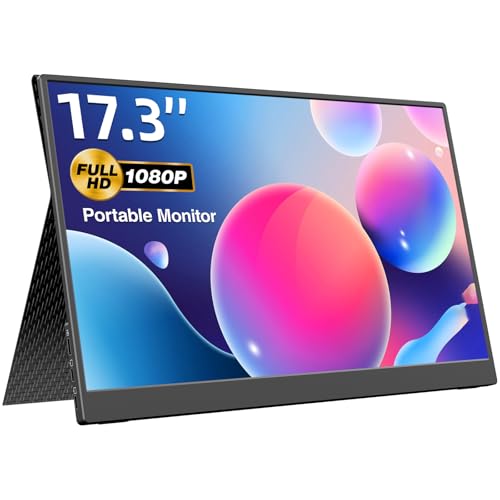
The kksmart is a 17.3 inch 1080p monitor with 100% sRGB colour, 400 cd/m2 brightness and a 1500:1 contrast ratio. It weighs 1.75 pounds, is 0.2 inch thin and comes with four cables, a 30W wall charger and a scratch-proof magnetic smart cover.
It is the most complete kit in this tier, but the plain 1080p resolution over 17.3 inches is noticeably softer than the 2.5K and 4K options above. It stays in the guide as the big-screen pick for people who prize size and ready-to-use accessories.
Choose it if you want the largest display and do not mind a lower pixel density. If detail matters, the Intehill or EVICIV offer more for the money.
Best for: desk workers who want size and a complete kit in the box
Check price on AmazonPros
- +Large screen with 100% sRGB
- +Cables and wall charger included
- +Magnetic smart cover
- +Very thin at 0.2 inch
Cons
- −60Hz and 1080p at a high price
- −Stretches pixels on 17.3 inches
How We Evaluated These Portable Monitors Under $300
Each pick was assessed across 5 criteria weighted for real-world use.
Panel and resolution
Each pick was compared on screen size, listed resolution and panel type, then weighed against what that combination does for text sharpness at laptop distance.
Connection and power
We checked the listed ports (USB-C with video, mini HDMI) and how much each monitor depends on laptop power versus a wall charger.
Portability
Thickness, listed weight and the cover or stand design were judged for how easily the screen travels with a laptop bag.
Features that change daily use
Speakers, touch, refresh rate and any mounting holes were weighed by whether a typical remote worker or student would notice them.
Value at this price
Price was weighed against the specialty each pick offers (OLED, 4K, touch, stylus or size), so a model only ranks high when the extra money buys something an entry screen cannot.
How to Choose the Right Portable Monitors Under $300
By Primary Use
At this price each pick specialises, so match the specialty to your work.
| Your situation | Pick from this guide |
|---|---|
| Reliable all-rounder with high refresh | ASUS ZenScreen MB16AHG |
| Movies, photos and design contrast | AOC 16T40D OLED: OLED at a lower price |
| Sharpest text and images | EVICIV 15.6-inch 4K Touch: 4K at 15.6 inches |
| Handwritten notes and sketches | DAMRAPT 14-inch 4K OLED Stylus: stylus plus touch |
| OLED, touch and 120Hz | JUNEBOX 16-inch OLED Touch |
By Budget
| Budget | Pick from this guide |
|---|---|
| $150 to $175 | ASUS ZenScreen MB16AHG or Intehill Q14ZT 2.5K Touch |
| $175 to $200 | AOC 16T40D OLED for OLED, EVICIV 15.6-inch 4K Touch for 4K, kksmart 17.3-inch 1080p for size and a full accessory kit |
| $200 to $300 | DAMRAPT 14-inch 4K OLED Stylus or JUNEBOX 16-inch OLED Touch for the premium panels |
OLED vs IPS
The panel type changes contrast, brightness and long-term care.
OLED
Deep blacks and strong contrast, best in dim rooms and for video or photos. AOC 16T40D OLED, DAMRAPT 14-inch 4K OLED Stylus and JUNEBOX 16-inch OLED Touch use OLED, and static windows can eventually cause burn-in.
IPS
Steady brightness and no burn-in concern, a safer choice for all-day office work. ASUS ZenScreen MB16AHG, EVICIV 15.6-inch 4K Touch, Intehill Q14ZT 2.5K Touch and kksmart 17.3-inch 1080p use IPS panels.
Default to IPS for long static windows and pick OLED when contrast matters more.
By Touch and Pen Support
| Input you need | Pick from this guide |
|---|---|
| No touch needed | ASUS ZenScreen MB16AHG or AOC 16T40D OLED |
| Touch only | EVICIV 15.6-inch 4K Touch, JUNEBOX 16-inch OLED Touch or Intehill Q14ZT 2.5K Touch |
| Touch plus a stylus | DAMRAPT 14-inch 4K OLED Stylus |
For a Frequent Flyer Specifically
Look for
A weight near 1.5 lb or lower, a slim body under about 0.5 inch, a sleeve or cover in the box and a panel bright enough for a window seat.
In this comparison
AOC 16T40D OLED is the lightest at 1.12 lb, while JUNEBOX 16-inch OLED Touch adds a sleeve and 550 nit peak brightness at 1.5 lb.
When to Spend More
Spend more if
You want a specialty panel: AOC 16T40D OLED for OLED, EVICIV 15.6-inch 4K Touch for 4K, or DAMRAPT 14-inch 4K OLED Stylus for pen work.
Save if
You only need a fast second screen: ASUS ZenScreen MB16AHG covers it without a premium panel.
Frequently Asked Questions
Is OLED worth it on a portable monitor?
If you watch video, review photos or work in dim rooms, yes, because contrast is far better than IPS. If you keep spreadsheets open all day, an IPS panel avoids any burn-in risk.
Does 4K make sense on a 15 inch screen?
It gives extremely sharp text, but you will scale the interface up in settings to read it. The benefit is clearer fine detail in photos and small fonts.
How do I know whether a portable monitor works with my laptop?
Check that the laptop's USB-C port supports DisplayPort Alt Mode, or use HDMI. A Thunderbolt or USB4 port always supports video.
Can I use touch and a stylus on a Mac?
Touch support depends on the operating system, and macOS does not fully support touch on external screens. Windows and many Android devices do, so confirm before buying a touch model.
How bright is bright enough?
Around 300 to 400 nits suits indoor desks, while sunny rooms and train windows reward panels near 500 nits or more. Look for a typical figure, not only a peak.
How should I protect an OLED panel?
Avoid leaving a static window or toolbar on screen for hours, enable auto-dim or a screensaver and keep brightness below maximum for office use.
Bottom Line
best overall: ASUS ZenScreen MB16AHG - best overall pick in this roundup.
See the full rankings above for all picks with pros, cons, and best-for summaries.
Browse on Amazon
All Prime-eligible options with current pricing.
Shop on Amazon →