
8 Best 165Hz Portable Monitors in 2026
8 portable monitors rated 165Hz, with an honest read on which connection actually reaches that rate, which panels are native versus overclocked.

New to Amazon Prime?
Get fast, free shipping on every pick in this guide, plus Prime Video and exclusive deals.
Try Prime Free



At a Glance
ARZOPA 16.1'' 180Hz 2.5K Portable Monitor, 2560x1440 QHD
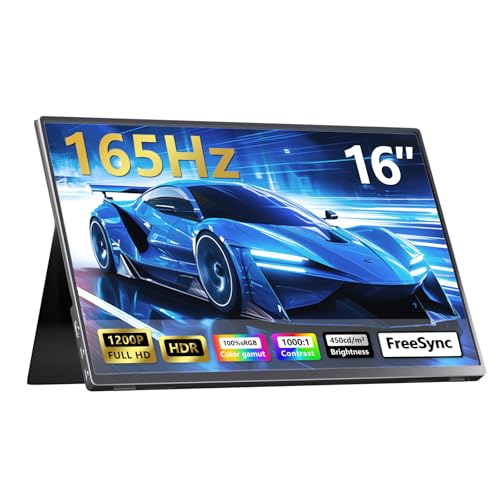
↓ See why we picked it16 Inch Portable Monitor for Laptop and Gaming, 165Hz 450 Nit 100% sRGB
↓ See why we picked itUPERFECT 24.5" 2K 165Hz Portable Monitor, QHD IPS Gaming Display
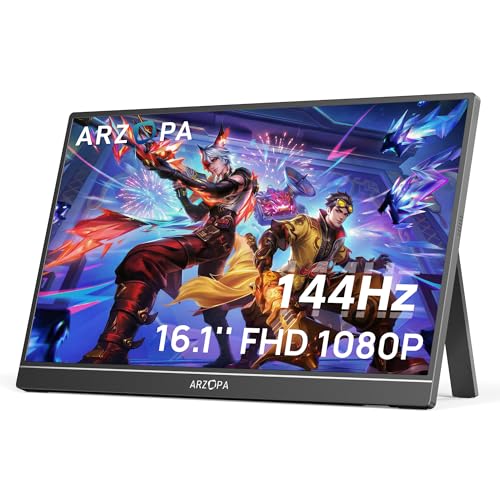
↓ See why we picked itARZOPA 16.1'' 144Hz Portable Gaming Monitor, 106% sRGB
↓ See why we picked itcocopar Portable Monitor 16 Inch 2.5K QHD 110% sRGB 144Hz USB-C, 120Hz HDMI
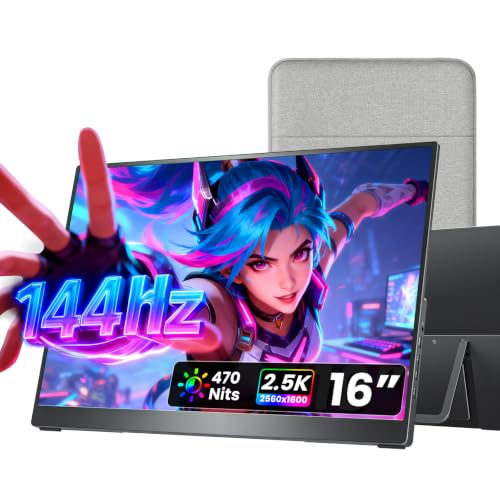
↓ See why we picked itVisionOwl Portable Monitor 16 Inch 2.5K QHD 144Hz, 470 Nits
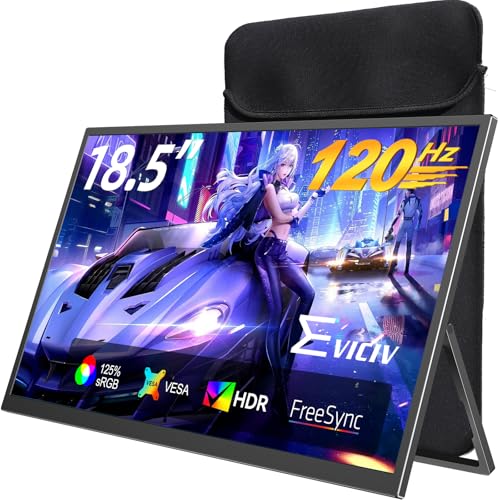
↓ See why we picked itEVICIV Portable Monitor 18.5 Inch 120Hz, 125% sRGB FreeSync
↓ See why we picked it165Hz almost always requires DisplayPort or USB-C DP Alt Mode, not HDMI 2.0, whose bandwidth ceiling supports roughly 1080p144 but falls short of 165Hz at most resolutions. The jump from 144Hz to 165Hz is also imperceptible unless your source device can sustain frame rates that high, a thin-and-light gaming laptop or console rarely does.
Some panels reach 165Hz through a manufacturer overclock of a native 144Hz panel rather than a true 165Hz-rated panel, which can introduce flicker or instability a native-165Hz panel wouldn't show. We flag what we can confirm about each pick below.
5 Criteria to Look For Before Buying a 165Hz Portable Monitor
Key buying criteria so you get the right fit the first time.
Check the refresh rate ceiling for each port separately, not just the headline spec
A portable monitor's advertised refresh rate is typically its maximum achievable rate on its best-performing port, usually USB-C using DisplayPort Alt Mode, but the same panel connected over HDMI, especially older HDMI 2.0, frequently caps at a meaningfully lower rate because HDMI 2.0's bandwidth can't sustain the same data throughput as USB-C at higher resolutions.
This is a genuinely common source of buyer disappointment: someone buys a monitor rated 144Hz specifically to pair with a game console over HDMI, only to discover the HDMI port caps at 120Hz or even 60Hz on that specific model, a distinction the headline spec doesn't disclose.
Check the listing specifically for per-port refresh rate figures (USB-C rate versus HDMI rate stated separately), and match the port you'll actually use to the rate you actually need, not the single highest number in the title.
Confirm your specific source device can actually output above 60Hz before paying extra for a high refresh panel
A monitor's refresh rate capability is meaningless if the connected source device can't output a signal above 60Hz in the first place, and this is a genuinely common mismatch: many laptop USB-C ports are data-only or video-limited to 60Hz regardless of Thunderbolt or USB4 branding, and handheld gaming PCs like Steam Deck and ROG Ally specifically output capped at 60Hz over USB-C in their current hardware generation, making a 144Hz-rated monitor's extra capability completely unused for that pairing despite the higher price paid for it.
Before buying specifically for the refresh rate, check your exact source device's documented maximum output refresh rate over the connection type you'll actually use (not just its general spec sheet), since a monitor's rated capability and your source device's actual output are two entirely separate specifications that both need to support the higher rate.
Understand that response time (GtG) affects visible motion clarity as much as refresh rate does
Refresh rate (how many times per second the image updates) and response time (how quickly individual pixels can change color, commonly measured in milliseconds as gray-to-gray or GtG) are two separate specs that both affect how smooth and clear fast motion looks, and a high refresh rate paired with a slow response time still produces visible ghosting or blur trailing behind fast-moving objects, since the panel can't physically change pixel colors fast enough to keep up with the higher refresh rate's demands.
This matters because response time is disclosed far less consistently than refresh rate across portable monitor listings, many simply omit it entirely, making direct comparison difficult even when two panels share the same headline refresh number.
Check specifically for a stated GtG response time in milliseconds, and treat a genuinely high refresh rate spec with some skepticism if the listing doesn't also disclose response time, since the refresh number alone doesn't guarantee smooth-looking motion.
Check power delivery and cable requirements, since a portable monitor's convenience depends on how it's actually powered
Portable monitors typically draw power either through the same USB-C cable carrying the video signal (single-cable operation, the more convenient setup) or through a separate dedicated power input, and some models support pass-through charging that lets your laptop's own charger power both the laptop and the monitor simultaneously through one connection.
This matters concretely for actual portability: a monitor requiring two separate cables (one for video, one for power) is meaningfully less convenient to set up and pack away than genuine single-cable operation, undermining part of the appeal of a "portable" monitor in the first place.
Check specifically whether the monitor supports single-cable USB-C operation with your source device, and confirm pass-through charging wattage if you want your laptop's charger to power both devices without needing two outlets.
Weigh review volume against star rating, since this category includes both established models and many newer, similar-looking entrants
Portable monitors from well-established sellers with years of accumulated sales carry review counts in the thousands, giving genuine statistical confidence in panel quality and long-term reliability, while newer listings, sometimes from the same manufacturer under a different model number or from less established brands entirely, can carry only a handful of reviews despite looking similarly specified and priced.
This is a real practical concern for a portable monitor specifically because panel defects (dead pixels, backlight bleed, uneven brightness) are a documented failure mode across this category, and a thin review base provides much less confidence that a specific listing's panel quality is consistent across units.
When comparing two similarly specified and priced portable monitors, check both the star rating and the review count together, and treat a very small review count as a reason for extra caution even if the rating itself looks strong.
8 Best 165Hz Portable Monitors in 2026
ARZOPA 16.1'' 180Hz 2.5K Portable Monitor, 2560x1440 QHD
About this pick
Rated 180Hz, this comfortably covers the 165Hz tier with headroom, at 2.5K QHD resolution. Reaching either 165Hz or 180Hz at this resolution requires USB-C DisplayPort Alt Mode with DSC support on your source device, HDMI 2.0 won't get you there.
It earns the top spot in this comparison over 16 Inch Portable Monitor for Laptop and Gaming for one main reason. Exceeds 165Hz with real headroom. On price, it's actually priced above 16 Inch Portable Monitor for Laptop and Gaming, which is worth weighing if cost is your deciding factor between the two.
Worth knowing before you decide: Sharp 2.5K resolution. On the other side, Smaller review base than budget picks. That's the main tradeoff to weigh against everything above.
Best for: PC gamers with a capable USB-C DP Alt Mode laptop who want headroom above 165Hz
Check price on AmazonPros
- +Exceeds 165Hz with real headroom
- +Sharp 2.5K resolution
- +Built-in kickstand
- +HDR mode
Cons
- −Needs USB-C DP Alt Mode with DSC to reach full rate
- −Mini-HDMI only
- −Smaller review base than budget picks
16 Inch Portable Monitor for Laptop and Gaming, 165Hz 450 Nit 100% sRGB
About this pick
At 450 nits with a claimed 100% sRGB gamut and genuine HDR support, this is a well-specced 165Hz panel at 1920x1200, a resolution that fits within USB-C bandwidth more comfortably than 1440p+ panels. Dual USB-C and HDMI ports cover both PC and console connections, though verify HDMI's actual refresh ceiling separately from the USB-C spec.
One spot below ARZOPA 16.1'' 180Hz 2.5K Portable Monitor in this ranking, it's priced lower than ARZOPA 16.1'' 180Hz 2.5K Portable Monitor. The compromise here is straightforward: Very small review count, limited track record. What you gain in return: Brightest panel in this guide at 450 nits. Whether that trade is worth it depends on which side matters more for your setup.
Worth knowing before you decide: 1920x1200 resolution is easier to sustain at 165Hz than 1440p+. On the other side, Newer, less-established listing. That's the main tradeoff to weigh against everything above.
Best for: Buyers who want the brightest 165Hz panel and are comfortable with a newer, less-reviewed listing
Check price on AmazonPros
- +Brightest panel in this guide at 450 nits
- +1920x1200 resolution is easier to sustain at 165Hz than 1440p+
- +Genuine HDR support claimed
- +Aluminum build
Cons
- −Very small review count, limited track record
- −HDMI-specific refresh ceiling not separately disclosed
- −Newer, less-established listing
AHXJKA Portable Monitor 16" 165Hz 1920x1200P 133% sRGB
About this pick
This listing is unusually transparent about the port-specific ceiling, explicitly noting the Type-C interface reaches 165Hz while the HDMI interface is limited to 144Hz, exactly the distinction most competitors bury or omit entirely. Genuine FreeSync/VRR support is claimed alongside HDR.
Sitting just under 16 Inch Portable Monitor for Laptop and Gaming, it's priced lower than 16 Inch Portable Monitor for Laptop and Gaming. Here's the honest tradeoff: Very small review count. And here's what it gets you instead: Explicitly discloses the USB-C 165Hz vs. HDMI 144Hz split. That's the real difference between the two picks, not just a ranking number.
Worth knowing before you decide: Lowest price in this guide. On the other side, Limited track record for a value-priced panel. That's the main tradeoff to weigh against everything above.
Best for: Budget-focused buyers who want an honestly-specced 165Hz/144Hz split at the lowest price here
Check price on AmazonPros
- +Explicitly discloses the USB-C 165Hz vs. HDMI 144Hz split
- +Lowest price in this guide
- +Claims genuine FreeSync/VRR support
- +VESA mountable
Cons
- −Very small review count
- −Lower rating than the premium picks
- −Limited track record for a value-priced panel
UPERFECT 24.5" 2K 165Hz Portable Monitor, QHD IPS Gaming Display
About this pick
This is genuinely the largest "portable" monitor in this guide at 24.5 inches, explicitly disclosing USB-C hits 165Hz while Mini HDMI caps at 144Hz, the same honest per-port split as the AHXJKA pick above but at a much larger, less travel-friendly size. At 5.42 lb, this stretches the definition of portable, more of a desk-bound secondary display than a bag-friendly travel monitor.
Ranked just behind AHXJKA Portable Monitor 16" 165Hz 1920x1200P 133% sRGB, it costs more than AHXJKA Portable Monitor 16" 165Hz 1920x1200P 133% sRGB. The real tradeoff against that pick: At 5.42 lb, stretches the definition of 'portable'. In exchange, it offers this instead: Largest screen in this guide by far. That's the swap that decides whether this pick or the one above it is the better fit for your source device.
Worth knowing before you decide: Honest per-port refresh rate disclosure. On the other side, Company itself recommends the smaller 22" version for frequent travel. That's the main tradeoff to weigh against everything above.
Best for: Buyers who want the largest screen here for a semi-permanent desk setup rather than frequent travel
Check price on AmazonPros
- +Largest screen in this guide by far
- +Honest per-port refresh rate disclosure
- +FreeSync support
- +VESA mountable for permanent desk use
Cons
- −At 5.42 lb, stretches the definition of 'portable'
- −Highest price in this guide
- −Company itself recommends the smaller 22" version for frequent travel
ARZOPA 16.1'' 144Hz Portable Gaming Monitor, 106% sRGB
About this pick
Included here as a value alternative for buyers who'd accept 144Hz over paying more for 165Hz, since the perceptible difference between the two is minimal unless your source device sustains well above 144fps. At 1080p, 144Hz is comfortably within both USB-C and HDMI bandwidth, more reliable across ports than the true-165Hz picks above.
One spot below UPERFECT 24.5" 2K 165Hz Portable Monitor in this ranking, it's priced lower than UPERFECT 24.5" 2K 165Hz Portable Monitor. The compromise here is straightforward: Doesn't actually reach 165Hz. What you gain in return: Largest review base in this guide. Whether that trade is worth it depends on which side matters more for your setup.
Worth knowing before you decide: 144Hz is imperceptibly different from 165Hz for most sources. On the other side, 1080p, not the 1440p+ resolution of the premium 165Hz picks. That's the main tradeoff to weigh against everything above.
Best for: Buyers who want 144Hz reliability at a lower price rather than paying extra for imperceptible 165Hz
Check price on AmazonPros
- +Largest review base in this guide
- +144Hz is imperceptibly different from 165Hz for most sources
- +Reliable across both USB-C and HDMI
- +Lower price than the true-165Hz picks
Cons
- −Doesn't actually reach 165Hz
- −Mini-HDMI only
- −1080p, not the 1440p+ resolution of the premium 165Hz picks
cocopar Portable Monitor 16 Inch 2.5K QHD 110% sRGB 144Hz USB-C, 120Hz HDMI
About this pick
Another 144Hz-tier alternative (not true 165Hz) included for buyers who want the highest review base and rating in this guide alongside sharp 2.5K resolution, a reasonable tradeoff if 165Hz specifically isn't a hard requirement.
Sitting just under ARZOPA 16.1'' 144Hz Portable Gaming Monitor, it costs more than ARZOPA 16.1'' 144Hz Portable Gaming Monitor. Here's the honest tradeoff: Doesn't reach true 165Hz. And here's what it gets you instead: Highest rating and review base in this guide. That's the real difference between the two picks, not just a ranking number.
Worth knowing before you decide: Sharp 2.5K resolution. On the other side, Priced similarly to some true-165Hz alternatives. That's the main tradeoff to weigh against everything above.
Best for: Buyers who want the most proven, widely-reviewed panel and are open to 144Hz instead of 165Hz
Check price on AmazonPros
- +Highest rating and review base in this guide
- +Sharp 2.5K resolution
- +Full-size HDMI
- +Metal build with VESA mount
Cons
- −Doesn't reach true 165Hz
- −Only 120Hz over HDMI
- −Priced similarly to some true-165Hz alternatives
VisionOwl Portable Monitor 16 Inch 2.5K QHD 144Hz, 470 Nits
About this pick
Another honest 144Hz (not 165Hz) alternative, included for its class-leading 470-nit brightness among the picks in this guide. Same 2.5K resolution and bandwidth considerations as the cocopar pick above.
Ranked just behind cocopar Portable Monitor 16 Inch 2.5K QHD 110% sRGB 144Hz USB-C, it costs more than cocopar Portable Monitor 16 Inch 2.5K QHD 110% sRGB 144Hz USB-C. The real tradeoff against that pick: Doesn't reach true 165Hz. In exchange, it offers this instead: Brightest pick among the 144Hz alternatives. That's the swap that decides whether this pick or the one above it is the better fit for your source device.
Worth knowing before you decide: Sharp 2.5K resolution. On the other side, Similar price to true-165Hz options. That's the main tradeoff to weigh against everything above.
Best for: Buyers who prioritize brightness over hitting the exact 165Hz spec number
Check price on AmazonPros
- +Brightest pick among the 144Hz alternatives
- +Sharp 2.5K resolution
- +Full accessory kit included
- +Full-size HDMI
Cons
- −Doesn't reach true 165Hz
- −Only 120Hz over HDMI
- −Similar price to true-165Hz options
EVICIV Portable Monitor 18.5 Inch 120Hz, 125% sRGB FreeSync
About this pick
Included as the largest-screen budget option in this guide, at 120Hz rather than 165Hz, a real step down in refresh rate but a real step up in screen size and price. Genuine FreeSync support if your GPU is AMD-based.
One spot below VisionOwl Portable Monitor 16 Inch 2.5K QHD 144Hz in this ranking, it's priced lower than VisionOwl Portable Monitor 16 Inch 2.5K QHD 144Hz. The compromise here is straightforward: 120Hz, well below the 165Hz target of this guide. What you gain in return: Largest screen in this guide at a portable weight. Whether that trade is worth it depends on which side matters more for your setup.
Worth knowing before you decide: Lowest price among the large-screen options. On the other side, Not a true 165Hz option. That's the main tradeoff to weigh against everything above.
Best for: Buyers who want the largest affordable screen and are fine trading 165Hz for 120Hz
Check price on AmazonPros
- +Largest screen in this guide at a portable weight
- +Lowest price among the large-screen options
- +Genuine FreeSync for AMD GPUs
- +Largest review base here
Cons
- −120Hz, well below the 165Hz target of this guide
- −125% sRGB unverified
- −Not a true 165Hz option
How We Evaluated These 165Hz Portable Monitors
Each pick was assessed across 3 criteria weighted for real-world use.
True 165Hz vs. 144Hz alternatives included for comparison
Distinguished panels genuinely rated 165Hz from strong 144Hz/120Hz alternatives included because the perceptible difference is often minimal for the price difference.
Per-port refresh rate disclosure
Checked which listings explicitly separate their USB-C ceiling from their HDMI ceiling, since 165Hz almost always requires DisplayPort/USB-C, not HDMI 2.0.
Portability versus screen size honesty
Flagged the 24.5-inch UPERFECT pick as stretching the definition of 'portable' at 5.42 lb, rather than treating all listed sizes as equally travel-friendly.
How to Choose the Right 165Hz Portable Monitors
By Rating Confidence: Highest Rated vs Most Reviewed
| What you're weighing | Recommended pick in this comparison |
|---|---|
| Highest star rating | cocopar Portable Monitor 16 Inch 2.5K QHD 110% sRGB 144Hz USB-C |
| Largest review base (more statistical confidence) | EVICIV Portable Monitor 18.5 Inch 120Hz |
By Budget
| Price range | Recommended pick |
|---|---|
| Under $97 | AHXJKA Portable Monitor 16" 165Hz 1920x1200P 133% sRGB |
| Mid-range | ARZOPA 16.1'' 180Hz 2.5K Portable Monitor |
| No firm budget ceiling, prioritizing panel quality or resolution | UPERFECT 24.5" 2K 165Hz Portable Monitor |
USB-C DisplayPort Alt Mode vs HDMI
USB-C (DisplayPort Alt Mode)
Usually the port that hits the panel's full rated refresh rate, and can carry power alongside video on one cable. In this comparison: check each listing's stated USB-C refresh rate directly.
HDMI
Reliable for consoles and older sources, but often capped below the panel's full rated refresh, especially at higher resolutions. In this comparison: AHXJKA Portable Monitor 16" 165Hz 1920x1200P 133% sRGB, UPERFECT 24.5" 2K 165Hz Portable Monitor, cocopar Portable Monitor 16 Inch 2.5K QHD 110% sRGB 144Hz USB-C.
If you're connecting a console or HDMI-only source specifically, verify the actual HDMI refresh ceiling on your chosen pick, since several picks here cap lower over HDMI than their headline spec suggests.
By VESA Mount Compatibility
| Your setup | Recommended pick |
|---|---|
| Want a permanent mounted setup | AHXJKA Portable Monitor 16" 165Hz 1920x1200P 133% sRGB |
| Prefer the included kickstand or case | ARZOPA 16.1'' 180Hz 2.5K Portable Monitor |
For a Handheld Gaming PC or Console Specifically
Look for
Your exact source device's documented maximum output refresh rate over the connection type you'll use, checked independently from the monitor's own rated capability, since handhelds like Steam Deck and ROG Ally commonly cap at 60Hz over USB-C.
In this comparison
ARZOPA 16.1'' 180Hz 2.5K Portable Monitor fits this specifically: Exceeds 165Hz with real headroom.
When to Spend More
Spend more if
You want what UPERFECT 24.5" 2K 165Hz Portable Monitor offers: Largest screen in this guide by far. That's a real functional upgrade over the budget picks here, not just a brand markup.
Save if
AHXJKA Portable Monitor 16" 165Hz 1920x1200P 133% sRGB already covers the essentials: Explicitly discloses the USB-C 165Hz vs. HDMI 144Hz split. The main thing you'd be paying extra for elsewhere in this list is headroom you may not actually use.
Frequently Asked Questions
Can I get 165Hz over HDMI on a portable monitor?
Generally no. HDMI 2.0's bandwidth ceiling typically supports around 1080p144 but falls short of 165Hz at most resolutions. You'll need USB-C with DisplayPort Alt Mode to reach 165Hz on the panels in this guide.
Is 165Hz noticeably smoother than 144Hz?
Only if your source device (laptop GPU, gaming rig) can sustain frame rates well above 144fps. Many thin-and-light gaming laptops and handheld PCs can't get there, making the extra 21Hz imperceptible in practice.
What's the difference between a native 165Hz panel and an overclocked one?
A native 165Hz panel is designed to run at that rate from the factory. An overclocked panel reaches 165Hz through a manufacturer firmware push beyond its native 144Hz rating, which can introduce flicker or instability a native panel wouldn't show.
Why did my 165Hz monitor drop to a lower refresh rate with no warning?
Most likely a cable issue. A USB-C cable that's DP Alt Mode-certified but low-bandwidth can silently bottleneck the connection. Use the cable included with the monitor or one explicitly certified for your resolution and refresh rate.
Does a 165Hz portable monitor need a separate power source for gaming?
Often yes, running the panel at its full refresh rate and brightness during sustained gaming draws more power than a single USB-C laptop port can reliably sustain, check the specific listing's power requirement.
Is a 165Hz portable monitor worth it for a handheld gaming PC?
Only if your handheld's own GPU can push frame rates meaningfully above 60-90fps in your games, otherwise the extra refresh rate headroom goes unused on hardware that can't fill it.
Bottom Line
best overall: ARZOPA 16.1'' 180Hz 2.5K Portable Monitor, 2560x1440 QHD - best overall, exceeds 165hz pick in this roundup.
See the full rankings above for all picks with pros, cons, and best-for summaries.
Browse on Amazon
All Prime-eligible options with current pricing.
Shop on Amazon →